Adobe Acrobat 9.0 Professional
Company: Adobe Systems Inc.
http://www.adobe.com
Retail: USA $449, $159 upgrade from previous version,
UK £499.38, £170.38 upgrade from previous version
Adobe has a long and and proud association with the Macintosh platform. It licensed Postscript to Apple for the original LaserWriter, and so ushered in the DTP age through the Mac. Its first software product was Adobe Illustrator for the Macintosh, and Photoshop has long been the choice of creative professionals on Apple hardware.
Of course, Adobe is also responsible for the Portable Document Format – as its name applies, a cross-platform file format that ensures that documents always look as intended. Adobe Reader is the free reader software that enables these documents to be seen, but creating PDF documents has not always been as easy. Acrobat is the Adobe solution to that problem, and in days gone past pure PDF creation was really all it was about. Time has moved on, of course, and any modern Mac running OS X can create PDFs without blinking, and read them using the in-built Preview application. Given this, Adobe’s Acrobat has to offer substantially more than simple PDF creation in order to persuade a Mac user to pay good money for it.
Adobe Acrobat 9.0 is the latest version (I was looking at the Professional variant – Standard is also available), and once you fire it up it is clear that Adobe has embraced the challenge of adding value with relish. A clean interface provides a series of drop-down buttons for the Acrobat workflow – starting with creation of new documents, and ending with commenting of existing PDFs.
PDFs can be created from pretty much any source – files, clipboard images, or web pages/sites. There is a screen capture engine and a TWAIN scanner interface as well, and even a limited word processing system, and a batch/combining tool allows disparate documents to be assembled into a single PDF. PDFs can be tagged, bookmarked and indexed, as well as having security added to the user’s specification. This is all as expected – a refined tool for creating finely crafted PDF documents. And Acrobat has had most of these abilities for some time. New in version 9 are a variety of features aimed at making the PDF format more than just a documenting engine. You could always easily combine multiple PDFs into a single document, or even combine separate documents into a PDF ‘folder’, but with this version you can create a new PDF container called a Portfolio. This allows the separate constituent documents to be presented as a parts of a Flash-based interactive menu structure. It actually looks a lot like the effects you can get with iPhoto galleries on MobileMe, but the included documents can be any format that Acrobat supports for import.
That function leverages the new media features supported now in the PDF format. Any video or audio file can be imported and embedded into a PDF, and it is converted on the fly into a Flash video for presentation within the document. This is a really clever move, as it offers a simpler way to Flash video handling than with Adobe’s other Flash-supporting products.
Adobe now has on online presence with a site at Acrobat.com, and this is used as a central repository for uploading, storing and sharing PDF documents. Acrobat has been able to share PDFs for commenting and amendment for a couple of versions now, but the integration of the online site as a repository for doing this makes a lot of sense. The overall online integration extends to an online collaboration engine with screen sharing, a full meeting space webinar engine, and even integration with Safari such that PDF links clicked on the web are loaded more efficiently and have the PDF toolsets presented from within the browser window.
A point to note about all of these new functions is that users will need Adobe Reader 9 or Acrobat to access them if they get PDFs created in Acrobat 9. Acrobat users can use the program as a super PDF reader, but annoyingly even with Acrobat installed Adobe does not supply Quick View filters or a Preview plug-in for OS X 10.5 Leopard, so without Adobe software to view the documents you will just see a large flag page pointing you to Reader 9.
Further enhancements have been made by Adobe to Acrobat in the areas of form creation and pre-press functions. These are the professional features that, if they fit within the niche profile of your business, make the purchase of Acrobat a no-brainer, and will probably drive you to upgrade to each version as it is released. However, the question of value becomes a real consideration for the rest of us.
The issue is that Acrobat Professional, good as it is (and yes, in my opinion it is very good) is pretty expensive at $449. There are other Mac products that build on the PDF handling within OS X, and offer much of the functionality in Acrobat at a fraction of the price. And, as a user here in the UK, I was dismayed to find that Adobe’s pricing policy bring in the UK price at £499 – a little over $900 at today’s exchange rate. Even allowing for sales tax variations, the UK price is nearly double that of the US, and when I queried it Adobe told me “There are two primary influences on pricing: the cost of doing business, and customer research that assesses the value of the product in the local market.” That second comment about customer research makes me a little uncomfortable, as I can’t really understand in a global market how that should change the pricing so much.
Now, that said there is the cheaper version, Acrobat Standard, that loses some of the pre-press and video functions, so take a look at the features list and the trial versions if you think Acrobat might be for you. As I said, it is an excellent program, but I do have to knock the rating down on the pricing for those who pay the bill themselves.
email – MyMac Magazine – Twitter – Advertise – Reviews Archive – Podcast
SE102MPA Sound Isolating Mobile Headset
Company: Shure, Inc.
Shure.com
Price: $119.99
Shure has long been known as a manufacturer of high-quality audio equipment, with a full line of both pro and consumer-level products.
The iPod/iPhone earbud market is one of the hottest consumer spaces there is, and Shure has several products for it. The Weeks Division of MyMac Labs had the opportunity to evaluate the Shure SE102MPA Sound Isolating Mobile Headset.
We spent several days on the road with the SE102 in our ears, and here’s what we found.
These earbuds produce very good sound quality, as you’d expect after paying $119.99 for a pair. The SE102 is not your average pair of earbuds; when properly fitted and installed it produces sound that approaches audiophile quality. I’ve reviewed a number of iPod/iPhone earbuds, and the SE102 produces the best sound of any pair I’ve tried.
http://mymac.com/showarticle.php?id=3265
http://mymac.com/showarticle.php?id=3191
http://mymac.com/showarticle.php?id=3066
The SE102′s bass is full and tight, yet not boomy. Highs are crisp and clear, and the mid-range is warm and liquid.
While Shure rightly brags about the technological quality of the SE102′s drivers (and they are good), a significant part of the overall experience comes from the sound reduction that you get only after you have the correct ear tips installed. Take the time to find the right size. Shure provides a wide choice of ear tips to fit almost ear canal size. Being just your average guy, with average size ears, I was able to obtain the right fit with the tips that came installed from the factory.
Shure recommends the wearer loop each ear bud’s cord behind the ear. By doing this, the buds locked themselves firmly in my ear, and I got the best sound reduction. Unfortunately, this makes putting them on more time-consuming. I found looping the cord around the top of the ear to be awkward, as I sometimes needed two hands to make sure the cord didn’t flop over the top of my ear when I inserted the bud itself into the the ear canal. If you elect not to loop the cord in back of your ears, you can let the cord drape straight down. I found this made it far easier to do while on the go, but the fit was not quite as secure, and the sound reduction not quite as impressive.

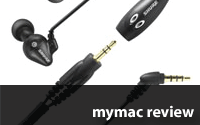
The SE102 comes in two parts; the earbuds themselves, which have a (approximately) 14" cable ending in a mini-RCA jack, and the microphone, which is at the end of a 22" extension cord. The short cable from the earbuds jacks into the microphone itself, which plugs into the iPhone. The microphone has a button which enables the standard features of single-clicking to pause audio, double-clicking to jump to the next track, and triple-clicking to jump back to a track’s beginning. The microphone’s button is pleasantly large and easy to quickly locate while on the go. Also included is a small carrying pouch.
As much as I liked the pure audio experience of the SE102, I found it frustratingly hard to use in the real world. As noted above, it can be awkward to put on the two earbuds correctly. I was rarely able to do so pulling a rolling suitcase while walking, as I needed two hands to obtain a correct fit.
More importantly, the location of the microphone is badly chosen, being too far from the user’s mouth. With the cords looped behind the ear, the microphone hung down to the middle of my chest. When talking in a quiet room, callers reported the call audio to be crisp and clear, but a bit quiet, and without much bass. When calling in a busy location, with normal amounts of ambient noise, some callers could not hear me well. If I did not loop the cords behind my ear when putting them in on the go, the microphone was nearly down to my belt line. With the mic this far from my mouth, I had many callers telling me "could you repeat that, I can’t hear you."
Moreover, the microphone is rather large, compared to most other iPhone mics. This makes it difficult to use my absolute gotta have it can’t live without it most-favorite earbud accessory; the Belkin TuneTie.

Anyone who travels with earbuds knows the most unfortunate fact of earbud life is that they tangle. Badly.
Weeks’ First Law of Earbud usage states: The degree of tangle is directly proportional to how quickly you need to put them on. The TuneTie ($9.99 for three) allows you to wrap the earbud cord around it, and thus prevent earbud cord snarls and tangles. TuneTie also prevents me from snarling when I get tangled earbuds.
As I was trying hard to like using the SE102 when on the road, I was distraught to find the SE102′s microphone to be large enough to prevent the cord from wrapping around the TuneTie, thus forcing me to carry the buds loose in a pocket, guaranteeing massive tangles when needed, or to fish the earbuds out of the Shure carrying pouch and hope to find them not tangled.
Conclusion
Shure has produced an earbud/microphone set that has wonderful audio quality and great ambient noise reduction. When properly fitted and placed in the ear, the SE102 furnishes great audio quality and noise reduction. Shure just doesn’t have the technology packaged for easy real-world use. The microphone needs to be closer to the user’s mouth to provide for better call quality in noisy locations. It also should be smaller. Ideally, the SE102 should be a one-piece unit, and not come in two parts that need to be plugged together. Fewer parts means fewer parts to lose, and better audio quality due to fewer plug connections.
MyMac rating 3 out of 5 Great audio, but mediocre ergonomics.
email – MyMac Magazine – Twitter – Advertise – Reviews Archive – Podcast
It’s easy to get lost in the maze at the halls of the world’s biggest imaging trade show. The organizers expect 160,000 visitors and about 1500 exhibitors. At photokina 2006 in Cologne, Apple introduced Aperture 1.5. Although this year Apple has no own booth, they are supplying many exhibitors with hardware. Macs can now be found everywhere, not only in the hall 4.1, dedicated to image processing, but also at the booths of major camera vendors.

We didn’t have much time to look around, but did find a few new Mac apps. Bibble Labs introduced Bibble 5, a major upgrade to its RAW converter software. It now includes its own asset management, and features advanced selective editing tools, improved noise reduction, and lens correction. With its price of $199.95 for the Pro version it is meant to play in the same league as Aperture and Lightroom. Eric Hyman, the CEO of Bibble Labs, cleverly focuses on the weaknesses of the competitors. Optimized for multi-core hardware, Bibble 5 is "up to 88 times faster than competing applications on high-end hardware", Hyman claims. From the look of it, Bibble 5 seems fast, fast—very fast—especially in batch-processing big RAW files.

At the booth of the University of Applied Sciences Berlin, we got a glimpse of an interesting image browser that sorts through huge sets of images by color, date, name, and size. ImageSorter analyzes the visual content of the images and spatially arranges similar images close to one another. Everybody who has spent endless hours in searching for images, in image databases will appreciate any progress in this area. The current version of ImageSorter is a free download, available from here.
We avoided the crowds standing around Adobe’s booth to get a look at the new features of the Creative Suite 4 and headed to Hall 6.1, the hall of lighting equipment. At the booth of Photoflex we discovered (well we’ve got a hint on this one) a development version of BoinxTV. BoinxTV allows anyone on a MacBook Pro or desktop Mac to produce professional video podcasts without the need for post-processing. Photoflex were using the software’s chroma keying filter in front of a greenscreen, with a Sony HD camera.

Time was running short and we had to leave the exhibit and catch our flight. Till next time, in 2010.
email – MyMac Magazine – Twitter – Advertise – Reviews Archive – Podcast
iPod Nano (4th generation)
Company: Apple
Price: $149 (8GB)/ $199 (16GB)
http://www.apple.com
Requirements: USB 2.0 port, OS X 10.4.11 or Windows XP Home, iTunes 8.0
Doesn’t seem that long ago that Apple revealed the 3rd generation iPod Nano (affectionately or in some case derivatively) called the Fat Nano. Oh wait…that’s because it was just last year. Not counting the iPod Touch (since that’s more of a crippled iPhone than an iPod), the 3rd Gen. Nano was the first other than the classic iPod line to be able to play video derived from your own digital video collection (using HandBreak or similar software to rip DVDs or acquired from iTunes…LEGALLY) and at the time I just couldn’t see myself viewing video on such a small screen (measured 2-inches diagonally). Apparently I was one of the few with such issues as the 3rd Gen. Nano sold very well in 4GB and 8GB increments. What else could Apple do besides increase storage capacity? I mean, they certainly wouldn’t completely change the design just a year later? Or would they?
By the time Apple announced the “Let’s Rock!” get together in Cupertino for September 9th, there had been numerous fuzzy (patent pending) images on the web for the new Nano. Being the jaded semi-professional web journalists that we are, we had seen so many pre-product announcements for various pieces of Apple gear over the years that we viewed these with a grain of salt large enough to choke a horse. Much to our surprise the pre-release pictures were absolutely correct and just about everything Apple announced that day was already known. I guess even a blind squirrel gets the nut once in awhile.

The colors for the new Nano are very bright. I bought a red one for my son for his birthday. He had been using my 1st Gen. Nano for awhile and I had promised him that if Apple came out with new ones on the 9th (his birthday is on the 7th) that I would get him one. My younger son had recently passed his 3rd degree black belt Tae Kwon Do qualification test and I had also promised him something special so I got him the green one. Both are the 16GB models and they are delighted with them. So much so that we can use them as possible punishments as in to take them away if they don’t behave. Ah the joys of parenthood.
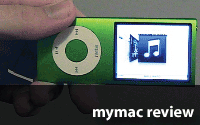
In pictures the new Nano looks much larger than the one it replaces. In real life it simply is much longer and skinnier. Imagine the 3rd Gen. put on a stretch rack and turned sideways. In more ways it resembles the 1st and 2nd generation Nanos than it does its predecessor. Let’s talk about what Apple did to make this Nano better.
The screen (320 X 240 with 204 pixels per inch) is actually almost the exact same size as before, just made a little different to allow for a wide-screen (kinda…it is only a 2-inch screen after all) perspective. The previous model when playing wide-screen would either clip the left and right sides or present you with black bands on the top and bottom depending on your video settings. The 4th Gen. screen is a little longer allowing you to view the entire image mostly without this banding or clipping. It’s covered in glass and while you might think this would cause glare issues, it didn’t seem like it was bad to me. The colors and contrast look great and other than the fact that it’s very small, the screen itself is very impressive. Considering that the video files the device is playing are extremely compressed, you probably wouldn’t notice it’s hardly High-Definition until you played the same files on a much larger screen. Which I have done with the new Nano connected through an Apple Composite cable directly to a 720p Samsung 40-inch TV and the same files (purchased directly from iTunes) were washed out and listless in comparison. I could go off on a tangent about video file quality from iTunes, but this is about the new Nano so I won’t. Let’s just leave it by saying that video on the Nano looks great with everything else considered. I know that doesn’t sound exactly like a ringing endorsement, but trust me when I say that you will be impressed with how it looks as long as you don’t expect a cinema experience.

Sound quality is just as good as previous models. Real audiophiles naturally will be aghast by compressed music whether it’s MP3, AAC, or Apple Lossless and wouldn’t be completely satisfied unless the iPod could have a holographic image on an imagined soundstage with the speakers perfectly tuned just for them and I feel real sorry for them that it seems so important. It’s a digital music player guys. Just get over it OK? There are some digital players that have slightly better sound, but most people wouldn’t be able to really tell the difference if their lives depended on it. Apple’s earbuds are … well … Apple’s earbuds. For some they’re just fine and for others, there’s a plethora of different headphones out there just screaming for your wallet to open.
The controls are exactly the same as almost every other iPod that came before it and the controls do not change when you turn it sideways. In either video or music, turning the screen sideways while looking at menus gives you CoverFlow to browse through your collection if that’s the perspective you want. It’s very smooth and pleasant to look at. There are other new control features as well. Apple has added an accelerometer to the 4th gen Nano, opening up a bunch of possibilities. Games for one. This is the type of technology that is in the iPod Touch/ iPhone and chances are most of those games will play on the Nano as well. The actual experience of playing those games won’t be the same because of the size of the screen. Another new feature is the shake to shuffle. Simply give your iPod a sharp shake and you’ll go on to another song. Chances are you won’t see this for the iPod Classic anytime soon since sharply shaking a hard drive is a recipe for disaster. For those that jog or exercise with their iPods, casual movement isn’t enough to move your mood from Mozart to Death Metal. The last significant feature in the controls to talk about is what Apple is calling Genius Mode. Simply put, it allows you to quickly make custom playlists from existing songs that have some similarity. So if your in a mellow mood, activating it while listening to say James Taylor might bring up whatever Jimmy Buffet songs you also have. On the other end, Ozzy Osbourne might also bring up Led Zeppelin or those 1980s hair metal bands you won’t admit to anyone you still listen to.
Battery life is probably about what you might expect. Apple claims 24-hours for music and 4-hours for video. Your mileage may vary. For extended trips in the car with the kids I would recommend a car power adapter or for long flights some kind of external battery. They’re out there if you look on Amazon and other retail outlets. Most other video and audio accessories that work with the iPod Touch/ iPhone/ 6th gen iPod Classic/ iPod Nano 3rd gen will work with the 4th gen Nano as well.
In keeping with Apple’s newly found advertised focus on being green, the packaging is about as minimal as it could be. Barely longer than the Nano itself, it also holds the USB 2.0 to iPod Dock Connector and standard Apple earbuds. Naturally Apple is boasting about it’s greenness by proclaiming that each iPod is Mercury-free, PVC-free, that the aluminum enclosure is completely recyclable and that the screen’s glass contains no arsenic for those that might want to lick it. Yea for us.
Zune fans will be delighted to know that there is still no built-in FM receiver in the Nano. I count this more as a feature than a drawback considering the state of radio in the US these days. No wireless syncing either which I find to be not that big a deal. If I’m in the same house as the computer that holds my content library, how hard is it to just go plug it in? I doubt it’s worth the battery life that a WiFi enabled Nano would use but to each their own. I doubt Apple will add on-the-go content purchases or remote syncing as this would possibly cut into the feature set for the Touch/ iPhone.
So where else could Apple take the Nano? I think it’s obvious that the iPod Classic with its big hard drive is eventually going to go the way of the dinosaur. Maybe Apple could expand the screen to 2.5-inches along with maybe 32 to 64GBs of flash storage? The danger there is that it might impede sales of Apple’s more profitable Touch/ iPhone line, but who knows? After being an Apple customer for over 20 years and a writer about them for over 8 years, the one thing I can safely say is that it isn’t safe to take a rock solid guess on what Apple might do next.

The 4th gen iPod Nano is a solid performer and as long as you’re able to look past watching video on such a small screen a good value and worthy successor to the previous model.
MyMac rating: 4 stars out of 5
email – MyMac Magazine – Twitter – Advertise – Reviews Archive – Podcast
Download the show here, or subscribe via iTunes
Sam Levin helps us kick off the show with a Cool Mac Picks, then Tim, David, and Guy talk about Spore, Adobe CS4, eBay, uBid, AOL, and much more. Plus a hearty congratulations go out to David at the end of the show.
Call in and leave a message for the show! 1-801-938-5559
MacSales pick of the week: PIXMA iP1800
Links from the show:
AppMinute.com
Adobe CS4
Spore
uBid
Axiom Audiobyte Speakers & EPZero Subwoofer
Axio-USA Fuse Backpack
Beer Bounce
Flick Bowling
email – MyMac Magazine – Twitter – Advertise – Reviews Archive – Podcast
MacAlly Air2Net USB Ethernet adapter
MacAlly
http://macally.com
US $24.99
While most Macintosh and Windows computers come factory equipped with Ethernet jacks, many new "Netbook" style computers may not.
Apple’s MacBook Air is a example (the only one) of a Mac without an Ethernet jack. But Apple does not bundle its own USB Ethernet adapter with the Air; if you want one, you have to shell out an additional $29.99.
My wife has an Air, and I frequently abscond with it. Most of the places I use it have WiFi, but from time to time, I need wired Ethernet, as I can’t connect to the hotspot’s signal, or I need the best throughput I can get (backing up the Air to our Time Capsule).
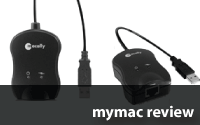
Now, MacAlly offers an alternative to Apple’s dongle, the MacAlly Air2Net USB Ethernet adapter. As expected, the Air2Net’s a dongle that let you connect an RJ-45 Ethernet jack into a USB port, and runs at Ethernet 10/100 speeds
I flogged the Air2Net hooked up to our MacBook AIr for an entire weekend at the Weeks Division of MyMac Labs. How did it do?
Air2Net proved to be trouble-free, and it performed with no muss or fuss. To recreate a new installation, I deleted the already existing USB Ethernet network setting in the Air’s Network system preference. OS X detected the Air2Net as soon as it was plugged in, and I hooked up via Ethernet cable with no more twiddling or fooling with network settings.
Wired network performance was just as fast as with Apple’s accessory, but MacAlly’s status and data transfer lights provided nice extra bits of information.
Air2Net has one small drawback; it’s not as small as the diminutive Apple adapter.
On the other hand, Air2Net has the connection and data transfer lights that Apple lacks.
If you just can’t decide between the two, consider the fact that Air2Net is $5.00 cheaper.
Conclusion
MacAlly’s Air2Net is worthy alternative to Apple’s adapter. It’s a bit larger, but has more bells and whistles.
email – MyMac Magazine – Twitter – Advertise – Reviews Archive – Podcast
Interview with John Nemo from and Scott Jordan
Robin Williams Cool Mac Apps, Third Edition
by John Tollett with Robin Williams
Peachpit Press
ISBN 978-0-321-50896-6, 511 pages
$24.99 US, $26.99 CN, £17.99 UK (many online discounts)
Cool Mac Apps is the best book for understanding how to use the creativity and productivity software that Apple includes on all Macs: iPhoto, iMovie, iDVD, iTunes, Mail, Address Book, iChat, Bonjour, Safari, iCal, Dashboard, Photo Booth, and Time Machine. In one substantial, affordable volume, readers learn what’s what, so they can fully use as many of these fine applications as they want or need to.
Chapter lengths vary depending upon how important John and Robin consider the different apps to be, and how much you can actually do with them. Their iPhoto opening chapter is a book in itself that is worth most of the modest price of the entire assemblage. The same can be said for the units on iMovie, iDVD, iTunes, and Mail. Whatever your interest, you’ll agree that "just right" is the number of pages, screen shots, and tutorials devoted per application.
Book Bytes rates Cool Mac Apps, Third Edition very highly, at a 4.5 out of 5. I knew a lot about these common applications, yet I learned something new, and important, in every chapter. You should see the number of page folds in my copy, indicating places I need to return and study so I can be as smart a Mac user as our world class authors, Robin Williams and John Tollett.
Here is our interview with John. It’s revealing, and very candid.
MYMAC: How did you decide how much space to devote to each application?
TOLLETT: We usually start with the intention of allowing as many pages as necessary to throughly cover each application. This approach, however, has become increasingly difficult, since each application includes multiple new features with each new version released, requiring many more pages than the previous edition. One subtle effect is that we end up being as brief as possible and sometimes crowd a little more information on a page than usual.
We really didn’t want to go through certain chapters and delete information, because the simple, basic tip that’s deleted is always the one thing that some readers would find useful. So we just tried to cover everything, within reason. There’s always some geeky thing that we figure most users won’t care about. In most cases, if it’s a tip that’s beyond the usefulness of our everyday Mac experience (or put another way, if you have to open Terminal and type commands), we figure there are other books out there for that audience.
Because the book was getting so fat (and late), we decided to eliminate the .Mac section, GarageBand, and iWeb. Obviously, it’s OK that we dumped the .Mac section since MobileMe has replaced that service.
As for GarageBand, it’s supercool and relatively popular, but most people we know have never even opened it. We’re continuously stunned and amazed by how many Mac users have never even opened iMovie or iDVD, much less GarageBand. While I’m on the subject of being stunned and amazed, we have friends that never would have upgraded to Leopard or used iChat (and Screen Sharing) if we hadn’t threatened to stop giving them tech support without it. The point is, there’s probably no more than a handful of readers who care that GarageBand got left out. And for them, there’s an extensive Help file built in.
The same argument was used for dropping iWeb. It’s definitely a Cool Mac App, and I use it, but if some apps had to go, we decided that’s one them.
MYMAC: How did you determine what details to include for any given app?
TOLLETT: We really try to include just about everything we’ve learned about an app. Of course, occasionally we learn something about an app after the book has gone to press. Or, sometimes, working as fast as possible, something just accidently gets left out because a note gets misplaced. I don’t think that’s happened much, but it’s always a fear that lingers in the air while the project is ongoing.
MYMAC: Would you say there is a substantial majority of basic info versus hidden tips or power user material?
TOLLETT: Yes, most of the information is structured around using the application’s basic features, getting familiar with the app’s interface, etc. My take on Mac has always been that almost nothing is harder to do than clicking a button. You just need someone to tell you what the app can do, and where to find the right button to click. I think each chapter has it’s fair share of power user tips, some hidden, most just based on user experience.
MYMAC: How much stuff in this book are you actually using yourselves, as opposed to presenting only for your readers?
TOLLETT: Without a doubt, at least 90% of this stuff we use everyday, all day, and half the night. The only apps in this book I don’t use every single day are Photo Booth and iDVD. Photo Booth is the one app I don’t use much at all, but lots of people do. And even though I don’t use iDVD everyday, I do love it and probably use it for a project every couple of months. Instead of burning DVDs of my iMovie projects, I usually upload them to my MobileMe Gallery. It’s much easier than burning DVDs and shipping them to people, the quality is good, and there’s always that advantage of instant gratification.
Just a couple of days ago, Robin and I attended her sister’s wedding in the San Francisco Bay area. The bride had asked me to shoot photos, but "Please, no video." Ignoring that request, I took along a Flip video camera that’s a little smaller than a mobile phone ($155). The day after the wedding, we flew home to Santa Fe, and the next day I uploaded a 14 minute, edited iMovie of the event to my MobileMe Web Gallery. The movie included both video and still photos. Some of the still photos were single frame video captures. Within minutes of uploading, the newlywed couple watched the movie and passed the web address along to all the wedding guests, friends, and relatives. So, not only are we actually using this stuff, we can’t live without it.
MYMAC: Have you compared your longer chapters with other books that concentrate on just one application, such as iPhoto or iTunes?
TOLLETT: Yes, and I think it compares favorably for the vast majority of readers. It’s quite challenging and time-consuming to include so many apps in one book. For instance, to write many parts of the iChat chapter I had to have three computers within a few feet of my office chair. And I needed three or four different .Mac accounts.
MYMAC: What are some of your greatest application revelations learned while working on this book?
TOLLETT: My biggest revelation was how indispensable Time Machine can be. Several times during and after this book project, Time Machine saved my digital life, or at least changed a catastrophic blunder into a minor inconvenience. At one point, I was able to completely restore the System from Time Machine, which totally solved a password issue that was preventing me from installing software update. And there’s the huge factor of having peace of mind, knowing your important files are backed up.
Another revelation was how my attitude towards iMovie changed from negative (or at least lukewarm) to enthusiastically positive. This new version isn’t yet as versatile (fewer transitions and title styles, no effects), and its interface is a totally new paradigm for video editing, making it extremely unfamiliar to people who’ve used iMovie before. I’ve used it a lot now (even after having to use it to write about it), and for certain projects it’s wonderful. And fast. Its integration with iPhoto, iTunes, Web Gallery (for MobileMe members), and YouTube are fantastic. Best of all, there are easy to use color correction controls that make unusable video clips look anywhere between usable and great.
One other cool feature of iMovie is worth mentioning. Your iMovie projects and clips are listed in the iMovie sidebar, making it easy to open and edit, or use clips from one project in any other project.
I still use Final Cut or iMovie HD if I want to edit video clips precisely timed with the beat of a soundtrack, or to create special effects that require multiple video layers, but if I want to create a project quickly and upload it to a MobileMe Web Gallery or YouTube, I use the new iMovie.
As a side-note, last January, as I was using the new iMovie for the first time, I edited a short movie of our new MaltiPoo puppy so I could learn how to upload the movie to YouTube (click a button. Ha!). I tagged the video with the keywords "MaltiPoo" and "Dogs." The video on YouTube has a viewer rating of 5 stars and has been viewed more than 13,000 times in a little over 8 months. That’s not much by some YouTube standards, but it’s 12,990 more views than I ever expected.
MYMAC: Which method(s) of Leopard screen sharing are your personal favorites, and why?
TOLLETT: Screen Sharing through iChat is the method we use 99% of the time, because we’re usually using it to give tech support or instructions to a friend or relative who’s connected through the Internet. The local computers we use most are within a few steps of each other, so we don’t usually need to use a local network Screen Sharing technique, such as Bonjour. If Robin wants to show me something on her screen, she uses RobinVoice Pro 10.5 ("Honey, could you look at this?")
MYMAC: What are the Dashboard widgets you and Robin use most frequently, that you can’t live without?
TOLLETT: On an almost-everyday basis, I’d say the Weather widget and Dictionary. Although sometimes the Weather widget on my Mac and on Robin’s (on the opposite side of the room), show slightly different temperatures and weather predictions. My favorite widgets, however, are Package Tracker and Delivery Status for tracking UPS and FedEx deliveries. For tracking airline flights, I love Flight Tracker. Finally, I really love Corporate Ipsum. It’s an automatic text generator for creating fake text, similar to Greeking. For many years, designers have used "Greeking" (fake Greek) to fill in the text areas of layouts with copy that doesn’t really say anything. Corporate Ipsum does the same thing, but uses corporate double-speak instead of fake Greek. It looks and sounds more realistic than Greeking, and you can set a slider to determine how many paragraphs of text you want. Very cool.
MYMAC: How much of the overall content is JOHN, and how much is ROBIN?
TOLLETT: Mail and Address Book are mostly Robin, based on her Leopard book. All other chapters are mostly me, not counting her contributions of layout and design, editing, organizational advice, InDesign template creation, InDesign tech support and Style Sheet creation, and huge assistance with Table of Contents creation and Index creation and editing. She also provided input, sage advice, and help in countless other ways. In short, I’d hate to think about writing a book without having her constantly very nearby.
MYMAC: Is there a way in future printings or editions you can make the screen shots brighter, because they are a little dark?
TOLLETT: Possibly. Three things are affecting this problem.
One: a couple of the application interfaces are very dark (Time Machine and iMovie). I could lighten them in Photoshop, but I’m concerned about misrepresenting the look of the app.
Two: the book is printed on paper stock that doesn’t help the problem. There are budget reasons for the paper choice, I’m sure.
Three: We actually designed and produced this book to be in full color. That turned out to be a misunderstanding (all my fault), and it was printed in black and white.
At one point, after seeing some color PDFs, our editor said "Is this book in color?" I ignored that comment, continuing in color until I heard otherwise. I didn’t hear otherwise until the final files were uploaded to the Peachpit FTP site.
If it had been printed in color, a higher quality paper would have been used and the screen shots would have looked much better. When the original color files were converted to grayscale by Peachpit at the last minute, perhaps the batched grayscale conversion didn’t quite do justice to the screenshots. The Section divider pages were actually very nice looking in color. In grayscale they’re semi-horrible at best, but fortunately there’s enough contrast to make them readable. So yeah, that part is very disappointing.
MYMAC: Are you concerned the new iTunes makes some of your chapter out of date?
TOLLETT: Yes, but what can you do? I comfort myself with the fact that not everyone updates their software instantly like some of us do. Robin and I probably update our hardware more often than most people update their software, so maybe the chapter isn’t a total loss. And there’s the fact that the new iTunes isn’t so different that it makes the chapter useless.
MYMAC: Do you really use iTunes’ Visualizer? Which module(s) are your favorite(s)?
TOLLETT: I don’t use it every day, but at once a week, late at night, I’ll take a break, open iTunes, play something fantastic like Trans-Siberian Orchestra, and watch the visualizer go crazy. On the previous version of iTunes, I used to tap the R key to the beat of the music to randomly change the colors and patterns on the screen. But I haven’t found how to do that yet in this new version.
MYMAC: What are your favorite iTunes freebies, available from the Store?
TOLLETT: I like some of the free tutorial Podcasts (Photoshop User TV, Photoshop Killer Tips, Adobe Creative Suite Video Podcasts). I have an iPhone and for the first time in my life, I love a phone. So I really love some of the free apps that are available in the iTunes App Store. Most notably, Twitterific (for blogging with 140 words or less), Movies (for finding movies near you), WhitePage mobile (for people or business searches, identify unknown phone numbers with Reverse Phone feature), MLB.com At Bat (baseball scores, highlights, and more), AOL Radio (Internet radio on your iPhone), and SportsTap (for scores of all kinds).
I often spend lots of time just browsing around the iTunes store, listening to the 30-second music samples. When I’m working on a movie project, I often spend more time listening and searching for just the right song than I spend actually editing the movie.
MYMAC: Thank you, John Tollett. The books you and Robin Williams co-author are consistent favorites of Book Bytes here at MyMac Magazine. Keep ‘em coming!
email – MyMac Magazine – Twitter – Advertise – Reviews Archive – Podcast
On the far side of a lane of professional software application vendors, I rather stumbled across CalDigit. For the storage solution manufacturer from Placentia, in the outskirts of our very own sunny L.A., this was the first participation in the Paris Apple Expo. Yet, they had quite a number of visitors, interested in the impressive array of high performance hardware RAID storage boxes. And Li Chen, Caldigit’s director of sales & marketing from their Taiwan branch, had also one brand-new product up front – the new 399.00 US "Quadra RAID", on display here as a prototype. As of today, this baby is not even visible on the company’s Internet page:
The enclosure is made of solid aluminum, and the outstanding features of the Quadra RAID are immediately visible: an amber-colored illuminated display with a 2-button interface on the front allow direct access to various menus to control available capacity, RAID status and more. A dedicated panel of 5 multi-color LEDs and the elegant aluminum power button add to the professional-grade appearance of the system.
On the back of the aluminum casing, there’s the reason for the "Quadra" in the name: a full arrangement of four different interface technologies: 2x FireWire 800, 1x FireWire 400, 1x eSATA and 1x USB 2.0 (that’s five ports, alright). Inline with the ports, Caldigit places the power jack as well as block of dip switches to configure the RAID mode (either RAID 0, 1 or JBOD) and the usual oval-shaped hole to attach a Kensington Lock. Another quality feature is visible from the back of the enclosure too: it uses just the same type of hot-swappable full metal drive modules as its bigger brothers.
This brings me to one thing Li explicitly mentioned: CalDigit claims to offer "Single Vendor Support". That said, it means that CalDigit controls all parts in their products, so that if a component fails, say a drive module, a fan, a LED panel or a power supply, they will replace this component with a dedicated spare part. For the customer, this means they can stock original spare parts or order them as required. An important aspect looking for highly available storage systems.
In the following picture, Jennifer Yin of CalDigit California shows us the 8 bay "HDPro" (RAID 0/1/5/6/JBOD) with external PCIe connectors, up to 20 Gbps sustained throughput and its user-replaceable components, the "Quadra RAID" again and (in the back) the 4 bay "HD Element" (RAID 0/1/5/6/JBOD) with Mini SAS connection which is also easily user-serviceable (fans and power supply). On top of the HD Element, yet barely visible in the photo is the CalDigit "RAID Card" which fits any Mac Pro and supports up to 16 drives over four x4 Mini SAS connectors (3 external, 1 internal):
And here’s the final product news I brought home from the Apple Expo R3MIX’08 in Paris this year. Let’s start with Bernard de Fabribeckers from I.R.I.S in Belgium:
What Bernard called "The Belgium Sausage" is their new IRIScan 2 portable 600 dpi USB Scanner, available either in the "Express" or "Executive" package. The IRIScan Express 2 bundle sells for 129.00 Euros or US Dollars, just as you prefer. The Executive version offers the more complete software suite with the newer CardIRIS version 4 instead of 3 and the addition of "@Prompt Office 7", a translation software (which is for MS Windows systems only anyway).
As both packages are otherwise identical and equally feature their powerful OCR solution REadiris Pro 11 for Mac, plus some other Windows-only software, the one reason for me to go for the Executive bundle would be the inclusion of CardIRIS 4. I personally had some trouble with version 3 not behaving exactly the way I’d expect Mac software to behave. Maybe this would be a good occasion to review the new version of CardIRIS… To be fair, the IRIScan is more than a business card scanner as it supports up to legal sized documents. And, even CardIRIS 3 did what it was supposed to: digitize a bunch of business cards. And damned fast too.
Last but not least – "be.ez": simply because of their comfy wood and leather outfit their booth always stands out from the rest. And so does their casual presentation of "La Robe" neoprene skins for MacBook and MacBook Pro portables as well as their accessory pouches. This time, however, CEO Nicolas Cottard and Sales Manager Olivier Hache proudly showed off two samples of a new product line which will debut at this week’s Fotokina in Cologne/Germany:
The compact yet spacious 59.99 US Dollar "La Besace" photo bag Ema holds here before my camera lens is the smaller variant of the one pictured in the next photograph:
And, there’ll be a a much larger one available too, even capable of holding your portable Mac, apart from a wealth of photographic stuff. OK, this is the about-to-be-released family of photo and accessory bags in one shot:
email – MyMac Magazine – Twitter – Advertise – Reviews Archive – Podcast
You know what a good memory for faces means, combined with frequent travels! You never know who the person is you’re sure you’ve met before. Enter Jackie Ballinger of Griffin USA. Simply didn’t expect her in Paris. But then Jackie showed me two of the most astounding little devices on the Paris Apple Expo: Griffin’s "AirCurve" and "Clarifi".
Available starting in October, the "AirCurve" is for everyone who rather won’t miss a phone call while walking around the office. And it’s a bargain for just 19.99 Euros (just the same in US Dollars). Just dump your iPhone into the AirCurve – whatever sound the phone makes, will be massively amplified:
But, how? No wires, no batteries, not even any connectors – Griffin’s AirCurve is a true wireless amplifier! We could play the guessing game, but I’ll tell you: this ingeniously designed, cute piece of acrylic and steel doesn’t require external power. The AirCurve neither draws from your iPhone’s battery. It’s simply an acoustic spiral, like Corti’s organ in our ears, or the sound funnel from those old turntables, molded right into the acrylic base.
And they have another one ready for the holiday season: the 34.99 Euros / US Dollars "Clarifi" is Griffin’s answer to the less-than-perfect fix focus digital camera in the iPhone 3G: combining a plastic protection sleeve with a sliding macro lens, the Clarifi takes your mobile do-it-all to new boundaries. Maybe this is what those barcode-capable iPhone apps have been waiting for:

Almost on my way off the show floor, I finally managed to stop by at Logitech. Should have done earlier. So, there remained just a couple of minutes for the latest news.
This is Logitech’s new QuickCam Vision Pro, readily available in Europe and the US with a price tag of 99.99 Euros (129.99 US Dollars):
The Vision Pro is a true 2.0 Megapixel web cam which attaches to your MacBook or MacBook Pro, boosts a Carl Zeiss optical lens with auto focus and Logitech’s RightLight adaptive lighting technology and digital stereo audio.
Literally a "highlight" of this year’s Apple Expo, and brand-new is the "Illuminated Keyboard". This ultraslim (max. height 9.3 mm), elegant keyboard of black finish with a transparent acrylic frame debuted in Paris and will be available in October for 79.99 Euros/US Dollars. The Illuminated Keyboard attaches via USB to any Mac or PC, the lighting of the keys can be adjusted in 3 steps or switched off completely – if you rather don’t look at what you’re typing:
Other news from Logitech include a bunch of improved or new mice like the "V450 Nano Cordless Laser Mouse for Notebooks" (39.99 EUR/USD, "Nano" transmitter, available in black, red or silver). The one mouse, Dominique Gerber, marketing manager of Logitech France was very proud of though, is the "V550 Nano" (also a cordless Laser Mouse for notebooks) which features a metal scroll-wheel which to me appeared to offer the same comfort and fast scrolling as the MicroGear scroll-wheels from e.g. the MX Pro or VX Pro. The V550 Nano sells for 49.99 Euros (same in US Dollars) and also makes use of the new Clip-and-Go dock. This is actually a small knob you can attach to the top cover of your notebook and it will then securely hold the mouse, wherever you go. The Clip-and-Go dock comes in two colors (black and silver), is removable, so you do not need to wonder, whether you just irreversibly damaged your MacBook or MacBook Pro while applying this neat little device.
One last thing to mention is Logitech’s Pure-Fi line of iPod, iPhone and mobile phone speaker systems. They’ve added the Pure-Fi Mobile (for mobile device capable of audio playback via Bluetooth), the 79.99 (99.99 US Dollars) tagged Pure-Fi Express Plus – a small boombox with remote control, for all current and recent iPod models, and the Pure-Fi Anytime (99.99 Euros/US Dollars) which is essentially a radio alarm clock able to host an iPod or iPhone.
Before we slowly say goodbye to Paris, let’s return to Algam Multimedia for another glimpse into the realm of music, sound and high fidelity: prominently placed at the entrance to the Apple Expo show floor, Algam demoed the Arturia Factory Experience and KORG’s new "nanoSERIES" of USB-MIDI controllers:
The Arturia Factory Experience is marketed as "The First Hybrid Synthesizer". Basically, this 299.00 Euros (349.00 USD) package consists of a high quality hardware controller and a software synthesizer complete with 3500 sounds (selected from the Arturia Classic Synths: minimoog V, Moog Modular V, CS-80V, ARP 2600 V, Prophet V, Prophet VS and Jupiter-8V). Should you rather want to use the legendary sounds with your own hardware, Arturia also showcased their "VCollection" pack of above seven software synthesizers, available for 499.00 Euros.
Ultra-compact, lightweight, yet fairly robust to be carried around, the nanoSERIES consists of three individual units: the "nanoKEY" (58.00 Euros) is a velocity-sensitive, 25-notes, MIDI controller keyboard, "nanoKONTROL" (70.00 Euros) has nine faders and knobs, 18 switches and offers 4 programmable scenes for up to a whopping 168 MIDI CC messages and MIDI notes using the switches. The six transport buttons can also be freely configured to control your music software. KORG offers their "KORG KONTROL Editor" software as a free download for use with the nanoKONTROL. Finally, and looking somewhat like the lower section of the company’s padKONTROL, the new "nanoPAD" (also at 70.00 Euros) is a fully programmable pad controller with 12 pads and an X-Y controller trackpad. All three nanoSERIES products come with a full set of bundled software including full licenses for either M1-LE, Ableton Lite Korg Edition or EZ Drummer Korg Edition.
But, the most visible pieces on the Algam stand were their Vinyl-to-Digital turntables. Their new top-of-the-line LP2CD HiFi player can either hooked up to your home theatre or audio studio, or you can use the built-in CD recorder to directly convert vinyl disk audio to digital CD media. Featured in our picture below is the 199.00 Euros LPDOCK, which comes bundled with Audacity, EZ Vinyl Converter 2 (Windows-only) and EZ Audio converter (Mac-only). The LPDOCK is equipped with an iPod dock as well as a USB port transfers your good ol’ vinyl records to either your iPod/iPhone or Mac:

Focal-JMlab:
This is yet another Apple Expo premiere: the Focal XS, according to its manufacturer designed to deliver “full multimedia sound”, is an elegant high performance 2.1 speaker set with an integrated USB sound card and iPod dock:
The Focal XS is one of the rarer iPod/iPhone compatible audio subsystems which actually allow not only playback but also charge, and synchronization with their docking electronics. And the XS comes with a tiny remote control which is magnetized so that it will attach to either of the satellite speakers:
More importantly though, the Focal XS produces a really impressive audio experience with a clarity and dynamics you could only guess with all the background noise of the Expo.
Manufacturer Focal-JMlab are known for producing professional-grade audio monitors and high-end loudspeakers – as well as a broad range of quality consumer systems for home and car audio. The company has more than two decades of experience and claims to be the French market leader in their segment.
email – MyMac Magazine – Twitter – Advertise – Reviews Archive – Podcast
One of the Mac and iPod/iPhone accessories manufacturer you’ll find at every Apple Expo is Macally. Gregorio Fernández from Macally’s European branch showed me some of their hottest stuff. While I admittedly feel a little dizzy with the abundance of sleeves, protectors and pouches, those continuously attract flocks of customers eager to vest their precious mobile Apple devices. And rightly so. The newest kid on the block is almost a “classic”: the MCase-2T (19.95 Euros incl. VAT vs.19.99 USD w/o tax) is an update to the well-known slim but sturdy leather-style MCase which has been around for the original iPod touch for a while now:
What I like a lot is the iVoicePro (49.95 Euros incl. VAT; likely the same price tag in US Dollars), a stylish microphone and speaker combination, similar to the iVoiceIII but with improved sound, which plugs into the 5th generation iPod, 2nd and 3rd generation iPod nano and iPod classic. With its additional line-in stereo audio jack, you can record and mix sound from the iVoicPro’s microphone with practically any other external source:
Probably even more attractive to some is the new PowerLink, a 3-in-1 USB-to-Dock-Connector adapter, providing data sync and charge for your iPhone or iPod, as well as doubling as a backup battery with gives you up to an additional 60 minutes of talk time or even 2 to 3 hours of extra music playback. The PowerLink will be selling for the same price as the iVoicePro (49.95 Euros):
Ah, yes, for the US market, all prices are estimated to be a rough equivalent of the European ones, but, obviously without VAT/sales tax.
Algam Multimedia, the French distributor shows off SHURE earphones and accessories as well as ION products for Vinyl-to-USB and other audio recording accessories. François showed me their SE102 entry-level earphones, available for 79.00 Euros, which are actually the first such products from SHURE to breach the 3-digit-barrier and embrace also the high-quality mid-range market. A popular bargain on the show was the Music Phone Adapter MPA3C, destined to make any SHURE earphone compatible with the iPhone which regularly sells for 59.00 Euros:
New from ION – you may know the logotype with an asterisk in front of their name – is the U-RECORD A/D converter box which handles the conversion of audio recordings on vinyl and K7 audio media to the digital age via USB. A driverless installation on any compatible Mac or PC also includes Audacity (Mac and Windows) and EZ Converter (Windows-only). The U-RECORD sells for 59.00 Euros.
Some new AKG products, not even out yet, courtesy of Philippe Guerin from Harman France:
K 309 P (earbud type), SRP 9.99 Euros, colored in “juicy orange” or “cocoa brown”, new entry-level model (18 HZ – 20 kHz, 124 dB/mW, 17 Ohms)
K 315 P (earbud type), SRP 24.99 Euros, colored either in “pebble black” or dual-colored with “brick red” (17 Hz – 23 kHz, 126 dB/mW, 17 Ohms, 5 grams)
K 317 P (earbud type), SRP 59.99 Euros, colored “snow white” with black and red (17 Hz – 25 kHz, 129 dB/mW, 17 Ohms, 5 grams)
K321 P (in-ear type), SRP 39.99 Euros, “cloud white” or “sky blue” (13 Hz – 22.5 kHz, 121 dB/mW, 16 Ohms, 4 grams)
and the very lightweight, aggressively-looking “wasp” or “scarab” colored K 330 P (12 Hz – 23.5 kHz, 121 dB/mW, 16 Ohms, 3 grams) for 69.99 Euros suggested retail price.
OK, all weights are without cables.

email – MyMac Magazine – Twitter – Advertise – Reviews Archive – Podcast
Late summer in New England. The air is fresh and cooling down, the skies are clear and the forests are still a deep green.
Great time to be a Mac user. Why? As you drive around New Hampshire this time of year it seems everywhere you look you see signs of Apple computer.
Apple computer?? Yes, the orchards are full of Apples ready to pick so you see many signs announcing “Macs” for sale. Or “pick your own Apples.”
Imagine for a moment if it could be that easy…
We went Apple picking this morning in a small town just 15 minutes north of where we live called Hancock New Hampshire.
Enjoy the pictures.


The leaves are just starting to change here…Fall colors will be coming to a blog near you soon.

Traveling to New England? Check the weather here:
RichLefko.com
Download the show here, or subscribe via iTunes.
With all the controversy surrounding Apple rejecting the Podcaster App from iTunes, we thought it would be a perfect time to have a chat with the App developer, Alex Sokirynsky. Featured roundtable participants include returning hosts Tim Robertson and David Cohen, plus Owen Rubin and Neale Monks. Later in the show, Sam Levin joins in with a Cool Mac Picks, and the roundtable looks back on the weekly happenings in the Mac world, SCSI, and more.
MacSales.com is our featured sponsor. Check them out here!
Links from the show
Podcaster
http://www.nextdayoff.com/
Native.Podcaster.fm
Cool Mac Picks
iHome iH41BR Rotating Alarm Clock
STM Bags large rogue roller 17"
SmileOnMyMac PDF Pen Pro 4.0
Parrot SA:
What does a parrot have to do with Apple, Macs and the iPod or iPhone? The colors of the original Apple logotype? Well, I’d say it’s more likely the manufacturer’s claim of enabling you to "Move Wireless" – they heavily bet on Bluetooth and WiFi, and NFC (Near Field Communication) and more connectivity options are closer than on the horizon.
At their crowded stand, Audrey and Pauline show me their new MKi9x00 line of car handsfree audio systems, specifically designed to support the various iPods or iPhones, and each of the three different sets comes with the connectors required to use basically any given music player on the market. All the Parrot handsfree kits have text-to-speech and multi-speaker voice recognition and voice dialing built-in.
The MKi9000 consists of just the connectivity and a wireless multifunctional control which comfortably attaches to your car’s steering wheel. The mid range sibling, MKi9100, features an additional bright dot matrix display, effectively providing the necessary visual feedback while you control your music playback or in-car phone calls:

Of course, with the high-end MKi9200 comes a bigger and full-color display which let’s you not only more visually interact with your iPod or iPhone while keeping your hands on the wheel, but it also offers multimedia features such as displaying slideshows of photos on your handheld:

Just when I was about to leave their booth, I saw this perspective giving you a nice view of not only the award-winning SK4000 motorcycle handsfree kit (iF Product Design Award 2008) but also a glimpse of Parrot’s wireless stereo audio speakers (audio transmission and channel synchronization via Bluetooth, make sure your mobile phone supports the A2DP protocol for stereo audio though!), boom-box and digital photo frames. And to avoid any confusion – the control device for the helmet’s audio does not have any wires. What you see is the audio cord for your music player:

email – MyMac Magazine – Twitter – Advertise – Reviews Archive – Podcast
Like on most of the Apple- and Mac-related shows in recent years, audio and video take up a growing proportion of the show floor: professional production hardware and software, service providers and accessories demonstrate that Apple has conquered the desktop A/V market just like it practically invented the DTP industry since 1984:
This kid’s getting a first hands-on experience with the Wacom Cintiq 21 UX interactive pen display which over here sells for just below 2,500 Euros. The 12-inch version Cintiq 12 WX may be much better targeted at this customer’s budget with the roughly 50% of its bigger brother’s price:

Color Grading using “Color” included with Apple’s Final Cut Studio 2 and an true professional-grade control panel from Atreid:

Once you’ve touched the cool black surface and smooth precision dials, you don’t ever want to mess with mouse-centric UI controls again, not for accurate color adjustment that is. After all, are you a Pro or what?!
Simultaneously, with the success of those ubiquitous iPods, now the iPhone and the iTunes Store as its back-end, came the foray into Consumer Land. Which is good. Extremely good. Actually it’s essential to Apple’s continuously strengthening position in the IT industry worldwide… but, oh well, someone switch off that amp over there, please!
With a myriad of different deafening and interfering soundtracks it’s frankly impossible to make oneself heard over just a few feet! OK, enough complaining, on with business: everyone’s getting along well, even notorious competitors make fun of their meeting every week at a different show in the world these days.
And so are Sennheiser and the likes ever present with quite distinct appearances, friendly staff and a great customer experience. The former with a dance-floor-like setup and live DJ, transmitting a vibrant soundscape:

Harman/JBL/AKG invest in style over BPM, attracting design students from Europe’s traditional capital of Fine Arts, fashion industry and Savoir Vivre:

Apart from their current and upcoming line of products…

… one splendid new set of high quality active speakers caught my eyes. The massive, heavy, crystal-like GLA-55 which are still to be released and I’m told they’ll cost 599 Euros:

And back to the grass roots and garageband mentality of making music: not being a Mac-related product at all, the XBOX-360-based “RockBand” entertainment system from Harmonix Music Systems is a big hit with the audience of Apple Expo R3MIX’08!

I’ve spotted it twice yet in live performances: once, in “corporate” RockBand colors, close to Microsoft’s ample booth, and once, directly left of the entrance area, being marketed by the local distributor Algam Multimedia.
email – MyMac Magazine – Twitter – Advertise – Reviews Archive – Podcast
Mini
Fancy European cars? Sports cars? Fun cars? Well, like it or not, they’ve been on every Mac fair recently, and no, I won’t give you the full picture. Go and see for yourself! But, OK, here’s a glimpse of what you’re missing:

It’s really fun in the cockpits of either, the new Mini John Cooper Works Edition (Mini J.C.W.) or the much more spacious Mini D Clubman.
In the live cars they brought to the show floor in Paris this year, Mini promote their in-car iPhone connection and of course their entire range of accessories and life style products.

End of Day 1
What a day, unexpected meetings, many nice people, more stuff to talk about than fits the agenda. And I don’t even know what’s going on here:

.. definitely must check tomorrow what they’ve got in store for me!
Before I left the Expo for the night, I came across this "booth with a view". Isn’t it nice to know you’re surrounded by picturesque Paris while dealing with all that high tech stuff and walking your heels off? BTW, that’s the Nike+ booth I mentioned already. And as you can see, they’re advertising their global campaign "THEHUMANRACE+" big time!

But, the real Paris is nicer still – just another touristic snapshot from the famous Tour de Montparnasse with a splendid horizon and the notorious Metro sign:

email – MyMac Magazine – Twitter – Advertise – Reviews Archive – Podcast
ACRUSH GmbH
CEO Scipio Schneider showed me his broken original iPhone with the shattered glass surface: definitely not something you’d want to see yourself, and the reason for ACRUSH’s new iPhone 3G shock protector (debuting in Paris) to come to life: as Scipio puts it, most hazardous are drops on the floor, where the iPhone hit the ground laterally, and this side impact
then breaks the glass front.

With the first samples of ACRUSH looking as nicely as they do, they also feel very smooth and preserve much of the elegant touch of the iPhone 3G: the silicone bumper nicely protects the devices edges, without covering the smooth back, but still providing an increased protection on the front, with a small elevated rim framing the iPhone’s display.

ACRUSHs come in various colors, most are translucent, one even glows in the dark. At the show, they sell at a special discount price of 10 Euros, the final production will be available for 14 or 15 Euros, US pricing pending.
Nike+
At the Apple Expo in Paris, Nike+ are everywhere, starting on the outside with highly visible red cars and trucks:
Their booth in Hall 5 itself is ample, and the staff eagerly presented Nike’s newest additions to the Nike+ line of sports shoes.
Pilla and Alexandre showed me their new “ZOOM VICTORY+” series, actually a direct derivative of the racing shoe at the Peking Olympics this summer. Nike’s new “FLYWIRE” technology allows for a much more lightweight construction of the shoes’ upper by using heavy-duty nylon threads to distribute and direct the force from the foot to the ground. Also readily available, and too FLYWIRE-equipped, are the LUNAR RACER and LUNAR TRAINER.
Much like a spider’s web, instead of the heavier and thicker plastic applications we’ve grown used to over time, FLYWIRE directly applies to the mesh-like surface, resulting in more lightweight and slimmer shaped shoes. I must say, those shoes look a little like sneakers, although Nike positions them right within their running, racing and training series.
email – MyMac Magazine – Twitter – Advertise – Reviews Archive – Podcast
One of this show’s product news comes from iomega: the “eGo Helium” portable hard drive, designed specifically for the MacBook Air, is a shiny enclosure in aluminum finish with a sole Mini USB connector in the back and, supposedly, the ideal storage companion for your ultra portable Mac.
The drive itself weighs in at 165 grams with exterior maximum dimensions of 13 x 88 x 120 millimeters. It really has a cute design and is tinier than may appear from my photo below. And, as with the MacBook Air itself, the wedge-like form factor nicely hides the 13 mm thickness:

According to Melanie and Tilman, at the iomega booth, the eGo Helium is expected to start selling in October this year, in Europe around 120 Euros, we will try to get a quote for the US target price.
Another debut from iomega is the “UltraMax Plus” desktop hard drive (third from the right in the photo below). This relatively small dual bay aluminum enclosure actually comes as a quadruple interface device with a 3 port USB 2.0 Hub, two FireWire 800 and one FireWire 400 and eSATA port each. Two dedicated LEDs on the front monitor the drives’ status.
The UltraMax Plus will be available in two configurations: 1 TeraByte (2 500 GB drives), for 289 Euros, and the 2 TeraByte model for 379 Euros.

email – MyMac Magazine – Twitter – Advertise – Reviews Archive – Podcast
Some Macbooks and Mac folk on the train to Paris, Le Metro packed with commuters, then some “signal failure” turns out to be an accident and blocks the entire line… No way of getting to the Expo grounds in time before public transport goes to sleep.
Thanks to the ever friendly Parisiennes I walk my way to the hotel through streets of abandoned taxis. As Apple doesn’t exhibit at this year’s Expo, there are no iPod posters anywhere – a sharp contrast against those many years where not only downtown Paris was virtually covered in Apple’s imagery.
So, what does the hungry Mac user do around midnight in Paris? Yes – buy a fresh and tasty apple for the vitamins…
Getting up with a (distant) view of the Tour Eiffel: the Eiffel tower had been looming in the back of the nightly skyline, with his flashing beam hovering over Paris – now, in early morning dusk the landmark is dwarfed by a giant concrete chimney.
One other thing did change, too, overnight: adverts for this year’s Apple Expo R3MIX ’08 appeared, everywhere. Some still wet with glue, while the stairs in front suggest that whoever put the poster to this Metro wall, probably just went for a Café of sorts.

Those of you who are familiar with the Paris Expo grounds at Porte de Versailles know how beautifully the old entrance building contrasts with the shapes and sizes of the more futuristic buildings there.

Hall 5, the place where Apple Expo is (again) being held, is an entirely different breed…

Confused faces greeted me in front of this huge glass-and-concrete building: last year, with Apple participating, the place was crowded with regular visitors queueing for the start of the show. In 2008 everyone has to enter from the side:

But still, the usual buzzing atmosphere welcomes everyone entering. Press accreditation is a breeze, very well organized, as well as the printout of regular badges. Now, let’s check the WiFi access for members of the media… wow! works! nice! Although later, it turns out to be a rather unstable connection

What’s the main difference you’d expect from the biggest European Apple/Mac-related show with Apple being absent?
You’d expect a huge void where those notorious black desks and show arenas were?
No Sir! Instead of a white logotype on black walls and boxes, and many helpful Apple staff, Paris this year hosts “ATN – Agora des Talents Numériques” who basically are doing just the same as the Crews from Cupertino and Apple France before: show off Apple’s products and related software and hardware, set up in typical environments for Audio, Video and special solutions. A full schedule of accompanying events for everyone interested really leaves a good impression of this stand-in concept. And I can tell you – in the afternoon, the area was packed:
More to come! Check back later!
email – MyMac Magazine – Twitter – Advertise – Reviews Archive – Podcast

Mac OS X Leopard Bible
by Samuel A. Litt (and five co-authors)
Wiley Publishing
ISBN 978-0-470-04174-1, 953 pages
$34.99 US, $37.99 CN

Switching to the Mac, Leopard Edition
by David Pogue
Pogue Press/O’Reilly
ISBN 978-0-596-51412-9, 591 pages
$29.99 US and CN

Adobe Creative Suite 3 Bible
by Ted Padova and Kelly L. Murdock
Wiley Publishing
ISBN 978-0-470-13067-4, 1257 pages
$44.99 US, $53.99 CN

Macs All-in-One Desk Reference for Dummies
by Wallace Wang
Dummies/Wiley Publishing
ISBN 978-0-470-16957-5, 790 pages
$29.99 US, $32.99 CN, £19.99 UK
If you’re thinking of competing in the geek-weight class at the 2012 Olympics, Book Bytes has four heavyweight volumes to beef up your biceps. You can read lengthy reviews of these massive books elsewhere. MyMac provides brief evaluations to help you decide if any or all of them are worth your time, money, and muscles.
Mac OS X Leopard Bible
We’ve been reading and reviewing Mac Bibles since Moses booted up his MacTablets. Authors have changed, styles have evolved, and publishers have come and gone. Samuel Litt’s talented team aimed high, and delivered a comprehensive Leopard edition. Priced competitively at $35/U.S. retail, or much less online, cost is not a barrier to purchase.
Divided into four major parts with a total of 24 chapters, if the Mac OS X Leopard Bible doesn’t discuss it, there’s a good chance you won’t miss it. Geekers can begin at the end, where topics such as maintenance, automation, Unix, and security are covered. Intermediate level users will devour Part Three. It addresses printing, System Preferences, accounts, and Windows integration. Newbies and most mortals will carefully study the first 600 pages, which are geared toward everyday usage of Mac OS X 10.5 Leopard.
Graphics and itemized steps are well-presented and easy to follow. Countless tips, notes, and boxed sidebars enhance the basic information. Writing style is surprisingly lively, considering the team approach to such an enormous subject. Over sixty pages of thorough glossary and index are welcome enhancements.
The general font used is a little lean and small for older eyes. Lightweight paper stock means the book isn’t too heavy, so if you drop it on your foot you’ll probably only break one or two toes.
Astute readers will discover that a some information has changed since Mac OS X Leopard Bible was written, months ago. Don’t let that discourage you from becoming the smartest Macintosher you possibly can be. No matter how much about Leopard you think you know, there is plenty more within these pages to boost your MacBrainpower. I personally use this book all the time, and I predict you will too. MyMac rating: strong 4 out of 5.
Switching to the Mac, Leopard Edition
Are we too soft on David Pogue and his Missing Manuals? Why does MyMac consistently award high scores to David for his M&M’s? Let’s look at this book from the perspective of a complete newcomer to OS X Leopard, to see if this top tier author can shed sufficient light for denizens of the dark side.
First thing we notice is Pogue’s snappy prose. He writes as he talks, meaning smart and witty. Windozers won’t be scared by that. Next we observe that on every page in the opening chapters, reference is made to what went where and why. If a switcher actually makes a reasonable effort to apply these Pogueisms to workaday Mac tasks, before long that ol’ PC will fade like last week’s copy of the New York Times (where the author has weekly columns plus an enormous quantity of writing and videos available for free at NYTimes.com/Pogue).
Text, graphics, notes, and tips are bigger and bolder than in Mac OS X Leopard Bible, reviewed above. As readers plow through Pogue’s pages, references to Windows are plentiful and pertinent. Did you know (see page 161) that "the iTornado is a special USB ‘smart cable’ designed expressly for transferring stuff from a Windows PC to a Mac"? I didn’t, but I should have.
Getting data from old Win to new Mac is presented in detail, as is where to find the darn stuff once it’s on the shiny new SwitcherMac. Outlook Express? Picasa? Windows Media Player? Apple provides built-in applications so you won’t have to wrestle with your (un) favorite PC software ever again.
Roughly the second half of Switching to the Mac, Leopard Edition deals with typical Mac stuff that everyone needs to understand: video chats, Keychain, using the Sidebar, cross-platform networking, System Preferences, Disk Utility, and much more. Switchers will need hand-holding for some, and can cruise through others, but that’s the same for all newcomers to the Mac.
Online purchasers can save over ten dollars U.S. from the affordable cover price, so again you have no reason not to buy this book and learn as much from it as you can. If you are new to Macintosh, welcome! David Pogue’s Switching to the Mac, Leopard Edition is just what you need. Buy it, study it, use it, and tell a friend where you read about it. Another home run, David — 5 out of 5 MyMac rating.
Adobe Creative Suite 3 Bible
You drop this book on your foot and you go straight to the orthopedic surgeon. It’s an enormous text for a tremendous topic. Large books are published on individual components of Adobe Creative Suite, leaving us to question what’s included, and what is excluded, within a one-stop-shop volume.
This bible "covers the Design Premium edition," in case you were wondering. Bazillions of screen shots illustrate hundreds of tutorials plus instructional material. The typeface is somewhat small, but a LOAD of information is covered, so clean your glasses, and work under ideal lighting conditions.
The authors treat CS3 as a true suite, using Bridge to communicate between the applications’ operations on individual or multiple documents. Workflow is all-important to design professionals, so Kelly and Ted incorporate workflow into every chapter. Summaries wrap up each chapter, to help keep you focused when your expanded brain is ready to explode from so much new wisdom. "Cross-Ref" text references to relevant descriptions elsewhere in the book are extremely useful. And the same images run through the book, for consistency.
I’m very comfortable with Photoshop, and a bit less so with the new Bridge. I studied Acrobat Professional when I interviewed author Ted Padova last year for Book Bytes Live on our MyMac Podcast 124. I’m not well-versed on Dreamweaver, Flash, InDesign, or Adobe Illustrator, so as a user, here is where I would want to learn as much as quickly as possible from Adobe Creative Suite 3 Bible.
But I got sidetracked! While scanning the Index, I bumped into final chapters 36, 37, and 38, which are "Creating Slide Presentations," "Choosing Print Setups," and "Commercial Printing." I need to know this stuff right now, today, so I’m reading and learning and changing my erroneous methods based on the authors’ recommendations. Some questions:
• Do you know if it’s better to create slide show bookmarks using Acrobat or InDesign? See page 1142.
• How about making a slide presentation in Photoshop — smart or stupid? See page 1148.
• Why and how are Print Setups and Options different from one CS3 application to another? Explanation in Chapter 37.
• PDF printing is a large, complex subject, that is made sensible in Chapter 38. But do you know about PDF/X? See page 1222.
Let’s make a deal. I realize I need to spend a ton more time using Adobe Creative Suite 3 Bible in real world projects to give this book a fair appraisal. If you are a design professional and have not yet seen the book, do so soon and enjoy the benefits that Kelly and Ted bring to your professional software. Book Bytes rates this title as a provisional 4.5 out of 5. If you have specific questions or comments from personal experience, please get in touch.
Macs All-in-One Desk Reference for Dummies
Book Bytes consistently raves about multipurpose titles, and this one is no exception. Before readers get past the inside front cover, they are aware of keyboard, mouse, and application basics, plus some useful web sites (but not MyMac.com). By final chapters, users can share printers, encrypt files, disable widgets, set up wireless networks, and learn a foreign language. In between comes everything else, and author Wallace Wang wants to put the every back into everything. The Table of Contents is twenty pages long, to give you an idea of the breadth of information.
Wang is a straight talking writer, avoiding the cutesy approach used in prior years by the Dummies series. His descriptions are clear, concise, and to the point. Layout and presentation are first rate. Both Apple and third-party applications are described, which really helps. Initial chapters cover the basics. This is essential reading for all newcomers and switchers (not to mention many old timers — you know who you are). I like the way he helps users who "have trouble with your vision, hearing, or movement," in Chapter 8, on "Accessibility Features."
The following units are where the fun begins. Stream audio, edit photos, or work with video. Get cozy with the Internet and email. Go wild with GarageBand and Keynote. Learn about office suites other than the one from Redmond.
Calling it Macs All-in-One Desk Reference is appropriate, because no one will want or need to know about more than a fraction of Wally’s world in one sitting. Readers can hop and skip through different segments in this book, knowing their tour guide is cheerful, well-informed, and able to make rough stuff seem easy.
This title has been on our Book Bytes pending shelf too long. For a small price, you can efficiently acquire the knowledge to accomplish a large quantity of knowledge about the Mac. Strong 4.5 out of 5 MyMac rating.
email – MyMac Magazine – Twitter – Advertise – Reviews Archive – Podcast


Comments. Be heard!