Photo Transformer
Company: Prosoft Engineering
License: $9.99 (available only from the Mac App Store)

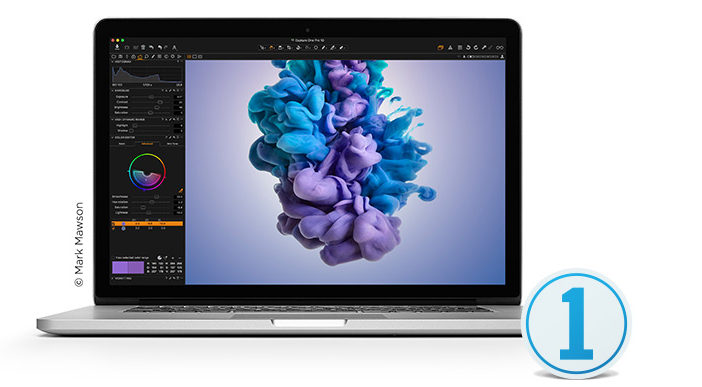
What if you have a large folder full of vacation photos you’d like to share with your family or friends. However, all your photos are on your hard drive at full resolution and some are in RAW or Photoshop format so the file sizes are huge.
What you really want is to keep all the originals organized in your own folders or in your iPhoto albums, but put together a small selection of the best photos reduced to a manageable size so they can be sent easily. That can be a big, fussy, time-consuming task. Now’s the time for Photo Transformer from Prosoft Engineering.
Continue reading »
MemoryCloud
Available For Mac 10.6 or later with 64-bit processor
Mac Desktop Version Reviewed: 1.0.1
Licence Reviewed: US$20.00 per month with 100 GBs of storage
Where do your memories live? MemoryCloud is a new online storage service. Their aim is simple. Assist people with their media storage needs.
The online cloud computing and associated storage industry is full of competition. MemoryCloud is separating itself from other cloud storage suppliers by specialising in storage of your memories: your photos and your videos.
Integration with iPhoto and iTunes assures an easy to use service. The way it works is unique. When in iPhoto users can select an event or series of photos they would like to have stored on the service. iTunes compatibility works in a similar manner but is limited to Movies and TV content.
Continue reading »
The Mac OS X Lion Project Book
Author: Scott McNulty
Publisher: Peachpit Press
ISBN-13: 978-0-321-78851-1, 240 pages
Price: Paperback US$24.99, Book + eBook Bundle US$31.99, eBook only US$15.99
The Mac OS X Lion Project Book takes a look at stuff you can do on your Mac. It explores the new operating system along with additional popular software and hardware to further enhance your user experience.
The most common projects you would be likely to undertake are explored within this book. Projects ranging from managing the files on your Mac to creating a Podcast are explored in detail.
Each project is presented with the idea of achieving a specific task. It is assumed that you will have a basic knowledge of computing but the author does his best to simplify the process for new users to the Mac platform.

Download and listen to the show here, and subscribe in iTunes for FREE!
LOT’S of feedback this week (HooRAY! We love feedback!) from Skype and Twitter about iPads and what gear to buy. Allison Sheridon of the NosillaCast Podcast takes exception to Guy calling the Dexim charger fun but worthless, and Gaz’s iPhoto library is slowing to a crawl! What’s up with THAT? Lastly, sometimes the best iOS App is none at all.
Contact info: Drop us a line and let us know you want to be on the show. Gaz and Guy on Twitter, guy@mymac.com and gaz@mymac.com, or our Skype direct number 703-436-9501. Also go into iTunes and leave some feedback.
Links:
Dr. Bott
Menulett
L5 Technology’s L5 Remote
NosillaCast Podcast
Shutterfly’s best products are custom hard cover photo books created using their online software tools. Shutterfly offers a bazillion different sorts of cards, as well as photo prints and Internet image storage
Shutterfly has soft cover and hard cover books in many sizes. Soft cover books are less expensive. When you want a personal photo book with professional presentation and impact, spend the extra money and get a hard cover book. The covers are gorgeous, and the interior pages look and feel like a real book.
Printing quality is excellent, and images are just as bright and colorful on Shutterfly’s book pages as they appear on your Mac’s display. I will never again order an iPhoto book from Apple, given the choice. The Internet is full of raves and rants for a dozen or more competing online book printing companies. Until I am proven wrong, Shutterfly is my first choice.

Listen to the show here, and subscribe in iTunes for FREE!
Bill Paterson from Toronto joins Gaz and Guy as a listener invite to talk about his experiences with the Mac and other Apple tech (and the joys of not owning a car!). John Nemo asks the GMen if this is this a good time to buy a MacBook Pro and some first impressions of iLife 11.
Gaz and Guy on Twitter,feedback@mymac.com, or our Skype direct number 703-436-9501.
Published in 2004, the oddly-titled ‘PowerBook Fan Book’ isn’t about the fans inside PowerBooks, or about the people who rave about PowerBooks in the way that others are keen on Manchester United. The ‘PowerBook Fan Book’ is actually an alternative to the user guide that came with Apple’s PowerBook series of computers, and tells the reader about these machines, what they need to work well, and how to get the most from them.
Of course, in some ways this is ancient history. Apple sold their last PowerBook in 2006, and since then the high-end of their portable Mac line has been filled with the MacBook Pro series of computers. But a review of the ‘PowerBook Fan Book’ isn’t completely pointless. Some of what’s included in this book holds as true for the MacBook Pro series as it did for the PowerBooks, but really, the value of this book nowadays is that it’s simply a neat collectable.
Continue reading »
Doxie Scanner
Company: Apparent Corporation
MSRP: $129 US
http://www.getdoxie.com/index.html
Scanners aren’t pretty. They’re not cute or sexy. Sometimes they’re not even easy to use. And they’re definitely not fun. But with Doxie, all that has changed.
Doxie is a small, portable scanner that’s incredibly simple to set-up and use. Download the appropriate software from Doxie’s web site, launch the Doxie application, plug the scanner into a USB port on your Mac, and after calibrating Doxie before the first use you’re ready to let the fun begin.
Continue reading »
Nemo’s Ten Point Tutorial Number 11
Photoshop CS5 Workflow for Beginners — #1 — Off-color holiday food under glass
When taking a photograph indoors where light is artificial and inaccurate to the eye, don’t worry about in-camera color balance unless you know what you are doing. Available light photos are easier to improve via Photoshop CS5 than images made using a flash.
Below is my original JPG taken full frame with a steady hand inside a high end grocery store. I liked the bizarre irony of the subject matter and the linear chaos of the composition. I wanted to include the butcher’s hand reaching for some chicken apple spice sausages, but he wouldn’t cooperate, and I didn’t want to get thrown out of the store.
Continue reading »
Download the show here, and subscribe via iTunes
Some talk about databases (ACK!) and feedback from Reb Bliefernich which leads into a discussion about iPhoto and managing your pictures. The contest for the 300th podcast is soon going to end! You’re running out of time to enter for some grate free stuff! This week we talk about Hazel for NoodleSoft and Fotomagico Pro 3 from Boinx Software. We also apologize to Tom Schmidt for going outside the box for that weird suggestion from last week. Lastly we have a bit of a chat about Apple’s new Mac Mini! Is it the greatest thing ever or is Apple sending mixed signals about their product lines?
Links:
iPhoto Buddy
iPhoto Library Manager
The 300th MyMac.com podcast is getting ever closer! You only have until June 25th to enter. Here are some of the prizes!
Continue reading »

Last week my uncle made the switch from his Windows computer to a MacBook. Of course, I am his “guide” as he makes the switch and I made him a cheat sheet for some of the common questions he’ll have as he works. When I was done, I thought, “Why not make this a Macspiration article?” So here is the cheat sheet I made him in all of its simple glory. (These are bare bones tips. Some of these tips can be found in more detail in old Macspiration articles. Check my archive for these. )
To Quit a program
Go to the name of the program in the menubar and go down to “Quit.” You can also push the command key and “Q” at the same time.
On the top of a window are three buttons: Continue reading »
Red closes the window
Yellow minimizes the window to the Dock
Green expands the window
I recently blogged about a missing feature from iPhoto which lets you burn a CD of photos that is not in iPhoto format, but instead a CD of JPG images that any computer can read and that you could take to the store for developing in a photo machine. Right after I posted that blog, I discovered a way to create an Automator action to do this for you.
I am not an Automator expert. In fact, this might be the second time I’ve used Automator. However, the process to create this Automator application is a piece of cake. Follow the steps in the movie below:
Continue reading »

I use iPhoto as my primary photo editing program. Most of the photos I take just need some minor adjustments and cropping. However, there are those occasions when the editing tools in iPhoto don’t cut it. That is when I call in the big guns, i.e.. Photoshop. There is the quick method for doing this, and one that is a little longer. I’ll cover both in this article.
The Quick Method
You need Photoshop (or another image editor) in your dock for this method to work. It does not have to be open, but if it is not in your dock the easiest way to get it there is to open it. Of course, you need iPhoto open, too.
Continue reading »

Normally, Macspiration has articles geared towards beginners. This week I have a more advanced tutorial for you.
A few months ago a friend of mine became a grandfather. He asked for my help in making a baby announcement. At first I was going to use Photoshop, but I decided to do an experiment in iPhoto. The experiment worked perfectly, and saved a ton of time. By combining iPhoto’s book tools, and Photoshop, we made a pretty nice announcement.
Before I go any further, I am going to assume the reader can import photos into iPhoto. I’m also going to assume the reader can make albums. If not, check my archive of articles, you’ll find directions there.
One final note- I made a baby announcement for this project, but you can really follow this procedure for any photo project.
Continue reading »

This week I have five really quick and easy tips for you.
FIND THAT MISSING EMAIL ADDRESS Continue reading »
Need an email address that is not in your address book, but you have sent to it before? Well, if you’ll know it on site, or you had the recipient’s name in the “to” try this tip. In Mail, go to the “Window” menu. Choose “Previous Recipients.” This will produce a list of every email address you have ever sent to through Mail.

Anyone who regularly shoots digital photographs realizes just how easy it is to fill up a photo management system like Apple’s iPhoto with thousands of images. In fact, uploading, managing, and processing digital photos is probably the most difficult part of digital photography. Everyone loves to shoots pictures, but digital photos can easily fill up a hard drive just in same way many old school shutterbugs could fill up shoe boxes and plastic covered album pages.
If you’re using iPhoto, or any other photo management system, it’s very useful to develop and maintain a practical workflow for importing, organizing, processing, and outputting your digital images. Having a workflow can enable you to process photos faster and make photo management effectively manageable. I would never say that digital photo management is fun, but I would say that it’s a lot better than keeping your photos in shoe boxes.
Continue reading »

I’ve been an avid fan of iPhoto since it was first introduced about five years ago. Of course the revolution in digital photography inspired me to take videography and photography to a professional level, but having an effective way to organize and edit my photos was equally inspiring.
Now that I’m working as a wedding and event photographer, I’m shooting hundreds of pictures on each job and am having to meet the challenge of uploading, managing, and outputting photos for my clients. The process hasn’t been easy. I’ve been looking at management systems like Adobe’s Bridge and Lightroom programs, and even iView Media Pro, but with the latest update of Apple’s Aperture, I think I may have found solutions to my larger and more complex digital photo management and processing problems. And believe me, when you’re processing hundreds of photos for a waiting client, digital management is a problem that is not easily solved with iPhoto or even Adobe Bridge.
Continue reading »


Comments. Be heard!