i-deck – Review

On January 31, 2006, in Uncategorized, by David Cohen


i-deck iPod Music System – Review
Company: Monitor Audio

Price: £249 GBP/ $349 USD
http://www.i-deck.com/

Music, music, music. We all love it, don’t we? Few things can touch you emotionally like a favourite tune, bringing memories and feelings flooding back like they just happened yesterday. Because we can listen to music while doing other things, melodies can get linked to people, places and events like no other entertainment.


That’s why the iPod and iTunes are so great, as the combination allows the user to store and access a wide part of their music collection, and to simply and cost effectively download and listen to songs on a whim. Suddenly remember a favourite track that you last listened to on cassette on a road trip ten years ago? iTunes is your friend there, and the iPod means you won’t ever lose it again.


Share Your Joy

But the iPod has a flaw in this regard; it’s not so easy to share your treasured collection. Of course, you can crank up the speakers on your Mac, or use an Airport Express to send the music to your hi-fi, but all of that technology lacks immediacy. Music should be about the moment! You want to be able to crank up the track that suits your mood, not click your way through lists in front of a monitor.

That’s why you’ll always see a good crowd around iPod speaker sets in any electronics store. There is a bewildering array of speakers on the market that an iPod will slot right into, at a variety of price points. But is it worth buying the top-end units? Should you spend more than your iPod cost on an accessory?


Take the Monitor Audio i-deck, for instance. I first saw this system at the Macworld Expo show in London last October. In the noisy show environment, I was impressed enough to chase down their marketing director for an interview. But how does it sound in the real world, and is it worth £249/$349?

The Skinny

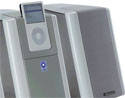
Unlike cheaper all-in-one systems, the i-deck is a three-piece unit: a central amplifier and dock unit, with separate speakers that connect using dual-core speaker wire. The dock section ships with a variety of sleeve adapters to allow all dockable iPods to be used with it, I used my 4Gb Nano for testing. Non-dockable iPods such as 1G units or Shuffles can be connected via an included 3.5mm jack cable to a line-in socket on the back, and there is a dock pass-through connector to allow a docked iPod to be synchronised to a Mac or PC by USB cable. The i-deck will charge a docked iPod regardless, and a basic radio frequency remote control allows volume and track changes.

Monitor Audio is an established UK hi-fi company with a well-regarded reputation for quality sound, and the i-deck is their attempt to bring high fidelity audio production to the iPod. As such, the unit is not intended for portability, having no carrying handle, battery compartment or method for securing the speakers. Instead, the i-deck is intended to be used in one place.


Superior Reproduction

In terms of sound, the i-deck is breathtaking. The fidelity of reproduction is absolutely superb, sounding crystal clear, detailed and tightly controlled. The system reveals depth to songs that are normally noticeable only when using high quality earphones, but the sound detail is enhanced compared to headphones due to the wider stereo separation achievable by the separate speakers in an open room.

I used a variety of AAC files encoded at different bit rates to qualitatively assess the i-deck. On Evanescence’s ‘Tourniquet’, the tight drum lines and soaring vocals were readily apparent, and the improved resolution of a 192 Kbit encoding was clearly audible over a 128Kbit version. The delicate yet complex guitar stringwork on Sting’s ‘Fields of Gold’ was similarly revealed. Lossless audio files particularly shine on this system. Again, the extra resolution can be really differentiated; such is the clarity of the delivery.

As I get older, I find I am less demanding in terms of overall volume than I used to be. Nevertheless, the i-deck is capable of delivering house-filling audio when cranked up all the way, and provided the source audio is clean and well-encoded, distortion does not appear even at the top of the range.

In short, the i-deck absolutely delivers where it counts, in how it sounds. On the down side, it may expose weaknesses in your iTunes collection. There are a lot of poorly encoded digital audio files around, and they will stick out a mile if played back on the i-deck, such is the fidelity of reproduction. Other minor issues are the remote. While the use of RF means it’s not a line of site device, the button feel is a little cheap (the buttons are plastic blisters on the remote’s face) and it would be nice to get some playlist control remotely. As it is, you need to use the iPod’s click wheel for that sort of work. In addition, the i-deck has a very bright blue LED that is rather distracting and that can be only turned off using an awkward to reach rear-mounted power switch.


Is It Worth It?

These are minor quibbles, though. I have not heard a better sounding audio system for the iPod, and in that respect the i-deck fulfills its design purpose admirably. It can certainly function with a hard-disk iPod as a complete replacement for a standard hi-fi system, providing you only want to listen to music and don’t want an FM tuner. However, if you already have an existing hi-fi that you are happy with, you might want to try an iPod dock connected to the line-in port before deciding to buy a separate iPod system. You may find that this arrangement can deliver most of what the i-deck can offer at considerably less cost.

As to the value for money, I believe you get what you pay for and compared to hi-fi systems the i-deck is fairly competitive. There are competitors in the iPod speaker market from Bose and Altec Lansing that are equivalently priced, and the i-deck stacks up very well against them. If you are looking for an extra speaker set for your iPod, and you really love your music, I would urge you to give the i-deck a listen. I’m sure it will enhance that music-memory experience for you.

Accordingly, I rate the i-deck as a four out of five.


Growl – Review

On January 31, 2006, in Uncategorized, by Claus Wolf


Growl

http://www.growl.info

Price: Free

Growl is one of those tools that really should have been an integral part of Mac OS X. Fortunately there are some very clever developers out there, which dedicate their time to create useful add-ons like this.

Growl is a notification system for Mac OS X. It’s main purpose is to allow an application to communicate with you, by displaying a small notification (see below) on top of any other window. This is particularly useful if the application that “wants to talk to you” is in the background at the time.

If you are like me, Mail is running in the background all the time and it does a good job of announcing the number of new messages received. But if you were occupied with something else, you’d have to switch applications to find out whether any of these messages need your immediate attention. With Growl this is a thing of the past.

The small notification window will show you what the message is about. If you can be bothered to act upon it click the notification window and you’ll switch to Mail. If you can’t be bothered, the notification will disappear after a few seconds.

Sound like a familiar feature? It sure is! Outlook on Windows XP employs a very similar tool and it is very useful.

Growl, however, goes one step further; it integrates neatly into the OS offering its services to a large number of applications. Mail, Skype even iPhoto and many, many more. See http://www.growl.info/applications.php for a full list.

Don’t like the look of the notifications, they display too long, or you want to stop a particular application from using Growl? Simply go to the System Preferences and make your selections.

Growl is quite customizable, but at times I wish there was an option to set some custom rules as to what will trigger a notification. This might very well be something that software developers would have to integrate in their preferences pane, but here’s a quick example why I’d like to see it:

At work we use Skype, which has revolutionized the way we communicate amongst each other. Most of us work from home and so we don’t get to see each other very frequently. With all of us on Skype I get to see an awful lot more “Joe Doe signed on/off” notifications than I’d like to see. At work I run windows and disabled this option and wished I could do the same on with Growl.

All in all, I think Growl is a fabulous tool and would like to extend my sincere thanks to the developers. Go and check it out, you won’t regret it!

MyMac.com Rating: 4 out of 5


Macspiration 20 – Some More Quick Tips

On January 30, 2006, in Uncategorized, by Donny Yankellow


As I write the various Macspiration articles, I am constantly getting ideas for new articles. Some of these ideas are not enough for a complete article, so I add them to a tip list for use in an article like this one. So here are five tips from that list.

1. Instead of emailing a link to a webpage, email the entire webpage using Safari. This tip is not good for all users, especially if you or the recipient are using dial-up. I have been using this lately, because links I email to some friends are broken when they get the email.

To email a webpage, choose “Mail Contents of This Page” from the FILE menu (or + I) in Safari. A new email will be set up with the entire webpage (links included) ready for addressing.

2. DON’T RUN EVERY WIDGET YOU HAVE AT ONCE. Widgets run in the background of your computer and too many running at once can slow you down. To prevent this slowdown, turn off the widgets you don’t regularly use.

To turn off a widget, click the Dashboard icon in your desktop to open your Dashboard. Next click the “X” in the lower left hand corner. This will add an “X” to the corner of the running widgets. Click the “X” on the widget you want to turn off, and it will stop running. To reactivate the widget find it in the “Widget Directory” at the bottom and click the icon.

3. NARROW YOUR SPOTLIGHT SEARCHES. Spotlight is very powerful, and if you don’t control it you can get search results that are a mile long. Narrow your search results in the Spotlight Preference Pane. To do this open the Spotlight Pane in System Preferences. You will be presented with a list of options for Spotlight to search (images, emails, music, etc.). Check/uncheck those options you want spotlight to search. Now when you use spotlight, the results list will be a lot shorter.

4. BACKUP YOUR ADDRESS BOOK. Your address book might have hundreds of contacts in it, and if you manage to lose it, I don’t think you’d be jumping for joy. To prevent this, backup your address book. This is easy to do.

First select the “All” listing under the group panel of the address book window. Next from the FILE menu, choose “Back up Address book.” You will be asked where to save the file, click save, and a backup is created. To play it safe, I would burn that back up to CD, store it on iDisk (if you have .Mac), or save it to some other external storage device. If you ever need the backup, load it into your Address Book by choosing “Revert to Address Book Backup” from the FILE menu and select the backup from wherever it is stored. If you are constantly adding contacts to your Address Book, you will want to do a regular backup.

5. DON’T BUY EVERY NEW VERSION OF THE PROGRAMS YOU USE. Just because a new version of a program is released, you don’t have to buy it. Do your research. Check out what the new features are, and determine if you really need them. If there is a demo available, download the demo and test it out. Why spend all that money, if you are only going to use the same features of a program that you always use? Also, read reviews on the software, see what others think. The big names are always reviewed by magazines and websites (usually before the software is released).

Also, check the system requirements before you buy. Make sure the new software is still compatible with your system.

There you go. Five quick tips, which I hope you find useful. Be on the lookout for more tips in future articles.


Window Seat: The Art of Digital Photography & Creative Thinking
by Julieanne Kost

O’Reilly Media
ISBN 0-596-10083-2, 147 pages square large format
$39.99 US, $55.99 CN

When the impossible becomes possible, what’s next? Have you ever attempted to take a halfway decent photo of earth or sky from inside a commercial airliner? No, probably not. Or use Photoshop to turn any such airplane image into world class digital art? Not that either. Or even stranger, alleviate fear of flying by creating an inspirational book of images from the sky, plus some well-considered text, from the results of those Photoshop endeavors? If you’re beginning to reach for the air sickness bag on account of all this high flying prose, gaze inside Window Seat instead, and calm creativity will prevail.

Julieanne Kost is Adobe’s traveling evangelist, conducting classes and seminars throughout the world on Photoshop and its Creative Suite siblings. Digital art is her domain at work and at home, for serious fun on and off the job. Window Seat is primarily a portfolio of her expansive color images taken while flying from place to place, bookended by an itemized itinerary of her approach to personal creativity at the front and a 25 page explanation of her working methods at the rear of the book, in an Appendix.

This unusual Appendix takes you inside her coordinated first-person approach to image making and editing. In a concise, direct way that gets across concepts for use on readers’ images and personal projects, Julieanne discusses: capturing, filing, and enhancing photos using Adobe Camera Raw, including descriptions and screenshots for basic Photoshop techniques such as cropping, retouching, improving the lighting or color, making selections and masks, and then saving and printing completed photos.

The author tells Book Bytes: “My goal was to give an overview of the workflow so that people could understand, conceptually, what I did. It’s not a step by step – and, hopefully, not too technical! Purchasers should not expect jargon or secret Photoshop tips, but a tour through the digital workflow that was used to create the images in the book.”

Also, I urge you to digest her eighteen-step “The Art of Creative Thinking” introduction for guidance how to make the most of every situation for its potential to help you be the best creative self possible. Examples include:

• Play! Play! Play! Give yourself assignments … and then send them to a friend.

• Integrate work and art; both will benefit.

• Master your tools … not only the camera, but also computers, software, printers, scanners — a whole host of various technologies.

Her photos are very good, but the printing is not as high-quality as I would like to see in a book that is mostly pictures. If Window Seat becomes a big seller, perhaps the publisher can improve either the paper stock or the print imaging or both, for maximum photographic drama. Many of Julieanne’s pictures are dramatic, or subtle, or both, and viewers should be able to study them in depth, which is not possible in the present edition.

This is an integrated volume that grabs you slowly, and then takes firm hold. We are neither voyeurs not meteorologists of the landscapes and skyscapes within its pages, because even representational forms become impressionistic with help of Julieanne’s lens and software manipulation. Place Window Seat on your coffee table, within easy reach of unsuspecting visitors, and observe them taking it all in, wishing life’s rat race would allow them even more than the fifteen minutes the author urges all of us to devote daily to our creative pursuits.

An unusual title for Book Bytes to review, and for O’Reilly to publish, it is with pleasure we recommend it for all photographers and artists hoping to expand their vision, as if freely floating in the sky with camera or artistic materials in hand.

Book Bytes rating: 4 out of 5


Pixound – A first look

On January 27, 2006, in Uncategorized, by George Masters


I make it to Macworld Expo about every other year. There are three reasons I go. First and foremost is to watch the keynote and see all of Apple’s new goodies. Second is to see old friends and meet new people. Last but not least is to get my hands on all of the third party stuff out on the show floor. There are quite a few companies exhibiting that I already know about such as Adobe, Griffin and Canon. I’m glad companies like these exhibit because it’s nice to make a feature request directly to an Adobe product manager or ask a Canon rep a detailed questions about a particular scanner. The response I get from them is always much better than the one I get from the spiky-haired 16 year-old working at Best Buy. That said, it’s pretty easy nowadays to evaluate and purchase equipment from well-known companies through demo software, web articles and retail outlets. It’s really the lesser-known exhibitors that I enjoy seeing at Macworld Expo, the guys tinkering away on innovative pet-projects, guys like Peter McClard of Pixound.

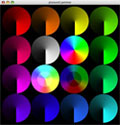
I haven’t seen any articles about Pixound on the web since MWSF and that’s a shame because their booth was packed. They were showing off a product called Jam Studio. Think of Jam Studio as the iTunes visualizer in reverse. Whereas iTunes makes pictures from your music, Jam Studio makes music from your pictures. It looks at the color values of your image and converts them into notes. When you turn Sound Jam on, it presents you with a wheel of color gradients. Begin by moving your mouse around the wheel and interesting sounds begin to play. Choose file, open to load your own picture and get different results. Jam Studio offers two small palettes of controls to customize your song. By clicking on a red swatch I can and assign a jazz guitar to that color. Click on blue, and assign it a trumpet. If I move my mouse from lighter shades to darker shades of blue, my guitar moves from a high pitch to low pitch. If I move my mouse over a purple, I play a mixture of trumpet and guitar since blue and red make purple. Jam Studio allows you to easily adjust the mixture of instruments, control the tempo and alter the key. Jam studio will create music from video imagery as well. One of my favorite features is autoplay. Autoplay samples from different areas of the image by moving in patterns such as circles, zigzags or paths you draw.

Pictured above, the mymac.com team at expo. I’ve drawn a path of interesting colors for pixound to follow in autoplay mode. To hear my short interpretation of what this picture sounds like play the clip below.

The music quality I created was decent considering I have no musical talent whatsoever. The music did sound somewhat similar to my untrained ear despite using different pictures and instrument variations. This could be due to my lack of talent or the fact that Sound Jam, in its current version seems more geared toward the semi-pro and professional midi crowd. I suspect that the average Mac user with at least a pro-sumer level of interest in music creation will find the standard version of Sound Jam worth the price of admission. Those who are just interested in creating a quick score for a home movie should probably stick with tracks from iTunes or GarageBand (On an interesting side note, I noticed that Garage Band now allows you to view a video track in the timeline and score music to the video! A very cool feature stolen from Apple’s Soundtrack available in the Studio Bundle). I see Sound Jam as a particularly nice tool for performance artists, visual D.J.’s and anyone just interested in exploring new and different ways of making music. Its unique approach to music creation has caught the eye of Herbie Hancock, David Byrne (of Talking Head fame) and Mark Mothersbaugh of Devo.

If you are interested in trying out Jam Studio you can do so at Pixound.com. If you like this type of software you might also want to check out MetaSynth from Eric Wenger (of Bryce 3D fame) at metasynth.com.


MyMac Podcast 66

On January 27, 2006, in Uncategorized, by MyMac PodCast


MyMac Podcast 66
Tim and Chad return for another week of Mac talk. Also, announce the winner of the i-Rock Slim light-up keyboard.

Get the show
MP3 Direct Download (Will play in your web browser)
iTunes Music Store listing
Podcast RSS-Only feed

Podcast Sponsors: Smalldog.com and Inno-Tech.com

Send any feedback to mymacpodcast@gmail.com. Audio (MP3) feedback welcome.

Show Note
the Unofficial Apple Web Log
Photo Desktop 1.5
Screen Capture Plus widget
Rick Stringer’s Variant Frequencies Podcast


iTunes 6 and iPod – Book Review

On January 26, 2006, in Uncategorized, by Bakari Chavanu


iTunes 6 and iPod
by Judith Stern and Robert Lettieri

Peachpit Press
ISBN 0-321-32045-X
284 pages
US $19.00 CAN $27.99 £13.99

http://peachpit.com

Apple has updated iTunes three times in the last three months. Each update of this popular jukebox has increased the amount of functions that you can do with it. I remember back in the day when it just cataloged and played MP3 files.

Now it downloads and plays songs, movies, audiobooks, and podcasts; creates smart playlists, prints outs CD album covers and song and album lists; plays radio programs, and feeds your iPod with music, movies, and photographs. It does all this, and it’s basically a free program for Mac as well as PC users.

If you’re using iTunes for the first time, and you want to master all its useful features, Judith Stern and Robert Lettieri’s Visual QuickStart Guide: iTunes 6 and iPod is a very good how-to reference book for everything you need to know about using the software and any modern version of the iPod.

Like most books on this subject, they cover all the frequently asked questions:

•How do I get my music into iTunes?
•How do I download music from the Internet?
•What’s the difference between an ACC and MPEG file formats?
•How do I create playlists?
•How do I burn a music CD?
•How do I get my music (and movies—if you’re lucky to have the 5th generation iPod) into my iPod?
•How do I buy music from the iTunes Music Store?
•How do I best manage my music library?
•How do I back-up my music library?
•How do I use and customize my iPod?
•How do I use my iPod as more than a music player?

These and numerous other questions are answered in this easy to follow instructional book. All the step-by-step instructions are accompanied with screen shot illustrations and sidebar tips. There are no wasted paragraphs. Each chapter and subheading is followed by a brief introduction and clear enumerated steps for each feature of the using iTunes and the iPod. The last few chapters cover how to customize your iPod with numerous Apple and third party gadgets and how to use it for more than playing music.

This book covers iTunes up to version 6.0. However, the most recent 6.0.2 update is not so significant that you can’t figure out the added features after using this book. The biggest feature in the latest update is Apple’s inclusion of the MiniStore, a small pop-up window which appears when you at the bottom of your main iTunes window. Because the MiniStore displays songs similar to the one’s you’re playing on your iTunes, many users thought Apple was using it as spyware and keeping data about users’ listening habits and selections. But soon after the update and brouhaha, Apple added a warning that explains the purpose of the MiniStore. It states that "Apple does not keep any information related to the contents of your Library." You have the option to turn off the MiniStore.

Personally, I like the MiniStore because it’s one of the few ways I can find out what music I might be interested in. It’s like Amazon providing book recommendations. However, it’s also nice to know I can turn off the recommendations when I want to. I don’t like being constantly reminded there are more items for me to purchase.

Overall, iTunes and the iPod in general are very accessible and easy to use, but a handy reference book can quickly get you up to speed if you’re new to digital music playing or just want to master every inch of the software and the most popular MP3 player on the planet.


If you are like many Mac users, you use Apple’s Safari for surfing the internet. You might even be one of those people who still use the now no longer supported or updated Internet Explorer (IE) for the Mac. Did you know there are many other web browser options out there? I’m going to discuss three free options in this article.

First, before I continue, a word of wisdom. If you are using IE, I highly recommend switching to Safari or one of the browsers mentioned below. IE for the Mac has not been updated in a long time (and won’t be), and many websites use technology not supported in IE. Plus, Safari and these other browsers are much faster and technology like tabbed browsing and pop-up blocking are non-existent in IE.

One of the most popular web browsers out there today is Firefox.


Firefox is a great web browser and part of the family of applications based on an all-in-one chat/browser/email program called Mozilla. Besides being fast, Firefox has many customizable features. This includes changing the look of Firefox through themes. Don’t like the default look of Firefox, download one of hundreds of themes available.

However, probably the most poplar feature of Firefox, is the ability to install extensions. Like themes, there are hundreds of extensions available for download. One of my favorites is the ability to remove Flash ads that bombard some websites and slow the page down.

Like Safari, Firefox has a search pane to quickly search Google. However, you can also customize that and have any number of sites to search without actually surfing to that site.

I could write a whole article on Firefox alone, but I’m going to stop here. Download it and experiment with the different features and see for yourself.


Another Mozilla based browser, and my browser of choice, is Camino.

Camino is a fast, slimmed down version of Firefox. It is OS X only, and still in beta (although a preview of version 1 is available to download and use). Camino has many features of Firefox, but not all of the customizable features. I personally think it is faster, and I like not having all the bells and whistles.

Finally, a third browser option, which just recently became free is Opera. (Actually, there was a free ad-based version, but now the free version is ad-free.)


Opera is very similar to Firefox, in that it is very customizable. In some cases I have found Opera to be faster than the Mozilla based browsers at loading web pages. While I prefer Camino, Opera is on my hard drive for one reason. Certain websites only work properly in Internet Explorer. Safari, Camino, Firefox, etc have issues loading these sites. However, it has been my experience that Opera is better at disguising itself as Internet Explorer and is successful in loading these sites. I particularly find this true at work. Where Camino may take forever to load a page, Opera has no problem with it. I don’t know why this happens, but it just does.

So there you go. Three FREE web browser alternatives to Safari. Keep in mind there are others out there also. Search macupdate.com for web browser and you’ll find iCab, Shira, Flock, and maybe others. Most of them are free, so download and experiment until you find the browser that works best for you.


MyMac Podcast 65

On January 24, 2006, in Uncategorized, by MyMac PodCast


MyMac Podcast 65
This week, London Burea Chief David Cohen looks at the news from Macworld Expo. He talks about LightRoom and Monitor Audio’s iDeck. This episode was recorded using Garageband 3 Podcast Studio.

Get the show
Direct MP3 Link
iTunes Music Store
MyMac.com RSS podcast feed
via ODEO, Podcast Alley, Yahoo, or PodcastPickle

Links from the show
MacRumors
Intel Macs
Apple Aperture
Adobe Lightroom
Monitor Audio
Kevin Reeves

Send feedback to DavidCohen@mymac.com


Thumbn@ils 14

On January 24, 2006, in Uncategorized, by Donny Yankellow


Thumbn@ils 13

On January 23, 2006, in Uncategorized, by Donny Yankellow


Who Needs a Telephone When You Have a Computer

On January 23, 2006, in Uncategorized, by Donny Yankellow


Back in the mid-90′s, AOL Instant Messenger introduced a feature that allowed you to talk to a “Buddy” with a microphone instead of having to type your conversation. (I could be wrong, but I think this feature has since been removed, at least on the Mac.)

One evening my brother and I decided to try this feature out. He was in Chicago at the time, and I was in Baltimore. So we got on the computer at the same time, and connected to the internet via our 56k modems. We logged into AIM, and before you knew it we were talking to each other. We were dumbfounded at this cool, new method of communication.

Our Instant Messenger conversation was choppy and sounded like we were on a 5 second delay. But it was still the coolest thing, to us.

Fast forward to January 2006.

If you listen to the MyMac.com podcast, you know that I was recently interviewed by Tim and Chad on Podcast #61. For the interview to work, we used a piece of software called Skype. For those not familiar with Skype, it is similar to iChat. It also has the ability for users to converse over the computer. During the interview Tim, Chad, and I were able to talk through the computer, just like my brother and I did with AIM. However, this was a totally different experience.

This was my first time using Skype. So, when Tim and Chad “called me” over Skype for the interview, I was blown away at the clarity of the conversation. We might as well have been talking on the phone! It was that clear, and there was no time delay! What an improvement!

I am writing this article the day after the interview, and I am still amazed at how clear our conversation was. Not only is Skype an amazing piece of software, but just think about how far technology has come in a short amount of time. Every article or cartoon I do for MyMac.com is sent to Tim via email. Ninety-nine percent of the communication I have with him, and the MyMac.com staff has been done via email. Not too long ago, none of this would have been possible. Everything would have been done through “regular” mail and the telephone. You can even do video conferencing through iChat now.

Amazing.

What’s next? Who knows? Whatever it is, it will probably be here sooner, rather than later. I’ll be looking forward to it, but first I have to try that Skype thing again! WOW!

I need to mention that both ends of the conversation had high-speed internet connections, and I don’t know how well this would have worked over dial-up.


MyMac.com Hiring

On January 21, 2006, in Uncategorized, by MyMac Administrator

MyMac.com Hiring

Are you experienced in advertising? Are you looking for a position that will pay you a percentage of the money you generate by acquiring advertisers? If so, email Tim Robertson, publisher and owner of MyMac.com.

Why are we looking for a dedicated ad specialist? Because, quite frankly, most ad sales sold at MyMac.com has been a part-time affair, and I am simply too busy to focus on that end of the business. With writing, editing, PodCasting, filming a video program, and currently authoring not one, but two books, I need help.

All communications held in complete confidence. Serious enquiries only, please. Compensation can be as rewarding as you want to make it.

Email me at Tim@MyMac.com

About MyMac.com
MyMac.com has been publishing for a decade, first as a downloadable electronic DOCMaker file on AOL, we quickly moved onto the Internet with our own website. We publish original material only, usually on a daily basis. Our content includes product reviews, expert commentary, industry veterans, non-Mac writers blogs, weekly PodCasting, the MacMOD video program, and much more.


KR-6810M X-Slim Lighted Keyboard – Review

On January 20, 2006, in Uncategorized, by Tim Robertson


KR-6810M X-Slim Lighted Keyboard
Company: i-Rocks USA

Price: $65.00
http://www.i-rocksusa.com/products/ir6810m.html

Back when MyMac.com was known as My Mac Magazine, my desk was in the basement. I would work on the issues of My Mac mostly at night, having to work during the day. Not until the kids were in bed would I finally sit down to get some writing or editing done on the upcoming issue, and usually by then it was dark. While there were lights in the basement, they always caused too much glare on my monitor, so I would usually work in the dark. Not being a perfect typist, then or now, I had always wished there was a way that the keys on my keyboard would light up.

Over a decade later, I finally have my wish come true. The X-Slim keyboard does just that and while that was my main interest originally in the X-Slim, it’s not the only feature.

As the name suggests, the X-Slim is a slim style keyboard. It plugs into your Mac via USB, but unlike the standard Apple keyboard, there’s no USB plug on the X-Slim to plug your mouse into. This is a major drawback in that you will now have to have at least two cords from your desktop or keyboard drawer. The standard Apple keyboard actually has two USB ports, one of which I plug my mouse into, the other I plug my PowerMate. So now, not only do I have three USB wires coming from my desk, two of them require a USB extension to reach the computer. So I have traded my larger keyboard for a smaller, slimmer one, but have added a lot more cable clutter.

I enjoy the feel and responsiveness of my PowerBook’s keyboard, more so than the extended white Apple keyboard that shipped with my G5. The flatness of the PowerBook keyboard simply feels nicer to me; so one of my hopes was that the X-Slim would fill that desire on my part to get the PowerBook feel on my desktop machine. Thankfully, the X-Slim does give me some of the same feel, and is, in my opinion, a nicer keyboard to type on than the standard Apple keyboard. When you spend so much of your time typing away on the keys, it’s important to have a keyboard that responds to your likes. So will you enjoy the tactile and comfort of this keyboard as much as the standard keyboard? I can’t say; it’s a personal thing. I enjoy typing on it.


Back to the feature that made me want to review this product more than any other: the light-up keyboard feature. The ability to turn on and off the glowing keys is a great feature as the X-Slim sports a small on/off button in the upper right corner of the keyboard. This button stays lit at all times, so even in complete darkness, you will have no problem finding the button to turn on the lights.

The light itself is a muted blue, very easy to see in the dark, but not so bright as to be distracting. All keys seem to glow with the same level of brightness, and there are no dark spots. The painted on letters on the keys themselves, however, are a little small, and not as easy to read, as I would have liked. Talking about this keyboard on the podcast, for instance, I lamented the omission of an eject key for the CD/DVD drive. i-Rocks pointed out that there is, in fact, an eject key: F12. Sure enough, there it is. But the eject icon is so tiny, I simply missed it.

The X-Slim is laid out a little different than a standard Apple keyboard. The arrow keys, for instance, are placed vertically to the right of the main keys, which I still haven’t gotten used to. But the biggest omission is the absence of volume up/down and mute keys, which are sorely missed. So much so, in fact, that while I like this keyboard a whole bunch, I won’t use it as an everyday keyboard, simply because of the absence of these keys. Having talked to i-Rocks, however, it’s my understanding that there is a future keyboard in the works which will address this issue.

All in all, I like this keyboard. I think a better design would be one that the letters or icons themselves were lighted, rather than the entire key. This is a comfortable keyboard to use, slim, and easy to adapt to. If you don’t care much about the arrow or volume control keys, or not being able to plug other USB devices into the keyboard, you will be happy with it. The design is nice, although I don’t know why there is a faux-chrome wrapping around it. It doesn’t add to the overall look or feel of the keyboard, and would probably look nicer had it been left off. But for a $65 lighted slim-style keyboard, I think this is a nice product.

MyMac.com rating: 3.5 out of 5


MyMac Podcast 64

On January 20, 2006, in Uncategorized, by MyMac PodCast

MyMac Podcast 64
Tim and Chad interview musician Kevin Reeves. If you don’t know who Kevin is, you will want to after listening to this interview and hearing his song. Kevin also was the creator of our theme music. Back by popular demand, we are giving away yet another of the i-Rock Slim light-up keyboards. Listen to the podcast for your chance to win.

Mac News from MacMinute.com

Get the show
Direct MP3 Link
iTunes Music Store
MyMac.com RSS podcast feed
via ODEO, Podcast Alley, Yahoo, or PodcastPickle

Kevin Reeves website

Sponsored by SmallDog.com and Inno-Tech.com.

Send feedback to MyMacPodcast@gmail.com


Thumbn@ils 12

On January 19, 2006, in Uncategorized, by Donny Yankellow


15 Tips – Screen Capture

On January 19, 2006, in Uncategorized, by Bakari Chavanu

Fifteen tips for Apple’s screen capture? I bet you think I can’t come up with fifteen things you can do with a simple Mac feature. Well, here it goes.

First off, here’s five tips/reasons for using screen capture:

1. Screen capture is a great way to illustrate what’s on your desktop. If you want to email someone the layout of an iDVD menu or Pages’s document you’re working on, you can simply take a screen shot of it and email the graphic file for feedback.

2. If you’re getting some weird error notice about an application, you might be able to take a screen shot and send it to a techie person for help.

3. If you want to show off the interface of a cool third party application you think your Mac buddies should have, take a screen shot of it.

4. If you’re putting together a how-to manual that involves computer related instructions, take a set of screen shots for your manual.

5. If you can’t download a photo or graphic from say iTunes Music Store or copy it from a PDF file, you can take a screen shot of it.

If you’ve never taken a screen shot here’s how to do so.

6. The easy way are two keyboard shortcuts: First, press down Apple/Command + the Shift key. Next, press down the number 3, and when you do so, click!, a PNG graphic file will appear on your desktop.

Above is the picture file for the full-screen capture I just took while writing this article. Below is how the file looks in Preview when I open it up. (I of course reduced the size of the shot for this article.)

7. Most of the time you’ll want to capture a particular item or area on your desktop. To do this, press down the Apple/Command+Shift+4 keys. Four cross hairs will appear. With your mouse, drag the cross hairs over the part of the desktop or item you want to capture. Again, a PNG file will appear. It’s simple and fast. I just did it again with the document I’m working on.

8. Okay, let’s take it to another level. Go into your Applications folder and scroll down until you find the Utilities folder. Inside it, scroll down to the Grab application and open it up. No application window will appear on your screen, but you should see menu items for the application at the top of your screen. Under Capture, you’ll see two of the controls I’ve just described except with different keyboard shortcuts. The fourth feature, Timed Screen, gives you ten seconds for your capture. That’s how I got the following shot. When I clicked Timed Screen, I got a Start Timer button that after I clicked, I got ten seconds to pull down the Capture menu before the shot was taken. (Again, I resized the shot for this article.)

9. Another feature of Screen Capture allows you take an exact capture of a window you select on your desktop. You can do this with the Screen feature you see above, or you can do it a faster way. Press down Apple/Command+Shift+4 and then hit the space bar. A little camera icon will appear. Move it over the window you want to capture. After you release the mouse, click, your shot appears on your desktop. Seriously cool.

10. You can also use the above technique to capture a picture of your dock. Just pull the camera icon over your dock and release the mouse. Done.

11. While you still have Grab open, you might as well take a look at another little feature. In the menu bar for Grab, select Preferences, and you will get the following window.

You can use this to select one of the Pointer Types to use in a Timed Screen shot. After hitting the Timer, just move your curser to where you want the Pointer to appear before the shot is taken. Click, like this one:

12. You can also change the format of the resulting Grab file. Say you want to convert the PNG file to a PDF file. Simply open the file, go to File>Save As. Change the drop down format button to PDG or any other available format. Click Save, and it’s done.

13. Another place you can get at Grab is through the Service menu. However, this feature doesn’t seem to work in many of Apple’s applications. It works in TextEdit where I’m typing now, but it doesn’t work for applications like Mail, iTunes, or Safari. I’m not sure why that is. But if you want to see it anyway, just open up TextEdit. In the application’s menu bar, click on TextEdit and scroll down to Services. In the connecting window, scroll down to Grab and you’ll get the same controls as explained above.

14. If you’re a Dashboard user, there are a couple of good widgets that will do Grab-like captures for you. Capture 0.7.9 and Screenshot Plus are two free widgets that contain a few more features that you might find useful. They both will even take shots of your Dashboard or a particular widget inside it.

15. If all this desktop shooting is filling your head with ideas, you might want to look into something more heavy duty. Check out SnapzPro. The Lite version ($29) has all the Grab features but also includes resize, format, color-depth, and dithering options. And then there’s the Full Movie Capture version ($69) in which you can make actual clean audio/video captures of movements you want to show on your desktop. Both programs are highly used by tech writers in the computer industry. A similar application to SnapzPro is MacCapture which also does audio/visual captures. I will have to do a separate review of it because my fifteen-day trial version ran out before I started writing this article. What I was able to do with the demo version seemed pretty useful, and thirty dollars cheaper than Snapz Pro.


Spell Catcher X – version 10.2.1
Company: Rainmaker Research Inc
.
Price: $39.95 US (Downloadable version)
http://rainmakerinc.com

If you have been looking for a way to check your spelling in your email, your documents and whatever project you are working on, stop what you’re doing and go over to Rainmaker’s website and check out Spell Catcher X.

I have been using Spell Catcher going way back to version 1.5.6 after receiving it from Casady & Greene. When I upgraded to OS X, I didn’t go for the upgraded version of Spell Catcher X as OS X came with a basic checker. But I discovered, as have probably most Mac users, that the included spell checker just doesn’t cut it. With the demise of Casady & Greene, Spell Catcher reverted back to its lead developer, Evan Gross, who rewrote Spell Catcher for OS X. And his changes are definitely a great improvement to Spell Catcher.

I have used Spell Catcher X for normal everyday typing, for email, for working on a document or when checking a piece that I’ve written. I have used the interactive capability while typing and I have also turned it off when I’ve needed to, such as when I’m using iChat due to all the shortcuts one uses during a chat. Type your letter or document and then let Spell Catcher X perform a total check of your document or your thesis. Spell Catcher X doesn’t just check your spelling, it also checks for capitalization errors, punctuation mistakes and double word mistakes, covering just about every area where one might make a mistake while typing.

I have run Spell Catcher X over articles that have been sent to me for a review or for editing and the thing that I like the most is that it doesn’t pull a MS Word stunt on me and drive me crazy with capitalizing the first word of a new line if the writer or I have used a couple of periods following a word during a piece. It sits in the background and pops up when I want it to by controlling what applications I want it used with. While some may consider it a shortcoming, I greatly appreciate it that it doesn’t decide to correct sentence structure like Word does constantly even when I tell it not to do it.

Yes, I know that OS X does come with a spell checker included as do a vast majority of text editors, but I found it extremely limited in its scope. I much rather prefer to have an application there and functioning solely for the purpose of checking the spelling. I also like the idea of having a User Dictionary that is the same in every application I use it with, so I don’t have to continue adding certain words to another spell checker time after time. The Shorthand Glossary is also another great item to have around, a real time saver when you need it.

Improvements in version 10.2.1:
• Spotlight Support on Tiger
• New Spelling Panel-Related Language Preference
• Shorthand Expansion Improvements
• New General Preferences
• Changes to the order and way that spelling references are checked.
• Work-around for bugs in Apple’s Mail 2.0 application on Tiger related to the way it handles spaces sent to it by an input method.
• Much improved handling of the Ignore button in the OS X Spelling Panel (or contextual menu item).
• Import and export of Shorthand Glossary documents to XML property list format.

System Requirements: Mac OS 10.2 through 10.4.3 and it works with Apple Mail, eMailer, Entourage 9.0.1 and later, Eudora 5.2 and later, Mailsmith 1.5 and later, and PowerMail 4.0 and later.

So to review: Works with just about every application out there that involves text, easy to use, user adjustable dictionaries, a thesaurus, shorthand glossary, does not have a grammar checker.

Cons: Does not have a grammar checker, price.

NOTE: For $29.95 USD a license that excludes Ghostwriter, Modify Selection, Completion from the input method, and works only with U.S. English references can be purchased. If you’re interested, download a demo copy of Spell Catcher and try it out for the 15 days.

Still Highly Recommended!

My Mac Rating: 4 out of 5

Macspiration 18 – Troubleshooting your iPod

On January 17, 2006, in Uncategorized, by Donny Yankellow

Many MyMac.com readers probably got new iPods over the holidays, and my guess is many of you may be experiencing freezing issues, or other problems. You might be ready to return the iPod to the store, say some unprintable words about Apple, or even throw the iPod out the window. Before you do that, there are a few steps you might want to try.

#1. Reset the iPod. Resetting the iPod will solve most of your problems, especially freezing. If you have any iPod model, except the shuffle, resetting the iPod is a matter of holding two buttons. Push and hold the MENU button while pressing the SELECT button (the round button in the middle of the click wheel) until the Apple logo appears on the iPod screen. This usually takes about ten seconds. Once the Apple logo appears, release the buttons, and the iPod will reboot.

Sometimes, resetting the iPod while plugged into a power source (the computer or an outlet via the wall charger) will be needed for this method to be successful.

#2. If resetting does no do the trick you might have to reinstall the iPod system software. You do this with the iPod software that came with your iPod. If it is not installed on your computer, you can find it on the iPod CD, or on Apple’s website. Run the software, with the iPod connected to your computer, and click Restore. WARNING: Restore will completely erase any music/podcasts/video on the iPod. This should not be a problem, assuming everything is in iTunes, and you can just reload everything when finished.

When the software is restored, the iPod will show the Apple logo on the screen and reboot. Once rebooted, you can reload you iPod.

#3. Still not working right? Time to call Applecare or visit your local Apple Store. If you have a local Apple Store, I suggest going there for service. I have had nothing but good experiences at the Apple Store, and it is a lot faster than mailing the iPod in for service.

If you do go to the Apple Store, make sure you make an appointment through Apple’s website. Otherwise, you could be sitting around for a while waiting for a Genius to help you. Find the page for your local store here: http://www.apple.com/retail/.

Have a Shuffle? Well, #2 and #3 from above will still work. You just won’t see the Shuffle reboot the same way (no display to show the logo). Watch for the green light on the Shuffle, and for the iPod’s icon to appear on your desktop to let you know it is finished rebooting.

Resetting the shuffle is a little different. Basically, with the iPod off and disconnected from the computer wait five seconds, then turn the iPod back on. Not much, but worth trying.

Hopefully, steps #1 and #2 will work and there will be no need for #3. Remember, whatever you do, don’t throw the iPod out the window! If you are going to do that, mail it to MyMac.com c/o Donny Yankellow instead. I’d be happy to take it off your hands.

Leave your comments and questions below, or email me.


Elgato EyeTV for DTT – Review

On January 17, 2006, in Uncategorized, by Claus Wolf


Elgato EyeTV for DTT (für DVB-T / pour TNT)
Company: Elgato

Price Point: €149.00 (€ 149 ≈ US$ 180)
www.Elgato.com

Digital Terrestrial Television (DTT) is growing in popularity in Europe. While the UK government is planning to switch off analog television transmissions by 2010, the German government is pursuing the matter much quicker. If an area is covered by DTT, analog transmissions will be switched off.

In my living room I use a Grundig DTR 5460 HD. It has a twin DTT receiver and a 80GB hard drive. So what more could I ask for? A lot! Some dimwit at Grundig decided to only include a USB 1.1 port and every so often I record a program that I’d really like to archive. Downloading it via the USB 1.1 port is not practical – still the desire remains…

Elgato’s EyeTV came to the rescue and it does a fabulous job. I have had it for about one month now and I couldn’t envision living without it any longer.


The Hardware

The package for Elgato EyeTV for DTT contains the Terratec Cinergy T2, a small passive antenna, a USB cable, a remote control, a one page quick start guide, and a CD containing the software and documentation.

The Terratec Cinergy T2 is a small box of 7.5x5x2.5cm (3x2x1 inch), so it won’t take up much space on your desktop. The USB cable is about 50cm (20 inches) in length, and the passive antenna’s lead is about 1m (just over 1 yard) long.

The small box has a build in infrared receiver, which makes this product also suitable to take your Mac mini to the living room. The remote control is of good quality and works from 10 yards away (the most clear line of sight I could establish, though I would never sit that far away). What I like best about this remote is that it isn’t just a standard remote bundled for the sake of including a remote, but rather designed for use with the Terratec Cinergy T2 and the EyeTV software.

All in all, from the hardware side of things, this is a very good, reliable package. The inclusion of a passive antenna at this price point is my only gripe. As DTT coverage is still in its infancy, many will find themselves in a weak coverage area and could benefit from an active antenna, which of course is available from major electronic stores at an additional cost.


TV Quality

With a product like this the quality of the TV reception is the main question. With DTT however the quality is greatly determined by the software used and the channels you view. DTT puts several TV channels on the same frequency by bundling data streams. The TV signals are transmitted in MPEG-2, which determines much of the quality.

A standard PAL TV signal will take up about 3-5 Mbit/s and the network can decide to give one of their channels more bandwidth than another, so reception not only depends on how many channels are broadcast in one program package (about 3-4 seems to be the standard in Germany), but also the program content and the networks decision.

As for reception, you either got it, or you don’t. If you got it, you get a good quality picture, within the parameters outlined above.

When judging the quality of TV reception, please remember that blowing up a standard PAL signal, which comes at (720 x 576 pixels), to a 17” display running at 1024×768 or above, will degrade quality as each pixel has to be blown up to cover the higher resolution of your monitor at full screen.

In addition, while the hardware plays a big role, the best hardware, with best antenna, etc. will not deliver good results, if the software isn’t any good. This is where Elgato’s EyeTV comes into play.


Hardware Rating
4.5 out of 5 stars


Software

Elgato’s EyeTV is the staple for TV on the Mac and my first impression of the EyeTV software has been very positive indeed.

Installation couldn’t have been easier, thanks to a very well designed setup assistant. You select your hardware, your country of residence, the scan starts. Five minutes later you it’s all done and ready for you to watch some TV on your Mac.

The Live TV Window can be resized to take up as much of your desktop as you’d like, including full-screen mode. But if watching TV was all you could do, the money would have been much better invested in, well, a TV set. But there is so much more, mainly the PVR (Personal Video Recorder) functionality.

EyeTV constantly records the program you are watching so you can rewind, pause, or archive what’s playing any time. So when you are watching soccer with your friends and you’d swear that one player was offside and everyone else says you are nuts, you can just rewind and know for sure. Obviously there are more useful applications, should you not be a soccer fan. ;)

If you’d like, take a look at the Teletext, which is transmitted with most channels in Germany. With the advent of the Internet I thought this service would disappear, but it is still there and I can’t see it go away anytime soon.

The real strength of the software is scheduling a recording and exporting it. EyeTV let’s you add a recording, by entering it manually. Very straight forward. The nicer way to do it is via the Internet TV guide service of TVTV. A one-year subscription to TVTV Germany / UK / Netherlands / Switzerland / Austria / Italy / Spain and France is included, after which you’ll pay €19 a year.

It is all very simple and straightforward. The TVTV website is completely customizable, so that you can select the channels you get and how they are displayed. You have the option to save searches and be alerted when matching programs are added.

EyeTV will check as frequently as once an hour for new recordings or schedule changes, and if that’s not frequent enough, you can manually update EyeTV anytime.

Now think about this function: You are traveling on business, you hear about a show you’d really like to record and all you have to do is go online, login to TVTV and schedule your recording. As long as your Mac is on, or will boot automatically to be online once a day (System Preferences > Energy Saver > Schedule) this will very nicely allow you to schedule recordings from away. Very useful.

EyeTV will also boot your Mac, or wake it from sleep to start a scheduled recording. It only requires a small setting in preferences to be set. This is outstanding – better than anything I’ve ever seen on a Windows PC. The only downside, EyeTV doesn’t shut down your computer automatically. If you have set your computer to sleep automatically this will conserve some energy, but still this isn’t quite ideal. This would be an ideal future feature for Elgato.

After your recording you can watch it, of course. Now, my Grundig can do that, however something my Grundig can’t do is allow me to remove commercials from the recording and save the program again.

The edit function is very basic and designed to appeal to the beginner. Unfortunately this sometimes makes for bad cuts, leaving a few frames from of the last commercial. The recording will be shown in a thumbnail view and you select the beginning and end of the section you’d like to remove. There is a fine setting, which shows more thumbnails for better cuts, but it just isn’t precise enough. I’d like a pro feature here, but most cuts are ok and it is only a minor annoyance.

Exporting, however, is where EyeTV really shines. With the latest software release 1.8.4 you can export your recording to your iPod with Video or PlayStation Portable (PSP), plus a variety of other formats. For this review I recorded a five-minute section of a program and then exported it for iPod. It took 40 minutes to encode the five-minute video, so if you are a Mac mini user, like me (PowerPC G4 1.42 GHz, 512 MB DDR SD Ram, MAC OS X v10.4.3), encoding last night’s soccer game of90 Minutes, would take half a day. I am sure that with the appropriate G5 or Intel equipped Macintosh, it would be much faster. The video file was then added to iTunes for me and the file (examined on my Mac, not an iPod, as I only have a Nano) had very good quality at 25MB for five-minute of video.

The most useful of these export functions (for me) is the integration with Toast 7 Titanium. Once you are done removing commercial breaks click on File > Burn with Toast and the file is transferred to Toast 7 Titanium, ready to be put on DVD. Before the DVD will actually be written, the file must be multiplexed. It is all done automatically and for a 110-minute film, this took about 7 minutes on my Mac mini. All in all, as simple as it could be.

There is an export option to iMovie within EyeTV, however export takes forever on my Mac mini, and the resulting file types are huge – I am talking of about 12GB for a standard length movie. So while this is a possibility, it is just not practical for anything less than a G5 or Intel machine with fast processors and larger hard drives.

Software Rating
4 out of 5 stars


Conclusion

Altogether this is a very powerful software package. There are a few features I’d like to see in future releases. If it is possible to power up your Mac, the software should be able to power down my Mac after a recording as well.

Another nice feature would be the option to schedule a power up, just to check for new scheduled recordings once a day, and an immediate power down thereafter. Obviously I can use the System Preferences to do this, but I really want a one-stop shop PVR solution.

The other feature, which would do with a little improvement, is the edit feature, allowing me to remove commercials with more comfort and accuracy.

Lastly a active antenna would be appreciated, just for those of us outside the big metropolitan areas.

Despite having said all that, I think that Elgato has a winner with EyeTV. If Apple’s Front Row was to offer a plug-in which enables EyeTV to work from FrontRow, I personally think they’d have a real winner.

So to sum it up in one line: This is a fabulous package of hardware and software and well worth the investment.


System Requirements

Power PC G4 (500 MHz or faster) or G5 processor; 256 MB of physical RAM (512 MB recommended), USB 2.0 port, Mac OS X v10.3.9 or Mac OS X v10.4 (or later); 2 GB of disk space required for one hour of recorded DTT TV; Internet connection required to use optional Electronic Program Guide (EPG). Intel Mac’s not yet supported.


Combined rating: 4.5 stars out of 5


Looking for something?

Use the form below to search the site:

Still not finding what you're looking for? Drop a comment on a post or contact us so we can take care of it!