Download the show here, or listen above or in iTunes
An Apple event next week has the guys guessing what’s coming, and we spend quite a bit of time on what we hope to see. We also talk Fat Nano’s, what’s missing in the iTunes store, more on iMovie 08, some MyMac.com history, and product reviews.
Be sure to send us some audio feedback from your phone!
Give us a call at 1-801-938-5559 and leave a message, or send email to mymacpodcast@gmail.com
Podcast-only RSS feed for all other RSS Podcast readers

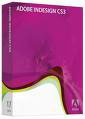
Adobe InDesign CS3
Adobe Systems, Inc.
Price: $699.00 USD, $199 upgrade
www.adobe.com
LAZY AND CRAZY, TOO!
Until I started working on this review, I’d never used the software. (Uh-oh.) InDesign CS3 isn’t for beginners, yet I’m no beginner as a writer. From my perspective, I take it as a given that InDesign CS3 is a professional-level layout and desktop publishing program with far more capabilities and control over all aspects of typography and design than any word-processing application. If I could craft a better manuscript with it, I wanted to try — no one should be afraid of using the very best tools. Hearing that I was going to write a review, however, my brother Bob in Austin emailed me to say,
With features like indexes, libraries, table of contents, links, & bookmarks that you probably won’t notice and might not ever appreciate unless you actually wanted to build a table of contents, an index, publish in both print & eletronic formats with a fancy PDF containing “click-able” table of contents or multi-media features, it’s a daunting assignment. I know you’re not asking, but I’d recommend you at least try to touch on the Library palette, Paragraph Styles, and Character Styles. Also check out Drop Shadows, Corner Effects, Transparency, Word Wrap, Glyphs, Find/Replace and Drop Caps. That way your review will appear like you know what you’re talking about. ;-p

Did he say “daunting”? Indeed. So this will be a streamlined story very different from the usual review. Experienced users may find what follows intolerably frustrating, while novices, dreamers, or pros in other areas could end up commiserating or cheering from the sidelines. Let’s find out!
TAKE ONE
I knew nothing. I wanted something. How best to make InDesign CS3 actually deliver? I decided that the best approach would be to produce a mini-manuscript of perhaps a dozen pages. At this stage, there was no way I’d be able to take advantage of everything the application offered, but if I could do one, I could do another, and another, and so on, and eventually I’d learn. But even coming from a raw beginner, the end result would be an InDesign document that I could output to print or electronic publishing, and when working with my favorite graphic designer, I could send her a working document for her to fix. The workflow would begin and end with InDesign.
Naturally, I got stuck right away. Poking around the menus made me feel like I was in another country, so I knew I had to break down and open Adobe Help, where I watched a video by Colin Fleming on “Creating a New Document.” He did a nice job but had me hopping madly back and forth from Google or my Dashboard dictionary so I could understand the lingo — in the Land of Print, they don’t speak English! A “slug,” for example, is a variably sized area of white space around and below the document where one can have notes and print job information. I also learned that the default margin of “3p0” refers to three picas, 1.27 cm., or half an inch. (This required googling “three picas,” because searching for “3p0” returned a zillion android hits…) “Pica,” incidentally, means 4.23 mm, an eating disorder, the Portland — or Perth — Institute for Contemporary Art, the Pacific Islanders Cultural Association, the Podiatry Insurance Company of America, and the Photo Imaging Council of Australia, among many other things. If you spell it with a “k,” you get a rodent!
Three hours later, it was clear that “lazy” smart guy wouldn’t cut it. After plodding through more Help pages that I could count, I still didn’t know what the zero in “3p0” meant and seriously considered changing the subheading of this review to, “If an idiot uses InDesign to write a thank-you note, will anybody care?”
Humbled, I devoted the rest of the day and most of the night to reading pages in the Help Viewer and trying to make sense of online tutorials. Believe me, there are scads of them. Adobe is very helpful in this regard, although no one seems to design instructional material for people from another planet, which was basically my position here. Searching for “how to actually make text appear inside a window on your screen” will get you nowhere, for example, yet that was exactly what I needed to know. Eventually, of course, I found out that text goes inside a “text frame,” which you either create on the page with the Text tool or else end up with in full page size if you select “Master Text Frame” when you create a document. I did that for my initial 12-page experiment, using default margins and a custom 5.5 x 8.5 inch paper size (for paperback books).
As one might guess, I crashed and burned. There’s no better way to learn fast, however! 12 pages was too small, my master page was set up wrong, etc. And as I saw more and more of what InDesign could do, my ambition grew. I decided to scrap the first attempt and start all over. But first, the answer to a burning question on every Adobe PR rep’s mind:
HEY, WHERE ARE THE SCREENSHOTS?!
Okay, here’s one (below). As you can see, screenshots are useless in this context because a) the interface is complex and humongous, b) you can’t read much at 600 pixels wide, c) this thing is all-business and frankly kinda ugly, and d) I don’t know what half of these panels do. Also, be advised that InDesign CS3 is an awfully tight fit on a MacBook desktop: you’ll want the biggest monitor(s) you can find. The good news is that Adobe has designed everything you see here to snap together so you can create a much leaner, customized workspace once you know what you’re doing.

TAKE TWO
No more “manuscript” nonsense, I would create an EBOOK! It worked, too. You can download it now (PDF, 312 KB) and follow along or wait until the end of the review. This would be set up for printing as a paperback at 5.5 x 8.5 inches like before — in case I expanded it for publication — but since I’d only be exporting it to PDF at first, I left out the print-specific blank pages.
InDesign CS3 allows you to create a Book file, which is actually a package containing separate InDesign documents relating to the different sections of a typical book. I created two documents, one for the actual text, consisting of four previously-published columns for Horse Fly, a monthly Taos newspaper, and one for the “front matter.” Front matter is all the junk at the front of a book: title page, copyright info, table of contents, and so on. Using separate documents for each section allowed me to use a different master page for each one. As you might think, the master page contains items (objects) that apply to all pages in that document. I didn’t want a header or page numbers in the front matter, so this was very handy. Yes, there are other ways to do this, but this is how I managed it, and managing is the entire thrust of this already too-long review.
I created the ebook itself by choosing “Export Book to PDF” from the Book panel menu. Here’s a screenshot of the first two facing pages opened in Preview (details below):

1. Cover created in Photoshop CS3. Copying and pasting images into InDesign CS3 is super-easy.
2. Ebook is 20 pages long, 5.5 x 8.5 inches, maybe hell to print out. I used Acrobat Pro to link the Table of Contents items, but I’ll bet that can be set up first in InDesign. The bookmarks mostly work: for some reason they don’t show up at all anymore in Acrobat Pro, do show up in Adobe Reader, and sometimes function in Preview. Chalk it up to ignorance on my part.
3. Fonts used are Blackoak Std, Bookman Old Style, and mostly Book Antiqua.
4. Haven’t downloaded yet? Go for it!
CONCLUSIONS
This is high-class software, more than capable of handling virtually any publishing project. At $699 a pop, most writers and creative professionals aren’t going to rush out and buy a copy just for the hell of it. On the other hand, it seems there’s nothing it can’t do. It’s hideously complex, but the Help section mostly rocks, and Adobe directs you to some excellent video tutorials. But I just made an ebook! It took me 72 hours of trial and error, but I did it, with absolutely no prior experience with the application. Not only do I now have an actual product (which you can have for free), but I can send the original InDesign CS3 files to someone who knows what she’s doing when I’m ready to have the book expanded or re-designed. I’m working with InDesign from the get-go, and every time I launch it, I’ll learn a little more.
In doing my research for this article, I found that there are folks who call Photoshop and Illustrator “plug-ins” for InDesign. After this week, I think I know what they mean! Look for more articles about my continuing adventures with InDesign here at MyMac — one just isn’t going to do…
System Requirements:
PowerPC® G4 or G5 or multicore Intel® processor
Mac OS X v.10.4.8
512MB of RAM
1.4GB of available hard-disk space (additional free space required during installation)
1,024×768 monitor resolution with 16-bit video card
DVD-ROM drive
Internet or phone connection required for product activation
Broadband Internet connection required for Adobe Stock Photos and other services.Blackoak

When I shop in the iTunes Store I use the shopping cart feature in iTunes. This way I can keep a list of what I might buy, and not empty my bank account by clicking “Buy Now” on an impulse buy all of the time.
Recently, I had a problem with my cart. I had an item in it that would not delete. I had to report the problem to iTunes support at this link: http://www.apple.com/support/itunes/store/connect/.
In a couple of days I got an email from Support saying my iTunes cart had been reset. As a result, everything in the cart was lost. The email suggested making a playlist of iTunes items instead of using my shopping cart as a storage spot for items I might buy.
I never knew this could be done, and I am guessing many of you did not know this either. It is really easy:
1. Make a new playlist in iTunes and name it whatever you like. I called mine “iTunes Cart.”
2. Whenever you find something you want to add to your cart in the iTunes Store drag it to this list. It will appear there, demo playable, with an add to cart button. It is basically the same listing you would see in the iTunes Store.
3. If you combine video with audio you will get a warning message saying this is not recommended. You can make a separate list, or do what I did and ignore the message.
One note: If you drag an entire album to this list it shows as individual tracks, not the entire album (like it would in the iTunes Shopping Cart).
Hopefully, I won’t have to reset my cart again, but if I do I’ll have my list of items I might buy in a safe place and it won’t get wiped out with a reset.

iN STUDIO 5.0
Company: Sierra Sound
Price: US $399.00
www.sierrasound.com
The very first thing you will notice upon opening the box containing the Sierra Sound iN Studio Dynamic Sound Smart Speakers is the fit and finish of the cabinets. My set came to me in white. They are also available in black, and red. I like the starkness and modern feel of the white color used, but when I saw the very classy black, and the high voltage red I thought that any of these models would be welcome in my rather eclectic home. The edges and corners are smooth and curved nicely giving a modern and pragmatic look to the speakers.
Sierra Sound uses tough steel mesh over the speakers and tweeters which should protect those components should the unthinkable, such as poking an umbrella through the speaker, happens. I like the way the tweeters are slightly beveled inward giving the cabinet face a multidimensional feel. The white piano-finished paint is bake-hardened on to the unit which should keep the speakers looking bright and new for a long time. And they are sized proportionally (10 3/4"H, 7 1/2"W, 8"D) to give the speakers a chance to do their thing efficiently. The bass ports in the back help enlarge that sonic range, while the tightly fitted speakers and tweeters project their frequencies easily. Weighing in at just over 23 lb. these units are built tight and right. With their built-in 50W dynamic bi-amp, get ready to rumble, but clearly.
Installation was simple. I made sure I read the manual, a whole four pages with a large readable diagram on the last page. The diagram had all the features listed with arrows pointing at the various controls. jacks, and connectors. I love big diagrams like this when I get a new piece of equipment since I’m a visual learner. I’m also a very literal type, so if there’s anything different in the diagram from the device itself I’m not particularly happy about it. In this case there was.

The diagram shows the Input Mode Selector, used in selecting between an iPod, Aux.1 and Aux.2 manually, to be a knob. On my speaker set there was no knob. There was a push switch, which took me a few minutes to figure out. It may be no big thing to those of you who are adept at reading between the lines when it comes to instructions and diagrams, but I am not one of those. I like things to be as they say or show they are. This knob/push switch difference could have been due to an improvement made to the unit after the diagram had been published. Or it could have been the flip of that scenario. Either way, it should be fixed. I, for one, would vote for the knob, as shown in the diagram.
Before we get too far along in this review here are a list of iN Studio 5.0 features as listed in the manual.
FRONT PANEL FEATURES
1. iPod Universal Dock: Plays and charges your iPod
2. Tweeter: 1" Magnetically Shielded Naturally Silk Dome
3. LED: Indicating Power On/Off
4. Infrared Receiver: Receives signals from the Remote Control
5. Woofer: 5: Magnetically Shielded Paper Cone.
6. Enclosure: Employs a special acoustic high efficiency MDF and unique interior reinforcement design to absorb vibration and impact generated under extreme conditions.
REAR PANEL FEATURES
7. Input Mode: iPod, Aux1, Aux2 mode select button (knob?)
8. USB: To sync iPod with computer
9. S-Video: A standard four-pin S-Video cable connector
10. Aux1 Input: Used to connect signals from unbalance, -10dBv devices. White, left input. Red, right input
11. Aux2 Input: For maximum flexibility a stereo Aux In input is included which allows you to plug in a secondary audio source (ie: a portable music player)
12. Volume Control: To set up the output sound pressure from the iN Studio 5.0 system to proper levels as required
13. Vent Port: Aids in reproduction of very low frequencies by discharging frequencies below 50Hz
14. 1/4" TS Output: Use 3 meter speaker cable included with the set to connect the left and right speakers via the 1/4" TS jacks on the back of each speaker
15. Power Switch: Turns device off and on, On indicated by a white (blue on my set) dot
16. Power Receptacle with Fuse Holder: Hold external main fuse. Accepts a detachable 3-circuit line cord to power the unit
17. Voltage-Select Switch: Provides two selections, 115 VAC and 230 VAC. Should be set to match the "House Supply" voltage of the country in which the unit is being used. 115V for USA. 230V for most of UK and Europe
18. Aux AC Output: Power outlet for Airport Express
19. Auto On/Off: Set on Auto, the system will shut off when a signal has NOT been received in 15 minutes. The system will power up automatically when the signal is received.
I don’t know why I thought I could connect my MacBook to the speakers via a USB chord (provided) but it isn’t done that way. Duh. Nope. It’s the mini Y cable—male mini plug from the headphone input on the MacBook which Y’s out to two hooded phone jacks, red and white, which go into the color coded inputs in the back of the control speaker. It took me just a minute to figure that one out.
The instruction sheet is lax in showing how to connect other devices to the speakers. This may be a no-brainer for some. But for others it could mean frustration and bad vibes towards a notably good company. After the proper connections were made I used the push switch to select the input mode. I had to guess at a few positions before iTunes would play. Again, a knob would be so much better in that one could designate the position/equipment being selected at the time. With the push switch it’s strictly blind and by sound only. The provided remote can also be used to access input modes. As stated in the instructions, the USB cable is provided to sync the iPod with the computer. Another Duh. That’s a nice feature.

Sierra Sound provides a remote with this set which controls the iPod and Auxiliaries 1 and 2. Volume, pause, menu, shuffle, repeat, and backlight may be accessed. I used it from across my living room, about 20 feet, and it worked fine. Of course, at twenty feet, unless you have the eyes of an eagle, you can’t really read the menu on your iPod which will be in the speaker dock on top of the control speaker.
I thought I’d A/B the MacBook and iPod to hear differences in quality and volume. Not surprisingly the quality was about the same. They are both digital files, after all. I know there are differences between digital files but in this case my iPod was loaded directly off my MacBook. The big difference surprised me. The volume on the iPod far surpassed the volume of the MacBook. I cranked the computer all the way in volume and left the equalization flat. It was loud. clear, and filled the room with enough sound for anything short of a plumber’s Christmas party at the VFW. When I played the iPod I couldn’t crank it all the way without fear of blowing the speakers. It was so much notably louder. However, these are self powered and tuned speakers so they should not "blow" even when maxed out. Speaker Frequency Response: 55Hz-22KHz, Crossover Frequency: 3.0 KHz. If you do plug in a stereo receiver, and crank it all the way, and the speakers up all the way, you will probably get a whole lot of distortion, but I doubt the speakers would blow. Hey, try it out. But don’t expect Sierra Sound to be sympathetic to your stupidity.
MyMac.com is impressed. They make iPod sound great. The volume has got to be up a bit before the presence of mids and highs become apparent. Sierra Sound suggests turning the volume of the speakers up all the way, and then use the volume control on the iPod to regulate the output volume. Playing the iPod at lower levels, these speakers don’t quite reach their sonic potential. The highs and high-mids take a back seat to the 5" woofer. The baffles do have bass ports in the back of the cabinets tuned to create more bass response out of the diminutive 5" speakers. But at lower volumes this feature sort of takes over. It’s not until the volume is raised to a point where it is obvious the high-mids and highs are beginning to live.
I’d say about half way up the volume scale is where all of the frequencies become available. And at that point the speakers really sound good. They’re not too loud, but they’re up enough to hear the music from even the next room. And, as I said before, with the iPod there’s plenty of headroom here so you can really get things jangling if you want that. I finally did crank these things all the way with my iPod playing "The Weight" by The Band. LOUD AND CLEAR! Man, these things can really put out.
Please don’t mistake these speakers for ones that are built to fill the whole house. They can get plenty loud, but at the top volume they get a little shrill. At that point the 5" woofer can’t keep up with the volume of the 1" tweeter—the mix becomes a little bright and mid-rangey. But even maxed out the woofer does not flag. There’s almost no noticeable distortion. These impressive speakers stay clear all the way up the scale. That’s good engineering, folks.
One of the big features of this set is the ability to connect Airport Express and iTunes. Airport Express Base Station with Airtunes is available from Apple.com at around $99. Here’s how: Plug one end of the short 1/8" audio cable (provided) into your Airport Express audio output. Plug the Airport Express into the Auxiliary AC Outlet on the left speaker rear panel (control panel). Plug the other end of the 1/8" audio cable into the Auxiliary In jack in the control panel. You can ensure optimum sound quality by simply connecting it to an Airport Express using the (provided) digital optical audio cable. You can then control your music from your computer in your den while enjoying the music anywhere else in the house. Pretty cool.
Another versatile feature of the iN Studio 5.0 set is the ability to view your video files on your TV via the S-Video Output. Just hook it up with the cable provided and check out your vacation photos on your 52" wide screen. What could be better than that?
Summary: For the size and convenience of these speakers, and the associated cost, along with, for the most part, excellent sound quality, I think they’re worth every penny. No, they’re not cheap. But neither is the sound. And to be able to play my iPod with this much clarity and volume speaks, well, volumes. This set should last the listener years, and provide quality sound from any device played through them. But the real kicker is to be able to play/charge your iPod in a way that rivals much larger and more expensive systems, and at the same time have the wireless feature of Airport Express and iTunes at your fingertips.
If you’re looking for speakers to play your iPod through, just enough so you can hear the music in a room, maybe another less costly system will do for you. But if you want quality, flexibility, and something that sounds really good, and is built like a tank while looking beautiful, look no further. Sierra Sound’s iN Studio 5.0 won’t disappoint, as long as you understand what it is, and what it is not.
MyMac.com Rating: 4.5 out of 5
Download the show here, or listen in Odeo player above.
Tim, Chad, and Guy talk all about iLife ’08, the new iMacs, and the new Apple keyboard. Guy gets a lot of hands-on time with iWeb, which Tim and Chad have been playing with iPhoto. Plus, Tim has a new toy!
Be sure to send us some audio feedback from your phone!
Give us a call at 1-801-938-5559 and leave a message, or send email to mymacpodcast@gmail.com
Podcast-only RSS feed for all other RSS Podcast readers
Links from the show:
Macbook Podcast

Say you’re working on a long-term project in which you’re creating and saving a number of different files over time, and you want to make sure you have those files copied to a back up source after you’ve saved them to a specified folder. Well, if you don’t already have a backup system in place to do this, you can create backup folder in less than ten minutes by following the steps below. This workflow will instantly backup items you save or put into a specified folder.
1. Open up Automator (in your Applications folder.) A new action workflow window will open up.
2. Click on the Finder actions located in the Applications folder (left column) of Automator. Next, click on the Copy Finder Items action in the middle column.
3. Now click on the drop down button and choose Other. Here you will either select or create a folder on your internal or your external drive where you want your items copied to. It’s probably better to have items copied to a external drive so if there’s ever a problem with your internal drive, you copied items will be secure in the folder were you specified them to be copied.
4. Click File>Save As Plug-in. Choose Folder Actions from the drop down menu.
Here you will select a folder which when items are dropped or saved to it, those items will be copied to the folder you selected in the last step. So click on the Attached to Folder drop down button and either choose an existing folder or create a new one. You could also choose one of the existing folders (Documents, Movies, Music) but remember, each time you drop an item into one of the selected folder, it will be copied to your specified folder.
5. Type a name in the Save Plug-in As window and click Save.
Drop or save an item to the folder that you attached the Action to in step 4, and watch the workflow indicator in your menu bar show you that the action is taking place.
If you ever want to delete this workflow, go to Home>Library>Workflows where you will find your saved Automator workflows.

In a tragic turn of events and in an effort to reinvent the Mac bringing it into a vicious circle of conformity, the Apple logo has been relieved of duty as the once proud symbol that graced nearly every Mac keyboard for the better half of 20 years in the form of the Command key. At the Mac event last week where new keyboards were announced, the awful discovery became a reality. I’m mad to say the least…
Over the years, the Mac has lost more and more of its identity in an effort to make the Mac more attractive to the dark side. While a lot of the change has no doubt helped, a lot of it has stripped the Mac of its once totally unique persona. Macs for years were considered more of a friend than a computer. Lets start with the startup sound, which I affectionately call, the Bong sound. You didn’t have a mundane beep like PC’s… You had a vast array of different sounds throughout the Mac line. Macs still have this, but this is one of the few things which still remain. Then the Happy Mac… For 18 years, it was a symbol of the joyful exuberance and personality that made the Mac the Mac. With Jaguar came a new symbol… A dull, gray, boring, emotionless Apple logo. And who could forget the Power key on the keyboard? What PC could do that?
Those are only a few examples. Now the Mac loses the Apple logo on the Command key. What’s Apple smoking? Have they no respect and compassion for all the Mac users who grew up on the Mac? While the Command key will continue to march onward and invoke commands, it shall never be the same without the Apple logo to lead the way guiding the Command key with every keystroke.
As we mourn the passing of our fallen icon, I felt it was only fitting the Apple logo be given an honorable discharge for its proud 20 year service on Mac keyboards ’round the world. In unison, I ask everyone who reads this to invoke their favorite keyboard shortcut which uses the Command key to give the Apple logo a proper sendoff. As for me, I choose Command-Option-Esc. The Force Quit command… The 3-fingered salute. To Apple, I give the middle finger salute!
Remember… don’t just think… think outside the box… Think Different.
* * * * *
All photos below were taken using a Casio Exilim EX-Z50 camera. Some of the images were fine-tuned by cropping and Levels adjustments in Adobe Photoshop Elements 2 software. No flash on any of these pictures.
* * * * *
SEEING DOUBLE
The evening before we drove off into the sunrise to begin our summer vacation, Barbara noticed this colorful shadow of a blue bottle on our dining room buffet. The light was descending minute by minute. I took several vertical and horizontal pictures, and chose this one as my best.
When lighting conditions offer the gift of a remarkable shadow or silhouette, stop whatever you are doing, carefully pick up your camera, and take a bunch of photos. Afterward you can enhance them using Apple or Adobe software.
I’m an experienced photographer, but I almost always make minor improvements from the digital negative JPGs. This image is full-frame, without any alteration. Shadows are your friend, when you embrace a creative way of seeing.
* * * * *
LOOKS GOOD ENOUGH TO EAT
It’s a long drive from Tucson to Los Angeles. I needed nutritional fortification before I put pedal to metal, rubber on road.
First light in summertime Arizona is intense, delivering directional illumination to my humble breakfast plate. Vertical framing is again most satisfactory.
Food is not often a primary photographic subject. When it is, make pictures from different angles, preferably before eating. My experience is when something edible catches my creative eye, I rarely improve the composition over the initial exciting sighting by rotating the plate or altering my position.
* * * * *
EXTERIOR/INTERIOR FRAMING
Getty Center in Los Angeles has a world-class garden that opens to the public at 9:30 a.m. Admission is free! Be the first one to arrive, and have an uncluttered view of horticulture and architecture.
Create an outdoor frame by placing your composition with trees at left, right, and top of the photo. Then frame your primary subject with different texture or form at the bottom, for depth and dimension.
* * * * *
SNAP, CRACKLE, AND POP
When you place your camera at its minimum non-macro focal distance, the near part of your subject can appear to be sharper than the far part. Look in the manual, if you dare — practice makes perfect. This is called selective focus, and photographers refer to it as "snap."
Depending upon the ambient lighting, your subject can seem to be popping out of the picture. With a mixture of skill and luck, you’ll achieve stunning results, such as with these poppies in the Getty’s garden.
* * * * *
WISDOM FROM ABOVE
Indoors at Getty Center, curved and straight lines and shadows define human interaction. You see a lot of posed pictures such as this one, done for magazine and television advertisements, and in movies and TV shows. They almost always look fake.
A real life story is taking place in this lobby, and I’m poised on a stairway waiting for one or two possible opportunities. People move, light changes, and the visual energy shifts.
Be decisive, and have your camera handy. Use your strap, and don’t drop the camera onto the head of one of your unsuspecting subjects.
* * * * *
PURE DUMB LUCK
I liked the look of those chocolate cakes at a San Francisco bakery, but I was too stingy to buy one. By accident, both pastry chefs assumed an icing-ballet position between when I pressed the shutter release and when it clicked, only a moment later. I bought and ate a delicious piece of cake to celebrate.
* * * * *
WET REFLECTIONS
It is difficult to obtain a photo of moving ocean waves that look and feel wet. That was my goal at San Francisco’s Ocean Beach, and then the poochie parade entered my viewfinder. I let the water take care of itself, and by luck and brilliance I was able to click when the person and dogs were equidistant from one another and standing on wet sand. Would this image be improved by glorious sunshine and dramatic clouds? Not a bit, says Nemo.
* * * * *
WHERE’S THE PARTY?
The incongruity of a wedding couple having their photo taken by an offscreen pro, plus a kid in the water, with freighter and bridge behind, is too weird to have planned. Sunset was imminent, as seen in the veeeerrrryy long shadow stretching from the bride’s dress.
Baker Beach in San Francisco hosts sunny-evening wedding photo shoots by the hundreds, weather permitting. I should do a photo essay of just this subject, in its infinite quirky variety.
* * * * *
GLOW IN THE GLOOM
Looking down on the sculpture garden behind San Francisco’s De Young Art Museum through a window, standing inside the building, I saw shape, form, and color that needed little enhancement from Adobe Photoshop Elements or iPhoto.
Be bold in your photographic experiments. When a subject grabs you, grab your camera, collect your thoughts, take a deep breath, look around for a moment, and make the photo. If your mind and imagination are in focus, you may hit a home run on your first time at bat for the scene. Additional snaps are often wasted, regardless of the capacity of your camera storage card.
* * * * *
LOOK OVER YOUR SHOULDER
At a stand-up concert in the Amoeba Music store, with performances by the stars of the movie "Once," I looked backward at the assembled crowd. I held camera high and snapped. Out of three or four attempts, this is the most successful. I cropped and sharpened the image for clarity and to give a sense of a room that extends forever, full of music and posters, which is not far from the truth at Amoeba.
* * * * *
BUT WAIT, THERE’S MORE: POLITICAL STREET SIGNS
On our way out of town from San Francisco, we passed this intersection. Regardless of your political persuasion, there is no doubt of the remarkable juxtaposition.
* * * * *
Previous tutorials are archived here. More tutorials will be coming once we’re back home in Arizona. I hope your summer travels have been joyous.
This installment of Macspiration is less on instruction and more on explaining. You see, recently, I have had to troubleshoot the internet for several family members. During the process the topic I am about to discuss came up over and over again. Based on those discussions, I figure there are others out there who could benefit from this Macspiration.
Most people use the internet for visiting websites and/or email. What some people don’t realize is that an internet connection is required for both visiting websites and checking email. You need the internet to check your email (through an email program like mail or through a website like www.gmail.com). The internet is not using Safari for visiting webpages with email being a totally separate entity. The internet is both of these things.
If you lose your internet connection due to faulty hardware or connection issues you will not be able to check your email and you will not be able to visit any websites. If you can do one of these and not the other then your internet connection is working and there is a software issue (probably a setting is off).
In order to connect to the internet you need a modem. If you use dial-up internet it is possible that the modem is built into your computer. If you use cable or DSL your modem will be a box outside of the computer. Think of the modem as a special phone for dialing the internet. Without a modem you won’t have the internet.
So, what do you do if you think you are having connection issues? Well, if you have a family member or friend who is knowledgeable you can call him/her first. If that does not help it is probably time to call your internet provider. If the family member/friend is nice you might be able to convince him/her to make the call for you. The providers on the other end of the phone always try to talk in simplest terms, but it is always better to have someone talk to them who knows what they are talking about.
That phone call might result in a quick fix, if you are lucky. If not, you might need a new modem, or you might need a service call. Either way, don’t panic.
So, I hope my explanation above makes things clearer instead of making them more complicated.
Leave your comments below.
***For you hardcore/advance readers- I know the internet and email is a lot more complicated than the way I described it. I am trying to make things basic and simple for your grandmother to understand.
(warning – this is written entirely in lower case – the writer is not responsible for any emotional damage done to english teachers, who should be thankful it is not also written as a txt msg. er. its not that i am lazy or anything . . . yes it is.)
beth lock. i have forgotten where or when i met her online more than a decade ago. i had always been in graphics, in aerospace. writing was something i did part-time, and without much thought to going anywhere with it. i guess it was my english teacher in high school, who turned me off of writing. i would write short stories, which my friends in school loved to read, and that really upset her for some reason, so she told me never to write again. "you are no good at it, and you never will be." so i did not, for a very long time, until 1990, when i could no longer keep from writing. beth, and others liked my writing, strange, odd and crazy though it was.
i was good at it. i had a cadre of short stories, mostly off of a typewriter or in pencil. beth got me to send her one. she sent it to tim robertson of mymac.com, and he immediately published it. somehow, seeing my work on a website that other than my own, gave me credence as a writer in my own mind. it mattered not that it was not for pay. it was for the joy of writing, and for publicly speaking to important issues. back then, just being on a mac in a company was a major issue. microsoft was the sinister big brother, and the mac was the scrappy, more intelligent adversary, who would win the day – some day. my stories tend to be urban legends, fantasy and science fiction, although i do write histories and books about god.
writing for mymac is the road i took. i dropped out of aerospace and out of graphics. i begin to write and do little else. my wife noticed the difference. i was in love with what i was doing. i began to write for other places – all of them forums. mymac.com was the only webzine i wrote for, and the only one i ever cared to write for.
yes, i sometimes wonder what my life might have been, had i stayed in graphics and in aerospace, and ignored writing, but i know i took the better road by becoming a writer.
i consider that it was because of tim robertson, who gave me my start as a writer. he was the editor/owner of mymac.com. young, strongly opinionated, and decisive about things, but ever true to his writers. he would back us, regardless of what we were writing about. i wonder if he even knows how significant he was to my decision to keep on writing?
at mymac.com, there were already a good number of people already onboard: beth lock, rodney lain, susan howerter, john farr, and owen ruben. a bunch of other writers came along also: abraham amchin, art schwartz, artie alinikoff, bailey, bill palmer, bill perry, bob mcccormick, bruce black, carmel glover, chad perry, chris seibold, claus wolf, connie teeple, craig cox, daniel corkery, david cohen, david weeks, david casseres, dawn schultz, debra power, donny yankellow, dr tim hillman, evan kleiman, george masters, guy serle, iris yoffa, jason rainbows, jeffrey mcpheeters, jonathan murnane, kenneth paul, krishna sadasivam, larry grinnell, lee aronson, lonnie houghton, maria langer, mark marcantonio, martin taylor, mick o neil, nate eaton, neale monks, pixl, rich lefko, robert hazelrigg, roger kasten, russ walkowich, sean lynch, steve adelson, tad scheeler, tim robertson, todd long, tom schmidt, tony williams, vern seward, and a host of excellent writers that are too numerous to mention (which i say because i just know i am forgetting someone). visit the "archives" at mymac to see who all these great writers are. it is not just big names of john martellaro, john nemerovski and david k. every at mymac.com. there new writers too, such as knot gullible, mazen al-angary, dan robinson, and bakari chavanu – all of who are contributing significant things to our content. because of the published words of every one of these wonderful writers, mymac.com continues to grow and flourish, and more and more readers are coming onboard daily. you know, there just isn’t anything like mymac.com on the web.
what is too cool about mymac.com are the things our readers do not get to read, on our staff mailing list, where a great number of subjects get discussed (and ranted about). the intellectual interaction is unbelievably stimulating to all of us at mymac.com. many of our conversations there get posted as blogs, which our readers, for the most part, love.
well, that was years ago. today for my wife and i it is the same, but different. connie and i went ahead and got our degrees, thanks to educade – a couple of masters for me and a phd for her. (i doubt that we will live long enough to pay these student loans off, especially with their ultra-low payments and cheap interest rates.) our kids are grown and have families of their own. my lovely wife has not changed at all. she is still young and beautiful, as well as very smart and talented. connie also left the corporate sector about the same time i did, and is a full time teacher in high school – one with honors and awards stacking up.
i contracted cancer in 1994, and have been on and off of chemo about every five years. it is slow growing, and i am determined to beat it. like everything else in my life, it has also contributed to my writing, to who i am and to what i have become. but that has nowhere near as much contributed to me, as all my fellow writers and friends have here at mymac.com.
i’ve also been sick lately – not cancer – just a weak heart (after 5 bypasses and significant heart damage from cisplatin chemo in 2002 – which is why they put me on disability). fortunately, it has been bad enough to get me out of housework. but not so bad that i cannot write from time to time.
connie and i moved to the desert about seven years ago, and love it. there is no place on earth quite like the high mojave desert, three thousand feet above the coast, with clean air and legends abounding among the diffident and majestic sierra mountains. the heat here in the desert this summer has been record breaking, and that has also contributed to my ‘weakness’ so i remain indoors until sundown. but the evenings here are cool and wonderful.
thank god for air conditioning. most people here use swamp coolers, which are encased water fountains on their roofs, through which air is cooled and pumped into their homes. however, when the weather is humid, those things are worthless. a real air conditioner will pull excess moisture from the air, and you can survive here. however, your electric bill can be many hundreds of dollars a month.
did i say we are moving? – six weeks now, we have been packing to get ready. we move to barstow, california on the 15th thru 17th of august, where my wife starts teaching high school english to 180 kids on the 20th. this move has been rough without any help here, but we persevere.
barstow is a small, poor town on the apex of the i-15 and the i-40 interstates, about an hour and a half north of los angeles. the other towns around here in the upper mojave desert are palmdale, lancaster, to the west, and victorville/hesperia/apple valley to the east. beautiful ridgecrest is north of all of them, next to china lake, out on the 395, which goes by the sierra mountains on its way to mammoth and yosemite. there is more history and places to explore here, and more natural beauty and clean air than anywhere else in the west. it is just an awesome place to live, and the people are noble, independent and for the most part, honorable (and the cost of living is way lower than anywhere else in california).
the key to barstow are the two military bases nearby – typical of most towns in the deserts of the west. nearby dagget (a truck stop on interstate 40), has the marine staging base. marine families, where most of my wife’s students will be coming from. the other base is fort irwin, where all the captured russian and chinese tanks are stored. barstow is the only town nearby where housing is available. housing, that is, if you don’t mind 40 year old two bedroom, 1 bath homes. these homes are well kept and maintained, however, and there are all the amenities you could hope for in town – great places to eat, and plenty of places to shop. if you are rich, you can even have a new, large ranch-style four bedroom, three bath home up in barstow heights, where the view of the valley is spectacular.
my youngest boy got married in salt lake city two weekends ago, and the 12 hour trip up there about did me in, but it was good (and necessary) that i went, since i performed the ceremony. salt lake city is mountainous with evergreens and lakes. it is beautiful, and the homes there are very unique to the western part of these united states – if you can imagine old style century homes built with all the modern conveniences, with fully finished basements and cold rooms under the porches, and fully finished attics as well. these homes sell in the 300,000 dollar range, with 4-6,000 square feet. even the garages are finished inside, with usually an apartment above. since the state of utah is about 40% mormon, people who buy these large homes usually try to fill them with children.
connie is concerned lately about my memory going. it is. i am becoming forgetful, but only about things that are non essential to me. again, it is probably an effect of the chemo. i finished the last treatment back in november and am just now getting some feeling back in my extremities. the chemo taxol sort of kills all the small capillaries in your feet, hands and kidneys, but the chemo also killed the cancer i had, for which i am very grateful. did i say that it has made me forgetful?
i was so sick from the last round of chemo that i honestly did not plan to be here this year, but here i am – most blessed. i am looking forward to the move. our new place is very nice, and the only rental in barstow to have a second bathroom and more than two bedrooms. which also allows us to have our pets (a large black lab and three cats).
barstow high school was the only job my wife applied to which responded and hired her on the spot, with a significant bonus too. so we are moving there from beautiful and secluded ridgecrest, our home for seven years in the high desert. the move has taken all of our energy and savings, but it will be great – if we ever get there. we might have stayed in ridgecrest, but connie is not quite through with her california teaching credentials. without that, teachers have to scramble for positions anywhere they can find them. she has taught previously for colleges and private schools and is well qualified to teach, but getting that credential means about double the pay, full retirement and a guaranteed place to work.
i really miss working for a living. connie and i both have a strong work ethic. but i do have hopes for an eventual publisher of some story or novel i have written. perhaps a publisher will print my biographical fantasy novel about adam, the first man. adam had adventures which were much more powerful and amazing than frodo’s, aslan’s kids, or young mr. potter’s. (i just need to find some one who has clout in some media who can see that.) after all, adam lived more than nine centuries, and was the first man to have an dual identity (since hardly any of his children believed that god was his father). his alter-ego was atlas, and he became emperor of the single continent of that anti-diluvian world in his 600th year on the earth. in his honor, they named that continent after him. you may have heard of it – atlantis. (i wrote that book back in 2000, and have hardly touched it since, except to periodically send it out to publishers. you should see all the nice rejection letters i have been collecting!)
i hope all this finds you and yours blessed and well, my friends. thanks ever so much to all of you here at mymac.com. to beth, for believing in me. to tim, for publishing my crazy stuff for people to read. and to every friend and writer here online. my life has been so rich and blessed because i know all of you. i cannot fathom what my life would have been without each of you in it.
love, roger

Elan Holster for iPhone
Company: Griffin Technology
Price:
$29.99
http://www.griffintechnology.com/products/elanholster/

Style

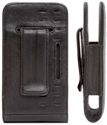
Griffin’s Elan Holster receives 3 out of five stars for style. Its black leather sheath is embossed with two rows of dots that visually sets off what must, by necessity, be a box with a belt clip. As we would expect from a name brand such as Griffin, attention to detail has produced a well-made product.
Substance

Substance gets 3 1/2 stars. The biggest drawback to the Elan Holster is one of the necessities. It holds the iPhone snugly. and you feel confident that it won’t slide out of the open-end holster during normal movement.
Utility

Initially I gave only 2 1/2 stars for utility, since there was a real difficulty extracting the iPhone from the Elan Holster, actually requiring two hands. As days went by, it became less difficult, probably due to stretching and everyday debris on the fabric lining of the holster, but by no means was it easy. Later, it became ‘not difficult’ but you still had to exert more effort than was desirable. This is what I meant in the last paragraph by a drawback being a necessity. Since the Elan Holster is open-ended, the only thing holding in the iPhone is the snug fit. A very fine line for the design team to tread. Finally it became second nature and the effort required for unholstering the iPhone can only be called “just right.” Kudos to the design team at Griffin for a truly forward-looking design and a masterful prediction of the “ease of use” of the Elan Holster after several weeks of use.
Other Minuses
The belt clip does not come attached due to the two-way slots on the back. It’s a real bear to attach. And pick your orientation carefully . . . unless you notice the little metal tabs on the clip, you’re not going to get it off again.
Other Plusses
The Elan Holster comes with a plastic screen protector and a little prayer . . . er . . . cleaning cloth. The screen protector doesn’t seem to deter the touch screen functionality and I actually two-thumb-typed with it. Nice touch!
But the real secret design feature of the Elan Holster is how the earphone jack, sleep switch, silent switch and volume control are all accessible, thanks to the open-end design. You can manipulate these controls handily, with the phone fully holstered. (Recall also that while using Apple’s iPhone earbuds, you can answer a call by clicking the microphone button on the cord instead of unholstering your iPhone.)
Summary
Rita has appropriated the Elan Holster as her preferred iPhone case. How much more of a recommendation could a company want?

Guardian MAXimus 500 GB Model
Company: NewerTech
http://www.newertech.com
Price: $429.99
The very first article I wrote for MYMAC.COM was about the main internal hard drive (HD), in my G5 Mac, failing and what I had to do to replace it. I was backing up, but due to a variety of reasons, I had not backed up that drive for several weeks. While I got back about 98% of my “stuff,” I still lost some pictures and other items I wish I had not lost.
Nowadays, I religiously back up my internal HD every week. I live by the following mantra, “It’s not IF the HD will fail, it’s WHEN.” All things mechanical will fail at some point. However, I wish I could back up more often, and the process I use does take a little time. I clone my drive to two separate external HDs, which is why I am always on the look out for a better process.
NewerTech recently introduced the Guardian MAXimus RAID series of drives for backup and performance storage.
What’s a RAID?
No, it’s not a bug spray. The acronym “RAID” stands for “Redundant Array of Independent Disks.” This refers to multiple hard drives contained in a single enclosure for the purpose of sharing or replicating data among the drives. Great. What does THAT mean? In plain English the data is simultaneously copied to two hard drives so that there is an exact copy should one drive fail. So? Well, if you are a back-up nut like I am (and you SHOULD be) that means all you have to do is tell your back-up program to back up your HD once and, with the Guardian MAXimus, you’ll have two copies.

Why are two copies of my HD needed?
Well, you can make as few, or as many back-ups as you’d like, but considering what is on my HD, I feel better having two copies because HDs will fail. Have you ever seen someone on the road with two flat tires? It’s not often, but it does happen.

What’s in the box and unit description:
The Guardian MAXimus comes with everything you need to get up and running very quickly. The back of the Guardian MAXimus has two Firewire (FW) 800 ports, one FW 400 port and one USB 2 port. There is a power switch on the back, and a jack for the plug that comes with one of those power supply boxes connected to the wire. The body of the Guardian MAXimus is black anodized aluminum with the “Guardian MAXimus” logo etched into each side. It has a silicone type pad on each foot, and it’s a handsome enclosure.

You also get all of the power plugs and cables, a short FW 400 cable, and a FW 800 cable, plus a USB 2 cable. This drive uses the Oxford 924 chipset, so it’s fast.
Across the front are four LEDs labeled as “Power” (we know what that one is for) “HDD1,” “HDD2” and “Rebuild”. We’ll discuss these three other LEDs a bit later. This drive also comes with the following software for the Mac; Prosoft Databack Up 3 ($59 value) and Intech SpeedTools ($89.95 value).
Set-up and operation:
It could not be easier to get the drive up and running. Plug in the power, connect via one of the three types of connections, and turn it on. An icon pops up on your desktop immediately. Even though there are two drives in the Guardian MAXimus, you only see one drive icon. This is the beauty of a RAID. Copy to that one drive, and the RAID simultaneously copies to the second internal drive giving you two copies.
I used the included Prosoft program to clone my HD to the RAID. The initial copy process took several hours to copy the 112 GBs of data on my drive via FW 800. After that, subsequent “incremental” back-ups took minutes. I prefer a CLONE back-up and this is why: A clone of your HD will enable you to boot up from the RAID if you suffer internal drive failure within your Mac. I could go into a long discussion of back-up strategies, but that is outside the scope of this review. Once booted up from your clone, you can go right back to work and replace your failed internal HD later. Then it’s simply a matter of cloning that Guardian MAXimus HD to the new internal drive you just installed in your Mac. I will admit that the Prosoft software is very versatile and allows all kinds of back-up configurations, clone, versioned clones, folders, files, whatever.
So I set up the Prosoft program to back up my HD every three hours—and it did! Imagine, an internal HD failure and all you risk losing is the last three hours of your work—and it made the back-up while I was working. Very cool.
The three LEDs:
The first two LEDs labeled HDD1 and HDD2 blink green when the drives are writing data. If a drive fails, the corresponding LED turns red. There are four screws on the bottom of the enclosure, which once unscrewed, allow the body to slide off revealing the two HDs inside. Replacement is that easy. Once you replace the failed drive, the RAID goes to work and the “Rebuild” LED lights up as the remaining good drive rebuilds the new drive to make an exact duplicate.
Brian from OWC tech support describes the process this way:
“If a drive fails, the LED for that drive will turn red. All that has to be done is remove the old drive and replace it with the same exact size, brand and model hard drive. Since the mirror does a block for block copy (safest method), there is no need to format it. The first time you turn on the enclosure with the new drive installed it will automatically start the rebuild process. During this process the replaced drive LED will be flashing from red to orange and the rebuilding light will be green. If the rebuild fails, the rebuilt LED will turn red. Because it is a block to block copy it can take several hours to overnight depending on the size of the hard drives inside.”
I asked, “Does it really have to be the exact same drive.” Brian replied, “Yes, it has to be the exact same model, you always want that when you are using a mirror.” He also included a link to the OWC product page, which tells you what drive mechanism you have in your enclosure. Mine was a Seagate. http://eshop.macsales.com/search/guardian
Conclusion:
This is a sweet set-up for a virtually problem free back-up strategy. One that will take little time after the initial copies are made.
I marked the rating down a little for a couple of reasons. The included instruction sheet leaves you with more questions than answers. I was able to contact OWCs excellent tech support, Brian, to get some answers to what I thought were basic questions that I think should have been included in that instruction set. The included FW 400 cable is another one of those “shorty” cables. This drive series has won the American Photo 2007 Editor’s Choice/Digital Storage and Display award. It comes in configurations from zero GBs (install your own HDs) to 1 Terabyte.
Imagine for a moment that your internal HD has failed. Think of all of your photos in iPhoto, all of your movies in iMovie, the songs you created in Garageband, the emails you’ve saved from loved ones, all of the stuff you’ve created, gone in a flash. Sure, there are some utilities you could buy to recover some or even all of the stuff on that dead HD. However, sometimes when the drive dies, it’s dead. You can’t recover anything, and companies like Drive Savers cost a small fortune and you’d lose the ability to access your stuff for weeks, maybe longer. Do you really want to take that chance? It doesn’t matter what back up strategy you use, just that you have one and stick to it.
I almost lost my stuff, I’ll never take that chance again.
MYMAC.Com Rating: 4.5 out of 5

BENEATH THE NEON
Author: Matthew O’Brian
Publisher: Huntington Press, Las Vegas NV
ISBN D-929712-39-0
Price: $19.95
Writing a book about tunnels under a city can almost always spark interest in readers. There are so many tunnels, and so many cities that have them – an astonishing number, in nearly every country of the world. However, most anything written about underground spaces of the cities that have them range from ultra-dry Corps of Engineer type-documents to historical works of varying merit, some of which slide more into myth instead of fact. In other words, there is little written about under city tunnels that is both interesting and factual.
Las Vegas and its tunnels, and Matthew O’Brian’s telling of them, is quite different, and of a much higher caliber. His book is "Beneath The Neon." Matthew brings a human touch of reality and immediacy to the people who live below Las Vegas, who are in continual danger of their lives. "Beneath The Neon" therefore, is a very interesting, entertaining and factual book.
Take the tunnels of Orange County, in Southern California, for instance, which has miles of tunnels and spaces, many as wide as the four lanes above them, all of which are bone dry and empty of life. Most of these tunnels channel into massive floodways, snaking through the Los Angeles basin, and eventually empty into the Pacific. Of the few times a decade that they are full of water, people are amazed at both the volume and speed of the water. Whoever gets caught in one of these channels has little hope of survival. Go here for a look at the scope of the tunnels under Los Angeles.
Then there is the Burro Schmidt Tunnel in the upper Mojave desert, a couple of hours north of L.A., built over a number of years by a single individual, through solid granite. Here is a link.
Secret tunnels of historical significance and mystery can be found under San Francisco. And under Seattle.
Cities don’t have a monopoly on tunnels either. Colleges and universities sometimes have their own. Here is a similar link. But by far the biggest and most astonishing underground of all, is under Tokyo.
Many tunnels have small collections of people; homeless, addicts, and iconoclasts. The only apparent exception is Los Angeles, where there are no homeless living in the wide, dry, and accommodating tunnels. It is not that these tunnels are policed, it is just that the homeless there are likely smart enough to know better.
But what really interests O’Brien are the homeless people who live in the tunnels under the bright oven that is Las Vegas. He estimates that there are 300 people at any time, who are living in small encampments throughout the tunnel system, and in the course of his research, he got to know many of them.
There is evidence of these people everywhere: an old set of pans; heaps of garbage, including many old mattresses; and graffiti. If you were to wander through the tunnels, you would never know it was 110 degrees or more just above your head. Down there it’s quiet, dark, cool–and wet.
You would think the tunnels are dangerous, but O’Brien said they don’t feel that way. But he had a guide who knowingly led him around through those spaces, so who is to say? He was most impressed by being underneath Caesar’s Palace, for the tunnels are not relegated just to being beside and under the expressways through the city.
The tunnels under Vegas are storm drainage tunnels, built around 1977 to control runoff from the local wash. Prior to that, there were stories of cars washing up in culverts around the town after a sudden downpour. When Vegas started to expand, it was decided that the city needed a subtler way to deal with the results of storms, thus the tunnels were born. Today there are 450 miles of flood channels in Las Vegas, including 300 miles of them underground. O’Brien says that the Las Vegas master plan created in the 1990s calls for 1,000 miles of flood channels and tunnels within 25 years.
Most of the time the tunnels are dry, largely because it doesn’t rain much in Vegas. But when it does, O’Brien says, the water level in the tunnels can rise rapidly, quickly turning into a flash flood. Down there is not where you’d want to be if such a thing were to happen. Which is why on a pillar deep underground, someone has helpfully spray painted, "In case of flood swim for your f—ing life."
In fact, spray painting–the graffiti kind–is a major element to the tunnels. Everywhere there is some kind of graffiti, much of it meaningless and uninteresting. But in some places, it turns into art, as the photos in the book, taken by Danny Mollohan, testify.
Because of its unique and dynamic presence in the world, Las Vegas is the subject of more books than any typical community of its size. The Las Vegas metro population is roughly the same as that of Columbus, Ohio, but you don’t see many authors flocking to the Buckeye State capital in search of best-selling material.
Nonfiction books about Las Vegas commonly come in four flavors:
– Gambling: Tomes of wisdom and mathematics to beat the odds (or at least not lose all your money during your first hour in the casino).
– History: Documenting the city’s past, from John C. Fremont’s brief stop to the Rat Pack era to the rise of the mega resorts.
– Organized crime: All the dirty details — some of them actually true — about Bugsy Siegel, Tony Spilotro and other lovable crooks.
– Photo essays: Artful pix of leggy showgirls, crowded craps tables and neon signs.
But Matt O’Brien’s "Beneath the Neon: Life and Death in the Tunnels of Las Vegas" doesn’t fall into any of these categories. It’s a refreshing departure from the usual fare.
O’Brien, is the news editor of CityLife, a weekly newspaper owned by the same company as the Review-Journal. "Beneath The Neon" is not a boring engineering-type textbook. It is a glowing, personal journey of discovery. Get this book. You will enjoy the read, written by a mostly likely future Pulitzer prize winning journalist.
HERE is a link to some photos of the tunnels under Las Vegas.
I need an iPod.
Well, I don’t really “need” one. I still have my iPod mini–what I need is a NEW iPod. An iPod with a LARGER screen. Of course, I could buy an iPhone, but I don’t need a phone. Besides, the iPods have much more storage space than the iPhone. I don’t like the screens on the current crop of iPods, I think they are too small.
When is Apple going to offer up a large screen iPod??
Or not….
For those of you that ran out and bought an iPhone and you’ve been using it for everything, start checking your mail box for your bill. Then again the post office may not be able to fit it inside your mail box.
Check out what happened to this iPhone user and her first iPhone bill… go to
http://www.tastyblogsnack.com/2007/08/13/iphone-bill/
On Tuesday, August 7th, 2007, the Mac world was all abuzz with the announcements at the recent Mac event. One item of importance bears mentioning… First, I’ll tell you what item of importance was NOT, at least to me…
The iMac finally got a complete overhaul. An aluminum body with a glass surface, oh and it’s glossy too. Yeah, it’s cool, yawn… big whoop… Let’s see, what else… Oh yeah, iWork ’08 with Numbers! Wow, an office suite that finally has a spreadsheet called Numbers! Who’d of thunk it? To quote a line used in an advertisement from Apple in 1995 in which Apple pointed out that Windows has the Recycle Bin, "Imagine that." Please… Oh and who could forget the rousing upgrade to iLife ’08. This sort of peaked my interest, but this isn’t quite what I had in mind in regards to the importance of this event. Which leaves one other announcement. The Mac mini was given a stay of execution with bump in specs. This is a bittersweet day for fans of the bottom end Mac of the lineup…
I for one am glad the mini was spared. The mini represents not only a great entry level Mac in terms of getting Windows users to switch and practicality, but most of all, it’s still the cheapest way to join the Mac world. Then why is it a bittersweet day for fans of the mini? Three words… No price drop. ‘Nuff said.
Sure, they bumped the guts of the mini… The switch from Core Duo to Core Duo 2 is nothing to sneeze at, 1.83 and 2 GHz respectively. The RAM upgrade from 512 MB to 1 GB though shouldn’t be looked at as a bonus, but rather, as something that should’ve been offered even on the low end from the beginning. But this is Apple we’re talking about here… Hard drive space gets bumped from 60 to 80 GB… A little gain, but not much in the scheme of things. Everything else remains unchanged, with the exception of iLife ’08 bundled with the mini. Two things bother me here:
1) The mini has lost the middle ground… Now, you have a $599 model and a $799 model. It doesn’t make sense to me… If anything, if one of the models had to go, it should’ve been the $799 model. A $200 jump between models won’t jive with people very well…
2) No price cuts… Apple missed the boat here… They could’ve dropped the price $100 on at least the entry model mini. $500 is a sweet spot for many buyers. Apple had it right to begin with. Even with the upgraded specs, the mini could still be priced at $500.
The mini has two distinct advantages up its sleeve… For one, it’s the only affordable way to get that "headless Mac" goodness without having to extort money from Donald Trump for the Mac Pro. Steve Jobs, if you’re reading this (which if you are then there’s hope for you yet), read my lips… NOT EVERYONE WANTS AN iMAC! (Regaining composure)… It’s not inconceivable to think there’s people in the world who are everyday users that don’t want an all-in-one such as the iMac. There are advantages out the wazoo to not having the display built-in. Get your head out of your posterior for once if your ego can stop swelling for 5 seconds…
The other advantage is in the name… mini… This thing can go anywhere you can think of… Putting it in a car is extremely cool and useful. Shove these suckers in a closet and have a cluster of mini’s for serious web server goodness! The possibilities are endless.
Look, I’m not saying the iMac, new keyboard and new software isn’t important… In a lot of ways, they’re important in the grand scheme of Macdom… But to see the mini get a last minute reprieve from the death chamber is truly something to break out the bubbly for! Cheers!
Remember… Don’t just think… think outside the box… Think Different.
With the .Mac update announced on August 7 I imagine a lot more people will be joining the .Mac service. Hidden in the .Mac website is a page where you can change a lot of your .Mac settings. This includes controlling iDisk space, email preferences, and more. Even if you are an old .Mac member, you might find these tips useful.
To get to these settings do the following:
1. Log into your .Mac account via a web browser at www.mac.com.
2. Click “Account” in the top left, and login again.
This will give you a page called “Account Settings.” It will also display how your .Mac disk space is allotted between Storage and Email. You will also see your total allotment. Of course, Apple wants you to up that allotment by clicking the “Buy More” button. Feel free to do so, if you find the need,
On the right of this screen are the different settings you can control. You can change personal information, your credit card for auto renewing (this is where you can turn auto renew on and off), change your password and more.
I’m going to cover the last three settings in more detail.
PERSONAL DOMAIN
If you have a personal website and web address you have can now have iWeb 08 and Apple set up that address to point to your iWeb site. This involves some tweaks of your domain’s settings through the company your website name is registered through (i.e.. GoDaddy.com). If you don’t know how to make these changes, you’ll want to contact your registration company.
When you click the “Personal Domain” button you will be prompted for the name of your website, and then you will be given directions on what to change in the domain registration settings. You then need to return to these settings to complete the process.
I do not know if this works with iWeb 06 sites, so I would not make these changes without installing iWeb 08.
STORAGE SETTINGS
This is where you control how much of your disk space is allotted to your .Mac email and your iDisk.
It is simple to change. You choose the amount of space you want for your email, and click save. The website will calculate the difference.
If you get a lot of email with a lot of attachments make your email settings larger. If you want to make websites with a lot of movies and a lot of images, and store a lot of files on your iDIsk make the iDisk setting larger. I chose to set my email for 700mb. That is probably more than enough space for me.
Of course, you have the “Buy More” button on this screen for your spending pleasure.
MAIL PREFERENCES
Mail Preferences allows you to set many preferences for your online email. These options are also accessible through the online email interface. Old .Mac users will notice a lot more options in these settings.
I’m not going to go through all of the settings. However, one of the new settings is turning on a junk mail filter. This will (hopefully) filter out any SPAM you get in your email account. It will dump the junk into a Junk Mail folder where you can make sure nothing was accidentally marked incorrectly.
There is also a tab for aliases. Here you can make additional email address for yourself that will dump into your .Mac account. Maybe you don’t want to give your address out to businesses that might SPAM you. Make an alias to give out. You can always delete it or change it at a later date.
DATA TRANSFER
On the Account Settings page you might also have noticed the “Data Transfer/month” line. This shows how much data you can upload and download per month. This also includes how much data is transferred when someone looks at your website, or you upload your website from iWeb. Larger files, like movies and podcasts, will use up this amount faster. You have 100GB of transfer/month which is a lot of space. It is actually split into 50gb per half month. However, if you need more, you can purchase it by clicking that “Buy More” button.
To see how much data your account transfers per month click the “Details” link. This will show you a month by month transfer amount. This is a great way to keep tabs on your data transfer.
Once you are finished with Account Settings page you can click any of the .Mac links to return to other sections of .Mac or you can go to another website. The settings will be saved and can be changed at any time.
One final note: I keep auto renew off. You can save some money buy purchasing .Mac in a retail box from various retailers (Amazon.com is one). Apple has had a history of putting .Mac on sale at Thanksgiving. I tend to purchase it then, enter the registration code, and my account gets renewed for another year from the original sign-up date. Just a quick money saving tip.
Leave your comments below.
![]()
Last weekend, Chad Perry (of MyMac.com Podcast fame) and I ventured up to the new Apple Store in Ann Arbor, Michigan to check out the iPhones, iMacs, the new keyboards, and pick up copies of iLife ’08.
First, the new Apple Store in Ann Arbor is a nice place, not much different at all than any other Apple store in any other mall in America. Small, clean, and full of people. The staff were very nice. While paying for iLife ’08 at the counter, I witnessed a gentleman with a Powerbook (or Macbook Pro, could not tell) battery problem. It would only hold a small charge, and drain very quickly. Time to buy a new battery? Nope, the helpful Apple Genius informed him that his particular batter was recalled, so he would be getting a free replacement. Nice!
After looking at the new iMacs, and wanting one a lot, Chad and I spent the most time playing with the iPhone. I had only seen one in person up until now, and that was under glass at the Macworld Expo back in January. I had not actually had the chance to play with one. And I kind of wish I hadn’t. You see, I can’t think of any justification to give Julie (my wife) why I should buy it. None. And that’s a problem, as I now want one. VERY badly. As does Chad.
I had planned on buying the new slim keyboard, but alas the Apple retail store is not selling them. The only way to get one now, it seems, is to either buy a new iMac, or order it online from Apple. But I wanted one now!
What I did pick up was the new iLife ’08. While I type this, I have not yet had a chance to look at any of the other application in the bundle besides iPhoto. I have 6,130 pictures in my iPhoto library, and after updating to iLife ’08
, I have spent the last two hours simply putting together the new Events.
Events in iPhoto is a great new feature. In fact, for me at least, it is worth the price of admission alone. After installation, iPhoto ’08 took about a minute or so to update my library, and it gave me 300+ events. Many of these will have to be changed or edited, but it quickly gave me a much better understanding of the power and lure of this feature.
For the past few years, I had been trying to keep up with updating and creating new iPhoto albums, but it was a loosing battle. I could not keep on top of it. Moving the photos, creating new albums, trying to sort and move them around, was simply too large a pain. So I gave up. But Events is changing all that.

I am actually motivated to put my iPhoto library in order. Let me repeat that for those not paying attention: iPhoto ’08 is actually MOTIVATING ME to be productive and proactive with my photo collection. That, my friends, is no easy feat.
So far, I have gone over about a third of my photos. I did notice that, while drag and drop works well when merging one Event to another, it would be much easier if I could have multiple windows of the same library open, similar to iTunes opening another playlist in a new window. Or if, say, two photos in one Event needs to be moved into another Event off screen, the easiest way right now of doing so is to split those two photos out of the current Event, create a new one, and then in the main window move the new Event to the other off screen. You can use the “Recent” option to the left of the screen, but that does not work most of the time. A slight flaw, and one you only have to deal with when you are initially setting up all your Events.

I have yet to try creating a book or calendar with iPhoto (in any version) but with iPhoto ’08, I am motivated to do so.
What’s not really on my radar is using iPhoto’s built-in photo correction tools. I will stick with Photoshop CS3 for that, thanks. While iPhoto’s tools look usable and intuitive, I prefer the sheer power of Photoshop, and my years of experience using it. But for the average home user, I think those color correction, cropping, and other tools will be easy to use and do a decent job of it.
Next time, I will be looking at iWeb, and using iPhoto to create some cool web galleries. (With links!)

TuneStik with remote for iPod
Company: Digital Lifestyle Outfitters
Price: $59.99 MSRP
http://www. www.dlo.com
OK, you’ve really grown to love your iPod and you use it all the time. You exercise with it, you run with it, you read a book listening to it, you ignore your significant other listening to it… but you really can’t throw your headphones on and drive around listening to your iPod in the car because most jurisdictions have certain prohibitions about wearing headphones and not being able to listen to the world around you. You know, like the sound of the siren on the police car or the ambulance that is approaching you but you can’t hear anything because you’re too busy zoning out to the music.
Options available to you to solve the problem? Well, you could run out and buy a brand new car offering iPod compatibility, buy a brand new car stereo system with iPod compatibility and either install it yourself or pay to have a tech do it or you could just get an external FM transmitter that you plug your iPod into and then broadcast your signal to your car’s FM radio and you’re off and running. As they’ve done in the past, DLO again offers iPod users another way of listening to their music, this time with a change or two.
TuneStik with remote for the iPod, offered by DLO, provides the iPod user with a little bit different way of plugging in and turning on. Rather then inserting your iPod into a unit that then plugs into your cigarette lighter, TuneStik instead lets you plug the transmitter into the iPod, place your iPod where you want and using the steering wheel mounted remote control unit, use your iPod without having to take your hands (and eyes) off of the steering wheel and the roadway.

When you open up the TuneStik package, you’ll find everything that you need inside. The package includes the TuneStik FM Transmitter (also a 30-pin dock connector), the Velcro steering wheel strap, the steering wheel cradle and the TuneStik Remote control. Unlike other FM radio transmitters for the iPod that plug into the cigarette lighter, DLO’s model permits you to plug in the TuneStik FM Transmitter, place it in a good location (I found that the best place for mine was secured to the sun visor, where it’s out of sight) and then with the Remote mounted on the steering wheel, everything you need to control your iPod is at your fingertips. No more looking down to the cigarette lighter to control the frequency or anything else. The Remote Control unit allows you to move forward and back, track-wise; Play or Pause; raise or lower the volume, turn the iPod’s backlight on and also cycle through the TuneStik’s preset frequencies.

Setting up the TuneStik isn’t hard at all. The unit comes with four preset frequencies- 88.5, 88.1, 94.9 and 107.9. If you tune your FM car system to one of the preset frequencies and there isn’t an existing local FM station broadcasting on it, you’re good to go. If there is an existing station on that frequency, DLO provides simple, easy to follow instructions for you to tune the TuneStik to another frequency and set it in place. In my case, 88.5 and 107.9 had existing stations while 88.1 and 94.9 did not. I simply retuned the TuneStik to 98.1 in lieu of 88.5 and 104.5 instead of 107.9. I might suggest to those of you considering a purchase to just check out your local FM frequencies ahead of time to see if you’re going to encounter any changes. Those of you lucky not to be close to a major city will probably find the going a lot easier, just plugging in and going.
Another interesting use of the TuneStik is to control your iPod by the remote control when you are using a cassette adapter or a MP3 audio jack. Set your iPod up with the TuneStik, connect the cassette adapter or the car MP3 audio jack into your iPod through the headphone jack and use the remote control to manage your iPod, again without having to take your hands off of the steering wheel.
Unlike other iPod FM transmitters utilizing the cigarette lighter, you can use your TuneStik with your home stereo system or any FM radio. Again, connect the TuneStik to your iPod, connect your iPod to the stereo via the headphone jack or use the transmitting capability to send the tunes to your stereo. Of the two, I would recommend the use of the headphone jack.
While the TuneStik will not recharge your iPod, there is a pass-through dock connector on the bottom of the unit. Just use any standard iPod charging cable, either an auto charger unit or a wall charger, and charge up the iPod. Since the TuneStik uses power from your iPod, this may be an option you want to consider.
I have utilized the TuneStik and found it to be easy to use, easy to set up, and the remote to be the best point of the unit. It permits ease of use while still keeping you focused on driving and keeping your hands on the steering wheel. Things to consider however are that you are not going to have symphony hall quality sound (which is something that any remote unit is not going to provide) and unless you have a charger, you will drain your iPod’s power. Power drain was the primary point of concern for me for a user that may not have a charger unit, auto or wall, and relies primarily on using their USB connection to recharge their iPod through their computer. However, taking all of the pros and cons into consideration, I will still give the TuneStik a MyMac rating of 3.5 out of 5.
Recommended.


Comments. Be heard!