The Perfect Storm

On January 31, 2007, in Uncategorized, by Knot Gullible

I’m a Mac Fanboy . . . er . . . girl.
No apologies and no surprises here at MyMac.com, but other places it comes as a shock to lots of people how adamant I can be about our favorite platform..

What amazes me is that not more subscribe to the "Truth of Mac." But I feel our day is coming. I believe that helping that day come will be three assists on the Mac side and one from Microsoft and a fifth from the media.


Storm One: Disaffection with Microsoft will hit a new high.
Microsoft will help us more than many people expect when Leopard comes out and shows up Vista for the Frankenstinian hodge-podge it is. Further disaffection will happen when people find out how Vista phones home and requires "Genuine Microsoft" registration. Once the glorious shout of "It’s Alive!" dies down, people will notice that the staples are showing and the bolt in the neck is an undocumented feature. "Trusted Computing" alone will drive the hackers into a feeding frenzy.

But on the Mac side is where three factors meet to produce The Perfect Storm.


Storm Two: Leopard will show off as plainly superior to Vista.
From the north comes Leopard. This is a significant upgrade and well worth buying. Time Machine and Spaces will be especially big draws.


Storm Three: Adobe Creative Suite Three
From the southwest Adobe will finally release Creative Suite Three. I have Photoshop CS3 Beta and I’m here to tell you that it’s ready. It smokes on my Intel iMac. I can even live with the cockamamie icons. The MINUTE CS3 is released, I’m buying a MacPro and retiring my G5 Power PC hovercraft. Hopefully Leopard will be installed on the MacPro by then.

With Adobe’s purchase of Macromedia, there is no second choice.

I’m not alone. According to every report I’ve heard, there are lots and lots of Creative Types waiting for CS3 to buy their new Macs.


Storm Four: The Intel processor has removed Macs from the Alien List
Then there’s Intel. Old News? Sure! But it’s a significant factor in the minds of people who, for some unknown reason, feel that the chip lends some sort of techie blessing to the Mac.


Storm Five: The News media is watching Mac.
The news media watches PC sales and is happy (with the exception of MSNBC) to report on a major jump in Mac sales. Regular people will see the news items and no longer consider a Mac as being a poor stepchild in the PC pantheon. This becomes a self-fulfilling prophecy. The media says Mac sales are booming so Mac sales boom!

OK! The elements are there and each is producing a reasonable storm surge.

Better than a biorhythm chart, you’ll have a quintuple high. iPod and the later iPhone halo effect? Sextuple? Septuple?

Hold on! It’s going to be a great ride.


Macspiration 70 – Even More System Preference Tips

On January 30, 2007, in Uncategorized, by Donny Yankellow


This Macspiration continues the topic from last week. Today I’ll cover two more System Preferences you can use to customize your computer.

KEEP YOUR COMPUTER UP TO DATE
The Software Update System Preference is where you would go to check for any Apple released updates for your computer. Once there, click “Check Now” and the computer will check and see if there are any updates you need to download. (You do need an internet connection, and a high speed one is suggested).

If there are any updates available a new window will open listing the available updates. From this window you can download and install these updates. You will probably be asked for an administrator password, so be sure you know it, or have someone that does nearby.

If you don’t want to check for updates on your own, the computer can check automatically. Click the “Check for updates:” button, and in the pull down menu choose how often the computer should check for updates. Mine is set to daily. Now the computer will automatically check for updates on a daily basis. If any are available, it will let me know.

You can also have the computer download these updates in the background. By choosing this option, the computer will check for updates, and download them. When the downloads are complete, it will let you know that updates are available, and all you have to do is install them. If you don’t like waiting for downloads to happen, especially large ones, this is the way to go.

SWITCHING YOUR STARTUP DISK
If you still have a Mac that has OS9 installed and you can boot into OS9, this is for you. The Startup Disk System Preference shows you all the available disks that your computer has available to boot from. This might be an external hard drive, another partition on your computer, a bootable CD, or the OS9 System Folder.

To boot from another source, click that source and choose “Restart.”

If you are booting in OS9 there is a similar control panel to use when you want to get back into OSX.

If you are booting to a CD or another drive you would use the same process.

On that note, that wraps up this Macspiration. One more System Preference article coming next week, and that will be it for System Preferences for a while.


MacBook for Dummies

On January 30, 2007, in Uncategorized, by Artie Alinikoff


MacBook for Dummies
by Mark L. Chambers

Wiley Publishing, Inc.
http://www.wiley.com
ISBN 0-470-04859-X, 366 pages
US $21.99, CN $25.99, UK £14.99

My guess is that there are still a few folks out there, stragglers?, who are just now purchasing their first computers. Since you made it a MacBook, congratulations on picking one of the finest machines you can get for your hard earned dollar, euro, yen, or whatever. In the case of switchers, like me, extra congratulations are in order for finally waking up to the ease and fun of using the best processing system in the world. In either case, MacBook for Dummies should be all you need to become fluent in the use of your new MacBook.

The very first thing the reader will find in MacBook for Dummies is a Cheat Sheet. It consists of heavyweight paper colored in "Dummies" yellow so it will last throughout your MacBook learning curve. It contains Finder Keyboard Shortcuts, a comprehensive list of 24 keyed shortcuts, Mark’s Recommended MacBook Maintenance, a list of tasks and when each should be done. Examples are "Task: Empty Trash; Application: Software Update; How Often: Daily." It also has Startup Keys you will eventually come to memorize. This Cheat Sheet will be invaluable to you as a new MacBook user.

For those of you who have had your MacBook for a while but are still finding some baffling issues you can’t seem to solve by yourself this book can be used to cherry pick, and solve those problems. It does not have to be read cover to cover, but I recommend that if you don’t know a lot about your MacBook this volume can open up possibilities of which you weren’t even aware.

Mark Chambers didn’t write this book for real dummies. After all, if you really were dumb you wouldn’t have a MacBook, now would you? He wrote it to be understood by anyone on almost any educational level. Here he introduces the MacBook and some of its most salient aspects in a way that eschews the classroom language of instruction in favor of plain-speak and often humorous conversation. In other words, it’s fun.

The author’s love of Macs, and of people, I’m willing to wager, comes through as he introduces us to the possibilities and wonders of a gem of a laptop.

After a short introduction Chambers gently sets us up with the simple conventions he uses in the book. This includes how MacBook for Dummies is organized which allows users of the MacBook with different degrees of experience to skip around the chapters as needed as mentioned earlier. He goes slow enough for almost anyone to follow and does not dwell on unnecessary minutia. He starts at the beginning — Unpacking your MacBook. Setting it up. Turning it on. Changing the battery. And a biggy — copying information from a Windows PC.

Mac OS X is the operating system of the beast and Chambers takes little time in getting us to set it up right. Step by step instructions including figures of the open windows are included. He even includes a table which illustrates what can be moved between Windows XP and Mac OS X as well as the application used in Tiger to open those files and documents.

Switchers will be glad that Chambers uses plain English to explain the similarities between Tiger and Windows XP. He shows why and how Tiger is so far ahead of its competition. His words are reassuring and convincing as he explains that truly high powered software has techno-wizards demanding exactly what your new MacBook supplies: reliability, performance, and ease of use.

Chapter 4, Working Magic with the Keyboard and Trackpad, introduces us to Finder, a part of launching and quitting applications, icons, shortcuts, and managing windows in Tiger. Even simple instructions for the proper use of the trackpad are included. "Hey, there’s no right click button." Sure there is. Just hold down the Control (ctrl) button when you click. See? Easy.

Reviewers Note: On page 56 at the "TIP" our author "tips" us to… "tap the trackpad quickly and your Mac laptop counts that as a click. Two fast taps act as a double click." When I did this my MacBook sat there looking at me like I was some kind of weirdo. It did not do as the author suggested. I knew that if I clicked the blue apple in the upper left of the screen I could get to "System Preferences," and that’s how I found out how to set that feature up on my MacBook. It was not set originally as default for my laptop. Chambers could have written a short paragraph explaining this and saved me a little freakout time. But, no harm, no foul.

In just a couple of pages, and in straightforward language, the author demonstrates how to open and quit applications easy as you please. He then gives us a short primer on Icons called "A Field Observers Guide to Icons." He explains how to easily create an Alias ("shortcut" for Windows nerds) in two simple moves and in two ways. He shows us how to copy items, single or multiple does not matter, from one location, like a CD-ROM, to another, like Desktop.

As with any sophisticated equipment, including MacBook, operating with efficiency takes a little memory work on the part of the user. Chambers suggests memorizing some keys and keyboard shortcuts to that end. He includes a simple "shortcuts" table. With a little practice you’ll be way ahead of the game.

Chambers then gives us some simple operating system problem solvers. He calls them "speeder-uppers." Stuff like how to analyze your desktop for efficiency, adding time savers to the Dock, using Trash and rescuing from it, using Expose and Dashboard to perform desktop magic, and printing documents. For multiple users of the same computer we are shown how to create a "home folder" for each person which contains all of their personal files and documents. He even shows us how to have every Finder window open automatically within your home folder. Four clicks and you’re there. Easy.

Mark Chambers has been using and writing about computers for more than twenty years. When he shows us his preferences for things like the Desktop and the Dock we should take note. Maybe even follow suit, at least until we find out how we need to be set up. It’s so easy to customize these features that even if you don’t like his preferences we can make our own in just a few short minutes.

The author introduces us to Dashboard and shows us how it’s really an alternative desktop. When I started exploring all the "widgets" available I realized I had barely scratched the surface of this feature just looking around without his help. Wow, what fun. Same thing with Expose. It’s a fun and easy way to save time and energy switching between applications.

In the aforementioned System Preferences, you will find all the tools necessary to customize almost every feature of Tiger, including personal information, hardware, internet, and system (like double tapping the trackpad for double click). For you gamers, Chambers shows how easy it is to switch the characteristics simply and easily. Even though appearances aren’t everything, he shows us how to change the appearance of virtually everything, from buttons, to menus, windows, selected text, drop down list boxes, and more.

With Spotlight and Sherlock, our great guru Mark Chambers shows us once again that with Mac the future is now. For instance, want to find all the data connected with a person including any documents, pictures, emails, or events? In other words,every occurrence of the person’s name inside your electronic PDF documents. Spotlight does all that. And Sherlock, "the best Internet search tool ever," is thoroughly explained.

You can’t get faster than Safari when it comes to internet surfing. Here MacBook for Dummies takes us through each step to be a real power user on the Internet. This section alone is worth the price of the book. I won’t go through all he details. Trust me, it’s ALL here.

Another great feature of your new MacBook is .Mac. You must subscribe to .Mac in order to benefit from it but the benefits far outweigh the miniscule annual cost. You can try it free for 60 days. Chambers shows how to update our .Mac files, storage, folders, and monitoring and configuring your idisc.

Connecting your printer and scanner to your MacBook is a breeze with the author’s efficient instruction. Even network printers are covered in this chapter.

We’ve all seen the great Mac/PC commercials aired lately. The one where PC is getting his new camera taped to his head is a scream…and true. Your new MacBook comes with its own built in camera and microphone. That means simple video conferencing or live video, or snapshots. Chambers works through how easy it is to use these fantastic features.

In Part IV, Living the Life, our author eloquently covers iTunes, iPhoto, iMovie HD, iDVD, and Garage Band. It’s called the iLife Suite and it’s loaded with everything you need to express yourself visually or sonically. Chambers goes through each of these applications as though his life depended on it. By the time you’re done you’ll be the envy of your neighborhood, and beyond. All the different audio formats are explained, happily. And exclusive to Apple is Apple Lossless, a favorite of audiophiles because the compression doesn’t effect the sound quality as in MP3 or AAC files. He even shows us how to broadcast music via the Airport Express base station. Very cool.

Listening to podcasts, listening to CDs, and watching videos are amply covered. Creating playlists becomes a breeze with Chambers’ guidance. Check out "visualization," or "music for your eyes." Importing songs or burning a CD is easy as pie.

To avoid writing any more about each and every aspect of the rest of Chambers’ book, and many more remain, MacBook for Dummies is enough information for even the seasoned Mac user to glean new and valuable insights. Want to make movies? iMovie has got you covered. There are even visual effects for you to play with. Need to make DVDs? The chapter on iDVD will have you creating DVDs in a flash. For all you song writers out there, Garage Band is at your disposal. You will learn how to add tracks, vocals with a mike, use MIDI instruments to record into your MacBook, and more. Much more.

Mark Chambers will show you how to share your MacBook with your families and multi-users. Since no computer is completely trouble free there is a great section on troubleshooting and maintenance.

This book is a winner for all of us who need a little help in getting the most fun and use out of our MacBooks. If you can find a better guide to using your new Mac, buy it. But finding it could present another problem that’s not covered in this book. Good luck, and good computing.

Rating: 4.5 out of 5


MyMac Podcast 114 with Don McAllister

On January 29, 2007, in Uncategorized, by MyMac PodCast


Download the show here.
The studio guys announce a new Apple Store podcast, as well as some of the give-a-ways that we will have there. Robert reviews the MyVu system for the iPod, while John interviews Don McAllister of ScreenCastOnline. A fun show!

Digg Us!

This podcast is sponsored by SmallDog.com, and Inno-Tech.com

Leave audio feedback by calling 801-938-5559
Get the show from these links:

iTunes Link


Podcast-only RSS Feed

Links from the show

Don McAllister – ScreenCastsOnline
MyVu
Microsoft
Roxio

 

iTunes Amnesia – MyMac.com Help Desk 7

On January 26, 2007, in Uncategorized, by Tom Schmidt


Every once in a while you may notice that a song you know is in your iTunes library may have "disappeared". It’s rare, but I’ve seen it both with unusually large iTunes libraries and when my Mac locked up last week while it was downloading songs from the iTunes Store. All 22 I purchased downloaded, but the lockup (I had to restart) kept 3 of them from being listed in my iTunes library. Or perhaps you downloaded some new MP3s off of an unsigned band’s web site and would like to add them to your iTunes library. Either way, here’s how you can re-link missing song files or add a new ones. For this to work best, "Keep iTunes Music folder organized" should be on (it is by default) in the General tab of the Advanced section of the iTunes preferences.

1. If you are adding new songs, move them into your iTunes library folder, which is by default at /Users/(your user name)/Music/iTunes/iTunes Music.

2. In iTunes, choose "Add to Library…" from the File menu. Navigate to the iTunes Music folder, click it once, then click the Choose button. Any missing songs will be re-linked & new songs will be added.

If these steps do not work, quit iTunes, delete the file "com.apple.itunes.plist" in /Users/(your user name)/Library/Preferences and delete everything in /Users/(your user name)/Music/iTunes **bold**except for the iTunes Music folder and repeat step 2.

——————————


Universal Hard Disk?


Hi, Tom!
I have a FireWire hard disk that I’d like to set up as a startup disk for both my Intel and PowerPC Macs. How can I do this?
Thanks,
John in Arizona

Hi John,
Unfortunately you can’t, although Mac OS X 10.5 Leopard could change this. Right now, it’s not possible to make a drive start both a PowerPC & an Intel based Mac. Drives formatted with the GUID Partition Table partition scheme are Intel bootable, and the Apple Partition Map PowerPC bootable. Both will mount on any Mac, but PowerPC Macs must be running Mac OS X 10.4.2 or higher to mount a GUID based drive. The setting to choose GUID Partition Table, Apple Partition Map, or Master Boot Record (to make a drive Windows bootable) is in the Partition tab in Disk Utility when you click on the "Options…" button. Disk Utility will default to the one appropriate for the processor it’s running on.


Repair iBook, Lather, Rinse, Repeat


I purchased my Apple iBook in 2003 and had the logic board replaced in 2005 and 2006. Now, 7 months later, I have the exact same problem (black screen) and I think it is the logic board again! I called corporate headquarters, and was informed that another part was found to be defective with the logic board, and they did approve covering a third logic board. Upon bringing the iBook to the Apple Store, I was told it is not the logic board, but the hard drive. Being computer illiterate, I asked about the defective part that I was told about, and the store had no clue what I was talking about. I questioned that I had the exact symptoms as twice before when the logic board was replaced. I was informed that the hard drive and logic board would give this same symptom.

I am really confused. I am thinking it is the logic board, but being told it is the hard drive! Could this be? Would the logic board and the hard drive give the exact same symptom?
Thank you,
Diana in New Jersey

Diana,
I can’t give you a rock solid assessment without looking at it hands on, but most of the time a hard disk can’t cause no video. I’ve seen it, but it’s rare. It’s possible that the computer started okay for them, they were able to run tests, and found a problem with the hard drive which would mean you likely have two problems. I don’t have all the info I need to give you a good answer. As for "another part" being defective with the white G3 iBook logic boards besides the overheating video chip, that’s not true. That was either miscommunication or the non-technical person at Apple who you were likely talking to giving you bad information. Of course I can’t say which because I wasn’t part of the conversation.

Did you get anything in writing? I think your confusion comes from a couple things – assuming the same symptom is the same problem isn’t always true, a diagnosis can’t be made over the phone for a hardware issue, and you didn’t hear what you expected to when you took it to an Apple retail store. I might be able to give a better answer if I have more to go on, and I should be able to direct you to a better place to get help than the retail stores, which are not well suited to give service. In any case, another call to Apple customer relations is in order to register your continuing dissatisfaction.

——————————


Tom has been a service technician with First Tech Computer in Minneapolis, Minnesota, one of the most highly regarded Apple Specialist dealers in the US, since 1994. Previous to that, Tom was the systems manager & a graphic designer for a small marketing firm from 1990 to 1992, then worked in technical & product support with Mirror Technologies & Envisio for 2 years.

Send your questions to tom @ mymac.com. He will personally reply to each message when received and select letters will be included in the MyMac.com Help Desk column.


iPod Earphone Comparison Review

On January 25, 2007, in Uncategorized, by John Nemerovski

iPod Earphone Comparison Review


At Macworld Expo 2007 San Francisco recently, I was given in-ear headphones (or earphones, or earbuds) to evaluate by two different companies, two sets per company. In ascending order of price, they are:


ezGear ezEars SX50
Price: $20
(available in black or white)

http://www.ezgear.com/ALL/ezEarsSX50.htm

ezGear ultraEars SX70
Price: $40

(available in black or white)

http://www.ezgear.com/ALL/ultraEarsSX70.htm


v-moda bass fréq
Price: $50 US

(eight colors are available)
s http://www.v-moda.com/collection/modaphones/bass%20freq.aspx


v-moda vibe
Price: $101 US

(available in silver or black)

http://www.v-moda.com/collection/modaphones/vibe.aspx


In design, construction, and packaging, the first three are more similar than different. Audio is individually distinct on these lower-priced rubberized earphones. The $40 and $50 models sound better than the $20 unit, but not necessarily proportional to the price differences. The $101 v-moda vibe has higher-quality metal cables and speaker enclosures, plus superior audio characteristics. With best-in-group manufacturing and materials, does v-moda vibe get our highest score?

We considered fit and accessories for previous premium in-ear headphone reviews here at MyMac.com, in addition to comfort and audio. This time there are no special accessories. Each of these four packages comes with multiple round-blob-style ear inserts in different sizes, so fit should not be a major factor.

For help evaluating these non-audiophile consumer headphones, my test panel included typical iPod listeners who can afford any of our four earphones, and who place value on value. I did a quadruple-blind series of listening comparisons, where my helpers had no idea of the brand, cost, and supposed quality of earbuds, during multiple sessions.

Everyone chose comfort over audio quality. Once they knew the relative prices, most people said they would rather pay less than more, given how similar is the audio on the comfortable units. I disagreed, having extensive experience testing and listening through premium in-ear headphones. But I’m much more of an audiophile than is anybody in my test group.

After all testing was completed, the comparison grid and accompanying notes were conclusive.

• Most expensive v-moda vibe has superior audio performance, but its larger metal speaker enclosures make for a clumsy or uncomfortable fit for some people. Nobody gave it highest ratings, and when they learned it was the most costly, everyone rejected it.

• Least expensive ezGear ezEars SX50 has exceptional value, and decent sound. I used a pair for two continuous hours in the Media Room at Moscone Center, with a lot of commotion nearby. Audio and comfort are acceptable. Listeners on a tight budget should consider these earphones.

• Mid-priced v-moda bass fréq were least comfortable with too much treble for my ears, but my panel liked them second-best overall. The v-moda company gets high marks for having eight colors available. Our trial unit is the same color green as my car, my hat, my backpack, and my dog’s favorite Grinch toy.

• Best rating overall goes to $40 ezGear ultraEars SX70, with only one test listener not approving of its audio. This model is also my personal sound quality favorite from the group, once the less-than-comfy v-moda vibe is ruled out.

Jason from v-moda told MyMac.com that his earphones are now the best-selling ones at Apple’s retail stores. Without confirming this claim, I expect the diverse color scheme of mid-priced bass fréq is a selling point, along with the promise inherent in its unusual name.

MyMac.com recommends these four earbuds, each in a somewhat different way:

RATED 3 OUT OF 5, ezGear ezEars SX50 for $20 is inexpensive with decent audio and comfort.

RATED 3.5 OUT of 5, v-moda vibe for $101 delivers very good audio and construction, with fit and comfort that are too unpredictable for a worldwide recommendation.

RATED 3.75 AND 4 OUT OF 5, v-moda bass fréq for $50 and ezGear ultraEars SX70 for $40 are recommended for typical consumers who want pretty good sound and comfort for modest price.

Wherever you buy your earphones, determine in advance you can return or exchange them if your opinion differs from ours at MyMac.com. Objectivity is impossible when doing earbud comparisons. What sounds good and feels good to you is all that matters, regardless of the price tag or promotional material. Hearing is believing.

Additional comments from panel members:
"I don’t care how much they cost or what the specs say, because if they don’t fit my ears I’ll never use them."

"Once I’m listening to any decent earphones for a while, my brain accepts the sound as authentic, so I’ll always choose the least expensive ones that are any good at all."

"Volume is important too. Some of these are louder than others at the same iPod slider setting, so make sure you adjust the actual hearing level before making any decisions."

"Give me two pairs for $20 over one for $40 any day of the week."

"I tried your $300 premium buds, Nemo, and they are by far the most uncomfortable."

"The ones made of metal have a funny smell, but they sound good enough."

"The $101 unit has a clearer sound, but they don’t fit securely. They hang out from my ears, instead of tucking inside."

"Too much bass in the least expensive earphones."


Shipping and handling are free from v-moda online to the United States, and only $5 to any other country in the world. You pay for shipping from ezGear, bringing the potential actual cost of their $40 headphones closer to the price of v-moda’s $50 bass fréq. MyMac.com considers this $40 – $50 price spread to be insignificant.


SpamSweep – Review

On January 25, 2007, in Uncategorized, by Donny Yankellow


SpamSweep
Bains Software


http://www.bainsware.com/spamsweep/

Price: $25

For most people spam has become a fact of life when it come to email, and there are many tools out there to help fight spam. SpamSweep is one of these tools, and it does a pretty good job and it is very easy to use.

SpamSweep is a program that sits on your hard drive and runs in the background. You can choose to have it run on startup, or you can run it yourself when you want. Once running, it scans your incoming mail server on a periodic basis and deletes emails that it thinks are spam. Then when you run your email client only the “good” emails are downloaded and you never see the spam (my favorite part of the program).

The technology used in the filtering of the email is best described by the Bains Software site:


“SpamSweep is an advanced bayesian spam filter with a simple, easy to understand interface. SpamSweep seamlessly combines many filtering technologies, including domain and relay blacklists, sender white-listing, and a bayesian filter to automatically delete spam messages before they’re downloaded by your email client.”

What about emails that are mistakenly marked spam and deleted? No problem, SpamSweep has a backup system in place for just that problem. Through the SpamSweep interface you can restore any emails mistakingly marked as spam. This is also where you train the filters.

The interface is accessed through the menubar icon. In the interface window you get a list of emails that SpamSweep has scanned. You can even preview the messages by double clicking them. To train the filters you go through and mark any unmarked messages as spam or good emails. You can also correct any mistakes at this time. If a message is marked spam by mistake, marking it as good and running the filter will allow SpamSweep to resend the message to you (during account setup you are asked for SMTP information). SpamSweep will keep scanned messages on file for as little as 3 days, as long as a month, or until you delete them.


(parts of the image above were blurred for obvious privacy reasons)

In the three weeks I have been testing SpamSweep only one piece of spam has slipped through. I did find that leaving my mail application closed and not open all day gave me the best results. SpamSweep checks email on an automatic time interval which you set in the preferences. Unless your open email client and SpamSweep are in sync, some emails are bound to slip through the scheduled filtering.

The feature of SpamSweep that makes me prefer it over other spam filtering programs is that it deletes the spam before you see it. I have used other programs that scan the email as it enters my email program and dumps the spam into a spam folder. These programs work great, but I don’t even want to see email in the spam folder. I like the fact that the spam never makes it into any folder, it is deleted before it gets to me.

While I really like SpamSweep, there is room for improvement. First, I would like to have the program scan my accounts as soon as it opens. Right now it waits for the first time interval to pass. I like checking my email as soon as I turn the computer on, but unless I tell SpamSweep to filter my email before I check it, I have to wait for the first interval to kick in. It would be great to be able to schedule a scan on the program opening.

My second complaint, which is more of a personal annoyance, is that the icon is always visible in the dock when SpamSweep is running. I’d like there to be a way to hide the dock icon. I have other programs that can do this, why not add this feature to SpamSweep? I have no need for the dock icon with the menubar icon. Plus, I definitely don’t need another icon in my dock. Like I said a personal annoyance, but I’m guessing others would think that also.

Finally, the only other problem I had was with my .Mac account and the SMTP server. SpamSweep is able to do a great job filtering my .Mac account’s email, but I mentioned earlier that SpamSweep can resend you emails that it has backed up. In order to this, it needs SMTP information. For some reason the .Mac smtp will not work with SpamSweep. In its place I am using my ISP’s SMTP server. This method works fine, and the developer is looking into the issue.

Overall, SpamSweep is a great option for fighting spam. If you are like me, and hate see those spam and junk boxes fill up with emails, SpamSweep is for you. It will wipe them out before you see them. Plus, there is no subscription service, just an affordable one time fee of $25.00. A great price.

If you want to try SpamSweep download the demo. It works for one account (the paid version is for unlimited accounts), and you’ll see what I mean.


MyMac.com rating: 4.5 out of 5

Pros:
Trainable spam filter that does a great job
Easy to use interface
Doubles as a email backup program
Affordable price without a subscription
No more email in your spam and junk folders in your mail program

Cons:
Does not filter on boot
Can’t hide the dock icon
.Mac smtp problems


Macspiration 69 – More System Preference Tips

On January 24, 2007, in Uncategorized, by Donny Yankellow


In Macspiration #53 I discussed some ways to customize your computer using some of the System preferences. This week I will continue that list of tips.

First, to access the list of System Preferences go to the Apple menu and click. From here move down and click “System Preferences.”

Let’s begin.

IF YOU DON’T USE IT TURN IT OFF
If you buy a new Mac today, you probably will get one with Bluetooth capabilities. If you are like me you have no need for Bluetooth. If that new Mac is a laptop I suggest turning off Bluetooth and get some extra time out of your battery (on laptops). To do this go to the Bluetooth System Preference and click. In the window that opens click “Turn Bluetooth Off.”

On that same note, if you have no need for wireless turn Airport off, too. To do this go to the Applications folder and open Internet Connect. Click the Airport icon at the top of the window, and click “Turn Airport Off.”

CHECK YOUR QUICKTIME SETTINGS FOR BEST PERFORMANCE
If you find that quicktime movies load slow over the internet check your Quicktime System Preference. Click the “Streaming” tab, and in the pull down menu make sure the speed is set to your proper internet connect speed. If you are on DSL or Cable and the speed is set to 56k, you probably want to make a setting change.

At the bottom of this window you can also set how quickly you want a movie to start playing over the internet. In other words, how much of the movie should load before it starts playing. The longer you wait, the less likely you are to have to stop viewing the movie while more loads.

CHANGE THE RESOLUTION
Do you have trouble seeing things on your 24” iMac because everything is so small? One way to fix that is to change the resolution of the monitor in the Display System Preference.

In the Displays window the left side has a list of screen resolutions. Click this list and your current resolution will have a blue bar highlighting it. Clicking a setting above that bar will reduce the resolution, and make everything bigger. The smaller the numbers, the bigger everything will get, but it will also get blurrier or more pixelated. Choose the resolution that works best for you and your eyes.

CALIBRATE THE COLOR
While you are in the Displays System Preference you might want to calibrate the color of your monitor. If colors seems off when your print, or they just seem off when you look at the screen., calibrating your monitor can help.

To start click the Color tab at the top of the preference window.

This will open a new window.

Click continue, and you’ll be run through a series of interactive tests to correctly calibrate the color on your monitor.

That’s it for this week. More System Preferences coming next week.

Leave your comment below.


iTalk Pro Review

On January 24, 2007, in Uncategorized, by John Nemerovski


iTalk Pro
Company: Griffin Technology

Price: $50
http://www.griffintechnology.com/products/italkpro/

If I could prepare this review in the same amount of time it took me to figure out how to operate Griffin’s new iTalk Pro iPod microphone, you would already be finished reading. Here’s how to use the microphone:

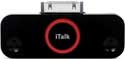
• Remove cute little black gizmo from its package, pry off plastic cover for iTalk Pro’s iPod generic 30-pin connector, insert iTalk Pro into your latest-model (5th generation) iPod with video or (2nd generation) iPod nano, wait a couple of seconds, press iTalk button in the center of iTalk Pro, and start speaking.
• Press iTalk button again when you are finished recording.
• There is no step three. Where did I hear that previously?

A dated iPod voice memo is created in WAV format, that can be copied to your computer via the USB cable provided with your iPod. This file is very large, approximately 10MB per minute. Its name will be something like “20070119 094404.wav.” The WAV file can play on your iPod or computer, and iTunes can convert it to much smaller compressed MP3 or AAC formats. Let me know if you need help with that conversion method.

Is iTalk Pro worth its $50 US price tag? Yes, if you’ll use the recorder. No, if it’s merely a gimmick sitting under piles of junk within your messy laptop carrying case.

How good is voice quality? Griffin claims “Stereo microphone for CD-quality recording on iPod.” Two tiny microphones produce stereo, but don’t expect to achieve surround sound spectrum, Smarty Pants. Voices sound as good as on nothing-special talking CDs, but not as good as on music CDs. Clarity is fine, with a bit too much treble, as you would expect using such small mics. Griffin explains how to use the built-in 3.5mm stereo input jack for external microphones, when desired.

If you are a heavy breather or a very loud talker, or spit your words out, iTalk Pro will respond by recording your unspoken sounds, whatever they happen to be. Practice ahead of time, and you’ll determine the best angle and distance for optimum vocal capture. iTalk Pro works best within close proximity to your audio source, so again do some tests before you attempt to record your niece’s third grade speech from the rear of her school auditorium.

Specifications are:

16-bit stereo audio at 44.1 kHz
8-bit mono at 22 kHz

and you choose one of the above using the device attached to your iPod, as well as its recording level. Most of the time, iTalk Pro’s default settings are all you need.


MyMac.com accepts Griffin’s marketing pitch:
“iTalk Pro is perfect for capturing how the world around you really sounds. Whether you’re taking lecture notes, conducting an interview, or just want to bring the sounds of the great outdoors indoors, your only limitations are your iPod’s capacity, and your own imagination.”

We will be using iTalk Pro when appropriate for live recordings for our weekly MyMac.com Podcast. Don’t expect Nemo’s Book Bytes Live! interviews or Robert’s Speedy Reviews to sound as good as when we are using Samson’s mighty CO3U professional studio microphone, but for convenience and portability, you’ll be pleased with Griffin’s iTalk Pro.

Rating: 4.5 out of 5 for convenience, and 3.5 for audio quality, giving a total score of 4 out of 5.


MyMac Podcast 113 Bill Palmer and Tony Bove

On January 22, 2007, in Uncategorized, by MyMac PodCast


Download the show here

Tim, Chad, and Guy welcomes Bill Palmer from iProng.com to discuss Macworld Expo, the iPhone, and the next generation of the iPod. David joins in with a new Fenestration. Nemo interviews author Tony Bove. And Robert reviews Invisible Shield and the Pod Safe.

Digg Us!

This podcast is sponsored by SmallDog.com, and Inno-Tech.com

Leave audio feedback by calling 801-938-5559
Get the show from these links:

iTunes Link


Podcast-only RSS Feed

Links from the show

iProng
Invisible Shield
Pod Safe
Tony Bove
iPod & iTunes For Dummies, 4th Edition


Kibbles and Bytes – 500

On January 20, 2007, in Uncategorized, by SmallDog


This is the 500th issue of Kibbles & Bytes!  Who would have guessed that we would have hit this milestone when way back in 1996, Mark Engelhardt suggested to me that we start a weekly newsletter!  Here’s the entire text from the very first issue of Kibbles & Bytes:

“Dear Friends,

Welcome to the Small Dog Electronics special pricing mail list.  I know that many of you have been following Small Dog’s specials on DealBITS or the Idealist and following DealBITS decision to suspend publishing their list we have decided to start our own informal list to bring you news from Small Dog and the latest special pricing.

For this issue we have included our entire price list.  Please note that each item listing contains a condition code quantity (items listed as “stock” are either comodity items -i.e. memory Zip drives etc. or are items that we order from the manufacturer) and price.

Once the Small Dog Web site is up and operating (smalldoggy.com) we will have up-to-date pricing available there in addition to the special values that we offer in this mail list.  We expect that this site will be up within 2 weeks.

Mention this e-mail list when you order any Macintosh CPU and receive an 11 disk CD-ROM bundle for free.

Your comments and suggestions are always appreciated.  Once again welcome to the Small Dog family!”

We finally had some real winter weather here in Vermont this week. We had a big build-up for a winter storm on Monday, Martin Luther King, Jr. Day but the storm stayed south of us and we ended up with a couple inches of snow, a bunch of sleet, some rain and then some ice.   The ski areas are hurting and even more significantly the small innkeepers and restaurants are suffering, too.   We all remembered what winter was like with some double digit below zero temperatures on Tuesday and Wednesday night but it is warming up again for the weekend with only minor snow flurries in the forecast. Traveling home from MacWorld is usually an adventure in the winter time but even though I had to run through the Philadelphia airport I was able to make in home in time.

MacWorld was exciting as usual.  I spent most of my time in meetings and only had one day to actually get to the show and see the vendors.   I was at a remote broadcast of Steve Jobs keynote and I was wowed first by the Apple TV and then by the iPhone.    The shine was a bit off the apple as we learned that Apple’s independent resellers and anyone that doesn’t have access to AT&T/Cingular service will be frozen out of this new revolutionary device.   But more about that later.  I think that the best booth award goes to a Vermont company, Mophie.   Mophie is a manufacturer of iPod accessories that was born here in Vermont and started by Ben Kaufman, a young student at Champlain College.   They set up a booth that was constructed with a bunch of 2 x 4s and invited MacWorld show attendees to sketch out product ideas on provided sketch pads.

The sketches were digitized and the top three designs were voted on by the attendees and on Mophie’s web site.   Behind a piece of blue tarp in the corner of the booth, Ben and his engineers feverishly took the top three sketches and designed the products.  The three winners were an iPod dock for a digital picture frame,  an iPod holder/wallet  for a messenger bag strap and a shuffle holder that is a combination keychain and bottle opener.    Ben pledged to have prototypes on display by the end of the show on Friday and they had brought along their expensive prototyping machine to build the prototypes right in their booth.    I left on Thursday to come back to Vermont but I am sure those prototypes were in the process of being constructed.  You can see those ideas and a video from the show at Mophie’s web site:

http://illuminator.mophie.com/

My granddaughter, Khadija (stage name – Khadija K) has hit the net with her latest (and first) music video.   I’ve told my employees I’m going to have to quit my job soon to become her manager and go on tour!  Here’s Khadija’s video – give it a rating!

http://video.google.com/videoplay?docid=6946577075772151075&q=rap +freestyle

+————————————————-+

Mac Treat #11: Family Controls in Tiger By Ed @ Smalldog.com

Several people have asked how they can restrict their home or family computer to protect their children from weirdoes, and the red-light aspects of the internet.

A nice overview of some of the basic kid-safe features of Tiger:

http://www.apple.com/macosx/features/family/

This article tells you about some of the other settings on your Mac that can restrict access to various websites:

http://docs.info.apple.com/article.html?path=Mac/10.4/en/wn10.html

Finally, if you have a computer that is being used by a youngster, you should consider creating an account for them that features parental controls. Not only will this keep them safe, it will keep them out of your account, so they can’t  deleting your emails  - or see the websites you’ve been looking at! See the how-to here:

http://docs.info.apple.com/article.html?path=Mac/10.4/en/mh2258.html

+——————————————————+

iPhone, the Third Revolution By Don @ smalldog.com

I was interviewed by the Burlington Free Press about the iPhone yesterday and their story got picked up by AP and I had a few calls on my cell phone to comment about the iPhone.  One reporter interviewed me while I was in line at the DMV to get my driver’s license renewed.   I was commenting about how disappointed we were that Vermonters would be unable to take part in this new revolution and commented about our governor’s plan to make Vermont the eState. But, I am getting ahead of myself.   Let’s go back to the keynote.

I was in a huge ballroom with hundreds of other Apple resellers, Apple customers and Apple employees and we were all in awe as Steve Jobs took the stage.  I was ready for the Apple TV and I think that is going to be a huge new product for Apple with lots of add-ons and room for development.   Just like everyone else, though, I was thrilled to see Steve start to do the lead up to the iPhone.   He talked about how Apple had revolutionized the industry with the Macintosh computer (Apple had an even earlier revolution with the Apple II, too!) and then revolutionized the music industry with iPod and iTunes and now Steve was announcing that Apple had turned its attentions and its designers loose on the cell phone/ smart phone market.   Ed will go into the details of the iPhone in this issue of Kibbles but I wanted to make some comments on newest toy from Apple.

During my interview with the Free Press, I was asked if I was going to get and iPhone and why.  I said that I might just have to move to a Cingular area so I can have an iPhone  but the why was more to the point about why this is a revolutionary device from Apple.   Steve Jobs showed the current best smart phones on the market and anyone that has used those or even a less-full featured cell phone would probably agree with me in saying that they are not intuitive, that navigation is clumsy and some of the features simply are not accessible and useful.   I have never liked any of the many cell phones that I have had.   As Steve demonstrated the iPhone with its easy navigation, sophisticated screen and advanced sensors it was immediately apparent that he “got” it.   What Apple has achieved is to create the Mac of the smartphones.   It is so different, so revolutionary that it may very well change the nature of the telecommunications market.

As Steve demoed the product I had a rising appreciation of the simple elegance of the device and I was already getting emails from long time customers asking me when I’d have them for sale.   That bubble got burst when it was announced that it was an exclusive deal with Cingular/AT&T and that it would only be sold by Apple-owned stores and Cingular-owned stores.  That was a double hit to Small Dog Electronics because we do not have Cingular in our state and because we would not be able to sell the device.   We had long and sometimes tense discussions with Apple about this and while I understand the complexity of the deal, that does not mitigate the pain of not being a part of this third Apple revolution.

Since I have returned to the Green Mountains I have mellowed out a bit and am trying to take a longer term view of this product.   I expect that this technology will be used in a number of products and some of those may not require cell phone interface.  If Vermont’s legislature and our governor are in as much agreement as they appear to be regarding bringing broadband and wireless technology to every corner of the state, I can envision a time where my cell phone is obsolete, that i communicate over WiFi and the Apple iPhone technology has reached the point where I am carrying a small device that gives me total access.   I was not privy to the negotiations that led to the exclusive with Cingular and I if I were I might have done the same thing but it sure seems shortsighted to leave all or large portions of Alaska, Colorado, the Dakotas, Idaho, Iowa, Kansas, Maine, Minnesota, Montana, Nebraska, Nevada, New Hampshire, New Mexico, upstate New York, Oregon, Utah and Wyoming out in the cold. It also seems that leaving Apple’s reseller partners that helped to drive them through revolution one and revolution two out of the iPhone revolution is a difficult and misguided decision.   I am hopeful that as the product line develops that both of these issues will be resolved, that there will be access to iPhones for just about anyone that wants one and that Apple’s independent reseller channel will have a place at the table.

One thing that was remarkable about the keynote was the stark difference in the presentations of Steve Jobs and the CEO of Cingular,Stan Sigman.   Where Steve was comfortable and inspiring, Mr. Sigman was stiff and read from huge index cards.  I don’t think he had respect for the Apple fans in the audience and he went to great pains to emphasize his company’s exclusive and their relationship to AT&T.  There is definitely a culture clash between these two companies and strange bed fellows, indeed.   Cingular or not, I remain excited about Apple and the iPhone.   I will still have to have an iPhone, one way or another!

+——————————————————+

Small Dog Answers Your iPhone FAQs By Ed @ Smalldog.com

We’ve been getting lots of iPhone questions. There have some great iPhone FAQs on the web – notably from David Pouge, who was actually able to use the iPhone for 40 minutes or so. You can access his FAQ from his website, linked here:

http://www.davidpogue.com/

Here is our version of the iPhone FAQ, listed in the order of how often these questions are asked.

- The iPhone won’t be released until June, and Apple has said there will be changes and advancements to the iPhone before it is released. We should expect this from Apple.

- The iPhone is only available from Cingular (AT&T) stores and some Apple stores.

- Will Small Dog Electronics ever carry the iPhone? Small Dog Electronics is not a cell phone company. However, if Apple ever asked us to carry the iPhone, we’d learn to be a cell phone company real fast!

- It really is Cingular only (Cingular is now AT&T, see article explaining this below).

- If Cingular (now AT&T) does not offer service in your area, you might be able to get a roaming contract to use the iPhone. In other words, here in Vermont it might be possible to get a contract with Cingular in Massachusetts, but only use the iPhone here in Vermont. Some people already do this. Other people who have tried to do this have had their contract canceled. As Cingular becomes AT&T, rules – and possible coverage – might change.

- Apple’s contract with Cingular appears to be for two years.

 -  Cingular / AT&T have not released service plane pricing for the iPhone. Cingular has special data plans for its BlackBerry phones, and it’s likely, that the iPhone will have its own special plan prices.  It currently costs $39.99 for 450 minutes of talk time. Adding features and minutes can send AT&T’s monthly service rate up to $100 or even $200. Also, there is apparently a $175 fee for premature contract termination. Service plan pricing is mere speculation at this point.

- Apple says the iPhone can’t be unlocked.

- Apple says the iPhone will not work with SIM cards from other cellular services.

- No GPS – yet.

 - No 3G Compatibility. But 3G coverage in the USA is spotty at best, even in a few major cities. Also, 3G usage is very battery intensive. “3G” refers to the advanced cellular networks that can stream video and audio directly to cell phones at any time.

- Steve Jobs said future iPhone upgrades will work with 3G services, once 3G is more widespread.

- The iPhone’s Wi-Fi will allow for much of the 3G experience when you are in a Wi-Fi hotspot. In most products, Wi-Fi is also causes major battery drain.

- The battery is rated at five hours talk time/ video/ web browsing time. Sixteen hours of audio playback time. The Treo W has a listed battery talk-time of 4.7 hours.

- The iPhone apparently uses a Samsung CPU and video processor, not Intel chips. The Samsung chips are highly regarded.

- No downloads directly from iTunes –  according to Greg Joswiak, Apple’s VP of iPod Products. Of course, there is huge incentive for this feature to be added to the iPhone, so it probably will be added.

- It is yet to be determined if songs purchased on iTunes can be used a ringtones. This is a silly feature, but people will want it, and will be disappointed if they can’t do it.

- No iChat, yet, but it will be possible to chat via third-part web applications.

- iPhone supports JAVAscript, but not JAVA. Flash is likely.

- Via web access on the iPhone, you can use many web applications.

- Does the screen get smeared up easily? The consensus is that it does smear up, but not as easily as one would expect. David Pouge said that a quick wipe of the sleeve removes all smears.  The screen in made of polycarbonate with an advanced coating. It’s not glass, as some have reported.

- According toe David Pouge, typing on the virtual buttons on the iPhone’s screen is a wash – not perfect, but not horrible. Some people will miss the tactile response of real buttons, while other people will adapt quickly to the on-screen buttons.

- The iPhone runs “OS X lite.” This is less than 500 MB, and it is stored in the flash hard drive in the iPhone.

- The iPhone is Mac and Windows compatible.

- All services are managed through iTunes.

- No syncing with Outlook yet, though this will probably be addressed soon. A third-party company may have to address that issue.

- No wi/fi or Bluetooth syncing – yet.

- The iPhone charges with a cable and /or dock, just like the iPod.

- It is highly likely that a “real” keyboard will be available for the iPhone – from a third-party company.

- For now, Apple wants to control what apps go on the iPhone. Third party applications.

- Unclear if disk mode will be possible with the iPhone, as it is with the iPod.

- The iPhone has the same 30-pin firewire adapter used by the iPod nano and iPod video. David Pouge says the iPhone will work with current iPod speakers and most other iPod accessories.

- Standard headphone port. Any headphones will work. Headphones included have a special mic and switch on the cord.

- No video-recording on the iPhone yet – however, this feature might be added. People are asking for it.

- The iPhone sports a two-megapixel camera with an auto-focus feature.

- Speed dial appears to be MIA – but they will almost certainly have to add this to the iPhone before it launches.

- Audio quality appears to be excellent on both ends, and speakerphone quality is decent, too.

- The video screen is very crisp and bright. Icons, video, photos, and text all look excellent on the iPhone.

- Price. Is the iPhone overpriced? I personally don’t think the iPhone is over priced. The Samsung Blackjack costs $199, with no wi/ fi or flash-based hard drive (it’s 64MB, with an option to add SD mini memory cards). The Treo is $399, again with only 128 MB of memory (and a full-sized SD memory card slot). A 4GB iPod is $199. The iPhone is a phone, and internet device, and an iPod (a widescreen iPod)!

People would pay $499 for the iPhone, even if it didn’t include a cell phone. I know, because people are calling to buy the iPhone, who only want it’s multimedia and web capabilities.

+——————————————————+

Apple Clobbers the Street, Analysts Raises Estimates, AAPL Falls By Ed @ smalldog.com

You go figure!   Apple announced its quarterly earnings after the market closed on Wednesday and posted a profit for the quarter (that’s three months for those with scorecards!) of $1 Billion!  This was far in excess of even the “whisper numbers” and was the record earnings for any quarter in Apple’s history!   Soon afterward, eight brokerage houses increased their estimates for Apple stock (Soleil — to $115 from $100; Goldman Sachs — to $110 from $102; Bear Stearns — to $130 from $125; Prudential — to $100 from $90; PiperJaffray — to $124 from $99;  UBS — to $124 from $118; Citigroup — to $105 from $98; ThinkEquity — to $120 from $110) but by the next day (Thursday) Apple stock had fallen by over $5 to under $90.

Apple had given guidance for their next quarter (January through March) and those numbers were not nearly as spectacular as the numbers for the holiday quarter.  Duh!  As Apple’s product lines become more consumer focused with iPod, iTunes Music Store, AppleTV and now the iPhone, I think you will see an even greater seasonality to Apple’s revenues.   With all that said, however, Apple is targeting revenue of $4.8 to $4.9 billion and per share earnings between 54 cents and 56 cents for the quarter.   I remember well when Apple’s revenue for the year was close to those numbers and they weren’t posting any profit!

Here’s some more financial highlights from Apple’s holiday quarter:

The Mac side of the business:

Apple shipped 1.606 million Macs during the quarter, representing 43 percent of the company’s total revenue. This included sales of 969,000 notebooks and 637,000 desktop systems. The quarter showed surprisingly strong MacBook Pro sales. The 1.6 million Macs shipped during the quarter blew away Apple’s internal projections. The company is “thrilled” with Mac shipments. The Mac has outgrown the overall PC market for 8 of the last 9 quarters. Boot Camp downloads have exceeded 1.5 million. T A survey of student buyers shows that their intent to buy a Mac portable has increased from 17 to 28 percent in the past year.

The iPod music side of the business:

Apple sold 21.066 million iPods during the quarter, representing a 50 percent increase in the number of iPods sold year-over-year. All three iPod models did exceptionally well during the quarter. The iPod share of the US digital music player market was 72 percent in December. iTunes continues to lead the legal download market, with an over 85 percent share. The iTunes Store now contains over 4 million songs, 350 television shows, and 250 movies.

Apple Retail Stores

Sales at Apple’s retail stores came in at a record $1.1 billion with record sales of 308,000 Macs. Apple opened 5 new retail stores during the quarter to end with 170 stores. With an average of 169 stores open during the quarter, per-store revenue was about $6.7 million. The company expects to open 7 stores during the March quarter and 35-40 overall in fiscal 2007.

The Numbers

Gross margin for the quarter came in at 31.2 percent, due primarily to a favorable commodity environment across the board. Operating expenses for the quarter were $898 million, including $40 million for stock-based compensation.

And in another amazing accomplishment – Apple increased its cash balance during the quarter by a staggering $1.75 billion to end with $11.9 billion.  Not too shabby to put $1.75 Billion in the bank in a short 3-months.  It sure gives Apple a nice nest egg to comtemplate.

The Apple story of success driven by Steve Jobs and the extraordinary management team at Apple continues.  Innovative design of tools that we instinctively know how to use has made Apple one of the most outstanding American business success stories.  With Apple’s success comes a great responsibility.   A business is a member of society and has responsibilities that go well beyond making a profit or accumulating wealth. As a very vocal advocate of socially responsible business practices, I would like to see Apple talk more about their commitment to people, the environment and community.

+——————————————————+

AT&T Hangs Up On Cingular By Ed @ Smalldog.com

Ok, so Cingular has the exclusive contract on the iPhone, right? Well, sort of – because “Cingular” is now AT&T. In other words, you’ll be buying your iPhone from AT&T. Remember AT&T?

It breaks down like this:

As we begin, Cingular is owned by SBC and BellSouth in a joint venture between the two companies. Next, Cingular buys AT&T Wireless, making Cingular the largest wireless provider in the USA with 46 million customers and the largest coverage of any wireless provider. Then Cingular’s owner, SBC, buys AT&T (which was different than AT&T wireless.) Then AT&T (now owned by SBC) buys BellSouth. The result is that Cingular is now a huge company providing wired and wireless phone and data services, and is going to change it’s name to AT&T. Simply AT&T.

Cingular wireless stores can now demo other AT&T products and services such as AT&T Yahoo! High Speed Internet, AT&T U-verse TV, or AT&T Homezone.

Edward Whitacre Jr., chairman and CEO of AT&T, said in a statement, “AT&T, BellSouth and Cingular are now one company, and going to market with our services under one brand is the right thing to do.”

Also, this means that investors can get a slice of what was Cingular Wireless by buying AT&T’s stock, which lists as “T.”

This is Apple’s new reality: dealing with the mish-mash stew that is the telecommunications industry. Makes me miss the day when all we had to worry about was G5 vs Intel!

+——————————————————+

Specials!

Here are the specials for this week, valid through January 27th, or while on-hand supplies last. Be sure to use the wag URL to get this special pricing.

+——————+ Shure E2C Sound Isolating Earphones (No returns) – save $20, only $79!

http://www.smalldog.com/wag17180/mymac

+—————-+ Shure E3C Sound Isolating Earphones (No returns) – save $20, now only $159.00!

http://www.smalldog.com/wag17181/mymac

+—————-+

iPod 60gb Photo (2005, Apple Certified Refurbished) – $209!

http://www.smalldog.com/wag17185/mymac

+—————-+

LaCie Big Disk Extreme 500gb Firewire 800/400/USB – $239.00!

http://www.smalldog.com/wag17187/mymac

+—————-+ LaCie 250gb 7200RPM FireWire P3 Porsche – $119.00

http://www.smalldog.com/wag17151/mymac

+—————-+ LaCie 160gb Extreme Triple Interface Firewire 800/400/USB – $129.99

http://www.smalldog.com/wag17149/mymac

+—————-+

Xerox Phaser 6120N 5/20PPM Color Laserprinter – $299.00

http://www.smalldog.com/product/41855

+—————-+

LaCie Biggest Disk FW800 2TB USB 2.0 – $1579.00

http://www.smalldog.com/wag17161/mymac

+—————-+

Mac OS X 10.4 Tiger Killer Tips – save $10.00 – only $19.99!

http://www.smalldog.com/wag17162/mymac

+—————-+

Marware Protection Pack for MacBook Black – $16.00

http://www.smalldog.com/wag17169/mymac

+—————-+

Marware Protection Pack for MacBook White – $16.00

http://www.smalldog.com/wag17170/mymac

+—————-+

Altec Lansing inMotion 5 iPod Mobile Audio Dock – $59.99

http://www.smalldog.com/product/39391/mymac

+—————-+

M-Audio Podcast Factory – $139!

http://www.smalldog.com/wag17167/mymac

+—————-+

Thank you for reading this issue of Kibbles & Bytes!   It’s another football weekend and my Chicago Bears are playing the Saints in Soldier Field.  Later the Pats will try to pull another one from where the sun doesn’t shine and beat the Colts.  There’s going to be some real posturing around here if the Bears meet the Pats in the SuperBowl.   I hope you have a great weekend!

Your Kibbles & Bytes Team,

Don, Ed & Jimmy


The Tsunami Halo Effect

On January 18, 2007, in Uncategorized, by Mazen Al-Angary


Unless you have joined some scientific experiment, and been frozen for the past two and a half years, you might have heard about the iPhone, and I am not talking about Cisco’s iPhone I am talking about Apple’s iPhone.

What surprised me the most about the Apple iPhone’s announcement is how hard the news hit us here in Saudi Arabia. It created an enormous buzz, a shock. People were going to corporate meetings and talking about the iPhone instead of business. The iPhone showed its beautiful face on the front-page of almost every leading newspaper in Saudi Arabia. It eclipsed all the bloodshed news we have been used to reading the last half century.

People who have never used Macs are now thinking of buying their first Macs with the iPhone, so let me give you a scoop on how things works on this side of the globe, by looking at iPod sales.

If any store gets a new iPod, of any variety, it will sell-out in a week max, and in some cases you have to reserve one or more before it reaches Saudi Arabia’s shores. With most stores selling out in a matter of hours, remember what happened with the PlayStation 3 in the US minus the long queues and you’ll get the picture.

Now let’s get back to the iPhone. As in the US no one is really likes their current phone, be it a so called smart or dumb phone, but no one has had a real alternative. You either get a Symbian OS based phone or Microsoft mobile, while Linux phones aren’t popular yet. When Microsoft’s "so called" smart phones came out selling at over US$ 1200 people gobbled them up. Someone even asked for my advice to get one for that price. I told him to get a laptop which was cheaper. In one case I saw the SonyEricsson P990i selling for US $1350, and people were pulling all the strings of connections they had to get their hands on one.

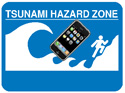
After seeing Apple’s iPhone I got calls, emails, and SMSs from everyone I know asking me to reserve one for them, as if I was the Apple dealer here. I told them to wait till it ships then we will know how to get them, but people asked me about Macs to buy with the iPhone. So we are looking at the beginning of another halo effect, and I can safely call this one a tsunami halo effect.

Now let us look at the business side of the whole issue. People think that this is a tough market, and Apple will have a hard time selling this product, so let’s hop on a time machine and head back to October 2001 when the iPod first debut. Back then selling something like the iPod was hard, it wasn’t easy to come out and tell people back in 2001 that you should drop all your Disc Jockeys and use this MP3 player, but they did that and it worked for them, big time.

Selling the whole concept of the iPod was a difficult stunt to pull off. Other companies have and still are trying, but nothing worked like the iPod. I saw a salesman at a store in Jeddah, Saudi Arabia trying to convince a kid with his dad to buy a Zune. While I thought the kid would object, I noticed that the father who seemed in this late fifties, told the sales rep that the iPod looked much nicer and easier to use, and I heard the kid say, "I want an iPod, this is not an iPod" pointing at the Zune. I stood on the side thinking "if it’s brown, flush it!".

If Apple isn’t focusing on the Middle-east market, I will try to bring the situation into focus for them. When the iPhone hits our market, it will sell-out in less then a day. I would even bet it will sell before it appears in any showroom. Already one store is getting backorders on the night the Macworld Expo keynote took place.

What about the price? Well everyone here sees that it is so cheap for what it delivers, so price is not an issue. People even mentioned their willingness to pay four times what Apple quoted for the device just to get their hands on it.

Let me take you deeper into the rabbit hole: what about the other cell phone manufacturers, what will happen to them?

The consumer doesn’t give a rat’s ass about them, and Apple "touch nuked" any product that is quoted over US$ 499, and off course anything a little under that, so what happened really.

I should point out how Nokia reacted to the iPhone announcement. They sounded confident and cool, but if you think about it, Nokia is in hot waters already. Although they managed to keep their cool-head at least in front of the press, and stressed that by saying "it is a surprise that the iPhone is not 3G". Now I wouldn’t emphasize on that since GSM Association isn’t excited about 3G to begin with, and they are working hard enough to brush it under the carpet and bring 4G to the market before any one can even begin to get used to 3G GSM networks.

Here’s my advice to all the other cell phone manufactures, and it will be harsh to hear, but this is the truth.

You don’t stand a chance, you have been (and I mean all of you) outsmarted and beaten by a company that wasn’t in your sector of the market to begin with. This is not a situation where SonyEricsson would come out with something to kill-off Nokia, Motorola, LG, Samsung, Palm, Microsoft, or RIM. This is one company coming out of the blue to take all the cell manufacturers out in one swift shot. And to rub my point even further I will remind you of the mighty Sony being kicked around with their Walkman brand (including their cellphone line) over and over and over by a cute white iPod. (Or look to Wii sales compared to PS3 sales. Wii’s are still sold out in the US, while PS3′s are everywhere.)

So what mobile devices manufacturers should do is drop their prices, or if not then discontinue any so called "smart phone", because everyone now knows they’re not, and live under the US$ 499 roof that Apple built for them (till Apple pushes them under that line by dropping prices), and go back literally to their drawing boards. And when I say drawing board I mean go invent something new that no one has ever seen before, simply because whatever gimmicks cellphone manufacturers bring to the market will not work any more.

Today’s Joe or Jane are smarter, and the real problem is that they are fed up and won’t tolerate mobile manufacturers perplexing products any more, since they saw the light of Apple.

Now will Apple succeed? The short answer is Yes, hands down, you will see the whole iPod dominance scenario repeated all over again. This market is easier then the MP3′ market back in 2001, because this market exists and people have been holding their breaths and waiting for something like the iPhone to happen. But they have learned over the years that none of the cell manufactures will deliver, but they know and trust the iPod, and they know it works, period.

If you are still feeling drowsy after that body freezing experiment, wake up and smell a fresh cup of coffee, you can use your iPhone to order one from Starbucks.

Copyright (c) 2007 Mazen Al-Angary. All rights reserved.


Otterbox Rugged Cases – Review

On January 18, 2007, in Uncategorized, by Owen Rubin


Otterbox Rugged Cases
Company: Otterbox

Case Tested: Treo 1920 Rugged Case
Price $129.95
http://www.otterbox.com/

Do you take your iPod to places it should not really go? Have you dropped it in the dirt, got it wet, seen it covered in dust, sand or dirt, or do you constantly drop the thing and hope each time it will not break? Are you one of the millions who drop your electronics into the toilet each year? (Yes, it is true!) If you say yes to any of these things, then I have a product for you. For lack of a better definition, I will call it the Hummer SUV meets the iPod case, and when you see and use these, I think you will agree.

Otterbox has made a great number of rugged cases for a great number of different uses for a long time. Their goal is to protect your equipment, your iPods, your gear, and yes, even your cigars, from the harsh elements. Given that this is an Apple related site, it would seem obvious to look at their iPod rugged cases. Unfortunately, one small problem for me is that I do not own an iPod, so it would be a bit difficult for me to test one. But fortunately for me, they do make one for my Treo 650, so that is what I am testing to get an idea of just how they perform.

So why should you care about such a product? Well, iPods and Treos, and soon iPhones (which I am sure these people will have a case for at some point) are taken everywhere we go. I see people taking them jogging, fishing, hiking, camping, and boating. I even have a friend that wears his iPod while water skiing as he claims he never falls down! But it will only take one fall to kill his iPod, unless Otterbox protects it. In most cases (no pun intended) these devices are dust proof, waterproof, dirt proof, sand proof, and to the most extent, drop proof as well. And while you can’t use them scuba diving, as they are not (typically) designed to withstand such water depths, most of their cases will survive a small drop in the pond, a dunk in the toilet, or even a quick dip in the lake, and you device should stay dry and safe in its Otterbox.

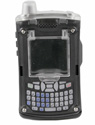
I received the Otterbox #1920, the rugged case for the Treo. At first, I was a bit taken aback by its overwhelming size. It truly looks like a cross between a Hummer and something out of the Army surplus store. In mostly gray and black plastic, with clear plastic parts where you need to see in, or it needs to see out (camera) this thing looks like it is built like a tank, and it is actually.

Following the instructions, I carefully placed my Treo inside and replaced the firm fitting back with a snap of its latch. The phone fits VERY snuggly, in fact, a bit to snug, and if you are not careful, you can break off parts of your phone. Lucky for me, I read the instructions and was warned in advance to be careful, but how many people read instructions? A small warning sticker in the case would be great here. The design is actually quite amazing. Every function is accessible either through one of many opening ports around the device or through membrane plastic covers. There is a lettered membrane keyboard cover in front, and a pop-up plastic lid that reveals a soft, clear plastic protector for the touch screen. And that screen protector lets one easily use the touch screen yet protects it from scratches and dirt, and even moisture. It was a bit difficult touching items on the edge of the screen, but I suspect that will get easier over time as the plastic softens more through use. The front and side buttons also have a membrane plastic covers that allows easy use of the buttons, and there is a place on the side to hold the stylus so it is not stuck inside the case. Using the phone while in the case was easy for most things, but connecting a wired head set, or a charge and sync cable require the opening of a “port” on the bottom. Changing the silent/ringer switch also requires opening the case. Of course, when open, dust, dirt and water can enter, so a wireless headset is the best answer while in use, and be sure to set the ringer the way you want it before you put it in the case.

For the Treo, since it is a phone, the case has small holes in it for the speaker and microphone, so it is not as waterproof as the iPod cases. So how to water test it? Obviously, I am not dropping it in the lake, but nature helped out. It was raining outside, so I put on my coat and went outside to make a phone call and play with my Treo in the rain. Using my phone in the rain was not a problem, nor was reading the calendar or email, and no water ever got inside, but I, on the other had, was soaked. While I am sure it will not survive a drop in the lake, the iPod versions do not have the same problem with holes and are much more waterproof. A bright red note on the included install instructions specifically state the Treo case is not intended for underwater use. As for use, these little holes allow phone conversations with no problem at all, but playing music or using the speaker phone function on the other hand were not so successful, as the very small holes block a great deal of sound.

How about a drop test? Not with my Treo, or so I thought. And no, I did not plan on trying that test because, well, it is MY Treo. Unfortunately, as I said, the case is a bit large, and stupid me, it popped out of the front pocket of my jeans as I was running up the stairs at my house. The Treo took about 12 stairs back down to the basement via a number of different twists, bounces, and wall hits, landing on the floor glowing brightly. OK, we have a drop test now. When I picked it up, I was very pleased to see it was just fine, there was no damage to the device or screen, and everything on the phone worked just great. I suspect if it were not in the case, it would have broken the screen, the antenna, or parts of the keyboard, so this case does protect well against drops. Oh yea, no damage to the case either.

So, just a few last tests to perform, covering it in dirt, dust and sand. This would be easy. Test 1, drop it in the dirt and kick more dirt over it. Test 2: Burry it in some sand, easily found at the local park. No problem on either of these. After several attempts to get my phone dirty, removing it from the case showed no dirt or sand at all. And a quick rinse with water cleaned the case as well. But dust, where was I going to get dust? I know, the vacuum! Ok, this was strange, but I opened the vacuum cleaner bag, dropped my phone on some paper, and dumped a good deal of dust on the phone. Again, nothing got inside, although some of the small holes did have a little dust in them. That was easily blown clean with a can of compressed air. Since you will not be using it inside a vacuum, it should protect against normal dust just fine.

If your need is to use your phone, or, one of the other dozens of devices Otterbox case designs for, like iPods, Blackberrys, or PCs in a harsh environment, then Otterbox has a solution for you. While I found this case to a bit large and bulky for everyday use, if I were to take my Treo skiing, hiking, camping, fishing, or anywhere in a hostile environment for electronics, this would be the case I would choose to protect my device.

MyMac rating: 4 out of 5 stars


It is that time of year again when many MyMac.com readers received new iPods for gifts. Last year I wrote Macspiration 18 and covered ways to troubleshoot your iPod. The iTunes/iPod world has changed a little in a year, so hear is Macspiration 68 updated for today’s iPods and iTunes.

#1. Reset the ipod. Resetting the iPod will solve most of your problems, especially freezing. If you have any iPod model, except the shuffle, resetting the iPod is a matter of holding two buttons. Push and hold the MENU button while pressing the SELECT button (the round button in the middle of the click wheel) until the Apple logo appears on the iPod screen. This usually takes about ten seconds. Once the Apple logo appears, release the buttons, and the iPod will reboot.

Sometimes, resetting the iPod while plugged into a power source (the computer or an outlet via the wall charger) will be needed for this method to be successful.

#2. If resetting does no do the trick you might have to reinstall the iPod system software. You do this through iTunes. Connect your iPod and iTunes should open and the iPod will show up in the left hand column. Click the iPod. Make sure you are on the summary tab, and click "Restore." If iTunes is not set to open when the iPod is connected, you’ll have to open iTunes manually.

When the software is restored, the iPod will show the Apple logo on the screen and reboot. Once rebooted, you can reload you iPod.

#3. Still not working right? Time to call Applecare or visit your local Apple Store. If you have a local Apple Store, I suggest going there for service. I have had nothing but good experiences at the Apple Store, and it is a lot faster than mailing the iPod in for service.

If you do go to the Apple Store, make sure you make an appointment through Apple’s website.. Otherwise, you could be sitting around for a while waiting for a Genius to help you. Find the page for your local store here: http://www.apple.com/retail/.

Have a Shuffle? Well, #2 and #3 from above will still work. You just won’t see the Shuffle reboot the same way (no display to show the logo). Watch for the green light on the Shuffle, and for the iPod’s icon to appear on your desktop to let you know it is finished rebooting.

Resetting the shuffle is a little different. Basically, with the iPod off and disconnected from the computer wait five seconds, then turn the iPod back on. Not much, but worth trying.

If you have a first generation Shuffle (the long white stick) you can use the new Reset Utility. Go here: http://www.apple.com/support/downloads/ipodshuffleresetutility101formac.html for more information.

Hopefully, steps #1 and #2 will work and there will be no need for #3. Oh, and like last year, if you are so frustrated with your iPod that you want to through it out the window, don’t! I’ll be happy to take it off your hands- free of charge. Just send it to MyMac.com c/o Donny Yankellow.

Leave your comments and questions below, or email me at Donny @ mymac.com.


We take a look at the GeeThree, Digital Juice, and i-Fanatic


We look at NEC and HP today


In this video, we look at three companies: iFrogz, Rhino Skin, and Swing Seat.


MyMac Podcast Macworld Expo 2

On January 11, 2007, in Uncategorized, by MyMac PodCast


Download the show here

Owen Rubin, Bakari Chavanu, Guy Serle, and John Nemorovski join MyMac Publisher Tim Robertson for a twenty-minute chat about the happening at Macworld Expo.

This podcast is sponsored by SmallDog.com, and Inno-Tech.com

Leave audio feedback by calling 801-938-5559
Get the show from these links:

iTunes Link


Podcast-only RSS Feed

 

MyMac.com Macworld Expo 2007 Video – MacMod

On January 11, 2007, in Uncategorized, by Tim Robertson


MyMac.com visits with MacMod.com at the Macworld Expo showroom floor. Check out some of the coolest Modded Macs in the world.

 

MyMac Macworld Expo Video – 2 – ModBook

On January 10, 2007, in Uncategorized, by Tim Robertson

Guy and Tim look at the ModBook, one of the most highly anticipated product to launch at Macworld Expo this week.


Looking for something?

Use the form below to search the site:

Still not finding what you're looking for? Drop a comment on a post or contact us so we can take care of it!