MacAlly AirShell Leather Protective Cover for MacBook Air
MacAlly Peripherals
http://macally.com
US $39.99
MacAlly has added a new member to its lineup of protective cases for Apple laptops with the AirShell for MacBook Air. The Weeks Division of MyMac Labs used it for a couple of weeks to see just how well it performed its protective duties.
AirShell consists of two hard shells that clip onto the top and bottom case of the Air itself. Once attached, the Air itself is well shielded, with only the USB/headphone port door, air vents, charging socket, and sleep light uncovered.
Be advised that AirShell is not a watertight cover, nor is it a highly padded travel case. It’s a pair of case covers designed to protect the Air against scratches, scrapes, and light bumps, without adding much bulk or weight to Apple’s lightest and smallest laptop.
While installation is easy and obvious, I had a smidgen of trouble getting the top cover to attach at one corner. At the corner of each shell is a small tab that clips onto the Air itself. The tabs are not large (they’re almost little nubs), and one was just a bit malformed, requiring some finagling to get it to snap over the back left edge of the Air’s top case. But once in place, the shells gripped firmly onto the Air.
MacAlly says the exterior of the AirShell is covered in "Executive Black Leather." Not being an executive myself, I found the material leather-like, and pleasantly grippy. Users of the AirShell will find it far less likely to have the MacBook Air slip or slide out of their grip.
The interior of the shells are lined with suede, and the exterior leather is embossed with a vaguely woodgrain-like pattern.

To remove the AirShell, simply open the MacBook AIr, and slide the tabs off of each corner. Since there’s no glue or hardware, the AirShell won’t leave any permanent marks on your precious baby.
With the AirShell clipped in place, the computer is a bit larger, but barely so. The tapered edges of the MacBook Air make it’s dimensions difficult to measure without a pair of calipers, but I estimate the AirShell-wearing MacBook Air to be about 1/4" thicker, and 3/8" wider. Even so, your stylish Air is still quite svelte.
My only concern about the AirShell is the durability of the tabs. The tabs are small; will they retain their ability to firmly clip onto the MacBook Air after many installations? Given that the average person is going to install the AirShell only a few times, and leave it on for long periods, this will probably not be an issue for many users.
MyMac.com rating: 4 out of 5. MacAlly has created a quality product for someone looking to protect their MacBook Air from the indignities of everyday use. AirShell is not a padded carrying case or a slipcover; it’s a well-designed protective case.
I guess I’m no longer cool.
Actually, I’m not sure I ever was, but I know for certain that I am not cool now.
Today I started my usual ritual here in New Hampshire during the Fall…preparing for Winter. I dragged all of my car cleaning materials out into the 50 degree weather and proceeded to wash and wax the autos for the winter.
When I do this, I fire up itunes and stream audio to my stereo via an Airport Express, which ties into some speakers I mounted in my garage when I built this house. Thinking ahead does pay off.
As I wash and wax in the driveway, the garage acts like an amplifier and the music sounds great. I live on a couple of acres in the woods, so no one else is bothered by my music.
Back to the “cool” conversation.
I built a playlist that is comprised of old music I have collected on CDs over too many years to mention. I call this playlist “CD Oldies” since most of this stuff is classic rock….and there is my problem. I like, no make that love, my classic rock. Sure, I listen to other music, Blues, Country and I have a soft spot for Big Band stuff from the 40s (I love Glenn Miller), but my main love is classic rock. I know what you’re saying, “Why does that make me not cool,?”
While I love all the stuff I mentioned, I really hate todays music. I can’t stand the stuff my teenage sons ask me to buy them from iTunes. We screen all of the songs they ask for, going to websites and reading the lyrics before we allow them to be bought. Just having to do that says something about our society that disturbs me deeply, but that is another blog topic. There is so much crap out there it is amazing. A friend with teenage sons herself categorized this music as “Screaming Metal Death” music. It is just crap.
I’ve listened to Linkin Park, 3 Doors Down, and Three Days Grace to name a few (what’s with the number 3?). What ever happened to needing talent? They certainly can’t sing, which could explain why the music is so lousy. I can’t even make out the lyrics when I listened to this stuff. This “music” is nothing but noise. No wonder the record companies complain about music sales being so lousy these days.
Yeah, sure, you’ll tell me my parents hated the Beatles and the Rolling Stones when they were big back in the 60s, but you can’t argue that they had talent. Todays musicians have little natural talent and much of the crap they call music is electronically enhanced. What is amazing is even with this enhancement, this crap still stinks.
Sure, I realize I’m painting with a very broad brush. There are talented musicians out there who make some really good music, but they are rare.
Growing up my generation had The Beatles, The Rolling Stones, The Doors, Janis Joplin, Jimmy Hendricks, Eric Clapton, The Doobie Brothers, The Eagles, Elvis, Fleetwood Mac, Billy Joel, James Taylor, Jackson Brown, The Moody Blues, Neil Young. Phil Collins, Steely Dan, Steve Winwood, Led Zepplin, and The Who, just to name a few. There are dozens more, and the vast majority of it was clean, with lyrics that you can understand, sung by people with talent.
I know, I know, you’ll come back with your list of contemporary “artists” who you say are just as good.
Well, you know what, they aren’t, and I’ll put my list up against your list all day long.
So, I guess I’m not cool anymore.
Now, where did I put that Morrison Hotel CD?
Download the show here, or subscribe via iTunes
We welcome back MyMac writer Rich Lefko to the podcast this week after a too long hiatus from the show. Tim, David, and Rich all gang up on Guy Serle who contends that Apple has been a bit of a let-down recently. Sam Levin helps kick off the show with an all-new Cool Mac Picks.
We want your feedback! Email us or leave a message at 801-938-5559
Other World Computing pick of the week:
NewerTech’s Intelligent Battery Charging Station
Links from the show:
FlatOut 2
Logitech Pure Fi Dream
Free State Labs GroceryIQ
Midomi
email – MyMac Magazine – Twitter – Advertise – Reviews Archive – Podcast

Supertooth 3
Blue Ant
Price: $99.99
http://myblueant.com
I was tired of holding my cell phone up to my ear during long business calls, especially while driving. I started researching Bluetooth headsets, but found that the really good headsets are expensive. Quite frankly, I don’t like those over the ear type headsets either. I can never remember where the buttons are or what they do since I can’t see them.
Take a deep breath and think about it for a minute, how exactly was I going to use a headset? Was I one of those people I see walking around talking into space while connected to my cell phone using the over the ear type headset? No. Did I need to be ready to answer those phone calls at a moment’s notice by walking around with a headset connected, just in case? No. So what was I looking for?
After paying close attention to my cell phone usage, I realized that it was while driving that I most needed a solution to holding the phone to my ear. Honestly, driving with one hand is really a dangerous way to drive.
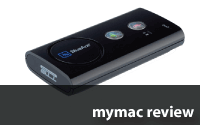
So what was the solution to my dilemma? The solution was Blue Ant’s Supertooth 3 Bluetooth hands free speaker phone. The Supertooth 3 (ST3) is a rectangular device that mounts to your auto’s sun visor with a magnetic clip. This is important (and convenient) because you wouldn’t want to leave the unit in the car, and you need to charge the device now and then. This mounting system makes both of these very easy to accomplish.

The unit itself has only two buttons on the flat, speaker side, and two buttons along the edge for volume. Almost all of the buttons have secondary functionality. Blue Ant gives you a great “Quick Start Guide” that gets the device up and working fast. After pairing your Bluetooth enabled phone with the ST3 you can begin using the unit immediately.
This is how it works: A call comes in and the unit announces that a call is coming in plus the phone number. If you have a phone that is capable of uploading your address book, the phone will announce who is calling by name. After the unit beeps you simply say one of four commands, “Accept Call, Accept, Answer, or OK” and the ST3 answers the call.
Then all you have to do is talk. Can it get any easier than this? I will admit I missed the fact that you need to wait for the beep and found myself frantically yelling “answer” over and over waiting for the call to be picked up. I must have looked like some crazy guy yelling into his visor on the highway. You can also press the “answer” button on the unit.

The people I spoke with, using the ST3, said the sound quality is pretty good though a few mentioned it sounded like I was in a “cave.” In fact, one caller, who has a built in phone answering system in his Cadillac, said the sound was no better or worse than the built in system.
Voice dialing capability works as well. With my phone, I had to hit an external button on my cell which placed it into voice dialing mode, and then I just needed to speak the name of the person I wanted to call and the ST3 would confirm this by asking, “Call John?” Another cool feature is the redial button. Lose a call (something that happens to me far too often) and you simply press the redial button on the ST3 and your call is redialed. Nice feature.
You do have to remember that the ST3 is connected to your phone. After I got home from work one night I grabbed my phone and walked in the house. A call came in and I picked up my phone and could not hear anything? Then I realized I was still connected to the ST3 and ran out to the garage to hear a friend’s voice coming through the device on my visor. You need to remember this little point.
The ST3 is jam packed with functionality, but what you can access depends on the cell phone you have. At a minimum, you can make and get calls with the ST3. However, the ST3 offers much more, voice dialing, six different languages, you can set up to eight different phones. That last option allows you to set up the ST3 with another phone and use the unit in another automobile. It’s that versatile.
Here are some of the other features of the Supertooth 3 from Blue Ant:
•Language Support: English, Spanish, French, Italian, German, & British English
•Supports multi-pairing of up to eight devices
•Includes wall and auto charging adapters
•Provides up to 15 hours of talk time, with 800 hrs of standby time (not tested by me)
•The range is excellent
On the downside: The computer voice sounds very mechanical. There are no other voices to choose from. You have to hold the power button down for at least 8-10 seconds to shut the unit down. When connected to your cell via Bluetooth, a small blue LED on the unit flashes every few seconds. I had this light in my field of vision and thought I was being pulled over several times. Moving the unit to the other side of my visor reduced this problem.
I really like this device. It makes answering calls in the car very easy and much safer than trying to do the one hand turn.
If you talk on your cell phone while you are in your car, do us all a favor and buy the Supertooth 3 and concentrate on your driving instead of your call.
This device is well worth the money.
email – MyMac Magazine – Twitter – Advertise – Reviews Archive – Podcast
Kensington Ci95m Wireless Mouse w/ Nano Receiver
Price: $39.99
Company: Kensington
http://us.kensington.com
I have tried a number of wireless mice, most of them Bluetooth. Unfortunately, I fund that my PowerBook battery drains faster with Bluetooth turned on, and as much as I want to like Bluetooth, I find it does not always work well. Often it does not find the mouse after sleep, and I have to “discover” it again. Sometimes it simply stops working, or drops out and reconnects from time to time. I thought this was my computer’s fault, but I have seen this problem on 4 Mac laptops now, so I suspect this is just a Bluetooth thing. I also find Bluetooth mice burn through batteries quite fast.
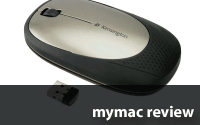
So, when looking for a new wireless mouse, I was rather intrigued by Kensington’s Ci95 m Wireless Mouse with Nano receiver. Right out of the box, there is a lot to like, and I have not even turned it on yet. The mouse comes in one color combination: silver and dark gray, and looks good. The mouse itself is fairly small, sitting at less than 1” tall, and fits comfortably into your hand at just 6” long by 2.5” wide, and weighing about 4 ounces with batteries installed (and just 1.5 oz without!) It also comes with a VERY TINY “nano” radio receiver, so this is not a Bluetooth mouse, but rather a 2.6 GHz wireless mouse that emulates a wired three-button mouse.

The “nano” receiver is so small, when traveling, you could easily loose it, but the bright people at Kensington have solved that issue in two ways. First, given its tiny size, you could simply leave it plugged into a USB port on the computer. When plugged in to the computer, it sticks out just a quarter of an inch, almost invisible, and becomes part of the machine. But if you want to carry the mouse elsewhere, simply hide the receiver inside the mouse! 
The top of the Ci95m is held onto the bottom by three small, powerful magnets, and easily “splits” opens to reveal two easily replaceable AA batteries, and a small ‘parking space’ for the nano receiver. The ‘parking space’ also has a powerful magnet that holds the receiver securely in place inside the mouse when not in use.

But how does it work as a mouse? Installing it was simple, as there really was no install needed, it works right out of the box. Simply open the mouse, remove the receiver and plug it into any USB port. Insert two AA batteries into the mouse, replace the top, and you are ready to go. To prevent battery drain when not in use, the mouse has a small slide on the bottom that covers the laser and turns off the mouse. Slide this open to reveal the laser and turn on the mouse, and you should be working. The mouse also shuts itself off if not used for a while, and can be woken by simply pressing any mouse button. With these power saving features, Kensington says you should get about 6 months of use from a new set of batteries. I have only been using it regularly for about 5 weeks now on the first set of batteries, so I will have to let you know, but so far, this is already much longer than many Bluetooth mice I have tried.
There is nothing special about this mouse when it comes to controls; it has a left and right mouse button, and a clickable scroll wheel. While the left and right buttons works as expected for any mouse, clicking the scroll wheel did nothing on my Mac at first. And because there is no software driver installed, there was also no way to assign this button to a specific function. Changes to the Mouse Preference Panel affect this mouse as they would any wired mouse, but there is no “middle button” control there. However, in the Expose Preference panel, you can assign some of the Expose functions to a second or middle mouse button, but that’s it on the Mac. The scroll wheel itself worked fine in Finder windows and documents, scrolling up and down as expected, and scrolling speed can be adjusted in the Mouse System Preference as well.
As with most optical mice, it should work on most surfaces, and I tested this mouse on a number of different surfaces with no problems at all. I tried a carpet, a shiny wood table, a manila file folder, a white piece of paper, a magazine, and many other surfaces as well. Like all optical mice, it does not work on glass or any clear surface, and trying it on a glass coffee table did not work at all, as expected. If you have a glass desk, a mouse pad will solve this problem.
Kensington markets this as a travel mouse and given the rather flat shape, easily slipped into my travel bag taking up very little space. But this will also work well at home too. Simply plug in the nano receiver and forget it, and you have a great home wireless mouse as well.
My only minor complaint on this mouse was that I could not configure the buttons. I really wanted to be able to assign the center button to something I wanted, and not just an Expose function (I choose Show Desktop.) But not having to install a special driver to use the mouse seems like a great trade off. In fact, this mouse easily moved from one machine to another, from Mac to PC and back as easy as any wired mouse with no drivers to install anywhere, and that I found very useful and convenient.
So if a flexible, small, lightweight, comfortable, travel wireless mouse is what you need, this is a great mouse at a very reasonable price. If you need configurable or more than three buttons, or do not like that it is not Bluetooth (a plus in my view) then this is not the mouse for you and you should look elsewhere.
Pros
Great battery saving technology, VERY small receiver; reasonably priced.
Cons
Cannot assign button functions.
MyMac rating: 4.5 out of 5
email – MyMac Magazine – Twitter – Advertise – Reviews Archive – Podcast


Comments. Be heard!
MyMac Podcast #403
Review
Review
Review
MyMac Podcast 400-5!