MyMac.com PodCast Tiger Day with Bob LeVitus

On April 29, 2005, in Uncategorized, by MyMac PodCast


MyMac.com PodCast Tiger Day with Bob LeVitus

Download the MP3 PodCast HERE.

This is a special, hour-long PodCast featuring Tim and Chad talking with Bob LeVitus. Topics include Bob’s new Tiger book, Bob’s take on Apple banning his publishers books at the Apple store, and much more.

Contest galore! Bob gives away copies of his new book, Mac OS X 10.4 for Dummies! We also give away ONE AlchemyTV DVR / TV Tuner thanks to our friends at Miglia! Be the first to answer the questions posed by Bob Dr. Mac LeVitus, and send your answers in to contest@mymac.com.

This weeks PodCast is sponsored by SmallDog.com, with special thanks to Miglia and DoctorMacDirect.com.

Please send any feedback, regular or MP3 audio files, to mymacpodcast@gmail.com


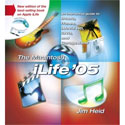
The Macintosh iLife 05 – Book Review

On April 29, 2005, in Uncategorized, by David Weeks


The Macintosh iLife ’05
By Jim Heid

Peachpit Press
http://www.peachpit.com
345 pages and companion DVD
ISBN 0-321-33537-6
US$ 34.99
CA$ 48.99

The short version of this review is “If you want a great book that splendidly covers all the iLife ’05 applications, don’t ask questions, just buy this book.”

If you want the long version, read on.

Just over a year ago, I reviewed the previous version of Jim Heid’s The Macintosh iLife, and gave it high marks.

The new edition, which covers the recent updates to Apple’s iLife suite (iPhoto, iMovieHD, iDVD, Garageband, and iTunes/iPod) is even better than its predecessor, if that’s possible.

Jim Heid has been writing and teaching about the iLife applications for quite a while, and his expertise is visible on every page.

Each application gets plenty of coverage, but Heid balances space between the fundamentals and advanced (yet not-too-demanding) tips. I’ve been using the iLife applications (Garageband excepted) since the were first released, and I was very pleasantly surprised to find that there are more good tips and tricks still to learn.

New digital photographers and moviemakers will appreciate the review of the fundamentals of crafting good pictures and movies. If you’re past that stage, skip right into the Tips section. Heid includes links to more detailed reference material in the text, in case you wish to delve deeper into the mysteries of digital photo, movie, or music making.

The new features in the iLife applications are covered in detail, especially the new procedures for creating photo books in iPhoto 5, and the ins-and-outs of high definition video when using iMovieHD. If you don’t start making more photo books after learning how much easier they are with iPhoto 5, you need a stern talking-to.

The production values are as good as ever; The Macintosh iLife ’05 is big and pretty. The DVD will appeal to those who learn best by watching, as opposed to reading. I watched the entire DVD, and was again impressed by the completely professional presentation and useful content. Several freeware and demoware applications are included on the DVD, along with a collection of GarageBand loops and a set of iTunes AppleScripts from AppleScriptmeister Doug Adams.

The book’s price has gone up by $5.00, but what hasn’t? For your extra five-spot you get 70 more pages and 45 more DVD minutes. This is money well spent.

You can easily find individual books on iLife apps that go into greater detail, but The Macintosh iLife ’05 is the best all-around book on iLife that I’ve read; great for novices and intermediate users both.

Most highly recommended.

MyMac rating 5 out of 5


Solio Solar Powered iPod Battery Charger
Company: Better Energy Systems

http://www.solio.com
$90 US

Once every year or two, MyMac.com encounters a new category of product that is more than an innovative trendsetter at a Macworld Expo. Solio is such a device, and we send the company and its innovative CEO/developer our best wishes for success.

The following review is not objective. I believe wholeheartedly in what Better Energy Systems sets out to accomplish. If this initial release of Solio is an indicator, we may be witnessing the first act of an exciting performance.

But please first read David Weeks’ interview with Christopher Hornor, Solio’s inventor. Then spend a few minutes at the company’s informative web site. In the process you’ll become acquainted with how seriously Christopher considers solar energy to be, and how he is doing more than a little to develop and foster it.

Is environmentalism dead, or losing its momentum? With gas prices and highway speed limits at all time highs, with solar subsidies at all time lows, and with governmental regard for wilderness and the environment under constant threat, I’m worried. How does Apple’s iPod fit in, being a mostly plastic contraption that requires electrical computer energy and disposable batteries to function?

For the price of a decent dinner and movie for two, Solio is a solution, not part of the problem. Day after day out in the sun, it will deliver years of reliable battery recharging to your iPod. Solio is a single purpose iPod accessory like none other (compatibility with cellular phones and other rechargeable consumer items is imminent).

Upon unpacking Solio from its small all-cardboard box (no shrink wrap!), you encounter a modest power supply, a white connector cable, an instruction manual in seven languages (including Japanese) printed on recycled paper using plant-based inks, and the Solio itself: a palm-sized plastic blob that swivels into the shape of an asymmetrical three-lobed propellor with a hole in the center, having exposed solar panels on one face.

Before initial usage, “charge your Solio fully with the wall adapter,” which I did. Pressing a small button adjacent to the aforementioned hole yielded four quick green flashes, indicating Solio was fully-charged and ready for action.

Using the special included white cable, I attached Solio to iPod, which had run out of internal battery power. Several hours later, as with Apple’s electrical iPod charger, my iPod was full of juice and ready to boogie. Next morning I placed Solio in direct sunlight, using a pencil to prop it up, and when I returned home for lunch its internal battery was recharged.

During our meeting at Macworld SF with CEO Christopher, he emphasized how Better Energy Systems has cooperative agreements to replenish the natural world in exchange for depleting its resources during construction and distribution of Solio. This project is beyond the scope of our review, but MyMac.com hopes to inquire further to see how this worthy plan delivers on its promises.

A baker’s dozen Q & A with Christopher Hornor of Better Energy Systems:

1. Why is there no included sleeve or case for Solio, or prominent mention of one in the manual or on your web site? We know the product is durable, but why subject it to scratching or worse when exposed to real world usage?

CH: We are producing Tread cases for Solio and iPod.

2. The symbols on the side of Solio indicating where to plug in power cable and iPod cable are too tiny and abstract, and the rubber plug that protects these holes is not engineered to the same precision as Solio itself. Can you make these symbols bigger, bolder, and their input holes protected better?

CH: Thank you for your feedback, we will keep this in mind.

3. In a real life situation, how easy and how long to replace Solio’s internal Lithium Ion battery, when necessary?

CH: 500 – 1000 charge cycles until you will need to replace the Solio internal battery.

4. Your manual mentions a rubber suction cup for affixing Solio to glass for window light charging. Where is this rubber cup? I don’t see one in my retail package.

CH: We have taken this out of the packaging and did not have time to update the instruction manual in time for the show.

5. Serious! Can you please, now, provide a symbol indicating which side on the custom iPod interface cable is for the FRONT of iPod? Both sides of your plug are plain white.

CH: This is already being taken care of.

6. What percentage of the “four green flashes” is used to charge each generation and size of iPod battery (both from Apple and other vendors), and how can users locate this info on your web site?

CH: Good question, 2 flashes would charge a mini and a 20GB, 4 flashes should charge a 40GB and 60GB iPods.

7. Solio is weather resistant, but when it gets really dirty and yucky from lying in grass or mud to perform its solar collecting, what is the safest way to clean its white plastic and solar panel surfaces?

CH: Use a damp cloth.

8. What is the optimum length pencil or similar object for solar collection, and why not include one in the package? You could even give purchasers an ordinary six-sided pencil with a slogan embossed, such as: “Solio’s special solar pencil! Leave it in the sun during daylight hours, and it will write all night long.”

CH: This will be included in the future, thanks for the feedback.

9. Important! How do I really know when Solio is fully charged, either from sun or power outlet? The red “being charged” light goes away — is that all I need to know?

CH: Pretty much, nice and simple.


10. What non-iPod devices are now compatible with the iPod Solio, and how can we obtain their custom cables? How much do these cables cost, and are you designing a multi-cable that will serve to connect to many different phones, for example?

CH: These are available from www.solio.com.

11. Should readers buy a Solio now, at roughly $90 US (see http://www.jr.com/JRProductPage.process?Product=4031789, for example), which is $30 less than its original cost, or will your prices keep falling, meaning we should wait a little while?

CH: This is a mistake the JR is making and the price at Apple stores from next month will be $99.

12. You advise us to “become producers of clean energy,” but we need some specific directions! Where can we learn more?

CH: Hints on solar charging and becoming producers of clean energy can be found on www.solio.com.

13. Why is your manual printed in such tiny type? Older users will need magnifiers to read the darn thing.

CH: We needed to include several languages and size was an issue. I will however feed this information back to product management! Please note that this is available online as PDF (Solio owner section).

MyMac.com applauds Christopher Hornor and Better Energy Systems for their high-tech-concept and high-minded-ethics, and we intend to keep a solar-powered light aimed in their direction. Our rating for this v.1 iPod Solio is a strong 4 out of 5, with encouragement to remain at the forefront of solar solutions compatible with products from Apple.


PodWave Portable iPod Stereo Speaker – Review

On April 27, 2005, in Uncategorized, by John Nemerovski

Introduction, by Barbara “Mrs. Nemo”


Every summer we drive to California in our VW New Beetle. John and I stuff in our clothes and cooler, maps and hiking boots with no room to spare, except for his computer and music tapes and CDs and a boom box to play them on.

The boom box is an important summer accessory because it lulls us to sleep each night. I hear five minutes or less of Mozart and I am out cold. (Or is it the fog, or perhaps the great food and too much wine?) But I resent the space that ugly boombox takes up in our tiny car.

Packing for the trip has a new challenge this year. We are bringing our puppy, a six pound Havanese, with all her paraphernalia, a crate, some blankets, toys, food, and doggie bowls. Where shall we squeeze in the computer and boom box around a dog?

John has solved our musical problem with the recent acquisition of an iPod and PodWave. It’s a little speaker that fits on top of the iPod and will play lullabies for us each night. Sweet dreams for us, and less arguing about where the hiking boots fit in and does he really need four Photoshop books and backpacks full of MyMac.com stuff.

Thank you, iPod and PodWave. You have saved our marriage and family for another year. But we are mailing our clothes to California because puppy needs space in the VW.

PodWave Portable iPod Stereo Speaker
Company: MacAlly

http://www.macally.com/spec/ipod/podwave.html
Price: $39 US

Prior to PodWave’s arrival, my super duper 30GB iPod (3rd generation) was deficient in one important category. Without a built-in speaker, there was no way to listen to any music on the iPod without earphones or a car adapter.

Remove PodWave (PW) from its plastic package, place the included throwaway AA battery into a compartment within PW’s cylindrical plastic case, insert PW into audio port on top of iPod, move a single small black switch from off to on position (a LED indicator would be helpful), turn up iPod volume to high, and listen out in the open (preferably indoors). That’s it!

When MyMac.com revives our video features, perhaps I can do a live demonstration. Until then, you’ll have to trust my judgment. This device is simply great, meaning it’s v-e-r-y easy to use and ideal for casual (non-audiophile quality) listening.

Sound quality is decent, given PW’s small size and tiny speakers. Midtones are clear and crisp, and high frequencies are acceptable. Bass is somewhere between inaudible and nonexistent, but who cares? Distortion is minimal, and pop music sounds fine, as does most jazz and classical.

You’ll soon learn to become creative with placement of iPod+PodWave for optimum audio, because the sound is not very loud. So far my first choice is with the duo resting on a resonant wood surface, such as a dresser, with my neoprene iPod case placed in an inverted V above the speaker, sort of like a roof over a house, when observed from the front. Here’s a photo:

I recommend you use rechargeable AA’s instead of single-use batteries, for environmental reasons, if not for longer audio time. Your mileage will vary; I get a LOT of playing from a single rechargeable!

If audiophiles give me grief due to PW’s “tinny” sound, they can take a long one-way hike with their $500 earbuds up the nearest peak. Because in real world usage, I intend to keep PodWave close at hand for listening around the house. It’s cute, affordable, convenient, reasonably sonorous, and it works! If you need ambient audio (mostly indoors, as opposed to outside or in the car), get one today.

Rated at 4 out of 5.


Big PodCast News

On April 26, 2005, in Uncategorized, by MyMac PodCast

PodCast News


This weeks PodCast will be a day late, but well worth the 24-hour delay!

Guest Bob ‘Dr. Mac’ LeVitus joins Tim and Chad for a special Friday MyMac.com PodCast talking about DoctorMac Direct as well as all things Mac OS X 10.4, Tiger!


For this special PodCast, not only will Bob LeVitus have a special giveaway, but thanks to Miglia Technology, we will also be giving away to one lucky listener a AlchemyTV DVR / TV Tuner, a $159 value!

This will be our biggest PodCast yet, with more suprises and possible giveaways yet to be announced!

Tune in Tiger Friday, April 29!


Tired of watching Star Wars 1 & 2 and anxiously awaiting SW 3? Need a fix of SW? Try “STAR WARS REVELATIONS”

Check out http://www.panicstruckpro.com/revelations/revelations_movie.html

Three years in the making by a totally unknown group of writers, actors and extras.. FANS to be precise, and $20,000 on maxed out credit cards. While it’s not George Lucas’s final cut running 2 hours of so, this 250 MB download of approximately 20 minutes worth of film, has it’s good points. Available as a Bit Torrent or http download, it’s enjoyable to see someone take a premise, work it out, put it all together and place it online for others to download and enjoy.

The special effects of space craft and chase scenes are very well done. Understand that there are a couple of points where the volume may drop down and you’re trying hard to hear and there are points where it’s so dark you begin to wonder if they ever heard of lighting when producing a film. (Guess they didn’t read Chris S’s ebook) All in all, however, it was a really nice diversion, relatively good background music and the acting was ok. The extras items at the site, as to how they did the special effects and some of the way filming was done and where, are really interesting and also worth checking out as is the entire sound track from the movie. By the way, others are now working on a manga-style comic of the film.

So if you want a quickie fix, check it out… have fun! And don’t forget to check out the great movie poster done by Sonia R. Hillios

Tagged with:  

Chrome Ranchero Messenger Backpack – Review

On April 25, 2005, in Uncategorized, by John Nemerovski


Chrome Ranchero Messenger Backpack
Company: Chrome

Price: $120 plus optional accessories
http://www.chromebags.com/ranchero.php

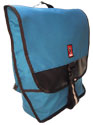
This established messenger bag manufacturer has been making top-quality products for a dozen years, and now Chrome is expanding its catalog to include custom computer cases and sleeves. I requested the loudest color backpack available, and here is a photo of me wearing it.

Unlike Brenthaven or other portable-office backpacks, Chrome’s Ranchero is a single-purpose, one-compartment pack designed for a specific customer: the all-weather messenger/commuter. Heavy-duty nylon outer and rubber inner materials will protect PowerBooks and papers through a downpour (not easy to test in hot, dry, southern Arizona, so I’ll have to ask David Weeks to hose me down instead).

Chrome provided a $15 generic computer sleeve for this review, saying their own custom sleeve is under production, to be available soon. I placed my iBook into Ranchero along with several pounds of miscellany, and headed out for a nice, long stroll.

This Chrome case needs to be well-loaded for its broad shoulder straps to hang correctly. The fit is different from any previous pack or rucksack I’ve ever used, and I’m gradually getting used to it. Weight distribution is fine, assisted by a molded back panel and ribcage straps, and my orange presence can be spotted from a hundred miles in the sky in case of emergency.

Extra pockets, you ask! Not many, aside from a few small flat zippered enclosures. As I said, the single drop-in pocket is large, weatherproof, and not much else. That’s what makes it a messenger bag, right?

But wait, there’s more – accessories. My Ranchero arrived with a $16 multi-purpose cellular phone holster that is just about the correct size to contain securely an iPod. A $12 radio holster completes the add-on lineup.

Chrome’s web site has brief, emphatic descriptions of their durable, guaranteed-forever materials and construction. I have no argument with the quality or features of Ranchero, and it will be interesting to read how Owen Rubin and David Weeks evaluate their Chrome cases (each receiving a different model).

Ranchero is mid-size in a family group of three, with the baby called Dually and monster grandpa called Backbone. If you can identify any consistent logic in Chrome’s naming system, please clue me in. Their bags are available nationwide via local retailers, or from the company’s web site. If you have personal experience using Chrome (or any comparable messenger pack), we welcome your comments below.

A trio of suggestions:

• How about a better grab handle on top? The thin webbed-nylon strap is useful only for slinging Ranchero into a corner, and Chrome may be surprised to know how often I wished there was a lightweight padded or rubberized top handle instead.

• I have a pet peeve regarding pack straps dangling onto a floor or mud puddle, and Ranchero has more danglers than a county polling station in Florida. A few small Velcro dots could assist fastidious messengers to keep all straps high and dry, attached discretely to designated spots on Ranchero.

• You MUST audition Ranchero (and probably other Chrome packs) to determine if your physical build is compatible with the company’s back panel and strap configuration. And this pack needs to be full for it to fit, especially if your form is lean and lanky.

If all goes well, and the price is right, you’ll get years of use out of Chrome’s Ranchero Messenger Backpack, rated at 4 out of 5 when fit and function meet your personal needs.


MyMac.com NON-MAC PodCast for 4-23-05

On April 23, 2005, in Uncategorized, by MyMac PodCast

Download the MP3 here

This is our promised non-Mac PodCast. It is rated PR-13 or higher, so keep that in mind. No Mac speak at all, just three guys talking up the Pope, Michael Jackson, Hurbie, Star Wars, and more.

Send any comments to MyMacPodCast@gmail.com


MyMac.com PodCast for April 21 2005

On April 21, 2005, in Uncategorized, by MyMac PodCast

Download the show in MP3 audio file here.

This week, Chad and Tim return to the home of Tad Scheeler, where we last recorded a show there back in January.

Sponsored this week by Small Dog Electronics. Visit Small Dog for your chance to win a Mac mini! Click here for details.

This week, we give away five MORE of the Newer Technology RoadTrip! FM transmitter, thanks to MacSales.com.

Send in your contest entries to contest@mymac.com. Please send any comments to MyMacPodCast@gmail.com

This week, we talk about the Adobe purchase of Macromedia, and what it could mean for the computer users of the world.

Yes, we have a BRAND NEW Not Mac News with Chris Seibold.

Chad has a dead G4. Can Tim bring the dead back to life? Find out this week by listening to the show.


Inside .Mac Making the Most of Your .Mac Membership
by Chuck Toporek

O’Reilly Media

ISBN 0-596-00501-6, 360 pages
$19.95 US, $28.95 CN

Here we have one of the best-researched and most well written books ever reviewed by MyMac.com’s Book Bytes. Author Chuck Toporek immersed himself in this topic so we readers and subscribers can take advantage of his endless energy and expertise. If I attempted to create a book such as this one, working every waking moment for over six months, I could not approach the breadth and depth of coverage Chuck provides. By now you probably realize that Book Bytes considers Inside .Mac – Making the Most of Your .Mac Membership to be is as good as it gets. Congratulations and thanks to Chuck and O’Reilly Media.

If you or someone you know has an active .Mac membership, please give us your thoughts on the service in our Article Discussion area below. This review deals with a book, not an account, and we value your personal comments.

I spent a long afternoon reading this volume cover to cover, and I was surprised and impressed with all the .Mac features offered by Apple. Most users take advantage of one or two of the components within .Mac, notably email and Backup or iDisk, and people are missing out on several others that add value to the annual fee.

Inside .Mac takes readers slowly and patiently from “Setting Up Your .Mac Account” on a comprehensive, detailed journey all the way through “Using Virex” and “Using iSync with .Mac” to “Blogging with iBlog” and “.Mac’s Keyboard Shortcuts.” Have you encountered the “Common iDisk Error Codes,” or have a need to install the iDisk utility for Windows XP? Now’s your chance, with Chuck as your time-tested tutor.

Turning to pages at random, we encounter:

• IMAP Versus POP – Which Is Best for Me? (discussing hidden ways to access your .Mac email)

• Blogging with iBlog (a third-party application Chuck recommends for integrating your account with a user-friendly blog)

• From GIF to JPEG in a Jiffy (explaining why JPEG is the only type of picture compatible with .Mac’s slide publishing software, and how easily you can create JPEGs)

• Virus Scanning from the Terminal (if this appeals to you, I applaud your geek factor)

and dozens greater and lesser techniques and tips.

Screen shots are plentiful, all in ‘. At $20 US, the price of Inside .Mac is so loaded with reference and tutorial info that author and his publication team must have done this book as a labor of love, because I don’t think the title is a bestseller. I hope I’m wrong, and I’ll be using it on my daily rounds as a private computer tutor, urging my clients to find Chuck instead of Nemo when they need help with any aspect of .Mac.

The text is divided into four major parts, with the first dedicated to .Mac service particulars, email accounts, and iDisk; the second addresses Virex and Backup utilities; the third (now for some fun!) covers “Building a .Mac HomePage,” the aforementioned iBlog, plus iSync, Slide Shows, and iCards; and, finally, an appendix containing .Mac’s keyboard shortcuts and the error codes and Windows material mentioned above. Writing is clean and personal, like a long conversation with the most intelligent, articulate person you’ve ever met.

How else is an intrepid .Mac subscriber able to acquire the necessary instructions to do everything possible with the membership and its features? Not possible, says Nemo, wishing I had an extra couple of hours each day to dig deeper into Apple’s .Mac service. Inside .Mac: Making the Most of Your .Mac Membership is such outstanding value and so high in useful content that it’s at the top of our highest Book Bytes rating, 5 out of 5. If you are a .Mac member or plan to become one, run don’t walk to your favorite independent or online bookseller to purchase this title.


Beware the Tiger

On April 21, 2005, in Uncategorized, by Tim Robertson

In two-weeks time, a large segment of you will be running Tiger, OS X 10.4. While there are a ton of cool new features in it, please keep in mind that there is a very good chance that Tiger will break some of the software on your machine. It simply goes with the territory. Tiger is Mac OS X, yes, but it is not Mac OS X 10.3. By that, I mean most new software released over the last year has been compatible with Panther, but very few of those programs have been tested with Tiger. So when you upgrade to Mac OS X 10.4, and you suddenly find out your favorite game, utility, or other program no longer runs correctly, don’t panic. Chances are, if the program developer is worth his salt, he/she/they will be updating that program quickly.

It is always great to be the first on your block with the new toy. We call these people in the computer world Early Adopters. If this is you, and you plan on running 10.4 on your Mac the day it comes out, you will be taking your chances. You should seriously consider backing up your important data before upgrading to the new OS. I know, I know, you feel nothing will go wrong, that you have never had a problem in the past upgrading to a new version of OS X, and that you are confident nothing will go wrong this time as well. And you may be right. Perhaps nothing bad will happen. I hope it doesn’t. Because if it does, and you loose important files, email, photos, MP3s, or the like, and it all goes bye-bye after you install Tiger, don’t blame Apple.

Watch the various Macintosh message boards around the Internet the first week after Tiger is released. You will read a lot of users who complain that Tiger ate their files. That it cause their five-year-old external Firewire drive to stop working. That their favorite P2P program no longer runs any longer. And they will all blame Apple.

It is easy to blame faceless Apple when this happens. People think that after all the time it took them to create a test the new OS, it should be perfect. That it should play nice with every piece of hardware and software ever made. As if Apple has a copy of every software or hardware to test compatibility before they release the software. In a perfect world, that would be true. But in the real world, the one you and I live in, that is simply impossibility. Apple, nor any company, can test their software under every single configuration users may have.

So before you fall victim to this, and burn up a lot of energy cursing the Mac Gods for whatever problem you have, you may want to do two things. As I wrote above, back up your important data. Blank CD’s are cheap, and most of your files will easily fit on a CD. If it is a large file, such as an iMovie or GarageBand file, use a program such as Stuffit Deluxe to segment (break it into smaller pieces) to back it up. Or copy it to an external hard drive, such as a Firewire drive. And secondly, if you can, wait a week after it is released. Wait and let others find the problems so that you can avoid them yourself. Wait for others to find the solutions as well, so that if/when you do upgrade, you will know how to fix the problem without spending days beating yourself up trying to cure the problem.

If you can wait, I would suggest waiting a few weeks, or at least days, after Tiger is released before installing it on your Mac. If you can’t wait, please back up your data.


I spend a lot of time with computers. I use them for work and for play; I watch my DVDs on my PowerBook and use iTunes to play virtually all of the music I listen to. When I go to a bookshop, the computing section is one of the first I like to check out, and anytime I visit a big city, I make a point of visiting any Apple dealers I’ve not been to yet. I write books about computers and I frequently contribute to Apple-centric web sites such as this one. I do have other interests of course, but computers easily make it into my top three, and over the years my love of Macs has profoundly influenced my professional life, and to no small degree has allowed me to define and develop my skills and experience.

But there are some things about the industry that just drive me nuts. I’m not going to whine about how come there little rubber feet from my iBook came off so easily, or complain that Bill Gates just doesn’t play nicely; these issues have all been done to death on the Mac press many times and really don’t interest me. No, what bothers me are things that could be fixed relatively easily, or exist purely for the benefit of the manufacturers and retailers, or don’t seem to have any obvious advantages to anyone. So, beloved computing industry, here are seven things I hate about you!

1. Mail-In Rebates

Short of root canal, is there anything more unpleasant than mail-in rebates? If we’re getting fifty bucks off the damn printer, then just take it off the ticket price already! Why do we need to mail in anything? Likewise anything that involves getting a free gift once we’ve bought something else, like the extra memory or the expansion pack to a game. Just put them in the box, please.

Ask anyone who’s ever done these rebates how many they’ve actually received. On a good day, it might be fifty-fifty. Months can go by before you get a response, and if you don’t, then following up the paper trail you’ll be told there was a mistake on the form and the offer has been stopped now anyway, so please go away. Whether or not there really was something wrong you can’t tell unless you cleverly made a Xerox of the forms before you sent them in because despite asking for your address, e-mail, and phone number on the form, there’s no way in Hell that they’ll call you to query something in a timely manner. But you better believe that that information will be shared with their ‘partners’ who will bombard you with special offers and sales calls.

I know plenty of people who deliberately avoid anything with a rebate. Rebates, they argue, are only offered with end-of-life items that are either obsolete or otherwise difficult to sell at full price. They are also a characteristic of the suckier computer dealers, like Best Buy and CompUSA; proper dealers may offer special deals and markdowns, but these are almost never mail-in rebates. The Apple Store, for example, often has variations on the theme of “get a discounted printer when you buy a new Mac”.

2. Electronic Documentation on CDs

I can understand the logic to this: saving on paper, lowers the cost of shipping, and so on, but in many cases electronic documentation makes no sense at all. If you buy a game, most of which occupy the full screen, you cannot read a PDF file at the same time. Likewise, anything that requires complex troubleshooting to work well is much easier to use when you have an open book beside you.

If the software comes from the bargain rail in Target, then maybe I can forgive the producer for leaving the printed manual out of the box, but not if I’ve spent $50 on something like SimCity 4, a big, complex game that absolutely demands a manual. They know this of course, and companies like Prima and Brady Games have found a nice niche for themselves selling these “missing manuals” and $20-30 a pop. For games producers to slip in a little booklet outlining installation and what the buttons do, but saying nothing about strategy and special features, is simply a con. The SimCity 2000 manual, by the way, was great, a book in itself that was classy, spirited, and insightful. You learned as much about real cities as you did about the game, and this leant to the whole package a real feeling of quality.

I’ll admit many applications don’t really need big manuals, and I for one don’t miss the printed documentation that used to come with Microsoft Office or the Mac OS itself, both programs that can be picked up easily enough with a short booklet and then explored in more detail using the online help. Besides, who am I do David Pogue out of a job?

3. No Customer Service

Electronic Arts is my favourite loathsome web site when it comes to customer service. For a start, the only way to get a response from them is to use their bulletin board service. There are no e-mail addresses you can write to and definitely no telephone numbers you can call on. Instead, you need to navigate an arcane series of steps and options that only allow you to post enquiries that fit into very specific parameters, and even then, only on products currently being developed by them; anything more than a year or so old, even if it is still being sold in computer stores, is essentially unsupported.

Symantec is another awful company to deal with, not least of all because you cannot download updates for Norton Utilities directly but only through the program itself, making re-installations a hassle (particularly for those who use a modem rather than an Ethernet connection, and prefer to archive updates for re-use rather than download them repeatedly). The whole site is pitched to sell you more stuff rather than help you work with what you have; perhaps not inexplicable, but certainly annoying.

Apple at least has pretty good customer service, and almost every time I’ve had to work with them they’ve fixed my problems quickly and painlessly. Once or twice things haven’t been entirely smooth, but basically I’m happy with them. Since I’m spending a fair bit of money on the AppleCare package for my PowerBook G4, I’m glad this is the case. Microsoft is another company that on the whole does a good job. At least on the Mac side of things, the updates are easy to find and download, and the Mac Business Unit seems to respond to bug reports fairly briskly.

4. Norton Utilities

I used to like this program, but now I hate it. In many ways it epitomises for me the greedy, unhelpful software companies we’ve all had to deal with at some time or another. There is no doubt that the basic premise of this application is a good one: a tool for repairing errors on hard drives and retrieving lost or damaged files. Early versions could fit on a floppy disk and were forwards as well as backwards compatible with computers made over several years. The first version of Norton Utilities I owned could be used as effectively on a Mac Plus as a PowerMac 7500, and worked fine with Macs running System 6, System 7, and even System 8.

The problem is that over the years it has turned into unstable, expensive bloatware. With each system update (let alone upgrade) it becomes incompatible, and the auto-update feature is flaky at best, and even when it works gives you very limited options in terms of extending the life of the Norton Utilities package you’ve bought. Norton Utilities 6 is incompatible with OS X, while version 7 will work with 10.1 and 10.2 as well as OS 9.2. But to fix things on a computer running 10.3, you’ll need Norton Utilities version 8, and it is a very safe bet that OS X 10.4 will be
incompatible with that, and you’ll need to go out and buy yet another version of Norton Utilities. So, each time you upgrade your operating system, you need to upgrade Norton Utilities, too.

As if this wasn’t annoying enough, the once-detailed book that Norton Utilities used to come with has been almost completely replaced with a PDF version, which as mentioned above really doesn’t cut the mustard. For one thing, if your computer is broken, how do you read a PDF file? Updates have to be downloaded using Norton Utilities itself, so you cannot keep the update patches on a CD for re-installation at a later time. All in all, using Norton Utilities is an expensive and unpleasant business.

5. Over-optimistic System Requirements

This isn’t just a Mac thing; if anything, it’s even worse on Windows where every system update demands a whole new computer, let alone a bit of extra memory. Even so, I can’t be the only one who’s bought a computer program (particularly a game) only to find that despite what it says on the box, it is essentially unusable on my machine. But of course, once you’ve opened the magic cellophane on the box, all the promises the retailer makes evaporate in a puff of end-user legal agreement smoke, and you’re stuck with the thing whether it works for you or not.

Sometimes it’s that the language on the box is misleading rather than inaccurate. A few months ago, I bought my girlfriend a copy of SimCity 3000 for her Dell laptop. The box said it was fine for Windows 98 and better, and so we figured that since she was running XP, it would install fine. After all, the game was being sold in Best Buy, and all the computers they sell run Windows XP as well. But did it install and run? Nope. Only later did we learn that this game was effectively incompatible with Windows XP! Quite why Best Buy was selling software that wouldn’t run on any of their machines is a question for another day…

6. Registration Cards

Every program I’ve ever bought comes with these, and except maybe when I was very wet behind the ears, I never bother filling these things in. Why? Because they’re pointless and do nothing more than invite junk mail (of both the e-mail kind and the traditional paper-based sort). If you look over one of these cards, you’ll see it is covered in subtle and some not so subtle questions that allow them to get an idea of your profile as a consumer. The companies that create these cards ask questions that let them pin down not just obviously relevant things like what computer you own and what operating system it runs, but how old your are, what your income is, what you do for a living, and usually sundry other aspects of your life like where you take your holidays and what your hobbies are. Do Adobe or Microsoft really need to know this?

They’d say yes, as the more they know about your background the better they can produce products that meet your needs. What they really mean is the more accurately they can describe their market, the more effectively they can target their marketing. Many of these companies also sell this information to others, allowing them to put you on mailing lists for retailers of goods and services that would seem to fit your consumer profile.

I used to think that at least by sending in a registration card I could tell the company that I’d bought a Mac version of their product, and this would in some way help secure their interest in the Mac software market. Just conceivably, this still makes sense where products are sold in a hybrid format (as is often the case with driver software for things like webcams and keyboards, as well as games and multimedia programs). But for the most part, utility and productivity software is sold specifically as Mac software, and that the retailer will need to buy in more stock of whatever it is I have just bought is all the information Adobe and Microsoft really needs.

Besides, not once have I seen any benefits to me in return for filling in these cards. No discounts on other products, no access to unique freebies like add-ons and templates, and certainly not additional customer support I couldn’t have obtained otherwise. In short, registration cards are a racket.

7. Abusing My Documents Folder

Okay, maybe this one is a little bit whiney, but it does bug me. Take a look at the Documents folder in your Home folder. If you’ve installed applications like AppleWorks and Microsoft Office, you will have folders put there by these programs, not for your benefit but for the programs to store various support files. I’m sorry, but isn’t that what the Application Support folder in the Library is for? Why clutter up my Documents folder with stuff I won’t need to manipulate directly (and probably shouldn’t if I’m not an expert user).

These two programs aren’t the only ones to do this: also in my Documents folder are two folders put there by Virtual PC, one by Fax STF (which I don’t even use!), and one more apiece from CD Finder, SimCity 4, and Goliath. None of these contains stuff I’d ever need to access outside of running those programs, so there’s no compelling reason to keep them in my Documents folder. I suppose an argument could me made that this makes it more obvious that these folders need to be backed up, and the limitations set my the multi-user nature of OS X makes it impossible to simply store these documents in with the applications themselves, as is normally the case in Mac OS 9. But since people back up their Library folders now (if only to keep hold of things like their e-mail and web browser bookmarks) it surely isn’t that difficult to tell users that these applications also store stuff in the Library folder. Besides, apart perhaps from CD Finder’s catalogues, none of these folders holds anything irreplaceable. No, like the other things on this list, dumping stuff in my Documents folder is more about laziness that trying to make my life better.


Adobe and Macromedia will become one

On April 18, 2005, in Uncategorized, by Tim Robertson

Adobe and Macromedia will be come one

Sad news, I think, for those who like choice. Adobe Systems has agreed to purchase Macromedia for $3.4 Billion in a stock-swap deal. Long competitors, it has largely been Macromedia who has pushed Adobe to create better software over the last decade. This was one of the reasons Adobe purchased GoLive! a few years ago, to compete with Macromedia in the online publishing business.

One of the first casualties, as I see it, will probably be Macromedia Freehand. Freehand has been Adobe’s number one competitor in vector art creation. Adobe Illustrator, a mainstay in the graphics art world, has been facing tougher competition from Freehand for a number of years. While the two competing programs offer the same in many areas, new versions have kept the programs competitive for years. I see Adobe rolling some of Freehands more innovative features into Illustrator over the next few years.

But the crown jewel, without question, is Adobe now gets Studio MX and Flash MX. Macromedia has rules the online Flash graphics world for years, and as that market grows, Adobe felt either the need to create their own Flash-based software creation tool, or do what they now have done, purchase Flash MX.

Director MX is also huge. That program is used extensively by professionals to create CD’s DVD’s, and much more. Mostly an interface builder, I can see Adobe taking Director to new heights. There is a lot of room for improvement.

And let’s not forget the Shockwave plug-in. Besides Adobe’s own Acrobat and Apple’s QuickTime web browser plug-ins, it is one of the most popular downloads and installed applications people use online.

However, all that said, I always have a little fear when competitors become one in today’s marketplace. It usually leads to less innovation in core products. But I hold out hope that Adobe buying Macromedia will turn out for the better. At the very least, it would be great to see Macromedia products acquire a better user interface than they have ever had, which has always been my distain for using their products much.


Making a Case for WiebeTech

On April 18, 2005, in Uncategorized, by John Nemerovski

MyMac.com was quick to recognize the innovative potential of WiebeTech’s entry into the portable storage product marketplace. CEO James Wiebe continues to expand his catalog with monthly releases that range from heavy iron aimed at IT and server clients, through specialized forensic units, to home or office drives and docks of all current capacities.

Utilitarian design did not win WiebeTech any style awards during the company’s first two years in business. As the product lineup becomes mature, James and his energetic team are putting more thought and expense into exterior materials and appearances, and not just into guts and low-end enclosures.

David Weeks and I recently spent a day with RackFire+ (RF+), Wiebe’s “Hardware-based RAID with two FireWire drive trays in a 1U rack mount enclosure.” Translated into English, that means a large, flat, metal pizza box containing two sliding trays, each holding an independent duo of powered FireWire 800 storage drives. RF+ was too geeky for us to review with any authority. It represents WiebeTech’s highest-end existing item, and the industrial-strength case design is worthy of its contents and engineering.

Shortly after RF+ arrived at Weeks’ home, he joked that the UPS truck accidentally drove over the carton after first dropping it hard onto the driveway. If that had happened, RF+ might have scowled, but it just as easily could have been brought into service with only a few minor blemishes. WiebeTech built RF+ to last longer than the careers of most of the gearheads who will be installing and configuring it.

ToughTech desktop drives did receive David’s MyMac.com evaluation, and its score is a mighty 5 out of 5. What impressed him most was the clever way ToughTech is encased in a drive housing that is as versatile as it is durable and attractive. I’m using the FireWire 400 model of ToughTech, and it resides proudly in plain sight adjacent to my super-stylish Apple Cinema Display and Dino hubzilla.

WiebeTech is branching out beyond the obvious, exemplified by the company’s successful penetration into law enforcement and academic fields via their “Forensics Field” lineup (not to be confused with a mug’s gallery). These items are beyond the scope of MyMac.com’s typical reader, but sources close to Wiebe who refused to be identified and may be living under an assumed name in a witness protection program tell me that the forensics drives and docks are selling faster than Rolex watches in the New York City subway.

Another unusual role for James Wiebe is as industry insider, publishing white papers on expert topics. I waded through his essay on the future of FireWire 800 without needing more than a dozen toothpicks to keep my eyes propped open. Just kidding! James and his editor Kathy Wiebe write clearly and persuasively on topics pertinent to their industry that should be required reading for all journalists and bloggers who write without first engaging brains into gear.
papers on expert topics.

Why is WiebeTech any different from your typical storage vendor? Because all decisions and manufacturing are both top-down and bottom-up. The company is small, local, mom and pop, first person, and immediate. If you, the consumer or reseller, have a question for James Wiebe or Michael Gaskins, his customer support guru, you call or email them and they respond. That’s it.

When MyMac.com was having problems last year getting certain USB-powered pocket drives to mount, Michael sent me prototype cables that assisted both product development and user access. When my computer clients and I have defective or problematic WiebeTech products, they are repaired or replaced quickly and efficiently, via toll-free number and often at no cost. When I as a media representative tell James or Michael that certain enclosures or ports are clumsy or inefficient, they listen and consider my suggestions for future improvements.

How big does WiebeTech intend to grow? We’ll have to check back in a few years to find out, but for now the company’s homespun hometown attitude is winning them recognition and awards every year, including a Best of Show from Macworld 2004 and a MyMac.com award from the 2005 Expo.

My personal favorite WiebeTech product remains last year’s ComboGB. This is the portable external hard drive I carry daily to clients’ homes and offices inside my bulletproof Laptop Armor case. Aside from its DO NOT DROP warning, which I have ignored only once (whew!) ComboGB performs flawlessly in every FireWire 400 and/or 800 environment with reliable performance plus decent design and durability. I urge Wiebe to develop portable enclosures that are as rugged as their desktop ToughTech units.

I have a hunch. Some of the items in WiebeTech’s catalog are getting a bit long in the tooth, begging for replacement or upgrade. If past is indicator, James will want to clear his existing inventory in anticipation of new entries, with dramatic cost reductions from the already very competitive list prices. When you place your order, always check first to see if the life cycle of your desired drive or dock is near its end, because last year’s model will probably last you just as long as next year’s, and save you plenty at the outset.

If I were James Wiebe I would have an annual contest. The winner would receive $200 to apply too any shipping product. Every year one or more different categories of drive or dock would be assigned to contestants for design and style improvements. From this collective think tank could emerge innovative enhancements toward his goal of making a better case for WiebeTech.


MyMac.com PodCast for 4-14-05

On April 14, 2005, in Uncategorized, by MyMac PodCast

MyMac.com PodCast for 4-14-05


Download the April 14 2005 MP3 show HERE
File size 16.25MB 32 minutes in length

This PodCast is sponsored by Small Dog Electronics

Updated Contest information. Be sure to send any and all contest entries to contest@mymac.com

Chad and Tim talk a lot about Tiger on this weeks show. Plus, a brand new Not Mac News by Chris Seibold

Be sure to check out The Roadhouse Blues PodCast here for your chance to win a Newer Technology RoadTrip! FM transmitter, thanks to MacSales.com.

We would love to hear from you. Please send feedback via email to mymacpodcast@gmail.com in either plain text or MP3 feedback!


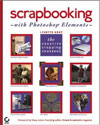
Scrapbooking with Photoshop Elements: The Creative Cropping Cookbook
by Lynette Kent

Sybex Press
ISBN 0-7821-4377-6,
175 pages plus three endpaper pages of laminated tear-apart tutorial cards
Price: $29.99 US, $41.95 CN, £19.99 UK

There’s a lot to like in the early chapters of this friendly, inviting reference and tutorial book. How often do we see introductory text dealing with principles of design and color theory, with a presentation that doesn’t require a wall of post-graduate diplomas to comprehend?

Fifty pages covering digital cameras, scanners, input devices, printers, and data storage come next, written in a straightforward style, accompanied by graphics that are cheerful without being cutesy. “The Care and Feeding of Your Scanner” is especially useful, including advice for scanning three-dimensional or messy objects with the help of clear plastic wrap.

Still nothing limited to the craft of scrapbooking, which is a crucial observation. Scrapbooking with Photoshop Elements is, in spite of its precise title, a general-interest primer on the basics of digital imaging. Elements enters the text at page 82, nearly halfway into this book, which shifts into high gear from here onward.

Photoshop Elements’ mighty Toolbar is explained in detail, along with some other basic attributes, and soon readers are learning how to whiten teeth, creating custom cookie cutter frame shapes, adding artistic effects to their photos, and making homegrown sports trading cards. These tutorial chapters are loaded with numbered, sequential lessons that are Mac/Windows aware. Hints and tips are plentiful.

Scrapbooking finally takes center stage with instruction for “building a digital page,” including “scanning a 12 x 12 page with a letter-sized scanner.” Does that sound tricky? It is, but not formidably so. A final appendix assists readers in monitor calibration, something most beginners would be intimidated to pursue.

If you’ve been reading this review without falling asleep, you’ll wonder why scrapbooking is the dominant title, instead of, for example, digital imaging or a similarly banal term. Could it be a marketing decision?

Adobe Photoshop Elements 3 is functionally identical in its separate Mac and Windows versions (unlike single-CD Elements v.1 or v.2), but very different in how catalogs of photos are handled. The Windows edition includes a separate component for that purpose that s-o-r-t o-f resembles Apple’s free iPhoto. Adobe took Microsoft off the hook by developing Elements 3’s new Organizer.

Three thick sheets of heavy, laminated, colorful, perforated card stock contains twelve double-sided lessons from Scrapbooking with Photoshop Elements’ most important interior pages. Some editor and graphics person and paper buyer devoted a lot of energy and expense to providing these cards that add considerable value and utility to an already first-rate book. Easier to use than to describe, I’ll find plenty of ways to make sure my photo students become well acquainted with their contents.

Digital photography and image editing don’t need to be heavy-duty chores, as we learn throughout this high-quality book. At $30 US, Scrapbooking with Photoshop Elements is well priced, given the extent of its material and presentation. Book Bytes rates this title at a very strong 4 out of 5.


A Decade of MyMac.com Part 3 – 1997 – 1998

On April 12, 2005, in Uncategorized, by Tim Robertson

A Decade of MyMac.com Part 3 – 1997 – 1998

If you haven’t read any of the other articles in this series, you can find them here and here. For those who don’t want to go back and read them, let me first say that MyMac.com originally started as simply My Mac Magazine, before hardly anyone had a website, and few actually had access to the internet. But MyMac.com and My Mac Magazine are one and the same, so if you see reference one way or the other throughout this retrospective, know that they are the same creature.

This time around, we look at our third year of both My Mac Magazine and MyMac.com.

Our twenty-fifth issue came out in May, 1997, sporting one of my favorite covers of all time. (That’s it to the right) Created by Alan Dingman, it was a conductor with a Macintosh monitor face. The words came from the internal designation Apple was giving their operating systems at the time, Tempo, Allegro, and Sonata. Today, they use Panther and Tiger, big cats, but back in the day it was all about music. Come to think of it, what with the popularity of iTMS and the iPod, one would think that the old naming scheme would actually work better today, no?

The reason for the fill-in cover from Alan was that our regular cover artist, Mike Gorman, was busy getting married. That means, of course, that Mike is coming up on his eight-year anniversary. Hope he remembers!

In that May 1997 issue, we reported an interesting fact: 64% of all web sites at the time were created using a Macintosh. Not sure what the percentage is today, but I would hazard a guess that it is probably in the single digits.

Fenton Jones did a review of Netscape Navigator 3.0 that month. Did you know at the time, Netscape wanted $50 for the full version? That’s right, $50! No wonder Microsoft saw such an excellent opportunity to move in and make Internet Explorer (or Exploder, as it would be called for a while when it was first released due to stability problems) a free program, all but taking over the web browsing market. That and IE was simply a better browser once it reached version 3.0.

I am a big history buff, or at least I fancy myself as such. So I personally get a kick going back into the archives and looking at “lists” from yesteryear. In the May 1997 issue, Shay Fulton compiled a bunch of categories and gave out some “awards.” Looking back, it’s obvious how far we’ve come. “Most Useful Piece of Hardware that is under $300” was the Iomega Zip Drive. This “marvel” of the time held a whopping 100MB of data on removable disks. Back in 1997, that seemed like a lot. Today it’s almost impossible to backup your data using 650MB CD-ROMs. Heck, one iMovie project cannot even fit on one CD-ROM, let alone Zip disks.

Another was: “The winner of the “Busy Signals Galore” category must go to America Online, which currently has over a trillion members and a total of three access numbers for all of them to use.”

Hard to believe, but Mike Wallinga proved he was way ahead of the curve when he said Apple needs a Tiger. And here we are, eight years later, and Apple is about to release Tiger! Of course, Mike was speaking about signing a more popular Tiger, of the Woods variety, to an endorsement deal. Today we have Bono and the rest of U2 pimping the iPod.

June 1997, our 26th issue, was a milestone for us. It was the first published article for MyMac.com by John Nemerovski! John had come to us from what I considered the best digital magazine of the time, Macsense, where he wrote one of my favorite monthly articles, Brave New World. In his first article, ATTention, please!, John wrote some about the TMUG, or Tucson Mac Users Group. John is still very actively involved in the user group to this day, a commitment to the Mac that few people have had for as long as John has. His dedication to both MyMac.com and TMUG, where he regularly helps other Mac users with problems and questions, shows what a great person he really is. Of course, way back then, I had no idea that John would become a regular writer for us, nor that he would prove to be one of the longest lasting. To this day, only Russ, Adam, and myself have been here longer, and beside myself, none have continuously contributed more content to the site than John.

John officially joined the MyMac.com ranks in our 27th issue.

Adam Karneboge kept us out in front of the competition once again in June 1997 by showcasing an exciting preview of Mac OS 8.0, code named Tempo. With screen shots and many details, Adam was far ahead of the curve in reporting on the next major Mac OS releases, as he had done with both systems 7.5 and 7.6.

I get a lot of email, but one of the most popular questions I get (to this day!) is all due to one review in that issue. The review was by Shay Fulton of the game A-10 Cuba, a flight simulator/combat game I never even played. But still, to this day, I get email from Mac users wanting to know if I can tell them where to buy this game, or if I can send them a copy. (No and no, sorry).

To really see how far Macs have come, Brian Koponen’s Networks article stated “While the arcane machinations of a network may seem foreign to most people, the fact is that networks are in wide use by a good number of Mac users. When you bought your computer, you might have read about network capabilities. Many people pass this off as useless information and go about their business.”

Now, of course, networking your Macintosh is as common as anything done with computers. But back in 1997, Apple was far behind in network technology, leaving Mac users to fiddle around with AppleTalk, RJ11 jacks, and Terminating resistors to get their computers to talk to each other. Today, if you are on a high-speed connection such as a Cable Modem, you are on a network. If you have two or more Macs connected to a router, you have a network. In fact, networks today are so far advanced from 1997, we have wireless networks that take almost no time to setup. Simply connect an Apple Airport Base Station and any Mac with a wireless network card will automatically see and use it. We can share our digital music libraries wirelessly, and soon, I am sure, sync our iPods with our iTunes library without the need for wires or cables.

While much has changed in the world of computing, some things have not. One such thing that should change but hasn’t? Mac users flaming writers who dare say anything negative in the mainstream press about Apple or the Mac. It was July 1997 when I wrote about the negative influence of Guy Kawasaki’s EvangeList newsletter. Guy used it to call attention to articles that were either false in nature or downright biased against the Mac or Apple, and his legions of readers would then bombard the offending writer of the article.

While it was nice to have someone pointing out the falsehoods in the mainstream press about Apple, the way in which Mac users would then send thousands of nasty emails was not. If anything, it proved to be counterproductive, making those writers view all Mac users as overzealous nut jobs, and helped cement the term “Mac Zealot” in the public mind. Unfortunately, the practice is still active today, with the same negative end results. Well-reasoned and polite rebuttal articles and emails go much further in swaying opinions or educating the ignorant.

After I wrote my article, I forwarded a copy onto Guy before I published it. He wrote a rebuttal, which we also published on the very next page. While I agreed with many of the points he made, I still felt my original article was a needed splash of cold water on the harm the Zealots were doing in the name of all Mac and Apple supporters.

How long has MyMac.com been publishing? Consider the article Brain Koponen wrote for that July 1997 issue titled “DVD.” Afterwards, many, many people emailed thanking us for that article and introducing them to this new disc format.

In the sweltering heat of August 1997, three major events happened in the Mac world. First, we released out 28th issue! Okay, perhaps that does not count as a major event. It was for us, though. More importantly for Mac users, and eventually the entire computer industry, there was a major shake-up at Apple Computers. CEO Gil Amelio was fired, soon to be replaced by Steve Jobs. At the time we went “to press” with our August issue, there was rampant speculation on who would and should succeed as Apple CEO. The candidates seem to include Steve Jobs, Larry Ellison (CEO of Oracle), Jim Barksdale (CEO of Netscape), Ellen Hancock (who had been chief technology officer under departing Gil Amelio), and even Guy Kawasaki.

Also that month, the real major news for the Mac faithful was the release of Mac OS 8. This was a major release of the Mac OS, not the least of which brought a new form of stability to the flaky and crash-prone OS 7.X system. While Mac OS 7 was a much more significant update to the previous Mac OS, Mac OS 8 moved the Mac closer to the promise of a modern-day operating system. At the time, Mac users were still two-and-a-half years away from our first glimpse of Mac OS X.

The summer of 1997 was really the turning point for Apple Computer. While the mainstream press was all but announcing the imminent collapse of the company and death of the company, behind the scenes things were happening that are still being felt today. Mac OS X was under development. Steve Jobs was consolidating his power at Apple and plans for the iMac were getting started.

Another momentous event for MyMac.com took place in that 28th issue as well: John Nemo’s first Book Byes was unleashed. In the eight years since, Book Bytes has reviewed more Mac related books than any other site on the Internet, save Amazon.com, and I don’t think they count. Month after month, John and other writers (including myself) would read and sifted through the pile of newly released books that Mac users were likely to want to buy. Good, bad, and ugly were all reviewed. It’s a tradition that continues to this day.

September, 1997 pretty much signaled the end of the Macintosh clone computer makers as Apple purchased the “core assets” of Power Computing. While many Mac users were understandably upset at the time, the decision (made largely by Steve Jobs, still not the official CEO) was the right one. Rather than grow the Macintosh market share, all Power Computing did was cannibalize the high-end Mac sales with faster and cheaper machines than Apple was able to release. (It helps when you don’t have to actually develop or pay for the creation of the operating system.)

Also that month, a writer named Susan Howerter joined us, though her first article “Deux ex machina” was published under our “The Readers Voice” column. It was the following month that Susan would become a regular writer, at one point actually contributing two monthly articles. Susan was one of the best writers I had read, and I was ecstatic to have her aboard. Unfortunately for all of us, Susan would pass away in June 2000, less than three years from the month she started writing for us.

The Boston Macworld Expo was a shocker that year. Steve Jobs had assumed the roll of CEO, later taking the moniker iCEO after Dennis Sellers coined the phrase at MacCentral.com. A new board of directors was seated at Apple, which included (not surprisingly) Larry Ellison. After Apple’s $740 million dollar second quarter loss, things were about to go from doom and gloom to strange and scary.

The biggest reaction of the Steve Jobs keynote from the audience was when the face of Bill Gates was shown smiling down on the Mac faithful from the mammoth projection screen on stage. (Boo’s and hisses rang out, which Jobs put a stop to). It seemed to come right out of the 1984 Macintosh ad. Bill Gates and Steve Jobs spoke of the Microsoft/Apple alliance in which the Redmond, WA, company would invest $150 million dollars in non-voting Apple stock, as well as promise to continue developing software for the Mac for five years.

Looking back at that Macworld Expo, the clone makers seemed to still be going strong, and in fact had a huge presence at the Expo itself. This was July, and by August, Apple was cleaning out the offices of Power Computing. Once Steve Jobs stated his intent not to license any future versions of the Mac OS, it spelled the doom of the clones.

The Boston Macworld Expo is really the beginning of the current era of Apple Computer. While the iMac, iPods, and the like was still far in the future, it was at this moment that the ship that is Apple was steered in the right direction after years of ineptitude and directionless sailing.

Our October 1997 issue was a first: we had advertisers! Three companies were featured in our 30th issues with advertisements, including Small Dog Electronics (Where do I know that name from?), Cyberian Outpost, and PowerTools (A Macintosh clone maker, working under the UMAX license). Of the three, only Small Dog still exists. Cyberian Outpost originally paid for their advertising, but then when we moved to their affiliate program, we never saw another dime. They told me no one had purchased anything at any time via a link from our site. Funny thing was, I physically sat down at a relatives house and clicked their link from our website and purchased a modem and a computer. Needless to say, we dropped them as an advertiser quickly. That is also why, to this day, we shy away from affiliate programs, though we do occasionally run an Amazon.com link.

That same month, we also welcomed writer Mick O’Neil. Mick had written a Macintosh monthly column for the European computer magazine Personal Computer World Magazine. An excellent writer, we felt privileged to have him move his MacFactor article from PCWM to MyMac.com. Mick, unfortunately, passed away in May 2001. A great writer, Mick would have fit in wonderfully in today’s MyMac.com.

For all the time we had a website, MyMac.com kept a fairly good Apple and Mac links page. We would link to any Macintosh resource we could find on the web, and kept it updated. But many people noticed that, starting with our December 1997 issue, our links page only went to one place: AppleLinks.com. In a paid agreement, we discontinued our links page, and sent anyone who clicked our links URL to AppleLinks.com. Back then, they were an excellent source to find all thing Apple and Macintosh. They had links galore! They also became a sponsor of the downloadable edition of My Mac Magazine.

Many people today think of the game company Bungie, now part of Microsoft, simply as the creators of Halo and Halo 2. What many people fail to remember, if they are old enough, is that before Halo, Microsoft, and the XBOX, Bungie created some of the best games on the Mac, notably Myth: The Fallen Lords. I reviewed the game in January 1998 for our thirty-third issue. At the time, we did not give scores to our reviews, but I gave the game the highest recommendation. Even today, the game holds up as an entertaining and fun game. And while Bungie is no longer the maker of Mac games, Mac game makers would do well to remember that the company started out that way. It bodes well for future game companies who create good quality games for the Mac.

One of Apple’s best television commercials aired in February 1998, and I was right out front in our March 1998 issue singing its praises. The commercial featured a slow moving slug with a Pentium II processor making its way across the screen, with the voice over “Some people think the Pentium II is the fastest processor in the world. Not quite. The chip inside every new Power Macintosh G3 is up to twice as fast.” Great stuff, and Mark Marcantonio agreed. Mark had been writing a monthly article titled My 30 Seconds in which he wrote and solicited mock Apple commercials. A great monthly read.

Starting in issue thirty-five (March 1998), Fenton “Manavesh” Jones began his thirty-part FileMaker 101 series. To this day, many people still find their way to our website when searching for help with FileMaker. The series ran until August, 2000, and provided great know-how to FileMaker users worldwide.

My PodCast co-host, Chad Perry, has a brother named Bill. Bill Perry was kind enough to use his considerable talents in 3D and drawing to create a new character for us as our official mascot. The original character was updated a few times, and can still be seen today in our logo.

Finally, in our March 1998 issue, I wrote about how MyMac.com almost became eWorld. That’s right, we almost changed our name to the then (and still) defunct Apple online service. I had a licensing agreement with Apple, signed and ready for processing, in my hands. I even had communication with Steve Jobs on the matter. All was ready to go, but in the end, I decided that after three years of growing MyMac.com and My Mac Magazine, I did not see any benefit of changing. (Or of putting Apple Computer in a role to control any of our content, which the agreement would have given them).

Next time around, year four!


Chrome Metropolis Messenger Bag – Review

On April 12, 2005, in Uncategorized, by Owen Rubin


Chrome Metropolis Messenger Bag
Company: Chrome

Price: $120 plus optional accessories

http://www.chromebags.com/metropolis.php

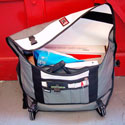
The never-ending search for the perfect 17” portable laptop bag continues with the Chrome Metropolis Messenger Bag. Unlike John’s desire to have a crazy color bag (see his Chrome review), I wanted something a bit more “professional” so I could carry it to work. As such, I requested either the black on black or the khaki on black bag; what arrived was a VERY large bag that looks more yellow then khaki, but in a design that is so cool, I had to try it out almost immediately.

The first thing to note about this bag is that is designed to fit over a specific shoulder. It can be ordered for either the left or right shoulder, but once ordered, that is the only shoulder on which you can carry it. The bag drapes across the back, supported by an integrated piece of material attached to the bag that goes over the chosen shoulder and is then attached to a well made, wide, well padded strap that cross over in front. Unlike other bags, this strap has what looks EXACTLY like a car’s seat belt buckle (in fact, I think it is) on the strap which allows you to quickly release the strap and take off the bag.

This is a wonderful feature, as it prevents you from having to lift the bag over your head each time you want to remove it or put it on. And you can adjust the strap at the same place without removing the bag as well, often an important requirement as you change form bike to walking and back. Given that my bags tend to tip the scales at 12+ pounds fully loaded, I am happy for these features which made the bag easy to use. Ergonomically, this bag fits like a glove for the shoulder, and is incredibly comfortable as well.

As I said, this bag, which is big enough to carry the 17” PowerBook, is quite wide, but fairly thin. Chrome makes an even bigger bag called the Kremlin, which I suspect would make my 5’ 8” size look tiny alongside, so I did not opt for bigger is better this time. After all, they claim the bag I have can hold 2000 cu. in. of stuff, and that’s a lot of stuff. The bag measures 26 x 14 x 7 when flat, but opens up very large inside.

And when I say a lot of stuff, the box-cut bottom of this bag expands well to carry larger or bulky items as well as small ones, and seems to grow to accept just about anything you want to throw in there. My only worry is if I can still support it over my shoulder when it gets full. After filling mine with a 17 “ PowerBook (almost 7 lbs to start), the power supply, a USB disk drive, a LOT of files, a bunch of DVDs and CDs, water bottle, cell phone, glasses, keys, personal items, and a half a dozen items I bought at the store, it was still very comfortable over the shoulder and on my back, even though I did look like I was on a day hike, and it WAS heavy.

There is no padding inside this bag, so items do poke through the sides. That was not so comfortable. And, to carry a laptop, you will need to order a laptop sleeve to protect the unit from damage while in this bag. Chrome has one for sale on their web site, but it would not hold my 17”. However, they were kind enough to include a sleeve made by Tom Bihn a $30 add-on from one of their competitors for my trial. A very cool sleeve for a 17” I might add.

Chrome’s bag is designed well and should stand up to extreme use and abuse. The outside is constructed of durable 1000d Cordura (a very strong synthetic product from DuPont and Invista, http://www.cordura.com) , the bindings are made to military specs, and the inside is made of 18 oz. PVC truck tarp liner! This bag should handle just about anything you can throw in or at it. Interestingly, both the shell and liner are completely separate, connected only by Velcro, so no matter how wet it gets outside, the inside should stay completely dry. Another nice touch.

But not all was great. Immediately missing for me were the outside pockets for carrying my sunglasses and water bottle, which I want easily accessible. Only Timbuk2 has gotten this right so far. However, given that this slings over my back rather than hanging on my side, perhaps they would not be so easily accessible anyway. There IS an extra hanging strap at the bottom of the shoulder strap designed specifically to attach accessories, such as a cell phone or radio holster (sold separately on the Chrome web site), but neither will hold my glasses or water! There is a rather large pocket on the high shoulder side that is designated an “external rain gear” pocket, but it is inside the flap, so will require removing the bag to access it. It is a well-hidden pocket though, so stash your secret stuff there to keep it secret. In fact, I did not even see this pocket until I read their website and realized it was there.

Also missing for me were any dividers or pockets inside the bag. This is one, big, empty BLACK HOLE that will cause your stuff to simply disappear to the bottom monster. The Timbuk2 bag I use now, which has dividers and internal pockets, still cause me to loose things to the “bottom beast”, and this area is MUCH bigger than that bag. I expect to spend a lot of time searching for small items lost way down deep in this bag. My current bag also has inside pockets for small items, something this bag is desperately missing. There are several smaller pockets on the front under the flap though, so some small items can go there. One opens at the top, and another has a closing zipper. In front of those are three smaller, open top pockets for pens and smaller items. But given this bag lays across your back at a strange angle, I worried I would loose things while riding a bike. There is also no key holder or strap, a badly needed feature given those keys, like other smaller objects, will disappear into the bottom of this bag.

I was not also completely satisfied with the way my PowerBook fit. Unlike other bags, designed with a laptop in mind at design time, in this case, the padded sleeve just drops into the “hole” and can easily thrash about inside the bag, or bang against other items sharing the same space. Having this thing move about while slung over my back, especially if I was riding a bike, made me a bit nervous for the safety of my computer. And as nice as the sleeve I received was, I do not think the computer would survive any kind of fall with this combination. There is also no extra bottom protection, so one must be careful when setting down the bag. While I like the bag a lot as a messenger bag, it is not a computer bag by any means. Additional extra padding and protection is needed before I would call this a laptop bag at all. A thin sleeve is just not enough to protect most computers these days.

Using the bag was straight forward, once you figure out what all the buckles and straps were for, because there are so many of them hanging all over the place. There are, of course, the over the shoulder straps with seats belt buckle. On the front flap, there are two “snap” plastic buckles, which, when the flap is closed, are secured by two straps with a matching buckle; not really needed because the flap stays closed firmly with Velcro anyway. But just below the flap on the front were two more plastic buckles like the ones on the flap. I had to do a bit of searching to realize that these are there to hold items too large to fit inside the bag, like a long cardboard tube. Simply put the tube on the outside front of the bag, use the flap straps and buckles to hold the tube firmly in place below the flap, leaving the Velcro to hold the flap closed. A nice touch actually. Along one edge of the bag was another strap with two more buckles that I assume are also to hold more items, and they look as if they connect to a buckle on the other side of the bag. I suspect this can also be used as an around the wait stabilizer connection point, but it is not clear to me how these worked, and there were no instructions on any of this.

All that said, this is among the best of the messenger bags I have used to date. If your not carrying a laptop, or are not riding a bike while carrying your laptop, this is bag hits a solid 4 out of 5. If you plan to ride a lot of bikes, make sure you buy the best sleeve you can for your laptop, as this is not enough protection in my view. Meanwhile, my search continues…


Nemo asks, and Guy answers, this time with personal insights into getting the best audio quality from your iPod and iTunes music collection — in the car, in the house, and wherever else your songs may reside.

Here is the third installment in our irregular, irreverent, idiosyncratic series of "Help me, Guy!" collaborations between John "Nemo" Nemerovski and Guy "Problem Solving Guy" Serle.

Make sure you check out the previous two postings, linked from Guy’s MyMac.com archive, at: http://www.mymac.com/userinfo.php?id=Guy%20Serle

Nemo: Which audio format do you use on your new iPod, Guy?

Guy: It’s kind of a hodgepodge, much like my so-called life. My iTunes library has songs from my personal CD collection in their original digital form, which is in the AIFF (Audio Interchange File Format) format. Interestingly (to me anyway), this format was apparently developed in part by Apple. In some circles, it is also called the “Apple Interchange File Format”. During the great digital debate of 1986 they…hold on, you asked me a question didn’t you?

Nemo: (Sigh) Yes, which audio format do you use on your iPod, GUY.

Guy: SOMEONE didn’t have his coffee this morning. OK, most of my iTunes library is a mix of AIFF, MP3, AAC, and DRMed AAC files. As far as the iPod goes, it’s mostly a mix of MP3s and DRMed AAC files. iTunes is nice enough to take my very large uncompressed (Well it’s digital, so there is some compression. But not as much as..jeez. Getting sidetracked again) AIFF files and convert them to much smaller MP3s. On an iPod mini 1st generation model, you could only hold about 5-8 uncompressed CDs, but with MP3 compression (which reduces it by a factor of 10 or more), you can fit Apple’s claim of a thousand songs or so.

I have a bunch of songs purchased from the Apple iTunes Store as well and they come over as DRMed (Digital Rights Management) AAC files.

Nemo: And what bitrate, or whatever it’s called?

Guy: For absolutely no reason I can sanely think of, I have my MP3s set to 192Kbps (Kbps stands for Kilobytes per second). Can I tell the difference between 128Kbps ripped tunes and 192Kbps? Nope, and neither can most people. Especially since I usually listen to my iPod either through Apple’s pod-like earphones or my somewhat ragged out Ford Explorer stock stereo system. I guess it just gives me a feeling of false superiority over those people who use 128Kbps or less. Is it petty on my part? Sure, but I haven’t changed it back either which says more about me than I care to think about.

Nemo: Is this the same format and quality you have in iTunes on your Mac at home?

Guy: Except for the uncompressed files from my personal CDs, I would say yes. Because I’m lazy, I’ve never synced my G4 Tower and iBook iTunes Library. Since going wireless, I mostly use the iBook anyway. The only time I fire up the G4 tower beastie is when I’m going to burn a DVD or for security/OS updates.

Nemo: How is a higher Kilobytes per second (Kbps) bitrate rating relevant to sound quality in compressed music files?

Guy: OK, think of the original song as a big bowl and the compression rating or bitrate as water. Wait, scratch that. Think of a song recorded at a very low bitrate like going to a Jimmy Buffet concert and you just know he’s not going to sing Margaritaville. No, that blows chunks as an example as well. Imagine its like an Almond Joy candy bar with the coconut sucked out by a drunken pirate with a diseased parrot. Hmmm. Well, it’s apparent that I suck at analogies today.

Simply put, the higher the bitrate, the more information encoded per second or in other words, less compression was used. Less compression means more information per second means more of the original non-compressed file or music is there. If sound quality is really important to you (as compared to just having more songs), set the bitrate in your iTunes preferences (I think its in the “export” category) as high as you want. Just remember that the higher the bitrate, the bigger your files are going to be.

Nemo: Do you think there is any difference between AAC, MP3, WAV, and any other of the popular formats?

Guy: As far as sound quality goes, I don’t really think so. Depending on what kind of music you listen to or what kind of digital player you have, you may have a preferred format. Some people like MP3s, others like WAVs, still others like OOGs (Apparently very popular with the Linux crowd). What it really comes down to is how much can each compress a song and still have it some form that is listenable. Some of these MP3 players (as in not iPod) claim to hold ungodly amounts of tunes. What they don’t tell you (except in itty-bitty teeny-tiny print) is that they base this claim on a bitrate of 64Kbps. At this bitrate, songs can be very tinny with high and low-end frequencies clipped to make them sound like they come from the other end of a sewer pipe. Considering the type of music that passes for popular these days, maybe that’s a good thing.

Nemo: Does size matter? Should we be concerned with how much disk or Pod space is being taken up by individual tracks?

Guy: Does size matter? Man oh man, that’s almost too good to pass up. Unfortunately this is a PG rated website so I can’t use all the obvious jokes. In my opinion (and those of most audiophiles..which I am not), the file size is not nearly as important as the bitrate. Using iTunes preferences, you can encode audio down to a bitrate of 16Kbps, but I wouldn’t want to listen to music compressed down that much. Every time you go down to another level of compression, something gets lost.

Should you be worried about file sizes? That will depend on two important factors.

One, how big is your music collection? If your music collection is measured by how many external FireWire drives you can cram onto your G5, you’ll need to be concerned about file sizes on your iPod. Especially if you’re one of those people that just HAS to have every song in your collection available at all times.

Two, how big is your iPod? If you have a 40-60 Gb full size model, you shouldn’t have too much trouble using higher bitrates unless your collection approaches the size of the Library of Congress (see factor one). If you have an iPod mini or Shuffle, then you’ll need to start making choices on bitrate sizes and what music you just have to keep with you.

I don’t use it so far myself, but one of your choices when importing your CDs into iTunes is an Apple proprietary format called “Apple Lossless”. According to a highly paid spokesman from Apple that would say with a straight face they were constipated if it was on the press release, Apple Lossless preserves the music file without a major loss of audio quality at half the size of the original. If true, this would be the best way to preserve the quality of your music without the compromise of MP3/WAV/OOG (oh THAT again)/AAC compression.

Nemo: How much static or buzz are you getting on that transmitter gadget your just reviewed?

Guy: Once I found a clear frequency, I get very little static or buzz. One nice feature that the Belkin TuneBase FM for the iPod mini (Belkin dudes, I’m gonna need more payola if this keeps up) has is that you can choose any empty FM frequency between 88.1 and 107.9. As I live near the Baltimore/Washington D.C. corridor, this was not as easy as it may seem. Because of FCC regulations, these types of devices must accept any interference that comes its way. Having that kind of frequency range is a big plus over many like devices that I have seen with 1-4 locked preset frequencies.

I’ve used a different type of device (The iRock FM transmitter) to plug into my laptop for audio in the car. Why the heck would I need to? I use my laptop for movies on long trips for the kids, and the sound from my iBook is rather muted when it has to compete with wind and road noise. It has four locked preset frequencies (88.1, 88.3, 88.5, 88.7 MHz) and in busy metropolitan areas, it’s very difficult to find one that works reliably.

Nemo: Would you consider it acceptable in a home stereo? And does it work there too?

Guy: In the case of the Belkin device, I suppose you could use it in the home if you had an automobile DC power adapter in your home. Only a sick, twisted mind would put such an adapter in their residence. Though now that I’m thinking about it, I wonder what my wife would say if I…no, NO! NOT going there.

Actually there are several other options for getting your audio files from your computer to your home stereo. You can use Apple’s Airport express IF you have wireless set up in your home and in the computer you wish to stream music from. There are also RF wireless based solutions as well. Some of these (with a little help) can be set-up to transmit video to your home system. You can make your Mac a central part of your home theater system. Imagine playing movies or games from your Mac, but displaying it on a large screen TV. I do this now with direct wiring (for movies), but there are Mac-friendly products out there to do the same without having to connect a jumble of wires between your home component system and your Mac.

Nemo: Have you tried a range of formats and bitrates to determine your optimum settings?

Guy: I’m way too lazy to go through all the settings and options between iTunes and my iPod. The base settings seem to work pretty well and quite frankly my ears were blown out from too many Blue Oyster Cult concerts (“Don’t fear the Reaper” just frigging ROCKS MAN!) in the 1970s.

True Audiophiles will play with their settings until it sounds exactly the way they want it to. With EVERY song in their collection. Strangely enough, this doesn’t mean that a different Audiophile would use or enjoy those same settings. Ever been to a chat room with these people? Or read some of the posts they log in at various audio related forums? They make the Mac vs. PC wars seem pale by comparison. Tokyo got more respect from Godzilla than an audio newbie will get at these sites.

From a dictionary site that you’ll never find even if you look real hard came this definition of an Audiophile: Audiophile (ah-dee- oh-file) – adjective – A term describing an individual who spends more time and money buying equipment and making settings changes on their equalizers (see: ridiculous waste of 19” of rack space) than they do actually listening to, enjoying, or buying music. Sub-genre: Unmarried, Living in parent’s basement, PC Gamer.

Nemo: Can vary from song to song, or between genres?

Guy: Apple’s iTunes has a built-in equalizer with a number of pre-sets based on musical genres. These are very basic settings and obviously will not please everyone. Fortunately, you can change them and even create your own saved settings to apply to any song in your collection. I’m not sure if iTunes saves each setting when applied to individual songs. If not, it should be included. It would certainly please all those unmarried, basement dwelling, PC Gaming, Audiophiles out there. And that’s a GOOD thing.

Nemo: Why should readers and listeners care about these matters, anyway?

Guy: Music is an important part of most normal (even me) people’s lives. It brings pleasure, relief from pain, and relaxation. It helps to define many of the different cultures around the world. It can bring back memories from the past (both good and bad) and is an integral segment of many activities that people enjoy. Live sporting events for example almost always have music playing in the background. Well, except for Professional Bowling and Golf. Imagine Tiger Woods lining up for a putt just as Baha Men’s “Who let the Dogs out?” starts blaring from speakers hidden in the woods. Heh. Sometimes I crack me up.

I guess the point is that our lives would be so much less enjoyable without the different types of music we enjoy. While I’ve made fun of those people who may be a little more serious about it than I am (gee, ya think?), I can understand their passion about music.


MyMac.com PodCast for 4-7-05

On April 7, 2005, in Uncategorized, by MyMac PodCast


Download the April 7th 2005 MP3 show HERE

This PodCast is sponsored by Small Dog Electronics, click here for your chance to win a Mac mini. Check them out for all your Mac needs.

Updated contest information. For your chance to win an Newer Technology RoadTrip! FM transmitter from MacSales.com, be sure to listen to this show, as well as the April 3 show.

Listen to the My Mac Guys (not us, another show!) PodCast for more detail. And be sure to listen to The Roadhouse, a great Blues PodCast, this Sunday. For more detail, click here.

This episode, a NEW edition of Not Mac News from Chris Seibold, the holy Mac Pontiff.

Todays software topic, Graphic Converter.

Be sure to email us your comments or questions in either text or MP3 file to mymacpodcast@gmail.com


Looking for something?

Use the form below to search the site:

Still not finding what you're looking for? Drop a comment on a post or contact us so we can take care of it!