Published in 2004, the oddly-titled ‘PowerBook Fan Book’ isn’t about the fans inside PowerBooks, or about the people who rave about PowerBooks in the way that others are keen on Manchester United. The ‘PowerBook Fan Book’ is actually an alternative to the user guide that came with Apple’s PowerBook series of computers, and tells the reader about these machines, what they need to work well, and how to get the most from them.
Of course, in some ways this is ancient history. Apple sold their last PowerBook in 2006, and since then the high-end of their portable Mac line has been filled with the MacBook Pro series of computers. But a review of the ‘PowerBook Fan Book’ isn’t completely pointless. Some of what’s included in this book holds as true for the MacBook Pro series as it did for the PowerBooks, but really, the value of this book nowadays is that it’s simply a neat collectable.
Continue reading »

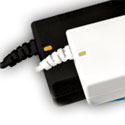
TruePower AC Laptop Adapter
FastMac
Price: $36
http://fastmac.com/poweradapter.php
Road warriors and computer professionals value having multiples of everything, but few people spend the pocket change price of this mighty TruePower cable for PowerBooks and iBooks. It’s a versatile product at a very affordable price. Learn everything about it here.
Remove TruePower from package, connect plug ends to AC power and PowerBook/iBook, then charge or operate your laptop as usual. Function and fit are identical to Apple’s original equipment power units, with three notable exceptions:
• There is no amber/green illumination where TruePower meets laptop chassis
• TruePower is a one-piece unit, that doesn’t split apart into two segments
• Electrical fitting is two-prong only, for maximum ease of use.
Construction is robust, and a movie on FastMac’s web site demonstrates how much abuse the cable and power briquette can withstand.
I use TruePower every day. It resides in the frontmost zippered compartment of my massive Torq computer pack for instant retrieval and storage. My Apple equivalent power unit stays at home, and my FastMac cable goes everywhere with John Nemo, Computer Tutor.
MyMac.com rating: 4 out of 5. Price is low, value is high, quality is good.
I spend a lot of time with computers. I use them for work and for play; I watch my DVDs on my PowerBook and use iTunes to play virtually all of the music I listen to. When I go to a bookshop, the computing section is one of the first I like to check out, and anytime I visit a big city, I make a point of visiting any Apple dealers I’ve not been to yet. I write books about computers and I frequently contribute to Apple-centric web sites such as this one. I do have other interests of course, but computers easily make it into my top three, and over the years my love of Macs has profoundly influenced my professional life, and to no small degree has allowed me to define and develop my skills and experience.
Continue reading »

Today I finally snapped and bought myself a Shuffle. I’m listening to it as I write this.
Continue reading »
Other World Computing Laptop Screen Protector for 17” and 15” PowerBook
Company: Other World Computing
Price: $18 US
www.MacSales.com

with help from John “Nemo” Nemerovski
I am a long-time user of Other World Computing’s LSP-15 PowerBook screen protector with my 15″ Power books. It’s designed to protect laptop screens from picking up grease and oil from the keyboard while the ‘Book is closed. Recently, I had a chance to try their LSP-17 model on an aluminum 17″ PowerBook.
Continue reading »
They say the aging process improves on most things. I don’t know who said this, but they were wrong. At least about most things. Sure, a fine bottle wine can improve with the passage of time, and there is nothing that can get my heart beating like the sight of a 1967 Ford Mustang Fastback cruising down the street. Unfortunately, you don’t know if that wine will be palatable to the tongue (with just a whisp of aftertaste), or just turn out to be a very expensive bottle of vinegar. As the years roll by there are fewer and fewer 67 “Stangs” on the road as well. Time is unkind to Super Models and computers too.
Continue reading »
(Note: This is a very self referential column, I’d stop reading now)
Now that the G5′s are shipping, I’ve got new computer fever in a bad way. All the symptoms: massive envy, eight gigabytes worth of lust, bugs crawling on my skin. Skip the last one, that’s hygiene issue. I don’t need a G5 anymore than I need a Hummer. Which is: not at all. But I want a G5, you know, for the coolness factor. Add to the lust inspired by the coolness factor the fact that the G5 is a brand new chip and allow for the extra cool perforated form factor and you’ve got one salivating Mac user. So I started dropping not subtle hints, cause my birthday is coming up.
Continue reading »
“TiPack WhyBuy: Hands-On Reviews of Two Premium Backpacks Custom Designed for Apple’s Titanium G4 PowerBook”
Walking the hilly streets of San Francisco and the endless corridors of its Moscone Center during last January’s Macworld Conference gave Nemo a pain in the back. He was carrying Weeks’ Titanium G4 PowerBook and its power supply in a humble consumer day pack, along with endless press releases, pads of paper, cameras, snacks, and bottles of water. This pack felt like it weighed a hundred pounds. The distance walked felt like a hundred miles each day. Never again! Nemo vowed to obtain a MUCH better pack for future expos.
Nemo has been a backpacker for over 40 years. He was intrigued by an advance invitation to visit the Brenthaven booth. The thought of a premium padded PowerBook case made his shoulders straighten and back muscles flex in enthusiastic anticipation. After admiring Brenthaven’s product line during the expo, Nemo made arrangements to have an evaluation pack sent for review.
By coincidence, MyMac.com received an email invitation from Willow Design to review a competing backpack, which arrived at Nemo’s home office two days after the Brenthaven. What follows is our report on these two deluxe TiBook packs.
But first, consider the advantages of a custom backpack over a typical computer carrying case:
Continue reading »
Well, it’s become pretty much customary for me to mention the beginning and ending of each school year, so I’ll make no exception this time around. My freshman year of college has come to a close, and I’ve had many new and exciting experiences. However, I’m also ready for a dozen weeks or so of R & R, and I’m looking forward to spending the sunny summer days having some fun and earning some cash.
From a computer standpoint (after all, this magazine is called My Mac, not My Vacation), I’ll be happy to get away from the Windows-centric computer network at school. In the computer lab on my dorm floor, we had 13 Gateway 2000 computers, which varied from one 486-based machine to several 166MHz Pentiums. There were exactly eleven days out of the entire school year when all thirteen computers were functional for the entire day, and there were a couple of occasions when we had as few as eight computers working.


Comments. Be heard!