Gazing ahead, it’s all one-piece new iMacs, which are mostly unknown and untouched. Looking over your shoulder, a mountain of eMacs awaits your next purchase. How about a two-for-one deal? (Info on both is handy at http://www.store.apple.com).
Let’s do the math. Basic eMacs cost $800 each. Add AppleCare service plans and shipping or tax and the price is a cool thousand bucks per computer. Throw in extra memory and your grand total for two shiny new eMacs cruises into the $2200 range. That’s a lot of money, but you’re getting a lot of computer(s).
What’s up, Nemo, you ask. Is that Arizona sun finally frying your bald head into incoherence? Perhaps, but let’s work through our “10.3 reasons” list.
REASON ONE = DOUBLE EXPOSURE. One eMac (E1) lives on the Internet and the other (E2) never goes online. E2 has no exposure to spam, viruses, or invasions of any online variety. E2 is a workhorse, or a gamer, or a dedicated Photoshop station, or whatever you decide, but it’s always ready to deliver speed and performance in a non-net way.
REASON TWO = SECURE ARCHIVING. Apple’s FireWire target disk mode is handy to transfer important files from one computer to another quickly and efficiently. You can go either direction, but first make sure that nothing being transferred onto E2 has any viral infections. Complete or partial archives and/or backups are conveniently located at the adjacent eMac, be it E1 or E2.
REASON THREE = FLEXIBLE RESOLUTIONS. As your eyes age you’ll appreciate eMac’s ability to display resolutions including my old favorite, 800 x 600, up to full screen capacity 1280 x 960 when needed to view two pages side by side. Many people still prefer CRT over LCD, for glass’s smoother presentation.
REASON FOUR = PHYSICAL SECURITY. Have you attempted to play tennis, or jump off a high dive, while carrying an eMac? The computer weighs a ton, and no sensible person would carry it more than twenty feet except under duress.
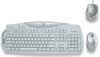
REASON FIVE = SPLENDID DESIGN. The eMac’s contoured blob shape is soothing feng shui on the eyes and nerves. New Apple keyboard and mouse are top of class for ergonomic and design qualities. Round speakers provide acceptable sound.
REASON SIX = SPEED AND PERFORMANCE. Current 1.25GHz G4 processors are f-i-n-a-l-l-y up to snuff for most of us, especially when you consider the typical home or small office Macintosher. With total 512MB memory, eMac/1.25 is darn fast, and with 768MB-to-1GB of RAM an eMac is a screamer in most situations. Full specs are at: http://www.apple.com/emac/specs.html.
REASON SEVEN = SOFTWARE. It’s built-in, including mighty AppleWorks 6, still one of the best applications of all time. All your iApps are ready to burst into action on both E1 and E2.
REASON EIGHT = UPGRADES. If SuperDrive(s) or Bluetooth or AirPort are your cuppatea, toss in a few more c-notes and load up those eMacs.
REASON NINE = FREEBIES AND BARGAINS. Scout online or local retailers for sales, refurbs, giveaways, and other promotional discounts. Dealers need to move those eMacs, and they’ll grin like October pumpkins when they learn you’re buying two at once. Ask for deals and they will appear.
REASON TEN = ROCKNROLL. Apple’s accessory swivel stand is a swinger and an elevator, providing eMac with the ability to twist and shout while it tilts and rotates.
REASON 0.1 = NETWORKING. If desired, you can have both eMacs on the same local or broadband wired or wireless network.
REASON 0.2 = MULTIMEDIA. Play a movie or download some iTunes on E1 while you’re experimenting with Photoshop filters on E2.
REASON 0.3 = ENVY. When people walk into your office or computer room they will say “Wow! You have two of those new white computers.” They will be impressed, and jealous.
It all adds up to 10.3 reasons why you need to buy two new eMacs today. Send me a digital photo of your setup once they’re in place.
But wait, there’s more. If you choose to add extra memory to your new eMacs instead of having an Apple tech perform the upgrades, get tooled before you get unscrewed. The single screw holding the memory bay shut is extremely small and tightly embedded. Go to a hardware store (tools, not computers) and buy a good-quality screwdriver, size specified in your eMac manual. Otherwise you’ll be stewing. Trust me on this one. But once the trap door is open, memory insertion is not difficult.
VidLit
Thoughts on the website VidLit and interview with site creator Liz Dubelman.
To best view VidLit a broadband connection, and the latest version of Flash is recommended.
"Daddy, read me a story." When I was a little girl, the very best thing that could happen in my life was for my daddy to take me on his lap, open a Little Golden Book, and read a story to me. He was a master at giving voice to the different characters. I could follow the simple pictures in the accompanying book or close my eyes and let the tale, as daddy read it, create the pictures in my own mind’s eye.
The next thrill came when I realized I could read the words myself. A Tree Is Nice by Janet May Udry, (winner of the 1957 Caldecott Medal) was the first book I read all by myself. "I can read!" I told my daddy. Then I read the story to him. I was four-and-a-half years old. My little brain did not realize what consequence this bit of independence would bring; less time in the place of honor of my daddy’s lap. So daddy’s lap made way for my next younger sibling, then the next and the next, because now I could read all by myself.
Last week at work, taking a quick break between invoicing customers and returning phone calls, I clicked on Craziest, (3.5MB Flash) a link I found at one of the sites I check on a daily basis.
As the above page was loading I thought to myself, "Hello, what’s this?" I knew instinctively this was something different, something I’d not seen before on the now almost predictable internet. The notice at the bottom of the screen that was loading said Total Running Time: 8:06. "Ruthie!" I yelled to my office mate across the hall, "I’m going to be busy for the next eight minutes!" I closed my office door and turned up the sound. Liz Dubelman’s voice entered my life and through the magic of the internet and the creativity of a small group of people I’d never met, I felt like it was forty-six years earlier and I had climbed into the comfort of my daddy’s lap again.
The world turned off, the work turned off, and eight minutes stretched into forty-five as I perused the VidLit website before I reluctantly returned to work. I knew I had to tell as many people as I could about this place for several reasons that I couldn’t quite put my finger on right then. I sent the Craziest link to a friend in Salt Lake City who replied after viewing it, "I have a smile on my face now. What a great story… I don’t even care if it’s true or not. (I did half way through when the girl said she had over 1000 notebooks.) Thanks for the link. I needed something un-dull." Yes, that was it.
I needed something un-dull (and I don’t care if that is not a word. It fits.) I needed something beyond the pale, something that isn’t war or government deception or campaign smear tactics. Something that isn’t games or anime or cartoons. I needed this website, just like I needed to climb into my daddy’s lap so many years ago to have him read me a story.
I sent an email to Liz Dubelman, the inspiration behind the VidLit website. I restrained myself from asking, "Liz, would you read me ANOTHER story?" Instead I acted like the grown-up I wasn’t feeling much like at that particular moment and asked her if she would consent to an email interview about VidLit, explaining that I wanted to write about her site for MyMac.com. Liz graciously replied, "Thank you so much for your email. I would love to answer questions for a column or a blog or just because you want to know." I thank Liz for taking time from her schedule to answer the following questions.
MyMac: When and how did you come up with the concept for VidLit?
Dubelman: "I had this idea one day while listening to This American Life. I thought that word, sound and music are good but adding pictures could be better. I wanted to have it done in Flash because it’s vector-based (coordinates tell object where to go) rather than video because I needed to be able to distribute it and the Internet seemed perfect."
MyMac: How long did it take you to get the website going from then?
Dubelman: "It took us 6 weeks to get the site up."
MyMac: How long has VidLit been up and running as a website?
Dubelman: "We launched 9/13/04 although we put up a direct link to How I Paid For College by Marc Acito on 9/7/04 because the book was going on sale and the publisher, the very savvy Broadway Books, had asked us to do a VidLit for it."
MyMac: How long does it take to make a VidLit from start to website publication?
Dubelman: "It takes 2 weeks from the time the voice is recorded."
MyMac: Are you going to solicit stories for VidLit?
Dubelman: "Yes, we would like to take submission for not only from writers but, artists, musicians, sound designers, and Flash programmers. We would love to throw a selected group together (like making a film) and have them collaborate on something. We want to have an Intranet area for that type of collaboration and we can (lightly) oversee it. We’re working on a submissions page. I like the one on OneStory.com so you can check the status of your submission online. I want to copy that format where people can check the status of their submissions online."
MyMac: I once heard cartoonist Lynda Barry in an interview on our local PBS radio station. She coined the word "autobiofictionography", or embellished factual stories, for her character Marlys. Your story "Craziest" begs the question. Do you draw on personal experience when you are writing?
Dubelman: "I think I must have that women somewhere in me but I never shot anyone and I’m not a very good scrabble player. I do have a crazy aunt who is a tournament scrabble player. I’ve written a series of short stories about people who have gone a bit too far in their thinking for their own good. The next one of mine we’re doing, I think, is about a kleptomaniac."
MyMac: Who or what inspires you creatively?
Dubelman: "Everything. I carry a notebook with me everywhere."
MyMac: Eight minutes was just right for my attention span for the internet. Did you take time into consideration when formulating this concept?
Dubelman: "I thought "Craziest" was going to be 6 minutes but now I know that a double space 12-point type page is a 2-minute VidLit. I also know now 8 minutes is the limit of the attention span of the average Internet users."
MyMac: This question is for the gear heads in the audience. Can you tell us what software and hardware you use to make the VidLits?
Dubelman: Software Macromedia Flash MX Macromedia Flash MX 2004 Professional Adobe Photoshop CS Apple Final Cut Pro Digidesign ProTools Steinberg Cubase SX Ableton Live Hardware Apple Computers, 17" PowerBook, G4 and G5 Towers. PMC/Bryston Audio system Universal Audio UAD-1 Plug-ins Waves Plug-ins Virtual instruments from Arturia, G-Force, Korg, Native Instruments, Propellorhead, Spectrasonics, Steinberg
MyMac: What kind of feedback are you getting? Are you ready for fame, fortune and high-bandwidth costs?
Dubelman: "We are so ready for fame and fortune! We’ve had Total Visits: 36953, and about 100 pieces of fan mail. All the email has been great except one that said, "YOU ARE RETARDED!" I deleted that one. I have the use of a free server for the moment. I dear friend of mine, with server space, is getting married and I’m catering his wedding as a thank you for the server space."
MyMac: How many people are involved in VidLit? Is there anything special that drew you together as a group to make the VidLit stories and website?
Dubelman: "Right now it’s just Paca Thomas and me. He’s an award-winning sound designer. I wanted him to teach me how to record the sound. My brother and sister-in-law had left me all this sound recording equipment when they sold their apartment, bought an RV and went on the road with their band. Paca had a better idea. He got VidLit right away (although at the time I was calling it Apparent Fiction) and fueled with enthusiasm he said he could take my script and bring the whole thing to fruition."
MyMac: Do you and Paca have ‘real’ jobs? Or is VidLit your primary focus right now?
Dubelman: "VidLit is my primary focus right now (well, that and raising my daughter). Paca has a real job but he would love to just do this fulltime."
MyMac: What is in the wings for VidLit?
Dubelman: "We’re doing a joint project with WGBH. We’re VidLiting a poem that originally aired on Morning Stories. Also, we produced a radio story for them that will air on NPR but is not a VidLit. We’re doing another VidLIt for Broadway Books for an author, Betrice Berry. And I’m doing another one of my stories called: Missing Ingredient."
MyMac: What is your long range goal for VidLit?
Dubelman: "We want to have kiosks in bookstores and coffee houses."
MyMac: Any other comments, something you would like to say about VidLit that I didn’t think to ask?
Dubelman: "We’re also working on KidVidLits. We’re VidLiting the first chapter of kids’ chapter books in an effort to get them interested enough to read the book."
Thanks to Liz Dubelman and her very creative and inspiring website VidLit. The only downside I see to this website is the broadband requirement, which limits those on dial-up accounts. Over the past five years I’ve ended many a column with the sentence, "Isn’t the ‘net cool?" Liz Dubelman’s vision to bring together individuals of various disciplines from all over the world to create VidLits is one of the most exciting concepts I’ve heard in a long time, and I wish her and future VidLitters much success in their endeavors. Isn’t the ‘net getting cooler?
In May of 1997, Apple Computer Inc. released a dream machine, the 20th Anniversary Macintosh. The name, however, was a bit of a misnomer. 1997 was not a celebration of twenty years of the Macintosh, but rather the twenty-year anniversary of Apple Computers. Apple was formed in 1977, and to celebrate, Apple released a machine with a machine with a $7,500 price tag. Ouch!
The machine, while impressive for its day, is not even capable of running Mac OS X today. However, it still holds a special place for true Mac aficionados, including this writer! (On a side note, I have been chasing them on eBay for the past two years, trying to pick up a working model on the cheap. So far, no such luck.)
What did the Twentieth Anniversary Macintosh (TAM from here on out) sport that made it so noteworthy? First, it was an all-in-one machine built around a 250Mhz 603e PPC Motorola microprocessor, and a 12.1” LCD flat screen monitor, typically found in the PowerBooks of the day. What’s more, it shipped with a great sounding speaker system (two speakers and a bass unit) made specifically for Apple from Bose.
The real twenty-year anniversary of the Macintosh, however, came this year, 2004. The original Mac (now known as the 128k Mac, of which I actually own two! Anyone with a TAM wanna trade?) was released in 1984. There was no special edition Macintosh created to celebrate the passage of this monumental achievement. Or was there?
I don’t think it any real surprise that the all-new, all-in-one iMac was released in 2004. Hailed as a first of its kind, the all-in-one iMac sports a complete computer system built around a G5 IBM microprocessor, with a flat-panel 17” or 20” screen.
The similarities of the new iMac and the 1997 TAM are surprisingly overlooked by most tech writers, so let’s take a look at these two systems, side by side, and see if we can glean any significance therein.
First, Apple made great strides to create a form-factor that had a very small footprint on your desktop.
As you can see in this picture, the keyboard on the TAM is actually more like a PowerBook keyboard, with a trackpad and all. In fact, it would probably be fair to say that the TAM is a PowerBook standing up, but with the guts of the fastest PowerMac of its day. It also sported a TV Tuner, meaning you could watch your favorite television show on your TAM,
The iMac G5, on the other hand, takes even less space on the desktop, with only its metal stand touching. The iMac keyboard is a standard Apple OEM, the same that ships with the PowerMac G5.
This side by side comparison shows just how similar the TAM and iMac G5 really are, and yet how different. On both units, there is a lot of plastic real estate underneath the screen. On the iMac that is where much of the actual computer is located, while on the TAM that space is given over to the CD-ROM and control buttons. Note how there are NO buttons visible on the front of the iMac. Even the power button is located on the back of the iMac. There are also no headphone jack, USB port, or any other features on the front of the iMac. Everything is in back. The TAM has all the cables running behind it as well.
Apple has taken great steps to eliminate a CD-ROM drawer on the new iMac, opting for the same type of solution found on their portable line of computers. With the iMac, you simply slide the CD (or DVD) into the side-mounted slot on the right side of the unit. Without actually having seen one yet up close and personal, I would imagine that this would be a pain. Once you’ve gotten used to the placement, it should be no problem. But for the first few months, every time you need to insert a disc, you’ll have to peek around the side of the machine to get it lined up and inserted.
I much rather prefer the more futuristic and high-tech look the TAM sports. A tray simply folds down, and you pop your CD right in. A very elegant arrangement, in my opinion.
It would really be unfair to compare technical specifications between a brand-new iMac and a seven-year-old PowerMac. They are simply too far apart tech-wise to do so. Technology has advanced so much in the past seven years, from ports (USB, FireWire, etc…) to processors, to operating systems.
It is worth pointing out, however, just how much more real screen space you get on the new wide-screen format monitors. Hopefully, the days of square monitor screens are over!
All in all, I think that the new iMac G5, bearing a similar form factor to the TAM, could easily be called REAL 20th Anniversary Macintosh. My only wish is that it came in black, silver, or brushed metal!


Comments. Be heard!