
This week Simon and Nick are joined by Mattieu Kopp co-founder and CTO of CYME.io, makers of Avalanche (a tool for migrating photo libraries
Read More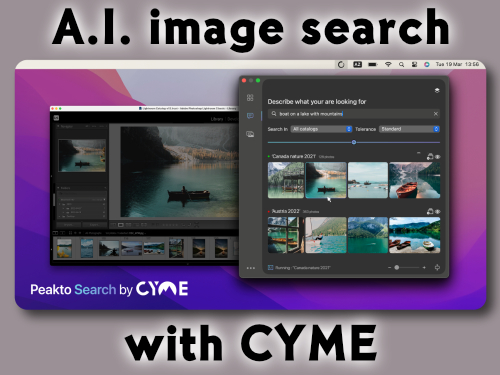
This week Simon and Nick are joined by Mattieu Kopp co-founder and CTO of CYME.io, makers of Avalanche (a tool for migrating photo libraries
Read More
Gaz and Guy are back after a deserved by someone anyway week off. Almost completely without notes and any kind of structure which leads
Read More
SyncMate7 Eltima Software $39.95 (Personal License for two Macs. Free version with limited functionality and Family and Business licenses available.) SyncMate7 is a
Read More
Pixelmator 3.6 for Mac Price: $30 Company: Pixelmator We all take a lot of pictures and we need a way to edit them. Apple
Read More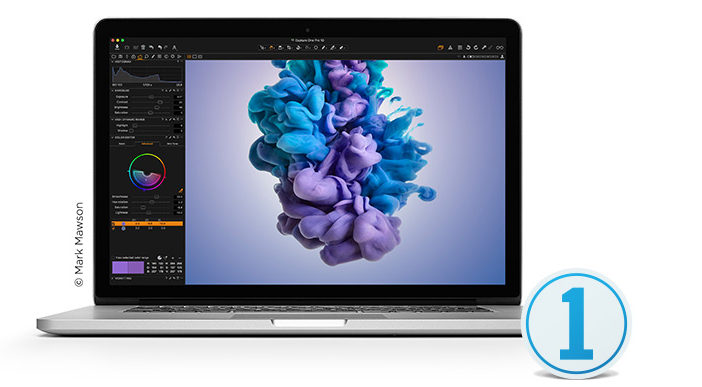
Capture One Pro 10: $299; $15 per month subscription; $99 upgrade from versions 7, 8, 9 Phase One In 2015 MyMac looked in
Read More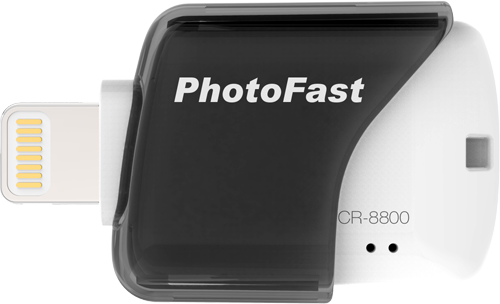
It seems that no matter how much storage an iPhone or an iPad offers, you still end up wanting more than you purchased. Although there are myriad Cloud solutions for backups and more storage space, a more affordable and portable option is now available.
Read More
Apple’s new iPhoto replacement, the Photos app, can be a little scary for some people. No more events. It looks different. Plus, what
Read More
Gaz gets his OWC Thunderdock and Guy rambles nearly incoherently (like we could tell the difference) of trying to get his book into Apples iBook Store. Amazon has it but its so easy that it isn’t like its THAT big of an accomplishment. Gaz talks about how he’s looking forward to the new Photos app from Apple and how he’s getting ready for it. Plus all the usual insanity you might expect from the GMen.
Read More
I take pictures. Thats it. I don’t edit or adjust because frankly I don’t how. When the opportunity arose for me to review Focus 2 I took it as a personal challenge.
Read More
Day 2 of Macworld/iWorld 2014 is coming to a close, and for me, it’s the end. I’ve met some wonderful people, and discovered some new and interesting products.
Read More
The MyMac gang is getting ready for Day 2 of Macworld/iWorld 2014. Here are some photos taken in the media room before the floor opens. Please forgive my tired eyes!
Read More
Day 1 is about to wrap up, and frankly, I’m exhausted! So, rather than describe my day, I’ll share a few pictures. The audio interviews I did, and will do tomorrow, will be in the next few MyMac podcasts, in addition to the 3 Geeky Ladies podcast. Enjoy!
Read More
PhotoPresenter is an app with a very specific, niche purpose. It allows you to wirelessly display the photos from your iDevice on a second screen via AirPlay. If you are a presenter or if you want to show your photos via Apple TV, this is a great solution.
Read More
It seems like I've been planning my trip to Macworld for months, and now it's come and gone. Cross off another item on the
Read More
The rest of the day I’ll spend looking at the booths I missed yesterday, and sitting in on a few tech sessions. It’s a lot of fun meeting the vendors and software developers of products I use regularly, like CrashPlan, Wiley, and Boinx.
Read More
If you use Flickr, Smugmug, or Facebook there are many ways to post photos and videos to your account. You can do it right through the websites of the company, you can get plug-ins for iPhoto, you can use iOS apps, or you can use an app like Poster. Poster, by Reinvented Software, is made to upload content to your account of one of the three mentioned services. How does it work? Read on.
Read More

Download & Listen to the show here, and subscribe in iTunes and never miss an episode!On this week’s show, David needs a fill in
Read More
FotoMagico makes quick work of creating a slideshow, complete with music if you desire. Photos, music, and movies are shown in the right-hand sidebar; just drag and drop the media onto the storyboard. FotoMagico can take over from here, and add transitions and zooms to your photos. Another option is to create an Instant Slideshow, which gives the user a little more control over the output. The short movie below is an example of adding pictures and music to the storyboard and letting FotoMagico do its thing.
Read More
DriveSavers is possibly the best-known name in the personal computer data recovery business. The firm recently announced that it now provides data recovery for damaged Apple iPhones.