macOS application: Aurora HDR 2018 Developer: Skylum (formerly Macphun; name change in progress) Download: $99 from the Aurora HDR website We have already noted
Read More
macOS application: Aurora HDR 2018 Developer: Skylum (formerly Macphun; name change in progress) Download: $99 from the Aurora HDR website We have already noted
Read More
Developer: Skylum  Luminar website (formerly Macphun: the changeover is in progress) Download: $69 In Part One, we overviewed Luminar 2018; here in Part Two,
Read More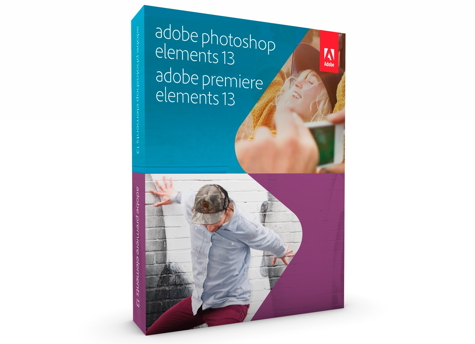
Photoshop Elements 13 isn’t exactly a consumer version of Adobes Photoshop CC (Creative Cloud). However, it’s wrong to think of Elements as a watered-down version of Photoshop. It’s easier to use, but its feature set is vast, very powerful, and does not require a subscription. Elements provides all of the editing capabilities most users will ever need.
Read More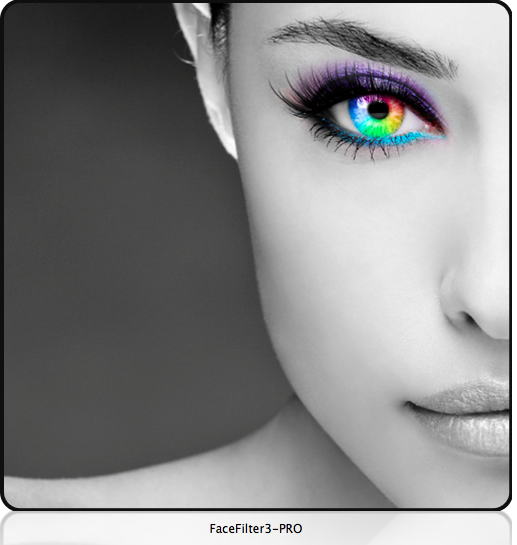
FaceFilter3 Pro is a photo retouching toolkit that allows you to enhance your portraits utilizing a multi-layer makeup system. The software package has tools for skin color tone adjustment, skin smoothing, and blemish removal. It also includes hundreds of templates for one-click make up applications.
Read More
Adobe has chosen to charge for Photoshop use of its professional Creative Cloud software on a subscription basis. This monthly fee is beyond the reach of many small businesses, semi-pro photographers, and home users. As a result, a flock of new photo editing applications are rapidly being released. The quality and features of these new downloadable competitors range from inexpensive one-trick ponies to comprehensive full-featured editors.
Read More
Snapheal does what Photoshop’s Content Aware Fill tool does and much more. With it, you can erase unwanted items and flaws from your photos. Snapheal creates a matching fill area by analyzing the surrounding pixels. The results can be stunning: Remove extraneous people from a landscape, erase facial flaws, remove flotsam from a beach scene, even clean up scratches and dust from scans.
Read More
One of Photoshop’s many features is the ability to remove unwanted objects or people from a photo with a fancy-sounding technique called Content Aware Fill. For a fraction of the cost, you can achieve the same result with Snapheal from MacPhun. In addition, you can also fix old scanned photos, erase text, adjust exposure and saturation, and more.
Read More
One of the coolest features that has been in Photoshop since CS5 is the content-aware fill, which (when it works perfectly) lets you seamlessly remove something from a photo with very little effort. The problem with Photoshop for most people is the price. This is where Snapheal comes in. It give you a content-aware like functionality and more in a program that is much cheaper than Photoshop, and it works great!
Read More
Many photographers, myself included, have been patiently waiting for Adobe to develop a powerful photo-editing app for the iPad to compare with Photoshop. Adobe launched Photoshop Touch last year for the Android platform and Photoshop Touch is now available for the iPad. It is compatible with the iPad 2 and New iPad but the iPad 1 is not supported. As an image editor Adobe included several terrific features gleaned from Photoshop that are not currently found in other photo-editing apps.
Read More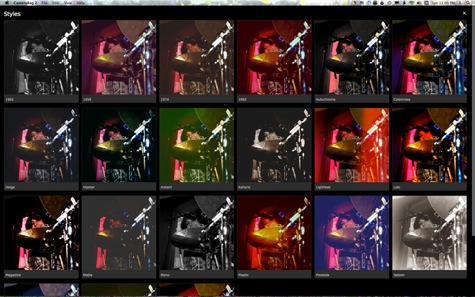
CameraBag 2 is an ingenious photo editing program, offering a combination of cutting-edge filter technology with the clout of classic tools. Escalating the use of presets into a new dimension, Nevercenter has thought long and hard about the tools and presets photographers need in order to achieve almost boundless control over images at a price that is, in my opinion, a steal. What’s not to like with an interface as simple and elegant as this?
Read More