MyMac Podcast 484: With Larry O’Connor from OWC

Larry O’Connor joins the GMen in a chat about Apple products, what OWC can do to make them better, and what we all think Apple could do to make them easier to upgrade. Not that we’re trying to sell you anything. The interview went on so long we split it up into two! Next week for show 485 (which will be our 200th show) we’ll have the second half of the interview. Stand by to stand by!

Read More

Newer Technology miniStack Max – Review

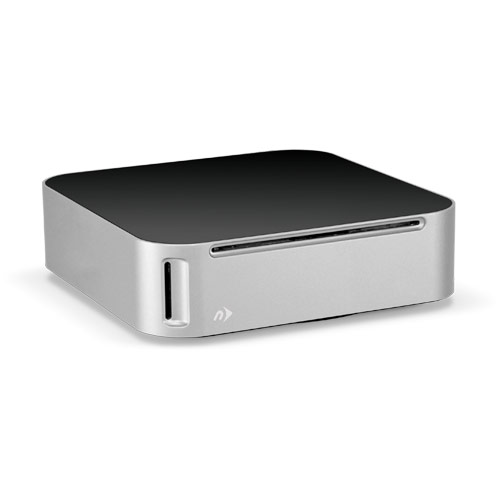
There are many types of products on the market that help you cope with your storage, DVD/CD playback, or connection needs. You can easily go to a local store and pick up a few pieces of hardware like a Blu-ray player so you can view movies ,or a hard drive to store extra files of backups, or possibly a USB hub so you can meet your demand of USB connections.

Read More

2012 Holiday Gift Guide for Techies – Nemo Memo

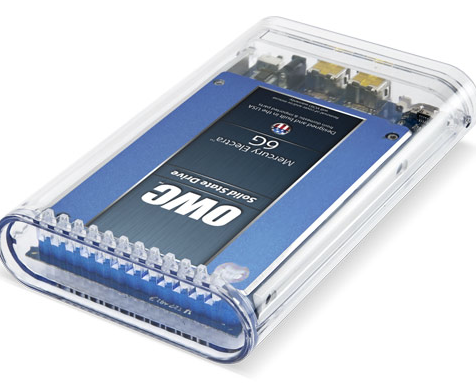
If you are reading this and you are not fully backed up using Time Machine and Carbon Copy Cloner or SuperDuper, stop immediately and order a new external multi-interface bus-powered backup drive or two. Keep one drive handy for daily updates, and the other offsite for safety and security. Email the G-Men on the MyMac Podcast if you need advice on how to use Time Machine and the other two backup applications.

Read More

Express USB 3.0 SuperSpeed Enclosure – Review

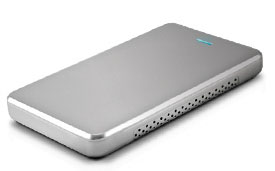
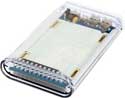
Designed for 2.5″ SATA hard drives, the unit is very lightweight, weighing only 2 ounces empty, compatible with either Mac or PC computers and comes with a USB connecting cable and a carrying sleeve, the unit makes for a very economical way to reuse a hard drive that you may have laying around your house.

Read More

NuCube Vertical Stand for Mac mini – Review

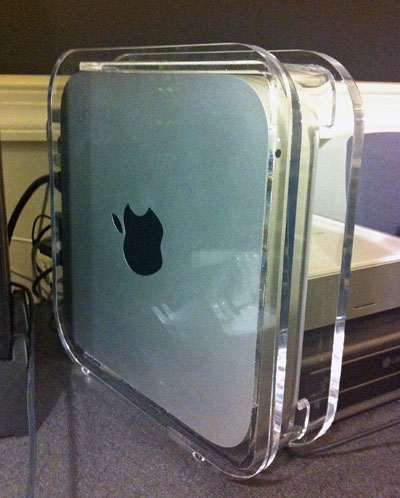
Other World Computing’s NuCube Vertical Stand, a polished clear acrylic stand that holds your Mac mini upright and reduces the mini’s fingerprint on your desktop. Weighing in at almost 2 1/2 pounds, the NuCube Vertical Stand allows you to stand your mini vertical and not to have any worries about it tipping over, even if the family cat thinks it’s a great addition to the desktop and something to check out when it sneaks into the room.

Read More

DIY Upgrade Bundle
Review


When I bought my MacBook it came with a “spacious” 80GB hard drive that filled up quickly. Is your drive close to being full? If so, save a couple of bucks and learn how to replace it yourself by following these simple directions. You can do this.

Read More

Other World Computing NASPerform Network Storage – Review


I’ve looked at network storage devices from afar, mostly because of price, and almost all of them were Windows based, but really thought they looked very useful. The OWC NASPerform (NP) utilizes NDAS technology allowing it to connect a storage device directly to a network with or without a server. The prices are pretty good at OWC, and our favorite computer platform is fully supported finally, so it was time for this Mac user to jump in.

Read More

My iPod Mini Battery Adventure

I’ve had an original first gen ipod mini for several years now. I have not replaced it with a newer iPod, simply because it provides everything I need an iPod for, and that is music. But with dying battery, what is an iPod owner to do?

Read More

OWC Mercury On-the-Go Pro FW800 Hard Drive
Review

I am constantly amazed at how small things are becoming in the world of computing. I remember BIG cpu’s, BIG floppy’s and BIG headaches when dealing with all of it. Now we have Mac mini’s and in keeping with “down sizing,” OWC is offering the Mercury On-the-Go Pro FW800 Hard Drive. Worth the money? Read the review to find out.

Read More

miniStack v2
Review


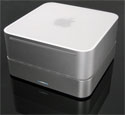
Have a Mac mini sitting on your computer desk but you’ve gotten somewhat tired of the small hard drive and, at times, frustratingly slow laptop hard drive speed? Wish there was a better way? Never fear, Newer Tech is here. This time they’ve brought us miniStack V2 to solve our mini problems.

Read More

Review – OWC Mercury Elite Pro FireWire 800/400

Imagine 250GB of storage space on an external drive. Now add in the ability to connect the drive via FireWire 400 or 800, as well as USB 1.1 or 2.0. Make the drive a respectable 7200RPM with a 8MB Data Buffer, as well as Oxford922 chip-set, and you have one mean drive.

Read More