Jump into the Mosh(er) pit – MyMac Podcast #453

Listener Craig Mosher joins the GMen in a discussion of hardware and software for audio because if ANYONE needed advice for audio it’s the GMen. Guy gets a bunch of new SoundBoard clips and makes everyone pay dearly for it. Also if you ever wanted to know what goes on between the segments for this podcast, THIS is the show you want to listen to.

Read More

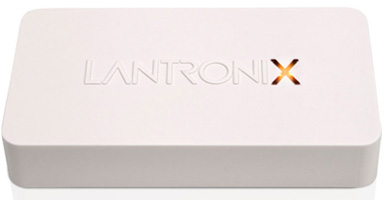
xPrint Server – Review

My HP printer is almost five years old. I am of the philosophy, “If it ain’t broke, don’t fix it.” I have it plugged into my Airport Extreme so everyone in the family can print wirelessly from this printer if they don’t want to use their own printers. However, printing from iOS is another story; more on that later. Seeing a problem to be solved, the good folks at Lantronix came up with an elegant solution: the xPrint Server.

Read More

Always On – Techfan Podcast #114

Tim Robertson and David Cohen discus the closure of LucasArts, the new Facebook phone, april fools jokes, always on video games systems, the third anniversary of the iPad, the Microsoft Surface, and much more.

Read More

Crock-Pot Recipes App – Review

In my house, when the smoke alarm goes off it means Mom cooked and dinner’s ready. Translation: I’m a lousy cook. But making dinner is a necessary evil. I can use the crock pot but I only have two recipes. We can’t live on beef stew and pulled pork for the rest of our lives, so I needed more crock pot recipes. Crock-Pot Recipes App to the rescue.

Read More

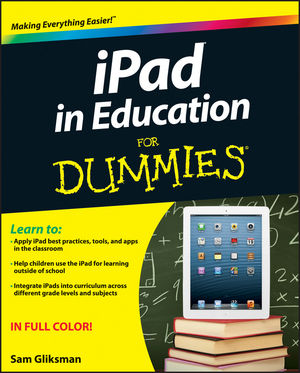
iPad in Education for Dummies – Book Review

iPad in Education for Dummies by Sam Gliksman is a must read for any teacher that has, or plans on having a classroom full of iPads. Gliksman breaks up the book into seven parts, with several chapters within each part. Within each chapter, he has numerous subtitles, step-by-step directions on how to use a certain app, and many pictures showing you what the app looks like. The book is set up so that you don’t have to read each chapter sequentially. Look at the table of contents, find a subject you are interested in, and read about the numerous apps that the author describes how to use in great detail.

Read More
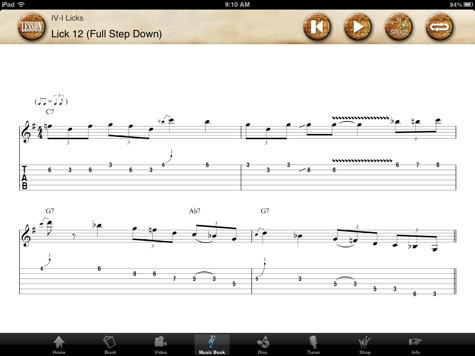
Johnny Winter app sheet music screen

Johnny Winter – Review

The Johnny Winter app for iPad is an impressive collection of information on the legendary guitar player and his music. This app is for experienced guitar players or general fans of the performer. While it will teach you how to play in Johnny’s legendary style, it isn’t intended to teach the basics of guitar playing.

Read More

Why innovation doesn’t always mean brand new

ALL tech companies copy. It’s all built on what came before. It’s how it’s implemented and the infrastructure built around it that matters and few companies out side of Apple, Google, and possibly Samsung seem to do it very well. Market-share, sales, and profits are three very different things. Having massive market-share (only Apple makes the Mac which means they have nearly a 100% market-share, but when taken in context to ALL PC sales have only 5-10%) doesn’t equal big sales nor profits.

Read More

iStopMotion – Review

I am a big fan of taking videos and especially of motion capture video. I am a big admirer of films such as Wallace and Gromit that use motion capture video, so when I got the chance to review iStopMotion I was looking forward to seeing what I would be able to do with it.

Read More

NoteBook for iPad – Review

Notebook and note taking apps are a dime a dozen in the iTunes App Store. I’ve downloaded a bunch, and deleted most. I have always heard wonderful things about Circus Ponies Notebook for Mac; in fact, there are a few podcasters who rave about the software. When I had the opportunity to review NoteBook for iPad I was expecting great things. Did NoteBook for iPad meet my expectations?

Read More

Progress – TechFan Podcast #109

Tim Robertson and David Cohen talk about the changes to Microsoft Office licensing, battery life of the iPad with constant use, and the Sony Playstation 4 announcement.

Read More
Strotter Platforma Bag

Strotter Platforma Bag – Review

The Platforma bag caught my eye straightaway on my first walk through of the Macworld/iWorld expo floor. Okay, it was really the display with the guy standing next to a motorcycle, but he was wearing this bag, and I just had to check out.

Read More

Fantastical for Mac and iPhone – Review

I don’t use the built-in calendar apps on my MacBook or iDevices very much. I still love my paper calendar hanging in the kitchen. There was nothing compelling about the calendar apps that made me want to use them. Since I started using Fantastical I’ve had a change of heart.

Read More

WWF Together – iPad App Review

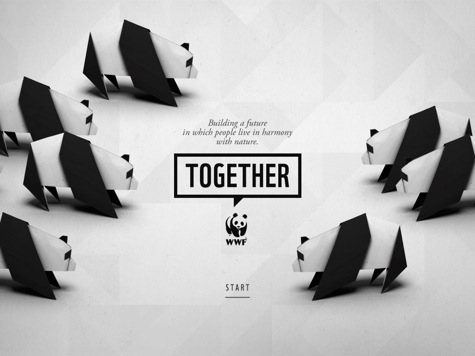
For over 50 years, the World Wildlife Fund (WWF) has been the leading authority and educator for everything related to wildlife and the inevitable loss of species on our planet. WWF Together takes this legacy and delivers invaluable information in a free iPad app that is amazing in its design and delivery of visual and text based information.

Read More

Adobe Photoshop Touch – Review

Adobe is a company that you know if you’ve edited photos before. Adobe Photoshop Touch has been optimised to work with the iPad mini as well as already working with the regular iPad. Enjoying editing photos as I do I was very happy to have a look at Adobe Photoshop Touch and see what it can give to its users.

Read More

Crash Scene – TechFan Podcast #105

David Cohen returns after his car accident to discuss just that. Tim and David then talk about a technology solution to Tim’s wife’s truck, some comments on iOS, and David’s son joins in for some quick iPad game talk.

Read More

Nuance Paperport Notes – Review

There are many applications that do word processing but this one from Nuance goes further than most. It actually lets you take advantage of dictation on your iPad. Considering Nuance brought us Dragon dictation, it is not surprising dictation transcription is part of the application but it is integrated very well.

Read More
PicIT24 screenshot of of cartoon guy

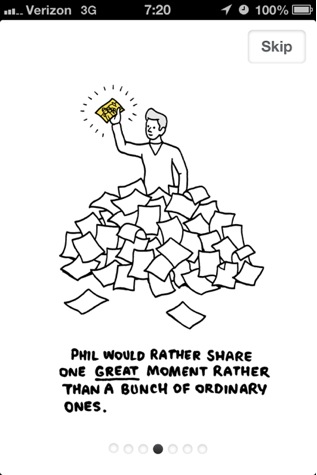
PicIT24 – Review

The app greets you with a summary of the daily contributions of users. A grid of photos or quotes or both is front and center, along with the date and a timer of how long you have remaining to get your own contribution posted today. Alternate views include the top pics of the day/month/year/favorites or the pics of people you follow. You can also view pics/quotes sorted by groups you’ve created such as friends or family.

Read More