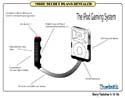
Apple iPod Gaming System plans revealed. You saw it here first.
Read More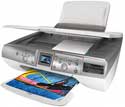
Buying a color printer is usually one of the first things a new computer owner will do. It is a natural add-on for any computer user. A computer without a printer is like a television without a remote. And if you are looking to buy your first printer, or replace your existing color printer with something a little more modern, the Lexmark P4350 may be right up your alley, providing you don’t need Intel Mac print drivers.
Read More
Airport Range Issues, Parallels Folders, MacBook Right Click, Art’s Widget of the Week
Read More
Do you want programs like Dreamweaver, Illustrator, Photoshop, or Office, but their prices don’t fit into your budget? If so, the programs listed in this article are all FREE open source alternatives to these programs
Read More
Cheers for Old Friends, Digital Cameras, Technology Immersion, Choosing an ISP, Soapbox
Read More
We give away both Microsoft Office 2004, and the Microsoft Wireless Laser Desktop for Mac this week. Also, Tim puts to rest the falsehood of the iPod and iTunes monopoly. Guy joins us with the Dashboard Minute, Nemo pops by with a review of the new pink Razr, and we introduce new regular contributor Robert Hazelrigg!
Leave audio feedback by calling 801-938-5559
This podcast is sponsored by SmallDog.com, RamJet.com, and Inno-Tech.com.
Get the show from these links:
Direct MP3 download link
iTunes Link
Podcast-only RSS Feed
Links from the show
Kernel Panic Widget
BSOD Widget
Pink Razr
Griffin Technologies
Listen to iProng Radio #58 right now or subscribe for free! On this week’s show: On iProng Radio #58, Bill Palmer is joined by
Read More
Video Review of the Harman Kardon Drive + Play for iPod.

Here’s five iPhoto quick tips for you on Export, Merge Rolls, Batch Change, Quick Rotation, and Duplicate.
Read More
Who’s Afraid of Whom, iCal Tips, Travel with iPod, Pro Tips

There are many WYSIWYG template based website editors on the market. Apple’s iWeb is one of these. RapidWeaver is another one. The newest kid on the block is Sandvox by Karelia Software.
Read More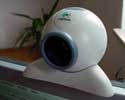
The quest to get an old Logitech USB QuickCam to work with iChat.
Listen to this weeks podcast for the details to win both the new Microsoft Wireless Laser Desktop for Mac and a copy of Microsoft Office 2004 for Macintosh. That is $500 that one listener will win next week. Also, Chad and Tim look at the latest in Apple and Mac news, plus iPod gaming and Harman Kardon Drive + Play
Leave audio feedback by calling 801-938-5559
This podcast is sponsored by SmallDog.com, RamJet.com, and Inno-Tech.com.
Get the show from these links:
Direct MP3 download link
iTunes Link
Podcast-only RSS Feed
Links from the show
Microsoft Wireless Laser Desktop for Mac
Microsoft Office 2004 for Mac
MacMinute
Unofficial Apple Weblog
WidgetKiller
Wiebetech

Nemo thinks the new MacBook is sharp — really sharp. But is that such a good thing? What’s up with MacBook’s built-in RAM? And a few choice words about selecting from the many speakers on display.

iPods from vending machines are old news. Check out the latest way to get your hands on an iPod.
Read More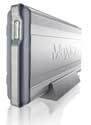
How good is a network backup solution if it does not copy all the files? Not very. David Weeks takes a look at the latest from Maxtor.

If you are using many fonts, and have Mac OS X, learn to take advantage of a powerful, and free, application already on your Macintosh. Font Book.