Click on the link below to listen to our four-minute interview with Barbie, book artist. Be patient while the clickable audio page link and
Read More
Click on the link below to listen to our four-minute interview with Barbie, book artist. Be patient while the clickable audio page link and
Read More
Transferring photos between your Mac and your various iDevices via iTunes, email, or iCloud is often more complicated than it should be. A new app called Photo Transfer WiFi eases the pain.
Read More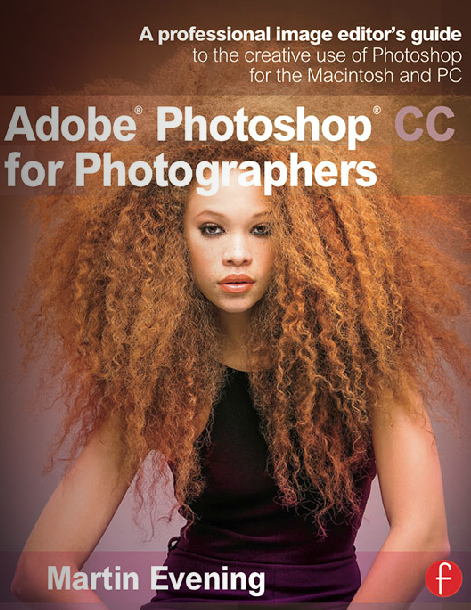
There is Martin Evening and there is everyone else when it comes to learning and understanding the professional version of Adobe Photoshop. From his 16 page detailed table of contents to his 17 page equally detailed index, Martin provides everything essential for newcomers and experienced users of Adobe’s new CC photo enhancement software.
Read More
My earliest copy of Photoshop (version 3) was bundled with a SCSI scanner purchased many years ago. During the ensuing years I have had many versions of Photoshop and almost as many image archiving schemes. Most recently I have been using iPhoto for casual family snapshots and a file and folder based strategy for my commercial and fine art images. I have been using Adobe Bridge to access these images. For the past couple of years I have been telling myself to give Adobe Photoshop Lightroom a try as it would seem to offer a blend of the most positive aspects of Bridge and iPhoto with enough of the power of Photoshop to handle much of the day to day image manipulation.
Read More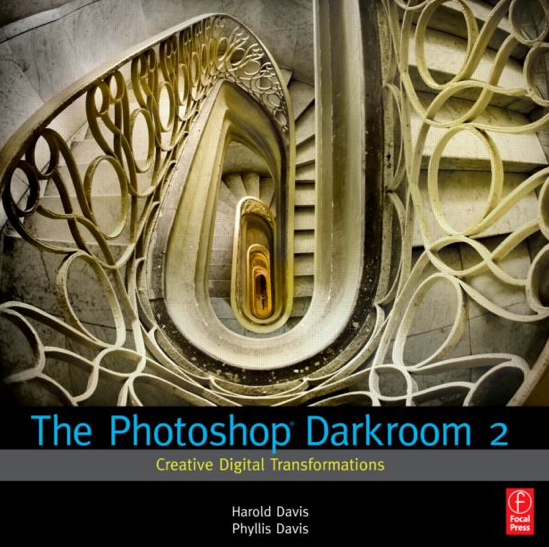
Published roughly two years apart, these companion books are the equivalent of a one semester crash course in Photoshop. Both books are lavishly illustrated on quality stock. Both provide step-by-step instructions for achieving a wide range of effects in Photoshop. The tutorials do not cover everything there is to know in Photoshop. The focus appears to be a mix of simple tasks, like moving images from the camera to the computer, to the more complex, such as using LAB channel adjustments to change colors.
Read More
Adobe just released the new version of its photo management and editing software, Adobe Photoshop Lightroom 5. The software comes with many improvements to help photographers in their work. In this review we will explore them so you can judge if the upgrade is worth it.
Read More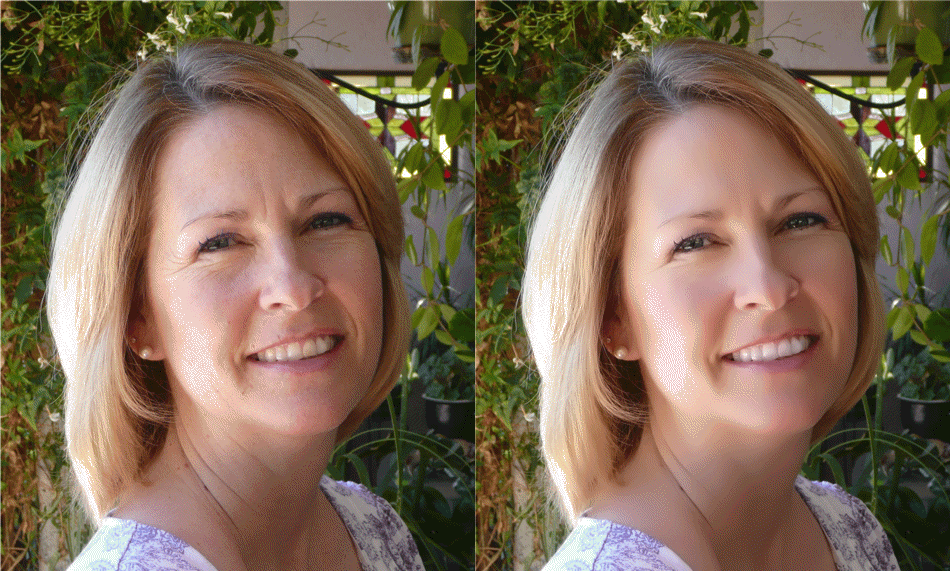
Facial enhancement on photographic portraits is a process that requires skill, experience, and patience. Removing a blemish is relatively easy, but getting skin smoothing and shine removal done well is more difficult. One-click facial enhancement with Portrait+ is instant and the results are often startlingly effective.
Read More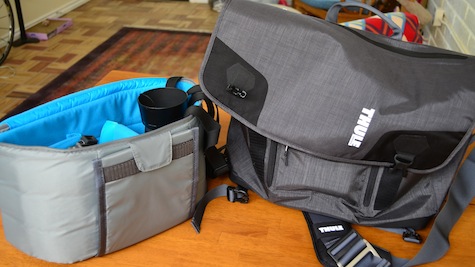
The Thule Perspektiv Messenger Bag is a tote suitable for your daily commute or a weekend overnighter. Persketiv becomes more than a mere tote or duffle when you unzip its cover and realize there’s a well-padded removable compartment inside that can accommodate a Digital Single Lens Reflex (DSLR) camera with a 70-200mm lens and battery grip attached. In addition, there’s a separate padded compartment for a 15-inch MacBook Pro, as well as an abundance of small zippered compartments suitable for SD cards, extra batteries, filters, and other small objects.
Read More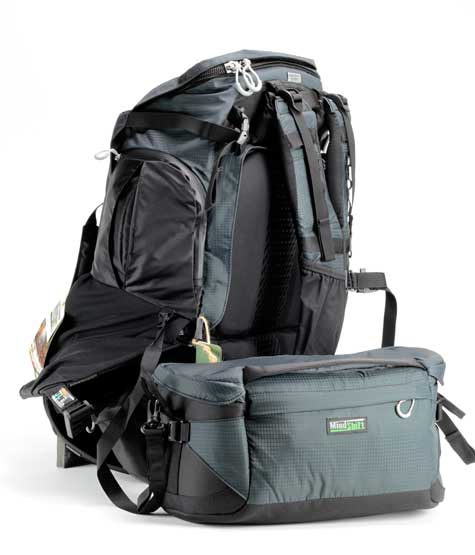
Rotation 180° Professional Camera Pack Manufacturer: MindShift Gear MSRP: Basic Configuration: $399 Premium Configuration: $499 (as shown) Guest review by Bob Wood Photographers love camera
Read More
HDR photography has made its mark in recent years among many photographers and enthusiasts. The technique has become very popular and many software producers offer solutions to create HDR images. I had the opportunity to review two products from Unified Color: HDR Expose 2 and 32 Float V2.
Read More
In rapid succession, Boinx released two new versions of their award-winning FotoMagico slide presentation software. In December, version 4.1 was introduced, followed two months later by the newest version, 4.2. FotoMagico allows you to create slideshows with smooth transitions, accurately timed audio tracks, and the freedom to show your masterpieces in many ways.
Read More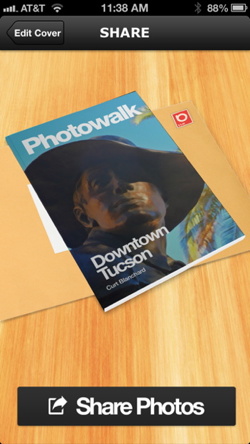
With beamr you can easily make what appears to be a virtual magazine by choosing photos from your iPhone’s Camera Roll. Click the Create button and you’ll have a link to share with friends by email or by posting on social media sites. Your photos appear full size and can be downloaded by your recipients.
Read More
Snapheal does what Photoshop’s Content Aware Fill tool does and much more. With it, you can erase unwanted items and flaws from your photos. Snapheal creates a matching fill area by analyzing the surrounding pixels. The results can be stunning: Remove extraneous people from a landscape, erase facial flaws, remove flotsam from a beach scene, even clean up scratches and dust from scans.
Read More
Adobe is a company that you know if you’ve edited photos before. Adobe Photoshop Touch has been optimised to work with the iPad mini as well as already working with the regular iPad. Enjoying editing photos as I do I was very happy to have a look at Adobe Photoshop Touch and see what it can give to its users.
Read More
I love taking photos. If I see something I like I take a picture. The problem is not all pictures turn out as you want so they need editing and that’s where FX Photo Studio comes in.
Read More
There are many applications that do word processing but this one from Nuance goes further than most. It actually lets you take advantage of dictation on your iPad. Considering Nuance brought us Dragon dictation, it is not surprising dictation transcription is part of the application but it is integrated very well.
Read More
If you want to make slideshow-type videos, PulpMotion is the app for you. It has similarities to iMovie, but is different enough to be worth a look. It is incredibly easy to choose a theme, drop in photos or videos, add some background music, insert a caption or two, and export it in a format best suited to your intended viewing platform. While it is drop dead simple and quick, there’s also a lot of power to tweak and customize your slideshow to get it just the way you want.
Read More
The app greets you with a summary of the daily contributions of users. A grid of photos or quotes or both is front and center, along with the date and a timer of how long you have remaining to get your own contribution posted today. Alternate views include the top pics of the day/month/year/favorites or the pics of people you follow. You can also view pics/quotes sorted by groups you’ve created such as friends or family.
Read More
One of Photoshop’s many features is the ability to remove unwanted objects or people from a photo with a fancy-sounding technique called Content Aware Fill. For a fraction of the cost, you can achieve the same result with Snapheal from MacPhun. In addition, you can also fix old scanned photos, erase text, adjust exposure and saturation, and more.
Read More