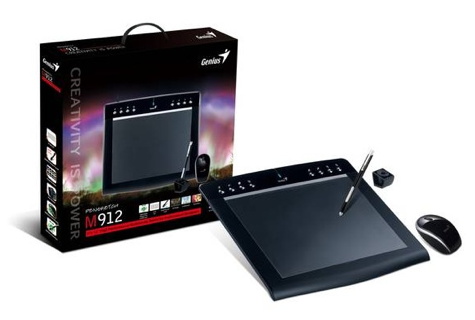
EasyPen Slim Pen Graphics Tablet – Review

Graphics tablets tend to be fairly big, heavy, and expensive but the new EasyPen Slim Pen Tablet from Genius is thin, light, and reasonably priced. Wacom tablets have held a virtual monopoly in this category for years with very little real competition. Genius is becoming a challenger in this field and their new Slim Pen Tablet is a contender.

Read More
FotoMagico v4.2 – Review

In rapid succession, Boinx released two new versions of their award-winning FotoMagico slide presentation software. In December, version 4.1 was introduced, followed two months later by the newest version, 4.2. FotoMagico allows you to create slideshows with smooth transitions, accurately timed audio tracks, and the freedom to show your masterpieces in many ways.

Read More

Fantastical for Mac and iPhone – Review

I don’t use the built-in calendar apps on my MacBook or iDevices very much. I still love my paper calendar hanging in the kitchen. There was nothing compelling about the calendar apps that made me want to use them. Since I started using Fantastical I’ve had a change of heart.

Read More

Rhapsody Music Subscription Service – Review

When Steve Jobs introduced the original iPod, he told us that people wanted to own their music, not rent it. Now that there is sufficient bandwidth to support streaming, subscription services such as Rhapsody have become compelling alternatives to downloading and storing music on your computer. If you spend around $10 per month on music, Rhapsody makes sense.

Read More

Snapheal v2.2 – Review

Snapheal does what Photoshop’s Content Aware Fill tool does and much more. With it, you can erase unwanted items and flaws from your photos. Snapheal creates a matching fill area by analyzing the surrounding pixels. The results can be stunning: Remove extraneous people from a landscape, erase facial flaws, remove flotsam from a beach scene, even clean up scratches and dust from scans.

Read More

Snapheal App – Review

One of Photoshop’s many features is the ability to remove unwanted objects or people from a photo with a fancy-sounding technique called Content Aware Fill. For a fraction of the cost, you can achieve the same result with Snapheal from MacPhun. In addition, you can also fix old scanned photos, erase text, adjust exposure and saturation, and more.

Read More

House of Marley Exodus On-Ear Headphones
User Report – Review

The House of Marley claims the Exodus On-Ear Headphones are “noise isolating and eco-friendly.” We agree and approve. Ambient noise is not much distraction when listening to music with these headphones that are constructed from mostly natural or recycled, attractive materials.

Read More

2012 Holiday Gift Guide for Techies – Nemo Memo

If you are reading this and you are not fully backed up using Time Machine and Carbon Copy Cloner or SuperDuper, stop immediately and order a new external multi-interface bus-powered backup drive or two. Keep one drive handy for daily updates, and the other offsite for safety and security. Email the G-Men on the MyMac Podcast if you need advice on how to use Time Machine and the other two backup applications.

Read More

LaCie Slim SSD P’9223 Drive – Review

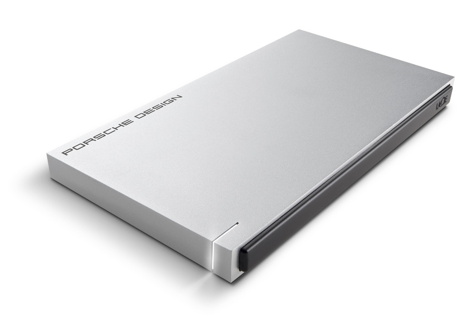
Sleek, speedy and gorgeous. No, not a gazelle—it’s the P’9223 Slim SSD external hard drive from LaCie. The Porsche Design enclosure measures a tidy 5″ by 3″ and is only 7/16″ thin; thinner than a MacBook Air. The case is solid aluminum and feels satisfyingly substantial. Apart from a razor thin slit for the indicator light and a USB port, the case is sleekly clean.

Read More

Take Control of CrashPlan – Book Review

You’ve heard it before: backup, backup, backup. You’ve also heard how you should back up to a bootable clone, using software like Super Duper or Carbon Copy Cloner, and have another backup from which you can retrieve individual files, like Time Machine. Finally, you should also have your files backed up off site.

Read More

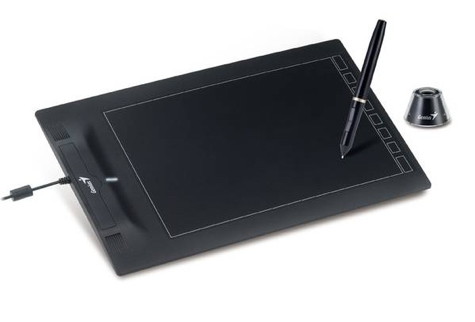
Genius PenSketch 12″ x 9″ Tablet – Review

Put a pressure-sensitive stylus in your hand, apply it to a graphics tablet for the first time, and magic happens. It’s a revelation that makes you wonder about all that mousing you’ve done in the past to retouch a photo. You can read all you want about what it’s like to use a tablet, but you need to actually use one to understand how amazingly precise it feels.

Read More

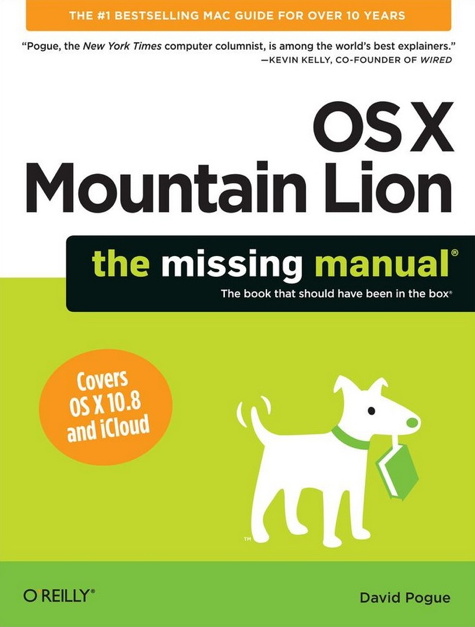
OS X Mountain Lion: The Missing Manual – Review

Many years ago, David Pogue was present at Macworld Expo in Boston when an attendee opened a new software box. The guy was seriously disappointed that all he got for his money was a CD. This turned out to be Pogue’s Eureka! moment. It was also the birth of the Missing Manual series that now numbers over 150 books by a diverse group of knowledgeable authors. As he says in his latest book, “It’s a good thing you’ve got a book about OS X in your hands, because the only user manual you get with it is the Help menu.”

Read More
Take Control of iTunes 10: The FAQ 2.0

Take Control of iTunes 10: The FAQ, Second Edition – Review

Okay, okay, I’m convinced! I need an iPad! Trying to read a 170-page PDF file on a laptop or desktop monitor is suckiness of the highest order! I promise’”next big bonus (yes, business at my employer’s has improved to the point that we’re seeing bonuses again, and if this first small one is any indication, the next one should get me real close to a new Retina Display iPad). I will not do another electronic book review until I get an iPad!

Read More