AnyList app – Review

AnyList is an iPhone app that lets you make as many grocery or shopping lists as you want or need. And it’s free. It contains an auto-complete dictionary so when you start typing Broc, it fills in Broccoli. This makes creating a shopping list very fast without a lot of typing.

Read More


Where I think Apple is going (seriously)

So here’s where we are. The press going crazy for an Apple product that doesn’t officially exist and tons of articles already saying it’s either the best thing they’ve ever done or a huge mistake with not too much in between. Well no surprise there as you could take the flotsam of Apple articles on any given day over the last ten years and see exactly the same thing. Will there be an iWatch or whatever? I have no idea and honestly (wait for it) iDon’tcare.

Read More

Rhapsody Music Subscription Service – Review

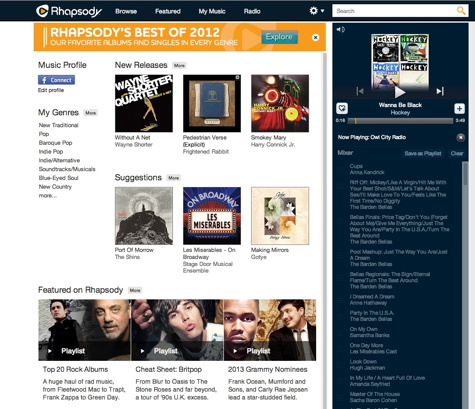
When Steve Jobs introduced the original iPod, he told us that people wanted to own their music, not rent it. Now that there is sufficient bandwidth to support streaming, subscription services such as Rhapsody have become compelling alternatives to downloading and storing music on your computer. If you spend around $10 per month on music, Rhapsody makes sense.

Read More

beamer App – Review

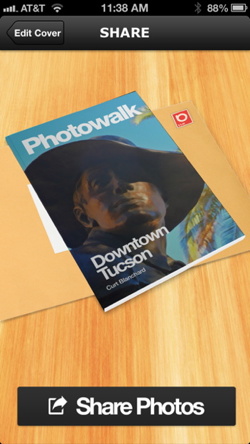
With beamr you can easily make what appears to be a virtual magazine by choosing photos from your iPhone’s Camera Roll. Click the Create button and you’ll have a link to share with friends by email or by posting on social media sites. Your photos appear full size and can be downloaded by your recipients.

Read More

Take Control of Networking & Security in iOS 6 – Book Review

Did you ever wonder how to set up a mobile hotspot? Maybe you don’t understand the difference between WPA2 and WEP security. What’s the big deal about having a secure password for a home WiFi network? If you ever had any of these question, Glenn Fleishman answers all these questions, and more, in his latest book, Take Control of Networking & Security in iOS 6.

Read More
PicIT24 screenshot of of cartoon guy

PicIT24 – Review

The app greets you with a summary of the daily contributions of users. A grid of photos or quotes or both is front and center, along with the date and a timer of how long you have remaining to get your own contribution posted today. Alternate views include the top pics of the day/month/year/favorites or the pics of people you follow. You can also view pics/quotes sorted by groups you’ve created such as friends or family.

Read More

Cosmos Story Vol1 – App Review

As an amateur astronomer and a volunteer with Project ASTRO, I regularly use the concept of scale to help teach astronomy and engage our students in visualizing and grasping the immensity of our universe. I typically use examples scaled in the dimension of physical length, area, and volume to assist in illustrating the distance and sizes of planets, our solar system and neighboring stars and galaxies.

Read More

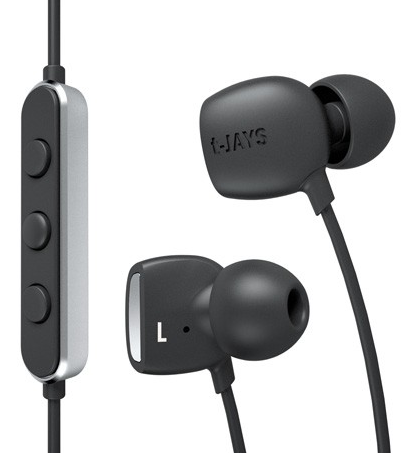
t-JAYS Four In-Ear Headphones With JAYS Curves Digital Signal Processing – Nemo Memo

The t-JAYS Four (abbreviated as tJ4) headphone are almost (or better than) conventional, which is a good thing. Multiple size comfortable tips and a too-small carrying case are provided in the idiosyncratic standard JAYS hard shell product packaging that we have described in prior reviews of JAYS products.

Read More

House of Marley Exodus On-Ear Headphones
User Report – Review

The House of Marley claims the Exodus On-Ear Headphones are “noise isolating and eco-friendly.” We agree and approve. Ambient noise is not much distraction when listening to music with these headphones that are constructed from mostly natural or recycled, attractive materials.

Read More

HMDX Jam Bluetooth Speaker – Review

Over the past year, the popularity of wireless Bluetooth speakers has risen from a collection of small, niche devices to a category of their own. When wireless speakers first appeared, they were expensive and the sound quality varied from so-so to terrible. Recently, the field has become crowded and with technology advances reducing costs, the landscape has changed for the better.

Read More

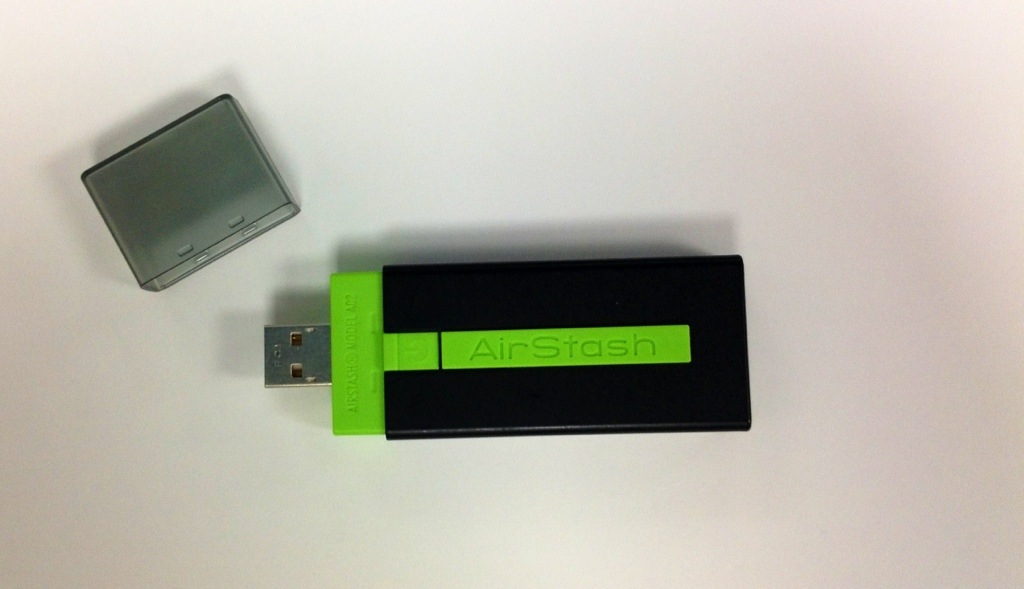
Maxell AirStash – Review

Have you ever wished you had more space on your iPad, iPhone, or iPod touch for more music, movies, podcasts, photos, or files? Maybe you have the 16gb model and could really use the 32gb model, but you can’t afford a new device. Maybe you have the 64gb iPad and have no larger storage option. If this sounds like you, the AirStash by Maxell might be the device you are looking for. At a retail price starting at $149.99 you can add a minimum of 8gb to your device and you are only limited by the size of a 32gb card and how many cards you want to carry.

Read More

Macally Holster Case with Belt Clip & Stand for iPhone 5 Review

When it comes to iPhone cases they are a dime a dozen. One thing you rarely see in an iPhone case is a belt clip attachment. At least, I have rarely seen any- until I learned about the Macally Holster Case with Belt Clip & Stand for iPhone 5. Why would you want a belt clip? There are times you might want to leave the house in pants that don’t have pockets, possibly while exercising. There might be times when your pockets are too full and you don’t want to squezee you phone in there. I’m sure you could come up with reasons. Anyway, this Macally case for $29.99 is a great option.

Read More

Comic Life 2.0 for iOS – Review

Years ago the iMac came with several third party apps preloaded. One of these apps was Comic Life. Comic Life, while no longer preloaded on Macs, is still a great Mac app that is available today. In simplest terms it is a program for making comic book pages. It has templates, speech bubbles, photo access, etc. it is probably one of the easiest ways to make a comic book or comic strip on the Mac. Well, it is also available on iOS, and version 2.0 was just released with a bunch of new features.

Read More

2012 Holiday Gift Guide for Techies – Nemo Memo

If you are reading this and you are not fully backed up using Time Machine and Carbon Copy Cloner or SuperDuper, stop immediately and order a new external multi-interface bus-powered backup drive or two. Keep one drive handy for daily updates, and the other offsite for safety and security. Email the G-Men on the MyMac Podcast if you need advice on how to use Time Machine and the other two backup applications.

Read More