I love taking photos. If I see something I like I take a picture. The problem is not all pictures turn out as you want so they need editing and that’s where FX Photo Studio comes in.
Read More
I love taking photos. If I see something I like I take a picture. The problem is not all pictures turn out as you want so they need editing and that’s where FX Photo Studio comes in.
Read More
I had heard a lot about running virtual machines for years but had never thought to do it. I would think, what’s the point? But then I got the chance to review Parallels Desktop 8 for Mac and its iOS application companion. It was a new experience for me to use a technology I was not familiar with, which is rare, so I grabbed the chance with both hands.
Read More
There are many applications that do word processing but this one from Nuance goes further than most. It actually lets you take advantage of dictation on your iPad. Considering Nuance brought us Dragon dictation, it is not surprising dictation transcription is part of the application but it is integrated very well.
Read More
If you want to make slideshow-type videos, PulpMotion is the app for you. It has similarities to iMovie, but is different enough to be worth a look. It is incredibly easy to choose a theme, drop in photos or videos, add some background music, insert a caption or two, and export it in a format best suited to your intended viewing platform. While it is drop dead simple and quick, there’s also a lot of power to tweak and customize your slideshow to get it just the way you want.
Read More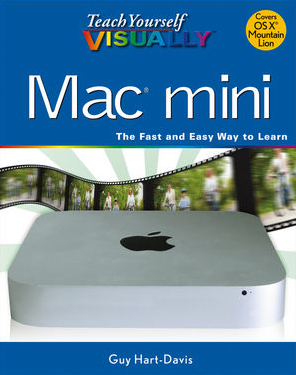
The Teach Yourself Visually series of books contain clear step-by-step, descriptive instructions on how to get the most from your Mac. This title tells you what to look for when buying a new Mac mini. It also provides some good advice about peripherals that you can purchase for your machine. This is a great book for the new Mac user. Buy it before you purchase your machine and it will pay rewards.
Read More
Did you ever wonder how to set up a mobile hotspot? Maybe you don’t understand the difference between WPA2 and WEP security. What’s the big deal about having a secure password for a home WiFi network? If you ever had any of these question, Glenn Fleishman answers all these questions, and more, in his latest book, Take Control of Networking & Security in iOS 6.
Read More
In the ensuing months, they have added a fourth program, Jaksta Music Miner, an audio capture utility (sold separately for $19.95), to the mix, and then bundled them all together for a single price $69.95, with a substantial discount for purchasing a additional bundles.
Read More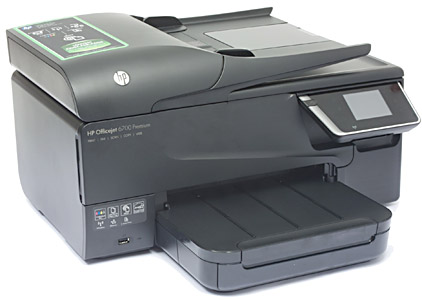
Hewlett Packard (HP) is the granddaddy of the consumer inkjet printer business, manufacturing the first DeskJets in the mid-1980s. My first decent printer was an HP DeskWriter (specially configured for Macintosh computers), which I bought in the late 1980s, around the time HP did their first big price reduction (for the DeskWriter) from around $1200 down to $800.
Read More
He’s young, articulate, experienced, and successful. Listen to our 20-minute intense conversation. Get advice on how to learn to code, how to create a
Read More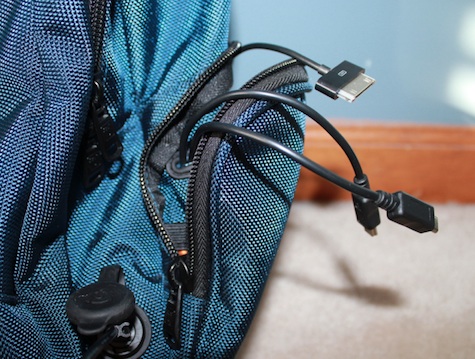
Ever come across a time where you are out-and-about and bring your latest technology with you but the energy efficiency of that particular product drains carelessly throughout the day? The Powerbag backpack by FUL will have your “back” no doubt.
Read More
Simple show concept this week. We talk about Christmas stuff, some G+ Community questions, then off to your Bumpers (brilliant they are too), and finally ending the show with a thank you to all the wonderful people that not only listen to the podcast, but contribute to MyMac.com in general. Merry Christmas to you all!
Read More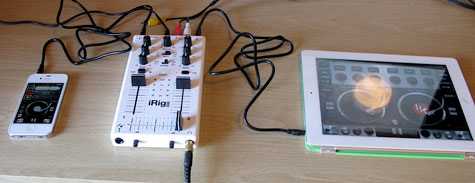
Guest review by Fred Wells iRig Mix mobile mixer and DJ Rig app $100 Free to $10 app In the days of my youth,
Read More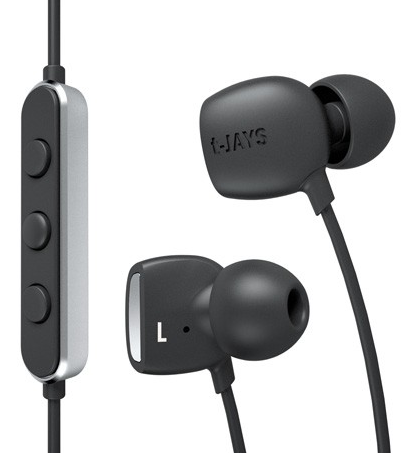
The t-JAYS Four (abbreviated as tJ4) headphone are almost (or better than) conventional, which is a good thing. Multiple size comfortable tips and a too-small carrying case are provided in the idiosyncratic standard JAYS hard shell product packaging that we have described in prior reviews of JAYS products.
Read More
The Norm is a simple vent-mount iPhone 4 holder. It uses a standard binder clip to clamp on to the vent, and is shaped to perfectly hold an iPhone 4 (or 4S).
Read More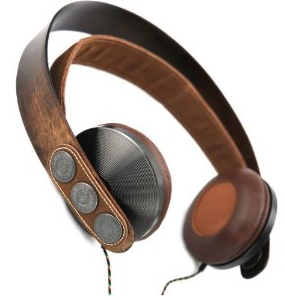
The House of Marley claims the Exodus On-Ear Headphones are “noise isolating and eco-friendly.” We agree and approve. Ambient noise is not much distraction when listening to music with these headphones that are constructed from mostly natural or recycled, attractive materials.
Read More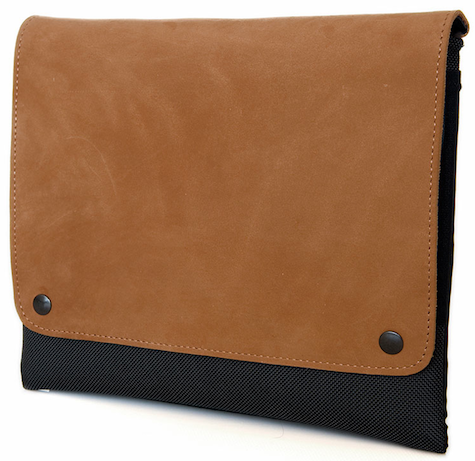
Guest review by Howard Nemerovski CitySlicker iPad and iPad Mini Case WaterField Designs Price: $99 and $89 This CitySlicker can be trusted! WaterField Designs
Read More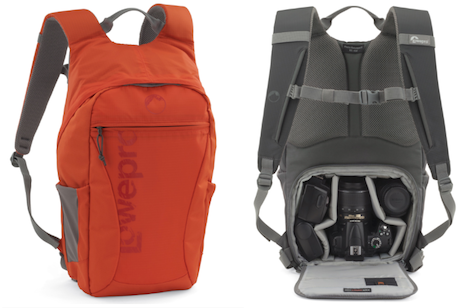
If you’re searching for a product with the best camera and tablet device storage on the market, you have come to the right review. The Lowepro Photo Hatchback 16L AW is an exceptional case for either a rookie or pro photographer who is looking for simple and easy access to all his gear on the go. The Lowepro Photo Hatchback has all the capabilities of any ordinary backpack, but it has been infused with hidden pockets and convenient storage compartments to fit all the accessories for your DSLR and also the body of your DSLR, while incorporating space to fit any 10″ tablet or ultra book with ease.
Read More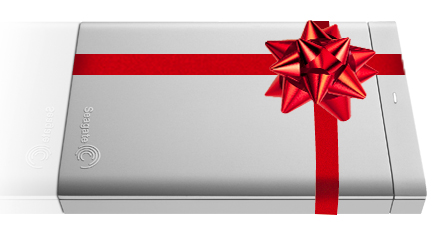
If you are reading this and you are not fully backed up using Time Machine and Carbon Copy Cloner or SuperDuper, stop immediately and order a new external multi-interface bus-powered backup drive or two. Keep one drive handy for daily updates, and the other offsite for safety and security. Email the G-Men on the MyMac Podcast if you need advice on how to use Time Machine and the other two backup applications.
Read More