
Digital photography never looked so analog!
Category: Features
Transfer LP records to your computer
A friend recently gave me some LP records, some of which were still sealed in shrink wrap. Since they were in excellent condition, I decided to transfer them to my computer using my USB turntable and Audio Hijack Pro, an excellent $32 program from Rogue Amoeba
Some people of Macworld Expo 2010

Mark Rudd supplies some photos of people at Macworld Expo.
Review – PowerMail 6

For the first few years that I was using a Mac, I used Claris Emailer, versions 1 and 2, which quickly became my email program of choice. In 1998 when Apple lost interest in Emailer, I searched around for a replacement and found PowerMail 2.0.3 by CTM Development.
Verbatim SDHC card, card reader, and Hard Drive – Review
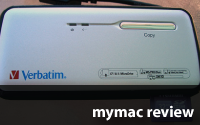
Verbatim’s helpful web site has detailed information, and you should begin your research at the company’s site.
Surge Laptop Back Pack – Review

Three top-zippered drop-in compartments now contain a staggering quantity of Nemogear, and my computer slides vertically into a fourth zippered space.
DataTale TQ-M12H – Review
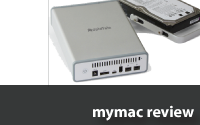
The handle is a guide as you insert your drive into a custom powered bay that connects to your Macintosh via FireWire 800/400/USB/eSATA. All necessary cables are provided.
Video – iPhone 3G S vs Original iPhone plus video samples
So how does the new iPhone 3G S stack up against the original (first generation) iPhone? Let’s have a look.
Adobe Creative Suite 4 Master Collection – First Look

MyMac’s John H. Farr says that reviewing the new Adobe Creative Suite 4 Master Collection in toto is “like describing America after a single transcontinental flight” but gives it a try, anyway. Find out what’s included, what’s new, and how to get the best deal. John’s installation went smoothly, once he stopped looking for trouble, and he thinks you’re going to want this.
PhotoPlus Expo Report

Frank give us a look at the PhotoPlus Expo last week in NYC. Looks like a fun event all serious photographers should attend!
Introducing Rapid Repair for iPod and iPhone
Tales from the PodCrypt! Return of the Living DeadPods! The iPhone Ranger Rides Again!
Book Bytes Interview with author Barbara Brundage
There are a lot of folks who really won’t need to use Raw ever, though, although I do suggest that at some point everyone should try correcting an image, even a JPEG or a TIFF, in the Raw Converter, just to see what it does.
Another One Bites the Dust – Hard Drive Failure

What’s What with WiebeTech in Wichita – Four New Products and One Sold Company
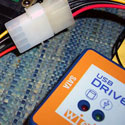
If you EVER IN YOUR LIFE will find yourself with an exposed hard drive, today please order one or more DriveBoxes from WiebeTech. Until now you’ve been lucky if your bare drive circuitry has remained alive and well during swaps and installations.
Taking iWeb 08 even further – Part 7

Guy Serle returns with part seven of his iWeb series, this week looking at creating a new blog on your .Mac account. Read one of the only continuing internet columns about taking iWeb further than you would believe.
Wi-Fire Long Range USB 2.0 802.11g Transceiver
Review
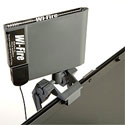
hField’s Wi-Fire is a promising new product, providing wi-fi connectivity at longer range than Apple’s AirPort. It’s a good first effort, but could use several software tweaks and a few hardware ones.
Thumbn@ils 41
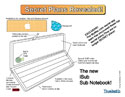
Thumbn@ils returns with a MyMac.com EXCLUSIVE!
The MyMac.com secret spy team has uncovered these topsecret plans. They are no longer SECRET plans!
Macspiration 100
100!

When I thought about what I should do for Macspiration 100 I though about making a list off 100 links, or 100 terms, or asking readers to pick your favorite articles from the past two years (WOW!). In the end I decided to pick ten of my favorite articles.
Day 1 – Adobe Creative Suite 3 (Web Premium)
Adobe was kind enough to ship out not one, but two copies of the new Creative Suite 3, which arrived today. The two copies are the Web Premium and the Design Premium. I have decided to install the Web Premium on my Macbook Pro, while the Design Premium will go on the PowerMac G5. Let’s see how it goes…
Read MoreEducation and Technology- A Look at the Interwrite Software Package

What is Interwrite? It is software that allows the teacher to, simply put, write on anything on the monitor of the computer. There are highlighter and pen tools which draw on top of any window without interfering with what is below that layer.
Read More