
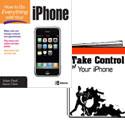
David Weeks looks at two new iPhone books, How to Do Everything with Your iPhone and Take Control of Your iPhone. Which one, if either, are best for you? Read the review to find out.
Category: Book Review
The Apple Training Series: iWork ’08
Review
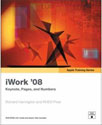
The applications in the iWork suite are designed to be easy to use from the get-go. Install, launch, poke around a little, do a little dragging and dropping, enter some text, and …Shazam!… get surprisingly good results. Working through the lessons in Harrington’s manual, The Apple Training Series: iWork ’08, will take users to the next level.
Take Control: The Mac OS X Lexicon
Book Review
This EBook is chock full of information about Mac OS X and the Mac computer world in general. The PDF form of The Mac OS X Lexicon makes searching for the item you might be looking for a breeze. The PDF is arranged in alphabetical order rather than chapters with additional sections for Punctuation and Numbers.
Take Control of Easy Backups in Leopard
Review II
Same book, new review. David Weeks, like Russ a month ago, takes a look at Joe Kissell’s latest. Joe has been a mainstay of the TidBITS writing staff for years. He’s authored excellent books on various Tiger and Leopard topics. One of my Kissell favorites is Take Control of Mac OS X Backups, 2nd Edition.
Apple Training Series: Mac OS X Support Essentials, Second Edition
Book Review
Ten chapters in all, each spanning some 50-60 pages, progress from installation and setup through a general troubleshooting section. Assuming the buyer of this book is interested in certification, the author also includes background information on the Apple certification process
The Book of Wireless, 2nd Edition
According to the back cover, John Ross’ The Book of Wireless, 2nd Edition is targeted at readers who want a broad overview of the whys, wherefores, and hows of wireless networking. If you can stay with it, the later chapters have some useful information, especially on antenna configuration. Ross’s Chapter 12 discussion of Wi Fi security and packet sniffing was quite good; it was useful information.
Two Book Reviews – Mac OS X Beyond the Manual and Mac OS X Leopard on Demand
With every significant update of Apple’s operating system there’s going to be a slew of manuals to help new and experienced computer users learn about a system’s new features, plus any tips and hacks that make for better and faster computing. Bakari Chavanu looks at two new Mac OS X Leopard books.
The Adobe Photoshop CS3 Book for Digital Photographers – Book Review
 I am neither a photographer, nor am I anywhere near proficient in Photoshop CS3. Mr. Kelby says anyone can use his book to “learn how the Pros do it.†Let’s see….
Take Control of Easy Backups in Leopard – ebook Review
In his latest endeavor, Joe Kissell’s 83-page ebook provides recommendations and suggested backup strategies in detail while outlining what choices you will have to make to keep your information safe, secure and readily available for when the worst happens.
A Designer’s Guide to Adobe InDesign and XML – Book Review
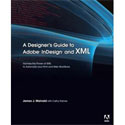
This book does a great job demystifying the techniques of creating attractive documents with InDesign using content encoded in XML. It starts with the most basic definition of XML, with many examples of source code.
Adobe Type Library: Reference Book – Review
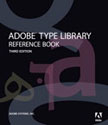
Larry looks at the printed catalog of the contents of the Adobe Font Folio CD, and definitive reference guide to Adobe font technology. Is it worth owning at $45? Read the review to find out.
Total Leopard Superguide ebook
Review
There may still be some cat lovers (Tiger, Puma, Cheetah, or Panther) among us who still don’t know what Leopard has to offer. If you are one of them, or are just looking for a short, readable collection of whys, wherefores, hints, tips, and tricks about Leopard, Macworld’s Total Leopard Superguide could be the publication you need.
Two Digital Photography Books Reviewed
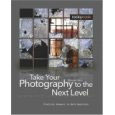
With so many people shooting with digital cameras these days, and discovering and renewing their interest in photography, it’s great to see publishers like Rocynook producing a such a fine line of books on the subject.
Mac OS X Leopard: The Missing Manual
Review
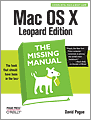
David Pogue’s latest endeavor, Mac OS X Leopard: The Missing Manual has built upon all of his previous versions and his experience in working with Macs. This is what should come in the box with your Mac. Everything you need to know or would like to know about Leopard is in this book.
Automator For Mac OS X 10.5 Leopard
Book Review
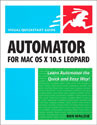
Automator For Mac OS X 10.5 Leopard covers all the basics plus a little more. If you have never cracked open Automator, it would probably be a good idea to simply follow one of my tutorials. Have no fear, testing out and playing around with the program will not break or crash your computer. You might discover just how useful Automator and other similar programs can be in saving your time and stress.
Dreamweaver CS 3: The Missing Manual
Review
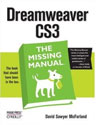
This book is billed as. “The book that should have been in the box.†Adobe would have needed a pretty large box to include this 995-page book that is jam packed with tips and tricks as well as over 140 pages of step-by-step tutorials.
Read MoreMac OS X Leopard Pocket Guide
Book Review
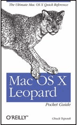
Like previous versions of Chuck Toporek’s Pocket OS X guides, Mac OS X Leopard Pocket Guide packs a lot of useful information into a compact format. If you travel a lot you might find yourself thinking of this little book as a handy security blanket.
Read MoreThe Artist’s Guide to GIMP Effects
Book Review
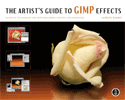
GIMP, or the GNU Image Manipulation Program to give it its proper name, is a graphics-editing program broadly similar to Adobe Photoshop in terms of functionality. The GIMP is an open source program that can be freely downloaded and installed on most computers, including maps. But on the downside it doesn’t come with a manual, so figuring out how to use GIMP can be tricky. Read the full review here.
Mac OS X 10.5 Leopard – Peachpit Learning Series
Book Review
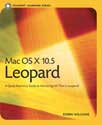
Whether you are an experienced Mac user, new to the Mac or just switching over from a PC, you won’t go wrong by getting renowned Mac author Robin Williams’ new book, Mac OS X 10.5 Leopar
Nighttime Digital Photography with Adobe Photoshop CS3
Review
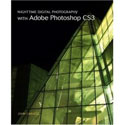
Kudos to Carucci for making it clear that nighttime photography isn’t just a fixit exercise using Photoshop: for best results, a photographer needs to do the right things with his camera before opening his files in Photoshop.