
The other day I was thinking about what iPod I would get if my 30gb 5th gen iPod broke. I don’t want a Touch.
Read MoreAuthor: Donny Yankellow
In addition to writing for MyMac.com since the Fall of 2005 he is an art teacher, freelance artist/illustrator, and is a father of one son. Donny is also the author/illustrator of several children's ebooks. Donny's degree is in Visual Communications and he hold certification in K-12 Art Education. His hobbies (besides Mac and Apple stuff) include soccer, animation, and reading anything written by Stephen King.
QuickSnap Review Revisited
Back in May I reviewed a screen capture utility by Fastforward Software called QuickSnap. At the time I gave the program a 3.5 out
Read MoreMacspiration: The First Fifty
Purchase the first fifty Macspiration articles in paperback form from Lulu.com.It’s packed with tips, tricks, downloads, Thumbn@ils cartoons, and more! Over 175 pages of
Read MoreApple is taking over my mind!
Just in time for Halloween, I think I’ve discovered Apple’s master plan. To make us all Apple zombies. That’s right, they flood us with
Read MoreRemember Dashcode?
I installed Leopard on my MacBook at work today, which went very smoothly. After installing I was looking for Dashcode in the Applications folder.
Read MoreWhat apps are on your computer and work under Leopard?
I keep seeing reports of applications that don’t work under Leopard. Why not make a list of apps that do work under Leopard? I’ll
Read MoreDoes anyone know how to print through an Airport Express through Windows Vista???
I’ve been searching high and low for a solution to the problem below. I’ve asked the MyMac.com staff, I’ve posted and search Apple’s discussions,
Read MoreMacspiration Quicktip: Optical Zoom vs Digital Zoom
As you shop this Friday, and the rest of the holiday season, here’s something to keep in mind if you are camera shopping. This
Read MoreLogMeIn goes 1.0
Back in June I blogged about LogMeIn and internet based option for remotely connecting to your Mac, or others. (https://www.mymac.com/showarticle.php?do=something&id=2058) It is really easy
Read MoreI just tried HULU.com and…
I missed an episode of Journeyman last night, and I didn’t record. I could have bought it in iTunes (yes, it is still available),
Read MoreSonic on your iPod?
First there were simple games on the iPod like Brick and Solitaire. Then Apple started selling more complex games like Tetris and Pac-Man. These
Read MoreWhat do you backup with Time Machine?
I’m getting ready to install Leopard on my iMac, and one of the features I am looking forward to is Time Machine. I know
Read MoreI Am A Peggle Master!
After my blog about about Sonic the Hedgehog for the iPod, and my brief mention of Peggle for the iPod, I was contacted by
Read MoreIt is that time of year…
I haven’t seen too many Macworld prediction lists on the web yet. Sure, I’ve seen the predictions of a new laptop, iTunes rentals, and
Read MoreMacspiration 105 Follow-Up
I just learned of a program that will customize the icons of your stacks. It is called “Stacks In Da Place.” http://www.eagle-of-liberty.com Best of
Read MoreThumbn@ils 41
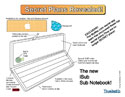
Thumbn@ils returns with a MyMac.com EXCLUSIVE!
The MyMac.com secret spy team has uncovered these topsecret plans. They are no longer SECRET plans!
Painter Essentials 4
Review
 Painter Essentials is to Painter what Photoshop Elements is to Photoshop. It is what I would call the “slimmed†down version of Painter, but still fully usable. Just like Painter, Essentials is a natural media painting program that allows the user to paint and draw on the computer with tools he/she might use in “real life.†Also, like Painter X (which I reviewed earlier this year), Painter Essentials 4 is packed with great new features.
Macspiration 102
iPhoto CD Automator Action

I recently blogged about a missing feature from iPhoto which lets you burn a CD of photos that is not in iPhoto format, but instead a CD of JPG images that any computer can read and that you could take to the store for developing in a photo machine. Right after I posted that blog, I discovered a way to create an Automator action to do this for you.
Pixelmator
Review

If you are a regular reader of Mac websites and a listener to different Mac podcasts, you’ve probably heard of Pixelmator. Pixelmator is a new image editing program by Saulius and Aidas Dailde – two brothers that make up the Pixelmator Team. I’ve had the opportunity to try out Pixelmator for a while now (I was allowed to try the beta version), and if you are looking for an inexpensive image editor, Pixelmator is worth a try.
Macspiration 101
DVD Bookmarking

Recently, I wanted to show one of my classes a few sections of a DVD. The DVD was not broken into chapters, so I could not count of skipping through the video with them. After searching the menus in Apple’s DVD Player, I discovered Bookmarks.