The Great Computer Disaster – Episode 2

On August 30, 2004, in Uncategorized, by Carmel Glover

The Great Computer Disaster

Episode 2

10.30 am

It’s time to call in expert help in the form of friend and computer technician, Robbie Dunn. We helped Robbie recently with some wording for an ad ("Is there a ghost in your machine? Exorcisms Dunn.) The CW also designed a business card for him, so we figure he owes us.

Robbie discovers the G3 has defective RAM.

Diversion

Around this time I discover that HWKN has arranged for our neighbour to cart away to the dump the remains of a beautiful old post and rail fence – despite my previous insistence that we either give it away to someone appreciative, or use it ourselves for some creative purpose.

That inexplicable calm I spoke of earlier disappears in a fraction of a flash.

Heedless of what the neighbour thinks, I throw one of my rare (truly!) but spectacular tantrums, then stamp off shouting, "Do what you bloody well like!" I say a lot else too, but you don’t need to know about that.

When I’m angry, I attend to chores … clean ovens, scrub floors – stuff I don’t usually bother about.

This time I decide to attack the ironing basket, which is piled 3 times its height with clothes awaiting attention. I throw out a third, put another third away for next winter, and start ironing T-shirts for heaven’s sake! (I put things into categories when I’m angry too.)

I’m seriously considering husbandicide as an option, and make sure I don’t iron any of his stuff while I’m making up my mind.

The fence was just the last straw, of course. What’s really getting to me is all that ‘man knows better’ stuff.

I’m thinking about that RAM.

You see, when the G3 first fell sick, after HWKN installed extra RAM and the 2 HDs (all obtained from a fast-talking wheeler-dealer), I said, "I think it’s a memory problem. I bet it’s defective RAM." My pleas to get it checked went ignored because he reckoned it was a software problem.

Meanwhile …

I’m suffering from Internet withdrawal. And I’m thinking of all the work that’s piling up. And I’m getting angrier. Any moment now I’ll probably start cleaning the mildew off the verandah rails.

And still I haven’t said, "I told you so."

Eighteen months later

There’s a more or less happy ending to this story.

I vetoed the whole ‘everybody uses the G4 plan’ and, despite protests from the guys, I insisted we return to the previous status quo, with my G3 (minus the defective RAM) in working order. Robbie was able to get both Macs up and running, bless him and relative peace returned to the household.

Since then, I’ve replaced the G3 with a nice G4/1Gb, HWKN bought himself a used Powerbook (which sparked another battle after he asked the CW to help him set it up on our network), and the CW has finally moved out to a place of his own.

Things have been nice and quiet around here … all a bit dull really.


The Great Computer Disaster – Episode 1

On August 27, 2004, in Uncategorized, by Carmel Glover

The Great Computer Disaster

Episode 1

It’s Sunday, 1.30 am. My husband and I have just returned from a party. My son, the Computer Whizz (CW), has our two Macs open on neighbouring tables, their guts spilled in anything but reassuring disarray.

He wants my husband (He Who Knows Nothing [HWKN], according to the CW) to help him by removing one of the hard disks from my G3. HWKN recognises the note of panic in the CW’s voice and, overcome by fatherly love, he stays up to help.

I have serious doubts about the wisdom of this. The CW and HWKN have never to date been able to work amicably together on anything. A tiny voice of wisdom tells me to keep out of it. I retire to the bedroom and, as I fall asleep, I hear the two of them arguing, voices rising to levels which indicate they’re losing it. There’s at least an even chance one of them will be dead by morning. I say a silent prayer that the survivor will be the one who can put the bits back together in the proper order.

8.30 am

I’m usually up by 6.30, even on Sundays, even after parties. That inner voice of wisdom must have been telling me to conserve my energy.

My husband is already awake but still in bed. “I suppose,” I say, wondering why he’s hugging me in a sort of comforting way, “that I can get on my computer to check my email.”

The comforting hug tightens. “Er – no,” HWKN replies, “neither of the computers will start. we stayed up till 3.30. Don’t be hard on him … I just hope he hasn’t damaged his computer.”

‘His’ computer is a G4, and more important than my G3 I suppose.

Flashback
(NOTE: None of the following was my idea. Not only was it not my idea, I specifically and emphatically expressed the opinion that it was not a very GOOD idea. But who takes any notice of me.)

My G3 hadn’t been very well, and numerous attempts to fix it had been only moderately successful. The plan was to move one of the HDs in my G3 (the one containing all my data, apps and settings) into the CW’s G4. This would benefit all, I was told. We could all use the G4, which would be set up on my computer table instead of in the CW’s room behind a barricade of dirty clothes, assorted musical devices, and a collection of wrappers from every candy bar he’s ever eaten. HWKN would use the G4 during the day while I was at work and the CW slept. I would use it in the evenings and before leaving for work. And the CW would use it after I went to bed. HWKN and I would gain access to a faster, more glamorous machine until such time as we decided which Mac to buy next and conjured up a way to finance it, while the CW would have the use of our Internet connection, scanner, colour printer, zip drive, and various other essentials he passed over in his eagerness to have the latest and greatest Mac on the market.

It all sounded feasible – attractive even – but I was wary. I knew my son. I feared the gains in faster technology and visual splendour would be wiped out by loss of control over my work space.

I also didn’t believe the operation would run smoothly. I was accused of being negative.

8.45 am

HWKN is now planting little kisses on my neck. I refuse to be distracted.

I don’t cry. I don’t shout. I don’t even say “I told you so.” I am uncharacteristically and inexplicably calm.

I consider going back to sleep in the hopes I’ll awake later and find it was all a bad dream. Instead, I get out of bed to let the cat out. Kasha is Siamese, so her voice is less easily ignored than the average cat’s.

9.00 am

I’m sitting on the verandah eating pawpaw (‘papaya’ to those who know no better). It’s a lovely pawpaw. We grew it ourselves. Perhaps that’s a bit of an overstatement – it grew out of the improperly tended compost heap where we bury our vegie scraps under occasional lawn clippings. The possums love the compost heap, but they can’t eat all the pawpaw seeds. Anyway, as I was saying, it’s a lovely pawpaw.

Next I wander around the garden, seeing things I’ve never seen before. I suspect they’ve never been there before, but I could be wrong. I do spend a lot of time indoors at the computer. I decide I should be leading a more balanced life. Perhaps I should buy a Powerbook.

9.30 am

The CW has awoken. I steel myself against the trials to come.

The CW is distraught and looking for someone to blame – which isn’t easy as he direct the whole disaster himself. He has the sense to realise he’d better be nice to innocent bystanders in case he needs their help. Perhaps he’s growing up at last.

I suggest he tries to restart the G4, reminding him of another time when it seemingly died, only to awaken the next morning as if from a deep, refreshing sleep. His eyes light with a tiny glimmer of hope. He hits the start button and is rewarded by the familiar chime, but our whoops of jubilation are interrupted by a funny choking noise on the end of the chime.

“That’s a stuffed up sound,” says the CW, speaking my language.

To be continued.


On the Causes and Reasons of Why SETI Sucks so Much

On August 27, 2004, in Uncategorized, by Chris Seibold

SETI (Search for Extra Terrestrial Intelligence) is a more contentious issue than many people realize. Sure for most folks it’s just an innocuous screensaver, for the more hardcore it’s a “buy a dedicated machine to pump the units up” deal. But some, myself included, view SETI as a terrible waste of time and resources. Most people object on grounds that we are supposedly alone in the universe. I do not share in that objection; my objections are purely pragmatic and argued below.

The logical beginning point for a discussion of SETI is the previously mentioned chances of life existing elsewhere. Here we see the beginnings of trouble, since no one knows precisely how life began it’s very difficult to place a probability on life existing elsewhere. Many argue that life arising purely by chance is so infinitesimally small as to be nearly impossible. They will tell you that all the constants of the universe must be just so, a little more gravity: the universe collapses upon its self. A small change in the fine structure constant and the universe is unsuitable for life. As compelling as these arguments may be they are not germane to the discussion, few would argue that the universe in incapable of supporting life. (For the record the argument is folly: how many chances does a habitable universe get to form? Obviously enough).

Of more import to the topic at hand are the chances of life forming in a hospitable universe. The easy way out of this conundrum is to say that if it happened on earth it could happen elsewhere. The Urey Miller experiments that resulted in precursors to life add some credibility to this argument but, it must be said, no one has actually created life in the laboratory. The arguments against life occurring usually use probabilities, for example: a random collection of peptides assembling by chance that could reproduce has been calculated at one chance in 10^41 . This is a number so fantastically small that it is more likely that you will win the lottery, be bitten by a shark, and struck by lightning all at the same time …. IN NEBRASKA. And that series of events would be a commonplace occurrence in comparison. Of course that argument rings hollow, it assumes a complete randomness of molecules floating around with no other factors acting. Of course other disagree, if conditions are even slightly favorable, some argue, life will unfailingly arise. John Joe McFadden provides a quantum mechanical argument for such a view and Tim Thompson has opined that life is a thermodynamic consequence. The truth probably lies somewhere in the middle of these two extremes . In any event for our purposes let us consider life as a given. That gets rid of the pesky issue of the chances of life existing elsewhere. We’ll assume it does…in abundance .

At this point it is necessary to question one of SETI’s goals: Finding intelligent life. One can easily argue that finding any life at all is just as earth shattering (so to speak) as finding “advanced” organisms. Homo Sapiens are a successful organism, the most successful large sized (relatively speaking) animal on planet earth. It would be helpful to realize that, as successful as we are, we are but a small insignificant branch on the evolutionary tree. The reason for this is because the earth is ruled by microscopic organisms, you owe your continued daily existence to them. Sure they’re not cool to look at in zoos, and they’re not tasty but the disinterest does not change the fact: Earth is a planet overwhelmingly populated by the very tiny. Which leads us to the question: Is finding intelligent life important? No, finding life is important. Finding alien bacteria will be just as revealing as finding aliens playing Peasant’s Quest.

Let us remember that the acronym that is SETI includes the word “intelligence.” So the previous argument is not really applicable, life in general, falls outsides SETI’s scope. So SETI requires not only life it requires sentient life, and this an issue. When we look at evolution on our own planet we don’t see a bunch of super rapid speciation. Rather what we see is a slow transition from the parent species to the child species. Evolution is not measured in lifetimes but rather eras. So we must now address the issue of another livable planet evolving sentient life. The general argument against other planets evolving sentient is as follows: Earth is specifically suited to producing sentient life, it’s got a moon, salt and fresh water, hot and cold places, fairly frequent extinction events, etc. All these factors, so the argument goes, are a must for sentient life. Of course these arguments lack imagination. One could just as easily imagine a Koala bear saying: “Australia, a one of kind place, without these eucalyptus leaves no decent koala life would exist” Of course we would laugh at the koala, cause they look funny and all. The koala is still mistaken, no matter how cute: organisms adapt to the environment, not the other way around (it could be argued that humans are now adapting the environment to their whims but we’re going stay on topic). It’s just a bit of human hubris,

We now find ourselves in a universe with lots of hospitable planets and plenty of sentient life. So it’s a no-brainer, we should definitely look for alien life. This is where the wiggle room exits stage left. We need to take into account the tools we will be using to find the alien life. If they’re not fit for the job then the job probably shouldn’t have been started. So what do we have for tools? We’ve got radio telescopes and millions of PC’s crunching numbers. The theory is that if you stumble over a radio signal of obviously non-natural origins then you’ve found aliens. Here you’re looking for a repeating signal, perhaps a string of prime numbers or a radio show (“And now another looooong block of rock”). Which seems fairly straightforward but is in actuality much more complicated than most people realize.

How can such a simple concept become so complicated? Well, the universe is full of electro magnetic radiation. The sun bombards the earth with EM radiation known as “light” daily (most places anyway, sorry Portland). Of course light wouldn’t interfere with the signals SETI wants but other natural forms of EM radiation swarm through space. For example if you tune your TV to a station of pure static (for this experiment cancel your satellite subscription) and about one percent of the static is leftover from the big bang . And that’s only one example, point being it is not as simple as tuning a radio dial until one finds a nice clear transmission of ads for used hovercraft. SETI researchers are crafty types and employ various methods to get around this obstacle (hey, they’ve got more P.h.D.’s than some countries) but each workaround pays a price. Surveys that scan many frequencies lose clarity, survey’s that scan the “water hole ” are limited (thus relying on the aliens willingness to be found). It’s a tricky issue, one that is not yet fully resolved. So even with a vast array of telescopes collecting vast amounts of data finding a signal is will be about as much luck as dogged determination.

Of course that assumes there is a signal to be found. This is not a given though it is a fundamental tenet of SETI. The rationale seems to be that since we use radio (cheap, easy way of communicating) intelligent extra terrestrials will also use radio. There are major problems with this thinking: We’ve only been using radio since the thirties so if aliens were looking for us they’d be out of luck. (Well they’d be out of luck if they were farther away than 80 ly that they almost certainly are). This illustrates a big problem with SETI, you don’t just have to look you have to look in the right spectrum at the right time. To soon and aliens haven’t used radio, too late and the civilization is already gone.

Well that is a bit over simplified. It is now necessary to consider not only the level of advancement of the aliens (advanced enough to use radio) but also the backwardness, if you will, of said civilization. See if the aliens are more advanced than us (seems likely) they might have found better alternatives for dissemination of information and reality TV. Here some will argue that surely the aliens will spew some sort of EM ejecta and these will be detectable. This is not a certainty, we are already seeing concerns over WiFi and AM radio , it is not too much of a stretch to think that in the future all EM emissions will go the way of lead paint . So the problem is compounded. It may not be enough to be a civilization that is advanced enough to use radio, it is also possible that the civilization must be sufficiently unadvanced to still use radio. When one looks at the situation from this perspective one begins to wonder if we’re looking for aliens or just copies of ourselves.

This is surely the death knell for SETI, it’s becoming just too unlikely for a useable signal to be found. Not so fast my friend (hey, college football is nearly here). Earlier the allowance was placed that the universe was teeming with sentient life. Since the universe is very big (how big you ask? it’s everything) there are many opportunities for sentient life. So many that at there will be plenty of planets with plenty of civilizations of just the right level of technological advancement. Well that’s making it a trivial problem. Here we could use the Drake equation in ways it was never meant to be used and calculate the chances of life existing in a certain radius but that would be counter productive, we will allow relatively close aliens with the correct technology.

Thus far the objections have all dealt with the difficulty of life existing necessary difficulty of finding evidence of said life. Those objections have all been dismissed by using SETI friendly, though valid, reasons. Of course criticisms of SETI don’t stop there. There is the objection of the horrible waste if we find nothing. Finding nothing is a likely result and not only because life doesn’t exist but because we are looking in the wrong place and wrong time (or in the wrong area of the spectrum, etc, etc). People complain that all those computer cycles and all those hours on radio telescopes will be wasted. One of these is a valid complaint, time on radio telescopes is a competitive thing, and time taken for SETI projects is time that was not used for more productive scanning. The argument that the donated computer cycles were wasted seems a bit specious, those computers weren’t doing anything anyway . So now we must deal with the objection that if we find nothing we have wasted a lot of time and resources. To dismiss this argument we’ll need to first consider the null result. The null result is when you find absolutely nothing and it can be very scientifically enlightening. Consider the Michelson Morley experiment to measure the drift of the super luminous ether . That particular null result shook physics. Most null results aren’t nearly so interesting, Higgs Boson anyone? But nearly always they add a bit to scientific knowledge even if that bit is how not to perform the experiment in the future. A null result of the SETI experiment is no different in this respect, the null result will just take much longer (or perhaps an eternity). Here we are left with the nagging question: Is the effort of SETI worth the (probable) chance of a null result? The answer, for scientific purposes, is a resounding yes. The point of experimentation is to gather data, even null results. As unappealing as it sounds uninteresting experiments are necessary part of scientific investigation. In a scientific sense a null result SETI experiment is just as valid as finding aliens broadcasting on the moon, because if one knew what the result would be the experiment would not need to be performed .

Once the argument of the null result has been rejected we can surely, with confidence, say that SETI should proceed. Well not quite, we must question the utility of a positive result. If we actually discover Sentient Alien beings how does this benefit any utility to mankind? Some will argue that just the knowledge that we are not alone in the universe will be such an astoundingly profound discovery that it will shake the foundations of philosophy and reshape the political climate of the world. That particular discussion is better left to philosophers but I suspect the impact will be minimal (“I’ve misoverestimated my place in the Universe! Let’s get out of Iraq”). Others argue that we could communicate with the aliens and share technology. It as this point a bit of current scientific thought must come into play.

The idea that we may be able to communicate with aliens is nigh impossible given today’s technology. Let’s pick a SETI friendly distance for the discovery of an alien planet using radio and meeting all the other requirements. Arbitrarily we choose a distance of 500 ly. That’s not too far in comparison to the size of the known universe while certainly being a possible range. First thing we have to realize is whatever signal we get from that distance will be five hundred years old. That’s really dated information (if it were a message from an alternate earth we would learn that Columbus had just stumbled onto the Bahamas). So the information probably won’t have much to do with the current goings on of their society. Now we a forced to deal with the effects of relativity (keep you’re alien technology screams to a minimum for a moment. A message sent to a planet five hundred light years away, takes (surprise) five hundred years to get there. Five hundred for the reply to return so a thousand year round trip before we get the “first post” response. In this scenario we’re not going to be exchanging technology. Fortunately quantum mechanics comes to the rescue. While it’s a bit too complicated to get into here it turns out that if you could probably construct a device that gets around the “speed limit” using paired particles which have the interesting property of reacting instantaneously. That is to say if you have part a of a paired particle and perturb said half part b reacts without hesitation (for those interested in further reading on the subject try searching for quantum computing). So you could conceivably send a paired particle box to the alien home world, and, quantum mechanics being what they are, skip the whole speed of light limitation. So a real time conversation is no problem right? Well it’s not that easy, we still have to get the box to the alien planet. At this point most people will say that getting the box there will take five hundred years. It won’t. It will take much, much longer. The fastest man made object travels at roughly 20 km/s. That’s pretty damn fast, at that rate you could drive around the earth in slightly over one minute. ( Jon and Ponch aren’t gonna catch ya.) That’s not nearly fast enough for our project so let’s use the current max speed of 288,000 Km/h, well that’s the theoretical speed of an object sailing on the solar winds, so it’s not quite achievable yet. Still to slow, let’s assume that that increases in speed are not that tough and go with a mind bending top speed of 500,000 Km/h. As fast as that is it will still take an astounding, nearly incomprehensible: 1.08 million years. You’re not gonna see it, your kids won’t see it, your kids kids kids won’t see it. About the only thing you can say with certainty is that your first relative to see it won’t have wisdom teeth . Note that Homo Sapiens, us, haven’t existed for a fifth that long.

With that said we must jump into the realms of pseudoscience and unsupported belief. SETI supporters will strongly argue that anyone we make contact with will likely be much more advanced. They further argue that it is likely that they have found ways around the “speed limit” of the universe. Let us grant that that is a likely scenario. Let us admit that the aliens possess some super bitching faster than light travel stuff, perhaps really resilient rubber bands. We will hand wave away the experimentally verified aspects of relativity by assuming that while relativity holds at the scale we measure it is also woefully incomplete (after all paired particles violate relativity with reckless abandon). With those objections obviated we can now engage in unsupported conjecture. The first question when dealing with advanced aliens with uber cool technology is: Shouldn’t we let them find us? After all, they are the ones with the physics bending technology that is currently unavailable to mankind. So it might be wise to broadcast an unmistakable signal so the aliens will find the earth. Sure we’re spewing all kinds of radio waves into space but what we really need is a super awesome multi format alien attractor: High powered lasers coupled with over powered radio transmitters scattered in geo synchronous orbit so the earth resembles not so much a planet but a giant disco ball. The likelihood of attracting alien interest seems just as likely as actually finding a signal if not more so. If the earth is broadcasting a constant signal of “Come for the music stay for the beer” message then the really advanced non-radio using civilizations can find us.

That assumes, predictably, that we want the aliens to find us. One of the basic tenets of SETI is that any alien civilization contacted will be sufficiently advanced enough as to be peaceful. The question, of course, is: Is there any reason to believe that statement to be true? It has been suggested that alien life might be unencumbered by such petty concerns as politics and thus have been freed from mundane pursuits in some kind of unfamiliar technological nirvana. Is this likely? Here we only have human history as a guide , and history is not very favorable to that line of reasoning. It has been demonstrated that war, trade, and politics all favorably influence the adoption of new technologies. Naturally adoption of new technologies leads to further refinements, which in turn, furthers new technology. The tired of example of the Chinese developing gun powder but using it mainly for fireworks is applicable . Canons and muzzleloaders wouldn’t have been much of a leap but with threatening nations at a minimum and a monolithic leadership there was no incentive to develop the new technology as devastating weaponry. With this in mind we might be well served to wonder if we really want aliens to find us at all. Perhaps their society is ancient enough for peaceful advanced technological achievement but just as likely is that the technology was bred of war. It’s just as easy to conceive of light speed friendly aliens as aliens looking for someone else’s ass to kick. (Now the tinfoil hat crowd might argue that aliens are already among us. I will leave it to the reader to divine just what a colossal waste SETI is if that is true. Suffice it to say the fine people running SETI do not feel similarly.) As scary as the idea is that aliens might swoop out of the sky and start bashing everyone with folding chairs it’s also an extremely remote possibility. As far as we can tell with today’s technology interstellar travel will be at least a massive undertaking if not completely impossible, so let us not reject SETI on the grounds of fear.

Let the final nail in the coffin of SETI be one of resources. No, the argument will not be a question of strip mining the coal to power the plants that run computers. That argument would be asinine. Rather the argument should focus on the best use of resources. While investigation for the sake of investigation is noble, the superconducting supercollider was a sad loss indeed, the opportunity cost must be considered. Unfortunately, or necessarily, depending on your point of view we do not live in a world with limitless resources. All research decisions must be undertaken with an eye towards the competing projects. And this is the ultimate failure of SETI. When we discussed the null result earlier it was couched in purely scientific terms. In the real world, full of the unpleasantness of dogs slaughtered by cars and unwanted children, the null result must be more carefully considered and the benefits to science and society must be factored. Once one realizes that other distributed computing programs offer more likely, tangible, enlightening and useful results (try folding@home) rejecting SETI becomes a trivial decision.

At this point the intolerant self-righteous types will start to scream. They will opine that it is tantamount to cowardice not to fully support SETI however improbable or non-utile a positive result may be. They will wonder loudly about the state of the world if everyone shared this attitude. They will shriek “What if Columbus bought into the current wisdom and didn’t think the world was round?” (ask the American Indian) what if the Wright brothers thought mechanical flight was impossible per the current wisdom of the day? Where would we be now? It is only too easy to dismiss these arguments as mere uniformed ratings but let us avoid that temptation. We will note in both of those scenarios there was a strong economic motivation coupled with a legitimate tangible and probable benefit. SETI lacks all of these motivating factors. SETI is, in essence, looking for the sake of looking. A noble idea but one that possesses little real value.

To summarize: SETI is extremely speculative with results of very questionable utility. Every radio telescope using SETI, every scientist working on SETI, every dollar spent on SETI, every computer donating spare cycles could be used for something with a more useful and likely goal. And that is the biggest reason not to use SETI.

For a list of poorly formatted footnotes send an inquiry to cks@mymac.com. The above borrows heavily from John Joe Mcfaddens “Quantum Evolution”, Where Does the Weirdness Go?” by David Lindley. “Physics for Scientists and Engineers” by a bunch of folks, “A Short History of Everything” By Bill Bryson, “The New Physics” edited by Paul Davies and various websites. All the books are well worth the investment of both money and time.


Monitors for the Rest of Us

On August 26, 2004, in Uncategorized, by Bruce Black

Monitors for the Rest of Us.

Ok folks, gather up your flame throwers, and start boiling the oil. I’m about to to say some things which will certainly cheese off some of you. Let me explain some some things first: I consider myself to be a hard-core Mac user, and I don’t apologize for this. You shouldn’t either. Now, here at home, I proudly use my TiBook, sitting up on its Griffin iCurve stand. I run it just like a full size desktop, with an Apple keyboard and cordless mouse. All fine and dandy, yes? Hey, it works for me. But on the job? My main machine is a Sawtooth G4, with a Dell seventeen-inch LCD monitor connected to it. And you know something? I like it just fine.

Now, I’m just a technician, and under the hierarchy, I don’t have the purchasing power of an engineer or scientist. No, I have to make do with hand-me-down stuff. I grabbed this seventeen-inch Dell monitor as soon as it became available, thankfully getting rid of a big, noisy Sony CRT monitor that was nineteen-inches, heavy, and just plain huge. I think my worktable was groaning under the weight. So, the clarity of this LCD monitor is nice, and the color is suburb. It boasts a much nicer selection of resolution choices, although I generally just leave it at 1280 x 1024. And I’ve noticed something else: Lots of people at my place of business and elsewhere are using their Macs with LCD monitors from the likes of Dell, Sony, Samsung, and ViewSonic.

There is nothing wrong with Apple monitors at all. They are made for some of Apple’s favorite customers, including graphic artists, moviemakers, and professional photographers. As far as price, well they are a little steep. (I know, you could make that statement about Macs in general, but that’s another subject, which I won’t address today.) For the modern world, you want an LCD monitor of at least seventeen-inches. (CRT monitors are clearly on the way out. Does everyone agree?)

The Apple store lists the seventeen-inch Apple studio display at a price of $699.00. Not too bad, I guess. Hmm, but wait a minute, Dell lists their nineteen inch ultra sharp at $611.10. And that one rides up and down on its pedestal, giving you a nice height adjustment. The twenty-inch Dell Ultrasharp is shown for $809.10. Another case of “Hmmm”. Interestingly enough, Dell lists a very nice ViewSonic, model VG900b, for $620.96. It measures nineteen inches. I’ve worked with ViewSonic products before, and they seem to put out a good monitor. So right now, if I had just purchased a new G4 or G5 tower, the ViewSonic is one model I would definitely consider.

Another company that recently entered the computer monitor market is Sharp. Now, I like Sharp’s product line. Everything they make, from microwave ovens, to their pricey line of Aquos flat-panel televisions, is well designed, thought out, and manufactured. Their model LL-T19D1 nineteen-inch monitor lists at $749.00, when purchased directly from Sharp. Major houses such as PC connection probably sell it for a lower price. This is another model that would make my short list. I have been told that Sharp manufactures their products themselves, as opposed to contracting out. If this is so, I say good for them.

Some of you may be screaming “Traitor!” at this point. No, just someone who knows what works for him. The new Apple twenty-inch monitor is presently listed at the store for $1299.00. It’s a dandy monitor, very well designed, along with the twenty three-inch model, listing for $1,999.00. Ouch! Of course, if your name is Steven Speilberg or George Lucas, you no doubt own the ultimate, that being the new Apple thirty inch monitor ($3,299.00 ). Awesome, it is! (In my best Yoda voice) Oh, don’t forget the Nvidia Geoforce 6800 Ultra DDL graphics card, which this monitor requires. It lists at the Apple store for $599.00. As I said, if you happen to be Steven or George, you surely own these already. Heck, you probably own several.

But what if you are not Steven, or George, or a graphic artist? What if you are not a professional photographer or someone who designs magazine layouts? Apple’s monitors are great for all of these people, probably the finest. But for the rest of us? No, I neither need or want a monitor that expensive, which has features I will not need or use. All I would want is a simple, no-nonsense nineteen or twenty inch LCD. The closest I come to intense graphics is painting up some alien landscapes with Bryce. I’m not very good at it, but it sure is a great wintertime activity.

So, do I think that Apple should introduce a line of lower cost monitors, in standard nineteen inch, and twenty-inch sizes? No, of course not. Apple should keep doing that it’s doing. The market for good, less expensive LCD monitors is already well served by all the companies I’ve mentioned, and lots of others.

If you’re a graphics pro, magazine layout person, or a George Lucas Wannabe, by all means, buy that Apple monitor, and knock yourself out. But, if you’re one of “the rest of us” consider a monitor from another company. It won’t hurt, and it doesn’t make you “anti-Mac” in any way.

Are those villagers with torches I see, running around my apartment complex?


Take Control of Buying a Mac
by Adam Engst
TidBITS Electronic Publishing
$5.00 US for online download (includes free updates)
72 page Acrobat PDF file

Think of each Take Control title as a long chapter in a very large book being published one unit at a time in $5.00 increments. I spent an hour reading Take Control of Buying a Mac last night, and I am $100 smarter because of it.

Adam Engst loads his digital book with a lifetime of buying experience and wisdom, including tables, tips, and testimonials. URLs from recommended web sites will alone be worth the entire tiny price of this single-subject booklet, as is the well-researched timetable of recommended months each year for optimum purchase value of a new Macintosh.

As Adam Tells MyMac.com:

I’d encourage people to take a look in particular at the history of Macintosh releases over the last five years. The question that always follows “What Mac should I buy?” is “So when is Apple going to release new models?” By figuring out Apple’s historical trends, applying some knowledge of Mac market events and forces, and viewing it all through the lens of how Mac models are updated throughout their lifespan, I was able to come up with solid rules of thumb for exactly when (within a month or two) you should buy. Of course, it depends on whether you’re aiming for the highest performance boost right away, the longest overall lifespan, or the lowest price, but that’s all taken into account in my buying rules. This is the kind of thing I’ve long understood at a gut level, but now I have hard data to back it up.

Book Bytes has long been an admirer of Adam Engst’s skill at analysis and presentation, and we continue to urge our readers to keep current with everything free at TidBITS. Tonya, the series publisher, and Adam take TidBITS to the next level with their Take Control series.

Every week I am asked “Hey, Nemo, which new or used Mac should I buy, where should I get it, and what should I do with my old klunker?” My answers are consistent with Adam’s, meaning now I can deliver, for a mere $5.00, time-tested advice in Take Control of Buying a Mac that will make sense to all experienced Macintoshers and many newcomers.

Tonya Elaborates, via email:

Last spring, when Adam was just completing his first draft, he accompanied me to an outdoor concert and spent the evening hanging out with me, my parents, and a number of my parents friends. No sooner had the introductions been made than one of the friends asked Adam which Macintosh he ought to buy. Instead of the usual half-hour conversation, complete with URLs scribbled on business cards and promises of future assistance, Adam asked a few questions and then offered to supply the friend with a printed draft of the book. The draft was delivered the next evening, much to everyone’s delight.

Not thinking currently about replacing your PowerBook or iMac or G4 or MacWhatever? So much the better, to study this digital download delight without any immediacy or pressure. Book Bytes takes our numbered recommendations seriously, so you can be sure we mean it when we award Take Control of Buying a Mac our highest rating of 5 out of 5. Keep ‘em coming, Adam and Tonya!


Nemo Memo: Why Does AOL Still Exist?

On August 23, 2004, in Uncategorized, by John Nemerovski


Nemo Memo: Why Does AOL Still Exist?

I have been using America Online for OS X since it was introduced. For routine email, chat, and typical AOL content, this new version of the software is fine. It’s different than concurrent updated releases for Windows, but subscribers can switch computers or platforms and soon be comfortable with any dissimilarities. The same can be said for going back and forth between Mac AOL 5 for OS 9 and earlier, and the other newer editions.

Most readers are wondering why AOL still exists, especially for people experienced on the Internet. “Why not use a real ISP, Nemo,” they (or you) are asking, since America Online is so late-1980s, or early-1990s? “In this post-Y2K environment, get with the program, John: Apple Mail, Safari browser, iChat, and the rest.”

In my daytime job as a “personal trainer” computer tutor for individuals and small businesses, many of my clients are satisfied with AOL. They range from prehistoric Windozers and Macintoshers through leading-edge evangelists. America Online continues to serve them all effectively.

Broadband ISP users can now take advantage of a special six-months at $10 per month phone-in promotion. This BYOA (bring your own access) plan then reverts to $15.00 BYOA, saving subscribers $30 total and encouraging them to run AOL “on top of” a cable modem or DSL service via TCP/IP high speed login. I’m in this plan, and it works perfectly. Fifteen hours of “roaming” or dialup connectivity is included per month, which is more than enough to retrieve your email from a hotel room or similar non-broadband telephone line.

AOL for Mac OS X has a slow, cluttered Welcome screen that contains dozens of clickable links and channels, plus a substantial set of menu items. Altogether it’s more similar than different from pre-X editions, in spite of the visual confusion.

There are two serious bugs in the AOL X application that drive me bananas:

• When I attempt to Keep As New a quantity of incoming email messages I have read, if I select more than a couple to retain, my entire computer freezes. Force Quit and Restart are required to resume.

• AOL’s new fancy Welcome Screen is so loaded with garbage that I could grow a beard while all the on-screen thingamabobs are loading after high-speed login.

Once I accept those two bloopers, how else is my AOL eXperience? Okay! But wait, there are more important considerations, if you were waiting for a zinger.

• SPAM FOLDER

America Online’s new server-based spam filtering is powerful and robust, but not completely accurate. On average, once per day an important non-spam innocent message gets dumped into my Spam Folder (KEYWORD: spam folder) and I have to locate and retrieve it manually. This is B-A-D, but now that I’m used to it, only a minute per day is required to reclaim my otherwise lost message(s).

• PHONE TECH SUPPORT

If you’re waiting for criticism, take a pass. AOL’s new domestic and foreign (think: India) phone techies answer promptly and spend as long on the phone as you need to work through any problems. My success rate is close to 90 percent helping clients with AOL difficulties using their live phone helpers. After years of being “America On Hold,” they are doing well in this category.

America Online for OS X continues to be a good choice for newbies and users who need frequent handholding, easily navigable interface, and who are not demanding of their Internet service. I’m talking about a lot of people you and I know, so thank goodness AOL is still here to serve us.

Its dialup network is stable and reasonably speedy most of the time in most locations, and TCP/IP “BYOA” access is a winner. When that call comes in the night from your cousin Earl, tell him to phone AOL Tech Support at (800) 827-6364, so you can go back to sleep.

I welcome your comments, wisecracks, and flames in our Article Discussion area below.


The Laptop Desk UltraLite – Review

On August 23, 2004, in Uncategorized, by Tim Robertson

The Laptop Desk UltraLite
Company: LapWorks
Price: $29.95
http://www.laptopdesk.net


For most of my computing time, I use a desktop G5 with a 23” monitor. A comfortable chair and a nice desk / work surface completes the picture, and I have spent way too much time sitting there. However, I also own a laptop that, quite frankly, I don’t use nearly enough to justify how much I spent for it. I actually enjoy typing on the laptop (a PowerBook G3 400Mhz, or Lombard if you will, as well as the wifes’ 15″ G4) more than I do Apple’s extended keyboard. I always find that my hands more easily type on the bronze keys more easily than the keyboard on my desk, and I like the tactile feel better.

So why don’t I use the PowerBook more often? In a word, heat! The PowerBooks gets HOT when in use. I don’t like to use the ‘Book on a desk, I like using it best when it is sitting on my lap in the kitchen. So to deal with the heat issue, I have used various books to keep the hot ‘Book off my tender lap. There are some things there I prefer not to get too hot, if you understand my meaning!

When the email came in one day for the new Laptop Desk UltraLite, I decided to contact the company for an evaluation unit and find out if it was a better solution than the books that were doing the lap-dance for me under the ‘Book.

In a word, yes, the Laptop Desk UltraLite (henceforth to be called LDU for the remainder of this review) works much better than a heavy, slippery book. Much better, actually!

The LDU is lightweight, coming in at 14.6 ounces. But don’t let the weight, or its thin design (5/16”) dissuade you, this is a touch little unit. And while not perfect, it does perform well, albeit better in some uses than others.

Made of a heat-polycarbonate plastic with built-in ventilation channels, the LCU is very sleek and attractive.

The LDU is actually two pieces of polycarbonate plastic that fit together with a hinge in the middle. This allows the unit to either remain completely flat on your lap, giving you the ability to use a mouse on your lap, or folded in half, giving the option of displaying your screen at an angle.

Laid flat, the LCU is 22” long by 11” wide, thus it will accommodate most laptops. In this configuration, the LCU overhangs the sides of your laptop on both sides, meaning that you can use a mouse on either the left of right side. Too may companies forget about lefties, and it is nice to see a unit accommodate both. Not many laptop stands allow mouse use, and this is a nice feature.

Folded in half, you don’t have the mouse area, but you will be able to set your laptop at an angle you like best. However, this is more suited for use when your laptop is on a work surface, not your lap. The simple adjustable hinge easily comes free whenever the unit is picked up, which is really annoying if the laptop is on your lap. A better solution would have been a way to lock the hinge at a desired angle, so that the unit does not either snap shut in your lap (happened a few times) or close on your fingers when picking it up. (Also happened a few times, ouch!)

Folded, the LCU is 11” X 11”.

Either folded or laid out flat, there are small rubber no-slip tabs to keep your laptop free from slipping.

In everyday use, I found that laid out flat, the LCU actually does transmit some heat to my lap. It keeps at least 80% of the heat away, but not all. Perhaps a thicker or better heat dissipation design would have been best. I cannot tell you how well it compares to other laptop stands of its kind, as this is the only one I have used, but the only time it kept my lap from getting warm was then used in the folded configuration. But then the problem of the hinge closing easily came in.

All in all, I like the Laptop Desk UltraLite, even with its few faults. It is prices very competitively, is attractive, and works fairly well.


MyMac.com Product rating: 3 out of 5


Weekend Archive – My Email Is Blushing

On August 21, 2004, in Uncategorized, by MyMac Administrator

It was the summer of ’97 and the Mac world was in turmoil. Everywhere we turned someone was pronouncing another death sentence on the world’s best-loved computer.

To celebrate the 50th issue of My Mac Magazine, Susan Howerter wrote this column back in June of 1999. Click here to read the entire article.


HP Photosmart R707 with R-Series Dock
Company: Hewlett-Packard
Price: $349.99 (Camera) $79.95 (Dock)
www.hp.com

The R707 is the third HP camera I have reviewed over the last year and it combines all the things I loved about the Photosmart 935 plus a plethora of goodness and new features has been added that have made this camera everything I’m looking for in a digital camera.

The R707 is a 5.1MP digital camera with a 24X zoom (3X optical, 8X digital) that delivers very good pictures with an intuitive interface and a small though slightly larger than pocket-sized design.

One of the things I dislike about many digital cameras is that while some have an LCD screen, many of them are too dark to use in bright sunshine. Not so with the 1.5-inch color LCD on the R707. It’s very bright and easy to use, even in broad daylight. The screen picture is also very crisp, and both live view and review are pleasing on the eye.

Historically, when you use the LCD on digital cameras, your battery life goes right out the window. My biggest complaint with the older Photosmart 935 was that it ate batteries like a newly minted Ethiopian millionaire in a McDonalds. Not so with the R707, thanks to its lithium-ion rechargeable battery. The battery is charged with the included power cable, but a better option is to buy the R-series dock, but more on that later.

The battery lasts a good long time, much longer than a couple AA or AAA batteries many other digital cameras use. And because it’s rechargeable, there’s no reoccurring battery purchases in your future. Always a good thing, unless you work for the Duracell company.

The R707 ships with built-in 32MB of memory, and that’s fine if your needs are only to take a few pictures at a time. Which means, of course, that your first purchase when buying this camera will be to pick up a larger SD or MMC card. SD cards do have faster access times (recording the picture) so look into a 256MB SD card. Well worth the investment.

Picture quality is very good, on par with the other top of the line 5.1MP cameras on the market today. Vibrant, true to life colors are a must with any camera purchase. I find that I have to do much less color correction using the R707 than other cameras I have used in the past.

While the R707 is a 5.1MP camera, you are able to set the quality to your desired setting. For instance, 5MP with five stars is the best quality setting. You can change it to 5MP with 2 stars, 3MP with two stars, 1MP with two stars, or VGA. Depending on your needs, being able to set the compression to a desired setting is essential in getting the most out of your photos. If all you’re doing is taking pictures to use on the web, 3MP is more than enough. If printing your photos on high-quality photo paper is your need, the highest 5MP setting will give you the best results. Just remember, the lower the MP setting, the more pictures you can take before the memory card is full.

The R707 gives you just about complete control over all the needed settings one could ask for in a digital camera. Need to change the shutter (ISO) speed? You have the option of ISO 100, 200, and 400 (for fast moving objects.) For those who use a camera often, you will understand how beneficial it is to be able to change the shutter speed. Many digital cameras do not give you this option, and it is essential to good picture taking.

Speaking of good picture taking, the R707 has a nifty feature in which you can ask the cameras advice on your pictures. The camera will examine the photo in question and offer helpful hints on how you can better improve your photo taking ability next time. I tried this quite a few times, and found the advice helpful, if not a little canned.

The R707 also allows you to remove redeye in the camera, before you transfer it to your computer. In real world tests, I found this feature worked remarkably well, though not without a few failures. Still, it’s a handy feature for those unfamiliar with the process to fix this on the computer.

On the downside, I found the built-in memory very, very slow. From taking one picture until the camera was ready to take another was twice as long as my three-year-old Kodak 3.1MP. And the speed does not improve when connecting the camera to the computer to transfer pictures. In the same time it took to send 25 photos from the R707, I transferred 77 photos from the Kodak. As I wrote above, upgrading to a larger capacity, faster SD memory card will improve this shortcoming dramatically.

The menu button is well placed, and I found navigating the onscreen menu options very simple and easy to understand. HP uses common terminology, which is not always the case with some manufacturers.

The form factor of the R707 should not be overlooked. With the brushed metallic and plastic look, this is an attractive camera. It is also small enough for me to fit into a pocket with little discomfort. It is by far not the smallest 5MP camera on the market, but it does fit nicely in my hand for one hand photo taking.

The R707 also has the ability to take video, acting like a mini-video cam. I understand more features sell products, but I found the video sub-par next to even a cheap digital camcorder. Still, this is a feature some users will make use of frequently. Unfortunately, you’ll have to pull the video out of the camera using HP’s software, unless you mount the memory card on your desktop and drag-and-drop copy. I’m not a big fan of HP’s Director software, as Apple iLife programs work much better.

How does the video hold up in real-world testing? Not well. Small, pixilated video is about all you can hope for here, which should be no surprise. I have yet to find a digital camera that takes really good video as well. Video also eats up your memory space very quickly.

If you need to shoot video, get a DV camcorder.

The R-Series Dock
Along with the R707, HP sent along their R-Series dock. This is a fine addition for anyone who owns or is thinking about purchasing any HP R-Series cameras. The dock allows you to transfer pictures from the camera to the computer, display slideshows on your television, recharge the battery in your camera, and it even ships with an additional battery that has its own charging slot.

The dock ships with a USB cable, extra battery, and a remote control for slideshows. Remarkably listed at only $79.99 US, the dock looks great on your desktop next to the metallic look of Apples recent hardware.

Besides looking nice, the dock will allow users to instantly share photos via HP’s Instant Share technology (Mac users have a better choice with iPhoto) and display pictures in the camera on your television. I found this a very nice feature, although one I have little use for.

Here are the specs:

5.1-megapixel resolution for photo-quality enlargements up to poster size
24x total zoom – 3x optical, 8x digital
32 MB internal storage memory
1.5-inch color, outdoor viewable LCD
USB connectivity (USB 2.0 compatible)
SD/MMC card slot
Direct-printing capability to HP USB-enabled Photosmart or select all-in-one printers
PictBridge support
Exif 2.2 support

Conclusions
I really enjoyed my time with the R707 and the dock. A great combination! Good quality photos from a solid, durable, attractive camera. I have to give this a 5 out of 5 MyMac.com rating!


Battery Technology — A Brief Discussion

On August 4, 2004, in Uncategorized, by John Nemerovski

I’m surprised at the difficulty and expense of replacing iPod batteries. Not yet owning an iPod, I have been learning how individual models of iPod require different batteries and replacement techniques. Why should they cost so much and be so hard to swap?

In my work as a private music teacher and computer tutor, a CD-Walkman style of player is more appropriate than an iPod, so far. Swapping discs is what I need to do throughout the day, so I’ll save my $$$ for an iPod to be purchased when the time is right.

After many visits to Best Buy, including exchanging and returning at least four defective CD/MP3 players from Audiophase and Panasonic, I now own and use an affordable Sony CD/MP3 player. It takes two AA batteries and accepts rechargeables. Priced at around $60, this Sony player comes with basic headphones and can play through my car stereo via a common $20 cassette adapter. Sound quality is excellent, and button controls are convenient.

Sony’s CD/MP3 portable uses the same rechargeable AA batteries as my Fuji FinePix 4700 digital still camera. I own ten batteries and one slow 24-hour charger, so four batteries are in constant service, and six are charged or being recharged. Very convenient, modular, flexible, inexpensive, and low-maintenance.

When you purchase a late model CD or CD/MP3 player, the package mentions an approximate number of hours the unit will play from a fresh set of throwaway AA decent-quality batteries. Numbers of hours such as 35 or 85 or similar are displayed prominently under the impenetrable plastic wrapping, and some players come with one set of batteries included in the factory packaging.

I thought these duration numbers were bogus, but now I understand what they represent. Different power-management technology is incorporated into different units, and the more you pay the more you can play on one charge or set of throwaways. Simple enough, and Apple does and says the same thing, more or less, each time a new iPod or laptop will run longer on a charge.

Digital cameras are unpredictable regarding consumption of battery power, because each set of images and playbacks is different than every other, depending upon zooming, flashing, transferring, and other variables. But CD/MP3 playback battery drain is predictable over a large group of users, allowing Sony and other reputable manufacturers to offer approximate numbers of hours between battery replacements or charges.

I am very impressed with the battery power situation on my particular Sony. With my most recently-charged, high-mileage AA duo, I played the Sony for many hours in Tucson before driving 1300 miles to San Francisco, using the player most of the way without a stutter. That was one month ago, and I’m still in San Fran on the next charge, albeit with not much usage since the long journey. You see my point, I’m sure.

Camera manufacturers can choose between AA and custom batteries. The former are cheap, flexible, ubiquitous, and reliable, but often not as long-lasting per charge as today’s expensive camera-specific batteries. Purchasers should take this aspect into consideration when deciding which digital still camera to buy, along with the other 999 factors that influence the choice.

Computer companies all use special batteries in their laptops. Modular, easily-swappable batteries are less common as portable computers become lighter and more powerful. We want our iBooks and PowerBooks (and Dells and Toshibas) to run forever on a charge while performing complex, demanding tasks without a whimper. Battery technology is advancing along with other hardware and software, all in the service of end-user convenience.

Laptop battery management is an arcane topic that few of us take seriously. Our portable Macs run so long and so efficiently using battery power that we take this technology for granted. When we’re near an electric outlet we plug in our power adapters, and when we’re away from electricity we use battery power. That’s not too tricky. Some of us understand how to get the most time out of every charge, but most of us don’t.

Look around you. Which gizmos are in service thanks to contemporary battery technology? Cellular phones! Palm and other handheld computers! Portable gaming devices! More! More! But no batteries = no contraption or device. Are batteries the “upstream” or “downstream” technology here? Think it over and offer your opinion below.

I’ll be reading your answer while I’m admiring the fog from the living room of the house we’re sitting, using battery power on my reliable clamshell blue and white original iBook and listening to a 700 minute MP3-CD on the Sony, awaiting a break in the fog for a digital photo of the Golden Gate Bridge. I’m still wondering why iPod batteries can’t be replaced as easily as those in my Sony player, iBook, or Fuji camera.


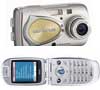
Camera Phone or Digital Camera?

On August 4, 2004, in Uncategorized, by Tim Robertson

Every time I turn on the television, it seems there is another company advertising a new Cell phone which double duties as a digital camera. Is this something you need in your life?

Digital cameras have changed the way we take pictures. Remember in the old days, about five years ago, when you had a 35MM film camera? You would take it to all the special events, such as a little league game, a wedding, on vacation, or anywhere you wanted to capture the moment. But being a film camera, you were choosy in your picture taking. You did not want to “waste” the film after all!

Digital cameras have changed all that. There is no film, and consequently, we become picture-taking maniacs. We take the camera everywhere, snapping pictures wherever we may be. With a large enough digital media card in the camera, say 128MB or more, the camera’s batteries would probably run dry before we fill the camera up. Besides, we can always delete the picture we don’t like on the fly.

But digital cameras are usually pricy and bulky. You can’t take it everywhere with you. But if your Cell phone were also a camera, you have the best of both worlds. Cell phones are small, even a Camera Phone, and if you are not at home, chances are your cell phone is with you.

A few things to keep in mind before deciding if a camera phone is right for you.

The resolutions in most Camera Phones are not very high yet, usually in the 1.3 mega pixel range.

The average price of a Camera Phone is high. Look for prices to drop as the popularity of these units grow.

If you already own a nice digital camera, do you really need a Camera Phone as well?

Many places of employment are starting to ban camera phones in the workplace for fear of trade secrets getting out. If you need your cell phone while at work, a barebones cell phone may be a wise choice.

Are there any service fees for transferring your Camera Phone pictures to another person? It is great to share your photo with a compatible phone, but not if it costs you a dollar every time you do so.

Cell phones are one of the most lost and stolen items in the world today. Find out if your insurance company covers these units before spending a few hundred dollars on a Camera Phone.

Combining a digital camera with a cell phone sounds like a great idea whose time has come. But if you want high quality digital pictures, the Camera Phone is not for you. Give it a few more years for the technology to develop, and spend the money now on a higher resolution digital camera.


Looking for something?

Use the form below to search the site:

Still not finding what you're looking for? Drop a comment on a post or contact us so we can take care of it!