Continue reading »
The 2012 Macworld | iWorld show is nearly over. Today is the last day and the floor has just opened. As I sit in the press room thinking through the past days there are still a few things to look forward to, like dinner with an old friend and a ride to the airport tonight.
ifrogz EarPollution Reflex Earbuds with Mic – $29.99
ifrogz EarPollution Timbre Earbuds with Mic – $49.99
Company: iFrogz
http://www.ifrogz.com/
It seems like most people just use the Apple earbuds that come with their iPods, but if you’re mowing your lawn you can’t hear your music. If you’re running, the earbuds won’t stay in your ears. Thus the need to buy in-ear earbuds.
ifrogz sells an extensive line of earbuds and headphones, some of which have built-in mics like the Reflex and Timbre reviewed here.

ifrogz EarPollution Reflex Earbuds with Mic
I’ve only used one set of in-ear earbuds prior to this (I have to admit, I’m not a big audiophile), so I was very surprised at how different these two were. One assumption I had is that all in-ear earbuds act like earplugs and keep sound out. Not true, as I discovered with the Reflex in-ear earbuds.
The speaker chamber of the Reflex is a little smaller than the Timbre. This results in a couple things: The sound compared to the Timbre earbuds (and even the Apple Earphones with Remote and Mic that came with my iPod touch) is kind of tinny and the larger gap between the outer part of the ear-fit piece and the speaker chamber means that you can’t hear the music when you’re mowing. This was an issue with all 3 sizes of the ear-fit piece. Not blocking out surrounding sounds isn’t necessarily a bad thing. If you’re a jogger you want to be able to hear things like cars that could pose a danger.

ifrogz EarPollution Timbre Earbuds with Mic
The Timbre, with its unique wood speaker chamber, has a much richer sound without being as bass heavy as the in-ear earbuds I am accustomed to. The wood and the larger opening into the ear I think are what accounts for the better sound since statistically (as listed on the boxes, only the sensitivity rating is different) the two sets of earbuds are identical. The only negative thing I have to say about the Timbre is that I’m a bit nervous about how durable it may be. When removing them from my ears, the small tube that the wire passes through tends to pull out of the wood speaker chamber on the right side. It doesn’t happen on the left side, so I’m guessing that trait is peculiar to the particular pair I have. The Timbre passed the lawn mower test with the smallest ear-fit pieces, but not the medium & large ones. A version of the Timbre without the mic is available for $39.99.
Both sets of earbuds come with 3 different sized ear-fit pieces and a built in microphone. Your mileage may vary with the ear-fit pieces, of course, based on the shape of your ears. The microphone works well with the iPod touch. Recipients said Skype calls were clear. As a bonus, the microphone also works with Macs that support a stereo headset with a built in microphone. Skype call tests were good here too, but I also discovered that the Timbre and Reflex mics (as well as the Apple Earphones with Remote and Mic) are not of good enough quality for podcasting.
Something I stumbled across a couple weeks ago is the fact that the mic also is a clickable button. It’s not mentioned on the box or the web site, and I only discovered it out of the habit of using the buttons on my Apple earbuds. What it did for me was unpredictable, but most of the time it did nothing. Sometimes it changed the volume, sometimes it did a play or pause. An anonymous inquiry to ifrogz support found them unsure about what it should do. They suggested searching the web and that the button would work however it was supposed to with the particular device it was connected to. Since the button doesn’t seem to officially exist, and in case my iPod touch doesn’t support it, I can’t really hold this against the product but they should have been able to tell me how it should work with my iPod touch. Some competitors have earbuds with a 3 button remote and mic just like the Apple Earphones with Remote and Mic, which I don’t believe Apple licensed until after these ifrogz products were introduced. That would be a real nice feature in a future version.
ifrogz EarPollution Reflex Earbuds with Mic 6 out of 10
Pros – Compact, multiple ear-fit piece options, decent mic.
Cons – Not quite as much bass as I like (and I don’t like bass heavy sound).
ifrogz EarPollution Timbre Earbuds with Mic 8 out of 10
Pros – Rich sound, multiple ear-fit piece options, decent mic.
Cons – Not sure about their durability.
email – MyMac Magazine – Twitter – Advertise – Reviews Archive – Podcast
Griffin SmartShare USB Hub
Company: Griffin Technology
Price: $19.99
http://www.griffintechnology.com/
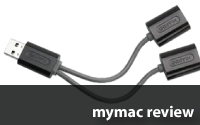
If you’re a typical Mac user, you’ve got more USB devices than USB ports. Usually that’s not a big deal. I mean it’s not like you’re going to leave your camera or iPod plugged in all the time. What do you do if you need to connect just one more thing? You get a Griffin SmartShare USB Hub.

There’s really not much that can be said about such a simple device. It either works or it doesn’t. At first glance the Griffin SmartShare USB Hub doesn’t look like a hub, but the System Profiler reveals an ultra-slim two port hub powered by a Genesys Logic hub chip. Being that it looks more like some kind of splitter cable, it gets all its power from your USB port rather than an AC adapter. The potential problem with an unpowered hub is that USB devices that need more power, like a hard disk or the MacBook Air’s SuperDrive, sometimes won’t work.

I’ve been using the the Griffin SmartShare USB Hub for 6 weeks. As long as the port I had it plugged in to provided full power (the front of a Mac Pro did not), all but one device I used worked. Hard disks, flash drives, iPods – you name it, it worked. The lone exception was the MacBook Air SuperDrive, which demands every bit of power provided and must be directly connected. Even a hard disk and a flash drive that sometimes brings built in USB ports to their knees worked flawlessly together.

The Griffin SmartShare USB Hub is a great device for Mac road warriors, especially if you have a MacBook Air and need to connect multiple USB devices. I have to give it 5 out of 5 because it just works.
Griffin SmartShare USB Hub – 5 out of 5
Pros - It just works. Very compact. Perfect for road warriors.
Cons – None. You knew it only had two ports. Can’t hold that against it.
email – MyMac Magazine – Twitter – Advertise – Reviews Archive – Podcast
Bella, Divo, IceSuit, Metro, and Sportivo cases for iPod nano (3rd Generation)
Company: Macally
Price: Bella $29.99, Divo $29.99, IceSuit $19.99, Metro $29.99, Sportivo $29.99
http://www.macally.com/
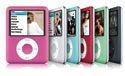
The holiday decorations are put away, Macworld is over, and now it’s time to get down to buying a case for that new iPod nano that Santa left under the tree. December 2007 saw the arrival of Macally’s family of cases for the iPod nano: Bella, Divo, IceSuit, Metro, and Sportivo. Mirage and Masquerade were not yet available for review.
Griffin iClear, Reflect, and Elan Form hard cases for iPod nano (3rd Generation)
Company: Griffin Technology
Price: $19.99, $24.99, and $29.99 respectively
http://www.griffintechnology.com/
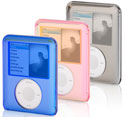
Newly available from Griffin is their revamped hard case lineup for the iPod nano, ranging in price from $19.99 for the iClear to $29.99 for the all new Elan Form, with the $24.99 Reflect staking out the middle ground.

Wi-Fire Long Range USB 2.0 802.11g Transceiver
Company: hField Technologies
Price: $79.00
http://www.hfield.com/
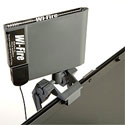
Most product reviews are about new products from well known companies. This one isn’t. This is a unique new product from a unique new company.
hField Technologies got its start when founder Curtis MacDonald, then a student at Lehigh University in Bethlehem, Pennsylvania, moved into an off campus apartment just out of range of the university’s wireless network. A radio hobbyist, he decided to create a Wi-Fi transceiver with longer range and a more directional antenna. With other students asking him to build additional units for them, he realized he’d stumbled on an opportunity.
Wi-Fire became a project in Lehigh’s Integrated Business and Engineering Honors program. Other students joined the Wi-Fire team, and together they won the university’s 2004 Student Entrepreneurship Competition. Over time, the project received over $40,000 in grants and lots of advice from local economic development agencies and Lehigh University. In 2005, hField Technologies was incorporated, a business plan was developed, and final development of the product began. FCC certification was received and the product was first offered for sale in September 2006 for Windows XP.
Continue reading »

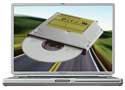
OWC Mercury PowerBook G4 SuperDrive – Review
Company: Other World Computing
Price: $109.99
http://eshop.macsales.com
When I bought my PowerBook G4 a couple years ago, I purchased the lower priced 15″ model with the combo drive. I figured if I wanted to burn a DVD I’d just do it at work. Early this year, I got the incentive to upgrade – I replaced my slightly dodgy DVD player with a DVD recorder that supports DVD-RAM discs and dual layer DVDs. Combo drives can’t read DVD-RAM. What you can do with DVD-RAM and a Mac will be the subject of a follow up article.
Whatever gives you cause to upgrade (upgrade from a combo drive, dual layer support, or just faster burning), there are a few options to choose from. Most of the available PowerBook upgrades include a Panasonic drive mechanism, the most commonly used brand in laptops, so while this will be a hardware review it will also touch on the support provided by OWC.
Continue reading »

Dear MyMac.com readers,
This column started in July 2006. The intent is to give MyMac.com readers a resource to use when they need help with problems. Over the past 11 months I have been proud to help people all over the world. It’s fun to hear from people in other countries and other parts of the US, but there’s always been one little problem – the quantity of email received hasn’t usually been enough to sustain the column.
Maybe the problem is all the other help resources available on the internet. There are web forums galore, and the response from those can be quicker than waiting for a reply from me, although the advice can be questionable. There are podcasts. Dave Hamilton’s Mac Geek Gab and Adam Christiansen’s MacCast do a great job answering questions weekly. There’s some overlap between this column and Macspiration from Donny Yankelow here on MyMac.com, but I can’t think of any other web columns like this one (although the magazine help letters are usually online too), but Google can be very helpful when you’ve got a question. Google, of course, is instant. Waiting for me to answer your email generally isn’t, although I usually am able to reply within a day or occasionally two.
Continue reading »

Apple’s move to Intel processors has made it possible to run Windows natively on the Mac with Boot Camp or Parallels, but what about all the viruses and spyware and other threats lurking out there? McAfee, a leading security software company, states that there are over 180,000 threats that affect Windows. Here are some excellent free utilities that you can use to protect and care for your Windows installation.

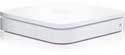
Apple AirPort Extreme Base Station
Company: Apple
Price: $179
http://www.apple.com/airportextreme/
Quietly introduced at Macworld Expo in January, Apple’s new AirPort Extreme Base Station with 802.11n is a big leap forward but leaves a couple things behind. I was able to borrow one for review courtesy of First Tech Computer in Minneapolis, an Apple Specialist.
The new AirPort Extreme Base Station has several firsts for Apple:
• 802.11n support for up to 5 times the throughput of 802.11g
• use of the 5 GHz band for 802.11n (which also uses 2.4 GHz) and 802.11a
• MIMO (Multiple In Multiple Out) antennas for range up to twice as far as the previous model
Continue reading »

Many people use Apple’s iSync every day. I am not one of them. I thought it was pretty cool when it came out. Finally, I could sync all my personal data between my work and home Macs, Palm handheld, and iPod! For me, it just didn’t work as advertised, especially between the Palm and Mac. Some phone numbers and email addresses were duplicated, some disappeared! Even with my iPod, iSync was telling me changes were made on the iPod and would overwrite what was on my Mac! I followed every piece of advice I could find from Apple and other sources, but I just couldn’t tolerate data loss. It took me a couple days to get everything back in order. Most of my calendar was in triplicate. My contacts had tons of duplicate and missing phone numbers and email addresses. I had to reconfigure Palm Desktop to the way it was originally. It was a mess. I haven’t tried it again since.
Before iSync, I simply synced my Palm and iBook with Palm Desktop. Since I brought my work iBook home with me every day, I had no need for an up to date Address Book on my home iMac and I didn’t care if that stuff was on my iPod. That all changed when the iBook was replaced with a Power Mac G4. Now I needed my contacts at home. I had to figure out some simple steps to make sure I was able to do what iSync was not. After some research, I came up with what has been an excellent iSync substitute for me: the Finder, with a little help from Palm Desktop.
Continue reading »
Continue reading »
My daughter is 6 years old. Many days when she comes home from school, she drops her backpack on the floor and leaves a trail of hat, mittens, & coat to the living room, opens the PowerBook and inserts a CD-ROM or tells the AirPort to dial up the internet. By the time my wife & I are done talking to my sister in law, who brings her home most days, and notice the trail, Katie is well into her game or on whatever web site suits her fancy.
Continue reading »
Every once in a while you may notice that a song you know is in your iTunes library may have “disappeared”. It’s rare, but I’ve seen it both with unusually large iTunes libraries and when my Mac locked up last week while it was downloading songs from the iTunes Store. All 22 I purchased downloaded, but the lockup (I had to restart) kept 3 of them from being listed in my iTunes library. Or perhaps you downloaded some new MP3s off of an unsigned band’s web site and would like to add them to your iTunes library. Either way, here’s how you can re-link missing song files or add a new ones. For this to work best, “Keep iTunes Music folder organized” should be on (it is by default) in the General tab of the Advanced section of the iTunes preferences.

Holiday time is a time for reflection. For thinking about the things you are thankful for. Some recent experiences I’ve had with my own computers have reminded me of how grateful I am to be a Mac user.
I have two computers at home: a PowerBook G4 that I bought almost a year & a half ago and a home made PC that I built a little over 3 years ago. I built it so I’d have a PC to experiment with and so I wouldn’t have to say no to my daughter if she wanted a game that was Windows only. Recently I upgraded the memory in both. The PowerBook was a piece of cake. I opened the trap door on the bottom, took out the 256 MB DIMM that I added when I bought it, and added a 1 GB DIMM – doubling my memory from 768 MB to 1.5 GB.
Continue reading »

Macally BTMouse
Company: Macally
Price: $49.99
http://www.macally.com/spec/bluetooth/btmouse.html
The two most important things with a mouse are how it feels in your hand, and how well you can fine tune the tracking and scrolling to your liking. The Macally BTMouse is a new full size mouse that resembles the Macally iLaser, reviewed here in August. The differences are that the iLaser is a 5 button USB laser mouse, where the BTMouse is a 3 button Bluetooth optical mouse with rechargeable batteries & a charging cradle.
Continue reading »

I’ve heard a lot of questions about whether or not RAM in the Intel-based Macs needs to be installed in matching pairs. Here’s the real answer: Your mileage may vary.
It depends on what you do and it also depends on which Mac you have. If you have a Mac Pro, you have to install perfectly matched pairs. 2 identical DIMMs from the same vendor. If you have an iMac or a MacBook Pro, which have separate video RAM for the graphics processors, and you are not running applications which would significantly benefit from the increased memory bandwidth of the dual-channel memory architecture (most of us aren’t) then you don’t need matching pairs. If you have a MacBook, Mac mini, or low end iMac with the Intel graphics processor that uses a portion of the main memory, having matching pairs is a good idea. Non-matching pairs in these machines can impact video performance due to the decreased RAM performance.
The basic idea of dual-channel memory is this: Matching pairs creates a wider pipe for your data to use. Unmatched RAM uses a single memory channel, kind of like an inch wide pipe. Matching the RAM in a pair doubles the bandwidth, creating a hypothetical 2 inch wide pipe, which more than doubles the capacity. If you are using software like Final Cut Pro, Aperture, or Photoshop, you should see a difference.

When I first started writing this column in July I said we weren’t going to strictly do a help letters column. I say we, of course, because without your letters there is no help. This one’s going to be more of a commentary, partly because the letters are a bit thin this month (need help? click here!) and partly because an idea popped in my head. Something that’s been bugging me for a while.
AppleWorks 6 has been my main productivity application ever since I switched from Mac OS 9 to Mac OS X. I also have Microsoft Office 2004, but it doesn’t have a database and FileMaker Pro is too expensive, and overkill, for an individual. The only reason I have Office 2004 is because “everybody” has it. I get documents emailed to me from the city (I’m on the Planning Commission) in Word format, and from the schools. People always ask for everything in Word format. I only use it when I have to. It can’t replace AppleWorks, and something needs to.
Continue reading »

I was listening to the September 11th episode of the This Week in Tech podcast last week, TWiT 68, and not quite half way through I heard Cory Doctorow say some things that kind of surprised me. I expect to hear inaccurate statements from mainstream media, but not from the TWiT übergeeks. They were discussing bit torrent vs. easier solutions like iTunes for downloading media:
Cory Doctorow: “When you do get these things that are slightly milder, although you know still have restrictions downstream, that’s actually in some ways more problematic ’cause you get these people who end up sinking a lot of money into a platform – not realizing how locked in they’re getting. So you know…”
Wil Harris: “Like iTunes?”
Continue reading »

Shortly after the PowerBook 5300 shipped in 1995 it was discovered that the installed Lithium Ion battery, then a new technology, carried with it a risk of severe overheating. Apple immediately recalled each and every one, a few of which had reached end users, and replaced the Lithium Ion battery with a Nickel Metal Hydride battery. No Apple computer since then has carried this risk, until now.
Some in the mainstream media have implied that Apple’s MacBook and MacBook Pro laptops may have the same risks as the recently recalled Dell laptops, since Apple also uses battery components from Sony. The MacBook & MacBook Pro don’t, but last week on Thursday Apple announced the Battery Exchange Program for iBook G4 and PowerBook G4. There are no reported cases of a 12″ iBook G4 or 12″ or 15″ PowerBook G4 catching fire, but if yours was purchased October 2003 or later follow the instructions on the recall web page to determine if your battery may have the problem and need to be exchanged. The 14″ iBook G4 and the 17″ PowerBook G4 are not affected, and not all 12″ iBook G4s and 12″ or 15″ PowerBook G4s are. I own a 15″ PowerBook G4 and the battery in mine is not part of the recall.
Continue reading »


Comments. Be heard!
Book Review
Book Review
MyMac Podcast #385
MyMac Podcast #384