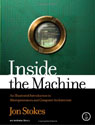
Inside the Machine
John Stokes
Published: No Starch Press
ISBN 1593271042
Hardcover, 320 pages, $49.95
Inside the Machine is a book about computers, specifically, how they work as machines. It isn’t a book about software and operating systems, and neither is it a book about the history of computers either. It isn’t a picture-book of classic computers, and it isn’t a repair manual. Readers looking for any of these things will be disappointed. In fact, Inside the Machine is a highly-focused, very structured textbook of sorts, introducing the reader to the theory and mechanics of computers, in particular the different types of microprocessors and how they work. In terms of level, it is definitely above that of the casual reader, but it isn’t quite at level of an undergraduate textbook, and instead occupies an awkward middle ground between these extremes. But is Inside the Machine “neither one thing nor another” or a deep if demanding book for the advanced computer user?
Continue reading »
Sleevz and ScreenSavrz for MacBook and MacBook Pro
Radtech
http://www.radtech.us

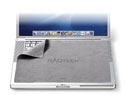
Keeping your MacBook or MacBook Pro looking shiny and new isn’t easy. As amazing as Apple’s laptops look when new, the speed with which they get marked and scratched can be equally amazing. Part of the problem is the materials used. The paint finish used on the Titanium-series PowerBooks simply didn’t stick to the underlying metal and plastic, with the inevitable result that paint would scratch or flake away remarkably quickly. Later PowerBooks were better, and the current MacBook Pro series is relatively scratch-resistant, but they can still get marked and dinged if carried about in a rucksack or briefcase. More serious perhaps is damage to the LCD. Again, design is a factor as much as misuse. The sheer thinness of the modern portable computer means that (when closed at least) the gap between the LCD and the keyboard is minimal. Accidental bumps cause the keys to touch the screen, at the least letting grease from your fingers get onto the LCD and at worst actually causing unsightly scratches. Apple is usually reticent about replacing screens that are scratched this way, regardless of whether or not the design of the machine is the cause of the problem, and unfortunately for the owner, removing the scratches is basically impossible short of replacing the screen itself.
Continue reading »

A Better Finder Tool Suite
Company: Publicspace.net
Price: $37.49
http://publicspace.net
A Better Finder Tool Suite is a set of Finder add-ons that perform bulk renaming, attribute editing, and file finding tasks. A Better Finder Rename and A Better Finder Attributes are launched through contextual menu items and thereby applied to batches of files, making changes to files that are either slow or impossible to make in the Finder. Via a keyboard shortcut, A Better Finder Launcher gives the user shortcuts to files and applications. Since each is also available as a standalone product, this review will look at each of them separately before balancing up the entire set in terms of value and usefulness.
Continue reading »

Why write a book about buying used Macs?
People buy used Macs for all sorts of reasons. Often the prime motive to passing over the latest model out of Cupertino is the need to save money. After all, a G3 or G4 iMac might not be the fastest thing on the block, but it will certainly prove to be a rock-solid word processing and web-surfing machine. Students in particular are always like to find bargains, and a used iBook or one of the older G4 PowerBooks may only cost a few hundred dollars but will still provide all the horsepower you need to write a dissertation, carry out research on the Internet, and keep up your coursework.
Continue reading »

Creating your own computer program in REALbasic 2006 is straightforward and remarkably good fun. With a little practise, you can craft all kinds of neat applications tailor-made to your business or hobbies. In this tutorial, we’ll make a program that access the Meteorological Office web site and then downloads the latest cloud cover satellite image. Definitely useful, the British summer being what it is. In the process, we’ll look at how REALbasic programming works, and how to create a logical interface and add all the little extras like menu items and tool-tips.
Programming in REALbasic involves three main stages. The first is formulating what you want the application to do. This may be as simple as performing a calculation on some number entered by the user, through to more complex tasks that involve graphics, connections to the Internet, multimedia files, and more. Once you have outlined what you want your application to do, you need to create an interface. REALbasic provides lots of tools for this, and for many newbie programmers, this is the most immediately fun and rewarding part of the process. Because the Mac has a clearly defined “toolbox” of buttons and other interface components, almost anything you create in REALbasic will have that Macintosh look and feel you like so much. The last stage in the process is adding the code, the part of the project that tells the computer what to do when a certain command is issued, such as when a button is pressed.
Continue reading »

REALbasic 2006 Release 4
Company: REALbasic
Price: $99 (Standard Edition); $500 (Professional Edition)
http://www.realbasic.com
Programming in REALbasic essentially consists of designing an interface and then applying snippets of code to the various interface elements such as buttons and menus. The incentive effect of seeing a standard Mac interface appear simply by dragging and dropping elements like buttons cannot be underestimated, and the relative ease with which the basic coding can be learned is just as significant. As a result, REALbasic is easily the most popular rapid application development tool on the Mac, and has been for many years, at least since the demise of HyperCard.
Continue reading »
Although there had been a version of the PowerBook 3400 with a G3 processor, the real G3 show began with a totally redesigned PowerBook featuring a slim, black exterior and a larger screen. Apple referred to them all as G3 PowerBooks, but Mac users have instead used their code names, Wall Street, Lombard, and Pismo respectively, for the three generations of G3 PowerBook.
Continue reading »
(For part 1 of this series, click here) Continue reading »
Rolling on from the success of the first batch of PowerBooks, Apple released not only new models, such as the PowerBook 180c (the first to have an active matrix colour display), but also a whole new line of sub-notebooks, the Duos, in 1992. These were more than simply scaled-down PowerBooks. Plugged into any one of a range of devices called Docks the Duo instantly became the heart of a desktop computer system. The Dock connected the Duo to the monitor, keyboard, and mouse, as well as any network connections or printers. In effect, the Duo delivered what Apple called the best of both worlds: the mobility of a laptop coupled with the versatility of a desktop. In its most perfect form, the Duo would mechanically be pulled into the desktop computer-sized Duo Dock like a tape cassette into a video recorder, and be ejected in the same, very satisfying way. While a wonder to look at and fun to use, the Duos did not sell especially well, most probably because a complete system worked out to be rather expensive. Many Duo owners simply used them as lightweight alternatives to the regular PowerBooks, either instead of, or as well as, a desktop Mac.

The first Apple PowerBook, the PowerBook 100, was released fifteen years ago, and while there are clearly substantial differences between that machine and the last of the PowerBooks, the PowerBook G4, these two machines just as obviously part of the same family of computers. While it is certainly true that Apple didn’t invent the notebook computer, the influence of the design of the PowerBooks on the computer industry generally have been profound.
Early portable computers were large, weighty, awkward to use, and very expensive. A key problem was that no one really knew what a portable computer would be used for. Some of the more popular ones were similar to the PDA devices used today and came with their own, proprietary applications such as databases that allowed the user to perform useful tasks on the go, but the majority were essentially used as moveable workstations. It was assumed that the majority of users would be professionals such as salesmen, accountants, and engineers who would need to take their computer to an office away from their home base to give presentations or otherwise display information and ideas. There really wasn’t much sense that people would actually use their computers on trains and planes, or that there was a market for small, inexpensive portable computers that students and home office workers might use.
Continue reading »
- Product Name: MacBook
Pro (Rev. E) - Company: Apple
- URL: http://www.apple.com/macbookpro/
- Category: Laptop
- Price: $1999
- Specifications:
- 1.83 GHz
- 1.5 GB RAM
- 80 GB Hard Drive
- Mac OS X 10.4.6
- Rating: 3 Bounces – Lustworthy
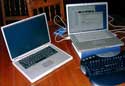
AppleLust doesn’t commonly review hardware, but with the ongoing transition from the PowerPC processor to the Intel ones, I think it it’s worth taking a look at these new machines in the context of day-to-day work and play. One of the things that stands out when you read many of the hardware reviews is the use of benchmarks. I’m all for benchmarks; they’re objective tests of speed that allow the reader to see clearly how one machine compares with another. But there’s more to using a computer than speed.
Continue reading »
Tony Bove’s new book on beating the Microsoft addiction — Just say no to Microsoft — is reviewed elsewhere on the Applelust web site this week. For anyone who feels trapped by their computer instead of empowered by it, his book is a stimulating and liberating read.
Nonetheless, it’s a very partial piece of work, a one-sided attack on Microsoft and its products, and designed squarely to attract computer users over to the Macintosh or Linux camps. Regular AppleLust readers will know that I don’t necessarily see Microsoft as the big, bad wolf, so I was pleased when Bove took time out to debate his thesis with me.
Continue reading »

The Cult of iPod
by Leander Kahney
http://www.nostarch.com
160 pages
ISBN: 1593270666
Price: $24.95
After the success of his “Cult of Mac” book, which highlighted the deep and often intense relationship Mac-users have with their computers, Leander Kahney has returned with another “Cult of…” book, this time looking at the iPod. It’s a wonderful book that will appeal to iPod users everywhere, but Mac-users, with their eye for graphic design and sophisticated page layout will just adore the format of the book. Like the “Cult of Mac” book that drew its aesthetic language from the Macintosh, the “Cult of iPod” mimics the look and feel of the iPod in its use of menus and fonts. A battery icon ‘runs down’ as you progress through the book, and even the shape of the book, a rectangle with rounded corners, copies that of the iPod itself.
Continue reading »

Bridget Davies Handmade iPod Covers
Price: £32 ($55 US), including postage and packing to UK
Sizes: Currently the classic iPod and iPod mini, other sizes available soon
Web site: http://www.bridgetdavies.co.uk
There was an article in a recent issue of Cosmopolitan that indicated that the majority of British women would spend any little windfall they came into on an iPod. The iPod has certainly become an essential fashion accessory, combining amazing functionality with dazzling good looks. But as any iPod owner knows, the iPod needs some protection from the outside world if you want to keep it all sleek and shiny, and to fill that market dozens of different companies have produced a huge variety of iPod covers. Most of the cheaper ones are fashioned from synthetic fabrics, and while they might do the job, they totally ruin the look of the iPod.
Continue reading »

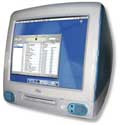
No list of classic Macs is complete without reference to the big, blue bubble that saved Apple and the Mac OS. Neale Monks takes a look at the G3 iMac.
A good argument can be made that the original G3 iMac was the computer that saved Apple and the Macintosh operating system. Prior to the release of the iMac, Apple had become a marginal player compared with the likes of Dell and Compaq, with a steadily shrinking market share and no obvious influence on software development or industrial design. While Apple certainly made many good computers, they also made a lot of mediocre ones, especially at the low end. Looking at the good first, the PowerBook 3400 (1997) and then the G3 “Wall Street” machines (1998) had both set new standards in mobile computing, consistently trumping anything the Wintel world had to offer. But on the downside, a succession of undistinguished beige boxes didn’t do nearly so well at attracting sales in the important home, small office, and education markets. The budget Power Mac 4400 (1996) for example was as dull and insipid as anything the likes of Elonex or Gateway had turned out. It was obviously cheaply made, offered only fair performance, and unlike the low-end PCs, forced you into buying relatively expensive Mac-only peripherals like printers and keyboards.
Continue reading »

Neale Monks, author of Buying Used Macs, considers the dual-USB G3 iBooks to be the best value Mac portables about. Find out why in the third of his articles on Classic Macs.
Mac portables have come and gone, and many will be remembered as high-water marks in the evolution of the personal computer. The G4 PowerBook as “portable supercomputer” redefined what users expected from their machines: big, widescreen LCDs, blazingly fast processors, and do-everything optical drives. The G3 PowerBooks combined sleek, black looks with performance genuinely comparable to a desktop machine, and probably deserve the name “Blackbird” far more than the PowerBook 500 series that actually carry that tag. But when it comes to balancing performance, looks, and price, my vote goes to the dual-USB G3 iBook, perhaps the first Mac portable to bring all the joys of mobile computing to the masses without having to make any serious compromises.
Continue reading »

This week Neale Monks, author of Buying Used Macs, looks at the Macintosh SE, the first of the compact Macs to sport the line-up of serial, ADB, and SCSI ports and probably the best value machine around for anyone wanting to start a classic Mac collection.
The Macintosh SE was a landmark machine in many ways. Although similar in size and shape to the previous compact Macs such as the original Mac 128, the Mac SE has the same colour and styling as the later Macintoshes, and there is an obvious family resemblance to between the Mac SE, first produced in 1987, and something like the first generation of G3 Power Macs released ten years later. Both the Mac SE and the earlier Power Macs used the Apple Desktop Bus (or ADB) interface for input devices such as mice and keyboards, and despite a few styling changes over the years, a mouse from a Mac SE will work fine with the G3 Power Mac, and vice versa. Similarly, the keyboard changed little over time (the most notable changes being the introduction of a numerical keypad and function keys) and the ADB keyboards used by the Mac SE and later Macs are fully interchangeable. Although present on earlier Macs, the SCSI and serial ports on the Mac SE are another point of similarity with later machines, replaced in the late 1990s with FireWire and USB but still among the most popular add-ons to modern Macs and PowerBooks, either through expansion cards or plug-in adapters.

In the first in a new series about collectable and easily obtained Macs from the past, Neale Monks, author of Buying Used Macs, takes a look at the PowerBook 3400, arguably the first portable produced by Apple that was good enough to replace a desktop machine.
Anyone looking for a portable Mac for under $200 is going to be hard pressed to beat a PowerBook 3400 in good condition. In lots of ways, this series represents a threshold value as far as usability goes: it has just enough speed, memory, and expandability to be usable with the Internet, wireless networking, and productivity applications such as Photoshop and Microsoft Office. Sure, the PowerBook 1400 has the bonus of being upgradeable to a G3 processor, but finding these upgrades is difficult and expensive, and a standard issue 1400 is much slower than even the base model 3400. The earlier PowerBooks, including the 5300 Series are far too slow for any kind of demanding work, and are best left to the collector. Working up the timeline, we come to machines like the Wall Street and Pismo G3 PowerBooks, but as yet these machines are still relatively pricey, and you’ll be lucky to get a decent specimen for much less than $400. Obviously, once you’re budget gets above this, you have the option of a used iBook or Titanium PowerBook, but here you need to balance the price of a used machine against a brand new one, the current G4 iBook retailing currently for $1000 and up.
Continue reading »
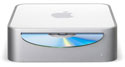
In a recent Podcast, MyMac.com editor Tim Robertson mentioned the fact that the introduction of the Mac Mini might well have made my recent Scroll Down Book “Buying Used Macs” somewhat obsolete. The argument boils down to this: with the Mac Mini offering Internet connectivity, enough horsepower to run most home and office software, and support for all the modern USB and FireWire peripherals, is there really any need to buy a used Mac at all? After all, for $500 you not only get a fast, modern Mac that should work well with the keyboard, mouse, and monitor you already have, but you also get peace of mind knowing your purchase comes with a twelve month warranty and compatibility with the Mac OS for at least the next couple of years.
Bolstering Tim’s argument was his observation that sales of used Macs on eBay seem to have been depressed for a while, with Macs that might have sold briskly a year ago now sitting around for days without being bid on. But is this observation really to do with the Mac Mini? Is this really the end of used Mac market?
Continue reading »
I spend a lot of time with computers. I use them for work and for play; I watch my DVDs on my PowerBook and use iTunes to play virtually all of the music I listen to. When I go to a bookshop, the computing section is one of the first I like to check out, and anytime I visit a big city, I make a point of visiting any Apple dealers I’ve not been to yet. I write books about computers and I frequently contribute to Apple-centric web sites such as this one. I do have other interests of course, but computers easily make it into my top three, and over the years my love of Macs has profoundly influenced my professional life, and to no small degree has allowed me to define and develop my skills and experience.
Continue reading »
Many people will see the announcement of a word processor from Apple as a statement of intent to reduce the dependency of the Mac platform on Microsoft. While AppleWorks (formerly ClarisWorks) had been around for years, it has always been seen too low-end to be much competition for Microsoft Word, Excel, or PowerPoint. But with arrival of Pages, a high-end word processor and page layout program, Apple is offering many professional and academic users a viable alternative to Word. If Pages turns out to be as successful as Safari and Keynote, does the Mac Business Unit at Microsoft have something to worry about? And if Microsoft stopped producing Office for the Mac, would it really matter?
Continue reading »


Comments. Be heard!
MyMac Podcast #403
Review
Review
Review