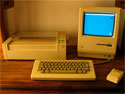
Newer Technology miniStack NAS
Review

On March 19, 2008, in Hard Drive, NAS, Review, by Larry Grinnell

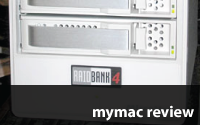
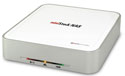
Newer Technology miniStack NAS
750 GB model tested

http://www.newertech.com
Price: $329.99

After my disappointing experience with a NAS I tested a few weeks ago, I was really looking forward to evaluating this unit. To recap, a network attached storage (NAS) device is a shared disk drive that uses your internal network, or in some cases the internet to share data with multiple computers. It’s a great place to store backups, large media files (such as for home theater systems), archived multimedia projects, or anything else that requires larger than average amounts of storage space.

The miniStack NAS from Newer Technology is a variation on this theme. By variation, it means that the technology used in this device does things a little differently. Let’s get past tehe few things the miniStack NAS can’t do, especially because for most of you, these limitations won’t be important to your particular applications:

Continue reading »

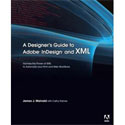
A Designer’s Guide to Adobe InDesign and XML
James J. Maivald with Cathy Palmer

Publisher: Peachpit
Price: $44.99
ISBN: 978-0-321-50355-8
336 pages

In an effort to get to market faster, many corporations are adopting content management systems to store and re-use content created by marketing, technical publications, and other organizations. Why do it all over again when with some advanced planning, you can reuse this content for manuals, web sites (both promotion and user support), packaging, advertising, etc. The glue that holds all of this together is XML.

Continue reading »

Tagged with:  

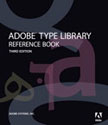
Adobe Type Library: Reference Book – Review
On February 7, 2008, in Book Review, by Larry Grinnell

Adobe Type Library: Reference Book
by Adobe Systems Inc.

Publisher: Peachpit
ISBN: 978-0-321-54472-8
Price: $44.99 US, $48.99 Canada, and £31.99 UK
Page Count: 354

The printed catalog of the contents of the Adobe Font Folio CD, and definitive reference guide to Adobe font technology.

This is the third edition of the Adobe Type Library: Reference Book–a very clever way to get you to spend an additional 45 bucks after you have paid anywhere from $2,600 to $9,000, depending upon the number of user licenses, for the Adobe Font Folio 11 CD.

Continue reading »

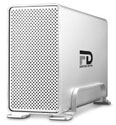
Fantom Drives GForce MegaDisk NAS
Review
On February 6, 2008, in Hard Drive, Review, by Larry Grinnell

Fantom Drives GForce MegaDisk NAS (MDN1000)
Company: Fantom Drives

Price: $369.95
http://www.fantomdrives.com

I really, really wanted to like this little box. Readers of a previous blog know that I have used NAS (Network Attached Storage) devices in the past and love the concept, if not always the execution. The Fantom GForce MegaDisk NAS from MicroNet is no exception.

The idea is that a NAS device securely sits out on your network and makes itself available to anyone authorized to use the network. Typical applications for a NAS include a central backup system, iTunes server, movie server, shared file server, and so on. This is a file server (and more) for the rest of us…or is it? Keep reading.

Continue reading »

Tagged with:  

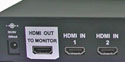
Octava 4×1 HDMI Switch with 4×1 Optical Audio
Review
On November 14, 2007, in Review, by Larry Grinnell

Octava 4×1 HDMI Switch with 4×1 Optical Audio
Company: Octava Inc.

Price: $274 ($294 with multiple cable options). Shipping included.
http://www.octavainc.com

I had a problem (I’m sure my brother, Guy Serle, would put that statement into the present tense…). I started putting together a home theater system with a 1.67 GHz Core Duo Mac mini at its heart. That’s when I discovered I was short some inputs.

My A/V receiver, an Onkyo TX SR-803 receiver, no longer in production, has a number of inputs, including two HDMI (high definition multimedia interface), but as I was doing some upgrades to my home theater, I found I needed at least one more. My HDTV, a Panasonic PT-50DL54 50 inch DLP rear projection (also no longer in production), only had one HDMI input, so there was no help there.

Continue reading »

Creating Cool HTML 4 Web Pages
Review

On November 14, 2007, in Book Review, by Larry Grinnell

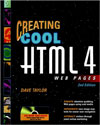
Creating Cool HTML 4 Web Pages
Dave Taylor

Publisher: Wiley
ISBN: 076453484X
Price: Variable (out of print, but available via Amazon.com)
Page Count: 440

Once upon a time, I had a whole shelf-full of HTML how-to books. You know the kind, HTML for Imbeciles, I Hate to Code HTML, The Super Easy Way To Write HTML Pages for the Complete Illiterate, etc. Several years ago, I was able to put them all in the recycling bin and switch to a single resource book, Dave Taylor’s Creating Cool HTML 4 Web Pages. My copy was published in 1998, so it’s almost ten years old, but it is still an incredibly valuable reference book when all you need to do is do some basic no-frills HTML coding. CSS? Not here. XHTML? Nope. References to high-end HTML design tools? Not a chance. Those tools weren’t around when this book was published. People were still using Adobe’s much (deservedly) maligned PageMill in 1998. Talk about a program that completely refused to do your bidding!

Continue reading »

Add a Mac to Your Home Theater on the…Well…Kinda Cheap

On November 6, 2007, in How-To, by Larry Grinnell

This article is a work in progress, as is my home theater installation. I also intend for this article to spawn several product reviews as I go along. Be warned.

I’ve been playing with HDTV, ever since I got a really nice bonus from work a few years ago. I mean a REALLY NICE BONUS. Being the foot loose and fancy free single guy that I am (and not having a “finance committee” to control my expenditures), I had no intention of doing practical things like paying bills with that money–noooo, it was time to build a home theater with a big screen high definition TV!

Basically defined, a home theater integrates various electronic components to provide an experience not unlike what you might have at a movie theater, but without all the negatives. Please refer to the block diagram below (licensed through Creative Commons, source: teques.com):

Continue reading »

Tagged with:  

Data Backup 3.0
Review

On October 18, 2007, in Macintosh, Review, by Larry Grinnell


Data Backup 3.0
Company: Prosoft Engineering

Price: $59.00 (US)
http://www.prosoftengineering.com

Everyone hates doing backups. I know I do. Like most utility software packages, products like this are ignored until it is too late, and your precious data is gone. It’s funny how diligent I was at work (I suppose my job being at stake had something to do with it…), yet I almost never backed up anything at home. I’ve been playing the odds for a lot of years, and have so far been pretty lucky.

The reality is that because nothing has happened, you get lulled into a false sense of security. When it finally does happen (drive crash, deleted a vital file, etc.), the cries of anguish are deafening. Again, it’s never happened to me, but that doesn’t mean it won’t at the most inopportune moment possible, because that’s how these things go. That’s why I urge all of you out there in internetland to get yourself some backup software and one of those amazingly cheap external hard drives. There has never been a better time to buy one of these USB 2.0 packages of storage goodness. When you can by a 500 gigabyte drive (that’s half a terabyte!) for under $125.00, and 120 giggers for around 50 bucks, there’s absolutely no reason in the world not to embark on a solid backup plan right this very minute. Can’t afford an external drive even at these prices? Most of your Macs probably have a CD and maybe even a DVD burner. A CD burner can put up to 700 megabytes on a disk, and a DVD burner, around 4.5 gigabytes (almost 9 GB on the double-layer disks). You know, these nice internal and external hard drives are coming down in price for a reason–they’re built more cheaply, and are likely to fail more unpredictably than drives of the past. It might last 20 years, or it might go out in a blaze of glory tomorrow.

Continue reading »


Intego Internet Security Barrier X4 Antispam Edition DP
Company: Intego

Price: $99.95 (US)
http://www.intego.com

When John Nemo asked me to review this product, I wound up having to buy a copy of Parallels for my Intel Core Duo Mac mini. I had put it off for a while, but in hindsight, I’m glad I did it. As I reported previously, the Parallels and Windows XP Pro installations went extremely smoothly, as did all the zillions of Windows security patches that had to be installed.

First, a little about the products. Intego, a friend of the Macintosh community for a number of years (my employer had literally thousands of copies of their old product DiskGuard installed on our Macintoshes–until our Macs went away…), revamped their product line and rather brilliantly put together a package of their products to support the growing number of Intel Mac users who were experimenting (and productively using) products like BootCamp, Parallels, and VMWare’s “Fusion”, which permit Macs to run alternative operating systems like Windows and Linux, among others. Intego’s Internet Security Barrier X4 Antispam Edition DP product was specifically designed to support Mac users who also run the Windows OS on their computers, by bundling their key products for both platforms into one inexpensive package.

Continue reading »

I learned about DTP from that…

On December 27, 2006, in Opinion, by Larry Grinnell


How I wound up as a professional technogeek is a long and semi-interesting tale. It involves multiple computing platforms, multiple job shifts, and a whole lotta dumb luck.

After getting out of the US Air Force in 1982 after a nine year stint as a radio technician, I immediately began working for a huge Midwest-based communications equipment manufacturer, at their paging and commercial two-way radio manufacturing and R&D facility in south Florida. I worked in the manufacturing engineering organization as a bench technician, but had many of the responsibilities of a full-fledged engineer but for a whole lot less money (it was, however, double what I was making in the Air Force). I began playing with HP desktop computers and calculators writing simple programs in HPL (high-performance language) and HP Basic, controlling arrays of test equipment over their GPIB (general purpose interface bus).

Continue reading »

Tagged with:  

A delayed look at day one of Macworld SF

On November 30, -0001, in Uncategorized, by Larry Grinnell

When I arrived at San Francisco and met up with my kid brother and fellow MyMac contributor, Guy Serle, I had no idea this would be any more than the usual convention activity of trudging up and down the aisles of a big show.

Guy and MyMac.com spiritual scratching post Tim encouraged me to try to re-register as a member of the media. Well, it worked! I got my media credentials and joined the huddled masses at the keynote hall.

Hundreds of media folks milled around two large escalators until just before 9AM, when suddenly the gates were open. “Great Scott,” I exclaimed (actually I said a lot of other things, but this is a family column), as a few more of the agile members of the fifth estate began charging the escalators. People were stumbling and falling over themselves to be the first ones on the escalator, and by definition, the first in the hall’s press section.

Apple’s security folks did a pretty good job getting folks into their seats without a whole lot of drama, and by about 9:15, Steve Jobs entered from stage left to a standing ovation. After some brief small talk, he talked about Apple’s financials, and then announced there would be no announcements about new computers. He then started with the main program. He also noted that the transition from PowerPC to Intel hardware was supposed to take one year. Apple did it in seven months, and that half of all new Mac sales are to former Windows users.

The iTV is now AppleTV. Other bloggers on this site have already spoken about this terrific centerpiece of any mid- to high-end home entertainment system. It provides a way to get content from the iTunes Store (movies, music, etc.) on to your televisions. The iTunes Store will also begin providing content at 720p resolution for true widescreen HD video. Be prepared to wait for those downloads!. All I can say is that I want one. Really bad. Now, if I only had an HDMI switcher to handle all these inputs…

The biggest announcement was done with a big buildup. Steve made it appear as if there was going to be a new iPod, a new mobile telephone, and a new internet appliance. The reality was the introduction of the iPhone, which is all three. For $499 with 4 GB of flash memory, and $599 with eight, it’s a killer product in anyone’s book. It is simply the easiest to use and most feature-laden “smart phone” with features that anyone can easily use that I have ever seen. The screen is bright and crisp, the display is 3.5 inches diagonal, it automatically senses when you rotate the screen… I could just go on and on. Check Apple’s website for terrific demos. This mobile device will be available in June, exclusively from Cingular, as Cingular had to make specific changes to their network to accomodate some of the features of this phone.

Steve made Apple’s goal very clear–he is seeking 1% marketshare in 2008 for the iPhone. What does this mean? Simply, it means he expects to sell 10,000,000 iPhones in a market that supports total sales of about one billion phones. If reality is anything like the demonstrations I saw on that stage, this will be a winner. Apple has long proven that you don’t need a lot of marketshare to make a lot of money.

As Steve closed his address, he made another momentous announcement. After 30 years, Apple is changing its name from Apple Computer Inc. to just Apple Inc., indicating the transition from being primarily a manufacturer of personal computers to that of a major consumer electronics giant. This is really, hugely significant and you can probably expect more announcements in the coming months and years about exciting new products.

Walking the convention floor, I think I was most impressed by the breadth of software and hardware vendors–a number of whom I have not seen or heard of before. While there were a slew of iPod accessory makers, there were also companies making software to run a doctor’s office on a Mac, numerous remote connectivity and remote management solutions, computer and software security, web hosts, book publishers, specialty graphics software, and, oh yes, more iPod accessory makers.

I got a chance to meet the legendary German software developer Thorsten Lemke, creator of Graphic Converter, the “Swiss Army Knife” of graphics conversions. It can convert virtually any raster graphics format to virtually any other raster graphics format. This product is so significant that Apple has included a copy with OS X since at least version 10.3. Graphic Converter was only one of scores of smaller software and hardware developers in the North Hall of the giant Moscone Center.

As a long-time Macworld reader, I remember reading about the many parties and events held at past conventions. I jumped at the opportunity to buy a ticket to the big Macworld-sponsored first night party. I was not disappointed. Along with good noshing food and drink, a special surprise guest performer was introduced: Cheap Trick. The band did a wonderful, if loud, job and was a real crowd pleaser. Rick Nielsen threw out his trademarked guitar picks, while playing his hot licks.

After it was all over, Guy and I limped back to our hotel, secure in the knowledge that truly, a good time was had by all.

More later…


Delayed Report: Day 2 of Macworld and Closing Remarks

On November 30, -0001, in Uncategorized, by Larry Grinnell

I’m writing this at the Dallas/Fort Worth Airport, waiting for my connection back to West Palm Beach, and finally have a moment to reflect about all I have seen and heard (what hearing remains after experiencing Cheap Trick on Tuesday night–not that I’m complaining, mind you…).

This was such a significant event, and so appropriate for being Apple’s 30th anniversary as a living, thriving company. Apple is no longer a computer company. Read that phrase again. Apple is no longer a computer company. Oh, they will likely continue to design and manufacture the best desktop and laptop personal computers in the galaxy for a long time to come, but the change in focus is as clear as the change in the corporate moniker: it’s Apple Inc. now. Apple is a high-tech Silicon Valley maker of an wide variety of personal, consumer electronics devices, and now, mobile devices.

Over the last few years with the introduction and phenomenal success of its portable music player, the iPod, Apple has spawned a cottage industry of makers of iPod accessories, both here and abroad, creating jobs and opportunities for many. I saw an amazing array of peripherals, from the really useful to the craziest, wackiest, over-the-top stuff you can (or maybe can’t) imagine.

Looking forward another year or so, what kind of new peripherals will eager entrepreneurs come up with for the AppleTV and the iPhone (or whatever the lawyers eventually agree on)? I look forward to finding out.

Back to the show, as Guy and others have reported, I worked as a combination pack mule, security guard, and human barricade as Guy and Tim did a bunch of video interviews. The focus was on the smaller company, those folks who make the products that a lot of us maybe haven’t heard about. The richness and variety of products and services from these companies is truly mind boggling. The Macintosh platform has nothing to worry about, thanks to the dedicated true believers out there who are putting together some of the finest software packages and accessories you can imagine.

At the same time, it was great to see some of the older companies, still out there fighting the good fight. Multi Ad Creator is a venerable product that has for years been the anchor behind many newspapers and other print media outlets. Then, as now, it’s the quickest way to create ads for print. Broderbund’s PrintShop was ported to the Mac platform by MacKiev, who provides fine support. This is another neat program for the less-than-creative among us (a category into which I include myself) to put together a wide variety of printed pieces using their excellent templates and clip media. It’s real easy to use, too. Netopia, makers of remote connectivity software Timbuktu was out there. Goodness, I have been using their software and hardware products since the mid 1980s! It was also good to see another venerable product, MacDraft. I began using it in 1985 on my office’s first Mac Plus.

The party on Wednesday night was another memorable event–seeing some of the top writers in the Apple (among them some of my Mac-heroes) arena play some pretty acceptable rock and roll and some blues thrown in for good measure.

So, to close, I want to thank Tim Robertson for bringing me “into the fold”, and for the great words of encouragement from the rest of the MyMac.com writing team. I look forward more than ever to Macworld 2008!


Network Attached Storage–What The Heck?

On November 30, -0001, in Uncategorized, by Larry Grinnell

On the MyMac.com podcast #112, Tim and Guy discussed NAS (Network-Attached Storage) devices, and having worked with them myself, I thought I’d share my experiences.

My department purchased a Quantum SnapServer 4000 back in the mid-late 1990s, when our existing AppleShare server began showing some weakness handling the ever-increasing amount of content we had to manage in a technical publications organization (we filled up our two 1 GB hard drives…). the SnapServer had four 30GB drives in a RAID5 configuration, meaning after overhead and such, we had about 84 GB of storage available.

We ran a mixed-platform (Mac/PC) operation, but because we started as a PC organization well before Windows 3.1 graced us with its presence, we were all very used to using short filenames (the DOS 8.3 standard: 8 character file name and a three character file extension). When most of the users in the department moved to Macs, they still retained the mindset of using short filenames, which was real handy, as the SnapServer (this is the point I’m meandering toward) could only handle 31 character filenames when supporting the AFP (Apple File Protocol) standard.

We continued to use the SnapServer after we were forced to migrate to Windows NT, but thanks to disciplined filenaming conventions (and keeping file paths relatively short–that was a problem, too!), it worked well enough. I will give it credit: we never lost one byte of data, even when one of the drives took a bad dump. RAID works, friends. RAID is your friend.

In my experience, most NAS devices share common OS and file system storage roots. To this day, most NAS devices that support Macs do so with “extensions” to the older AFP (Apple File Protocols), adding OS X compatibility, but not completely supporting the newer Apple standards. This means it supports OS X (my employer had to pay Adaptec, who bought the SnapServer product line from Quantum, several hundred dollars to purchase a firmware upgrade to add OS X compatibility to the SnapOS), but it still can’t handle long file names (or names with “illegal” characters–more below).

When the IT folks forced my department to bid adieu to our SnapServer (they said it was a security risk because they didn’t know what was inside–and it didn’t fully support Windows 2000 Active Directory, so they couldn’t manage it), I signed it out for use at home as a media server. I replaced the farming thresher loud 30GB hard drives with virtually silent Seagate 200GB drives, and that’s when I rediscovered the filename size restrictions (not to mention restricted characters used in filenames). I got errors galore when I tried to drag copy my iTunes library (about 12,000 files) over to it, so I tried using FTP (file transfer protocol), which worked silently and effectively, or so I thought. After a day-long file transfer session moving over nearly 60 GB of content, I looked inside the various directories and found that the SnapServer had taken some really interesting liberties with my filenames. Heavy sigh!

My next project is to remove those four silent 200 GB Seagates, replace them with the noisy-as-heck 30 giggers it originally came with, and bring the bloody SnapServer 4000 back to my office, as it’s useless to me. It’ll probably get donated to a school or something like that.

To be totally fair, it’s quite possible that newer versions of the SnapServer NAS devices have improved operating system software, and the filenaming issues might be moot.

Most NAS’s will have this problem. Most of the NAS manufacturers say they support Macs, and yes they do–to a point. They cease supporting Macs when filenames exceed about 28 characters, when filenames have slashes and several other “illegal” characters in them, and I’m sure there are plenty of other incompatibilities.

Another option is to use OS X’s built-in Samba support, which emulates Windows. That would take care of the filename size problems, but not the illegal character restrictions, path name lengths, etc. Heck, I think the only restricted lower ASCII character in the Mac realm is the colon character, because Apple used to (and maybe still does) use the colon as a directory divider (like the backslash in Windows). There was also another character that interfered with Sony floppies if memory serves, and finally, you couldn’t put a period as the first character in a filename, but that’s also a Windows/DOS restriction, and a special-case usage in Unix (it’s how you hide files, IIRC).

Something else to watch for–on some RAID NAS devices, RAID 5 is only supported in software, meaning it can run a lot slower than RAID 0, 1, etc., which are usually hardware-based. The Buffalo TeraStation suffers from this performance handicap. Buyer beware.

While attending the Macworld Conference in San Francisco last week, I saw a possible answer in Axentra’s new HipServ. I spoke at length to the fellow manning the small booth and found the HipServ. It’s a 4 disk RAID array with 1 terabyte of storage, housed in a fairly small box (I don’t know how quiet, as the ambient noise in the hall made it impossible to judge). It is powered by a well-regarded distribution of Linux (he asked me not to say which one), which is automatically updated by Axcentra as required. Full details aren’t out yet, but he did say the server piece (there are a number of optional software components that can make the Hipserv the centerpiece of a media server) will cost around $900, and is claimed not to have the filename length problem described above. I’d still ask for a money-back guarantee, but the Hipserv is an attractive package, competitively priced, and might just do the trick as a media server, file server, and backup storage device.

So, a RAID-based NAS is a great way to safely store large amounts of shared data, but Mac users need to beware of filenaming issues and need to ask those questions.

Other options include making one of your old Macs a file server, or if you feel really adventurous, build a Linux server. Windows Server 2000 and 2003 support AFP, but share similar filenaming issues to the older NAS devices (I ran Windows 2000 Server at home on an older PC for a long time, but finally got tired of all the shortcomings (filenaming, mainly).


Roll Your Own Webserver – Part 1

On November 30, -0001, in Uncategorized, by Larry Grinnell

I’ve been running a webserver from my house for about 7 years now. I started with a PowerMac 6100 (pizza box), and later moved up to an el-cheapo hamfest special ($10.00) PowerMac 7500. I later upgraded that with a Sonnet G3 processor, and now am using a 1.25 GHz G4 Mac mini.

What website? I host the “official” Grinnell Family Association of America website at www.grinnellfamily.org from my computer room. It’s a genealogically-oriented site with a searchable database containing over 30,000 names and around 10,000 families, all connected to our progenitors, Matthew and Rose Greenell of Lexden, England. The printed book that will be derived from this database will run upwards of 1,500 pages, or at least that’s the current estimate. I’ll deal with the genealogy side of things in future blogs. For now, I want to concentrate on the server part of the equation.

First, let’s look at hardware. Please plan on running your webserver on a separate machine from your regular home machine(s). The reasons include performance and most of all, security. You really need to keep your webserver isolated from the rest of your network. This process will be described in a future blog. If you want to use a Mac, the first thing you need to decide upon is old(er) hardware or new(er) hardware. Like I said at the start, my site initially ran on a very elderly PowerMac 6100. With a genteel 66 MHz 601 processor, this kind of machine won’t get out of its own way for most normal uses, but as a small home-based webserver with static HTML pages, if you don’t plan on huge numbers of hits per day, it will really do an amazingly adequate job. Consider this: most broadband hookups can only provide between 128 and 256 kilobits/second on the uplink (when people request HTML pages and content from your machine, you are uploading to the net), so it won’t take much to fill that pipe. Other great machines in the older category include the highly reliable PowerMac 7500/8500/9500 family. These can be easily upgraded for less than $100 to a 500 MHz G3 processors from Sonnet and others. Storage may be a problem, as SCSI hard disks are getting tougher to find, but hey, how about the early G3 (beige) towers and desktops? They use more easily obtainable (and cheaper) ATA (IDE) hard drives. Used prices for those machines are well into the toilet. You can put 768 MB of RAM into them relatively cheaply, too.

Any of these machines will work well with Mac OS 9.2, which comes with a combination extension and control panel, “Personal Web Sharing” (PWS). It’s easy to set up, too. What I don’t know is how “hackable” this software is–that is, I don’t know if is it sufficiently secure in this modern day and age. Remember, PWS was written in the mid-late 90s when security wasn’t the concern it is now. All I can say is you should have all your webserver data backed up to a separate drive if you use this (or any) solution. That caution aside, PWS is a great way to cheaply throw together a web server with an old and otherwise unwanted Mac.

Want to use more modern hardware with OS X? The good news is that Mac OS X comes with the best webserver software on the planet, and it’s free, too! Apache is used pretty much anywhere that Microsoft’s Internet Information Services (IIS) is not. Open source, extensible, customizable, and supported heavily by the volunteers who wrote it, Apache is the bees knees of web serving.

This is a terrific solution for simple, static sites, and is scalable to enterprise-class web sites (though I wouldn’t run a huge site from home unless I had a bunch o’ bandwidth). It is tightly integrated with two additional web standard applications: PHP and MySQL, which will be discussed in future blogs.

Suffice it to say, any Mac truly capable of running OS X will make a great webserver. This means that bargain G4 and early G5 towers will do the trick, as will any Macintosh mini, or iMac (run Mac OS 9.2 on G3 iMacs, OS X on G4 and newer iMacs). Heck, there are people out there using PowerBooks as webservers.

One final caveat: most ISP’s don’t like the idea of you running a website from your home. They don’t like to see lots of uploads from your site to the net, and could impose bandwidth limitations or other restrictions if the site is too heavily trafficed (is that even a word?). A home webserver is best for sites with a very limited readership.

In future articles, I will talk about what kind of services you will need from your internet service provider (ISP), applying for and registering your domain name, setting up domain name services, configuring your router, keeping the rest of your home network secure, how to set up the software for both Classic Mac (OS 9.x) and OS X, the downside of running your own webserver, some web applications and services you can run on your new server, and maybe a few words about HTML editors and books on HTML writing (I have a few favorites). Sounds a little scary? It really isn’t, and is actually a lot easier to do than you might think.


I learned about radio from that…

On November 30, -0001, in Uncategorized, by Larry Grinnell

Disclaimer: Most of the names have been omitted for their (and my) protection. Please note, too, that this tale is based on my own observations and recollections of events as they unfolded. They might not always be completely accurate. If they aren’t, my apologies in advance.

And so it begins…

First, a little about my background. I got involved in South Florida radio in high school by joining a Junior Achievement company operating at 1000 watt WFTL AM 1400 in Fort Lauderdale. We produced a one-hour radio show on Saturday mornings, and sold advertising time for it. In the three years I was involved in Junior Achievement, I was the top salesman for Broward County (it helped to have a relatively expensive product–radio advertising) every year.

When I got my driver’s license, I almost immediately bought a car (a 1952 Willys Aero Ace), so I needed a job to make my monthly payments to the bank, and pay the insurance (no free ride for me!). I immediately thought of radio, as I had learned a fair amount about how a radio station works while involved in the Junior Achievement program, though my voice was hardly broadcast-quality, not to mention being handicapped with a pretty severe stutter. This affliction ultimately guided me toward a more technically-oriented career path.

I studied for and passed the FCC tests, obtaining a 3rd Class Radiotelephone Operator’s License with Broadcast Endorsement. I applied to pretty much every radio station in town, and amazingly was hired by the program director at WAXY FM 105.9–its main offices in Oakland Park (a suburb of Fort lauderdale), to work several nights a week reading and logging the transmitter performance indicators (an FCC rule–to be performed every 30 minutes in those days), changing tapes on the automation system and logging tape recorder, and programming commercials to be played for the next 12 hours. I can still remember what I had to read: Plate Voltage (6400 volts), plate current (1.8 amps), transmitter power output (9.8 kW), frequency (plus/minus 1 kHz from center), and a daily stereo pilot frequency measurement (19 kHz) off of a very primitive McMartin frequency counter. I held that job, eventually working four nights per week from 6PM to 7AM, and getting increasingly greater responsibilities, until, at age 18, I gave up show biz and joined the U.S. Air Force in late 1972.

“Top Gun” WIXX adds an FM outlet, exit WFLM

Radio in South Florida in the late 1960s and early 1970s was heading for big changes. FM was just starting to gain wider acceptance, as was country and western music. Enter the Broward County Broadcasting Corp., and their little WIXX AM 1520 in Oakland Park, Florida. Their slogan was “Top Gun in Broward”. A 1000 watt daytime-only operation, the owner sought to expand his market share by buying a failing FM station, 100,000 watt WFLM 105.9.

WFLM was Fort Lauderdale’s first stereo FM station. It was equipped with an excellent classical and easy listening record library, top-notch equipment including a 10 kilowatt Gates sterero transmitter, a Gates Executive stereo broadcast console, several Ampex 440 10-1/2 inch reel-to-reel tape recorders, 16 inch Gates turntables, and much more, in a great location on the 7th floor of the First Federal Savings and Loan bank building, in the central Fort Lauderdale business district. Unfortunately, WFLM (and FM radio in general) failed to make a financial dent in the 1960s, and was likely purchased at a bargain price, probably about 1967-1968.

One of the first things the new owners did was to return much of the WFLM studio space to the landlord, only keeping the transmitter room, a small storage area, and the original studio and a locked record library. I later found and duplicated the key to that room, which I used as a secure place to store my bottle of cheap scotch (Peter Dawson–the worst–usually mixed with Fresca…hey, I was only 16!). Having that key allowed me to build a library of classical, easy listening, and some jazz for myself–the statute of limitations is long passed… Everything else was handled at the WIXX studios in Oakland Park. Next, the callsign changed to WIXX-FM, the stereo generator on the transmitter was shut down (the AM studio was strictly monaural, thus the FM had to be mono), and programming was simulcast with the AM station (the AM studio and transmitter were saddled with ancient equipment manufactured by the defunct company, ITA–and the production room with an even more dismal Sparta mixing board).

WIXX-FM ran from 6AM to midnight, which got around the FCC requirement that simulcasting could occupy no more than 50% of the broadcast day. This went on for several years. I don’t personally know how profitable this operation was, although knowing what I later learned about the AM operations, where a disturbing amount of their advertising revenue was with local restaurants and lounges on a tradeout basis (allowing members of the sales and executive staff to drink their lunch at the station’s expense), there probably wasn’t a whole lot of profit.

WIXX’s owner had a number of other radio stations in the Midwest, and did not spend a great deal of time doing hands-on management of his South Florida operations–that was left to a revolving door of general managers. His 2002 obituary confirmed the observation of leaving management of his stations to his executive staff. We typically only saw him in the winter months.


WEXY (ex-WIXX) control room


WEXY (ex-WIXX) control room


WEXY (formerly WIXX) production room

Big Changes: WIXX becomes WEXY & WAXY

By 1970, a new general manager was hired, with the insurmountable task of turning things around. WIXX-AM changed format from country and western to contemporary middle-of-the-road (kind of a soft rock and pop format). The callsign was changed to WEXY, or “sexy WEXY”, as one of their jingles announced. The FM received a much larger facelift. Its callsign was changed to WAXY, an expensive and very cantankerous Broadcast Products AR-1000 automation system was purchased (and moved into the old WFLM studio).

The format switched to the popular adult contemporary Hit Parade syndicated package produced by San Diego’s Drake-Chenault programming team, which was designed for automated radio stations. Ironically, less than a year after WIXX-FM went to that format, at least two FM stations in South Florida changed to a 24 hour country and western format and made (and still make) a small fortune doing so. One of many lost opportunities…

WAXY goes automated for better or worse–mostly worse

The automation worked like this: there were four Scully reel-to-reel tape players. Reels 1, 3, and 4 were loaded with 14 inch reels, permitting about 12 hours of unattended operation until the tapes ran out. Since the main studio was about 5 miles from the FM studio, this was important. Reel 2 was a 10 inch reel, which contained a quantity of current hits. As the tape ended, it automatically rewound itself and cued up to the starting point, through the use of conductive silver painted on the start and end of the tape. When the silver paint passed over special electrical contacts, it triggered the automatic rewind process. It was fascinating to watch. There were also three broadcast tape cartridge players in large drums, called “Carousels”. These held 24 cartridges each, and could be randomly programmed to play commercials when the automation system called upon them. There were additionally two single-play broadcast cartridge players, used for station breaks, and for playing prerecorded public affairs programming on Sunday morning.

The carousels were programmed to play up to three commercials (or public service announcements) at 10, 20, 40, and 50 after the hour. This meant that the station could not play more than 12 minutes of commercials per hour, and could not have more than 72 possible advertisers (24 cartridges per carousel–if you stopped playing public service announcements). Suffice it to say, WAXY never really faced that “high class problem” of needing to play more than 12 minutes of commercials per hour, or having 72 advertisers for that matter!

Another thing…there was no way for the FM station to go “live”, as there wasn’t even a microphone at the location. After the AM and FM stations (WEXY and WAXY) separated their programming, to my knowledge, there was no way to easily resume simulcasting, even if management had wanted to. They did bring in phone lines once to broadcast a major golf tournament, and it wound up being a nightmare to ensure there was someone at the FM site to switch back to automation when the tournament ended each day. It was only done that one time.


WAXY automation system

WAXY’s Broadcast Products AR-1000 automation system was probably one of the first off the production line, and was horribly bug-ridden. Its worst problem was the rather random way it would “lose its mind”, by either locking up (if something bad had to happen, that was probably the best-case scenario), or by playing every audio source at once. I saw it happen one evening and almost fell out of my chair by the cacophony coming out of the monitor speaker!

The chief engineer was on a first-name basis with the engineers at Broadcast Products, and eventually had to come up with solutions on his own, as they seemed unable to. First, the FCC required station identification at the top and bottom of the hour, plus or minus two minutes. The automation often forgot what time it was, so the chief engineer came up with a crude mechanical-electrical clock with a cam and switch system that sent a reset pulse to the main “brain” two minutes before the top and bottom of the hour. He developed an additional circuit using a time-delay relay that, if it sensed silence for more than 30 seconds, it would also send a master reset command to the automation. The chief engineer determined that the main problem with the so-called brain was overheating (the circuit cards were stacked horizontally, radiating their heat upward to additional cards above), so he dangled a small electric fan with some string directly over the card cage. This reduced the number of crashes to almost nothing. Fortunately, the carousels and single-play cartridge players were very reliable and caused few, if any problems.


WAXY (ex-WFLM) transmitter

Whenever there was dead air, a silence sensor circuit engaged a Sonalert device, a special device designed to emit a piercing shriek when activated. This let the operator know that something was wrong–very important on those typical occasions when the monitor speaker was turned down. While using the telephone, I would often be cut off, and never realized why until the chief engineer noticed the same thing, and discovered the Sonalert device emitted a tone identical to the telephone system disconnect tone. He replaced the Sonalert with another that emitted a slightly different audio tone, and this problem never occurred again.

Trouble at WEXY & WAXY

By 1971, station management realized they were in desperate straits. WEXY was so unloved and unlistened to, that more often than not, it didn’t even appear in the rating books. At one point, the owner threatened to sue the ratings company for not listing WEXY in the rating books. The ratings company gladly shared with station management why they didn’t show up in the ratings: in their process of surveying the Broward County area, they could only find a single (statistically insignificant) listener! Things were only a little better at WAXY.

Management at one point accepted a huge tradeout from Panasonic for commercials. They must have had 500 large desktop radios stored in every nook and cranny of the AM studios, and the same commercial played over WEXY and WAXY at least four times per hour, for at least six months. If you think the management learned something from that experience, you’re wrong. About a year later, they did it again! They even used the very same commercial in heavy rotation for another six months! Eventually, most of the radios were sold to a wholesaler for some needed cash.

Just down the hall from WAXY’s 7th floor downtown facility, were the studios for an upstart daytime only AM radio station, 5000 watt WAVS 1190, which had a news/talk format, with a business orientation, and had dredged up a number of radio and TV has-beens (as well as some terrific people) to host their shows, including a TV pioneer who announced 1950s television prime-time boxing matches, a 1940s-era network radio announcer, and his wife, a former a big band singer with the Larry Clinton Orchestra in the 1940s, and several others, for whom it is better not to say anything at all.

Well, while I was working for WAXY, WAVS took over sponsorship of the local Junior Achievement radio station company (I remained very involved in Junior Achievement), so I was able to attend the weekly meetings while working down the hall (I carried a portable radio with earphone so I could monitor the station’s operations). I only got in trouble once when the chief engineer tried to call me and I wasn’t in the studio to answer the phone. I later got in bigger trouble when I fell asleep so soundly one evening that I didn’t hear the alarm sounding after the automation’s computer locked up–nor did I hear the phone ringing for almost 20 minutes. It was the chief engineer trying to find out what was wrong, and, after I pressed the reset button and got things back on the air, I was advised I needed to “see him” the next morning. Somehow, I wasn’t fired, though I certainly deserved to be.

WAXY brings oldies to S. Florida, while WEXY returns to country roots

Because the Fort Lauderdale market, in the early 1970s, was in the top 50 in the U.S., the subscription fees from Drake-Chenault for the Hit Parade tape series were pretty expensive–especially considering how few listeners (and advertisers!) the station had. To save needed cash for the station, the AM/FM general manager worked with their truly brilliant and unappreciated chief engineer to create an all new automated tape series of oldies rock from the 1950s and 1960s–a great deal of which was culled from the chief engineer’s personal record collection. The station purchased any remaining records required for this project. Since the chief engineer had obtained much of the studio equipment from the old WFLM studios, and had it set up in his living room as an incredible stereo system on steroids, it was possible for him to quickly and easily put together about 50 10-1/2 inch reel-to-reel tapes for a reasonable music mix, and get it on the air.


ex-WFLM Gates Executive broadcast console in home of WEXY/WAXY chief engineer–used to create Solid Gold and Modern Good Music programming tapes


Equipment at home of WEXY/WAXY chief engineer, including Ampex 440 and Crown tape recorders

While this was going on, the AM station, having lost the rest of its core audience with its move to easy listening in 1970, switched back to country and western in 1971 (at about the same time the FM went to oldies). They brought back some of their former disk jockeys in a desperate effort to attract listeners from the WIXX days, but it was too little, too late, and while billing and listenership did increase, it remained a sunrise/sunset operation until, several owners later, it finally went to a 24 hour broadcasting schedule using directional antennas.

Back at WAXY, they slowly began building a loyal listenership. Ad revenues began increasing. Unfortunately, there was no money for promotional activities. One major missed opportunity, in my humble opinion, was not co-sponsoring a major oldies concert in Miami (in the primary coverage area) that brought many popular acts of the 50s to South Florida.

Goodbye Solid Gold, and hello Modern Good Music

I think WAXY ran the oldies format for six to nine months, when a new general manager was hired. I’ve forgotten his name–perhaps for the best. He decreed that the average age of an advertiser was 50 years old, and the average 50 year old person did not want to listen to oldies rock and roll, so directed the long-suffering chief engineer to quickly create yet another new format, of adult contemporary music (pop and easy listening hits of the 50s through the 70s), calling it “Modern Good Music” (they couldn’t afford to subscribe to a ready-made series, and couldn’t afford the investment in studio equipment and personnel to take the station “live” again).

Modern Good Music hit the airwaves in early-mid 1972 to resounding silence. What few listeners they had cultivated, quickly abandoned this new format. New listeners did begin to discover the “new” WAXY, but again, too little, too late. It’s actually too bad, as it was a well-designed mix of classic and current hits that more closely matched the old Drake-Chenault “Hitparade” series than did the Solid Gold format.

Unfortunately, the music mix degraded as station management asked me, after firing the chief engineer (see below), to transfer the tapes to 14 inch reels, so that the FM site could be completely unattended during the day. A 4-deck automation system running 10-1/2 inch reels required a tape change every six hours. Moving to 14 inch reels doubled that time to 12 hours.

RKO to the rescue (?)

Enter RKO-General… RKO-General, then owner of many well-known broadcast outlets, including WOR in New York, and owner of General Tires, was acquiring new broadcast properties, and saw great profit potential in the emerging South Florida radio market. They made an offer to the owner of WAXY for somewhere around a million dollars (fast-forward to the sale of Miami’s classical format WTMI for $100 million in the late 1990s…).

Problem was, RKO-General had some difficulties with the Justice Dept., due to some campaign contribution irregularities and attendant perjury (if memory serves). There may have been some irregularities surrounding the then owner of WEXY and WAXY, which only served to further delay FCC approval of the sale, but I don’t exactly remember what the issues were, and it would be unfair (and perhaps libelous) to conjecture.

Once the sale was in process (it took almost a year for FCC approval), no additional money was spent on WAXY, short of barely keeping it on the air. The chief engineer, billing the “usurious” (according to the station owner) rate of about $100 per month on a contract basis, was let go, and a new combination chief engineer/announcer was brought in from the owner’s Indiana station. I don’t think he lasted long–more a case of homesickness than anything, I think. I received a raise to the princely sum of $2.20/hr (a 10% raise from the then minimum wage of $2.00/hr!) to be responsible, at age 17, for tape change and FM site operator schedules (evening shift).

We did have one glitch under my watch, when one of our operators, an orthodox Jew, neglected to tell me that he could not work on the high holy days, and left the station unattended. We didn’t realize until the next morning when all the tapes ran out and there was a whole lot of silence and except for the occasional station ID jingle! I had a long discussion with the program director on that one! Looking back, I’m amazed I wasn’t fired for soooooo many reasons.

Some of the people at WEXY & WAXY and winding down

Among the more colorful individuals at WEXY at the time was one of the AM station’s many program directors, who had, you might say, a bit of a drinking problem (about a quart of scotch a day). He was the morning man, and his hands shook so much that his wife usually came in with him to cue up the first three records before sign-on, and left with the words, “you’re on your own now”, and somehow he managed to finish his shift with minimal damage to equipment or the records.

Another colorful character was the station’s top salesman. He was also a world-class drinker, and tended to bring in bars, lounges, and restaurants as clients, usually on a tradeout basis–exchanging advertising time for goods and services at the client’s business establishment. In the case of this salesman, the goods were usually alcohol.

I often stopped by the WEXY studio after my long overnight shift, just to observe the “morning men” and learn how good and talented people (in spite of all I have said, there were a many wonderful people who worked for WEXY) organized and ran a radio show. Some were South Florida radio pioneers, and others were just passing through.

A few months before I left the station, I worked as a board engineer for a fellow who purchased an hour of time each week on WEXY for Greek language broadcasting. The show was “Athenian Melodies”, and was hosted by a local Greek community leader. The time I had spent at the board after sign-off “playing DJ” paid off, as this went off without a hitch–quite unlike my Christmas Day disaster.

Christmas Day, 1971, I was asked to pull an airshift for the first time. I didn’t need to talk (thank goodness), just play Christmas music, commercials, station Ids, and get into the network news broadcast at 5 minutes before the hour. It started OK, but then the phone calls started coming and coming, and for the next three to four hours, I missed more cues than I got. Between dead air, and missing commercials, getting into the network news late, and all the rest, it was a complete train wreck. In hindsight, I would have either not answered the phone, or put the individuals off. I just figured it was Christmas day and they were lonely (why else would they be calling an announcer-less radio station on Christmas day?), so I didn’t have the heart to just hang up on them.

Larry gives up show biz and RKO moves in

I can remember some air personalities who also sold advertising time to boost their meager paychecks. Believe me, WEXY/WAXY was a broadcasting bottom-feeder of the worst order. It was the perfect place for me to get show business and broadcasting out of my system for good. I finally threw in the towel late in 1972, and joined the Air Force. While home on leave six months later, I tuned in to WAXY, a few days after the sale to RKO-General went through, and heard a muffled sound from my speaker. I found out a few days later that the previous chief engineer was called back to help the new owners survey the equipment (believe me–RKO bought a frequency for their million dollars, and nothing more–everything else was shot), and claimed the gap in the tape head of the “tape 2″ player was so large, he could cut his finger on the gap (as the tape passes over the head, it wears down the metal face–think of it like a short-term version of the Colorado River cutting the Grand Canyon).

A short time later, RKO moved into new studios, sold or scrapped what was left of the equipment (the transmitter is still in service, as far as I know, at a local church radio station), and went to an automated oldies format, only later bringing back some of the well known disk jockeys of the 1960s from Miami stations WQAM and WFUN. It was after the station was transferred to RKO that it was discovered why WAXY’s signal was so poor, in spite of having an excellent transmitter site in downtown Fort Lauderdale: the antenna array on the mast was improperly cabled, placing the upper eight antennas out of phase with the bottom two antennas, thereby canceling a good deal of the signal before it even left the mast. This condition had probably existed since the station first went on the air in the early 1960s. RKO had the transmitter moved to one of the antenna farms in western Broward County soon after taking over, and moved the studios to another downtown Fort Lauderdale location.

That’s not even all… A year or two later, after management at RKO-General was convicted of campaign contribution irregularities (if memory serves), the FCC decided RKO-General was not fit to hold radio and TV broadcasting licenses, so their massive broadcasting empire was sold off, piecemeal, to whomever could afford it. While I don’t know how much money they got for WAXY, I think I can safely assume that it was much more than the $1 million they paid for it just a few years previously.

Where are they now?

The WAXY callsign is now being used by South Miami’s AM 790 (formerly WFUN), and is again playing oldies. The 105.9 MHz spot on the FM dial is now Clear Channel’s WBGG; yet another rock and roll station sounding like just so many others in the cookie cutter corporate environment that is now so much a part of the South Florida radio scene.

And how about WEXY? Well, they continued with a country and western format for a few years. One of my best friends at WEXY wound up returning there as chief engineer before moving on to an interesting job as chief engineer of a pirate radio station, anchored off the coast of England (Laser558). After going through a few owners, WEXY moved to a block-format (where individuals purchase blocks of time for their preferred programming). They are still around, still struggling with a combination of religious and ethnic programming.


Fun with Parallels (so far)

On November 30, -0001, in Uncategorized, by Larry Grinnell

One of the many things we MyMac.com writers do is review products for all of you fine readers. I’ve been on the staff for a month or two, and got media credentials at Macworld (I still can’t believe that happened…), got a few things published, and so on, so Nemo asked me what products I want to review. I indicated I wasn’t too sure, and that I’d sleep on it, when a few days later, I was asked to review something, but that I needed an Intel Mac capable of running Windows to do so.

A few months ago, I picked up a refurbished store demo Mac mini 1.66 GHz Core Duo, 512 MB RAM, SuperDrive for $549 at my local Apple Store. Here in Palm Beach County, we are blessed (?) with three Apple Stores, the one closest to me at the nearby Wellington Green Mall. But I digress… My plans for this machine centered around making a media center of some kind. The cost of a disk array or a NAS (see my previous blog about NAS devices) and finding a quiet, cool place to store it has put that project temporarily on the back burner, so I had a machine available to do the product review (coming soon!). This mini, due to the fact that I am a complete and total slob and every available horizontal surface is a place to stash stuff, wound up connected to my home entertainment system. I use an Apple wireless keyboard and a Kensington wireless mouse to control it. As I am all out of HDMI connections (hey Nemo, got any review stuff from Belkin? I hear they have a nice HDMI switch!), I connected the mini’s video output to one of the two RGB connectors on my Panasonic 50 inch DLP rear projection TV (only 720P, alas, but with my vision, that’s probably fine–I also don’t need to see every pore in an actor’s face or other body part…). The limitation of doing so is that screen resolution is limited to 1024 x 768 pixels. Not a problem for this project, though.

Last weekend, I stopped by the Apple Store and picked up a copy of Parallels. For those of you who might not know, Parallels is a product that allows you to install and concurrently run additional operating systems, like Windows or Linux, on your Intel-based Macintosh. Last night, I began the setup. As it turned out, it couldn’t have been easier. Parallels installed with two or three mouseclicks. I entered the registration code, it authenticated with a server at Parallels, and all was right with the world.

The Windows installation turned out to be the easiest one I have ever performed. I popped out the Parallels CD and inserted the Windows XP (SP2) CD, picked the default configuration, and sat back. In about 40 minutes, it was all there, fully-functional, including the registration. What really took the time was the process to connect to the Windows Update website and download/install literally 66 individual patches and updates. That took about 90 minutes. When I rebooted, I went back to the update site, and found that the brand new Internet Explorer 7 already had a new patch! There were also seven additional non-critical updates that had to be installed. That took another 45 minutes.

The fact that Parallels handled all the network connectivity issues between Windows and Mac OSX, which in turn was sent wirelessly to my Belkin wireless router (with WPA encryption) completely automatically. I did not have to configure a single item to have basic functionality. The only special thing I had to set up was a shared folder so I can easily move files back and forth between the Windows and Mac environment. It’s also pretty amazing that I’m doing this with a 512 MB RAM machine that is having to split its memory between two different operating systems. Granted, I haven’t installed any applications yet, and haven’t tried to push things, but it’s pretty amazing how well this went. A few years ago, I installed Virtual PC with Windows 2000 on my 500 MHz TiBook, and the process literally took all night, and it needed a lot more handholding. If it does in fact demonstrate the need for more RAM, I’ll pay a visit to one of MyMac.com’s fine advertisers and get me some…

The VMWare product is going to have to be at least this easy to install and configure, or they are going to be in big, big trouble in this product category.

The only problem I’m having right now is a problem in both the Mac and Windows environment. It seems like the Kensington Bluetooth mouse is interfering with the Apple wireless (Bluetooth) keyboard. The keyboard is generally working OK, but the mouse is a complete bust, with slow tracking, fast overshooting, and other issues. Hey, it might just be me, and I’m sure a quick trip to Kensington’s FAQ page(s) will help me solve this little minor issue.

Please note that this is NOT a Parallels product review, hence it does not follow the standard MyMac.com product review formatting. This is just a blog entry to describe my really positive first impressions of a very impressive product. The ease of installation and configuration is going to go a long way toward helping switchers switch.


Rolling Your Own Webserver-Part 2

On November 30, -0001, in Uncategorized, by Larry Grinnell

Last time, I talked about selecting a computer and operating system for your home webserver. This time, I will be discussing the research and planning for the site.

First, you will need to determine if you can get a static IP (internet protocol) address from your current internet provider. While it is possible to run a website with an ever-changing IP address as controlled by your provider’s DHCP (dynamic host configuration protocol) server and getting additional services from folks like dyndns.org, it’s just easier if your IP address never changes. Most ISPs will provide this service for an additional fee. Some may try to charge a large additional fee, as they will try to put you into a business plan. If they do, shop around for another provider using the databases on dslreports.com. One major ISP local to my area is so hostile to anyone really taking advantage of an “always on” DSL connection that they renew IP addresses of people they believe to be “hogging resources” as often as every 10 to 15 minutes! This is entirely legal, and for a typical casual internet surfer, totally transparent. Suffice it to say, renewing an IP address every few minutes does terrible things to a secure virtual private network connection between your computer and your employer’s network. Two of my co-workers were faced with this problem that was only corrected by paying extra for a static IP address. That was all the ISP wanted–to make users pay for bandwidth they were otherwise guaranteed they would have available. An always-on connection isn’t necessarily an always-on connection…

Once you have a static IP address from your ISP, the next step is to register your domain name. I use Register.com, but there are scads of domain registration services out there, including GoDaddy.com. Plan on spending anywhere from $6.95/year (introductory rate) to $30.00 per year or more. The domain registration service is needed to not only protect your domain name, but also is used to translate your domain name (www.mywebsite.com) to an IP (internet protocol) address, for example. Once registered, as long as your site is not violating copyright, obscenity, or other laws, no one else can take that domain name or take your site down. Setting up your account with a registration service can be different from service to service. You will need to find out if the name you want is even available. Most of these services offer free domain searches from their home page. You will need to decide if your site is a .com (commercial), .net, .org (nonprofit), .biz, .info, and so many more.

When you have identified and registered your domain name, you will need to locate the page that you use to translate your domain name to the static IP address assigned by your internet service provider. This is necessary because you and I work with names–much easier to remember. The internet, however, works with IP addresses, which are a lot harder to remember. Domain name servers store this lookup information and perform the translation from name to address. Also, domain name servers talk to other domain servers, so your address translation information is stored on multiple machines around the world, speeding the translation process, and thereby speeding the connection to the desired server. Most domain registration companies provide domain name services. You will have to locate those services on your domain registration company’s website.

When you have done this, you are almost ready to go online! It can actually take a few days for your new domain name to propagate throughout all the DNS servers across the globe, so people might not be able to see your site right away. This gives you time to start setting up your router to permit outsiders to see your webserver and only your webserver.

We’ll do that next time.


Rolling Your Own Webserver – Part 3

On November 30, -0001, in Uncategorized, by Larry Grinnell

In the last article, I described the process of obtaining a static IP address for your website, registering your domain name, and setting up domain name services.

This time, it’s back to the homefront, where I will discuss setting up your router to open up just enough to let your webserver peek out.

This is probably the hardest part of this series. You will have to do a fair amount of research and maybe will need more than one conversation with your ISP to make sure you have all the information to set up your router and network computers correctly.

I strongly suggest the use of a router, whether you have one computer or many. Routers have built-in security features that make it more difficult for folks on the internet to peek inside your network. Most routers also have features to open themselves up to individual machines, and this is what I will be discussing momentarily.

First, the webserver computer will need to have its own static IP address. Get back with your ISP to make sure you have not only your static IP address, but also your subnet mask, dns server addresses, and search domain information.

If you haven’t already set up your router for your new static IP address, you should do so now.

Your ISP will provide the following information to you:

  • IP address: the static IP address your ISP assigned to you
  • DNS address: you should get this from your ISP–if there are two addresses, copy down both numbers
  • Gateway address: your ISP provides this number
  • Subnet Mask: you should get this from your ISP
  • Search domains: some “domain.com” address

Next, you will need to assign a static IP address to your webserver computer and complete its configuration.

In your Network Systems Preference (OS X), or the Networks control panel (OS 9), you will need to create a custom network configuration for your Macintosh. It should look something, but not exactly like the example below. Just plug those numbers into the assigned fields.

NOTE: Your router will usually assign IP addresses in the ranges of:

  • 192.168.0.n (where n is a number from 2 to 254)

  • 192.168.1.n (where n is a number from 2 to 254)
  • 192.168.2.n (where n is a number from 2 to 254)
  • 192.168.3.n (where n is a number from 2 to 254)

In this example:

  • IP: 192.168.2.5

  • DNS: bbb.bbb.bbb.bbb (if there are two addresses, copy down both numbers)
  • Gateway: 192.168.2.1 (usually the IP address of your router)
  • Subnet Mask: 255.255.255.255
  • Search domains: somethingorother.com

Your remaining computers can use regular DHCP connectivity settings (where the router assigns IP addresses).

You will need to make sure your router’s DHCP server does not automatically assign IP addresses in the range where you will be assigning your static IP address. For example, if you want to assign your webserver an internal IP address like 192.168.2.5, make sure your router begins assigning addresses at 192.168.2.10.

Some more explaining is needed here. You are actually working with different kinds of IP addresses. Your router automatically translates (or routes) addresses from the outside (the internet) to your internal network. This is a function known as NAT (Network Address Translation), which actually helps hide your network from the internet and is your primary mode of protection. On the internet side of your router, there’s only one IP address (the static IP address your ISP assigned to you). On the other side of your router is your internal network, for which your router either assigns IP addresses from its own DHCP server, or permits devices with static IP addresses to operate as long as they fall within the correct range of addresses (like your webserver). So, on your internal network side, we have your webserver with the IP address of 192.168.2.5, and you may have dozens of additional computers using the DHCP server which automatically assigns IP addresses beginning with (in this example) of 192.168.2.10, all the way up to 192.168.2.254. So, with only one IP address on the internet side, you can theoretically have hundreds of computers sharing that single outside IP address. Your internal network computers can communicate with each other without going outside, but if they need to go to a web page on the internet, the router automatically translates the address to the internet (along with all the rest of the users on your internal network). Whew! A cautionary note: don’t try to run a business with hundreds of computers on your side of the network. Your ISP will certainly make note of a high level of traffic at all times, and will likely object and will probably insist on you upgrading your account to a higher traffic business account.

This said, there are two ways in which consumer routers can be configured to let your webserver work correctly. The most common method is the DMZ (demilitarized zone). This places a computer with a designated IP address on the “other side” of the firewall. This computer receives no protection from the NAT server or firewall. This may be less of an issue with a Mac, but is still an issue nonetheless. The DMZ and Virtual Server methods (below) are also used by computer gamers, who need to open specific ports on their routers so they can share data with other gamers.

The other method, offered on my Belkin router and probably others, is what they call a Virtual Server. What this does is only open specific ports on the router for a designated computer to connect to the internet. For example, if you are using a standard web server, you would only need to open up port 80, which is the internet standard for HTTP servers. If you need to move files back and forth from the internet using ftp (file transfer protocol), you would need to open up port 25 on the virtual server. As always, RTFM (Read The Fine Manual–the clean version–I learned it differently!). There are so many variations based upon platform, manufacturer, etc., there’s no way I can describe in detail every possible way to set up a router.

With either of these two configurations, your webserver and the rest of the computers on your internal network should be able to access the internet and function properly.

I have used Netgear, Motorola, and Belkin routers on my website, and currently use a Belkin F5D7230-4 802.11G wireless router with which I’m very happy.

A final note: if you are using a wireless router on your network, make absolutely sure you have secured the wireless functions in multiple ways: do not broadcast your SSID, and use WPA-PSK security. No sense in securing your webserver from the wired internet only to leave it and the rest of your network vulnerable to wireless attacks. Read the documentation that came with your router, as well as the router’s online help (most have it) for more detailed instructions. I might even be convinced to write a blog on that topic in the future.

Next time, how to configure your Mac to run as a webserver.


Wholly Cats! Charlie Christian’s Contribution to Modern Music

On November 30, -0001, in Uncategorized, by Larry Grinnell

Swing jazz was all the rage in the late 1930s. Big bands could be heard every night on one live radio broadcast after another. The big stars were the tenor sax players like Coleman Hawkins and Lester Young—likewise piano players like Count Basie, Fats Waller, Art Tatum, and scores more. Bandleaders like Benny Goodman, Artie Shaw, Glen Miller, and others dominated the airwaves.

Pity the poor guitar players. The best contemporary acoustic guitar design only permitted the big band rhythm guitar to be felt, rather than heard, for the most part, so players were stuck in the rhythm section (usually piano, guitar, bass, drums) without a hope in heck of soloing, like Count Basie’s guitarist, Freddie Green, who sat in the rhythm guitar chair for 50 years, chomping out rhythm chords, four-to-the-bar. To do so required near superhuman strength, as the few amplifiers out there were underpowered, unreliable, and mainly unwelcome by fellow musicians. Professional-grade instruments from makers like Gibson, Epiphone, D’Angelico, Stromberg, and others were built for one thing: to be as loud as possible, usually without consideration for the player’s comfort. They were huge–some as wide as 19 inches at the lower bout. Inflexible bronze strings were often used, with incredibly high string height (the distance between the string and the fretboard—also known as “action”). These elements made for very loud guitars (some called them cannons), but the players needed to constantly exercise their left hand and maintain thick calluses so the strings would not cut their fingertips. At the end of a long night, even with thick calluses, rhythm guitar players’ fingers were usually grooved, numb, and often cut and bloody.

Freddie Green tried using an amplifier, but every time he took a solo, the rhythmic pulse of the band fell apart. Various band members saw this problem and took steps to fix it. Power cords were cut, tubes went missing in action (yes, in those days, those primitive glass bottles with the dull glow provided the motive force—usually about 10 watts worth), or the amp just disappeared between shows. In disgust, Freddie sold the amp and returned to straight rhythm playing and all was again well with the rhythm section. He never again took a solo with the Basie band, though some rare recordings showed him to be a fine soloist, deeply steeped in the blues tradition.

This was the way of the big band guitarist until players like Les Paul began experimenting with electrifying the guitar in the early-mid 1930s, to use it as a strictly lead voice. Other players, like Teddy Bunn followed suit. Unfortunately, none of these players really were able to find the “sound” and playing style to really bring the instrument up front. It wasn’t until 1939 when jazz starmaker John Hammond, heir to a large piece of the Vanderbilt railroad fortune, discovered a 23 year old black guitarist in Oklahoma, named Charlie Christian, who played a Gibson ES-150 “electric” guitar in a style that just blew him away. This was the sound Hammond was looking for. Instead of a rhythm voice, Christian played his guitar in a style that emulated tenor sax player Lester Young. The increased sustain of an amplified guitar permitted longer lines and even with the little 10 watt amplifier, could cut through the horn section of the loudest big band. That, coupled with Christian’s style, which was an amalgamation of western swing, blues and jazz sounds, made him a unique voice. The new electric guitars were also a lot easier to play, as they did not require heavy strings and high “action” (string height) to play loudly.

Hammond was so impressed, he brought Christian to Los Angeles to audition for the Benny Goodman big band. Unfortunately, Charlie was dressed in a rather loud outfit that turned Benny off completely, so Christian was dismissed without playing a single note. Hammond was not to be denied. That evening, the Goodman big band was playing a live radio broadcast at a large ballroom. Hammond obtained a band uniform for Christian, and snuck Charlie and his amplifier on stage. Goodman came on, and saw Christian with the band and gave him the famous “ray”. He decided to take care of this hick from Oklahoma right away. He called for the tune “Rose Room”, and after a few choruses, handed it off to Charlie. What happened next was electrifying. Charlie played chorus after chorus, new musical ideas coming fast and furious with each chorus. Benny joined in, and the tune went on for dozens of choruses. This magical event went on for nearly 20 minutes. The crowd went nuts, and Charlie had a job.

Christian toured with the band off and on, with occasional breaks for treatment of a nagging case of tuberculosis. When the Goodman band was playing in New York, Charlie was finally able to truly find his voice and his element in the after hours Harlem club, Minton’s. Here, with still-unknown players like Dizzy Gillespie, Thelonious Monk, Charlie Parker, and others, bebop was invented. So, by day, Christian played with the Goodman Orchestra, and by night, he helped invent the language of modern jazz, later known as bebop, with Dizzy, Monk, Bird, and countless others.

His health was precarious due to his burning the candle at both ends, working hard and playing hard, not allowing himself to recover from recurring bouts of tuberculosis, and by late 1941, had to check into a sanitarium to recover his health. Unfortunately, many of his musician friends brought booze, drugs, and women with them to visit Charlie at all hours, and his health continued to decline. He died in early 1942, at the impossibly young age of 25.

Fortunately, Charlie Christian was well-recorded during his brief career, and many of his performances were broadcast over network radio. It was in the maturing medium of radio that a whole new group of up-and-coming guitarists heard him and changed their entire approach to playing. This new kind of playing spawned important postwar players like Barney Kessel, Chuck Wayne, Tal Farlow, Sal Salvador, Jimmy Raney, Herb Ellis, Jimmy Gourley, Joe Pass, and countless others, whose recorded legacy is a part of music collections around the world. More than that, Charlie Christian’s electric guitar playing influenced scores of rock and roll and electric blues players from the 1950s to the present.

Many Charlie Christian recordings are available from places like Amazon.com, emusic.com, as are the recordings of the other players mentioned in this article.

I hope to write additional occasional pieces about jazz if there is an interest among the MyMac.com readers.


Jazz Guitarists of the World

On November 30, -0001, in Uncategorized, by Larry Grinnell

I have been collecting jazz recordings, especially guitar, since the early 1970s, and have been extremely fortunate to be able to travel around the world, thanks to the US Air Force, and later thanks to my employer.

One of the first things I do when I go to a new city/country is seek out record/CD stores. I have probably visited the late, lamented Tower Records stores in London, Singapore, Dublin, and at least a dozen cities in the US. I spent the Christmas holidays in London in 2005/2006 and much of my time was spent hunting down obscure jazz recordings at HMV and Virgin Megastore locations on Oxford Street. I have somewhere in the area of 1300 CDs and 500 LPs.

Having traveled extensively, I have taken a much broader view of my favorite music, and probably have been exposed to many more players than the average fan might otherwise. I was even more fortunate to find a used CD store here in South Florida some years ago that was often visited by someone else who had a big jazz guitar CD habit, and traded many CDs of lesser-known players from Europe and elsewhere after he transferred them to cassette tape (!).

This mania was influenced by my uncle, the late Andy Nelson, probably best known as a clinician for Gibson and Epiphone from 1955-1965. He was an amazing player, and it’s not just me saying this. We would spend hours talking about music, and the players he knew as close friends–among them were Les Paul, Tal Farlow, Barney Kessel, Howard Roberts, and countless others. He even played for Django Reinhardt, who visited a small club in Chicago where Andy was playing, accompanied by friends Jimmy and Marian McPartland (Marian, now well into her 80s, still hosts National Public Radio’s Piano Jazz show), when Django toured the US with Duke Ellington in 1946. While I’m not a player myself, I do hope to someday (Andy called me the best musician he ever knew who couldn’t play). I have a nice old Gibson archtop that used to belong to my grandmother, that will the the subject of much abuse sometime in the future. I hope to write a larger piece about Andy in a future blog. My brother Guy could tell you a few stories, too… Sure miss that old guy. But I digress…

United Kingdom

Martin Taylor: Martin is a fine fingerstyle player. He first was heard by a wider audience when he toured, beginning in his late teens, with famed jazz violinist Stephane Grappelli, where he learned to play the music of famed gypsy guitarist Django Reinhardt. He toured with Grappelli off and on for eleven years. Martin was also tutored and mentored by guitarist Ike Isaacs, who introduced him to Grappelli. Today, Martin Taylor has a number of CDs as leader, and mainly plays solo acoustic fingerstyle jazz guitar. This YouTube clip shows a young Martin Taylor at the top of his game.

Other British players include Dave Cliff, Gary Potter, Adrian Ingram, Andy Mackenzie, and the aforementioned Ike Isaacs.

Ireland

Louis Stewart: Louis has worked with the greatest players in jazz, including stints with British pianist George Shearing and famed London jazz club owner, the late Ronnie Scott. He currently records on the German label Jardis, and has played in a duet setting with Martin Taylor and Jardis label owner Heiner Franz. Check out this YouTube video of Stewart playing at a small club in Dublin.

France

Django Reinhardt (1910-1953): A gypsy by birth, Django helped create a jazz identity that was not necessarily American in nature, instead often based upon his native folk tunes set to jazz rhythms and orchestrations, making him one of the most significant of all European jazz artists. A gifted guitarist, his fretting hand was badly injured in a fire, the result being that the last two fingers were mostly useless to playing due to scar tissue and muscle damage that bent them out of the way. He was able to work with this disability and the casual listener would never know he mainly only used his thumb and first two fingers. This rare video shows how little the handicap affected his playing. His group, the Quintet of the Hot Club of France, was comprised of Reinhardt, two additional rhythm guitarists, a bassist, and violinist Stephane Grappelli, and recorded extensively in France and England from about 1934 to the onset of WWII in 1939. The group re-formed after the war, but Django, having heard the new sounds of bebop, brought in by visiting American servicemen and musicians, adapted his playing style and moved away from the prewar arrangements. He continued to explore and grow musically up to his death from a sudden stroke, in 1953.

There are any number of gypsy and gypsy-style players from France, Germany and elsewhere in Europe, including Titi Winterstein, Ziroli Winterstein, Romane, The Rosenberg Trio, Angelo Debarre, Fapy Lafertin, Kussi Weiss, Tchan Tchou, Tchavolo Schmitt, and many others. American guitarists who play in that style include Frank Vignola, Pearl Django, Hot Club of San Francisco, Hot Club of Detroit, and the slightly more tongue in cheek Hot Club Sandwich.

Bireli Lagrene: Bireli came from a gypsy background, learning to play the guitar at a very young age. He made his first recording, “Routes to Django”, at age 14. His playing is of the very highest order and is one of the busiest players on the Continent. Check out YouTube.com and video.google.com, where you can see many clips of Bireli’s playing. One of the more amusing ones came from a Django festival in France about a year ago when he sat down to play with a very young player. This video is a record of the performance.

Jimmy Gourley: An American expatriate, Jimmy moved to France in the earlyu 1950s and remains a fixture in the Parisian jazz club scene. He played with most of the touring American jazz artists as they came through Europe. Toured the US several times in the late 1950s and early 1960s. This YouTube video shows Gourley on French TV in the 1960s.

Also worth a listen are Patrick Saussois and Philippe Petit.

Belgium

Rene Thomas (1927-1975): Probably one of the most important European guitarists in the bebop genre. He continued to move forward musically, and was a major practitioner of post bop and free jazz.

Denmark

Doug Raney: Doug is the son of famed American jazz guitarist Jimmy Raney, and has lived in Denmark for 25 years. He is a very skilled player, similar to the style of his late father, but with his own voice, too. He has played with the likes of late trumpeter Chet Baker, and many other visiting American performers, as well as countless European players. Recorded extensively on the Criss Cross and Steeplechase labels. One of my all-time favorite recordings is Chet Baker with Doug Raney, The Touch of Your Lips.

Germany

Heiner Franz: A former Lutheran minister, Heiner Franz chose jazz over the clergy in the early 1980s. He began performing in clubs throughout Germany. Due to the lack of interest by record labels of his playing and of jazz guitarists in general, Franz started his own label, Jardis, to promote himself and as time went on, many other European and American players, including the aforementioned Louis Stewart, Martin Taylor, and many others. He has since branched out to making custom jazz guitars at the rate of several per year, which are highly regarded by their players.

Sweden

Ulf Wakenius: Mainly based in the US now, this gifted player has worked with the late bassist Ray Brown, as well as pianist Oscar Peterson. This Danish TV clip from YouTube is a great example of his virtuosity.

Norway

Terje Rypdahl: While not personally my cup of tea, Terje is an superb player, very much part of the free jazz movement.

Australia

Bruce Clarke: Great player and teacher. Did a lot of studio work in the 1950s and 1960s, as well as many club dates. Recorded extensively. In the last few years, created a superb six hour series for Australian radio on the history of jazz guitar that covered many of the world’s finest players–many of whom have probably never been heard in the US.

Argentina

Oscar Aleman (1909-1980): Started his career in France, influenced heavily by Django Reinhardt’s playing, but soon developed his own voice, heavily tinged with rhythms and melodies of his native Argentina. Here’s a rare clip from YouTube.

Asia

American Greg Chako has performed extensively throughout Asia. He’s currently based in Japan, but has had extended gigs in Singapore, Hong Kong, and Shanghai.


Looking for something?

Use the form below to search the site:

Still not finding what you're looking for? Drop a comment on a post or contact us so we can take care of it!