iPad the missing manual
Author: J.D.Biersdorfer
Company: O’Reilly
Price: US $24.99 CAN $31.99
299 pages
missingmanuals.com
http://oreilly.com/catalog/9781449387846
A product as elegant and intuitive as the iPad shouldn’t need a manual, but J.D. Biersdorfer makes short work of that premise with this new title in the missing manual series. J.D. Biersdorfer has the credentials to speak about it as well, she is the author of iPod: The Missing Manual and The iPod Shuffle Fan Book, and is co-author of The Internet: The Missing Manual and the second edition of Google: The Missing Manual. She has been writing the weekly computer Q&A column for the Circuits section of The New York Times since 1998.
Continue reading »
iPad Bubble Sleeve
SRP: $49.99
Squish Skin
SRP: $39.99
Company: Hard Candy Cases
http://www.hardcandycases.com/
Hard Candy Cases have carved a niche in the highly competitive area of iPad cases and skins. I had the opportunity to test two of their many protective products, the durable and colorful Bubble Sleeve and their silicone Squish Skin.

I gave the Bubble Sleeve a good workout on a recent road trip to San Diego. I was comfortable tossing the enclosed iPad onto the back seat of the car because of the type of protection the Bubble Sleeve offers. The case is made from EVO-foam with a soft interior lining. The exterior bubbles not only give the appearance of added protection, but they actually work. I believe anyone who gives their electronic devices a harder to usual workout would appreciate the durability of the iPad Bubble Sleeve.
Continue reading »
Quicken Essentials for Mac (QEM)
Company: Intuit
Price: $69.00
Available at retailers or by direct download
http://www.quicken.com/
Quicken Essentials is an intuitively easy personal money management application that works with data obtained from the user’s bank account or money market fund. The application then uses this data to generate reports that help the user track and budget their income.
The setup menu gets the user going right away with easy to understand instructions on how to get the information needed to get started with the application. An Internet connection is required. Quicken Essentials currently can import data from over 12,000 financial institutions. In the case of my own financial institution, a small regional credit union, I was unable to connect directly to my account using the software, but I was able to download the files and import them into Quicken. Once set up, the user needs to review the imported items and make any corrections necessary in the auto categorization, then update as necessary.

I don’t have an earlier version of Quicken so I had nothing to upgrade, but I understand that Quicken Essentials has a converter feature to transfer historical data from earlier Quicken programs.
Once all the financial data is in place, Quicken Essentials makes it easy to track using the sidebar, menu, and commands in the open window.

Tools
Overview
Shows your top five spending categories, reminder of bills due, budget goals, and a summary of your accounts
Transactions
List of transactions made in all accounts
Scheduled Transactions
Shows auto payments and other transactions that are input to occur on a regular basis. The user can choose the frequency of the transaction
Last Download
Shows only those transactions that are included in the most recent download
Accounts Summary
A summary of all your assets and liabilities
Category Explorer
This breaks down your spending and income by categories. A colorful pie chart is included.
Accounts
This is the meat of the program, where you add the accounts you want to track. Everything entered here is what runs the application and generates the reports and information for the tools categories. I was quite surprised when I found the application knew which category to assign most of my purchases. The ones it did not know were not auto assigned, they were left blank. I appreciate that, it makes it easier to edit.
The user can enter as many different accounts as needed. I have two savings accounts, a checking account, an IRA, a 401(k), and a Line of Credit. The checking and savings accounts I was able to download from my bank, then import into Quicken.
My IRA, 401(k) and the Line of Credit had to be manually entered because they are not supported by the Quicken download software. As mine are fairly simple it did not take a lot of time to enter an opening balance for the year and the additional activity since then.
Reports
Spending Cloud
Some may find this helpful, I think it’s a little like eye candy. It shows the name of the categories, arranged in the clouds. The more you spend in each category the larger the typeface. Click on the category and it shows what was spent and when in that category.
Category Summary
Expenses broken down by category
This Month
Income and Expenses, by date, for the current month
Last Month
Income and Expenses, by date, for the previous month
Budgets
People who rely on a monthly budget should enjoy this feature of Quicken Essentials. It’s a bar graph showing budgetary items by general category (auto, clothing, dining, etc.) It shows actual dollars spent, the budgetary goal, and results (how much of the budget category left to spend by date.) There is also a toolbar menu item called Budgets. You can add new budgets or edit your current budget from there.

Located in the lower right hand side of each page is the “Live Community” button. This opens the Q&A portion of Quicken on-line help. The user can search the answers by topic or ask a specific question.
Function buttons such as new, edit, delete, split, schedule, and paid are easy to access below the page screen on the left. Three buttons on the lower right show connection status, settings and update. Clicking update auto connects the user with the login page of her bank account.
I like the simplicity of this application. It functions exactly as it is advertised, as a simple personal money management application. There’s been some grumbling about the features it does not have yet, such as stock lot accounting and other high level investment tracking; bill pay; and integration with Turbo Tax. Intuit states in their press release that these features may be available in the future, depending on user feedback. It wondered why Intuit would not integrate this application with TurboTax, so I posed the question to my contact at Intuit, and received this answer from Eddy Wu, Product Manager of Quicken for Mac.
“While many customers use Quicken to make tax filing easier by tracking their tax-deductible expenses over the year, only a small percentage of users export this data directly to TurboTax. While we are definitely considering this feature for the future, for our first release we decided to focus on features that are used by the majority of customers, like the ability to download data from over 12 thousand banks, more than any previous version of Quicken. In the meantime, Quicken Essentials for Mac makes it easy to create a custom category report which you can print out or send to your accountant.”
Users who want to be able to export directly to TurboTax need to let Quicken know this is a feature they want.
Quicken Essentials is easy to use, easy to understand, and functional. I’m really delighted to learn that Intuit developed Quicken Essentials from the ground up for Macintosh OS X. Typically accounting and money programs are first developed for a Windows operating system. It’s quite nice to have simple yet effective financial management software that isn’t bloatware.
One thing that makes Quicken Essentials a bit cumbersome for me is not being able to connect directly to my bank account. Users like me can download and import the data monthly from the bank statements, but for an accurate financial picture more often, transactions need to be manually entered. This is not difficult, but it is a bit more time consuming. For those users who can direct connect, this application is a fast and easy way to keep track of finances.
Pros: Simple, easy to understand personal finance software geared for users who have few accounts, want a budgeting feature, and want to update several times or more per month.
Cons: No tax software integration, though that may be coming soon. Some smaller banks cannot direct connect. I would not recommend this application for people who manage complex investment and retirement accounts. Those users may want a more robust application than Quicken Essentials.
MyMac Review Rating: 8 out of 10
email – MyMac Magazine – Twitter – Advertise – Reviews Archive – Podcast
Fashioning Technology: A DIY Intro to Smart Crafting
Syuzi Pakhchyan
O’Reilly
http://www.oreilly.com
219 Pages
US $29.99 CAN $29.99
ISBN-10: 0-596-51437-9
ISBN-13: 978-0-596-51437-2
Crafting has been a part of my life since the first "paint by numbers" kit I got for Christmas when I was a kid. There was a time in my mid twenties when I was hooked on assembling Radio Shack kits. I’ve embroidered, knitted, crocheted, beaded, and made doilies and jellies and jams. Naturally I was drawn to this title, wanting to see what the future of crafting is all about.
After the welcome page, the book is laid out in five sections:
Materials, electronics, and tools;
Technical primers;
Wearables;
Home Accents; and
Interactive Toys
The sections are followed by four indexes that list resources, biographies, contributors and a general book index.
Section 1, Materials Electronics and Tools. Parts one and two introduce the reader to the new conductive and smart materials, and electronics available to crafters. These chapters include products such as conductive epoxies and textiles, fiber optics, LED’s, luminescent inks and paints, as well as more common objects such as cotter pins and zip ties. Part three of this section talks about components you will need and how they work. These include resistors, capacitors, switches, diodes, and transistors. Part four, Your Toolbox, lists the tools necessary to complete the projects listed in the book. Each part or material or tool listed in Section 1 is followed by a detailed explanation of the product and its use.
Section 2, Technical Primers takes the reader through sixteen tutorials which contain information on how to use the products listed in Section 1. By far this is the largest section of the book, taking up sixty pages. The reader will learn how to work with LED’s, circuits, power, soldering, screen printing, soft circuits and also how to troubleshoot. These are extremely useful for the crafter who has an interest in going beyond the simple projects listed later in the book.
Sections 3, 4 and 5 are the heart of Fashioning Technology, the Projects themselves. The projects in section 3, wearables, probably appeal to persons who have a more youthful exuberance than I. They include rock star headphones, an LED bracelet, the Space Invaders tote whose LED eyes light up when your cell phone rings, and Aerial the Birdie Brooch that chirps when activated by sunlight.
Home Accents teach how to make photochromic blinds, a luminescent tea table, an LED chandelier and Rock ‘n Roll portable speakers. The photochromic blinds and LED chandelier were the two projects in the book that are of the most interests to me. Photochromic blinds use screen printing processes with photochromic inks to make patterns on window blinds that appear with sunlight then disappear when the UV source is removed.
Section 5, Interactive Toys, include interactive e-puppets, which are finger puppets made from soft circuits that can whistle, squak and vibrate; Glam the Glo Bug, LED powered; the Solar Crawler, a solar powered wooden toy; and Smart Mobile, a kinetic sculpture made of smart wires. While toys are traditionally for children, these four projects will delight those who are young at heart.
The indexes at the end of the book contain a wealth of information on where to purchase the hi tech supplies used in these projects; the biographies of the author and contributors to the book; and an alphabetical index.
To Review:
Pro: Technically this book is well written and well laid out. The tutorials and project instructions are concise an informative. The information as presented can be understood by most people who know how to read and follow instructions.
Con: The startup costs to actually make the projects listed in the book, (or your own projects using the tutorials as a guide) may be more than most crafters want to spend especially if they are unfamiliar with the technology. There is not only the cost of the materials, but the cost of acquiring the tools needed as well. Also, I would want a dedicated craft room, or at least a dedicated craft area if I were going to use the technologies as presented.
Recommendation: A fun and easily challenging way to learn new technologies if the person can afford the tools and materials, and has a dedicated workspace.
MyMac rating 4 out of 5.
email – MyMac Magazine – Twitter – Advertise – Reviews Archive – Podcast

Running Windows on your Mac
Dwight Silverman
Peachpit Press
www.adobepress.com
240 Pages
US $34.99 CAN $37.99 UK £24.99
ISBN-13 978-0-321-53506-1
ISBN-10 0-321-53506-5
I am the person who threatened my husband with divorce if he ever brought a PC into our home, which he reminds me every time I mention running Windows on my iMac. I have a good excuse though. I needed to run a banking program at work that would only run on Windows, so I convinced myself a new Intel Mac was the solution to my problem. Oh, yeah it sounds easy enough doesn’t it, but once the hardware arrives then there is the dilemma of which software to buy. And then comes the commitment to actually install and run it.
Continue reading »

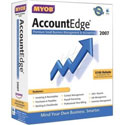
MYOB AccountEdge – Accounting Software for Macintosh
Company: MYOB
www.myob-us.com
Price: $299.00
I have been a regular user of AccountEdge since September of 1999, having switched when intuit could not guarantee a Y2K patch for QuickBooks Pro. Since MYOB has a new version of the software, I thought this would be a good time to take a look at what other accounting programs for Macintosh were being offered. I was surprised to see three other robust programs available. Reading the specs though I could see they were designed for smaller businesses such as sole proprietorships, or specific types of businesses (i.e., retail), or individuals. The two big players on the market for small to medium businesses are still QuickBooks Pro and MYOB AccountEdge (or Peachtree, if you are running an Intel Mac.) I know that MYOB maintains a commitment to continue to develop for the Macintosh platform. This is not necessarily so for Intuit and definitely not for Peachtree. And, Intuit recently had some major issues with user data being lost. http://db.tidbits.com/article/9378.
Continue reading »
VidLit
Thoughts on the website VidLit and interview with site creator Liz Dubelman.
To best view VidLit a broadband connection, and the latest version of Flash is recommended.
“Daddy, read me a story.” When I was a little girl, the very best thing that could happen in my life was for my daddy to take me on his lap, open a Little Golden Book, and read a story to me. He was a master at giving voice to the different characters. I could follow the simple pictures in the accompanying book or close my eyes and let the tale, as daddy read it, create the pictures in my own mind’s eye.
Continue reading »
Didi and Ditto
Company: Kutoka Interactive
Price: $19.95 MSRP
http://www.kutoka.com

Continue reading »
Kutoka Interactive bills itself as an edutainment software developer for children’s titles and I have to agree with their own assessment. My grandson Preston, who will be four in August of 2004, has been highly entertained, sitting once for over two hours mostly by himself navigating through the various activities. For an almost four year old with a limited attention span I would have to conclude that the software developers do indeed know how to keep children’s attention focused.
Last weekend I spent a considerable number of hours with the grandbrats. The kids were moving to a new house and needed some free babytending. My three-and-a-half year old grandson Preston is a lively little lad. I don’t like parking him in front of the teevee for entertainment, but Nana’s house doesn’t have a lot of activities for little kids. After building blocks and coloring and digging holes in the backyard we were running out of things to do. Suddenly inspiration hit! “Wonder what’s on the internet for little kids?” I thought.
Isn’t the ‘net cool? I sat down, typed http://www.bobthebuilder.com into the browser and lo and behold up popped the website with a games section. I’m still using my graphite iBook with no mouse, just a trackpad, so we spent the first go around with me moving the mouse and him doing the clicking. We built a house and colored it. We laid pipe. We put Bob The Builder’s tools away. The games were age appropriate and instructional and fun.
Continue reading »
p>HP 7140 xi printer, scanner, copier, fax
HP Officejet 7140xi Printer, Scanner, Copier, Fax
Company: Hewlett-Packard
Suggested Retail: $699.99
http://www.hp.com
Our old laser printer was becoming a financial burden due to the escalating costs of the toner, OPC belt, and yearly service contract. When the service contract came due in November of last year we started looking around for a more cost-effective printer. As I was researching different options, our FAX machine also quit working. My research then turned to the direction of all-in-one devices.
Continue reading »
MYOB AccountEdge 2004
Company: MYOB US, Inc
Price: $299.00 (US)
Network Licenses $99.00
http://www.myob.com/us
“I love this stuff,” Tom Nash told me during the WebEx demo of the newly released AccountEdge 2004 from MYOB. Tom is the Product Manager for MYOB. He was creating a report using the updated Reports feature of AccountEdge 2004 on his computer. I was on the other end of a phone line, with his desktop active in my browser. What a great way to demo a product!
Continue reading »
Recently I had the opportunity to visit the house where I grew up. My father has lived there for forty-seven years. He bought the house and the seventeen acres it sits on in 1956 from my grandfather for seventeen thousand dollars. The house was built in 1927. Before my family moved in, the lath and plaster interior walls were gutted and new sheetrock was hung. Walls were painted and carpet laid. The kitchen was remodeled with modern appliances. The rest of the work would come later.
I shared a bedroom on the main floor next to my parents’ bedroom with my older sister Teresa. Our younger sister Jane was born the year we moved in. I don’t remember her sharing our bedroom, she must have slept in mother and dad’s room. When she was older, the upstairs was finished and we three girls moved up there. We had two beds to share between us, but I remember that most of the time we shared the same bed. I was the middle child, and often ended up sleeping in between my two sisters.
Continue reading »
Real World InDesign 2
By Olav Martin Kvern and David Blatner
Peachpit Press
650 pages
ISBN: 0201773171
Price: $44.99 US $69.99 Canada
I was delighted when Adobe introduced InDesign. Finally, I thought, a program that will let me do everything I need without going back and forth from Quark to Photoshop. Then I got the program. And I thought, bloody hell, I’m going to need a four-year college course to learn this. Then I got Real World InDesign 2 by Olav Martin Kvern and David Blatner, and saw a light at the end of the tunnel.
The chapter layout of the book is excellent. Chapter One is called Workspace and details all the windows, palettes, menus, shortcuts, preferences, defaults, navigation, plug-ins, even how to get help. Kvern and Blatner use clear and concise wording, which appeals to a non-professional such as myself. I’m not a graphics professional, and even though I’ve used some of Adobe’s products in the past I’ve not always known what the various tools are. The authors define the functions first, then tell you how to use them. For example: “The Polygon tool makes it easy to draw equilateral polygons, such as pentagons, hexagons, and dodecagons. (Polygons are closed geometric objects that have at least three sides; they’re equilateral if all sides are the same length.)”
Continue reading »

MYOB AccountEdge 3
Company: MYOB
Price: Full Version $249
http://www.myob.com/us
Way back in the Roman times (1999) when Y2K fears were all the rage, I switched accounting programs from Quickbooks to MYOB Accounting v.8. Intuit had been promising a Y2K ‘patch’ for it’s Macintosh version, but as the months rolled along into September and no patch appeared, I convinced my company to switch to MYOB accounting software which had been Y2K compliant since 1993. The learning curve was simple, as this software had been first developed in 1989 for the Macintosh platform as “a software program that enables small businesses to ‘Mind Your Own Business’.” MYOB added a Windows version in 1991, but over the years the company has maintained its commitment to the Macintosh platform as a first priority.
MYOB was one of the very first applications ready for OSX when Apple announced the new operating system in January of 2000. MYOB hasn’t left OS 8.6-9x users in the dust, either. AccountEdge version 3 and FirstEdge (the slimmed down version of AccountEdge developed for sole-proprietorships) are available for all Macintosh operating systems 8.6 and newer. Upgrading from one of the older operating systems to OSX is made easy as well. Users who want to switch from QuickBooks are offered a downloadable patch from the MYOB website, to easily import QuickBooks data.
Continue reading »
JOHN NEMEROVSKI
CD-RW burners keep getting faster and cheaper, and my latest recommendation is a lightweight, tiny model from TDK, their FP-241032 VeloCD External Firewire CD-RW Drive. With rebate, the cost is a mere $99.99. I use mine every day, and it is a real asset to my work as computer tutor and music instructor. Buy it from http://www.jandr.com.
With your CD-RW unit you will need some blank media. I’m currently working on a review of CD-Rs from Verbatim and Imation. Verbatim sells something called “Digital Vinyl CD-R,” which resemble prehistoric 45rpm records, if you can remember back that far. Adorable, retro, and fully functional. Imation is the manufacturer to use for cute, colorful 80mm Mini CD-R’s sold in a 5-pack of neon colors. In fact, Imation carries a complete range of unusual color discs and cases.
While you’re burning (legally, of course) all those CDs, you’ll want to watch a movie or two on the new DVD player you just received or your DVD-ready Macintosh. Open up Video and DVD Guide 2003, by Mick Martin and Marsha Porter, from Ballantine Books. This book comes in two sizes and prices. Younger readers and people who obtain such a title annually will be happy with the small-print under- $10 (US) version and geezers or infrequent buyers will appreciate the over-$10 medium-print edition. Either way, you’ll have a much better idea of what to watch and how to avoid losers.
Continue reading »
Recently John Nemerovski posted a message to the My Mac Staff asking what everyone thought was the greatest Mac app ever. The question prompted an immediate response from everyone, which has now turned into a group effort that you will find below.
ClarisWorks/AppleWorks – the kitchen sink of Macintosh apps
By Ralph J. Luciani
When the gang at My Mac Online came up with the idea of a collective article on what we thought was the most outstanding Macintosh application, the suggestions grew faster than the offspring of procreating rabbits. My choice is purely personal and it is AppleWorks – formerly known as ClarisWorks.
Ten years ago when I first started to use a computer it was an abandoned Mac Classic. Times were tough and my primary job had been reduced to a three-day week. In order to survive I took on a second job with a contractor specializing in renovations. My new boss had received the Mac as part payment of a debt and the original all-in-one Classic was gathering dust in a closet because no one knew how to use it. Without any instructions I plugged it in and played with this fascinating “toy.” The only application that was installed was ClarisWorks. My hit and miss introduction garnered more hits than misses and I marveled at the easy to use computer and this amazing multi-faceted piece of software.
Continue reading »
Jane Bland, Spam Magnet
2,000-year-old bread recipe will MAKE me lose weight! In addition, I will JUMBO size my PENIS and increase my ejaculation by 666% while my incredible two-week business opportunity makes me thousands of dollars. I will need legal Viagra because while all this is going on I’ll have so much free time I’ll want to cruise on over to RAPING FUN ON THE FARM. Before I do that, though, I’ll protect my computer privacy for only $12, of course.
I’m Jane Bland, and I’m a spam magnet.
Continue reading »
Rodney Lain owes me $20. It is a debt I will never be able to collect. Rodney incurred this debt to me when we finally met in person, at the Author’s Party at MacWorld 2000 in San Francisco. We had corresponded by email for a time before our meeting, and he was easy to pick out in that small crowd. He was the ‘nigga with attitude’.
“Hey, you must be Rodney”, I said as I approached him. His reply was “Have you seen an ATM? I’m broke.” The food at the party was free, but it was a cash bar. I bought him a beer and gave him a $20. In the subsequent two years, that twenty dollars became our running joke. “Hey Rodney, don’t forget you still owe me a twenty” was usually my closing in the lighthearted emails we exchanged. “Not forgotten, catch you at the next MacWorld, and I’ll buy you a beer”, he’d reply. These are things you say to friends when you expect them to be around for a long, long time.
Continue reading »

Dear Diary. When I was a child I kept a diary, one of those kind that had the little locking tab on the front with the teeny tiny key. In it I recorded my pre-adolescent fantasies about Richard Duvall and Mike Nichols, the atrocities committed upon me by my two sisters, and anger at my parents. It was kept hidden in a secret cubbyhole in the bedroom I shared with my sisters.
Continue reading »


Comments. Be heard!
Book Review
Book Review
MyMac Podcast #385
MyMac Podcast #384