Canon 50D From Snapshots to Great Shots – Book Review

On May 13, 2009, in Uncategorized, by Bakari Chavanu


Canon 50D: From Snapshots to Great Shots
By Jeff Revell

http://peachpit.com
275 pages
ISBN: 978-0-321-61311-0
US $24.99 CAN $29.99 UK £14.99

The Canon 50D is the latest in the line of Canon’s prosumer cameras. It was released less than a year after the 40D, and sports some really great features for photo hobbyists and professionals. I’ve been using the camera for about four months now and have been very pleased with not only the quality of the photos, but more importantly the redesigned navigation features which help make shooting with the camera a lot easier.

As with any camera, the Canon 50D comes with a pocket size manual that explains all the functions of the camera. But for those new to digital photography and/or those who just purchased the 50D, the pocket size manual may not be enough to get great photos from the camera.

I always point out in digital photography workshops I conduct that it’s no point of paying a higher price for a 35mm DSLR camera only to use it like a point-and-shoot. Likewise shooting with a more expensive camera does not mean you’re going to get better quality photos. You have to know how to use the advance controls of a DSLR if you want to benefit from its advance features.

In this regard, photographer and author Jeff Revell takes a slightly different approach in his book, Canon 50D: From Snapshots to Great Shots. Instead of simply rewriting and expanding on what the camera’s manual says, Revell’s book focuses on how to take great photos by using selected camera features and functions of the Canon 50D. In other words, he doesn’t break down every feature of the camera, but instead focuses on how to get beyond the amateur automatic functions of the camera, using the more of the advance manual settings where you have more control as a photographer. 

Revell used his own photography and experience to write the book. All of the photos have a professional quality to them, ranging from largely landscape, to sports and portrait shots. This Peachpit book is well designed, and the writing is very concise and easy to understand. It’s much better to read than the manual that comes to with the camera. He does break down the amateur features of the camera, such as formatting a memory card, charging your battery, and using the automatic exposure settings of the camera. 

But he goes on to explain and break down more advance topics of digital photography using the Canon 50D, such as shooting RAW vs. JPEG, understanding the triangular relationship between aperture, shutter speed, and ISO settings to bring about an effective exposure, setting the correct White Balance, using program, shutter and aperture priority modes, metering for portraits, and taming bright skies with exposure compensation. Overall, Revell’s book is a nice introduction to both the digital photography and the Canon 50D.

However, depending how far you want to go with digital photography, his book may not be enough. Though I agree with Revell that camera owners can and should read the manual that comes with the camera, in my experience I find that many camera owners are very reluctant to read a dry technical manual. Thus, I think Revell’s book could have been a third or a half longer than it is. It would have been useful to explain and explore some of the many custom functions of the Canon 50D that might help those starting out in professional photography. When I first purchased the 50D, I blogged about five functions that are useful to 50D shooters. Revell, at the end of the book explains some of these features, but I personally would have perhaps highlighted and explored these features maybe at the beginning of the book, pointing out what makes the 50D different from its predecessors. 

Some of the book could be better illustrated. For example, the Highlight Alert, or as it’s called, the "blinkies" feature of the 50D can be very useful in helping 50D users recognize when parts of a shot are potentially overexposed and thus lacking detail that may not be recovered in post-processing. This is a common problem for shooters, and I think it would have been helpful to illustrate it more and show readers how they can address the problem. Likewise, though Revell points how briefly how to use other lenses in the camera, I think it would have been helpful to devote a chapter to the subject. Many novice shooters purchase a DSLR camera but don’t understand what difference it makes to invest in good "glass"-lenses that are better than the kit lens that comes with the camera. For example, the Canon 50mm f/1/4 is a very affordable and useful portrait lens that belongs in the camera bag of every serious Canon shooter. The same goes for a 70-200mm Canon lens that is great for say wedding and sports photography. 

But take my critique of the book as strictly supportive feedback. I think Revell’s book is a great resource for beginning and intermediate digital photographers. This book can be read in a weekend and then used as a resource for learning digital photography skills. Revell provides exercises and tips at the end of each chapter so that readers can put in practice what they learn from the book. While these exercises could also use some illustrative examples, just including them makes From Snapshots to Great Shots a great resource over other manuals/books of its kind.

MyMac.com Rating: 4 out of 5

emailMyMac MagazineTwitterAdvertiseReviews ArchivePodcast


Four Photoshop CS4 Books Reviewed

On May 5, 2009, in Uncategorized, by Bakari Chavanu


Understanding Adobe Photoshop CS CS4
by Richard Harrington

http://peachpit.com
347 pages
ISBN: 978-0-321-56366-8
US $49.99 CAN $54.99 UK £31.99

Real World Photoshop CS4 for Photographers,
by Conrad Chavez and David Blatner

http://www.peachpit.com
584 pages
ISBN: 978-0-321-60451-4
US $59.99 CAN $65.99 UK £38.99

Photoshop CS4: The Missing Manual
by Lesa Snider King

796 pages
http://www.missingmanuals.com
ISBN: 978-0-596-52296-4
US $49.99 CAN $54.99 UK £31.99

Photoshop CS: Photographer’s Handbook
by Stephen Laskevitch

270 pages
www.rockynook.com
ISBN: 978-1-933952-42-0
US $39.95 CAN $39.95

I’ve read and used at least a dozen or so Photoshop books in the last four years. With each new Photoshop of CS update, the manual styled books for the application grow larger and better. Figuring out which books will be mot useful for you largely depends on your experience and skills with the application, your learning style, and what you want to learn.

When I read and review these books, I assess them based on their clarity of writing, the quality of screen shots and images used, and the depth of their coverage of the program. There are two broad categories of Photoshop books: they’re either tutorial-based or they try to be a comprehensive manual that explain the essential features of the program. The worst books are merely technical manuals that aren’t much better than the Help documents that come installed with the program. 

Some books are intended for novice Photoshop users, while others are written for intermediate and advanced users. Some books are best used in a classroom settings and will probably not be very useful for a Photoshop hobbyists. 


Understanding Adobe Photoshop CS CS4

Richard Harrington’s book is great for Photoshop beginners and hobbyists. Most of the book includes step-by-step instructions and bulleted outlines explaining the essential features of CS4. The book also includes a CD-ROM of exercises, as well as the 234 images used in the book. The images are not the most attractive, but the lessons and activities are very clear and concise. The CD-ROM also includes a link to about a 100 or so QuickTime video tutorials that compliment the lessons in the book. The file size of these tutorials are large, so they’re not useful for viewing directly online. You will need to download them directly to your computer. These tutorials are extremely well done, and could easily make the price of the book double than what it is.  

Harrington begins the book explaining the concepts of digital resolution, image mode, bit depth, and the Photoshop interface itself. He covers other subjects found in most Photoshop books, which include layer masking, blending modes, repairing and improving photos, layer styles, actions and automation, and printing options.

Harrington’s book to me is more for the general users. I would not recommend it for serious or professional photographers, per se. It’s more useful for classroom settings and those who want to get acquainted with the program by working through each of the lessons. Understanding Adobe Photoshop CS4 can also work as a reference book. For readers familiar with Photoshop, it would pretty easy to use the book’s table of contents and index to reference questions they have about particular features and techniques of Photoshop.

And finally, Understanding Adobe Photoshop CS4 would work great as a college or even maybe a high school textbook. It comes with interactive quizzes based on what is covered in the book. The quizzes might also be useful for those wanting to take the Adobe Photoshop expert certification exam. Harrington truly provides a comprehensive multi-media approach to learning Photoshop CS4. Whatever your style of learning, you will find this book resourceful.

MyMac.com rating: 5 out of 5


Real World Photoshop CS4 for Photographers

Conrad Chavez and David Blatner’s book on Photoshop CS4 is also a comprehensive manual covering the essential features of Photoshop and digital photography in general. It does not take the tutorial or step-by-step approach to learning the program. It’s explicative in its presentation. Photographers upgrading to CS4 will find this book very useful. Chavez and Blatner go deeper into a Photoshop workflow for digital photography. They break down the connection and use of the two programs that come installed with the Photoshop CS4-Adobe Camera Raw (a digital RAW processing application, and Adobe Bridge (an image management application.) Part of the difficulty some people have with Photoshop is knowing where to start and how to manage and process a media card of images. This book will help you develop a workflow.

The authors also cover in detail the use of Levels, Curves, Unsharp Masking, and Channels-tools particularly useful to photographers. And though the book is not about Adobe Lightroom, they do explain many of the similarities and differences between it and Adobe Camera RAW and Bridge. Many photographers including myself have tried to make sense of which programs are most useful to their workflow, especially since each of them share similar image processing tools. Real World Photoshop CS4 for Photographers does not come with a CD-ROM or website of downloadable images used in the book. The authors are writing I would say for intermediate users of Photoshop-users wanting to learn the new features found in CS4, as well advancing their skills in other areas of the program. 

MyMac.com rating 4 out of 5


Photoshop CS4: The Missing Manual

Lesa Snider King’s book is the largest of the four under review. Like most Missing Manual tomes, King’s Photoshop book shares the clarity of style and breadth of coverage that I look forward to in O’Reilly’s Missing Manual books. 

This Missing Manual is not necessarily tutorial-based, but it does provide down loadable images used in the step-by-step instructions of the book. Missing Manual is both useful for beginning and advanced Photoshop users, but I think it’s a little too broad in approach for photographers, in particular. I’m not saying that book is not useful to photographers, but there are other photoshop books, such as Stephen Laskevitch’s book discussed below, that are more well suited for serious photographers.

What is also great about this Missing Manual book are the underlining tips interspersed throughout the book. Nearly every page of the book includes a box with illustrations and and a paragraph or two that sort of re-iterates what is has been explained in preceding sections. The illustrations are easily referenced so that you don’t have to turn pages back and forth to see what the author is referring to.

I would almost say that Photoshop CS4: The Missing Manual is the type of book that you could read and work through from cover to cover, because the writing style and organization of the content lends itself to that type of reading. But this Missing Manual probably will most used as a reference book, answering questions and explaining strategies that you want to learn. It could also be useful as a college textbook.

MyMac.com rating: 5 out of 5


Photoshop CS4: Photographer’s Handbook

Stephen Laskevitch’s book is for me, a photographer, the most appealing of the books under review. Laskevitch’s book follows the fine art tradition of the Rockynook series of books on digital photography. The layout of the nearly 8 by 10 size book is beautifully designed with sufficient space to jot notes in the margins. 

Because this book covers Photoshop CS4, Adobe Bridge, Lightroom 2, and Adobe Camera Raw, the right side of each page is marked with an application icon that indicates which Adobe application is being discussed. Unlike King’s Missing Manual book, and Harrington’s book, this Handbook does not go into detail about features of Photoshop that might be more useful to designers and illustrators, e.g. artistic brushes, typography, and layer styles.

Laskevitch explains well how his book is broken down: "The first chapter familiarizes the reader with the key concepts behind color and digital images, as well as some though how cameras covert light to to data. The brief second chapter will help you decide hot to configure your hardware and software settings including certain application preference settings you’ll want to configure correctly early in your use of them for the kinds of images you work with. The third chapter, most likely to earn dog ears on the pages, covers the layout general use of the software applications used. 

The second section focuses on the key steps in the complete photography workflow. Each chapter highlights those steps: Capture and Import; Organizational and Archiving Images; Global Adjustments; Local Adjustments; Cleanup and Retouching; Creative Edits & Alternates; Output-Print, Web, and Presentation."

And I would agree with the author that it would be useful to work through this book from cover-to-cover. It’s not necessarily tutorial-based, but it’s geared toward, like Chavez and Blatner’s book, helping you understand not only Photoshop CS4 and related Adobe digital photography programs, but to also understanding digital photography in general. However, while the book includes screen shots on nearly every page, it does not come with the downloadable images used in the book. In all the books under review, it seems that Laskevitch’s contains the least amount of photographs. Each chapter however does begin with a full-page fine art photo that adds to overall attractive design of the book. 

One essential feature not covered in Laskevitch’s book are Photoshop automation tools and actions. Automating your workflow in Photoshop is to me very important to serious Photoshop users. I rarely take a photo(s) into Photoshop and not use some sort of automating feature that either comes installed with the program or was created by me. 

If you’re a photographer learning to use Photoshop CS4, Adobe Bridge, Camera Raw and Lightroom 2, then you’ll find Laskevitch’s book even more useful. As you work through this book, you’ll want to work out for yourself your own particular workflow using the programs. Without a workflow, these programs can often become overwhelming, and thus not often used to their advantage. Laskevitch’s book stands out in this regard in helping you outline your own workflow, even though you’ll constantly refine it as your learn new tools and strategies in Photoshop. 

Photoshop CS: Photographer’s Handbook is indeed for serious photographers who want to advance their skills with Adobe’s main image processing and management applications. Like the other books under review, this one is not just about the programs themselves but all the concepts that you need to understand about digital photography. As Adobe continues to upgrade their programs, photographers will need books like this one in order to take full advantage of the upgrades.

MyMac.com rating 4 out of 5

Conclusion
As I stated at the outset, it’s difficult to recommend any particular book for learning Photoshop. If tutorials and lessons are helpful to you as a learner, then Harrington’s book is a great way to go. If you’re looking to advance your skills with Photoshop, then Snider’s, Chavez and Blatner’s book are equally useful. And if you’re serious photographer, Laskevitch’s Handbook will make a great resource. 

emailMyMac MagazineTwitterAdvertiseReviews ArchivePodcast


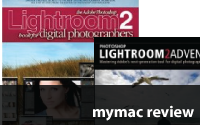
Two equally great books about Adobe Lightroom 2 – Review
On January 19, 2009, in Uncategorized, by Bakari Chavanu

Photoshop Lightroom 2 Adventure
by Mikkel Aaland

O’Reilly Press
http://www.oreilly.com
ISBN: 978-0-596-52101-1
365 pages
$44.99 US, $44.99 CAN


The Adobe Photoshop Lightroom 2 Book for Digital Photographers
by Scott Kelby

New Riders Press
http://www.newriders.com
ISBN: 978-0321-55556-4
429 pages
$44.2009 US, $48.99 £28.99

I’m a dedicated Aperture 2.0 user. Eighty percent of my post-production workflow for wedding photography is done in Apple’s pro photo imaging software. But I must honestly admit that I have kept my eye and hands in Adobe Lightroom off and on since its beta days. For a long while, Lightroom in my view lagged behind Aperture because it’s interface was too linear and it lacked the smart album features of Aperture that I use to efficiently keep track of my tagged photos. 

But when Lightroom 2.0 was released and I worked with the trial download from Adobe, I was seriously impressed. Lightroom still has a more linear feel to me than Aperture, but it sports nearly every management and image processing feature found in Apple’s program, plus a lot more. Now I mainly hang onto Aperture 2.0 because of it’s book making features, it’s integration with Apple’s iLife programs, and its more fluid interface.

With that said, I have started to bring some photography projects in Lightroom because I find it’s universal presets (which are absent in Aperture) to be both awesome and a huge time saver. When someone ask which program they should get, Aperture or Lightroom, I have to honestly say, Lightroom. (Note, however, if you’re not a professional photographer shooting 800+ photos on a regular basis, you could easily use Adobe Bridge and Camera Raw, both of which come installed with the CS versions of Photoshop. These two programs do many if not most of the same things as Lightroom and Aperture do.)

If you choose Lightroom for your digital photo management and processing, you will find no shortage of books and video tutorials to teach all you need to know about using the program. The authors, Mikkel Aaland and Scott Kelby, of the two books under review were amongst the first authors to write excellent guides about the program, even under its beta release.

Photoshop Lightroom Adventure 2
I wrote about Aaland’s book, Photoshop Lightroom Adventure last year and gave it a well deserved MyMac 5 out 5 rating. This his latest book, Photoshop Lightroom Adventure 2, is not a second edition; it’s a rewritten book employing his collaboration with 18 other outstanding photographers and a team of Adobe experts who took Lightroom 2.0 on a road test in the wilds of Tasmania.

As with his first book, the images included in this guide are simply astounding (see many of them here). It’s really great that publishers of photography manuals have realized that the images included in their books should be very professional while also instructive. Every page of Aaland’s book is filled stunning photography and screen shots that explore every aspect of Lightroom 2.0.

At least three of Aaland’s books have been on my shelf since the first time I picked up a digital camera over five years ago. He is a master of breaking down complicated concepts about digital photography in a succinct manner. Each section and chapter of Photoshop Lightroom Adventure 2 starts off with a 1-2 paragraph overview of what will be covered. Chapter and section headings are on top right of each page. All aspects of the post-shooting workflow are covered in this book. You will learn about organizing the Lightroom workspace, importing images, using the library, as well as the development and output modules of Lightroom.  

The middle chapters of the book deal with digital development, e.g. exposure correction, cropping, toning, and white balance adjustment. This is where the book stands out because you’re learning about digital development from a team of experts. Chapter 8 even includes, as with first book, actual custom development module settings created by Aaland and his colleagues in their photography adventures in both Tasmania and Iceland. The ability to make various adjustments and conversions to one image in Lightroom and save those settings to use again later is what sets Lightroom apart from other image processing applications, including Aperture 2.0. In Lightroom, you can save your adjustments as presets and simply pass your cursor over the titles of the presets to get a preview of what your selected photo will look like even before the preset in applied. This can’t be done in Aperture. You can save individual settings in Aperture and/or copy and paste a group of settings from one image to one or more others, but you can’t save entire settings and re-use them later in the way you can in Lightroom.

You can also save and share your custom settings with other Lightroom users. The settings (or recipes as Aaland calls them) explained in Photoshop Lightroom Adventure 2 are breath taking, showing you how to convert your images and give them a stunning look and feel. By following along the step-by-step instructions for improving an image, you can get a better sense of the development tools in Lightroom than you would by simply downloading the settings and importing them into the program. 

These and other sections in the chapter on using the development modules in Lightroom are advance but very accessible parts of Photoshop Lightroom Adventure 2. Aaland shows you how to examine your images and how to make choices for effective exposure and color adjustments and conversions. His section, for example, titled "Black and White and Special" actually starts off with a brief discussion of what type of images make for good black-and-white conversion. This of course is an aesthetic issue, but Aaland provides some guidelines and the shows several ways you can make various types of greyscale conversions.

Aaland helps you push the boundaries of Lightroom by adding unrealistic special effects to your images. The beauty of this process is that you can play around with your images and never destroy your originals. This will also mean that you will find less and less a need to work on your images in Photoshop because Lightroom takes care of nearly your entire post-shooting workflow. However, Aaland does include chapters on how to take your images from Lightroom and into Photoshop, as well as how to do output work for printing, creating slides shows, and the entire image exporting process.

Indeed, Photoshop Lightroom Adventure 2 will be the only guide you need to learn the program. The nearly 8 1/2" by 10" design and layout of the book, as with other O’Reilly books, provides plenty of room to jot notes and flip the pages back and forth. You can work through each chapter and section of the book if you’re a first time user of Lightroom, or you can use the book as a guide for what specifically need to know. One thing to point out, though, is that the manual does not come with a CD of images that are used in the book. So be prepared to have your own images as you work through the tutorials.

All in all, Photoshop Lightroom Adventure 2 is a inspiring book for Lightroom 2 users. The price tag is a little steep, but the images and instruction in the book are well worth the price, and a 5 out of 5 MyMac rating.

The Adobe Photoshop Lightroom 2 Book for Digital Photographers
If you’re a serious Photoshop user, you no doubt know of the best selling works of the Scott Kelby, the author of The Adobe Photoshop Lightroom 2 Book for Digital Photographers. For those of you who don’t know, Kelby is Editor-in-Chief of Photoshop User magazine, President of the National Association of Photoshop Professionals, and co-producer of the popular Photoshop podcasts, PhotoshopUsertv

Kelby is well known for getting at the nuts and bolts of Photoshop and digital photography. All his guide books are practical-based, providing the essential techniques to achieve real world application. The second edition of his The Adobe Photoshop Lightroom 2 Book for Digital Photographers is written and designed like most all his other books. Each chapter consists of 1-2 page step-by-step instructions about every feature of Lightroom 2. These pages are like mini-guides for using Lightroom 2. Each step is no longer than a paragraph and are accompanied with a screen shot that reflects the specific instructions of each step. You can dip into this book and start anywhere you like, but if you are new Lightroom 2, you might want to work through the book from beginning to end.

Both of the books under review are very similar in approach. It’s very difficult to recommend one over another. The edge that Kelby’s book has over Aaland’s is that Kelby provides some downloadable photos taken by him and his colleagues that can be used to follow along with the tutorials. Of course, it’s always better to work with your own photos, but it’s great that he’s made photos available for eight of the fourteen chapters. He also provides a couple of bonus chapters, one that explains his personal workflow using Lightroom, and another one specifically for wedding photographers. I would say that Kelby’s book might appeal more to wedding and portrait photographers, and the style of Aaland’s book may appeal more to nature and landscape photographers. I should also point out that if you like Kelby’s style of instruction, you should check his online training website, which includes excellent video tutorials about Lightroom 2 presented by Matt Kloskowski, a close colleague and protégé of sorts of Kelby. 

Finally, though I didn’t do a scientific comparison of each book, both seem to cover most of the same features of Lightroom 2 with different emphasis on various features of the program. It might be useful to actually peruse each of the books in hand to make a decision about which one appeals to you personally.

Though there a few fine books written about Apple’s Aperture 2, they don’t compare to the how well these two authors explain and make Lightroom 2.0 very accessible for first time users of the program.

Both books get a well deserved 5 out of 5 MyMac rating.

Bakari Chavanu is a professional photographer, freelance writer, and an occasional blogger: Mac Photography Tips

emailMyMac MagazineTwitterAdvertiseReviews ArchivePodcast


The Canon EOS Digital Rebel XSi/450D Companion
by Ben Long

O’Reilly Press
ISBN: 978-0-596-52086-1, 271 pages
$24.99 US, $24.99 CN

Canon EOS 40D: The Rocky Nook Manual
by Artur Landt

Rocky Nook
ISBN: 978-1-933952-33-8
$29.95 US, $29.95 CN

Photoshop CS3 Accelerated
by Blues Kim

YoungJin
ISBN: 978-8931434378
$24.99 US, $24.99 CN, £14.99 UK

It’s difficult for a mere book reviewer like myself to understand how publishers and book writers can keep up with the frequent updates in digital software and hardware. Just when you purchase a Canon camera or the latest update of Photoshop, new versions of these products come out in less than a year’s time. It seems like writers and publishers have to scramble to keep up with the ever expanding technology. But somehow they get the job done, and in most cases very well.

If you’re a Canon shooter, you no doubt have heard or followed the recent update to its EOS line of cameras. As a reviewer, I wish I could say I’ve gotten my hands on their newest cameras, if nothing else but for review purposes. But sadly I haven’t. However, I was sent a couple of new books on Canon cameras for review that provide me some insight about the new Canon Digital Rebel XSi/450D and the Canon 40D. I have the predecessors to both of these cameras, so what is discussed in these books under review are not foreign to me.

Continue reading »

The Moment It Clicks
Review

On July 22, 2008, in Book Review, by Bakari Chavanu


The Moment It Clicks
By Joe McNally

O’Reilly
256 pages
US $54.99, CAN $59.99, UK £29.99
http://www.PeachPit.com
ISBN-13 978-0-321-54408-7

If you’re a serious a photographer who keeps up with what’s going on in the photography industry, you’ve no doubt heard about acclaimed photographer Joe McNally’s recently published book, The Moment It Clicks. It has been blogged and reviewed aplenty on many websites. His friend and editor, Photoshop guru Scott Kelby, has promoted the book on his blog and other places, and there’s been a healthy debate amongst Amazon.com reviewers about how useful the book is or isn’t to learning McNally’s awesome photography techniques.

I’m not here to necessarily write a review of the book. There’s plenty of reviews already published. I want to respond with my own personal likes and dislikes of what some readers are calling a great guide book, while others claiming it’s basically a great coffee table photography with little to learn from. First off, when I saw it in the bookstore, I simply wanted it for the awesome photos and the creative energy the images convey. I could tell that with the sparse amount of text that there wouldn’t be a wealth of how-to information in the book, so I wasn’t expecting that.

Continue reading »

Tagged with:  

Layers: the Complete Guide to Photoshop’s Most Powerful Feature

On June 3, 2008, in Uncategorized, by Bakari Chavanu


Layers: the Complete Guide to Photoshop’s Most Powerful Feature
by Matt Kloskowksi

Peachpit Press
ISBN 978-0-321-53416-3, 255 pages
$39.99 US, $43.99 CN £28.99 UK

When I conduct introductory digital photography workshops, most people say they have trouble using Photoshop because they don’t understand how to use layers. Though Photoshop takes us out of the darkroom so to speak, for many people any version of Photoshop seems as daunting and confusing as working with film, chemicals, and an enlarger.

Well, Photoshop guru Matt Kloskowski has written a concise introductory guide about using layers, the heart of Photoshop Elements and Photoshop CS series. His book is appropriately titled, Layers: the Complete Guide to Photoshop’s Most Powerful Feature. For this book, Matt incorporates Scott Kelby’s trade mark style of explaining Photoshop layer features and techniques in a well illustrated, step by step process. Each lesson is explained in less than five pages with no more than two paragraphs per page.

Matt of course starts the book off with a simple introductory lesson and illustration of how layers function within Photoshop. This is very important because it’s precisely where many Photoshop newbies get stuck. The concept of layers is a little foreign for some, and Matt does a good job explaining it.

After the introduction, his next eight chapters cover everything from blending and adjustment layers, to layer masks, to the non-destructive power of using smart layers. All the lessons are based on Photoshop CS3, but I’m sure most will apply to CS2 as well.

The image files he uses in the book (which can be downloaded from his website) are a mixture of his own photographs and stock photography, both of which are very attractive and tailored to the lessons. It’s pretty easy to follow the step-by-step, illustrated lessons and not get too confused. But what’s more important is that you not only follow the instructions but try understanding the why of how layers are used and not just the how. In many places in the book, tools are introduced and defined, as when Matt defines blend modes and how they function with layers. However, I would not call his explanations a textbook definition. For example, he explains that the Multiply blend mode means it "multiplies two colors (the top layer times the layer under it. Black times any color will result in black…" That’s about as deep as it goes. And for most Photoshop users, that’s sufficient.

Because Matt is a prolific workshop presenter and has created hundreds of video tutorials about Photoshop tools and techniques, his book is equally thorough, covering the basics of layers, but also providing advance coverage for users ready to learn about the power of layer masks, smart filters, curves, and adjustment layers.

The challenge of any book like this, though, is going beyond the lessons. It’s important to apply what you learn to your own images. That’s where the real learning sinks in. It also means experimenting and building on your understanding what the book presents.

If you want an example of Matt’s concise and friendly style, check out and follow his very useful podcast, Photoshop Killer Tips, and the weekly podcast show, PhotoshopUserTV.

There are indeed other books about Photoshop layers, but this one deserves a MyMac.com rating of 5 out of 5 for being concise, well designed, and probably the best introduction to the subject.

emailMyMac MagazineTwitterAdvertiseReviews ArchivePodcast


Light & Exposure for Digital Photographers – Review

On June 2, 2008, in Uncategorized, by Bakari Chavanu


Light & Exposure for Digital Photographers,
by Harold Davis

http://digitalmedia.oreilly.com
ISBN: 978-0-596-52988-8, 176 pages
$29.99 US, $29.99 CN

More and more people these days have digital cameras. What is traditionally called point-and-shoot cameras are extremely popular, and affordable and for the most part they produce really good photos. But if you’re serious about photography, at some point you’ll have to get beyond the automatic exposure settings of your camera and learn about the marriage between light and exposure and how to use the features of your camera to make that marriage work.

For the last few months I’ve had the joy of conducting Better Digital Photography workshops at local Borders bookstores in my area. Each class has been well attended, but the best part of the class is seeing how amazed some participants become when they learn how to use say the exposure compensation feature on the camera – a feature that most of them never heard of.

My classes are only an hour-long each, so I always suggest a couple of good books that participants should read in order to extend their knowledge and skills. Exposure Photo Workshop is one of the books, which was recently reviewed by MyMac’s lead reviewer John Nemo in the form of interview with the book’s author, Jeff Wignall. I too read and found Wignall’s book a very useful guide for beginning and intermediate photographers on the topic of exposure.

A second book on the same subject that I now will start suggesting is Harold Davis’s Light & Exposure for Digital Photographers. Like Wignall’s book, Light & Exposure covers well what you need to know about using appropriate aperture, shutter, and ISO settings for effective digital photography.

While both Wignall and Davis’s books cover the same subject, Davis’s book is geared more toward the artistic side of digital photography. Each of it’s 176 pages are filled with stunning scenic photos ranging from macro images to tiny water worlds to vast circle of stars in the sky. The images help illustrate the topics Davis explains in his book, which include:

- Evaluating light and choosing the best exposure
– Working with aperture and depth of field
– Selecting shutter speed
– Using ISO, noise, and light sensitivity to your advantage
– Shooting in available and artificial light
– Understanding the true potential of digital darkroom
– Starting with the best exposure in your camera, rather than relying on post-processing fixes

Each topic is covered in a short but well developed paragraphs on nearly every page of the book. Davis’s writing is not laborious. He knows how to break down topics in terse language, providing you just about as much as you need to know to understand the subject. Shorter chapters on macro and night photography are also included but they mainly in my view just wet your apatite on the subject.

Concluding chapters of the book deal with image editing and enhancement in the the digital darkroom. Here, Davis explains RAW conversion and what it means for digital photography, and then follows up on post-processing images in Adobe Camera Raw (ACR), an application plug-in that comes installed with Photoshop CS2 and 3. While this book is not about Photoshop (indeed, most books on digital photography put far too much weight on post-capture using some version of Photoshop), it’s good to see that Davis at least introduces exposure editing features in ARC that are important to improving the quality of digital images. Introducing this topic insures that novice digital photographers don’t think the photos in the book come straight out of the camera looking that awesome. I imagine that Davis could write a full-length book on post-processing in ARC and Photoshop, but in this book he provides just enough information to help readers understand the relationship between how exposure and light work in the camera and exposure works when images are processed on the computer.

As thorough as this book is, however, I would say that Davis’s book is not quite for absolute beginning photographers who just purchased a camera. It’s for readers who are serious about taking their photography to the next level beyond the point-and-shoot and automatic mode. This book will be of little use if you’re not shooting photos on a regular basis and challenging yourself to understand just how camera exposure works and to make a habit of reading light in various settings.

A few topics in the book could have been expanded upon and illustrated, namely the histogram feature that exist in nearly all digital SLR and even many compact cameras. Far too often when we preview photos on the LCD of screen of camera, we’re not getting an accurate picture of the image exposure. The pixels are so compressed and sometimes the screen is so small that it’s hard to tell if you have under or overexposed a image. The histogram helps in this regard. David mentions and defines the histogram in a few brief sentences but he provides no illustration of the feature or how to best use it. Perhaps he doesn’t rely on it, but it’s a topic well worth covering in this type of book.

Despite a few drawbacks, I highly recommend Light & Exposure for any serious photographer needing to understand the subject of this book better.

MyMac.com rating: 5 out 5

Bakari Chavanu is a professional photographer out of Sacramento, CA. His website: http://lifetimevp.com.

emailMyMac MagazineTwitterAdvertiseReviews ArchivePodcast


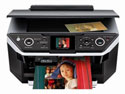
Epson RX680 Photo All-in-One Printer – Review
On April 8, 2008, in Uncategorized, by Bakari Chavanu


Epson RX680 Photo All-in-One Printer
Company: Epson

Price: $199
www.epson.com

For the last several years, the Epson Photo R200 inkjet printer has been a little work horse for my business related projects. I mainly purchased it because it was among the first printers back in 2004 that could print directly onto printable CDs and DVDs. I’ve rarely had any problems with the R200, but my printing needs have grown a little over time.

So being able to attend Macworld again this year, I was afforded the opportunity to check out many of the recent Epson printer models on the market. While I certainly had my eyes on the large format printers, my practical needs called for an all-in-one model, like the Epson CX5200 that conked out on me a few years ago.

At the Epson Macworld booth, the options were varied, but the salesman drew my attention to the Epson RX680 All-in-One printer. The sample prints of course looked very good and the price tag (including 20% off) was equally appealing. But what sealed the deal for me was when the salesman told me about the Auto Duplex printer feature, i.e. auto double side printing. I have what is probably bad tendency to print out articles and other documents that I are too long to read online. So at least every other day, I do some sort of double-sided printing. Well, I’m happy to report that the Auto Duplex feature is seriously handy, time saving feature on the RX680.

Configuring the printer preset for this feature is fairly easy, but if you’re like me you’ll probably want to use the Economy setting for Print Quality in order to save ink for this type of printing. The Economy quality prints in a light sepia tone rather than a usual greyscale tone, or at least that’s how it prints on my computer.


The double-sided printing may sound clunky during the printing process, but out of the 50+ documents I’ve printed so far, there’s been very little problem.

RX680 also sports rear and front-end printing trays. I was looking forward to putting 3-hole punched blank paper in the front tray and regular inkjet paper in the rear tray, but the 3-hole paper gets jammed in the Auto duplexer on the back of the printer. That’s a big disappointment. So basically, I now have one tray set up for plain printing paper, and the other for matt and glossy stock. Effectively using these presets can save you ink, time, and frustration.

Because the RX680 is an all-in-one printer, it comes, of course, with probably more features than most people might use. In addition to the double-sided printing, other features include:

• Photo previewing on a 2.5" tilt LCD screen before printing
• Viewing, selecting, cropping, rotating and enlarging on the LCD screen
• Memory card slots to print photos PC-free
• Direct printing onto ink jet printable CDs/DVDs
• Restore old, faded color photos – PC-free
• Scanning to PDF for e-mailing or archiving – PC-Free
• Six individual ink cartridges

If you need to make prints outside the use of image software like iPhoto or Photoshop, the RX680 provides the option to print directly from your camera or SD or Compact Format media card.

Photo Printing
The RX680 seems to handle 4×6 prints very well. Though there are many factors beyond the printer that affect photo printing quality, I got equally good prints at the largest 8.5×11 print size. However, mistakenly using the wrong printing presets, Photo Quality Inkjet instead the correct Ultra Premium Photo Paper preset, resulted in some funky inky spots on two prints. So make sure you set up for the correct paper stock, and for the most part use only Epson paper for your photo printing.

Prints take on average about 30-40 seconds once they get started. The colors are crisp and match pretty well to what you see on your computer. For better results, however, you’ll want to learn about color calibrating your monitor. Photo printing is a skill in and of itself, and though Epson and image software makers like Apple and Adobe provide lots of help in this area, you still must know what you’re doing in order to get good quality prints. It does help that the RX680 uses six individual color cartridges instead of four which provides a wider color range.

And speaking of ink cartridges, it’s also nice that this printer actually displays the levels of ink remaining for each cartridge each time you make a print. Though there’s no option to have the print level window appear behind other application windows, it’s still great to know when ink levels are low. When you’re nearly out of ink for a particular cartridge, a window pops whereby you can order an ink cartridge replacement. There’s no way however to turn this option off.


The direct print to CD/DVD is also very good. I use The Print Shop 2 (http://www.mymac.com/showarticle.php?id=2647) for DVD printing layouts. This application comes installed with all the iDVD theme designs, which is great way to have DVD prints match your iDVD themes. The process for this direct printing on the DVD is not as straight forward as on the R200, but the print quality is just as good. Not laser print good, but very nice, clear colors. And again, a CD/DVD preset can be used for this type of printing.

The RX680 as a Copier
The copier feature was also another reason I chose to purchase the RX680. The CX5600 handled black-and-white copies very well, but I can’t say I’m pleased with the copier results of the RX680. First off, the instructions and navigation for making copies are simply confusing. Even after writing Epson to get some clarity, I still could not produce a simple, nice copy of a document. The results of the copies are not very strong, and there’s no simple way that I could discover to make simple copies without having to fool around with the menu selections. The copy process should be a single click process. Pure and simple.

Scanning
The scanning features seem pretty good. They’re not that different from the CX5600. I find the settings pretty easy to manage and the scans are okay for an all-in-one image copier. If you’re looking for more precise controls for scanning, you probably should look for a stand-alone unit.

Lack of Documentation
My biggest gripe with this unit is the lack of good documentation. Yes, there’s the obligatory large, foldout quick start guide that gets you up and running, and you can also download a PDF instructional guide, but I think a useful guide should come with the printer. Epson should also by now have video tutorials posted on their site so that customers can maximize the use their printers.

The unit is 17.6 x 19.9 x 9.3 inches, and weighs 35 pounds, so it’s not unobtrusive in any form or fashion. The large size makes you wish that the printer came installed with a WiFi connection feature so you can place the computer somewhere else besides your desk.

Lastly, Epson needs an ink cartridge recycling program. I looked for one on their site and couldn’t find it. With other printer companies like HP, you can drop empty cartridges at a local Staples or other office supply stores and receive a discount on ink cartridges purchases. That doesn’t seem to be the case with Epson.

I’m not sure if or how long it will be before this printer conks out like the Epson CS5200, but overall I’m satisfied with the RX680′s abilities and features in general. It’s great for small, home office use, and the price is decent, considering how much you’ll pay for ink cartridges.

MyMac.com Rating: 4 out of 5


Mac OS X Beyond the Manual
by Scott Meyers and Mike Lee

Publisher: Apress
Price: US $34.99
598 pages

With every significant update of Apple’s operating system there’s going to be a slew of manuals to help new and experienced computer users learn about a system’s new features, plus any tips and hacks that make for better and faster computing.

In the past, I’ve always kept a copy of David Pogue’s Mac OS X: The Missing Manual on my computer bookshelf because I can always count on Pogue to address almost any issue I’m having with my computer or a piece of Apple software. Pogue seems to anticipate and address many of the questions that beginning and intermediate users of OS X have for getting into and through the program. His writing is entertaining, well illustrated, and current.

Continue reading »

Two Digital Photography Books Reviewed
On February 5, 2008, in Book Review, by Bakari Chavanu

The Glossary of Digital Photography
By John G. Blair

Published: Rockynook
ISBN 978-1-93395-04-8
Paperback, 311 pages, $39.95


Take Your Photography to the Next Level
By George Barr

Published: Rockynook
ISBN 978-1-933952-21-5
Paperback, 199 pages, $43.95

With so many people shooting with digital cameras these days, and discovering and renewing their interest in photography, it’s great to see publishers like Rocynook producing a such a fine line of books on the subject.

Continue reading »

Automator For Mac OS X 10.5 Leopard
Book Review
On January 24, 2008, in Book Review, by Bakari Chavanu

Automator For Mac OS X 10.5 Leopard
by Ben Waldie
Peachpit Press
www.peachpit.com
ISBN: 978-0-321-53935-9
US $29.999 CN $32.99 UK £21.99

I’ve written in the past two years at least three separate how-to articles (here here and here about Apple’s automation creation program, Automator. Since the program was introduced with Tiger, I’ve always looked for ways it can help me automate certain mundane tasks on my computer. Each morning, for example, I can come to my computer with five of my most frequented Web site feeds opened and ready for me to peruse. Thanks to an Automator workflow initiated by a daily iCal launch, I don’t have to individually pull up those same Web sites each day in order to view them. Automator and iCal do the work for me. I have about eight other workflows like this that I use on a consistent basis.

Continue reading »

Live Capture in iMovie ’08

On January 2, 2008, in How-To, by Bakari Chavanu

I haven’t played around much with iMovie ’08 since it was introduced. I wrote a few articles, got over my initial negative impressions of the program, but then went back to using iMovie HD and Final Cut Express. While the latter two programs are the ones I’ll continue to use for professional editing work, I was pleased to discover that you can do live capture of video with iMovie ’08.

What this means is that you can plug in a firewire-based camcorder or iSight camera (built in to your computer or otherwise) and have iMovie ’08 import your video straight to the program.

Since I think iMovie ’08 is most useful for doing small video projects, this live capture is ideal for video podcast productions and the like, saving a major step in having to shoot video and then plug the camera for video import from video tape.

Here’s how it’s done:

Continue reading »

Tagged with:  

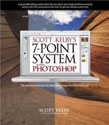
Scott Kelby’s 7-Point System for Adobe Photoshop CS3
by Scott Kelby

Peachpit Press
ISBN 978-0-321-50192-9, 239 pages
US$49.99, CN $56.99, UK £29.99

Since last Summer I have increased my use of Photoshop CS2 and now CS3 on nearly a weekly basis. Much of the reason is because of the work I do as a wedding photographer, and the other reason because of my goal to take my Photoshop skills to an advanced level. In the last few years, I’ve taken a class on Photoshop basics and I have fumbled around with its buttons and tools until I’ve gotten selected photos to look better than the original version. My current skills are largely based on what I’ve learned from reading and using Scott Kelby’s numerous books and some useful Photoshop tutorial websites. But while I aced the Intro to Photoshop class and can easily follow almost any good tutorial, I have yet to develop a strong workflow in Photoshop whereby I can look at a photo and know step-by-step how to make it better.

Continue reading »

Create a Media Browser Using Automator

On November 26, 2007, in How-To, Macintosh, by Bakari Chavanu

If you haven’t noticed yet, each of Apple’s main creative suite applications including iMovie, iDVD, Address Book, Keynote, Pages, Numbers, and now, Mail’s Stationery feature, includes a photo browser whereby you can access photos stored and managed in your iPhoto and Aperture libraries. This means that if you’re sending an email, creating a DVD slide show, editing a video movie, creating a postcard or newsletter letter layout in Pages, or putting together a spreadsheet in which you need photos or images, you can now access your images directly from the program you’re working in.

Continue reading »

Tagged with:  

Initial Reactions to Mail and Stationary

On November 7, 2007, in Opinion, by Bakari Chavanu

One of the upgrades that I looked most forward to for my business was Apple’s new Mail Stationery feature. I’ve always wanted a way to send graphic emails as opposed to simple text-based letters. I’ve tried using various programs – both web-based and 3rd party applications, but all of them were too time consuming for simply creating a few graphic personal or business letters that I wanted to do right within my Mail application.

Image heavy/graphic HTML emails, however, can be a turn off for some computer users who may have low storage email accounts. And recipients of rich text emails may not always get the email has it was originally formatted. But graphic emails are often more appealing for certain types of letters and information. I would say nearly 80% of the emails I receive these days have graphic content. A well done attractive email with graphic content can often get the message across ten times faster than mere words. It’s like the old adage says, a picture speaks a thousand words. One the other hand, a poorly done graphic email can also be a turn off for many readers because it’s weight down with graphic and obscuring the point of the message.

So what do I think of Mail’s Stationery now that I have the ability to finally create graphic emails on the fly? Well, I have mixed reactions.

Like many of you, I get graphic emails from Apple that look like this:

Continue reading »

Tagged with:  

40 Digital Photo Retouching Techniques
Book Review
On October 29, 2007, in Book Review, by Bakari Chavanu


40 Digital Photo Retouching Techniques, 3rd Edition
by Zack Lee

Youngjin Publishers
http://www.yougjin.com
ISBN-13: 978-89-314-3370-8
198 pages, full color
US: $16.95 CAN: $22.95 UK: £9.99

In the age of digital photography, with the right image adjustment techniques, we can look younger, older, and sometimes more attractive. If taking off a few pounds seems impossible in real life, it can at least be done with the magic digital image retouching. Just last week, one of my clients called me and said she really liked a particular engagement photo of her and her fiancé, but she was wondering if I could somehow get rid of her double chin. I was happy to oblige. I could retouch the image in Photoshop in under five minutes, no sweat.

Continue reading »

Photoshop Lightroom Adventure
Book Review
On October 9, 2007, in Book Review, by Bakari Chavanu

Photoshop Lightroom Adventure: Mastering Adobe’s next-generation tool for digital photographers.
by Mikkel Aaland

352 pages
O’Reilly Media
www.O’Reilly.com

When it comes to digital photography, Mikkel Aaland is one of the most prolific writers about subject. A little over five years ago when I was first learning to understand how to use my little Olympus digital camera and Adobe’s Photoshop Elements, Mikkel’s books were among the first I read on the subject. Mikkel is an award-winning photographer and author of 10 books, including Phtoshop CS2 RAW (O’Reilly), Shooting Digital: Pro Tips for Taking Great Pictures with Your Digital Camera (Sybex), and The Sword of Heaven (Travelers’ Tales). His latest book is about Adobe’s popular digital processing application, Adobe Lightroom.

Continue reading »

The Adobe Photoshop CS3 Book
Book Review
On September 19, 2007, in Book Review, by Bakari Chavanu

The Adobe Photoshop CS3 Book
by Scott Kelby

473 pages
ISBN: 978-0-321-50191-2
New Riders Press
www.newriders.com

Like so many other photographers and Photoshop users, I always look forward with delight when Scott Kelby publishes a new book or updates a previous edition of one of his works.

President of the National Association of Photoshop Users, Kelby has a canny knack for explaining things in short order form. You can always expect him to bring the latest techniques and useful shortcuts for getting things done. This new book, The Adobe Photoshop CS3 Book follows that tradition.

Continue reading »

Numbers 08
Spreadsheets for the Rest of Us

On September 17, 2007, in Opinion, by Bakari Chavanu

After spending some time with iMovie ’08 and writing a series of articles on it, I thought I’d use this week to explore Apple’s Numbers ’08, the newest addition to Apple’s iWork ’08 suite of office applications.

Now, I must admit upfront that I have little or no prior experience with spreadsheet applications. My basic numbers calculations have been done in programs like Quicken and the analog pen and paper method. I think in the past I may have opened up Excel or tried to use Apple’s AppleWorks spreadsheet program, but not only did the programs look boring, but I had no idea where to begin in using these applications.

Leave it to Apple, however, to create yet another useful production program for the rest of us. That is, a program which is intuitive, practical, and stylish. Numbers ’08 is another fine program that can help you transform the analog fashion of pen and paper calculations and create functions that can help you become more efficient with various projects involving money, data gathering and calculations.

Continue reading »

Tagged with:  

Backup Automator Action

On August 23, 2007, in How-To, by Bakari Chavanu


Say you’re working on a long-term project in which you’re creating and saving a number of different files over time, and you want to make sure you have those files copied to a back up source after you’ve saved them to a specified folder. Well, if you don’t already have a backup system in place to do this, you can create backup folder in less than ten minutes by following the steps below. This workflow will instantly backup items you save or put into a specified folder.

1. Open up Automator (in your Applications folder.) A new action workflow window will open up.

2. Click on the Finder actions located in the Applications folder (left column) of Automator. Next, click on the Copy Finder Items action in the middle column.

Continue reading »

Tagged with:  

Looking for something?

Use the form below to search the site:

Still not finding what you're looking for? Drop a comment on a post or contact us so we can take care of it!