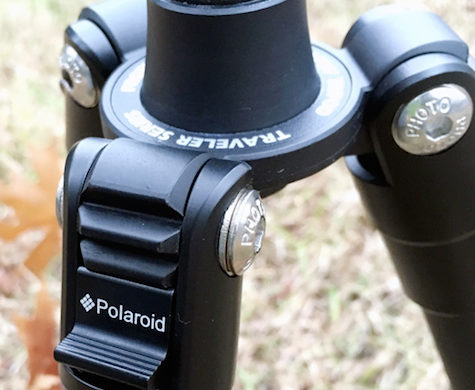
Spider Black Widow Holster Kit
Review

On December 24, 2011, in Adapter, Camcorder, Camera, Cases, Review, by Artie Alinikoff

SPIDER BLACK WIDOW HOLSTER KIT — $65

SPIDER PRO SYSTEM Single Camera — $135

Shai Gear

I’ve seen them advertised in the photography magazines to which I subscribe. From the very first ad I thought it was a great idea. Camera straps can be so conspicuous and cumbersome. I’ve taken to wearing my camera/strap like a sling, around my neck, with my right arm through the strap and the  camera hanging down my right side just to keep it out of my way. Unfortunately, that doesn’t always work out for the best. Getting the camera up to eye level when it’s under your arm takes a bit of squiggling and juking to get that pesky arm out of the way.

Welcome, Spider Black Widow Holster Kit made by Shai Gear, LLC. There’s really not a lot to the system, but simple is good. The Spider contains three basic parts: belt, holster, and pad with adjustable loop.

Continue reading »

Tagged with:  

Review – Lowepro Versapack 200 AW

On August 25, 2010, in Back Pack, Review, by Artie Alinikoff

Lowepro Verapack 200 AW
Company:
Lowepro
Price: $129.00

Lowepro’s Versapack 200 AW is a lightweight, all weather camera backpack. There are two main compartments: a top area for general gear, and the bottom camera area. I was looking forward to seeing just how much stuff I could stuff into this diminutive and clever pack.

I’ve got a Nikon D700 with all the trimmings. More about that later. The question is: Can I get enough gear comfortably into the 200 AW for an entire day of hiking and picture taking, whether it be in the wilds of Idaho, or the wilds of downtown Newark. But before I began loading up I checked out the included pamphlet for a quick tour around the unit.

Continue reading »

Tagged with:  

Future Media Concepts
http://www.fmctraining.com
Course Price Range: Between $45-$1495.

Have you ever wished that you could take a class to learn more about Photoshop CS5, or Desktop Publishing? How about boning up on Web Design and Development, Motion graphics, or honing your skills on Mac OSX, as well as a long list of useful software?

Now, through the creation of interactive web-based courses by Future Media Concepts, or FMC, you can attend a nearly in-person class with a certified instructor right in the privacy of your own home or office.

The courses are designed to give you the most information in the shortest amount of time, therefore saving you time and money.

Continue reading »


Review – Zen and the Magic of Photography

On May 25, 2010, in Book Review, by Artie Alinikoff


Zen and the Magic of Photography
By Wayne Rowe

Rocky Nook Publishers
http://www.rockynook.com
US $24.95, CAN $29.95
ISBN: 978-1-933952-54-3
94 pages

What is the difference between a snapshot and a great photo? What creates that electricity, that energy, that je ne sais quoi, in which all serious photographers are trying to capture with their images?

In this diminutive volume, Wayne Rowe has defined for us what we must all strive for when making great images. That is the Zen of the moment. The here and now. Created by what is termed Sartori, or sudden enlightenment, Zen is the capturing of that most important element in the image-making process. Allowing the image to define that point in time as the quintessential moment. The moment of Zen.

To point up the exact opposite of the message of this book, take note around you during your daily rounds and see the people who are talking on the phone or texting someone with little regard as to where they are, who is there with them, or what is going on around them. We witness this phenomenon every day.

As far as timing is concerned, this little book, Zen and the Magic of Photography, is more important than ever. It’s almost as if author Wayne Rowe has seized the moment at just the right time in history. It can encourage us to be made aware that we can lose ourselves in the past and future, while giving up the present.

The relationship between still photography and film is, according to our author, inextricably linked. As author Rowe points out in examples of several iconic movies, scenes played by great method actors Marlon Brando in "On the Waterfront", and James Dean in "Rebel Without a Cause", are graphic examples of an artist being in the here and now (Zen). These great actors become part of the scene as though they were actually living the experience in real life, therefore the scene becomes greater than that which was written and directed. Our author has included several scene shots along with explanations of why the scenes work as well as they do. For you film buffs out there, you will be enchanted. For photographers these scenes will create a checklist for you to put up against your own work for comparison and study.

The idea about filming great scenes goes for iconic images created by still photographers who put themselves wholly into the scene they are photographing, looking for enlightenment (Satori). Taking note of small, sometimes mundane, details in the scene along with the larger picture can create moments of Satori, which in turn, creates an image that is greater than the sum of its parts. Our author has included several iconic images with explanations and examples of how and why these images achieve the status they deserve.

The last several pages of the book are dedicated to the author’s own images in full page and half page presentations. He invites you to find the Satori and Zen in his work. Wayne Rowe is definitely an excellent photographer as his images attest. His love of photography and recognition of the Zen in this art form are what have driven him to share with us his discovery and understanding of this phenomenon he calls the Zen and the Magic of Photography.

There are many lessons to be learned from this book. The main message is to be yourself, be in the moment, and be true to what you see and especially feel about the images you take. Good advice from a great photographer is something that should never be taken lightly. Will this book help you create better images? We believe it will. Try it and see. What have you to lose?

MyMac rating: 8 out of 10

emailMyMac MagazineTwitterAdvertiseReviews ArchivePodcast


Build a Better Photograph – Book Review

On March 11, 2010, in Book Review, by Artie Alinikoff


Build a Better Photograph
By Michael E. Stern

Rocky Nook Publishers
http://www.rockynook.com
US $34.95, CAN $41.95
ISBN: 978-1-933952-18-5
133 pages

Michael E. Stern is a photographer. He’s also a scientist, business man, and an educator. In this very informative and anecdotal book, Build a Better Photograph, he walks us through what it means to be a professional photographer in the fields of Environmental Portraiture, Product Photography, 3D Scanning, and Compositing Techniques. His personal stories of how he secured certain jobs keeps us on the edge of our seats. As he relates some of his experiences working with clients in the corporate world he discloses some of the pitfalls that photographers can run into when faced with tough assignments and less than cooperative people.

Throughout this book his sense of humor is alive and apparent. Even though some of the subject matter could be considered "heavy lifting" Michael Stern keeps it professional, but light. He understands human nature as well as he knows cameras. His writing style makes reading and studying his concepts and techniques pleasurable and palatable.

Conceptualizing photographs is an art which should be practiced by all serious photographers. Mr. Stern has this down to a fine art. He explains, in detail, how this process is carried out. Using examples of his own jobs and sessions he shows us how his ideas, and some of the ideas of his associates, can morph into the decisions which will eventually create the final print.

His business skills are second to none. He understands that most of his clients have already conceptualized what they want. From there it’s up to him to take those concepts and mold them into practical and artistic techniques that not only please the client, but will please him as an artist and a photographer. When your clients are big corporations, like Disney, things can get a little dicey. But with skill, patience, and some nerve, Mr. Stern gets the job done. And he shows us how we can do that, too.

Michael Stern is a member of the National Association of Photoshop Professionals. He has learned to use his post production skills to full advantage while keeping the integrity of the finished product intact. In Build a Better Photograph you will learn how and when to use Photoshop, what tools work best for certain situations, and how to use those tools. Layers, Layer Masks, and Overlays are discussed. Step by step instructions are there for even the newest Photoshop user.

Along with the easy to read text and example pictures in Build a Better Photograph there is an included DVD which brings to life many of the examples in the book, and how the work was done. Included on the DVD is a series of Tutorials designed to show you, step by step, exactly how specific assignments were successfully completed. There is a section called Good Stuff which is basically a list of do’s and don’ts involving what Stern calls Color Factors, Photo Basics, and Roadmap to Retouching. The information here is invaluable to any and all photographers. There are also .mov files for viewing as we watch the entire crew work with props, makeup artist, and model as they build his iconic photograph, Santa Girl. The videos show how breaking down issues into smaller pieces, and how collaboration and cooperation, along with stellar leadership and humor, gets the job done. In my opinion the DVD alone is worth the price of the book.

There is a lot of theory and practical advice in this book and accompanying DVD. More than one would think given its size. For those photographers who would like a fly-on-the-wall view of what it’s like to put together large production photo sessions this book is a godsend. The amount of information offered is impressive. But even more so is the practical advice and guidance of one who has been there, done that, over and over again. It is immensely enjoyable to read. The layout, along with the DVD, is easy to follow. This is a great reference work to be used over a lifetime by those who wish to see how Michael Stern did it, and how, in turn, they can do it too.

MyMac Rating: 9 out of 10

emailMyMac MagazineTwitterAdvertiseReviews ArchivePodcast


The Portrait-Understanding Portrait Photography
By Glenn Rand and Tim Meyer

Rocky Nook Publishers
http://www.rockynook.com
US $34.95, CAN $41.95
ISBN: 978-1-933952-46-8
187 pages

This stellar collaboration between Glenn Rand, educator and Program Director for Graduate Programs at Brooks Institute, and Tim Meyer, Portrait Division Chair at Brooks Institute, is a blessing for all photographers interested in portraiture. More specifically, it shows us what makes a portrait great. The Portrait – Understanding Portrait Photography is a “definitive resource for professionals, as well as students and avid amateurs.”
Glenn Rand and Tim Meyer have kept this diminutive tome on task. Instead of a book listing all the technical devices available to photographers, what these devices do, how to use them, and all the accompanying technobabble that goes with it, they have stayed the course of practicality. Granted, there are many types of lights, flashes, and meters available to help photographers create their desired image. But without a grounded knowledge showing us what works and what doesn’t the devices are almost useless. There are enough references and explanations in this book about light meters, umbrellas, soft boxes, and the like to keep even the most avid technoid happy. But the soul of this book is in the practical and real-world application of what kinds of light do what, and why, and how. The many photo examples in this book will brilliantly illustrate each lesson as the authors take us through the subject matter.

Continue reading »


Mastering Photographic Composition, Creativity, and Personal Style
By Alain Briot

Rocky Nook Publishers
http://www.rockynook.com
US $44.95, CAN $53.95
ISBN: 978-1-933952-22-2
352 pages

When I first saw the title, Mastering Photographic Composition, Creativity, and Personal Style by Alain Briot, I got excited about reviewing this book. It is, to me, what photography is all about.

It seems that everyone these days has a camera. Even the cheaper point and shoot offerings are better cameras than their predecessors were just a few years ago. They’re easy to use and a lot of fun. Most people “play” photographer taking snapshots of their families and friends and anything else they feel like snapping. Memories. That’s what that’s all about. And there’s nothing wrong with that.

Continue reading »

Tagged with:  

Macally ECOFAN Bamboo Cooling Stand for Laptop – Review

On August 18, 2009, in Uncategorized, by Artie Alinikoff


Macally ECOFAN Bamboo Cooling Stand for Laptop
Ecofan and EcofanPro

US $39.99 for either Ecofan or EcofanPro: Availability To Be Announced
Macally.com

The first thing that attracted me to the new Macally ECOFAN Bamboo Cooling Stand was that it was made from bamboo. Bamboo is not a wood, but a grass. It has incredible strength, both tensile and hard strength that is, pound for pound, stronger than steel. It grows very fast almost anywhere that’s temperate in climate, and is completely biodegradable, Hence, the name ECOFAN.

I like the styling of these stands. There are two models: The ECOFAN PRO stand, and the "standard," which is just designated simply as ECOFAN. They are similarly well constructed. After close inspection, they are trim, sturdy, and finely crafted. I noticed nails in the underside frame. My first thought was "ugh, nails." But looking closely I could see that they are quality nails, not cheap tacks or brads, and they are put in perfectly flush with the wood, neatly and cleanly. The whole unit is glued, I’m sure, and all the pieces are aligned and finished perfectly. The square gum rubber feet will keep your desk from any scratches or scrapes if you move the stand around occasionally.

Underneath the unit is the box that houses the fans. Screws are used in construction of the fan housing. The PRO model has the fans sitting side by side horizontally under the length of the laptop. The standard model has the fans going one on top of the other vertically under the computer. That signals the thought that perhaps one model might cool better than the other, depending on where the fan is located in the computer. I kind of doubt it, but I’m sure there are some folks who are just so "tuned in" to the minutiae that the difference would be enough to decide the model for them.

The main difference, at least to me, is in the design of the stand itself. The PRO model adjusts to three different altitudes in the back via a swinging brace and three notches on the frame. The front is also built up slightly to accommodate the brace, thus raising the keyboard a little further off the desk. The standard model is one height only, and the front is lower and closer to the desk than the PRO model. Both units are compatible with any laptop up to 17". They both have USB cables ( USB 1.1 and USB 2.0 compatible) which are 39 1/4" in length.

I’ve been using the PRO model for the past week. Today I started using the standard model. I like the standard one just fine. I don’t really need all that adjustment. But that’s me. YOU may need the adjustment. It’s totally subjective.

I like the way the fans work. They’re not totally silent, but they are very quiet; a faint hum, according to Macally, at around 23.5 dBA. I do notice them when I first plug into the USB port. By the time I call up my program of choice I’ve already forgotten about them.

Do they cool the computer? You bet. Without them the fan in this old MacBook comes on after 20 minutes on Photoshop. When I plug in the fans before I start ‘shoppin’ the computer’s fan remains off.

I like these stands for all the reasons the company wants me to. They’re stylish, handsome, sturdy, practical, and ego-friendly. I would want one of these for my desk if I didn’t have one.

I would not try traveling with the ECOFAN. They are portable, but not practical for a lot of travel. Backpacking? No. Biking? No. I would find something lighter. These are substantial stands that are almost like furniture, which is how they’re made. They weigh in at 1.3 Kg each. That’s about 2.5 lb.

Conclusion: If the company is going for a beautiful and practical stand for the home that looks great, will probably last over years of usage, and cools the computer, they have succeeded. Therefore MyMac applauds ECOFAN for it’s offering, and making it ego-friendly to boot.

MyMac Rating: 5 out of 5

emailMyMac MagazineTwitterAdvertiseReviews ArchivePodcast


Mastering the Nikon D700 – Review

On July 8, 2009, in Uncategorized, by Artie Alinikoff


Mastering the Nikon D700
rockynook NikoniansPress

ISBN: 978-1-933952-23-9
www.rockynook.com
Price: US $39.95, CAN $47.95
244 pages

I got my Nikon D700 just in time for a trip to Norway with my band. I know it’s going to be a lot to lug around in comparison to my hip-hugging Fuji f100fd, but that’s the price you pay for wanting superior images.

Getting those images is challenging enough with learning how to use a new camera and thumbing through the manual to find out what this term and that term means. Many of them were totally unfamiliar to this old film winder. Then I got the book.

The book I refer to is the rockynook NikoniansPress publication, Mastering the Nikon D700, by Darrell Young and James Johnson.

Darrell Young’s Mastering the Nikon D300, also published by rockynook, was highly acclaimed for its "breadth of content, depth of coverage, and warmth of delivery," and this book on the D700 is evolved from that previously released publication. James Johnson has taken the lead set by Darrell Young and has done an admirable job in describing, explaining, and showing just how to use this dazzling camera. Both men are fine photographers in their own right and have many years of practical and teaching experience.

What is so effective about this book is the anecdotal examples throughout. The Nikon manual can be used in conjunction with Mastering the Nikon D700, and the authors refer to specific pages as we wend through the chapters and discover the many features of the camera. Where the manual gives you the nuts and bolts, Mastering the Nikon D700 takes you many steps further by giving you choices and situations which are practical and easy to understand, making it a lot more fun.

Because this camera (it’s a computer, really) has so many functions and features, more than once I have been stopped cold in my tracks as I meandered my way through the various menus just to "check it all out." I came upon terminology I’d never heard before. The Nikon manual might explain what the camera will do in a specific setting but there is no practical advice, and that’s where Mastering the Nikon D700 takes over.

The color photos used in the book are much easier to look at and read than the clinical gray and white charts in the manual. I sat reading with the book and the manual, along with the camera, as was suggested by the authors. Good idea. I referred to the manual if I felt the need, especially in unfamiliar territory. Sometimes it helps to have it there. All lessons in the book refer, by page, to the manual if you want to do that. But if you have the book and the camera together and you just simply read and follow what the authors are saying you will soon become an expert on that, and each subsequent, lesson.

Throughout, Young and Johnson have distributed practical areas of interest such as reviews and important notes, all of which are highlighted in gray to make sure you understand the why’s and wherefores. The authors obviously want to make sure that the reader is engaged in the practical aspects of the camera’s functions, not just the technical.

Surprisingly, there are relatively few real photographs in this book. The ones that are there are basically set up to introduce each new chapter. They reflect the chapter at hand and are beautifully photographed. Most of the images in the book are of the camera, the functional buttons, and the various menus, in clear full color just like you will see as you prompt through the various menu functions and commands. Each is explained in simple detail.

I had to reread some of the lessons’ paragraphs because this camera has the ability to do things I didn’t know cameras could do. Like having Custom Setting Banks which direct your camera in all aspects of exposure and focus. And then there are Shooting Menu Banks, which set up your D700 to be like several different cameras. When I first saw these terms I was sure I would never understand them. Boy, was I wrong. Not only do I understand them, but once they were clear it took me very little time to set up the parameters I wanted, name the Banks, the Custom Settings, and go outside to try it all out. They worked just like the authors said they would.

Maybe you’re an avid photographer who has had several Digital Single Lens Reflex cameras and you figure can muddle through the learning process with little trouble. I say to you that it’s worth the price of the book just to have these two guys in your pocket. Really! The book isn’t all that big, measuring 6" X 9" X 1/2", so you can carry it with you fairly easily. This camera is its own beast and needs that special attention to get the most out of it.

If you’re just starting out in the DSLR world you will be amazed how fast you can learn to use this fine instrument. There is no need to be intimidated. Just a few hours with this book and your camera and you’ll even be an expert in White Balance.

I would suppose that anyone willing to spend thousands of dollars for a camera, and then spend even more for the lenses, would want to get the most bang for their buck, get the best pictures they can get, and enjoy the almost unlimited photographic benefits this camera can generate. I doubt that there is a better, more informative, and easier to read publication on the D700 than Mastering the Nikon D700 from rockynook. Don’t even hesitate for one second. Get it, and you’ll have a lifetime of great picture taking at your fingertips.

MyMac.com Rating: 5 out of 5

emailMyMac MagazineTwitterAdvertiseReviews ArchivePodcast

Run Windows on your Mac without rebooting!  Parallels Desktop 4.0 for Mac provides the complete suite of essentials to run Windows on Mac the easy, fast and powerful way.


Comply NR-10i High Tech Noise Reduction Earphone w/ Mic – Review

On March 24, 2009, in Uncategorized, by Artie Alinikoff


Comply NR-10i High Tech Noise Reduction Earphone w/ Mic
COMPANY: Hearing Components

PRICE: $79.95
www.complyfoam.com

In what seems to be an overcrowded market for music devices and accessories, we have another set of earphones for the purpose of sound isolation while listening to your fave raves. These particular phones should not be taken lightly, or even with a grain of salt.

Comply has done ample research into the materials and manufacture of a quality set of isolation phones. That is the real purpose of these little beauties.

They are comfortable right off the bat. To me this is a godsend. They’re easy to insert and they’re not uncomfortable. They’re in-ear buds and I’ve never worn a set yet that I would call comfortable. Kudos to Comply for their research and engineering in the fit and comfort department.

The Comply NR-10i’s have a very smooth sound and good volume. Compared to some of the other phones we’ve evaluated, the Comply offering is somewhere in the middle of the field in the sound department. That’s not a bad place to be. Some companies tout their products as being "the best" or "high end" and charge prices that are, in our opinion, simply not justified.

The Comply NR-10i’s are priced right. They do not have the highs and brightness of the Future Sonic Atrio M8′s, reviewed July 8, 2008. Compared to the Sure SE 110 Isolating Earphones, the NR-10i’s are a little bassier, not quite as bright, with the mids of the SE 110′s being more apparent. But the NR-10i’s have the best isolation of any of the other isolating phones I have evaluated so far.

Comply’s Noise Reduction testing claims a score of NRR 29dB, which is better than most "active" noise canceling headphones. They really do cut out most of the ambient noises of the room, or the road noise while in a vehicle. DO NOT drive while using these phones. That would be dangerous because it’s entirely possible you would not be able to hear a police siren or an ambulance. It’s never a good idea to use headphones of any kind while driving.

If isolation is your main concern, Comply has done an admirable job using the right materials. The Comply foam tips "are made of high-tech viscoelastic polyurethane foam." They take the shape of your ear canal by gently expanding. And they will stay in place.

The NR-10i’s come with an integrated microphone and function switch right on the cable, which allows users to answer or end calls on your iPhone or any other phone/music player, or play, pause, and skip songs with the touch of a button.

Note: I listened to a variety of music, from Jazz to Rock, to get some context for these phones. Jazz (Coltraine’s "Best of Traine", Miles Davis’ "Kind of Blue") could have used a bit more bite in the mids, while the Rock (The Beatles "Love" and "Blood, Sweat and Tears Greatest Hits") sounded quite balanced. The overall volume was good throughout my listening experience.

MyMac Rating: 4 out of 5

emailMyMac MagazineTwitterAdvertiseReviews ArchivePodcast


A Review of ivideosongs Music Lessons – Review

On March 4, 2009, in Uncategorized, by Artie Alinikoff


Title: Session Drumming by Russ Kunkel
Instrument: Drums
Instructor: Russ Kunkel

Skill Level: Intermediate
Price: $7.49

Title: Get It Right the First Time by Billy Joel
Instrument: Drums
Instructor: Liberty DeVitto

Skill Level: Intermediate
Price: $9.99
ivideosongs.com

ivideosongs had a great idea when they decided to enlist the aid of accomplished musicians to give their various perspectives on how to approach playing your instrument of choice. Who better to teach you than the players of the stars? Russ Kunkel and Liberty DeVitto are two of the most recorded and accomplished players in music today.

First let me say that the production of these videos is very professional and top-notch. They’re clear, the sound is very good, and the presentation in general is focused and pithy.

Russ Kunkel has long been a favorite drummer of mine. Steeped in the LA studio scene, he started back in the early 60′s with artists like Jackson Browne and James Taylor. His simple and open approach to the songs allowed the other instruments to breathe, and the lyrical content of the music to shine through. His list of clients is virtually a who’s who of pop and rock singers and songwriters.

Liberty DeVitto is also an accomplished session drummer cutting his teeth on New Jersey and New York bands from the 70′s, and becoming Billy Joel’s drummer even before Joel’s ascension to stardom, playing on all his innumerable hits. His approach may be different from Kunkel’s, but respect for the song and the writer is the common thread that makes these two players tops in their class.

Kunkel’s approach to the video I watched was conversational, easy going, but almost too slow. For Doctor My Eyes, a Jackson Browne tune, he talks about building the song from the ground up starting first with Browne’s guitar, vocal, and Kunkel laying down a simple conga drum track just for feel. Then they went back in and layered the other instruments including piano, bass, drums (trap set), and more guitars. As you know, the finished product became a seminal song that, even today, remains an example of one of the best 1960′s California light rock offerings melded with folk.

I watched and listened with interest even though Kunkel’s narrative sounded a bit unemotional, almost too relaxed. But maybe that’s just him. DeVitto’s narrative was much more emotionally inclusive and ad-libbed. Part of the Kunkel video was devoted to tuning the drums. This took way too long. He tuned every drum whereas tuning one drum with clear instruction would have sufficed for most of them. Bass drums and snares are often tuned differently than tom toms so adjustments could have been made for those, but tuning each tom tom individually was, I felt, unnecessary and redundant.

Kunkel’s playing was stellar, of course. His shuffle rhythm is one of the best in the business and a lot can be learned by watching his hands, the way he hits the drum, where he hits it, and how hard.

Devito’s lesson was fun to watch because he took the instruction as more anecdotal rather than technical. His stories about how he started out with his friends, first bands, first auditions, and finally his introduction to Billy Joel were fun to hear. I know these stories mirror many young musicians’ first experiences in the business. Some of the lessons were hard-learned, successes hard-earned, and the novice player could avoid many mistakes by listening closely to what experts like DeVitto and Kunkel have to offer.

Both players talk about their philosophies and approaches to music. DeVitto’s approach tells about how he created drum parts for some of Joel’s biggest hits. He shows how he went through several variations of the part until he settled on what became the final recording.

Listening to these two guys talk about music is, well, music to my ears. They are very professional, and very accomplished. Can a rank beginner learn from these videos? Of course. Can a seasoned player get something good out of them? Sure. Can a wanna-be with little or no talent accomplish great things through these, or any videos for that matter? I suppose anything is possible but I have to doubt that. Practice can increase what little abilities you might have, but if there isn’t much there to begin with, well, it’s like beating a dead horse. No matter how hard you hit him he ain’t going nowhere.

One of the things these two players have in common is a real talent and love for what they do. Learning to play an instrument is not all cerebral schooling and practice. There is truly an intangible "feel" to music that everyone recognizes but can’t quite put their finger on. It’s the real genius behind the music. Not everyone has this feel. As a matter of fact lots of players don’t. But they keep playing anyway. Why? because they love it. It’s a "have to" kind of thing rather than a "want-to." Will they ever be great players. Probably not. Do they care? Probably not. They’re doing something they love. Many good players have day jobs and play nights or weekends. They don’t give it up. They just keep it where it belongs.

On the other side of that philosophy is something we’ve all heard many times. "Success is 1% inspiration and 99% perspiration." So I say to those who would use these videos as study aids—glean all you can from these tools. If you want to become fluent on your instrument practice a lot. Get a good teacher. Listen to as much music as you can. Play with as many people as you can find. Play often. And above all, have fun.

It is our view that, while very entertaining, if a student were to pick these videos as their only instruction they would have many more questions than answers. If a student wanted more detailed and constructive instruction they would have to seek it elsewhere, which is not a bad thing. I don’t believe that ivideosongs makes these videos as a complete musical education in themselves. After all, anyone who is serious about learning an art will take instruction from many sources. In their own way these ivideosongs videos would be a very important asset in the overall education of a musician-to-be.

Many thanks to ivideosongs.com for their great effort and truly professional production.

MyMac rating: 4 out of 5

emailMyMac MagazineTwitterAdvertiseReviews ArchivePodcast


RICKSHAW Bags

On February 3, 2009, in Uncategorized, by Artie Alinikoff


Our intrepid reviewer, Owen Rubin, reviewed these fine Rickshaw bags on 10-30-08:. His incisive review and great photos are a must for those needing a quality messenger-style bag.

At the MWSF ’09 show Owen introduced me to Mark Dwight, owner and designer of these pragmatic and stunning bags. At the time I was carrying my MacBook around in a smallish backpack, along with MacWorld materials, and running out of room. Owen said, “come with me. I know exactly what you need.”

I was introduced to and immediately taken by Mark’s openness and interest in my thoughts on his product. He told me that most of the designs came from customer responses to other bags he designed, and the bags just kept getting better and better.


*photo from Owen’s original review

Mark took about 20 minutes to give me the big tour of the entire bag, front to back, top to bottom, and the process that makes these bags so enduring and beautiful. I was amazed at the attention to detail. Let me give you a miniature run-through, which should be enough to further whet your appetite for this versatile product just in case Owen’s article escaped your attention. I refer you to his article again for a complete tour.

First, the handle. Many bags have their handles attached at the top of the bag. This caused undue pressure over a period of time which can cause the handle to rip away from the bag. Rickshaw designed the handle so that the weight of the bag is supported by two reinforcement straps which go past the zipper and top of the bag all the way to the bottom, putting virtually little strain on the zipper, the top of the bag, or the handle itself.

Next we have the front flap. Most bags these days are secured with velcro. Not a bad thing in itself, but when you would open one of those bags you will get the loud ripping sound we’ve all come to, well, hate. Mark’s idea was to incorporate both velcro, and magnets. The velcro portion is covered by the magnets’ housing, so when the bag is closed the magnets keep it secured. It can now be opened and closed without needless noise. Need more secure closing? Simply remove the magnetic covers, and voila, velcro. You may now rip to your heart’s content.

Another feature I like so much about Rickshaw bags is the padded quick-adjusting shoulder strap. This is ingenious. Comfort, plus ease of adjustment to almost any length. And the generous padding is covered in a no-slip material so if you wear the bag over one shoulder it won’t slip. Want to wear it cross-shouldered? Flick the adjustment tab, pull to the length you need, and lock ‘er down. That’s it. Simple. Useful.

There are many more features, and I implore you to go to Owen’s MyMac.com article mentioned above, or directly to the Rickshaw website. The crux of my article is really how the people working at Rickshaw, under Mark Dwight’s leadership, really care about the products they make, and the people who need them. They want your feedback. They will work with you to make these bags the best they can be, and they can be customized to your taste and needs. Materials and attention to detail are first class all the way.

I’ve seen a lot of bags, some really good, and some not so hot. I challenge you to find a better bag than the Rickshaw. You’ll be looking for a long long time. Maybe in vain.

emailMyMac MagazineTwitterAdvertiseReviews ArchivePodcast


Rickshaw


Audiobyte Computer Speakers w/ Amplifier – Review

On November 11, 2008, in Review, Speakers, by Artie Alinikoff

Audiobyte Computer Speakers w/ Amplifier
Axiom Home Theaters

Price: $349.00 USD
EPZero Subwoofer
Price: $179.00
AxiomAudio.com

One never knows what to expect when a company invites evaluation of the product they produce. I suppose they think that, for the money, their product can’t be beat. Well, guess what? There are lots of products out there which can be beat, easily, especially “for the money.” I don’t know why some companies even bother putting out a product at all except for the fact that not everyone knows a good “widget” from a bad one. However, in our estimation, the Axiom Audiobyte Computer Speakers will stand with any home or professional speakers in their class.

I must say that when I first viewed these little speakers and held them in my hand I was impressed with the immediate signs of good workmanship and heft. Those two things alone won’t win the race, but it is certainly a good start. After all, no speaker system is going to sound good if it’s not put together well. Unpacking the sub-woofer and separate amplifier whetted my excitement and spurred me to set the system up ASAP.

Continue reading »

atrio M8 PROFESSIONAL EARPHONES
Review

On July 8, 2008, in Earphones, Review, by Artie Alinikoff

atrio PROFESSIONAL EARPHONES
MODEL: m8

Future Sonics
PRICE: US $199.95 List
http://www.futuresonics.com

If anyone has read my previous reviews on inner-ear ear phones (Shure, Etymotic, Ultimate Ears, and V-Moda), they would know that I’m not generally a big fan of those type of audio listening devices. It’s not about the sound, solely. It’s that, and fit and comfort. And ultimately, value. But because of the design of this type of product, fit and comfort are half of the sound coming back to the listener. If they don’t fit right, the sound is tinny, and basically sucks. I’ve had to try sleeve after sleeve, and take a short course in ear-canal exploration to get some of them to fit/sound right. Even then there were those phones which just would not cooperate.

I’m glad to say I’ve met my spiritual sonic in-ear guru, atrio professional headphones by Future Sonics. These phones are the first I’ve found that fit me the way I believe the company would have it. And the amazing part is that the silicone sleeves that were already on the m8′s I received fit perfectly. They were comfortable and I could hear/feel the bass frequencies without pushing and pulling and manipulating them until my ears were raw. What a pleasure. In case your ear is not the same size as mine there are many sleeves included with the set, both silicone and foam, to accommodate just about any size ear canal.

Continue reading »

Tagged with:  

Zefyr – Review

On June 2, 2008, in Uncategorized, by Artie Alinikoff


Zefyr
Company: Moshi

Price: $75.00
www.moshimonde.com

Hi. Mr. Klutz here. But I must say I had some help klutzing the opening of the packaging of the Zefyr, Moshi’s new “high efficiency notebook cooler designed for MacBook 13″ and MacBook Air.” The way Moshi had the product sealed into its padded compartment caused me to try ripping the packaging to release it. That caused the all-too-familiar SPRONG effect, which ejected the unit out of the box and on to my kitchen floor. Oops!

Hey, I did that on purpose to see if the new Zefyr was built tough. It is! Thank goodness. Moshi sure has a thing about their packaging. Check out my past article in the MyMac archives – MOSHI CODEX MACBOOK SHELLCASE.

The only instructions on how to operate the Zefyr are on the back side of the box. Unfortunately, they are diagramed in light grey, and as modern and techy as it may seem, the grey printing does not show the procedure very well. A little darker, please, for those of us whose eye sight is, well, compromised from years of trying to read undecipherable instructions.

We’ve all had our MacBooks “whir” from time to time as the fan goes into high gear from the great demands we sometimes foist upon the computer. I know when I’ve got Photoshop CS3 going with a few windows open, after a while my MacBook starts sounding like a small vacuum cleaner. The new Zefyr is here to solve those problems of overheating and possible slowdowns, or worse. It is designed to maintain peak efficiency of the MacBook, even under heavy loads. To quote Moshi:

“At the core of Zefyr’s design is a high-thermal conduction interface compound, which enhances heat dissipation by providing a direct heat conduction path between MacBook’s bottom casing and Zefyr’s cast aluminum heat sink assembly.” The thermal interface compound is soft which keeps the MacBook in place and scratch-free, while the USB powered fan runs near silent.

One of the side-line benefits of Zefyr is the angle at which the MacBook is positioned when placed on the unit. The back-end of the computer is raised slightly, about 3/4″ by my trusty Stanley Powerlock. That puts the computer tilted at a very comfortable and ergonomic angle. I’m using it right now, and I like it.

The Zefyr is very portable (expandable and collapsable) and can be packed away almost anywhere to travel with your MacBook. As mentioned before, it is powered by a USB connector, which means you’ll be taking up one of the two USB ports on the machine (MacBook). Suggestion to Moshi: Make the wire with the USB connector another inch or so longer. The shortness of it may cause problems later on, after multiple connect/disconnects, from tugging it, trying to get it to line up easily with the USB port. If you are running other outboard gear powered by USB you may need to get a USB extension to accommodate your gear. But if you’re running that much gear at one time, you probably need the Zefyr. If you’ve ever had your computer lock up because of over-heating you’ll appreciate how simply and efficiently Zefyr does its job, in spite of taking up a USB port.

Case and Point: While on the internet I needed to open Photoshop to find some images. I minimized Comcast and parked it for a while in the Dock. As I was fishing through my photos I found several I needed and opened them. The files were too large so I had to resize them. I also decided to change a few of the images’ attributes by saturating the color a bit, and sharpening a tad before downsizing the photos. By this time the old MacBook was wheezing its way along. The fan kicked in and that was my cue to plug in the Zefyr. I counted the seconds it took to cool things off to the point that the MacBook fan would kick off. PLUG! Wait! About 73 seconds and the MacBook was cool enough for the fan to take a break. THATS how the Zefyr works.

This is a fairly well-thought-out device which would work better and be even more user-friendly with the USB connection lengthened and the instructions a little easier to decipher. It is simple and portable. If you’re using your MacBook to check email and write letters you probably don’t need Zefyr. But if you’re doing photo-manipulation, videos, music recording and production, anything with a major power drain, this devise can conceivably save you time and heartache. And that alone is worth the price of admission.

MyMac Rating: 4 out of 5

emailMyMac MagazineTwitterAdvertiseReviews ArchivePodcast


The Digital Photography Companion – Review

On April 23, 2008, in Uncategorized, by Artie Alinikoff


The Digital Photography Companion
Derrick Story

O’REILLY
214 Pages
US $24.99 CAN $24.99
ISBN 978-0-596-51766-3

Who could have anticipated the almost rabid expansion of the imaging industry, and of cameras in particular, with the invention of digital photography? Digital cameras are everywhere, in cell phones and even in pens. They’re relatively cheap. And obviously can be made very small. Photography has become even more popular as the "every-man’s" art or hobby. Along with the proliferation of these imaging devices comes a glut of how-to books on the subject, second only in how-to information for the computer and it’s relevant software. Photography has become the back-pocket art-form of millions of snappers.

A lot of snappers are shooters who just want to take a snap-shot of something or someone who interests them at the moment, emailing shots, and either deleting them (the greatness of digital) or saving them for posterity. Nothing wrong with that. But some snappers become shooters interested in photography as an art-form. The Digital Photography Companion can be a very helpful guide for either type of shooter. Or any type, for that matter.

Derrick Story, author of this very handy guide, breaks down the walls of sophisticated camera-speak and tells the reader the what’s, how’s, when’s, and even the why’s with simplicity and common sense. The Digital Photography Companion, measuring a handy 8.5" X 5.5", is small enough to fit in a backpack or a large pocket. When a new camera buyer gets his first camera, buying this guide along with it would be a smart move. Derrick focuses in on the meat of subjects ranging from the cameras themselves to features to creative ideas. Even seasoned photographers can use the guide to check in once in a while to see if they’re on track for a certain kind of image in a given situation.

The first chapter of The Digital Photography Companion, What Is It, is basically a primer about what types of cameras there are available, and the features and benefits of the equipment. You’ll learn what all those buttons do, from diopter adjustments to shutter and aperture priority, and how to use them effectively. For the enthusiast this can be a handy check-list which can help save time and aggravation. Compact cameras, point and shoot, and DSLR cameras from popular manufactures, including Nikon, Canon, and Sony to mention a few, are discussed and compared.

Chapter Two, How Does it Work, will give you hands-on techniques in using all this equipment. Practical advice is priceless when it comes to taking photos because many times opportunities for certain images are few and far between: Lighting changes in seconds. Speeding cars go by in a flash. Fish can only soar out of water for a few seconds at a time, and elephants will stay still only so long before they decide to trample your sorry butt because you can’t decide on an f stop. As you can see, knowing what you’re doing before going out on a shoot can save not only time, but your life. Believe me when I tell you Derrick Story has covered most of the bases, simply. You’ll learn about flash and it’s many incarnations, focus lock, exposure, photo effects, and much much more. If you learn even most of what’s in Chapter Two you’ll be a better photographer than 90% of the shooters out there.

Then, in Chapter Three, How To Shoot Like a Pro, you’ll learn how to create. That is, use your knowledge to get the best shot in varied situations. Covered in this chapter are subjects like portraiture, kid shots, weddings, group shots, landscape, action, and even museum shots. He even goes into infra-red photography, fireworks capture, and underwater photography.

The next chapter, I’ve Taken Great Pictures, Now What, shows you how to send photos via the internet. prepare slide shows, convert still pictures into movies, recover photos from an erased memory card, and convert from color to black and white. This chapter also goes into photo management, which is very important if you want to keep track of all the images you’re going to have.

Chapter Five, Printing Made Easy, covers most of the basic printing techniques, and some more advanced work like calibrating your monitor. He talks about The Ten steps in Making a Beautiful Print. With today’s printers and software, making a really good print is a lot less problematic than it was just a few short years ago. Derrick will tell you about dedicated photo printers, and even how to shop for a desk-top photo printer. Check out his printer recommendations:

One of the great things about The Digital Photography Companion is the Appendix. Here, as Derrick Story tells us, is "A Quick-Reference Guide for a Variety of Camera Settings." That means we can look at the Lighting Situation on the left-hand side of the column and reference over to the right, under Recommended Exposure Compensation, to get practical guidance. Derrick includes tables for White Balance settings, Metering Modes, Camera Modes (shutter priority, manual, etc.), and Subject in relationship to ISO Speed, Aperture settings (f-stop) and shutter speeds. These Appendix present real-life photo-making situations, folks. Those of us who have been around cameras since the heyday of 35mm, taking pictures and fooling with all the o-rings and focusing rings and gobs of other things can bear witness to trying situations in lighting, and positioning, among the hundreds of other problems one may encounter in the field when conditions are less than ideal. It would have been wonderful for me if I could have had a Quick Reference Guide to help way back when. Now I do. And so can you.

If I was a new shooter, and I had a chance to leaf through this book I’d probably buy it. And even though I’ve been an enthusiast since 1969, that doesn’t that mean I can’t use this book. Nope. I’m going to use it. I can use all the help I can get. But new shooters will save themselves a lot of heartache and a long learning curve by simply following what Derrick has so systematically laid out for them.

The Digital Photography Companion is exactly what it’s supposed to be. A companion. Small enough to take along. And loaded with practical, on the spot guidance. There is a niche for this kind of publication. From cover to cover I recommend The Digital Photography Companion to those who are enthusiastic about photography and recognize the beauty of a fine photograph.

Rating: 5 out of 5


Music Band-It Retractable Stereo Earphone
Review

On March 3, 2008, in Review, by Artie Alinikoff

Music Band-It Retractable Stereo Earphone
GRANDMAX mobile solutions

Price: $29.95 w/ band $19.95 retractable earphones (no band)
www.grandmax.com

While at the Mac show earlier this year I came into contact with Grandmax Mobile Solutions in a booth in the North Hall. They were touting a couple of products, one of which interested me right away.

Continue reading »

The Ladybug Cometh
Review

On January 31, 2008, in Dock, Review, Speakers, by Artie Alinikoff

Ladybug
Company: Vestalife

$110.00 Silver, Red
$125.00 Element Skateboards Limited Edition Designs
(Prices designated MSRP on www.vesta-life.com)
Prices at stores may vary and could be well below MSRP.

I gotta tell you right now I was sure I wasn’t going to like this. Too small. Gimmicky. Looks like all plastic. Bass woofer in the rear??? Ha! I wasn’t impressed, yet, with the fact that this product won the CES Innovations Design and Engineering Award in November.

I went to Vestalife’s press conference at the Macworld show. Wayne Ludlum, Cofounder and CBO of Vestalife, spoke for a few minutes about the quality and the R&D that went into the product, the new Ladybug 2.1 speaker dock for iPod. I thought, “we’ll see.”

Continue reading »

Tagged with:  

Shure SE 110 Sound Isolating Earphones – Review

On October 22, 2007, in Earphones, Review, by Artie Alinikoff

SHURE SE 110 ISOLATING EARPHONES
Company: SHURE INC.

PRICE: $119.99 MSRP
www.shure.com

The business of sound reproduction never sleeps. R&D departments are working overtime for your attention, and your money. With the advent and proliferation of so many portable music players, music listening has taken on a life of its own. On any given day one can see people listening while: walking, running, skateboarding, in-line skating, ice skating, skiing, bicycling, weight lifting, relaxing, riding the bus, and on and on. There is almost no activity left which cannot be supplemented with your “fave raves” (music).

Continue reading »

ABOBE PHOTOSHOP CS3 ONE ON ONE
Review

On September 12, 2007, in Book Review, by Artie Alinikoff


ABOBE PHOTOSHOP CS3 ONE ON ONE
By Deke McClelland

ISBN-10: 0-596-52975-9
ISBN-13: 978-0-596-52975-8
DEKE PRESS O’REILLY
deke.oreilly.com digitalmedia.oreilly.com
US $49.99 CAN $64.99
515 pages

To quote Scott Kelby, President of the National Association of Photoshop Professionals: “As a Photoshop author, I hate picking up a book and learning things I didn’t already know. But Deke McClelland done it again! If you want to learn Photoshop CS3 from the ground up, look no further.”

Continue reading »

Looking for something?

Use the form below to search the site:

Still not finding what you're looking for? Drop a comment on a post or contact us so we can take care of it!