Download the show here, or via iTunes
Mike Lee of United Lemur joins us for the podcast. Cool Mac Picks with Sam Levin kicks off the show, while topics later include Computer Trivia circa 1987, Macworld Expo, iPhone, and much more! In the roundtable: Tim Robertson, David Cohen, Guy Serle, Mike Lee.
MacSales product of the week
OWC Mercury On-The-Go Pro
Links from the show:
Mike Lee – unitedlemur.org
Cool Mac Picks
ScreenFlow
SOHO Business Card
Cool App Pick
Stage Hand

Rickshaw Bagworks Medium Commuter Messenger Bag
Company: Rickshaw Bagworks
Price: $180.00
http://www.rickshawbags.com
Those of you who have followed my previous bag reviews already know, I was on a mission to find the best messenger bag I could find. Many years ago, Mark Dwight, then the CEO of Timbuk2 bags, stopped me during a San Francisco Macworld show, and challenged me to try one of their great messenger bags, designed by him. I started using it immediately and loved it. And while I have tried numerous bags since (and reported on most here,), I always find myself comparing every new bag I tried to that first Tinmuk2 bag. It was a great bag, and I used it non-stop now for nearly 4 years, as no bag has been quite good enough to replace it.
“I need more power, Scotty.”
Kensington Portable Power outlet
Price: $24.99
Kensington 4-Port USB Charger for Mobile Devices
Price: $29.99
http://www.kensington.com
Being able to power up and recharge our personal electronics in today’s world has become very important. Not only for road warriors, but also for families that have multiple devices. Take my family, for example. We have five iPods that need regular charging. Even a Mac tower doesn’t have that many ports, and what happens if your Mac is down? Take those devices on the road and you’re faced with a new set of recharging problems.
The good folks at Kensington have introduced a couple of products that go a long way towards satisfying your power needs.
Portable Power Outlet
When I am traveling on business or pleasure, one of the first things I look for when I arrive at my hotel room is an outlet. I usually have my iPod, a cell phone, my Palm T3, and my MacBook that all need to be plugged in.
We talked to some nearby exhibitors. They confirm the preliminary estimates made by the organizers of PhotoPlus Expo that there could be as nearly as much visitors on the show as last year (27,000). Nevertheless they also reported that sales were noticeable lower. Some blamed the slowing economy, some supposed the absence of Apple (that had a booth last year) had its impact.

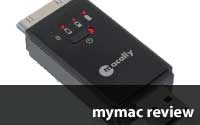
MacAlly PowerLink 3-In-1 Battery Pack/Data Sync/Flash Drive for iPhone and iPod
Company: MacAlly, Inc.
http://macally.com
US $49.99
Raise your hand if your iPhone battery does not last long enough, especially you iPhone 3G owners.
Have you ever been caught out in the wild with a dead, or nearly dead battery? Did you forget to bring the wall charger, or a cable to connect to your laptop to recharge? Do you need a flash drive to swap an important file with a co-worker?
If you answered yes to any of the above, take a look at MacAlly’s PowerLink for iPhone. It’s a small, easy to pack dongle that combines an emergency iPhone battery, a 2 GB flash drive, and a USB passthrough to connect the iPhone to a computer.

The ongoing debacle of Psystar just won’t go away much to Apple’s dismay. Apple tried to do what they prefer to do at first, which is ignore them and hope they’ll self-destruct. Early on that seemed to be the winning move as Psystar changed its location several times, had its capability of ordering through credit cards taken away, and put out its first computers to pretty much universal derision when they turned out to noisier than Obama/McCain supporters on Fox news.
Apparently Psystar continued selling enough machines to stay in business and Apple finally sued them perhaps thinking that their vaunted Death Star law firm would be scary enough to make them cry uncle. Instead Psystar did something unusual…they sued back claiming that Apple was an illegal monopoly in selling computers that ran OS X. I’ll leave the actual legality of the counter-suit to those that know more about the law than I do (which is pretty much anybody with a working knowledge of it) or the chance that this is an effective strategy in the long run, but it did seem to have the desired impact. Apple actually had to pull back and think about what it wanted to do next. Most lawyers outside of those on Boston Legal (Denny Craaaaane) will tell you that when you’re not sure exactly what to do when your opponent pulls a fast one you delay…delay…delay. Eventually it will all get sorted out and I’m curious what effect this will have on the Mac landscape when everything is said and done.
Continue reading »
Download the show here, or via iTunes
We have a return engagement with developer Freeverse to learn how they are fairing with their iPhone Apps and future plans. Sam Levin not only joins Tim for a Cool Mac Picks, but sticks around for the entire show. And Guy Serle, not scheduled to be on this week, joins in for the third segment of the show.
Otherworld Computing Pick of the Week
OWC Neptune 1GB External FW Drive
We accept voice feedback at 801-938-5559
Links from the show
I’ve Got an iPhone Music Video
Make Music on your Mac
Earth Science Podcast
Podcast Michigan
Streaming Video from your Mac
Sam Levin’s Cool Mac Picks
MacBook Pro
Sonic Vox
iDjembe
email – MyMac Magazine – Twitter – Advertise – Reviews Archive – Podcast

Marware C.E.O. FlipVue for iPhone 3G
Company: Marware
Price: $29.99 USD
http://www.drbott.com
http://www.marware.com
Marware has more than one iPhone case up its sleeve. Marware’s C.E.O. FlipVue is a another well designed leather case for your iPhone 3G that you might want to consider taking a look at for daily use. Marware had already produced a version for the original iPhone that was previously reviewed by David Weeks and since the arrival of the iPhone 3G, a newer model appeared on the scene.
Just as with Marware’s C.E.O. Sleeve, the FlipVue is made of Nappa leather that provides a holster-type case that you slip your iPhone into and the flap comes down and is held in place by two small sections of velcro and provides cover over the front of your iPhone. The side elastic also provides the grip to hold your phone in place besides the drop down flap. In appearance, both the Marware C.E.O. Sleeve and the FlipVue are identical, with the FlipVue having the flap to cover the front of your iPhone. In the previous version for the original iPhone, there were apparently some complaints of accessibility to iPhone items that Marware has taken care of in this version. Your earphone mini-jack, speaker, volume control, mike and dock connector are all readily accessible.
![]()
I just completed a professional quality dynamic slide show using FotoMagico 2.2 from Boinx Software. The client is thrilled. She raved about the visual dissolves, transitions, fades, zooms, and twirls. She adored the customized integration of audio with images. She demanded and expected the best, and the result exceeded her goals.
FotoMagico software went gone through four incremental version upgrades since we first discussed it over two years ago. While I was using version 2.2, a newer free 2.5 upgrade was released. Developer Peter Baumgartner is working day and night on version 3, which will allow users to pull in movies for the first time.
Every numbered FotoMagico iteration works essentially the same way. Upgrades take the application from good to very good to outstanding to excellent to amazing, but the core functionality remains: individualized slide show creation and presentation.
There are few problems or bugs in this software. When you come across a glitch, you email Boinx tech support, and your issue is addressed quickly and honestly. Usually you are given a hidden-in-plain-sight tip to get you out of your impasse, and sometimes you are told the error is a known issue that is being addressed for the next release. Suggestions are welcomed, and they are handed to Peter for consideration.
Continue reading »
MyMac interview by Nemo, with Caroline Andreolle from IPEVO, a San Jose, CA company specializing in VOIP Internet telephony hardware and software. She and I spent two 45-minute sessions using the IPEVO equipment in live testing chats.
MYMAC: Thanks for sending three product samples, Caroline. What are their names, prices, and pronunciations?

Marware C.E.O. Sleeve for iPhone 3G
Company: Marware
Price: $24.99 USD
http://www.drbott.com
http://www.marware.com
When you first get your new iPhone, you want it as is; up close and personal so that you can savor the newness of it. However, within a few days you want to give it some protection because you’re afraid that it will drop out of your shirt or coat pocket. The other end of that is that the sleekness of the iPhone at times makes you feel as though you’re gonna drop it because you’re not really paying attention to it.
Enter Marware, a producer of accessories for your iPod, iTouch and iPhone. They immediately jumped into the fray for iPhone 3G users with their line of cases tooled for the new product. The Marware C.E.O. Sleeve is a nifty leather case with its opening at the top, stretch material on the sides that permit you to easily slide your iPhone 3G in and out with no problems. The case also comes with a slide-on clip that enables you to clip the case to your belt or pants to permit easy access. Not to be forgotten is the clear plastic film face plate cover that permits you to clean off your iPhone touch screen, carefully peel and cover the touch screen that does away with the finger greasy build up that everyone comes to hate right away. Marware also provides the handy micro fiber cleaner cloth that lets you keep your iPhone looking great.
Continue reading »
Apple Stores do a fine job demoing Macs, and iPhones/iTouches. The salespeople know their stuff, and never do the hard sell routine on the prospect. Besides, we all know that Macs almost sell themselves.
I stopped into the Tucson La Encantada store to give the new MacBook Pro the once or twice-over. As my MacBook Pro is only eight months old, I’m not a serious customer for a new one, but I was intrigued to see how much faster the new dual graphics card version performed.
The store was packed at 4:00 PM on a Saturday afternoon, and I waited a few minutes for one of the three new demo MacBook Pros to become available, and then moved in. The Energy Saver preference pane showed the graphics to be set to Better Battery Life. I clicked the Better Performance button, and was told that a logout was required. Due extensive reporting of this idiosyncrasy on various Mac web sites, I wasn’t taken by surprise.
The demo MBP logged out, but to my surprise, it then rebooted.
When it had finished the reboot, I checked the Energy Saver preference pane again, and found it still on Better Battery Life. Frustrated, I repeated changing the setting to Better Performance, logging out, and then watching a complete reboot. Each time, the MBP came back up with Better Battery Life set for the graphics card
I checked each of the two other floor MBPs. They all performed identically.
I lassoed a salesperson. Even with the Admin password, she was unable to get the change to Better Performance to stick. Looking somewhat abashed, she checked with the Genius on duty. She came back to report that the store demo new Macs are set to log out and reboot to a specific configuration that cannot be changed.
I opined that the MBPs should be set to Better Performance, as Apple would no doubt want to show off the new MacBook Pro’s fast graphics performance. She agreed, but said she was way too far down the employee food chain to do anything other than mention it to her manager.
Steve and Phil, are you listening? You need to tell all the Apple Store managers to get the new MacBook Pros to run with both graphics cards enabled. Otherwise, you’re not showing what the new MacBook Pro can do.
email – MyMac Magazine – Twitter – Advertise – Reviews Archive – Podcast
Here in New England, fall is the prettiest season of all.

The only problem is all of those pretty leaves fall on my lawn.
Wouldn’t it be great if the leaves changed colors but stayed on the tree? Then turned green again next spring.
No one asked me, so I guess we have to deal with the falling leaves.
I do most all of the maintenance around my house. I’m one of those “handy guys” you see at Home Depot all the time.
I really don’t mind the repair work, a habit born out of necessity. I can’t afford to have anyone else do this stuff.
However, besides painting, the one job I really don’t like is raking leaves. It takes forever to get this done. Throw in the aggravation of trying to get my three boys to help me, and I’d be happy if the leaves never changed color. Though, I really can’t blame my sons, I hate this task myself.
First I bought one of those lawn sweepers. You push it around your yard and brushes are supposed to sweep the leaves into a tray. This thing worked at first, but it ended up having too many drawbacks, The chute was too small and the filled up real fast. You have to empty the chute constantly making an already long job longer. Uneven ground height creates more issues where the brushes don’t make contact.
Next up, electric blower.
I bought an electric blower. This worked fairly well. It had drawbacks, but I used it for years. Finally, I got tired of dragging extension cords all over the place. Besides, the arm fatigue I suffered was very painful. Hours and hours of blowing leaves was really tough on my arm.
However, I did like the concept.
Speed ahead to 2006. I had read about back pack blowers, and thought I’d like to try one. They are expensive, but my intense dislike of raking was getting worse, and my arm was in pain from the electric blower, so I decided to break down and buy one.
Even though the speed ratings of the electric and gas backpack blowers are fairly even, I found the backpack blower to be far more efficient. Add to that, no extension cords and the ergonomic comfort of having the unit on my back with the controls at my fingertips was great.
Suiting up: Strap this baby on your back, put on the safety glasses and headphones, and you look like something out of the Jetsons or Star Trek.
In fact, I was actually enjoying blowing leaves. So much so, that I found myself blowing the leaves off the road, and even in front of my neighbors house. Blowing out shrub beds that have bark mulch or other materials was a breeze (excuse the pun) because of the speed controls.
See the before and after pixs:

After:

Before:

After:

Compare:

The after shot was “after” about 10 minutes. A job that used to take me hours and hours of raking, week after week, has been reduced to about two hours for each session. On top of that, my arm no longer aches after a session. Sure, I live on a couple of acres in the forest, so I get to blow my leaves right into the woods. If you can’t do that, blowing them into a pile for bagging and disposal is easy.
These units are not cheap. The one I bought (Echo) ran about $250, but I haunted Home Depot until they were offering a sign up discount. I signed up for a HD credit card, got 10% off anything I bought that day, plus a $50 credit. So I knocked $75 off the price, paid the balance on the first bill and closed the account. You’ll also want a pair of safely glasses and some sound proof headphones or ear plugs.
Bottom line: If you hate to rake, you absolutely want one of these:


Anyone want to buy a leaf sweeper and an electric blower?
Download the show here, or subscribe via iTunes.
On the show this week: Bryan Hughes, a product manager for Adobe Photoshop! We look at some of the very cool new features in Adobe Photoshop CS4, and why you will really want to upgrade your version. Tim has a hard time on the show this week saying “Version” for no apparent reason. Lee Givens, Guy Serle, and Tim then look at the new Apple products released this week, including MacBook, MacBook Pro, and the new Apple display. Finally, Tim, Guy, and Lee go ten rounds on a possible future product!
Otherworld Computing Pick of the Week
New MacBook / MacBook Pro RAM
We accept voice feedback at 801-938-5559
Links from the show
Adobe Photoshop CS4
AdobeTV
Seam Carving for Content-Aware Image Resizing
John Nack on Adobe
email – MyMac Magazine – Twitter – Advertise – Reviews Archive – Podcast
This weeks Apple event, and the announcements of new MacBooks, MacBook Pro’s, and a new Cinema display were great. They look to be solid products that will carry on the strong laptop sales Apple has enjoyed over the last five years. What has me more excited than this weeks announcements, however, is a statement Piras made in my Thoughts on the new Apple MacBooks posts: "Am already anxiously awaiting Macworld (expo)!"
Ah, Macworld Expo! Less than three months away. The main event of each year for Apple. The one major event that, almost without fail, Apple either announces or releases a new product. Let’s look back at some of the products first seen at Macworld Expo in this decade.

2000 – PowerMac G4 Cube. While not a big seller, and was eventually considered a failure, the Cube still remains an attractive and unique product. Almost nine years later, and a part of me still wants one. Not with a G4 PowerPC processor, though, but a new one with a fast Intel chip! Also, Apple first showed off Mac OS X with its Aqua interface. Did that OS ever catch on?

2001 – PowerBook G4. Ah, the first PowerBook with a widescreen monitor. The same basic stylings are still being felt in the models released just this week!

2002 – iMac G4. Some say this was the most unattractive iMac of them all. The styling had more to do, some say, with the Pixar lamp logo than anything else. In fact, I really liked the style and ability to move the "floating" monitor to desired level. It took the then aging iMac line up a noticeable notch in performance. And while the design would only last two years, I believe it is still a better looking computer six years later than almost anything the PC market has on the store shelves.

2003 – Safari. At the time, many wondered why Apple would bother creating its own web browser. Wasn’t the browser wars over, and Microsoft won? We see now just how far reaching this product has become. You can use it on a Mac or PC, and it has helped make the iPhone the success that it is. Also announced were the G4 12 and 17-inch PowerBooks.

2004 – iPod Mini. Still a hot commodity on eBay, the iPod Mini (later renamed the iPod Nano, even though they "cancelled" the iPod Mini and launched the iPod Nano. But come on, the Mini just morphed into the Nano is all) was a furthering of the dominance of the iPod line. Also showcased at the event was the iMac G5, introduced a few months before in Paris. And, of course, Mac OS X 10.4, aka Tiger.

2005 – The Mac Mini. Some claim that this is another failed product. A dud, if you will. Well, it is now almost four years later, and while the Mac Mini of today sports an Intel chip rather than a G4, the basic shape and price-point remains about the same. It is still a good choice as an entry level Mac for PC switchers who want to use their current mouse and monitor. How much longer will the Mac Mini stick around? It is, by far, the oldest of all Macs in terms of style and positioning, and it gets almost no play at any major Mac event. Perhaps 2009 will be the last of the Mac Mini.

2006 – iMac with the Core Duo Intel chips are not only announced, but are shipping! While the all-white look remained the same from the G5 model, the first Intel iMac was a huge seller for Apple. In fact, almost two years later, these are still considered very good and worthy machines.

2007 – iPhone makes its first appearance. You really don’t need me to tell you how that has gone, do you?

2008 – MacBook Air. While I don’t really want one myself, the Air seems to be on a lot of people’s wish-list. Or at least it did until the new MacBook Pro’s were shown this week!
Which brings us to Macworld Expo 2009.
Every Macworld Expo this decade had a hardware product announcement. Every one. I think that this alone proves that Apple will release a new hardware product in January. So what could it be?
Laptops are out. We just got those.
iMac? Nahh. Apple just released new iMacs not long ago, and that design is in keeping with the new MacBook line.
MacPro. Could be, although I highly doubt it. Apple usually saves the heavy hardware announcements for WWDC. Just not "sexy" enough for a Macworld Expo keynote.
iPod. No, Apple just released new iPods.
iPhone. Not a chance in hell.
MacMini. Ah-ha! This could be it! But, really, would a Macworld Expo audience really get overly excited by a new MacMini, even one radically redesigned with a lower price point? Sure, a $299 MacMini would be a HUGE seller, but I just don’t see it happening.
Monitors. Nope, new ones this week!
AppleTV. No, that took part of the spotlight at the ’08 Macworld Expo, along with the MacBook Air and the Time Capsule Airport.
So what’s left?
An Apple TV that is more than a box, but an actual television?
A video game system?
A new PDA-like devise? (No, come on! The Apple PDA is the iPhone people!)
I really have no idea right now, but I would love to hear your speculation!
email – MyMac Magazine – Twitter – Advertise – Reviews Archive – Podcast
Well, nothing really earth shattering with todays announcements of the new Apple MacBooks and MacBook Pro’s. That being said, let’s take a closer look, ask some questions, and see what we can come up with.

MacBook
I think the biggest news here is that you can now get a new MacBook for only $999. This machine is really yesterdays laptop, price-dropped to reflect the consumers want of the new redesigned MacBook. It’s an easy way for Apple to get new customers and users at a price-point that, in today’s economy, will appeal to a lot of buyers.
The New MacBooks, however, are definitely a generational leap in terms of both performance and style. This is the first major redesign for the Macbook (and Macbook Pro) line in many years. On a recent MyMac Podcast, we talked about how the then current MacBooks really were not much different, at least cosmetically, than a G3 / G4 iBook. More powerful, sure, but they looked too similar.
The new aluminum case with the black glass bevel screen are simply gorgeous. They look different in so many ways that, in one fell swoop, made the older Macbooks look clunky and dated.
The look of both new laptops, MacBook and MacBook Pro, look somewhat similar to the first generation PowerBook G4′s, with the silver case and black keyboards. (although the original G4′s were Titanium) The screen design itself looks like it was taken directly from the black and aluminum iMacs. This is not a bad thing!
Still and all, design will only get you so far. (Hello, Sony laptops!) And with Apple, it usually goes without saying that a new design will coincide with a new processor and other upgrades internally.
First, the bad news. The new MacBooks do not have a Firewire ports at all. Why would you need a Firewire port, you ask? Well, besides the ability to connect an external Firewire hard drive (you can still use a USB hard drive) you cannot boot these machines into target disk mode. This may not be a deal breaker for you (and it won’t be for the vast majority of potential buyers) but it is a huge drawback. Apple pioneered this technology, and most agree that Firewire is superior to USB 2.0.
Other posts include a mini display port for connecting to an external monitor, audio in and out jacks, two USB 2.0 ports, Gigabit Ethernet port, and of course the MagSafe power port. All good.
Inside, the new MacBooks run at either 2.0 or 2.4 GHz via the Core 2 Duo. Each sports standard 2GB of RAM, upgradable to only 4GB, which has to be an Apple design decision. There is no reason these laptops could not support more RAM, but I think Apple wants buyers to move up to a MacBook Pro for more RAM. Oh, wait, sorry. The MacBook Pro also only supports up to 4GB of RAM. Very odd, as the processor and bus speed clearly can handle more RAM.
All MacBooks still sport the 13" screen, but driving all the graphical horsepower now is the new NVIDIA GeForce 9400M graphics card with 256MB of RAM. This is more than ample to run almost any game made for the Mac. In fact, the new Need For Speed was shown running on a MacBook during the event.
Unlike some speculators, the MacBook still sport a DVD player / burner. (‘ala SuperDrive.)
The hard drive is 160GB to 320GB, as well as an optional 128GB of solid-state drive like in the MacBook Air.
These are fantastic machines, no doubt.

MacBook Pro
The MacBook Pro’s that were released today have the same 15.4" display, and takes the same basic stylings as the new MacBook. The display is being driven by the new NVIDIA GeForce 9600M GT graphics processor. Depending on which MacBook Pro you select, either 2.53GHz or 2.8GHz, the GeForce has either 256MB or 512MB of RAM.
Dual Display and video mirroring is supported, and the top of the line MacBook Pro can also power the 30" Apple display.
Strangely, the MacBook Pro does have a Firewire 800 port, but no Firewire 400. The Firewire 400 is much more common than the 800 variety.
There is very little to dislike about either the new MacBook or MacBook Pro’s. (The MacBook Air was also updated internally, but not externally, joining the least expensive MacBook in retaining the last generation’s look. Very odd.)
Some questions:
Where is the 17" MacBook Pro?
Is Apple abandoning the Firewire 400 port?
Let’s hear your opinions and observations below!
all images ® Apple, Inc.
email – MyMac Magazine – Twitter – Advertise – Reviews Archive – Podcast
Adobe’s new Photoshop Lightroom 2 is the best DAM software in the world. DAM stands for "digital asset management." If you are a professional or serious high volume amateur digital photographer, you need to manage a large quantity of image files today, and an enormous quantity sooner than later. Enter Lightroom 2, center stage.
Martin Evening was involved in the development of Lightroom, and he now uses it daily to work with zillions of RAW, DNG, TIFF, and JPEG images for his high-end clients. Martin is an exceptional writer. His new Adobe Photoshop Lightroom 2 Book is the best book on any subject we’ve seen at MyMac for a long time. Writing is detailed, comprehensive, and clear, with numerous sidebar tips and notes. Illustrations and screen shots are the maximum possible quality.
Lightroom 2 begins where iPhoto, Adobe Bridge, and other catalog or batch-process applications leave off. There is a hefty learning curve and orientation process required to become proficient with Lightroom 2. It is modular software that addresses a pro’s needs to import, organize, and enhance digital pictures in the most efficient manner. New users will need to start slowly, and dedicate themselves to Lightroom 2 for weeks or months until it becomes familiar.
Stick with Lightroom! Or, if you can afford it, hire a part-time assistant at $20 per hour to organize your DAM library, so you can work with your clients. Lightroom 2 is a long-term project that integrates with your shooting session workflow and with your CS3/CS4 editing suite.
You’ll still need Photoshop for precise image editing, but Lightroom 2 allows you to batch or individually enhance RAW or converted photos roughly 80 percent of the time. Martin goes into unbelievable detail on every aspect of Lightroom in his book. Here’s our interview, packed with essential info plus a few surprises.
= = = = = = = = = = = = = = = =
MYMAC: Do people need to be computer experts in advance of tackling Photoshop Lightroom 2 (PL2), or your comprehensive book on it?
MARTIN: Lightroom’s development began with the premise that photographers needed an image management and editing environment that didn’t demand a high level of user learning and intervention to get up and running and editing photographs. I think the Lightroom team were largely successful in achieving that goal. Inevitably the program soon grew to become more than a basic tool and as a result the book I have written has had to grow in size and in depth in order to cover everything in detail.
To answer your specific question, I think I have managed to show that the program is really easy to use and ideal for photographers of all skill levels. At the same time, there is extra detailed information there for those who want to learn more.
MYMAC: How aware must PL2 users be of the application’s modular design, as its major structural feature?
MARTIN: The modular design is self-evident and anyone approaching Lightroom for the first time should get the modular controls and the order they are presented in, from Library, to Develop through to Slideshow, Print or Web.
MYMAC: On the workflow usability scale, where does PL2 rank when compared to Aperture, Adobe Bridge, or even iPhoto?
MARTIN: Before Lightroom I mostly used Bridge. I used to think that Bridge was a fairly successful program for organizing photos, until I found that the volume of shots I was shooting digitally overwhelmed Bridge and I was struggling to get my work done. By the time the Lightroom development started getting underway, I was definitely in the market for a program that could manage better the photos taken on a shoot. I confess I didn’t look too hard at the competition. iPhoto has always been too basic and if I was going to consider using something else other than Bridge I would have considered Capture One first as an alternative to the previous Bridge workflow.
Aperture has at times looked tempting, but despite the various things that Apple has done to improve Aperture, it has always seemed to be lacking in the areas that Lightroom has excelled in. I was initially impressed that they offered built-in tethered shooting for version 2.1, but less so when I found out how slow the download times are compared to the tethered workflow I am able to use with Lightroom.
What I like most about Lightroom is the intuitiveness of the Develop controls. You know, there are so many Photoshop techniques out there these days that have you dancing between different color modes, blending this channel and that with various overlay modes. Meanwhile there are sliders in Lightroom that are simple to understand that do exactly what you would expect them to do without all the smoke and mirrors. There is nothing wrong with simple and it is not without good reason that the Adobe engineers have devoted the last 7-8 years to simplifying and refining the image editing pipeline with Camera Raw. In my view it is the best way to process images shot with a digital camera.
MYMAC: Are there benefits for amateurs and hobbyists to learn PL2, or is it best for dedicated professionals?
MARTIN: I would say that Lightroom is for everyone. What is interesting is that if you look at how much can now be done in Lightroom, some photographers may feel there is less need for Photoshop. As one of my colleagues, Philip Andrews pointed out recently, many photographers (especially amateurs) might find that Lightroom plus Photoshop Elements is all that they really need (and cheaper too than buying Photoshop).
MYMAC: How proficient with PL2 do people need to be before they can confidently "automatically import, rename, and manage your image captures each time as camera card is inserted into a card reader"?
MARTIN: Again, this is something that should be easy to get to grips with. Having said that, I do think that the Import Photos dialog is in need of work to make this first step of the process easier. I would like Import Photos to become more Bridge-like. A file browser if you will, where it is easy to scour your computer to see which photos you want to import into Lightroom, as well as making it easier for you to manage where you import your photos to.
MYMAC: How valuable is the software’s built-in Help?
MARTIN: I don’t use it much. Occasionally I have used it to cross check something I have written, but for the most part I am writing my books before the official help guide has been completed, so I don’t get to see the latest help guide until after my book is in print.
MYMAC: Does auto import override prior iPhoto or Image Capture preferences on a Mac, not to mention multiple possible importing conflicts on a Windows PC?
MARTIN: It depends on your system and Lightroom preferences. The Mac OS likes to ask you to make iPhoto the default program to import photos to, but you can override this be selecting Lightroom as the default program instead.
MYMAC: What is the new PL2 overhead or time black hole of computer usage for pro photographers who are already hassled, and perhaps not the most organized people?
MARTIN: File management is always going to represent a potential black hole in your schedule unless you do something to manage those files better. So while setting up a program like Lightroom (or Aperture, or iView/Expression Media, etc.) is always going to require a new learning curve, the rewards are that anything you do to tag your images and make them more accessible (such as in the way you can quickly view photos in the Lightroom catalog) is going to pay dividends in the long-term.
MYMAC: Do pros need a computer assistant to manage PL2′s basics, or should the pros do this task themselves?
MARTIN: When I shoot in the studio I have a routine for setting everything up in Lightroom at the beginning of a job, so that after setting up the auto import routine with the established develop settings and key metadata, that takes care of most of the setup work. Thereafter, I like to have an assistant check the pictures as the auto-import via a tethered setup directly into the Lightroom catalog. I don’t tend to get too involved is seeing what the photos look like until after the shoot. I just get the assistant to flag up any errors that may occur. But I do like the assistant to take care of entering the specific shot metadata and printing out the contact sheets. Fortunately things like the contact sheet printing are quite quick and effortless compared to Bridge.
About 6 months work went into research and updating this latest edition and I used the time to make sure that all the little details were covered adequately. In fact, I managed a rare thing of actually completing the book ahead of schedule. The publisher had to sit on the manuscript for about a month before we were able to go to print and release it!
MYMAC: If photographers are overwhelmed by your multiplicity of instructions in the first 200-plus pages, which ones are most important?
MARTIN: Lightroom is just as much a catalog organizer as it is a tool for processing raw photos. I would agree that the sections on the Develop techniques, black and white work and Photoshop connection are sexier chapters to look at and read through, because they contain lots of examples of working on images, but the catalog stuff should matter to a lot of readers. To come back to the question you asked earlier, it should always be worth investing the time in learning how to manage your photos better, since this can save you so much time later when you want to retrieve something. Just this week I was asked to locate photos of a particular model. It took me less than a minute to get all the photos I had shot of her up on screen and then output as a set of JPEGs ready to email to the client.
MYMAC: Now that monitors are so affordable, should all PL2 users have a pair, or a trio?
MARTIN: I have two large LCD screens working side-by-side, but it helps to have at least one big screen to work with and toggle between the different programs. Three is excessive!
MYMAC: You suggest a LOT of keystroke operations and shortcuts. Have they completely replaced mouse operations for you, and for power users of PL2?
MARTIN: Well, it’s more a case of me trying to be as thorough as possible and letting the readers decide which ones they want to memorize! You know, when I review my books I am often learning shortcuts and tricks that I had forgotten about. Most of us can only remember so many shortcuts and these have to be learnt just a few at a time.
MYMAC: Your screen shot descriptive balloons are the best! What software and settings do you use to make them?
MARTIN: These are simply vector shapes copied and pasted from a standard bubble shape that can be found in the Photoshop shapes presets. There was nothing particularly tricksy about how I produced these, but yes, I kind of think they are the best way to annotate some of the screen captures of the Lightroom interface. The thing is with Lightroom, is that you have to do everything you can to make the screens legible, which is why I make them fill the full width of the page. In a lot of places, I also included blow-up views of the key panels so that these were easier to read. Still I hear a few readers wished they could be bigger. I’ll see what can be done for future editions.
MYMAC: How do you make those keyboard screenshots with blue active keys?
MARTIN: I use a special keyboard font, supplied by the publisher. It looks nice on the page, but tricky to find the key combo to use for some of the more esoteric keyboard shortcuts!
MYMAC: How many photos do you now edit/enhance using PL2, instead of Photoshop?
MARTIN: I probably shoot on average about 1,000 photos a day when working in the studio and maybe just several hundred a day when I am out shooting general scenic pictures. The main catalog on my computer has all the recent work on it and is currently up to 65,000 photographs.
MYMAC: Tell us a little about the Lightroom News web site.
MARTIN: Lightroom-news was set up around the time of the launch of Lightroom 1.0. The main contributors are Sean McCormack, myself, and Jeff Schewe. We post stories on Lightroom-news as things happen in the world of Lightroom. There isn’t as much going on as with Photoshop, but it has also been a good blog site for finding out some of the high-level stuff and both Sean and myself have written some quite detailed tutorials on using Lightroom.
MYMAC: Thanks, Martin Evening.
= = = = = = = = = = = = = = = =
The Adobe Photoshop Lightroom 2 Book: The Complete Guide for Photographers
by Martin Evening
Adobe Press / Peachpit Press
ISBN 978-0-321-55561-8, 601 pages
US $49.99, CN $54.99, UK £31.99
LINKS:
See the Adobe web site for additional information.
Here is Martin Evening’s impressive professional web site.
email – MyMac Magazine – Twitter – Advertise – Reviews Archive – Podcast

Download the show here, or simply subscribe via iTunes
Tim Robertson has an exclusive interview with Stan Miasnikov, President of software developer Phunkware. At the behest of The Tetris Company LLC, Apple, Inc. asked Phunkware to pull the game Shaker on copyright claims. Also, VisualHub is done, Podcaster returns, and the SEC investigates the false Steve Jobs heart attack CNN iReport. If all that was not enough, Apple has announced a Laptop event for next week! Let the speculation begin! The roundtable includes Tim Robertson, David Cohen, Guy Serle, and Lee Givens.
We want your feedback! Email us or leave a message at 801-938-5559
Other World Computing pick of the week:
Elgato Turbo.264 – Refurb only $59.99!
Links from the show:
Shaker
TUAW Shaker story
Podcaster App
Techspansion (VisualHub)
email – MyMac Magazine – Twitter – Advertise – Reviews Archive – Podcast
Seagate FreeAgent Pro/Maxtor OneTouch 4 Mini hard drives
Company: Seagate
http://www.seagate.com
http://www.maxtor.com
Retail: FreeAgentPro 1Tb $189.99, OneTouch 4 Mini 250Gb $119.99
The twin drivers of mass market economics and corporate consolidation have lead us to a cornucopia of cheap, high performance electronics that would have been unimaginable only ten years ago. Back when you were dropping up to half the price of a small car on a laptop, it was always felt to be worth paying extra for a name brand. Build quality and service meant that Apple hardware commanded a premium price.
Of course, it still does (to a small extent), though the gap between the equivalent HP or Dell is now vanishingly small. Apple now trades on the quality of design and service – the components are the same as everyone else’s.
So what about other parts of the electronics market, such as external hard drives? What differentiates a name brand from the cheap Far East enclosures?I took a look at two drives – the desktop-based 1 terabyte Seagate FreeAgent Pro, and the Maxtor 250 gigabyte One Touch Mini portable drive. Both are actually manufactured by Seagate (due to that corporate consolidation I mentioned earlier!).
The Freeagent Pro is a well-designed piece of kit. Aesthetics are in the eye of the beholder, of course, but I actually love the look of it over a standard Aluminum box. It sits vertically on a flat base, and the enclosure has a tapered design rather than being a rectangular shape. The entire unit is finished in deep brown burnished metallic finish, with an illuminated orange stripe down the middle that pulses with drive access. I found the whole thing pleasingly "retro modern", and a pleasure to have it sat on my desk. It was beautifully packaged as well, and comes with comprehensive instruction manuals and cables. The base has a touch-sensitive power switch that works just like the one on the old Apple cube.
The drive ships with interchangeable modules for the base, offering Firewire, USB or eSATA connectors. I use it with Firewire on my MacBook, and it works flawlessly – and having a 1 terabyte Time Machine volume makes a lot of sense, as you can get a huge amount of historical backup with that large data space.
The smaller Maxtor One Touch Mini was no less satisfying. With this one, a brushed aluminum chassis is used, but again a scooped design, non rectangular swoops and angles and a sturdy rubber bumper belt add interest and style, The drive is also absolutely tiny, has a side-mounted mini-USB port and ships with a quality double-headed USB cable that ensures the drive can get supplementary power if needed. A white LED light on the front pulses with drive access, and also can be used as a button that can be programmed via a utility to kick off backups on demand if required. Again, like the FreeAgent Pro, the Maxtor exudes quality and has worked much more reliably for me than any third-party enclosure I have ever used before (I have a cupboard full of failed Far Eastern kit sourced from eBay!).

The empty enclosure still has a place in my tech armoury – if I upgrade an internal drive, the left over device needs to be put somewhere, after all. But, having used these two drive I am firmly of the opinion if an external drive is needed, going with a quality brand can pay dividends – particularly with the massive 5-year warranty you get with these devices on top of the quality build and design – a feature that tells you all you need to know about how long these disks will protect your data.
We rarely give out a full five out of five for device reviews at MyMac, but for these drives I cannot deduct for any failings in the design, execution or pricing. As such, I unequivocally recommend them.
email – MyMac Magazine – Twitter – Advertise – Reviews Archive – Podcast


Comments. Be heard!