TEN QUESTIONS for I.R.I.S. USA from MyMac.com for our interview featuring Readiris PRO 11 CorporateEdition
$400 US (international versions are available)
Jean-Marc Fontaine, Director of Sales and Operations in the U.S., I.R.I.S. Inc, in conversation with John “Nemo” of MyMac.com:
MyMac.com: What is OCR software, and why should people or businesses start using it now?
IRIS: OCR software is designed to convert the image of a document (typically generated by a scanner or a digital camera) into editable, searchable, archival information. When a document is only available in paper form, the information it contains can not be shared easily and certainly can not be edited or reworked. The idea of an OCR software is to convert the document into “live” information you can use, share, store, retrieve, edit, and search. For example, a ten page document can be converted to Word in less than two minutes! Scan the pages, select how you want the pages to be retyped (text only, full page, etc.) and have the software recognize the pages at incredible speed. The end result is a ten page Word document. You can imagine that the alternative would take quite a long time.
Continue reading »

See Thru
Speck Products
Price: $39.95
http://www.speckproducts.com/15mac-seethru.html
iPod cases can make your iPod look completely different, while the best cases still retain that special iPod flavor. iPod cases are all the rage. Sure, we all know that an iPod case will protect your $300 iPod from scratches and the like, but what about your $2,000 15″ MacBook Pro? How about a case for that?
The folks at Speck Products must have been thinking the same thing, and recently introduced the See Thru, a two-piece MacBook Pro case that is both attractive and effective in what it does.
There are two different flavors, the clear version, and the semi-transparent red. For this review, I am using the red version.
Continue reading »

In my opinion, one of the best features that was added to OSX in Panther is Expose. With the push of a key on your keyboard you can see all of the open windows on your computer, and click the one you want to switch to. If you are like me, I don’t want to stop working and reach for the F9 key. I want a quicker way to run this feature of Expose. Well, if you have a click-wheel mouse or a Mighty Mouse this Macspiration is for you.
A click-wheel mouse is a mouse that has a scroll-wheel, which also double as another mouse button. I use a Kensington mouse, but any mouse with this feature and programmable buttons will work.
Continue reading »

I’ve heard a lot of questions about whether or not RAM in the Intel-based Macs needs to be installed in matching pairs. Here’s the real answer: Your mileage may vary.
It depends on what you do and it also depends on which Mac you have. If you have a Mac Pro, you have to install perfectly matched pairs. 2 identical DIMMs from the same vendor. If you have an iMac or a MacBook Pro, which have separate video RAM for the graphics processors, and you are not running applications which would significantly benefit from the increased memory bandwidth of the dual-channel memory architecture (most of us aren’t) then you don’t need matching pairs. If you have a MacBook, Mac mini, or low end iMac with the Intel graphics processor that uses a portion of the main memory, having matching pairs is a good idea. Non-matching pairs in these machines can impact video performance due to the decreased RAM performance.
The basic idea of dual-channel memory is this: Matching pairs creates a wider pipe for your data to use. Unmatched RAM uses a single memory channel, kind of like an inch wide pipe. Matching the RAM in a pair doubles the bandwidth, creating a hypothetical 2 inch wide pipe, which more than doubles the capacity. If you are using software like Final Cut Pro, Aperture, or Photoshop, you should see a difference.

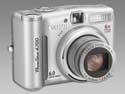
Canon PowerShot A700
Company: Canon
Price: about €255 (incl. VAT)
http://www.canon.co.uk
When I decided to buy a new digital camera in June it wasn’t an easy decision. While I am not particularly talented, I expect a good deal from a digital camera. The new camera had to beat my old Sony CyberShot DSC-P50, which after five years still took some great pictures.
My main concern for a new digital camera was a better resolution, smaller size and more options. After some intensive reading up on the internet I decided on the Canon PowerShot A700, for a variety of reasons, but mostly because it offered 6 Megapixels, 6x optical zoom and lots of features in an affordable package.

Reviewing this camera for MyMac.com has been on my mind for a little while, but how to go about it? Well, I shall just tell you what I really like about the camera and what I don’t like that much and that will be it. If you want a very sophisticated, in-depth review you might want to check out Steve’s Digicams. But please, do read on…
Continue reading »

iToppers Mac notebook cover
Company: iToppers
Price: $13.00 to $19.50 (depending on notebook model and color selected)
http://www.itoppers.com
Recently on the MyMac.com podcast, Tim, Chad, and I had discussed a certain product that can make an ordinary Apple notebook into something more individual. While Apple certainly has intelligent and talented design engineers, their notebook line has changed very little over the last few years as far as the way they look goes. So, if you have a G4 PowerBook or Core2Duo MacBook Pro, unless you look closely you’ll notice very little difference in outward appearance. Same thing for the G3/G4 iBooks and MacBooks. Of course while the MacBooks have a very different keyboard construction from their older iBook brethren and the size has gone from a 12 or 14-inch screen to a single 13.3-inch screen, they all still have the same white polycarbonate (or black if you feel the need to spend an extra $150 for the same machine) outer casing. So, your MacBook looks like his iBook, which looks like her MacBook and on and on. How can you show some individuality when they all look the same without spending a lot of money on getting your computer painted by a pro? Easy solution. Go to iToppers.comand take a look at the covers available for the iBooks and MacBooks.

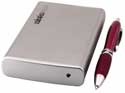
WiebeTech ToughTech Mini external hard drive
Company: WiebeTech
Price as tested for 80 GB drive $228.95
http://www.wiebetech.com
The Weeks Division of MyMac Labs just wrapped up a couple of road trips with WiebeTech’s new ToughTech Mini external drive. After flogging it mercilessly on the road, we ran it at home as well.
While specs aren’t everything, this enclosure leaves few needs unfulfilled. A few ToughTech highlights are:
Continue reading »
SPAM, or junk email is a growing problem that is not going away. For some it is worse than others.
There are several ways you can fight SPAM. Some of these methods are free, others will cost you money. One is totally free, and long dismissed by many. This is the bounce feature of Apple’s Mail. I used to dismiss it too, until recently.

The bounce feature works like this: If you get a piece of SPAM you can bounce it back to the sender. They will receive an email stating your address does not exist, and you will hopefully be removed from that SPAM list as a result. However, most SPAM comes from phony email addresses. Bouncing them will result in your receiving an email saying the bounce could not be delivered because that address does not exist. This is what used to happen to me, so I gave up on bouncing email.

iBank 2.1.7
Company: IGG Software, LLC
Price: US$ 39.99
http://www.iggsoftware.com/ibank
Money makes the world go round, no doubt about it. Knowing how much or how little you have, allows you to make appropriate plans and avoid costly overdrafts from your bank.
Have you ever gotten your credit card bill, looked at the total, and just knew the bank got it wrong? That is, you knew they got it wrong, until you checked the bill carefully and realized it they are right after all. To be honest I can’t really imagine this anymore, but I know it happens all the time to other people.
My answer to the problem is personal financial software. For me it is “can’t do without” software, the type you install the second you get your computer. They type of software you actually spend a good amount of time in every week, but also the type that is worth every penny and every minute you spend.
Continue reading »

It’s Edward Shepard writing this week. If you have questions or comments about this issue of Kibbles & Bytes, email me at ed @ smalldog.com. I appreciate the feedback.
This is a special, double-length issue of Kibbles and Bytes, as it will not be sent out next Friday (the day after Thanksgiving.) That’s the day commonly referred to as “Black Friday,” when holiday shopping begins in ernest. I’ll spend “Black Friday” working in our new store Burlington. It promises to be a very busy day, and a very busy weekend. I’m looking forward to it!
I’m also looking forward to Thanksgiving. It’s my favorite holiday, a day to spend cooking, eating, and relaxing with close friends and family. While most other holidays have become garish schlockfests, Thanksgiving still has meaning. I hope all of you experience a peaceful and satisfying Thanksgiving Day!
Listen the MP3 here, or right click to download
The Last Original Podcast before the relaunch in two weeks.
Tim, Guy, and Chad dish the dirt on the new Zune, the relaunch of our podcast in two weeks, as well as catching up with John Nemo. Plus some Mac and Apple news, how Tim is going to try and nab a PS3 this Friday, and much more.
This podcast is sponsored by SmallDog.com, and Inno-Tech.com
Leave audio feedback by calling 801-938-5559
Get the show from these links:
iTunes Link
Podcast-only RSS Feed
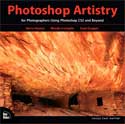
Photoshop Artistry for Photographers using CS2 and Beyond
By Barry Haynes, Wendy Crumpler, and Sean Duggan
New Riders Press
www.newriders.com
ISBN 0-321-34699-8
536 pages
US $55.00, CAN $69
For photo enthusiasts who are looking to immerse yourselves in the personal and commercial application of Adobe Photoshop CS2, Photoshop Artistry puts this college level course right in your lap. What this book doesn’t offer are easy guidelines for users to help them get more “zing” out of their pictures. There are numerous books and manuals on the market to satisfy that need.
Continue reading »
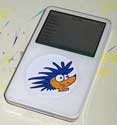
iFrogz Custom Case for iPod 5g and iPod Nano
Price: $29
iFrogz Custom Screenz for iPods
Price: $19.99 but $14.99 for an limited time
Company: iFrogz
www.ifrogz.com
As you know from reading MyMac.com, there are a ton of iPod cases out there. In order to get anywhere in this market you need to make something different. iFrogz has done just that with there customizable iPod cases.
The iFrogz cases are available for the iPod Nano (both generations), 20/40GB iPods, the 30GB iPod w/Video, the 60/80GB iPods with Video, and the iPod mini. I was able to test the Nano and 30GB models, so those are what I will be focussing on.
Continue reading »

Bose Around-Ear Headphones
Company: Bose
Price: $140
http://www.bose.com
Bose is well-known for the company’s QuietComfort Acoustic Noise Canceling Headphones, costing $300-350. Most smart, thrifty music listeners will be satisfied with the affordable Around-Ear Headphones, at less than half the price of their highly-promoted siblings.
How is this possible? Because Bose’s Around-Ear (or A-E) model has the same TriPort audio components, for “lifelike sound, including deep, low notes” (the company’s words, that MyMac.com agrees with). Even better, A-E are ultra-light, well-constructed, extremely comfortable, and a very snug fit, for natural noise reduction without any fancy technology enhancements.
Continue reading »

CanoScan LiDE 25
Company: Canon
Price: € 50.85 (incl. VAT) = ca. US$65
http://www.canon.co.uk
In the age of digital photography it is hard to imagine that some folk would stick to a standard film-based snapshot camera. I have a friend, who just loves her camera and asks me to scan images for her to put them up on flickr.com. So far this meant a trip to my parent’s house, where I would use a “windows only” scanner attached to an old Windows 98 machine. A pain. Since I also have a fair number of photos, which I wanted to digitize I decided to go off and buy a scanner.
Requirements? Reasonable quality, low price. Thus I went to my favorite Online Retailer for Mac and Mac-related hardware in Germany – Gravis (www.gravis.de) – and had a good look around. What I found was the CanoScan LiDE 25 – I am happy with my Canon Digital Camera, thus I figured I should be happy with their scanner and the price was right as well.
Continue reading »

Do you ever receive a bunch of photos in an email that you want in iPhoto? If you are using Tiger, it is easy as 1,2,3. If you are in an older operating system, there are a few more steps involved. I’ll cover both in this installment of Macspiration.

Let’s start with Tiger, I said it is as easy as 1,2,3; and it is. Here’s all you have to do:
1. Open the email with the photos.
2. Under the address information you will see a line that says you have a certain number of attachments. There will also be a save button. Click and hold the save button.
Continue reading »

Download the show here – or right click to download to your hard drive
We are proud to present the LAST MyMac Mini Podcast. While this podcast is going away, the people and topics covered every week are not. Listen to the show for more details.
Leave audio feedback by calling 801-938-5559
This podcast is sponsored by SmallDog.com, and Inno-Tech.com.
Continue reading »
Continue reading »
Election week is always exciting. I was up in Burlington at our new store today and someone had taken a huge quantity of now-obsolete lawn signs and put them in one giant display. We’ve been having some mild Indian summer weather and I chose one day to ride one of my motorcycles to work. I’d been chatting with Geoff late at night about a bunch of things and he asked me to bring him a helmet so we could go to lunch. I did that and I think it might have been Geoff’s first ride and naturally was we headed to my favorite restaurant for lunch (Finkerman’s BBQ in Montpelier) it started to rain. We went anyway and didn’t get too wet.
We get books. Lots of books. Some aren’t worth reviewing. The list of books to review seems to get ever-longer. Unfortunately, some titles, well, are just forgotten.
Here’s a quick snapshot of two worthwhile books that got lost behind the bookshelf.

Google Hacks: Tips & Tools for Finding and Using the World’s Information Continue reading »
Rael Dornfest, Paul Bausch, Tara Calishain
510 pages
O’Reilly Media http://www.oreilly.com
ISBN: 0596527063

This week I’ll dive into part of Apple’s iWorks ‘06 package, and discuss some quick tips for Pages 2.
1. ENABLE RULERS
I don’t know about you, but I like to see rulers when I type a document. In Pages you can quickly turn on rulers by using the key combination of “Apple+R.” You can also go to the “View” menu and click “Show Rulers.” Want to get rid of rulers? Use the same key combination, or click “Hide Rulers” in the “View” menu.
Continue reading »


Comments. Be heard!
Book Review
Book Review
MyMac Podcast #385
MyMac Podcast #384