Weekend Archive – Confessions of a MacAddict

On April 29, 2006, in Uncategorized, by


How different is the computing world of today than it was 11 years ago is the focus of our weekend archive. Confessions of a MacAddict (the magazine of the same name did not even exist at the time) by Carolyn Curtis shows we may not have moved too far from 1995 after all. From December 1995


Kibbles and Bytes – 463

On April 29, 2006, in Uncategorized, by SmallDog


Dear Friends,

The sun is out and Hapy has the top down on his roadster. I changed the oil in all of the motorcycles but I must be getting old because I didn’t ride in to work this morning once I looked at the temperature and saw that it was 25 degrees. Remember last year, when I had all the difficulty with my red motorcycle and its charging circuit? I took it out of storage at my mom’s condo up in Burlington and had a hard time getting it started. It’s a long story but we ended up taking the sidecar off the bike and loading the bike into the trailer to take to the dealer for some repair work. While it was there, I asked them to see if they could figure out the charging issue. It turns out that there was a bent bracket in the primary case that was shorting to the stator which in turn had fried the voltage regulator. Long story short, the bike is ready to roll!  I’m heading over to Enfield, New Hampshire, to pick it up on Saturday.

I took the opportunity of a disassembled sidecar to replace the Harley wheel on the sidecar with a Victory wheel, which necessitated a trip to the machine shop to turn the axle down by 1/4 inch. With a little luck, I should have Hammerhead’s sidecar back on the road soon.

Apple’s annual meeting of its shareholders was held this week and as expected the board of directors was reelected. There was a question- and-answer session, and sometimes interesting tidbits come from those. Steve Jobs gave us some good news in response to the question about whether the Pixar/Disney merger was going to eat up his time. He said that, on the contrary, he was going to be able to spend more time on Apple now. That is great news because the more attention we get from Steve Jobs, the better, more exciting products we are likely to have!

He did hint broadly that there is an exciting new advertising campaign being launched next week. We hope that it is not just another iPod ad, but an ad for Macs! He emphasized that the product pipeline at Apple is “the best I’ve seen in my life” and also said, “we hear you loud and clear” when a stockholder asked about the “ultimate” media center including PVR capability.

+———————————————————+


Apple Introduces the 17-inch MacBook Pro at NAB

The Apple booth at the National Association of Broadcasters was jammed with folks checking out Final Cut Studio as well as the MacBook Pro. Apple was so confident in their latest professional laptop that all of the demos in the booth were being run on the MacBook Pro, including the newly announced 17-inch version of the MacBook Pro which joined the 15-inch MacBook Pro as the next step in the Intel processor conversion.

The 17-inch MacBook Pro adds some features besides that additional screen space. The 17-inch MacBook Pro is the only MacBook Pro to offer FireWire 800, an 8x SuperDrive, and an extra USB 2.0 port.  NAB was the right venue to announce this product, as it is ideally suited to the video production market.  This 17-inch Apple professional laptop is up to five times faster than the 17-inch PowerBook G4 in benchmark testing. The display is 36% brighter than the 17-inch PowerBook, too!

Compared with the 17-inch PowerBook G4, the MacBook Pro enjoys tremendous throughput improvements across the entire system architecture. Here are some examples: Frontside bus – 167MHz 1.3 GBps for the PB; 667MHz 5.4GBps for the MBP, memory DDR2 @333MHz 2.7GBps for PB; DDR2@667MHz 10.7GBps for the MBP and Graphics – AGP4X 1GBps for the PB versus 16-lane PCI Express 8GBps for the MBP.

Here are some of the specifications for the new 17-inch MacBook Pro:

- 1 inch thin! – 6.8 pounds – that is an amazing engineering accomplishment considering that most non-Apple 15-inch laptops weigh in heavier – 8X SuperDrive DL – 2.16GHz Core Duo Processor – this is stock on the 17-inch MBP and a special order on the 15-inch MBP – 1gb of DDR2 RAM standard (with expansion to 2gb total if desired) – 120gb internal 5400rpm Serial ATA hard drive (optional 100gb 7200rpm drive available as special order) – One FireWire 400 port – One FireWire 800 port – Three USB 2.0 ports – MagSafe Power Adapter (same as the 15-inch units) and Lithium- polymer battery – Built in iSight camera (great for iChatAV) – Front Row media experience with infrared remote included – ATI Mobility X1600 graphics chip set on the logic board for super- fast graphics performance – Illuminated keyboard (automatically senses when the ambient light is low and turns on the backlighting) – Scrolling trackpad (who needs an external scroll mouse anymore?) – Sudden Motion Sensor (in case the unit falls, your hard drive’s data will be safe) – Digital Audio (for both input and output) with twice the volume of its G4 predecessor – Three options for External Display Modes (dual display, mirrored display, and lid-closed modes) with any DVI display – AirPort Extreme and Bluetooth standard (of course) – ExpressCard/34 slot (for the newer type 34mm ExpressCards) A replacement for the PCMCIA technology of old – iLife ’06

We should have these new MacBook Pros in stock within about a week.

Pre-order the 17-inch MacBook Pro now for $2799 and receive 3-day UPS shipping for free .

To order: http://www.smalldog.com/wag16609/mymac/

+———————————————————+


Dawn is Moving on to Voodoo

It is with a mixture of regret and optimism that I announce that Dawn will be leaving Small Dog Electronics in about six weeks. I have worked with Dawn for many years.  She’s been our VP of Marketing for the past several years, but that doesn’t even begin to describe her value to the company. She has been an integral part of our management team for nearly ten years. She was the fourth employee after me, Hapy, and Art and has literally done every job at the company, invented many of our procedures and policies, and has been responsible for creating our image while maintaining our commitment to socially responsible business practices.

Dawn has been the co-writer of Kibbles & Bytes and has edited all of our newsletters, including a few that we no longer publish, such as Eds Up, MacWomen, and Do Your Business. She has been the co-anchor of the Small Dog Electronics Dog Food for Thought Pawcast and has had about a hundred other responsibilities here at Small Dog Electronics. At one point, I made her title “focus director.”

Dawn has the entrepreneurial fire that helps push a company to greatness and we have been fortunate to have her energy for the past decade. It is that same entrepreneurial fire that has ignited her desire to start her own venture, Voodoo Marketing. I am sure that her expertise and energy will drive her to success in her new venture and I am sure that Small Dog Electronics will be one of her first clients. So while we regret that we are losing such a powerful force in our company, Dawn won’t be that far away both because her husband, Artie, will be here managing our warehouse operations and because we remain friends and neighbors.

We have opened a search for a replacement for Dawn and want to get input from our Kibbles & Bytes readers. This is probably going to be the hardest pair of shoes to fill that I have had in my business career! Here’s a link to the job description on our web site:

http://www.smalldog.com/jobopening.html

If you know of someone who might be interested in this position, please have them contact me only by e-mail (don @ smalldog.com). We do not accept resumes or inquiries by other means.

+———————————————————+

Don’s Top Seven Apple Values – Spring 2006 Edition Don @ Smalldog.com

Every now and then, I review the field and come up with the seven best values from Apple. Here are my picks for the seven top values from Apple:

1) Final Cut Studio 5.1

Particularly appropriate as the NAB convention draws to a close, Final Cut Studio has become the tool of choice for serious video professionals. Final Cut Pro has done more to expand the Apple professional market than any other piece of software, or hardware for that matter. Many, many times we have customers buying Apple hardware solely because they need Final Cut for their work.

Now that Final Cut Studio is universal and the MacBook Pro is out, Final Cut Studio easily makes the cut as the top Apple value.  With up to 2.5 times speed improvement with the MacBook Pro over the G4 PowerBook, the native FCS 5.1 is a must-have for serious video production professionals.

Final Cut Studio is a bundle of five very powerful tools:

Final Cut Pro 5 – the Emmy Award-winning software for native DV, SD, HD, and film editing

Motion2 – the world’s first real-time HD motion graphics application with GPU-accelerated, 32-bit float rendering

Soundtrack Pro – a revolutionary audio editing and sound design application that makes video projects sound as good as they look

DVD Studio Pro 4 – professional authoring software for both SD and HD video, allowing you to create menus, lay out your project, and output discs with ease.

Compressor 3 – the encoding workhorse that can convert, automate, and batch-process your video. Use it to prepare files for DVD, the web, and iPod.

Buy Final Cut Studio 5.1 this week and Small Dog Electronics will ship it to you via UPS 3-day service for free and will also send you a Contour ShuttleProv2 Multimedia Controller to make your movie making even easier ($99 value!).

To order: http://www.smalldog.com/wag16621/mymac/

2) iMac – Intel

This was the first Mac that made the transition to the Intel Dual Core processor and it remains one of the most outstanding values from Apple. Introduced at MacWorld Expo in San Francisco in January, the Intel-based iMac continues the iMac tradition of being what Walt Mossberg and Katherine Boehret of the Wall Street Journal call “the gold standard of desktop PCs.”

The iMac with an Intel Core Duo combined with iLife ’06 (see value #6 below) is perfect for all your digital media needs, with significant performance improvements over the iMac with a G5 processor. With a sleek, all-in-one look, the iMac fits into any room and has horizontally oriented ports to reduce cable clutter.  It comes stock with AirPort Extreme and Bluetooth wireless capabilities. It has a small magnet to hold the included Apple Remote.

The iMac sports a built-in iSight camera for video conferencing with iChat AV, and with Apple’s innovative Front Row software and the Apple Remote, you can navigate through and play music, movies, slide shows, and DVDs from across the room.

With prices starting at $1299 for the 17-inch model, which includes 512MB RAM, big 160GB drive, CD- and DVD-burning SuperDrive, AirPort, and Bluetooth, you cannot beat the value for a high-end desktop home or office computer.  It is a shoo-in for #2 in the top seven Apple values.

Buy any Intel iMac this week and get AppleCare Protection (see value #3 below) for your purchase for only $75!

iMac 17-inch Intel 1.83GHz 512/160/SuperDrive/AP/BT with AppleCare Protection Plan – $1374!

To order: http://www.smalldog.com/wag16622/mymac/

iMac 20-inch G5/2GHz 512/250/SuperDrive/AP/BT with AppleCare Protection Plan – $1424!

To order: http://www.smalldog.com/wag16623/mymac/

3) AppleCare Protection Plan

AppleCare: Peace of mind for your Mac.

AppleCare is an extended warranty and more. Is it a good deal? Should you buy AppleCare with your new or refurbished Macintosh computer?

We are asked these questions all the time. Let me state from the start that I generally have a negative impression of extended warranty plans and get annoyed when I am buying something at a retailer and am pressured to buy some extended service plan. I think that in most cases they are just a waste of money.

I want to make the case, though, that AppleCare is very different and is an excellent value that you should consider for your Mac.

There are two basic benefits of AppleCare:

Hardware Warranty

The hardware portion of the AppleCare Protection Plan extends the one- year warranty on your new or factory-refurbished Mac from one year to three years. It adds two additional years of coverage. (iPod AppleCare adds one year.)

This ensures that you will have access to genuine Apple repair parts and qualified Apple service technicians, should your Mac require service. You will be able to take your Mac to any Apple-authorized service center or send your Mac to Apple directly for depot service. Both parts and labor are covered for the three years.

Unlike many manufacturers of consumer electronics products, Apple maintains a comprehensive network of service organizations in virtually every corner of the USA. Just about all of the Apple resellers are also service authorized and can repair or facilitate repair of your computer.

Technical Support

New and factory-refurbished Apple products come standard with 90 days of free technical support via telephone (Apple recently changed iPod tech support to a single incident in the first 90 days). AppleCare Protection Plans extend that to three years as well (two years in the case of the iPod). This is the real hidden value of the AppleCare Protection Plan.

You get direct telephone access to Apple’s own technical support group. AppleCare representatives can help troubleshoot Apple hardware, the Mac OS, including Mac OS X, and many Apple-branded consumer applications, including iPhoto, iMovie, iTunes, iDVD, Garage Band, QuickTime, and AppleWorks.

Technical support is available seven days a week from 8:00 AM to 8:00 PM central time.

The plan is comprehensive and includes the whole system: mouse, keyboard, AirPort Card and Base Station, and up to two Apple displays with your Power Mac G4 or G5.

To qualify for AppleCare, you have to still be within the one-year Apple warranty period on your new or factory-refurbished Mac. Kailey Roy here at Small Dog Electronics sends an AppleCare reminder letter to each of our customers just before their warranties expire.

The Apple display is covered only if it is purchased at the same time and same location as the Mac that you are using, there is also a separate AppleCare Protection Plan now for Apple displays.

The AppleCare Protection plan is valid in both the USA and Canada.

With the cost of the most common repairs on any Mac far in excess of the cost of AppleCare Protection, it takes only one failure of a component to justify the protection and peace of mind that AppleCare Protection provides.

To make your consideration of the value of AppleCare just a little easier, here are some specials on AppleCare Protection Plans for this issue of Kibbles & Bytes:

AppleCare Protection Plan for iMac and eMac – $135

To order: http://www.smalldog.com/wag14121/mymac

AppleCare Protection Plan for iBook – $199

To order: http://www.smalldog.com/wag14122/mymac

AppleCare Protection Plan for Power Mac G4/G5 – $199

To order: http://www.smalldog.com/wag14123/mymac

AppleCare Protection Plan for MacBook Pro or PowerBook – $269

To order: http://www.smalldog.com/wag14124/mymac

AppleCare  Protection Plan for iPod – $49

To order: http://www.smalldog.com/wag14125/mymac

AppleCare Protection for Apple Display – $77

To order: http://www.smalldog.com/wag16624/mymac

4) MacBook Pro 15-inch

I’ve been using my MacBook Pro for over a month now, and I’m in love. I know that the newly announced 17-inch MacBook Pro has a larger screen and a few other enhancements, but won’t fit in my motorcycle saddlebag and would barely fit on my lap. I find that the 15-inch MacBook Pro is the perfect size for my main computer and is light enough and powerful enough to be my Mac of choice when I travel, too!

The 15-inch MacBook Pro (I didn’t like the name at first, but now PowerBook seems odd) was the first Intel-based notebook from Apple. It utilizes the Intel Core Duo processor that makes it up to four times as fast as the fastest PowerBook G4. It now features a built-in iSight camera, which is one less piece of hardware that I have to drag along when I am traveling. It makes video conferencing as easy as instant messaging!

The MacBook Pro also comes with the Apple Remote and Front Row. I haven’t lost my Apple Remote yet, but I see less value for that device with the MacBook than the iMac.

Apple’s beta program for Boot Camp, which allows you to boot into Windows XP, and Parallel’s Virtual Machine beta, which allows you to run Windows (or other OS) in a separate window, show off the versatility of the MacBook Pro. I haven’t found anything interesting to compel me to boot into Windows or to launch Parallels VM, except to demonstrate it to people. I recently had a meeting with a web hosting client and we spent about five minutes on web-hosting issues and about 45 minutes demonstrating the capability of the dual-boot nature of the MacBook Pro with Boot Camp.

The 15.4-inch screen on the MacBook  Pro is 67% brighter than on the PowerBook G4. It is truly a noticeable difference in brilliance. At just 1 inch thick and 5.6 pounds, the MacBook Pro is one of the slimmest and lightest laptops you can buy.

The MBP has integrated stereo speakers and microphone, an IR receiver for that Apple Remote, an illuminated keyboard for low-light use, built-in AirPort Extreme and Bluetooth, and a very handy scrolling trackpad. We’ve talked before about some of the safety features, such as the innovative MagSafe power connector and the sudden motion sensor. All of those throughput comparisons I did above for the 17- inch MacBook Pro apply also to the 15-inch model.

This week, if you buy any new 15-inch  MacBook Pro, we will include a Free 2nd Apple 85 Watt MagSafe AC Adapter!

MacBook Pro 15-inch 1.83GHz 512/80/SuperDrive with 2nd Apple 85 Watt MagSafe AC Adapter – $1999

To order: http://www.smalldog.com/wag16626/mymac/

MacBook Pro 15-inch 2.0 GHz 1gb/100/SuperDrive with 2nd Apple 85 Watt MagSafe AC Adapter – $2499

To order: http://www.smalldog.com/wag16625/mymac/

5) iWork ’06

Two of the easiest-to-use applications for $79! Professional results with minimal effort. I like to think of Pages and Keynote as applications that can “save your butt” in an emergency. Everyone can look good using an application like Keynote or Pages. Launch Keynote and you can put together a presentation that will blow away your competition. You’ll start to feel like the Wizard of Oz when you see how easy it is to look so nice! No one with a Mac should even think about touching PowerPoint, as the amount of work to make a PowerPoint presentation look as nice is not worth it. Pages has made great strides and though it may not quite be ready to replace your desktop publishing software, it is ready to replace your word processing software.

Two of the best applications on the market for only $79. This is how software should be priced. Order now and we’ll throw in a FREE Small Dog Coffee Mug.

http://www.smalldog.com/wag16632/mymac

6) iLife ’06

While the MacWorld Expo in January will probably be best remembered for the introduction of the first Intel-based Macs, I think that almost of equal importance were the improvements to iLife that were introduced at that same show. The iLife suite of digital lifestyle products is unparalleled in the computer industry and provides a strong measure of extra value whether you are buying a new or refurbished Mac that comes bundled with iLife ’06 for free, or if you buy iLife on your own.

This extraordinary value includes these applications that you may find yourself using regularly:

iPhoto 6 iPhoto 6 features faster performance, support for up to 250,000 photos, full-screen photo editing, and the ability to create professional-quality greeting cards and wall calendars. New to iPhoto is the idea of photocasting, which is like a podcast only with images. In case you’ve forgotten, what makes a “cast” is the delivery method, allowing a RSS reader to automatically update with new information. In the case of a photocast, you’ll upload new images and the folks subscribed to your feed will automatically know about them. If they are iPhoto users, too, an album will be created and they will have full-res photos identical to the ones you took. I use iPhoto every day – I don’t remember what life was like without it!

iMovie HD 6 iMovie HD features Apple-designed iMovie themes that automatically combine customer video and photos with professionally produced movie scenes to give a professional polish to any video. New audio tools using Core Audio make your customers’ movies sound as good as they look. And iMovie HD is the easiest way to create video podcasts. iMovie HD also features automated movie making, improved performance, easier editing, more effects and access to new sound effects, and tighter iLife integration. I used iMovie to make a simple video of my scuba dive with the manta rays and it took me about half an hour to do the whole thing, including editing and adding music.

iDVD 6 iDVD features 10 new themes in both widescreen (16:9) and standard (4:3) format, and each theme includes a family of designs. iDVD also features: Magic iDVD for automatic DVD creation; themes with dynamic drop zones; autofill drop zones; simplified, more powerful editing; improved slideshows; enhanced Map View; and tighter iLife integration. When I was in Hawaii, I used iDVD to make a DVD of the many photos and videos that I had taken in Hawaii so that I could give it to my landlord before I left. It was a piece of cake, and the landlord was impressed with the ease and quality of the work!

GarageBand 3 New to GarageBand is the ability to add a track of artwork for a podcast. The best way to describe this is that it looks like the track view of iMovie with more audio tracks. Most other GarageBand features add improvements and ease to podcast creation. GarageBand is a radio station in a box. iChat interview recording, jingles, built- in speech enhancer, and one-click publishing to .Mac. I thought I would never use GarageBand because my musical talent goes about as far as plugging in my iPod, but with these new features I see new horizons.

iWeb iWeb is brand spanking new. iWeb is an easy way to create web sites and includes 12 Apple-designed templates covering basic web pages, photo albums with slide shows, blogs, and podcasts. One-click podcast publishing using a .Mac account. I have created my website <http:// web.mac.com/donmayer> to share photos, movies, and my writing. I’ve started to post all of the soapboxes I have written over the years to my blog on iWeb. I like the software, For a 1.0 piece of software it is very powerful and easy to use. I hope that Apple continues the development of this product as part of the iLife suite,

If you do not have iLife ’06, it is well worth the $79 to upgrade to this latest version. If you have several Macs in your home, the Family Pack of iLife ’06 might be an even better value at $99. To make it even easier, we will ship either one for free via 3-day UPS this week!

iLife ’06 w/free UPS 3-day Shipping – $79

To order: http://www.smalldog.com/wag16628/mymac/

iLife ’06 Family Pack with Free 3-day UPS shipping – $99

To order: http://www.smalldog.com/wag16627/mymac/

7) .Mac – An Essential Mac Tool

.Mac is one of the best values that Apple has to offer. Forget about the .Mac email account that you can access anywhere. The advantages start with an easily accessible online storage system and continue through the ability to share calendars and sync your address book via iSync.

Here’s the short list of .Mac benefits. (I am sure there a more to come from Apple, too!):

Publishing with iWeb

Seamless integration with iWeb – the newest member of iLife ’06 – makes it easy to publish your websites with a single click of a button.

iDisk

.Mac iDisk makes it easy to exchange files with friends or centralize your documents so that you can access them anywhere, at any time.

Groups

Communicate, coordinate, and stay in sync with your club, team, or organization. .Mac Groups includes a group email address and website.

Photocasting

Let your friends and family subscribe to your shared iPhoto albums and view your full-resolution photos on their own computers.

Backup 3

Protect your precious memories with this powerful upgrade to .Mac Backup. Scheduled automatic backups are as easy as 1-2-3. This one piece of software makes .Mac an extraordinary bargain and worth the price of admission!

Mail

.Mac Mail is ad-free and elegant. Use your account through Mac OS X Mail or through .Mac Mail on the web. Virus protection is built right in.

Sync

.Mac Sync keeps up-to-date information at your fingertips, whether you use multiple Macs or whether you’re on the road without your Mac.

Learning Center

The Learning Center offers step-by-step tutorials on the applications you use most, including iLife, iWork, Mac OS X, and .Mac.

Annual Subscription for .Mac on sale for $89 (can also be used as a renewal).

To order: http://www.smalldog.com/wag14112/mymac

Annual Family Pack of .Mac on sale for $169

To order: http://www.smalldog.com/wag16630/mymac/

If you buy any new Mac at the same time as .Mac, you can get an additional $30 rebate from Apple!

http://images.apple.com/promo/wantmore/pdf/DotMac_Promo_041806.pdf

+———————————————————+

Seven Best non-Apple Values Dawn @ Smalldog.com

To round out Don’s best Apple values, I’m going to talk about the best non-Apple values. To make this list, the product either needs to be free, less than $50, or such an incredible value that it makes sense to mention.

1. Firefox IMHO this is the best browser available. I’m not alone, as our web traffic at PodJungle.com shows that about 40% of the visitors are using Firefox. What makes Firefox better than Safari? It plays much better with some of the Web 2.0 sites that I use on a regular basis. With extensions such as the Google Toolbar, it is immensely more expandable. Firefox is free.

http://www.mozilla.com/firefox/

2. Quicksilver The ultimate in controlling your Mac. People either love this application or they just don’t get it. I happen to love it. One of the best sites that I’ve found for making Quicksilver more functional is the 43folders blog. The second link goes directly to a post regarding training yourself to use Quicksilver.

http://blacktree.cocoaforge.com/


http://www.43folders.com/2004/09/15/quicksilver-moving-around-and- training-yourself/

4. Small Dog Electronics’s ClickCase If you have an iPod nano or current iPod that runs video, this is one of the best values in cases on the market. It is made of good-quality leather (the kind of leather that feels substantial), provides access to all the controls including the docking port, and protects the screen with a click cover. Priced at $19 for nano or $27.50 for the iPod, it blows the doors off of Apple’s leather case.


http://www.smalldog.com/mfg/wag15983/mymac/?MfrName=Small+Dog +Electronics

5. Rebate on Xerox Phaser 8500N and 8500DN The $300 mail-in rebate that is being offered for one of my favorite printers is what helps this printer make the list. This basically discounts the final price of the printer by 35%.

http://www.smalldog.com/wag16567/mymac

6. The latest web offerings by 37signals Basecamp, Backpack, Campfire, Ta-Da Lists, and Writeboard by 37signals allow you to collaborate via the web in a manner that was only a dream a few years ago. Each web-app has a free component and is priced in such a manner as to allow for scalability. I’ve integrated some of these web-apps into my daily routine and can’t say enough cool things about them.

7. Just about every digital camera under $300 Digital cameras have substantially dropped in price in the last year or so. The quality of the low-priced cameras is so good now that they will work well for just about everyone. The camera that I purchased four years ago for $350 can’t compare to those currently in the $150 price range. If my out-of-date camera didn’t work so well, I would upgrade to a less expensive model. If mine is fabulous, just think how great these new cameras are!


http://www.smalldog.com/category/x/x/Cameras/Digital+Cameras/wag109/ wag10009/mymac

Well, I pretty quickly reached my seven non-Apple values and I could really keep going. Other things I might mention include a Voice Over IP solution such as Vonage.com (which I love) or Skype, Google Earth (as well as Google and all its add-ons), Apache Web Server, PHP and MySQL, NetNewsWire, and so on! If there’s a product that you think should have been on the list, let us know by posting a comment to this blog post:

http://blog.smalldog.com/article/139/seven-best-non-apple-values

+———————————————————+

iSync My Cellphone ed @ smalldog.com

iSync 2 is one of the great features of Tiger (OS 10.4). I use it to keep my addresses and  iCal calendars in sync on multiple computers, my iPod, and my Palm Pilot. iSync will allow you to sync your computer’s contacts and calendars to certain cellphones, but my current phone is too old to join the party. This has been a pain, as I’m always adding phone numbers to my Mac address book, but then I have to tediously reenter them on the tiny cellphone pad.

I’ve always wanted an iSync-capable phone, so I was secretly glad when my old phone began showing signs of irreparable decline.

Visiting the cellphone store is not fun. Between the convoluted calling plans with their nonsensical pricing schemes, special offers (and special catches), and the cellphones with their confusing rebates and obscure-but-essential features, getting a new cellphone can be a real chore. Even when the salespeople are helpful, they typically don’t know anything about cellphone-to-Mac connectivity. If you want an iSync-compatible phone, it pays to do some research before going to the store.

First, Apple keeps a list of iSync compatible phones here:

http://www.apple.com/macosx/features/isync/devices.html

Many people have been able to get phones not officially on the list to sync with their Macs via iSync. If you really want a phone that’s not on Apple’s list, you might go to Google to see if anyone has made it work with iSync.

There are several ways to physically sync with the computer. Bluetooth is a great way to sync. You’ll need to get a Bluetooth phone and your computer will also need Bluetooth or a $30 Bluetooth adapter. No additional cables are needed. You can get a USB cable to connect the phone to the computer as well. The USB-to-phone cables are typically proprietary, and can be $50 or more when purchased at the cell phone store. Small Dog sells cables for many cell phones that allow you to charge and sync the phone from the computer, along with a third-, fourth-, or fifth-generation iPod. See a photo of this here:


You can find these by searching for Malleable Devices on www.smalldog.com.

Motorola, Cingular, and Apple have teamed up to create iTunes-capable cellphones. These allow you to load iTunes playlists and music purchased from the iTunes Music store on your phone. This means you can leave your iPod at home – at least on short trips. They’ve been moderately successful.

It’s been long rumored that Apple will introduce its own Apple- branded, Apple-designed cell phone. This would be a great way for Apple to keep the lead in pocket-sized digital entertainment/work devices. Imagine the Newton and the iPod wrapped into one – with a cell phone to boot. I hope this happens. Apple has registered www.iphone.org.

For now, I think I’ll get a Palm Treo 650 running the Palm OS. This means I’ll no longer need to carry my Palm around when I travel. I’ll be using it with iSync and also Mark/Space’s Missing Sync software. Missing Sync is an excellent program. See it here:

http://www.missingsync.com/

All I have to do now is figure out which plan to sign up for and decipher the current rebate schemes!

+———————————————————+

New Products

Fogware HYB Art DVD – $22 Explore the world of fine arts and their history with this great tour!  The Art DVD collects a world of creativity for your perusal. See and feel the emotions of art and the famous (and not so famous) artists who created it all. Expand your knowledge of art, understand the language of paintings and get truly prepared for your next visit to the art museum!

http://www.smalldog.com/product/40253/mymac

Fogware HYB History DVD – $22 Learn about the events of the past that created your present. The History DVD takes you on a journey back in time, as you learn about life in the past — and the people and events that shaped it before you were born. World and U.S. History included.

http://www.smalldog.com/product/40256/mymac

Fogware HYB Places DVD – $22 Discover the natural and man-made beauty of America with this collection of software tours! The Places DVD will take you on a journey rich in scenic beauty and historic wonder from far east to the coastal west. Includes tours of Alaska & Hawaii, The Southwest, The Southeast, The Northeast, The Midwest, The Rockies, The West, Florida and Texas.

http://www.smalldog.com/product/40255/mymac

Fogware HYB Space DVD – $22 A collection of the very best in space exploration! With the Space DVD, you’ll venture into space and explore what hides above the skies. Titles include Stars, The Earth, Astronomy, The Inner Planets, The Outer Planets, The Solar System, Space Speculation, Space Exploration and The Universe.

http://www.smalldog.com/product/40254/mymac

MacPlay Jewel Quest – $22 Explore the ancient ruins of Mayan civilization while discovering hidden treasures and priceless artifacts. In this unique new take on the classic-style matching game, you must rearrange valuable relics to turn sand tiles into gold. As you venture deeper into the jungle, you will encounter increasingly difficult puzzles containing secret twists, cursed items, and buried artifacts. ESRB Rating “E” for Everybody.

MacPlay Mah Jong Quest – $22 Kwazi needs your help! Three terrible dragons have appeared without warning, wreaking havoc on the once peaceful village. With the guidance of twelve spiritual animals, solve the mysteries of the ancient tiles to restore balance to the Empire. You must find and match Yin and Yang to proceed through each of the 60 puzzles. This is your destiny, this is Kwazi’s Quest. Choose from over 150 additional Classic and Puzzle layouts to improve your skills or just to have fun. ESRB Rating “E” for Everybody.

SDI iH30B iHome iPod Boom Box with Radio – $119 The Boom Box for Apple iPod & Shuffle with FM Radio and Presets. Rich full sound you can take anywhere with a built-in dock. The portable design lets you bring the party anywhere you go! Auxiliary/MP3 line- in jack with patch cord for other MP3 players and audio devices.

Black: http://www.smalldog.com/product/40261/mymac
Silver: http://www.smalldog.com/product/40260/mymac
White: http://www.smalldog.com/product/40262/mymac

Hasbro iDog – $29.95 The little dog with BIG sound! Just plug him in to your music player and I-DOG plays your music through his built-in speaker or your headphones — and rocks out! Wanna dance with I-DOG? Try placing him near a speaker and dance along as he grooves to the beat. I-DOG even changes his mood to suit your music. Simply play something new and I- DOG entertains you with expressive movements and flashing LED lights that change color!

White: http://www.smalldog.com/product/40242/mymac
Black: http://www.smalldog.com/product/40240/mymac

+———————————————————+

Specials!

Here are the specials for this week, valid through May 4 or while on- hand supplies last. Be sure to use the wag URL to get this special pricing.

+—————-+

Factory-Refurbished iMac 17-inch G5/1.9GHz 512/160/SuperDrive/AP/BT with additional 1GB RAM – $1089

To order: http://www.smalldog.com/wag16629/mymac

+—————-+

Ultimate Portable Presentation System – $3129

PowerBook 15-inch G4/1.67GHz 512/80/Super/AP/BT with iWork ’06, and InFocus LP120 Mobile Projector

To order: http://www.smalldog.com/wag16588/mymac

+—————-+

Canon Pixma Printer, Digital Camera, SD Card, and Camera Bag – $239

To order: http://www.smalldog.com/wag10009/mymac

+—————-+

Apple iPod 20gb with Color Display and CARTune FM Transmitter & Charger – $225

To order: http://www.smalldog.com/wag50065/mymac

+—————-+

iMac 20-inch G5/2.0GHZ 1GB/250/SuperDrive/BT/AP (new) with iPod mini 4gb Silver (refurbished) – $1499

To order: http://www.smalldog.com/wag16631/mymac

+———————————————————+

It looks like a sunny spring weekend here in the Green Mountains. A good weekend to rototill the garden, wash and wax the bikes, and get a couple of rides in. Grace and I are heading up to Burlington for a fund-raiser for Bernie Sanders for Senate, featuring a comedy show by Al Franken. Political season is in high season already in Vermont!

Thank you for reading Kibbles & Bytes and have a great spring weekend!

Your Kibbles & Bytes Team,

Don, Dawn, Ed, and Holly


MyMac Podcast 79 with Bob Dr. Mac LeVitus

On April 27, 2006, in Uncategorized, by MyMac PodCast


This week, Chad and Tim talk with Bob Dr. Mac LeVitus, almost a year to the day since our last podcast with him. We phone the winners of our contest this week. Our contest sponsors are Case-Mate.net with the iPod case, and the latest iPhoto 6 – The Missing Manual. Sgt. Perry returns to answer some questions, and Tim and Chad look at the latest in Macintosh news with Dr. Mac.

Leave audio feedback – 1-801-938-5559

Download the show

Direct MP3 Download

iTunes Music Store
Podcast RSS-Only Feed
Check out our listings at YaHoo, Podcast Pickle, or Podcast Alley.

The show is sponsored by SmallDog.com and Inno-Tech.com. Want to sponsor the show? Email us.

Contest
You can enter to win either:
iPhoto 6: The Missing Manual by David Pogue and Derek Story from OReilly Press

Case-Mate iPod Case from Case-Mate

Links Mentioned in the show
Dr. Mac Bob LeVitus
Case-Mate.net
OReiley Press
Mac HelpMate

Links from The Dashboard Minute
IMSonny
iCos
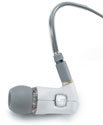
 

Premium in-ear headphone comparison review

On April 26, 2006, in Uncategorized, by John Nemerovski


Super.fi 5 Pro (available in white, black, or clear)
Company: Ultimate Ears

Price: $250
http://www.ultimateears.com/superfi/superfi-5-Pro-white.htm
(Specifications, user’s manual, and informative FAQ are available from links at the above page — well worth reading if you are interested in learning as much in advance as possible)


FS1 High Definition Earphones (available in white or black)
Company: XtremeMac

Price: $150

http://www.xtrememac.com/audio/earphones_recorders/fs1.php


(Specs do not appear to be posted on the company’s web site)


In the interest of complete transparency and full disclosure, MyMac.com is letting readers inside our Internal Standards Department, where every product we evaluate goes through a comprehensive Q & A process. Read through to the end for our conclusions, but first let’s discuss some pros and cons of premium in-ear headphones, generally and specifically:

WHAT’S WRONG WITH THE EARBUDS THAT COME FROM APPLE, INCLUDED WITH AN IPOD?

From personal observation, at least 70 percent of iPod owners are using standard issue Apple in-ear headphones. The expensive third party in-ear headphones being discussed in this review are not for everybody, either due to cost or lack of need.

WHY CAN’T I GET REALLY GOOD IN-EAR HEADPHONES FOR FIFTY BUCKS OR LESS?

These special headphones under discussion are audiophile quality, meaning the listening experience is designed to be as superb as possible. Engineering and design costs are substantial, and sales volumes are not.

HOW DO I KNOW THEIR LITTLE SPEAKERS WILL FIT COMFORTABLY WITHIN MY EARS FOR HOURS OF LISTENING?

Each of these two manufacturers, Ultimate Ears and XtremeMac, provides many different ear inserts in their original packaging, and most purchasers will be satisfied with one of the included sets.

WHAT ELSE COMES WITH THE HEADPHONES?

Both companies give you little carrying cases. XtremeMac’s FS1 travels within a little round grey zippered case, and Ultimate Ears’ Super.fi 5 Pro has two options: a small, square leather case and a sexy metal+rubber all weather hard case.

CAN I HEAR OUTSIDE NOISES WHEN LISTENING THROUGH THESE IN EAR HEADPHONES?

It depends upon how loud you play your music (be careful, please!) and how loud is the outside noise. Under typical listening conditions, exterior noises will not distract from or diminish your audio experience.

WHAT ABOUT DISTORTION?

If you are using in-ear headphones, even cheapo ones, and blasting your brains out with high output levels, you need your head examined, not your ears. Moderation is the key here, and both models are plenty loud and clear.

ARE THE HEADPHONE CABLES AS FLIMSY AND VULNERABLE AS THEY APPEAR TO BE?

Sort of. If you’re careful and don’t let your dog chew on them ($$ ouch $$), or allow the strands to dangle inside your toaster oven, you’ll get years of enjoyable use from either brand, although Ultimate Ears’ headphones have longer, more flexible cables than do XtremeMac’s.

Hint from Ultimate Ears’ representative: “I would also mention that our cables are user replaceable in case something ever does go wrong. We do not feel that you should loose your entire investment when you slam your cable in your car door – I speak from experience;)”

DO I GET A PRINTED INSTRUCTION MANUAL WITH THE HEADPHONES?

Yes, from both companies, although FS1′s is miniscule and minimalist, while Super.fi 5 Pro’s is large and detailed.

WOULD I BE BETTER OFF WITH TRADITIONAL OR WALKMAN-STYLE HEADPHONES THAT EITHER COVER MY EARS ENTIRELY OR REST ON THEM WITH FOAM COVERS?

Over-ear headphones can be potentially very comfortable, and not allow much outside noise in, but they also can be clunky, heavy, and awkward. Higher quality modern foam cover headphones can provide terrific listening for a modest price (under $100), but do not equal the listening experience of premium in-ear headphones.

ARE ANY OTHER ACCESSORIES INCLUDED?

Nope with FS1, and yes, indeed with Super.fi 5 Pro: gold-plated (that’s good) 1/4″ plug adapter and volume attenuator extension plugs. Very nice additions!

WILL BOTH MODELS UNDER REVIEW PLAY MUSIC FROM ANY ORDINARY MUSIC DEVICE?

Yes, but Ultimate Ears’ 1/4′ adapter jack allows you to use them with your home stereo equipment, out of the shrinkwrap.

CAN I CLEAN THE EAR INSERTS, AND BUY ADDITIONAL ONES?

Yes and yes.

WHY SHOULD I SPEND MORE ON MY REPLACEMENT HEADPHONES THAN I DID ON MY MUSIC PLAYER?

These are after market considerations for demanding listeners. Why do you use a Macintosh instead of a Dell, or own an iPod instead of a CD Walkman? The choice is yours, and your money is well spent if your overall experience is enhanced significantly.

CAN YOU REALLY HEAR THE DIFFERENCE BETWEEN $150 FS1 AND $250 SUPER.FI 5 PRO?

Yes. I’m spending every available waking hour using and comparing these two in-ear headphones. FS1 is a very nice model, but the audio presence is somewhat flat and withdrawn when compared to the open, expansive sound from Super.fi 5 Pro.

Hint from Nemo: experiment with every EQ (equalizer) setting within iTunes, and built into your iPod, for your preferred listening “tone.”

WHAT ABOUT COMFORT COMPARISONS?

Different companies use different speaker cover insert design. In this case, FS1′s comfy cones are more or less equal in fit and feel to Super.fi 5 Pro’s round blobs. I have peculiar ear orifices, and after a lot of cover switching back and forth, I’m satisfied in both cases.

ARE LEFT AND RIGHT CLEARLY MARKED ON THE EARPIECES?

No, not from either company. Big mistake. P-l-e-a-s-e figure out how to indicate which ear is which without compromising your high class design, such as a RED DOT = RIGHT SIDE and BLUE DOT = LEFT SIDE, clearly visible in low and high lighting situations for both youngsters and oldsters.

WOULD YOU RATHER HAVE FOUR SETS OF ULTIMATE EARS HEADPHONES OR A NEW IBOOK?

What an idiotic question. We all have spending priorities. Expensive, diminutive, premium headphones are at the top of the lists for a select group of listeners. It’s one of those situations where if-you-have-to-ask-it’s-not-for-you, and you-know-who-you-are.

WHAT ARE THE CONCLUSIONS AFTER ALL THESE PROBING QUESTIONS?

1. Comfort is paramount. No matter the sound or the cost, if the darn things don’t feel good, hour after hour, week after week, you’ll wish you had never purchased them. Comfort is worth FOUR POINTS out of a total of 10 in our final score.

2. Attention to audio output is serious from both companies, and the extra “oomph” built into Ultimate Ears’ headphones is worth the extra cost, if you can afford it and know you can hear the difference. Audio quality is worth THREE POINTS.

3. Package contents and product design are taken very seriously by Ultimate Ears, and less so by XtremeMac. If it’s fair to compare products that are essentially similar but at difference price points, then we’re on a level playing field in this category that is worth TWO POINTS.

4. Retail price is worth ONE POINT, because it is a decisive factor for nearly everything we buy.

AND OUR RATINGS ARE:

Ultimate Ears Super.fi 5 Pro [$250]:

Comfort = 3 (good but not perfect)
Audio = 3 (very good)
Contents and design = 1.5 (extensive, except for Left/Right identifiers)
Price = 1 (reasonable)

Total score = 8.5 out of 10, and MyMac.com rating of 4 out of 5

XtremeMac FS1 [$150]:

Comfort = 3.5 (very comfy but still not perfect)
Audio = 2 (room for improvement)
Contents and design = 1 (room for more improvement)
Price = 1 (reasonable)

Total score = 7.5 out of 10, and MyMac.com rating of strong 3 out of 5


Recently, I was helping a friend install Mac OS-X onto some Macs that were donated to his school. While doing this, I figured I’d take some pictures of the monitor and write an article about how to install Mac OS-X onto a Mac. The steps described below also work for upgrading Mac OS-X (i.e. going from Jaguar to Panther), or reinstalling Mac OS-X for those rare times that you just need a fresh start. The pictures are from a Panther install, and might vary slightly with other Mac OS-X installs.

If you are installing Mac OS-X 10.2 or higher on a Mac that has never had 10.2 (or higher) on it before, you want to make sure your Mac has enough memory and the latest firmware installed. Mac OS-X through 10.3 requires a minimum of 128mb of RAM, while 10.4 (Tiger) requires a minimum of 256mb of RAM. I suggest having at least 512mb with any version of OS-X. Not sure what your machine has? In Mac OS 9 or Mac OS-X go to the Apple Menu in the top left and click “About this Mac.” The window that comes up will tell you how much memory you have in your computer.

Firmware, in simplest terms, is the programming built into your computer. The latest firmware updates can be found here: http://docs.info.apple.com/article.html?artnum=86117. You must be in Mac OS 9 to install these updates. Firmware is easy to install, and you can find directions on this page also. For detailed instructions on checking your firmware version see this page on Apple’s site: http://docs.info.apple.com/article.html?artnum=60351. The installer will also let you know if your firmware is up to date when you run it.

Now that you have your firmware up to date, and you have enough memory, it is time to start. Insert Disc 1 of the Mac OS-X installation and double click the CD icon. In the window that opens, there will be another icon that says “Install Mac OS-X.” Double click that, and you will be prompted to restart your computer. On restart, the computer will boot from the CD to start the install process. You can also boot directly from the CD by restarting your computer and holding the “C” key down during boot. You can let go of the key when you see the gray Apple on the screen.

Once the computer is booted, you will be presented with a window where you have to choose the language of the install. Choose your preference, and click continue.

You will then go through a series of screens with information about the install and the license agreement. Read as much as you like, and click continue each time.

At the next window you will be prompted to choose the drive that you would like to install Mac OS-X onto. If you only have one hard drive (which most people reading this will) you will only see one drive. Hopefully, you will see a green arrow on the drive, which means you are good to go.

If there is a red stop sign, it means that there is a problem. The most likely issue that would cause a red arrow is not enough space on your hard drive for installation. The computer will tell you the problem underneath the drive icon. If your hard drive is too full, you will need to restart from the hard drive and delete some files from your computer. If these are important files, make sure you have them backed up someplace. Once they are deleted, they are gone. Also, remember to empty the trash. All of those deleted files are still taking up space on your drive, until you empty the trash. When you are finished, restart the process of booting from the Mac OS-X CD. You might have to repeat this step several times before you can continue.

You may also get a yellow yield sign at this point. This is a warning from the installer. I’ll discuss what to do about the yield sign in Part 2 of this article.

Once you have the green arrow on the drive, you can press continue. Continue pressing continue on the windows that follow for the default install of Mac OS-X. Eventually, the actual install will begin.

First, the installer will check your hard drive for any problems. If it finds something, the install will be aborted. If you find yourself in this situation you might want to run Alsoft’s Disk Warrior. It will probably help resolve the problem. I use it all the time for maintenance on my computer, and it once helped me out of a major jam. It is worth the investment.

Assuming everything is good, the installation will continue. Along the way, you might be prompted to insert another CD. Just follow the directions, and you’ll be good to go.

Once the installation is finally complete you will have to restart the computer. Depending on the type of installation, you might be presented with Apple’s introduction sequence and you’ll have to run through the setup and registration procedure. After that you’re done!

For those new to OSX welcome and enjoy! Continue to read Macspiration for helpful Mac OS-X tips and tutorials, and be sure to check older Macspiration articles that are available now.

Next week, I’ll discuss how to customize the Mac OS-X installation. There are several options you can change for a quicker and smaller installation. I’ll also discuss what to do if you get the yellow yield symbol that I mentioned earlier.

Until then, leave your comments below or email me with any questions.


Weekend Archive – WooWoo Sciences

On April 23, 2006, in Uncategorized, by


A rambling discourse on the non-scientific principle of WooWoo, by Mary Beth Lock, Professor of WooWoo Sciences, Honorary. Originally published June, 2000. Read it HERE.


Kibbles and Bytes – 462

On April 22, 2006, in Uncategorized, by SmallDog


Dear Friends,

Grace and I awoke to the screams of a fisher cat in our yard at about 1:00 AM.  Knowing that Mothra, our cat, was outside (she has decided that in the warm weather she is an outside cat) we hoped that she had a safe hiding place. The dogs leaped out of bed and started barking, but Hammerhead was so scared that he immediately jumped back into bed between us and shivered. What a baby! Fortunately, Mothra was waiting at the door in the morning, but with spring come all the critters and we are going to have to try to convince her to stay inside at night.

It’s an early spring here in Vermont. We have already uncovered the strawberries and the fields are green as well as you look down the valley. Artie has organized our annual spring cleanup for today at the Small Dog campus. We picked up quite a few bags of trash from the grounds and things are looking good!

Apple bought some property in Cupertino and Steve Jobs went before the city council to talk about Apple’s plans for a new 50-acre campus to house employees that they need as a result of the continued growth of the company. I imagine the town leaders were happy to hear from Steve about Apple’s plans to stay in Cupertino and grow their business. I imagine a good chunk of change is paid in taxes!

Hapy is off to the annual Social Venture Network conference in Maine. We gave him a hard time for not taking his nice little Audi convertible, but he had an excuse in that his radio is stuck in "safe" mode and he wanted entertainment on the six-hour drive. I borrowed the car yesterday and drove to Barre at lunch to pick up the axle that I had modified for Hammerhead’s sidecar. I’m dressing the sidecar up a bit with a Victory wheel and I had to have the axle turned down to the metric size of the Victory.

+———————————————————+

Apple Whacks the Street!

Apple released their second quarter financial results on Wednesday. This is Apple’s second fiscal quarter, January-March, and despite the fact that this quarter had 13 weeks instead of 14, like the first quarter, and despite the fact that the MacBook Pro didn’t really start shipping until March, and despite a most difficult transition to Intel processors, and despite the fact that the holiday buying season dominates the first quarter, Apple posted the second-best quarterly results in the company’s history!

I’d say it was getting boring to see Apple consistently beat the street over the head by outperforming even the most optimistic analysts, but I can’t help but be thrilled as I see Apple’s continued success. So much success that Steve Jobs appeared before Cupertino’s City Council to propose a new 50-acre Apple campus for the California city. You can see the video of Steve’ presentation at Chris Saribay’s blog <http://chrissaribay.com/2006/04/second-cupertino-campus.html>. I’ve said it before and I’m saying it again: the story of Apple Computer is the greatest American business story of the last century!

One of the most interesting tidbits coming out of the conference call with analysts was that over 50% of the customers buying Macs in Apple’s retail stores are classified as "new to Mac." This is consistent with what we are seeing at Small Dog and is an exciting trend that speaks to an increasing market share for Apple!

Apple had $4.3 billion of revenue (remember when they had about that much in sales for a whole year?) and turned a profit of $410 million or $0.47 per share. That means for the first half of their year, a year that is an important year of transition for Apple, Apple has posted over $10 billion in sales and almost $1 billion in net profit!

Apple shipped 1,112,000 Macs and over 8.5 million iPods in the quarter. That’s a modest 4% growth rate for Macs — but that is understandable and remarkable considering the Intel transition — and a 61% growth rate for iPods!

Here are a few other highlights from their report:

* Apple’s iTunes Music Store generated  $485 million in revenue, an increase of 125 percent.

* Apple’s retail stores combined to sell 154,000 Macs and other products that totaled $636 million in revenue, which was an increase of 7% in units and 11% in revenue. However, these results represent a 20% decrease in Mac units and 41% decrease in revenue for the retail segment quarter-to-quarter.

* Apple admitted that a lack of Intel-native Adobe software is impacting Intel Mac sales. The company said it is working with Adobe to help deliver software such as Creative Suite 3.0 as soon as possible.

* The Apple iTunes Music Store is responsible for over 87% of legal music downloads in the United States!

* The Apple iTunes Music Store now boasts over 2.9M audio tracks, 60,000 podcasts, 9,000 videos, and 70 TV shows.

* Apple expects 30% of all new cars sold in the U.S. this year to offer iPod integration.

* Commenting on some of its investments during the quarter, Apple said it paid off the remaining $500M committed to its NAND flash memory suppliers, net-share settled 5.5M shares, and also spent about $120M for its new data center in Newark, Calif., and property in Cupertino for its upcoming headquarters expansion.

* Despite investing $500 million in its long-term NAND flash memory supply contract and $120 million in its new data center and property in Cupertino for its new campus, Apple’s cash declined only $481 million to about  $8.32 billion in the bank. They have so much of a bankroll that they have formed a new company just to manage those billions!

* Apple reiterated that it has no desire or plan to sell or support Windows, but believes Boot Camp should make Macs more appealing to Windows users.

* Apple is "very excited" about the products it has in its pipeline, including Macs. So are we!

+———————————————————+

Phishing Around

The biggest email scam around these days is phishing. "Phishing" (also known as "carding" and "spoofing") refers to email that attempts to fraudulently acquire personal information from you, such as your account password or credit card information. On the surface, the email may appear to be from a legitimate company or individual, but it’s not. The crooks are getting more and more sophisticated with their phishing messages and if you are not careful, you might get caught!

Most phishing attempts use credit card-issuing banks, ebay, Paypal, or Amazon, but I have seen phishing emails that appear on the surface to come from obscure companies. Your safe computing rule should be to never send credit card information, account passwords, or extensive personal information in an email unless you can verify that the recipient is who they claim to be. Many companies have policies that state they will never solicit such information from customers by email.  It is a very rare company that will ask for this information without surefire identification that they are who they say they are.

If you do get email that you think is a phishing scheme, here are some tips that can help you determine its legitimacy:

1) Find out where the mail came from

View the email headers to see where the message really originated from. If you are using Mac OS X Mail you can view "long headers" by going under the "View" menu item, choosing "Message" and then the subcategory "Long Headers." This will give you complete information about the origin of the email.

A typical email header displays several lines that begin with "Received." Note the last "Received" line; this line will look something like this:

Received from yourtypicalwebsite.org (123.456.789.101)

If the "Received from" information does not match the email address of the sender or the company being represented in the email, it usually means that the message did not truly come from that individual or company. So if your message is from Wells Fargo and you do not see a Wells Fargo address in the last Received line, there’s a good chance this is a phishing scam and should end up in your deleted mail.

2) Watch out for embedded links!

One common phishing technique is to include links in an email that look like they go to a legitimate website (i.e., security.amazon.com). However, upon closer inspection, the link may actually take you to a website that has nothing to do with the company the email is pretending to be from, even though the resulting counterfeit website may be designed to look exactly the same. Do not believe your eyes. Look at the real address of where you have surfed if you accidently click on that link. You will see that it usually has nothing that would identify it as really belonging to the merchant.

In Mac OS X 10.4, Mail can help identify these type of links. Simply mouse over (but don’t click) any link in an email, and you will see a pop-up that shows you the actual URL that you will be taken to.

3) Dear John?

Phishing emails tend to start with generic phrases like "Dear valued customer" or your email account name, such as "Dear bigdoggie37," instead of your name ("Dear Don Mayer," for example). Most legitimate companies include your name in their correspondence because companies will have it on record (if you’ve dealt with them before).

4) Which email account did the mail go to?

If the sender sent the message to an address that was not the one you provided to the company, this is usually a good indication that the message is not legitimate. You can usually verify what email address a company has on file on their website (just be sure to go to their real website instead of following any links in a suspicious email).

5) Check against previous legit email.

If you’ve had previous, valid correspondence with the company, compare those messages to the email in question. If you have never done business with a particular company, and you receive an email that appears to be from that company requesting account information, it could be an attempt at phishing. Again, never email account information or credit card information if you are in doubt.

6) Keep your cards close to your chest!

If you receive an unsolicited commercial email requesting personal information, do not provide any information without first checking directly with the company that appears to be the one requesting this information. Do not reply to the message or click any of the links in the message. Instead, visit the company’s website and find an email address to contact regarding this issue, or call the company. Many companies appreciate being notified about fraudulent attempts to gain information about their customers.

7) Don’t click on attachments!

If you receive an unsolicited message that contains an attachment, do not open it. Contact the company directly to verify the contents of the email and the attachment before opening it.

8) Review your statements.

Examine your credit card and bank account statements as soon as you receive them to check for unauthorized charges. If your statement is late by more than a couple of days, call your credit card company or bank to confirm your billing address and account balances.

[Editor's note: The Google Toolbar for Firefox has a Safe Browsing feature that will warn you if it suspects a site is "phishy." I tested this on a scam email that I received and it did alert me to the potential fraud.]

+———————————————————+

Tolstoy, Digital Sony Handicams, Jazz Mandolins, Macs, and More… Ed @ smalldog.com

The Jazz Mandolin Project, led by Jamie Masefield, recently premiered their 53-minute movie, How Much Land Does a Man Need, based on the Tolstoy short story of the same name. The Jazz Mandolin Project is renowned for their innovative musical composition and excellent live shows. They have a large following, and Jamie has both popularized and redefined the mandolin as a leading instrument. He is one of the top mandolin players in the world.

How Much Land Does A Man Need took a year to shoot, mostly on the road while the band toured across America. A few shots were gathered in Vermont to flesh out the details of the story. The visuals flow with the story, while the story itself is narrated in English by Elena Pankratov. Her authentic Russian accent adds depth to the movie. For example, when the main character Pahom crosses the Volga (which is represented in the movie by the Mississippi), she uses the proper Russian pronunciation "Wolga."

With the movie playing overhead on the movie screen, the Jazz Mandolin Project plays the soundtrack live. It’s a great immersive experience, bringing a new aspect not only to Tolstoy’s story but also to the band’s music and performance. It’s also an innovative use of the medium of motion pictures.

So, what does this have to do with our Macintosh newsletter? The entire movie was shot with a single CDD digital Sony Handicam. The camera was small enough to bring everywhere and captured excellent images. People are consistently impressed with the quality of the video. The camera Jamie used was discontinued, but its current incarnation can be seen here:

Sony Digital Video Camera DCR-PC1000 MiniDV – $1099

http://www.smalldog.com/product/38903/mymac

Jamie was going to edit in iMovie, but as the movie grew deeper and more complex he switched to Final Cut Express 3. He imported hours and hours of footage into a 300 GB LaCie D2 drive, connected to the computer via FireWire 400.

Jamie edited the narration with Pro Tools and further refined it with Soundtrack (which is bundled with Final Cut Express 3). He also used Soundtrack to create a demo CD of the narration and music that could be played back when he was interviewed on public radio. He used Sibelius 4 to write and preview the soundtrack that would ultimately be played live. This included several themes specific to characters and landscapes, and  some great, full-bore compositions.

Now, what kind of awesome, powerful, cutting-edge system did Jamie use to edit this multimedia feature?

A G3 iBook with a 14-inch screen and 768 MB RAM. That’s it. That’s all. No dual-core G5 Power Mac, not even a G5 or Intel iMac. Turns out, the iBook was fine for cutting and editing video (which was all stored on the external drive), though it was slow to render footage. Though he is master of the mandolin and multi-talented on several other instruments, editing video was a whole new experience that Jamie had to learn from scratch. The Final Cut Express and Final Cut Pro programs are quite complicated, and not easy to jump into.

There were a few glitches. Somehow FCE was storing render files in the application folder, not on the folders assigned on the external drive. That’s a bizarre problem not reported anywhere online, including Apple’s support forums. A little media management solved the problem. There was a problem with a corrupted version of QuickTime, which was resolved by trashing preferences and receipts and downloading a new version of QuickTime. Render times took longer than expected. Jamie had to buy a FireWire-400-to-FireWire-800 cable to connect the camera and hard drive to the computer at the same time. Jamie had help from experienced friends, including Mike McCarney, Mike Gordon, Bruce Gibbs, and to a lesser extent, yours truly.

When all was said and done, the process went well. DVDs were burned as the project unfolded. These were sent around the country to familiarize the other members of the JMP with the material. How Much Land Does a Man Need was completed a  couple of days before its public stage debut. Final DVDs were burned and distributed. One of those DVDs was used to project the movie on screen and play the narration over the theater’s speakers.

 From here, the movie will hitting the road. A more advanced DVD will be sent to booking agents around the country. The Jazz Mandolin Project will be performing the music and playing the movie in schools, clubs, art venues, and possibly even at jam festivals, where they already have a large following. If you have a chance, I highly recommend seeing this performance. Just don’t say anything about the G3 iBook! Read about the project here:

http://www.jazzmandolinproject.com/index2.asp?page=news

+———————————————————+

Google Labs and Creating Web Pages Dawn @ smalldog.com

I admit it: I’m crazy for Google. I have a secret fantasy that one day I’ll come up with the next cool web idea and Google will invite me to join them after paying me millions of dollars so that I too can enjoy the sweet life on the Google Campus. Well, over the course of two weeks they’ve added two really cool things to their arsenal. One was Google Calendar, which I wrote about last week, and the other day Google announced that they’ve added Google Page Creator as a experimental Google Labs project.

In case you didn’t know, Google Labs is the "sandbox" for new projects. It showcases a few of the latest Google ideas that aren’t quite ready for prime time. Developers add projects to the lab to get feedback from users. This is a great way to get an instant reading on how popular a pet project may or may not be. Some projects that started out in the lab include Google Maps and Google News Alerts, both items I use frequently.

Now there’s Google Page Creator. Google Page Creator is a way to easily create websites, sort of like the idea behind iWeb and a .Mac account, though the Google solution gives you much less control over design. As you may guess, this is all browser based, so anyone can have access to it. It is very easy to get started. Everything is done as WYSIWYG and you have some but not much control over layouts.

All in all, it’s another cool, free idea from Google.

To see what else is cooking in the Google Labs (including some Google Widgets):

http://labs.google.com/

For Google Page Creator:

<https://www.google.com/accounts/ServiceLogin? service=pages&continue=http%3A%2F%2Fpages.google.com% 2F&ltmpl=yessignups>

+———————————————————+

Start Soapbox

Gasoline Prices, Big Oil, and Conservation Don Mayer Don @ smalldog.com

Gas prices were high when I was in Hawaii and they are rising fast now that I am back in Vermont, with a gallon of gas costing over $3. On the one hand, I think that price is incredibly low considering the finite nature of the petroleum resources of our planet and the fact that it takes a couple million years to make new oil. But on the other hand, I see the Chairman of Exxon/Mobil pulling down nearly a billion dollars in compensation last year and all oil companies enjoying record astronomical profits, and something just doesn’t compute.

It seems that every time gas prices rise, there’s a convenient excuse. Last time it was the refineries along the Gulf Coast that were damaged by Katrina and this time we are told to blame it on Iran and Nigeria. It is just a bit too coincidental that these price increases come at a time when gasoline usage will increase because of the summer weather. It is not coincidental, however, that these increased prices result in huge windfall profits for the oil companies. Don’t blame your corner store, because they are still only making a few cents on a gallon. It is those same oil companies that met in secret at the White House to plot "energy" strategy that are cleaning up.

While these guys are stuffing dollars into every pocket in their suits, the cost of living is rising faster than increases in wages and we are all paying for their new suits with more pockets! Vermont Congressman Bernie Sanders said this week that there was no doubt that if George Bush called all the CEOs of the oil companies to a meeting in the Oval Office and said to them "in a loud voice" (maybe in his "decider" voice),  "Hey, guys, we have to have lower gas prices!" that it would be about five minutes before prices fell at the pump.

While it is true that there is an increasing demand for oil, these price increases are not based upon a lack of supply in the supply and demand equation because there are now record reserves of oil. It is certainly not because we haven’t drilled in the Alaskan wilderness, either. It seems to me that it is a conscious effort on the part of the oil companies to use world events as excuses to raise prices and increase profits.

The best short-term answer to limit our dependence upon foreign oil is conservation. It is outrageous that the cars being produced today have poorer gas mileage than those produced 20 years ago, especially when technology exists now to achieve gas mileage well over 40 mpg! If we spent only a fraction of the money that we are spending on a mistaken war in Iraq on energy conservation, we could reduce our dependence upon foreign oil by millions of gallons a day.

The President promoted some initiatives to increase the production of ethanol. On the face of it, this seems like a good idea. Make some fuel from the huge surplus agricultural capacity. The problem with this concept is that to plant, harvest, process, and transport ethanol (it is highly corrosive, so it can only be shipped in special rail cars) requires more energy than it produces. So to make a gallon of ethanol might require a gallon and a half of gasoline. That’s some voodoo economics for sure!

As the rest of the world catches up to us in oil consumption, there is going to be increasing tension over the remaining oil supplies. The wars in the Middle East are about oil. I don’t think we’d care much about Iraq if they didn’t have huge oil reserves. We are establishing ourselves as a permanent presence in that part of the world with huge military bases and interference with countries and governments to protect the oil for ourselves. World politics is being driven by oil because forward thinkers in even the most conservative governments see the handwriting on the wall. The world’s oil supply is woefully insufficient to meet the world’s oil demand.

The easiest way to reduce oil consumption is to conserve and to make energy efficiency not only a smart choice but the right financial move, too. Here in Vermont, years ago we established a public utility whose responsibility it was to reduce energy use through efficiency. When they pay an incentive to put in energy-efficient lighting or heating, we are buying some of the least expensive energy that there is. This needs to become a national obsession. We need to embrace the long-term vision of a world that is truly energy starved and start the planning now on how to achieve energy independence rather than spending our precious resources (now about $95 billion a year!) in fighting wars to secure oil.

How do you feel about high gas prices? Share your opinion on the Small Dog soapbox:

http://www.smalldog.com/PHPbb/viewforum.php?f=1

End Soapbox

+———————————————————+

Specials!

Here are the specials for this week, valid through April 27 or while on-hand supplies last. Be sure to use the wag URL to get this special pricing.

+—————-+

Apple Certified Reconditioned iMac 17-inch G5/1.9GHz 1.5 GB RAM, 160 GB HD, SuperDrive/AP/BT, 20 GB iPod, 3-year AppleCare Protection, Surge Protector – $1499

To order: http://www.smalldog.com/wag16603/mymac

+—————-+

Apple Certified Reconditioned PowerBook 17-inch G4/1.67GHz 512/100/ SuperDrive/AP/BT with free MacCase Messenger Bag with 17-inch Sleeve – $1839

To order: http://www.smalldog.com/wag16605/mymac

+—————-+

Apple Certified Reconditioned Power Mac G5 DC/2.3GHz 512/250/ SuperDrive/GeF6600 with Apple Wireless Upgrade kit for PCI Express Power Mac G5 – $2199

To order: http://www.smalldog.com/wag16606/mymac

+—————-+

LaCie 160gb 7200RPM FireWire P3 Porsche – $114

To order: http://www.smalldog.com/wag16584

+—————-+

On-the-Go Bundle for 15-inch PowerBook or MacBook Pro – $174

LaCie 4gb Carte Orange USB Key Drive Kingston Data Traveler 512mb USB Flash Drive MacCase 15-inch Sleeve (black) Crumpler The Skivvy (M) 15-inch Laptop Bag (red/dark red; other colors available upon request)

To order: http://www.smalldog.com/wag16348/mymac

+—————-+

Allume Spring Cleaning 8.0 OS X – $44

Secure your privacy by cleaning up your Internet tracks! Boost performance by cleaning out stray or forgotten files! Protect information by creating encrypted archives on your Mac!

To order: http://www.smalldog.com/wag100204/mymac

+—————-+

Apple iPod 20gb Clickwheel with free shipping – $169

To order: http://www.smalldog.com/wag50063/mymac

+—————-+

15% off any Crumpler Laptop Bag

Use coupon code: CrumplerSaves

when placing online orders.

+—————-+

We just uploaded a new podcast with additional specials. Be sure to give it a listen!

The easiest way to subscribe is through the iTunes Music Store (click the Pawcast Feed – iTunes link in our blog).

http://blog.smalldog.com/

+———————————————————+

Basketball and hockey playoffs start this weekend and the baseball season is in full swing, just in time for a rainy, cool weekend in Vermont. I’ve got the grands coming over to spend the night this weekend, so Grace and I are guaranteed some fun and laughs, but I’m sure we’ll be ready to turn them over to Mom on Sunday after they run us ragged!

Thank you for reading Kibbles & Bytes. We never forget that it is you, our loyal customers, who pay our wages and all of us at Small Dog Electronics are committed to providing the very best in customer service to make that relationship flourish. Have a great weekend!

Your Kibbles & Bytes team,

Don, Dawn, and Ed


This week, Chad and Tim talk to both Daphne Kalfon and John Martellaro. We are also joined by Guy Serle with the Dashboard Minute, as well as John Nemo with a new feature, the No Snooze Reviews. Even better, the contest has returned, and this time we are giving away not one item, but two.

Leave audio feedback – 1-801-938-5559

Download the show
Direct MP3 Download
iTunes Music Store
Podcast RSS-Only Feed
Check out our listings at YaHoo, Podcast Pickle, or Podcast Alley.

The show is sponsored by SmallDog.com and Inno-Tech.com. Want to sponsor the show? Email us.

Contest
You can enter to win either:
iPhoto 6: The Missing Manual by David Pogue and Derek Story from O’Reilly Press
Case-Mate iPod Case from Case-Mate

Links Mentioned in the show

Missing Manuals


Case-Mate

Daphne Kalfon
Daphne Kalfon Interview with Nemo

macCompanion

ExperCom MacBook Pro with Windows XP preinstalled

Nemo Links

paycycle.com


photo.stamps.com
 

Case-Mate for iPod Video and nano – review

On April 19, 2006, in Uncategorized, by Tim Robertson


Case-Mate
Company: Case-Mate

Price: $24.99 – $29.99

http://www.case-mate.net/

If you are looking to buy a new case for either your iPod nano or the full size iPod Video, you can’t go wrong with a Case-Mate. Both the nano and Video iPod versions are identical to each other in craftsmanship and esthetics; the only difference is size and $5.00 in price. So rather than talk about each separately, I’m combining them into one review.

First, each case is made from impact resistant plastic that is then wrapped in nappa leather. The cases come in a variety of colors, and for this review, I had the black case for the nano, and the orange case for the Video. The cases feel very durable, not at all cheap or flimsy. I would have no problem trusting that my iPod is protected using either case. They also ship with a clear see-through screen for protecting the scroll wheel and the screens, so if you put the nano in your pocket, for instance, you won’t have to worry about a penny scratching up your screen.

Each Case-Mate comes with a durable belt-clip for those who like to take their iPod with them.


They are attractive. I like the look of these cases. I wasn’t so sure about the orange color at first, but once I put my black 60Gb iPod video in it, it looked better than I thought it would. Very nice. In fact, even Chad Perry, my Podcast partner, remarked that the orange Case-Mate was “sweet looking.” No higher praise can be had.

Both iPods slide into the top of the Case-Mate, and fit very securely. There was no worry of the iPod slipping out of the case. It does take a little effort to slide the iPods back out again, but that’s a good thing. There’s also an opening at the bottom of the cases to allow you to plug a docking cable in, so to charge your iPod, you don’t have to take it out of the case.

When Apple released their own iPod cases back in February, I’m sure a lot of iPod vendors held their breath. Case-Mate has nothing to worry about. At a quarter of the price, for the level of attractiveness, protection, and durability, the Case-Mate iPod cases are a much better bargain.

I do wish there was some way to close the front of these cases, but the included clear sheets do offer decent protection for the screens.

I like these cases, and for the quality and price, I highly recommend them!


MyMac.com Rating: 4.5 out of 5


Global Motion 1 Video Clips – Review

On April 18, 2006, in Uncategorized, by Tim Robertson


Global Motion 1
Company: Action Backs

Price: $79
http://www.actionbacks.com/gm1.html

What do you do when you have a video project that calls for, in this case, a selection of spinning and / or motion globes? If you are a 3D animator, you spend hours painstakingly creating, rendering, and outputting your video. If you are like me, however, you don’t have any 3D rendering skills at all. The only option for you and me is to find stock footage you can buy and use in your projects. That’s where Action Backs comes in.


This first review is looking at one of their best sellers, the Global Motion 1 pack. It is a collection of twenty different animations that can be used in many different types of projects. Each video is between 20 to 53 seconds, which for most usage is more than ample time.

These video clips are simply fantastic. I am very impressed with both the quality of the videos, and the range of different types of globes found in this collection. Some of these, when viewed in motion, look like they could have come from an episode of Star Trek, while others look like someone filmed a globe and simply applied some special effects. These are, of course, all fully rendered in some animation program. But all you care about is the level of quality, and in that regard, I cannot think of anyone who would not be pleased to have these twenty clips in their collection.


You can either download these clips in QuickTime or AVI formats. (NTSC or PAL formats) Chances are if you are reading this review here at MyMac.com, you want to know if they will work in either iMovie or FinalCut Pro. Simple answer: YES. Each video is in wide-screen format, 720. They look fantastic in DVD, online, PowerPoint, or any other format you can think of.

You can buy this collection as either a download, or they can ship you a DVD or Mini DV format for an extra $20. Obviously, you will need a high-speed Internet connection to purchase the download option. You preview each one of the twenty animations at http://www.videoanimation.com/globalmotion1.html.

Fantastic collection of multiple use globes. I hope to take a look at more of ActionBacks offerings in the near future.

MyMac.com rating: 5 out of 5


Macally rfKEY Keyboard – Review

On April 18, 2006, in Uncategorized, by Donny Yankellow


rfKey
Company: Macally

$69.00

www.macally.com

What goes well with a wireless mouse? How about a wireless keyboard? Macally’s rfKEY (which I am typing this review with) is a nice wireless keyboard with TONS of features.

Let’s start with the basic features of a keyboard that an Apple user might look for. Most importantly, are there drivers for the Mac? Yes. The keyboard comes with drivers for OS 10.1.5, 10.2 and higher, and 9.2. There are no Intel drivers, but they are under development. While there is basic functionality without the drivers, I would not spend $70 on a keyboard without full functionality.

Back to the other features. Eject button? Yes. Volume control? Yes. Delete and backspace? Yes. The all-important Apple/Command Key? Yes. Can you boot the computer from a CD with the “C” key pressed? Yes! This is definitely a keyboard made for a Mac.

As for the extra features, this keyboard is loaded with them. There are fifteen customizable keys at the top of the keyboard. These keys can be programmed to open programs, open a website, and even control iTunes. In addition to these keys, there is a set of keys and a scroll wheel located where the arrow keys would normally be (don’t worry, the arrow keys are located under the number pad). By default, this set of keys (consisting of refresh, backwards, forwards, and home buttons) is for navigating through web pages. The scroll wheel acts just like you would expect it to- it scrolls up and down a page.

The keyboard itself is white. This size is what I consider an oversized keyboard. It is about twice the depth of an Apple keyboard. Underneath the keys is a wrist wrest, which accounts for part of the size. The keys have a soft touch to them, reminding me of some Dell keyboards I have used. The thickness of the keyboard gives it a nice working angle, and the additional lifts underneath the keyboard will angle it even more, for those who want to use them.

Set up is extremely easy. You install the included AAA batteries into the keyboard and connect the USB receiver to the computer. Next, you install the drivers and you are good to go. There is no connecting process needed, although there is connection buttons if a problem occurs.

Response time from keyboard to screen is pretty good. I do notice a very slight delay after touching a key. It is just that, a slight delay, and not enough to cause any problems.

Battery life seems to be very good. I have been testing the keyboard on a regular, daily, basis for two weeks now and everything is still working fine on the original batteries.

The range on this keyboard is amazing! I walked about ten feet to the doorway of the room I am in, and it still worked. The keyboard continued to work for another five feet into the hallway, and between some walls! Based on that experiment, you should easily be able to get 15 feet away from the receiver.

At $69.00, the rfKEY might be a little pricey, but it does have a lot of nice features. I priced other wireless keyboards, and the rfKEY fell into the average price range, but many of the other keyboards came with a wireless mouse. With that said, I would still recommend this keyboard for those in need of a good wireless keyboard option.

MyMac.com rating 4 out of 5 (4.5 if there were Intel drivers)

Pros:
All the basic Apple keyboard functions.
Plenty of extra customizable keys.
Comfortable keyboard.
Great range!
Easy set-up.
3-year warranty.

Cons:
I notice a very slight delay from keyboard to screen.
No Intel drivers – yet.
A little pricey at $69.00


TVMini HD – Review

On April 17, 2006, in Uncategorized, by Tim Robertson


TVMini HD
Company: Miglia

Price: $249
http://www.miglia.com

A box slightly larger than a pack of cigarettes, an extendable antenna, a remote, and two cables. That’s all there is to the TVMini HD from Miglia, the company that is bringing television to your Macintosh.

The TVMini HD is the latest product to come from Miglia, and it’s impressive. If you’re looking to watch over-the-air High Definition (HD) and Digital Terrestrial Television (DTT) content on your Mac, with the ability to record, then look no further. The TVMini HD does just that, using the best Mac DVR software out there today, EyeTV.

Let’s start with the hardware. This is, as far as I can tell, the first real portable solution to watch digital television on your Mac. (For 1080i viewing, a dual G5 Macintosh is required) It works with both ATSC and Clear QAM for un-encrypted cable or satellite signals. What does that mean? Basically, for ATSC, it means the TVMini HD is in full compliance with the Advanced Television System Committee’s standards, which all over-the-air television content providers should be following. Clear QAM is free, un-encrypted digital channels broadcast in your area. You should check that there are indeed local clear QAM in your area before looking at this devise. You can check online at www.checkhd.com to find out if, and which, stations are broadcasting a digital signal in your area.

The TVMini HD box is small, and has two plugs in the back. One is for the antenna or cable television wire (see below) that screws into the back of the unit. The other is a USB 2 port that connects to your computer. The TVMini HD is powered by USB, so there is no power cable. The front of the unit sports a USB and Lock light, as well as an infrared receiver for the remote. It’s as unassuming in appearance as it could possibly be, which I think works as a plus.

The antenna works to pick up any over-the-air HD signal, just as an analog radio antenna helps your radio tune-in stations. You can also plug your digital cable directly into the back on the TVMini HD for any clear QAM’s. I found that, for the most part, I picked up many more stations using my cable than the antenna, but your results will vary depending on where you’re located.

The unit also ships with a remote control. The remote supports every major function you would expect. I used the remote a few times during my testing, but I sit a foot away from the Mac that I am using for this review, so I really don’t have much use for it. However, if you connected the TVMini HD to, say, a Mac mini being used in an entertainment system, this would work really well.


The software included is EyeTV 2.1 from Elgato Systems. This is, by far, the best TV viewer and DVR solution for the Macintosh. It allows you to watch, pause, and rewind live TV. It allows you to record and schedule recording TV, acting as a DVR. But it also does much more than that.

EyeTV 2.1 supports direct export for the iPod video, so that any program you record can then be saved out as a MP4 video file, viewable on your iPod. Even better, you can do this in two ways, either clicking the iPod button to convert any previously recorded program, or when you set up a program to record, click the iPod button in the recording schedule window, and after recording, it will be sent to iTunes to be synced up with your iPod.

Want to preserve your program to DVD? EyeTV 2.1 also works perfectly with Roxio’s Toast. One button click and Toast will launch, allowing you to burn your recordings directly to DVD. Who needs to go out and buy a boxed set of the show 24 when you can create your own? Like iTunes, the EyeTV Programs window will allow you to set up playlists. Keep all your Lost episodes together, even sorted by date, duration, or size.

What is a DVR without an on screen guide? Who wants to set up manual recordings, like you would on a VCR? EyeTV takes care of that for you by downloading and displaying TitanTV listings for your area. (Free registration is required) From the schedule window, you can simply click the round Record button, and when that shows airs, EyeTV will record it for you.

On the negative side, EyeTV 2.1 requires Mac OS X 10.4 (Tiger), so if you are still using Panther or an older Mac OS X system, you may want to upgrade to take advantage of this fantastic software. (Both Tiger and EyeTV 2.1.)

If Apple were ever to release their own DVR solution built into the Mac OS, they would be hard pressed to beat the EyeTV 2.1 software. It’s simple to use, full featured, and works with all the other software solutions (iTunes and Roxio) you want.

All in all, I had a great time using the TVMini HD with EyeTV 2.1. Both simply work. You get a clean, crisp picture with the ability to record and play on both your DVD player (via Roxio) and iPod. You can also view recordings right on your Mac as well, of course.

A large hard drive is required for many recordings, so if you plan of keep an entire year of Lost on your Mac, consider getting an external FireWire drive. It will save you space, and allow you to keep much more recorded content on hand.

Features
• ATSC standard Digital TV receiver
• Support free over-the-air ATSC signal 480p, 720p and 1080i (with wide screen support)
• Real Time Digital Video Recording (DVR)
• Supports Teletext and EPG
• Scheduling Recording
• Time-Shifting
• Channels Auto Scan
• Software Upgradeable

Compatibility
• Macintosh with USB 2.0 connectivity
• PowerPC G4/500 and higher or Intel Dual Core
• Mac OS X 10.4.x
MyMac.com Rating: 4 out of 5


Macspiration 30 – The Finder Window Part 3

On April 17, 2006, in Uncategorized, by Donny Yankellow


It’s finally here! The final part of the Finder Window article. This week’s installment will discuss how to use and customize the Toolbar.


The Toolbar

As I mentioned before, the top of the Finder window is called the Toolbar. The Toolbar can help you navigate through windows, and it also is where you can change how applications and files are presented in your windows.

By default the Toolbar looks like this:

On the left are Backwards and Forwards buttons. These act just like the corresponding buttons would act in a web browser. However, instead of going to a website you were just at, you can navigate to folders you just visited.

Next is a set of three buttons. These buttons control how applications and files are presented in the window. The first gives you the standard icon look. The second presents everything in a list format. By click the arrow next to the folder, that folder’s contents will be presented underneath that folder in list form. The third will present everything in a column format. Here, clicking a folder will show you its contents in the next column over.

We then move to a drop down menu. This drop down menu will change, depending on the folder you are in . Options can range from sending an item to the trash, to making a new folder, to opening an application.

On the far right of the window is a search field. If you are looking for a file, you can type the file’s name in the search field. Press return. Depending on your Spotlight settings, you can even type some text from a document to be searched for.


Customizing the Toolbar

If the default set of icons on the Toolbar is not enough for you, you can add more items by going to “Customize Toolbar” in the View menu.

After choosing this option a window will drop down. In the window will be several more icons that can be added to the Toolbar. To add an item, click and drag it to your Toolbar. When space is made, let go, and it will be part of your Toolbar. To remove an item, drag it off and let go. It will disappear in the “poof effect” that I mentioned above.

You can also choose how items look in the Toolbar with the menu in the lower left of this window. Here you can choose to only show the icons, or only show text, or to make the icons smaller.

When you are finished, click done. You can always go back and make changes if you change your mind.


At the Top

Above the Toolbar are a few useful tools, as well.

On the right is your window control buttons. These buttons expand (green), minimize (yellow), and close windows (red). I have discussed these before, so I will not go into further detail.

In the middle is the name of the folder. This is more than just a name. Clicking the name with the Apple Key pressed will show you a list of folders from where the current folder cam. Clicking one of these folders will instantly send you there.

Finally, on the very right is the “Show Toolbar” button. Instead of choosing the option to show or hide the Toolbar from the View menu, you can just click this button. It does the exact same thing.

Now you have one more way to customize your Mac OSX experience.

Did I leave something out? Do you have an idea for a future Macspiration article? Leave it below or send me an email.


Weekend Archive – Guy Serle Makes His Debut

On April 15, 2006, in Uncategorized, by

It was two years ago this week when Guy Serle made his debut here at MyMac.com with his review of WingNuts 2. Check out his review here.


Kibbles and Bytes – 461

On April 15, 2006, in Uncategorized, by SmallDog


It was Passover on Wednesday, Good Friday today, Easter on Sunday, and Tax day on Monday.  Here in New England, we get an extra day to file our taxes this year because Monday is Patriot’s Day in Massachusetts where we file our taxes, so the deadline is the 18th. There are signs of spring all over, including the flock of about 25 wild turkeys that were causing a ruckus in my yard early in the morning. The best sign of spring for me was that they graded my road and I was able to get the motorcycle out for the first ride of the year!

There must be good news for Apple because their stock price seems to be suffering. I guess it is just skepticism that is keeping it in the sixties. But the release of Boot Camp beta that allows an Intel Mac to run Windows has caught the attention of many folks. Anecdotally, I can say that this new capability for Macs is going to be huge. I was at the Vermont Businesses for Social Responsibility annual conference this week and almost everyone who knew I was in the Mac business wanted to talk to me about Boot Camp. I had companies that I have been speaking to for years about switching to the Mac suddenly very interested in talking and I was able to come out of the conference with a few appointments for discussions of converting whole companies to the Mac.

Yes, it is going to take some time for this to reach maturity. Boot Camp is still beta software and as such it is important to realize that there will be bugs and problems. I want to highlight a couple of issues with Boot Camp to watch out for, with our normal warning that whenever you are installing operating system software, especially software in beta, make sure you have a complete backup of your vital data, music, and photos. Do not be a regretful pioneer with this software. Take the time to make a backup! You will be glad you did even if you never use it.

The first issue to be aware of is that during the installation process of Windows XP it is going to ask you where you want to install it. You created a new partition with the Apple Boot Camp software and you MUST tell Windows to install it on that drive – the C: drive. If you accidently select one of the other options, you could erase your Mac hard drive!

There have also been reports that some people have installed Windows and have been unable to boot back into the Mac OS. Those are also anecdotal reports and it is certainly possible that these folks have made the location error I mentioned above, however, you can see why you want to make a complete backup of your data before you head out into the cyber frontier and install Boot Camp and Windows.

+———————————————————+

Aperture Goes Universal

Apple announced version 1.1 of Aperture which is now universal and works native for the Intel processor.   This is a free upgrade for owners of Aperture and the Software Updater system preference will offer you the upgrade to download if you have Aperture installed. Apple also cut $200 off the price and made this powerful software within the reach of any serious digital photographer. At $299, Aperture 1.1 delivers significant performance gains on both PowerPC- based and the new Intel-based Macs, providing photographers with desktop level experience on the new MacBook Pro and delivering a powerful entry-level photography workstation on the new Intel-based iMac. Performance tests on a MacBook Pro have shown that common repetitive workflow tasks such as Lift and Stamp and searching are processed up to 4x faster on a MacBook Pro than on a PowerBook G4.

Get $10 off and free shipping this week if you order the new version of Aperture by using coupon code "RAW" when you order.

To order: http://www.smalldog.com/product/40135/mymac

+———————————————————+

Apple Remote Desktop 3

Apple introduced a brand-new version of Apple Remote Desktop this week that supports Macs with Intel processors and introduces more than 50 new features. Apple Remote Desktop is the best way to manage the Mac computers on your network. Distribute software, provide real- time online help to end users, create detailed software and hardware reports, and automate routine management tasks – all without leaving your desk. Featuring Automator actions, Remote Spotlight search, and a new Dashboard widget, Apple Remote Desktop 3 makes that job easier than ever.

Apple Remote Desktop 3 offers a wide range of high-performance features, including lightning-fast Spotlight searches across multiple Tiger systems, more than 30 Automator actions for easy automation of repetitive tasks, a Dashboard widget that provides quick and convenient observation of remote systems, and AutoInstall for automatically updating software on mobile systems once they return to the network.

Installing software or software updates to your network has never been this easy. Take an existing package, either from Apple or a third party, and simply use the Install Package to copy and install on your client computers. Apple Remote Desktop will alert your system’s users to upgrades and even restart machines remotely.

The screen-sharing features of Apple Remote Desktop allow you to provide immediate help to remote users, saving time for both of you and saving precious resources in reducing travel time to get to that remote Mac to help your client, friends, or family.

Apple Remote Desktop 3 can be installed on computers that have:

Mac OS X 10.3.9 or later, including Intel-based Macs with Mac OS X 10.4.4 or later and an Ethernet (recommended), AirPort, or FireWire over IP network connection.

Apple Remote Desktop 3.0 is a Universal Binary application, which means it can run on both PowerPC-based Macs and Intel-based Macs.

Apple Remote Desktop 3 allows you to add Apple Remote Desktop version 2.x clients to your computer lists and will automatically assist you in upgrading them to the current version of the client software. If you choose not to upgrade your clients to the current version, you will have limited backwards compatibility and will only be able to control/observe computers that are running version 2.x of the client software.

Apple Remote Desktop 3 comes in two versions, a 10-user and an unlimited version. The 10 managed system version sells for $299 <http://www.smalldog.com/product/40104/mymac> and the unlimited is $499 <http://www.smalldog.com/product/40103/mymac> .

They should be in stock shortly and for Kibbles & Bytes readers we have a coupon that will give you $10 off and free shipping for the next two weeks. Use coupon code "ARD4ME".

+—————————————————————+

Barkings

Have you been checking out the Small Dog Electronics blog? I am very proud of the Small Dog crew for making our blog work so well. It is everything that I have wanted for the website for some time. A little history is in order here. Our first website (back when we were www.smalldoggy.com – another story) was a blog, pure and simple. We would come in each morning and write up the day’s specials and news and post it as one big text file. Thanks to Mr. Peabody’s wayback machine <http://web.archive.org>, here’s a snapshot of our first website:

http://web.archive.org/web/19971210224829/www.smalldoggy.com/

Check out that Performa 5215 for only $899!

Later as we upgraded our website we introduced a section called Barkings which we updated daily.  Again thanks to the wayback machine, here’s a sample of Barkings:

http://web.archive.org/web/20020928112551/http://www.smalldoggy.com/

It became a pretty big chore to do Barkings every morning, so we reluctantly dropped it from the last upgrade to the web site with the idea clearly in mind that someday we would revitalize Barkings. It is back now as the Small Dog Blog and I think it is working very well with contributions from many of the employees here at Small Dog. If you haven’t checked it out yet, surf over to:

http://blog.smalldog.com/

+—————————————————————+

First Experiences with Boot Camp

I got my copy of Windows XP on Monday and started to install Boot Camp. I downloaded the software from the Apple website and followed the instructions to burn a Boot Camp CD with the Macintosh drivers on it. Then using Apple’s Backup utility from my .Mac account, I made a complete backup of my important data, music, and pictures onto my big external drive. Now I felt safe to be a pioneer with my brand-new MacBook Pro!

I created a partition for Windows using the Boot Camp software. Creating the partition was easy. Finding space on my hard drive was not. I have nearly 40GB of music, 10GB of photos, 20 GB of movies, lots of documents, email, etc., so my 120GB drive is pretty full and I am running in violation of my own rule to leave 10 to 15% of my hard drive empty. So I created a pretty small partition of about 5GB. That size was more than adequate for me.

I installed Windows from the distribution CD and had to rummage in the trash for the validation key since I had tossed it (it was on the cellophane wrapping), but finally got it installed. Then I noticed that not much would work. I realized that I had to actually use the Boot Camp CD with the drivers, so I tossed that in but my MacBook Pro would just eject it. After conferring a bit with Morgan, we decided that when I had written the title of the CD on the white area of the disk I had actually screwed it up. So I used Boot Camp to create a second disk, didn’t mark this one, and it worked – installing the ATI video drivers, the AirPort wireless drivers, and a bunch of others. After rebooting I had a MacBook Windows Pro. Of course, I didn’t have a clue about what I should use it for, but I was able to surf the Internet and run any of the stock Windows applications.

My real purpose in installing Windows on my Mac is so I can demonstrate the capability to potential customers. I can choose which operating system to boot into by holding the option key down while starting up. I have to say that Windows is everything I imagined it to be: ugly, nonintuitive, and well…Microsofty. I’ll give you one quick example: While the Boot Camp CD installs the wireless drivers that allow you to use the AirPort card built into your Mac, Windows doesn’t seem to support the WEP password but requires the entire unmemorable 16-24 character long WEP key.

We have a demo operating in the store and now I can show the capability to friends and business associates. There is a big wow factor with Boot Camp and there is little question in my mind that this will dramatically increase Apple’s market share – not overnight, but certainly over the next year or two!

I’ve also loaded up Parallels virtualization beta, but I haven’t had enough time to play with it so I’ll write about my first impressions next week.

+———————————————————+

Google Calendar

Google launched its beta version of Google Calendar. The online calendar has some neat features, such as interaction with iCal and gMail as well as the ability to share calendars, send invitations, and publish events.

To use Google Calendar, you’ll need Firefox. Other browsers may work, but only Firefox is fully functional and supported for this beta version. I was able to use Flock and it worked identically to Firefox, as I had expected. I had problems with all the other browsers I tried (Camino, OmniWeb, Opera, and Safari). Some browsers would load but looked ugly, while others wouldn’t load at all.

You’ll also need a Google account. Anyone can have a Google account. You can use your existing email address, but if you have a gMail account, use that to log in. To set up a Google account, you can go here:

<https://www.google.com/accounts/NewAccount?continue=http%3A// www.google.com/calendar&service=cl>

Once you have an account set up, you’re good to go! Creating events is as easy as clicking on the calendar and adding the info, or just use the Quick Add feature and enter text such as "Dinner tomorrow 7pm" and an event will be added. If you want to link a Google Map to an event, just put the address into the location field.

It’s easy to add public calendars to your calendar. Just click the + button for other calendars and search through the public calendars available, such as Red Sox, Chicago Cubs, or Apple.

The really cool thing about Google Calendar is the interaction you can create on your website if you are promoting an event. Say, for example, you have a website about your favorite dog breed and you want to promote a dog show that you are hosting, Google provides pre- made buttons for "Remind me with Google Calendar" and the HTML to add the button direct to your website. Now when a visitor clicks on your event button, he’ll get your event info added to his calendar with one click.

http://www.google.com/calendar

For an overview of how Google Calendar will work and to take a tour:

http://www.google.com/googlecalendar/overview.html

For information on sharing events on your website:

http://www.google.com/googlecalendar/event_publisher_guide.html

+———————————————————+

Product Review: Fujitsu ScanSnap fi-5110EOXM By Holly Buttura

How exciting can a scanner be? Let me tell you, this scanner is seriously cool! At 11.2 inches long by 5.7 inches deep and 5.9 inches tall, this is the most compact scanner I’ve ever seen. It won me over the moment I opened the box. In my opinion, it’s compact enough to be considered portable, and I don’t mean just from one office location to another. Its construction is durable and stylish.

Installation was incredibly simple. Install two pieces of software, connect the two cables, and you’re in business. An icon automatically shows up in the Dock. When the scanner is not on or connected, the icon remains but with a red circle and slash through it. Think you might have forgotten to turn it off? Whenever the paper chute cover is closed, the power automatically shuts off. I can think of several people for whom that’s a good feature! ;)

I tested the duplex scanning feature and was blown away by the speed. It’s unbelievably FAST! A double-sided color sheet fed through in less than 5 seconds and the PDF popped up on the screen shortly after. This was with a scanning quality of "normal," which I suspect would be what one would use for scanning black-and-white text documents. The output was a little grainy, but not horrible by any means. When I changed the setting to "excellent," the same double- sided color sheet fed through in eight to ten seconds and the PDF popped up about three seconds later. The output was reasonable compared to other scanners.

There are four settings for quality: Normal/Fastest, Better/Faster, Best/Slow, and Excellent/Slower. You can choose color mode, black-and- white, or color – or leave it at the default for Auto Color Detection. You can also adjust the brightness for black-and-white scans, including a "text only document" setting. Likewise, you can choose whether to scan as a duplex or single scan. You can file a number of different paper sizes, including Legal, Postcard, and Business Card, to name a few. You can also let it auto-detect. The two file output options are PDF and JPEG.

This scanner might be a little more expensive than the average consumer would like, but it is a steal for a small office. It’s a quick, easy, and cost-effective method of digitizing paper and is a good option to eliminate the necessity of storing paper, binders, file folders in big space-taking storage cabinets. It saves you time with the duplexing feature – ScanSnap is designed for documents containing many pages with information on both sides of the paper. It can continuously scan up to fifty sheets of double-faced paper at a speed of fifteen pages per minute, thirty images per minute. This product gets two thumbs-up for sure; in fact, if I had more thumbs I’d give them all!

http://www.smalldog.com/product/37878/mymac

+———————————————————+

Reading About Apple, Inc. and OS X

I was housesitting for Don Mayer a couple weeks ago, when I read his copy of My 500 Days on the Firing Line by former Apple CEO Gil Amelio. While the book was self-serving, it was fun to take a trip down memory lane – back to the time of Performas, ClarisWorks, the Newton, serial ports, SCSI, and 6x CD drives. Gil Amelio is widely scorned in the Apple community, but he deserves credit for some of his work at  Apple, such as cutting costs, trying to keep Newton alive, and especially for buying NeXT Computers – although some have said that it was NeXT which acquired Apple. The most entertaining part of Amelio’s book is his account of Steve Jobs’s brilliant maneuvering to control Apple.

Several excellent books have been written about Apple and about Steve Jobs. The first one I read was The Second Coming of Steve Jobs, a bestselling hybrid of biography and business. Another book about Steve Jobs, iCon Steve Jobs: The Greatest Second Act in the History of Business, became famous when Apple banned it from its retail stores. I am going to read it later this summer. Other recommended books include Apple Confidential 2.0: The Definitive History of the World’s Most Colorful Company, The Cult of Mac (by by Leander Kahney, who edits the "Cult of Mac" for Wired Magazine and <http:// blog.wired.com/cultofmac/>), and Revolution in The Valley: The Insanely Great Story of How the Mac Was Made by Andy Hertzfeld (who cowrote the first Macintosh’s operating system and maintains www.folklore.org).

My favorite book about OS X is Mac OS X 10.4 Tiger Killer Tips by Scott Kelby. It gets right to the point with page after page of clever shortcuts, workarounds, and how-tos. It’s great for beginners, but experienced Mac users will also discover many clever tips between the pages. It’s big, colorful, and fun to read. It’s also a great gift. I put it on sale for the next two weeks:

http://www.smalldog.com/wag16596/mymac

My second favorite book about OS 10.4 is the Visual Quickstart Guide. It’s another book that gets right to the point with easily digested instructions on how to do everything from setting up your computer to getting on a wired or wireless network to keeping the machine in good working order. I can often find answers in the Visual Quickstart book faster then going online or via OS X’s built-in help menu. I wish the Visual Quickstart guide was available in a searchable digital format – then it would be perfect. Actually, I wish every book was available in a searchable digital format.

I also put the Visual Quickstart Guide on sale:

http://www.smalldog.com/wag16597/mymac

The Dummies Guide books are also very helpful for learning OS X and other associated computer programs. We don’t sell them at Small Dog, but they are good.

+———————————————————+

Newbie Tip: iChat By Holly Buttura

iChat saves me from having to do a lot of running around in the office. I can ask coworkers questions as needed. I don’t expect my coworkers to drop everything when they receive an iChat from me, but sometimes with all the applications and windows open on my screen I lose the iChat window. Sure, the icon bounces in the dock, but if i have multiple iChats going I might assume it was one of the ones I’m responding to and forget there’s another open window.

For example, I get an iChat from one of my coworkers in Sales. He’s asking about a particular product spec. I try to address these the moment I get the iChat, but sometimes it doesn’t work that way and I have to refer to the iChat later. Sometimes a program will unexpectedly quit or the machine has to be rebooted. I could ask the Sales staff to repeat the information, but they’re busy folks! So to have a reference of what was said I have set a Preference in iChat to automatically save all my iChats. That way i can go back into the log and pull up the iChat, which was saved by the person’s name. This is a handy feature. Here’s how to set this up, as it’s not the default.

* Open iChat

* Under iChat in the menu bar, select Preferences

* Choose Messages from the top 5 sections (General, Accounts, Messages, Alerts, Video)

At the very bottom of the dialog box and under a "rule" (horizontal line), you’ll see the phrase "Automatically save chat transcripts." Check that box. You can also specify where the transcripts are saved. (How many times have you let the computer automatically save something only never to know where it went?) I recommend selecting "Open Folder" and creating a folder so you know exactly where they go.

+———————————————————+

New Products

Fuzion Labs Noiz earbud earphones – $19 Until now, white has been your only option. Now comes the arrival NOIZ earphones – the colored earphones for your iPod. This brilliantly colored ear candy comes in Pink, Blue, and Stealth Black colors. Both you and your iPod can finally stand out from the crowd.

NOIZ works with all iPod models

Black: http://www.smalldog.com/product/40142/mymac
Blue: http://www.smalldog.com/product/40139/mymac
Pink: http://www.smalldog.com/product/40137/mymac

Samsung CLP-510 Color Laser Printer – $439 Color means impact and Samsung’s CLP-510 color laser printer ensures that you are able to achieve it with vibrant colors, vivid images, and sharp text up to 1,200 x 1,200 dpi resolution, even on special media, such as envelopes, labels and cardstock. The CLP-510 not only meet your color needs, but exceed them!

http://www.smalldog.com/product/40134/mymac

Harman Drive + Play iPod vehicle interface – $175 Drive + Play puts the familiar iPod menu on a backlit display right on your car’s dashboard or windshield, where you can read it at a glance. The system is controlled by the most intuitive interface available and is as easy to use as your iPod.

http://www.smalldog.com/product/40150/mymac

Harman OnStage II iPod Docking Sound Station with Remote – $119 JBL On Stage II with RF remote, is a revolution in personal sound for the iPod. The JBL On Stage II is a compact yet powerful high- performance sound system for iPod and other MP3 players. Fill your room with clear, accurate JBL sound and all the volume you (and your friends and neighbors) can handle. Use the wireless remote to control the music from up to 50 feet in any direction, even through walls. But whatever you do, rock on. Because JBL On Stage II is the iPod dock that knows how to party, and it’s pure JBL.

http://www.smalldog.com/product/40148/mymac

Harman OnTime iPod Docking Sound Station/ Alarm Clock – $164 JBL On Time is a high-performance sound center that lets you wake up to music stored on your iPod. Just connect your iPod, MP3 player or other music source to JBL On Time and experience clean, powerful and dynamic sound. The upward-firing tweeter and horizontal low and midrange transducers provide a 360-degree sound field. JBL On Time includes a radio, clock and dual alarm, and is the world’s first time machine to include a menu-driven, intuitive user interface.

http://www.smalldog.com/product/40149/mymac

Ignitek iCheer Speaker system for iPod nano – $58 Less than 3/4 of an inch thick, this speaker setup lasts over 30 hours on battery and is made exclusively for the iPod Nano.

http://www.smalldog.com/product/40147/mymac

+———————————————————+

Specials!

Here are the specials for this week, valid through April 20 or while on-hand supplies last. Be sure to use the wag URL to get this special pricing.

+—————-+

QuickerTek Connect – $179

Easily extend your existing AirPort range without installation hassles! Portable and super-easy to use.

To order: http://www.smalldog.com/wag16593/mymac

+—————-+

iPod mini 4gb Silver (2005) w/ Small Dog Groove Cube Speaker (Factory refurbished, 1-year factory warranty) – $155

To order: http://www.smalldog.com/wag16588/mymac

+—————-+

Cool Home Office Setup!

Includes 20-inch G5 iMac, 20GB iPod, iPod Speaker System, iWork, and Laser Printer/Scanner/Copier – $1949

iMac 20-inch G5/2.0GHZ 1GB/250/SuperDrive/Bluetooth/AirPort 20GB iPod (color display) Kensington SX2000 Speaker System for iPod Brother DCP-7020 USB Laser Printer/Scanner/Copier Apple iWork ’06

To order: http://www.smalldog.com/wag16594/mymac

+—————-+

iPod 20gb (color display) with Rain Design iWoofer iPod Speaker System (White) – $319

To order: http://www.smalldog.com/wag50062/mymac

+—————-+

LaCie 4GB Carte Orange USB Key Drive bundled with .Mac Subscription – $179

To order: http://www.smalldog.com/wag16589/mymac

+—————-+

Power Mac G5 DC/2.3GHz 512/250/SuperDrive/GeF6600 (r) with 2GB RAM installed – $2299

To order: http://www.smalldog.com/wag16528/mymac

+—————-+

PowerBook 15-inch G4/1.67GHz 512/80/Super/AP/BT with Ogio Citi Corp Messenger Bag – $1599

To order: http://www.smalldog.com/wag16595/mymac

+———————————————————+

Spring cleaning dominates my weekend. We are making the annual transition from cars to motorcycles in the garage and that means cleaning the garage. Sweeping out a winter’s accumulation of dirt, salt, and grunge from a winter’s worth of spoogle (the snow that accumulates in your wheel wells) to make room for the bikes is first on the list. Then it is changing the tires on the cars to summer tires and moving the bikes out of the cellar, changing the oil, and doing a safety check.

Off to my mom’s place on Sunday and if the weather cooperates I’ll get the bike with the sidecar out of storage at her place and ride it back to Warren. I guess I also have to do my taxes sometime. Might have to watch some Cubs, too!

I hope you enjoy your spring weekend. Thanks for reading Kibbles & Bytes!

Your Kibbles & Bytes team,

Don, Dawn, Holly, and Ed


iSale – Review

On April 14, 2006, in Uncategorized, by Claus Wolf


iSale 3.0.7
Company: Equinux

Price: €34.79 (incl. German VAT), US$ 39.95
http://www.equinux.com
System Requirements:
Mac OS X 10.3.9 or higher (Some features will require 10.4 or later); an active internet connection
Universal Binary

eBay is a worldwide phenomenon and while my Mother would be hard pressed to name more than two online retailers, she will quite happily joke that I should sell some of my "junk" at eBay. Obviously I do not own junk, it is all highly sophisticated electronics and some of it just needs some fixing ;)

iSale is a tool, which is meant to help you upload your eBay auctions, keep track of them and then helps you through the after sales process. It does all of that with incredible ease and a terrific integration with iPhoto, Address Book, Mail and even your iSight camera.

I reviewed iSale 3.0.7, which is a major release with lots of new features, when compared to the earlier version.

It might also be worthwhile to point out that iSale was awarded an Apple Design Award for the "Best Use of Mac OS X Tiger Technologies – Runner-Up" at Apple’s Worldwide Developers Conference (WWDC) in San Francisco 2005. Once you load the program, you’ll feel right at home.


Installation

The installation is quick, as I’ve come to expect on a Mac. Download the 29.1MB Disk Image, drag it to your Application Folder, and double click ;) OK, you really didn’t need me to tell you all that.

Your first step will be to authorize your eBay Name. For this purpose iSale will load the eBay website within the program window and ask you to log in, eBay quizzes you whether you’d like to authorize iSale to access your eBay account – accept – and you are done.

You will then be asked whether you’d like to join .mac, which I declined. iSale will integrate with .mac in that it can store your images on your .mac account, if you don’t have any other server space available for them, or if you don’t wish to use the eBay picture service. However iSale will happily upload to any FTP account you specify.

In the third step you will be asked to register. If you are not sure whether you want to really buy iSale simply click demo and you’ll have the opportunity to try it out with three auctions. After which I am sure you will be sufficiently pleased to register for good and pay up. The damage is minimal, US$39.95 (local tax may apply), or €34.79 (incl. VAT).

If you register online a unique license code will be generated, which is based on the serial number of your Mac. If you ever need to transfer a license go and visit the Equinux License Manager (http://www.equinux.com/licensemanager), so it will be really useful, if you remember the user-id and password, you’ve used for the online registration.

During installation you will also be asked what eBay site you wish to use, 14 are supported, so you’ll surely find the one that is right for you. Furthermore iSale supports English, French and German as native interface language, which is always nice. Want to check out what sites are supported? Click here


The iSale Window

The iSale screen has three columns, the first showing groups of auctions, by default: All Auctions, Drafts, Running Auctions, Finished Auctions, My Next Steps. Most of these groups have logical sub-sections, i.e. for Finished Auctions you can select to Get Status, view Recently Sold and Recently Unsold items. You can add additional groups or smart groups, which might come in handy, if you sell a lot of items.

The next column is designed to look like a pin board, showing what looks like a Polaroid of your items, plus a short description. If an auction’s icon is black and white it means it is a draft, it changes to a color image once published and if someone bids on your item you’ll get a little price tag to indicate the current item. Even the color of the pin will change along with the status of your item – subtle, but very effective. Very nicely done, especially as there also is an iPhoto-like slider to influence the size of those little "Polaroid icons" and you can influence the size of this pin-board.

The third column shows you either the details of your item, the eBay listing (or a preview for items in draft), plus the Sale Status & Memo. The latter is very useful, for the after sales process, as it not only shows you whether you have Contacted the seller, received payment, shipped the item or left feedback, but it also groups together all your email conversations with the seller. Now that is a useful feature.

Above those three columns you’ll get a search box, which will display all matching auctions in an instance. It starts searching as soon as you type. There is a button to access iSale auction templates and a button, which brings up Google Maps. Unfortunately the level of detail outside the US and UK is rather limited, so Germany is one white canvas, not even the major rivers are properly shown :( Lastly you’ve got a button to submit your draft items to eBay.

All in all I have to say the design of iSale looks very much like that of the other iLife application. My only gripe is that if you wish to remove an auction, you can’t simply click and hit delete, but you have to go to the bottom of the column and click the minus button. Not a major issue at all, still slightly annoying.


Getting your Auctions into eBay

iSale makes it all very simple and I like the "what you see is what you get" approach to entering your data for an auction. It is fully integrated with eBay and iSale will prompt you to update the categories first time you use them, making sure that you have the most up to date list available. Simply browse the list until you found the category you’d like to use and you are done.

Fill in the basic information and then go and select one of the many iSale templates.

This feature is very nice indeed, however most templates really are the same just with different colors and well they are a matter of taste. Most of them also favor items that benefit of loads of picture. Still, they look different from what you usually see and that’s always good for an auction.

Want to add pictures? Simply click the little film-roll icon and your iPhoto library will be shown. Got an iSight camera? Click the little green camera icon and take a snap shot right there and then (couldn’t demo for lack of an iSight). Or just drag and drop your image on the "drop zone"

It all is very simple and compared to going through these screens on eBay I’d think it is easier and allows you to collect all the info over a little time. Big plus in my book of never really having any time.

Lastly go to the top right hand corner and click the submit button. If you have any errors or required data is missing, you will now be prompted to correct your mistakes. Once you are done the button will display the eBay icon and allow you to upload the auction to eBay.

Before it all goes through you’ll see a little notification telling you the listing fees – accept and the auction goes live. I really like the listing fee notification window.

Once your auction has finished

Once your auction has finished they will automatically be sorted into smart groups "Recently Sold" and "Recently Unsold". The recently sold items of course need your actions and thus the same auction also finds itself in "My Next Steps".

iSale will now have the buyer’s details, including his email address and for your convenience this data has been added to Address Book, in a group called iSale, together with a note saying what item the user has purchased and what their eBay name is.

As soon as you click on the email entry within iSale the item will be marked as "contacted buyer" in eBay and iSale. Mail opens with a predefined subject line and you can contact your buyer. You’ve got additional tick boxes for paid, shipped and a link to leave your feedback.

All in all iSale will allow you to make sure that you follow through with your buyers making them "happy buyers" and that of course is the foundation for success on eBay.

The feature I like best, iSale will recognize your email conversations with the buyer and display them in the Sale Status & Memo section, giving you a quick, one-click way to review those conversations if trouble should arise.


Conclusion

iSale does what it says it’ll do and does it very nicely indeed. I guess the main question is whether you need an application like this? If you are an occasional seller, like myself, iSale will make handling these auctions a little nicer, but you won’t be gaining a lot. If you sell several items a month or even several items a week this software will very well be worth your time and money.

I like the intuitive interface, while I disliked the fact that I had to delete an auction via the minus button, rather than just hitting the delete key. But this is a minor issue. I like the templates, though there could be a greater variety – the numbers themselves sound good, but the templates are mostly different color versions. However iSale seems to update templates every so often, so there is hope for more.

Since I started looking at the software about a month ago I downloaded three smaller releases (from 3.0.4 to 3.0.7) – this surely shows that the developers are quite active in fixing bugs.

All in all, I think this software is a great tool making your frequent eBayers’ life much easier.


MyMac.com rating: 4 out of 5


MyMac Podcast 77 Interview with Robert Pritchett

On April 13, 2006, in Uncategorized, by MyMac PodCast

This week Tim and Chad talk with Robert Pritchett of macCompanion magazine. We also hear from our buddy Sandro.

Leave audio feedback – 1-801-938-5559

Download the show
Direct Download
iTunes Music Store
Podcast RSS-Only Feed
Check out our listings at YaHoo, Podcast Pickle, or Podcast Alley.

The show is sponsored by SmallDog.com and Inno-Tech.com. Want to sponsor the show? Email us.

Links from the show

macCompanion
Mac ReviewCast Podcast
 

HiFi-Link for iPod nano – Review

On April 12, 2006, in Uncategorized, by John Martellaro


HiFi-Link for iPod nano
Company: Xitel

Price: $69.95
www.xitel.com

Few of us are fortunate enough to have a major stereo sound system, TV of some kind, and a computer workstation co-located and wired up. So, for many, the only alternative is to connect an iPod nano to a PC or Mac and play the songs via iTunes through the computer’s speakers. In many cases, I suspect, the computer speakers pale in comparison to those of even a decent home stereo system. Another technique might be to go wireless, but that requires a base station, an additional Airport Express with AirTunes, some expertise setting all that up, and some additional capital.

I can think of many situations, in a family or college dorm room environment, where it makes more practical and economic sense to simply connect the iPod nano directly to a small stereo system, and that’s what this product does with the greatest of simplicity. For example, imagine a family in which one of the kids has an iBook and an iPod nano. Listening to the nano via the iBook speakers or the nano’s headset jack will absolutely not provide the same experience as connecting it to dad’s surround sound system in the family room via the nano’s dock connector with a cleaner (but still analog) signal.

(Note: Xitel also makes a product called the HiFi-Link for iPod that supports the 5G iPod and audio+video to your TV and sound system. This product came out earlier in the year.)

In those cases where the nano is, say, a second iPod in the family, it could just lay around loose on a table, with no dock as a home, not staying fully charged, and subject to accidental damage. The HiFi-Link provides a handsome dock that keeps your iPod nano charged and, if desired, nicely placed with your sound system.

Out of the Box

The first thing I noticed was the very nice packaging. If necessary, it’s actually possible to repack the product as it came without being a national Rubik’s Cube champion. The second thing I noticed was that the audio cable is first class, shielded, and the connectors are gold plated. I was impressed.

All you have to do is plug the power adapter into the dock, the audio cables into your stereo system, and place the iPod nano in the dock. It’s so simple, no instructions are really needed.

Even though set-up is a breeze, there is a small pamphlet that steps you through installation, explains the remote control operation, and gives an e-mail address for technical support. The card that suggests registering at their website is low key and has a nice sense of humor about it. What more can one ask?

Features

- Powered dock for charging. – Full featured infrared remote control that operates up to 15 meters away. – SRS TruBass: Described as follows: “One of the biggest issues with audio compression is that it tends to make the music sound thin. TruBass psychoacoustic technology greatly enhances the lower frequencies, adding back the warmth and depth…. TruBass works like this because of the underlying physics surrounding fundamental frequencies and their resonant harmonics. It should not be confused with simple bass boost…” – Can be connected to powered speakers, boombox, bookshelf system, or home stereo.

I tried the TruBass wheel and, while I’m not an experienced audiophile, I could easily hear the effect described above. It’s quite pleasing.

Bottom Line

This is a first class product, well conceived, well built, and well packaged. Like the iPod itself, you get an immediate sense for the quality of the product. It makes you feel that your money was well spent. If I were to make any recommendations, I would suggest that there be a small section in the manual that describes how to change the battery in the remote. But if I could figure it out, anyone can, so that’s just a nit. Also, the TruBass wheel doesn’t have a direction indicator. But then, if you can’t hear the effect, knowing the sense of the wheel direction won’t help much either. But it would be a thoughtful touch.

For those who have a need to direct connect their iPod nano to a sound system, want to keep it safe, always charged, improve the sometimes thin sound of compressed audio, and enjoy listening to the music from their easy chair with a remote control, I couldn’t think of any way to improve the quality or design of this product. I give it my strongest recommendation.

Note: this product only comes in black, so if you’re considering an iPod nano purchase in tandem, you may want to consider getting a black nano to maintain the color theme.

MyMac.com rating: 5 out of 5


rfMOUSEJR and rfMOUSE
Company: Macally

Price: $29.99 Each
www.macally.com

Do you have too many wires cluttering your desktop? If so, one of these mice by Macally might be for you.

Macally’s rfMOUSE (rf) and rfMOUSEJR (rfJR) are two great wireless mice. The rf is an oversized mouse which fits nicely in your hand, while the rfJR is a smaller mouse (a little shorter than the standard Apple Mouse, but with more bulk) geared toward the laptop market, but perfectly usable on a desktop machine.

Both mice use rechargeable batteries (included), and the first step is to charge those batteries. The rf has a great system for this. The small remote receiver is the battery charger. It connects to your computer via USB, and two AA batteries fit right inside. There are no extra cables to plug into an outlet- the charging is done by the computer. Yes, the first charge might be annoying because you have to leave your computer on for about eight hours, but the payoff is worth it. You see, the rf comes with two extra rechargeable batteries. These batteries sit in the receiver, charging whenever the computer is turned on (don’t worry about rechargeable battery memory, the batteries are NI-MH). When the batteries in the mouse die, swap them with the charged batteries in the receiver and always have the wireless mouse going. No need to have that wired mouse or standard AA batteries on standby for those times you would be waiting for the batteries to charge. Great feature!

You would think the rfJR would use this same method of charging. Unfortunately, it doesn’t. The rfJR has a charging base. The charging base must be plugged into the wall to charge the mouse. This is understandable, because if you are using this with a laptop, you don’t want a receiver hanging off the edge of the computer as you move from place to place. However, I would have liked the charging to base to have the ability to house extra batteries for charging, like the full size rf. The base is definitely big enough to hold two batteries. Of course, if the batteries die one could just use the trackpad on a laptop, or have those standby pieces on a desktop; but the charged batteries always ready to go is really nice.

So you now have your rfJR charged and ready to go. There are two receiver options for the rfJR. You can use the USB receiver, which is the size of a USB thumbdrive (my preference), or you can house the USB receiver in the charging unit and connect the charging unit to the computer via its USB cable. Why you would want to do this over the smaller USB receiver, I don’t know.

Once you have either mouse set up, you can connect them to your computer and install the included drivers. Both mice have drivers for OS 9.2 and OS 10.2 or higher. Once the drivers are installed, the software lets you customize all aspects of the mice, including what the buttons do. There are no Intel drivers yet, but I have been informed that they are on the way. However, I did find that the mice work without the Macally drivers. The left button clicks, the right control-clicks, the scroll wheel works, and the scroll wheel button activates Exposé’s show all windows feature (which is what I use this button for anyway). This is true on the Intel machines too. The mice were also fully adjustable via the Apple Mouse preference pane, if the Macally drivers were not installed (you just can’t customize the buttons).

The full size rf mouse has no further set up, besides turning it on. The receiver plugs into your computer, and the mouse just works.

The rfJR has to sync to the receiver. this is an easy process of pushing a button under the mouse and pushing a button on the USB receiver. I did find that if the rfJR is turned off, it will lose the connection to the receiver and this syncing process has to be repeated.

So how do they work? Great! They work just like wired mice. I noticed no lag in clicks or movement with the rf or the rfJR. The range on the mice is about 3-4 feet. For most users, this will be fine.

The only annoyance I found was with the rfJR’s USB receiver. The receiver has a BRIGHT blue light on top of it, which activates every time you use the mouse. It basically lets you know the signal is being received. This is fine, but the light is REALLY BRIGHT. It is bright to the point of annoyance and distraction. I’d like to see the light on back of the receiver, or at least a little dimmer. I’d even consider covering it with a piece of masking tape, or fabric. Yes, it is that bright.

Overall, these are two great wireless mice from Macally, and the price is really reasonable. Plus, they both come with a three-year warranty! A decent wired mouse is not much cheaper. I highly recommend either mouse if you are in the market for a wireless mouse.

rfMOUSE:
MyMac.com rating: 4.5 out of 5 (5 out of 5 if there were Intel drivers)

rfMOUSEJR:
MyMac.com rating: 4 our 5 (4.5 out of 5 if there were Intel drivers)

Pros:
Both mice work great. There was no lagging while using the mice.
Both mice are comfortable in your hand.
Easy setup for both mice.
Mac drivers are included for customization.
The rfMOUSE has a small receiver that acts as a spare battery charger, and it does not require an AC adapter.
The rfMOUSEJR has a USB thumb drive sized receiver.
Both mice have a three-year warranty.

Cons:
No Intel drivers- yet.
The light on the rfMOUSEJR’s receiver is too bright.
I would like to see the rfMOUSEJR’s charging base have the battery charger option of the rfMOUSE.
Some people might want a larger range than 3-4 feet.


Looking for something?

Use the form below to search the site:

Still not finding what you're looking for? Drop a comment on a post or contact us so we can take care of it!